




**A modern, elegant, and performance-focused blogging theme built for developers.**
**English** | [简体中文](./README.zh-CN.md)
[Demo](https://litos.vercel.app/) · [Report Bug](https://github.com/Dnzzk2/Litos/issues) · [Request Feature](https://github.com/Dnzzk2/Litos/issues)
## Introduction
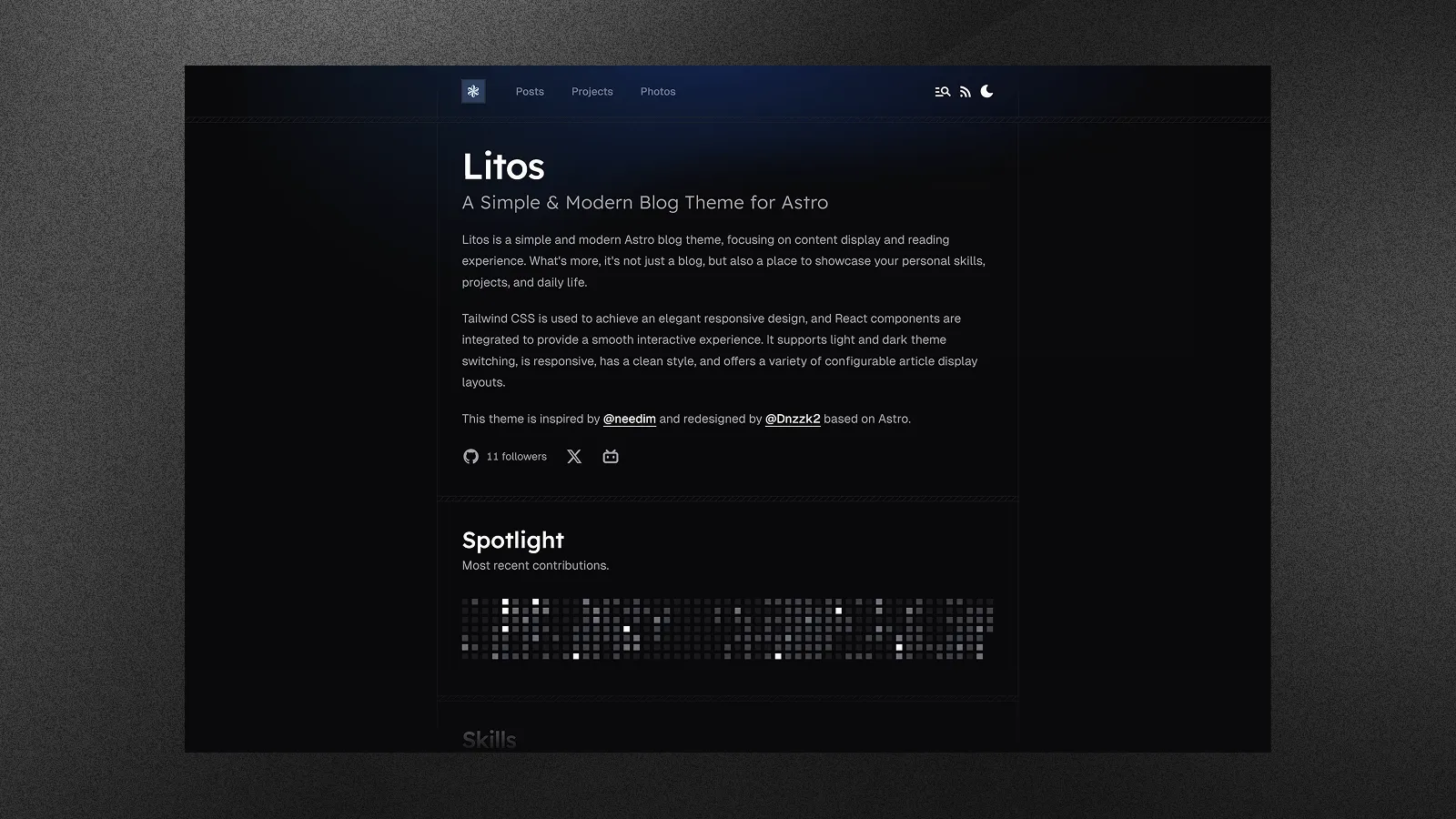
Litos is a comprehensive blogging theme crafted with **Astro**, **React**, and **TailwindCSS**. It is designed to provide developers with a clean, professional, and highly customizable platform to showcase their work, thoughts, and photography.
Unlike traditional themes, Litos emphasizes visual aesthetics without compromising on performance. It features fluid animations, a polished design system, and a robust set of built-in components to help you build your personal brand effectively.
## Key Features
- **Modern Architecture** — Astro 5 + React 19 for blazing fast performance and dynamic interactivity.
- **Elegant Design** — Fully responsive, meticulously crafted UI with TailwindCSS 4.
- **Posts** — Multiple layout options (compact, cover image) with rich Markdown support.
- **Projects** — Dedicated portfolio section with filterable tags.
- **Photos** — Beautiful masonry layout for photography collections.
- **Skills Showcase** — Visually represented technical stack configuration.
- **Code Highlighting** — Integrated Expressive Code for beautiful syntax highlighting.
- **Math Support** — KaTeX for rendering mathematical equations.
- **Comments** — Gitalk integration for GitHub-based discussions.
- **SEO** — Built-in sitemaps, robots.txt, and meta tags.
- **Analytics** — Configurable Vercount and Umami analytics.
- **Dark Mode** — Native light and dark theme support.
## Deploy
Deploy your own Litos blog with one click:
[](https://vercel.com/new/clone?repository-url=https://github.com/Dnzzk2/Litos)
[](https://app.netlify.com/start/deploy?repository=https://github.com/Dnzzk2/Litos)
## Getting Started
### Prerequisites
- **Node.js** (v18 or higher)
- **pnpm** (recommended)
### Installation
1. **Clone the repository**
```bash
git clone https://github.com/Dnzzk2/Litos.git
cd Litos
```
2. **Install dependencies**
```bash
pnpm install
```
3. **Start the development server**
```bash
pnpm dev
```
Your site should now be running at `http://localhost:4321`.
## Configuration
The primary configuration file is located at `src/config.ts`.
### Site Settings
```typescript
export const SITE: Site = {
title: 'Litos',
description: 'Your site description here.',
website: 'https://your-domain.com',
author: 'Your Name',
// ...other settings
}
```
### Feature Toggles
```typescript
export const SKILLSSHOWCASE_CONFIG = {
SKILLS_ENABLED: true,
// ...
}
export const GITHUB_CONFIG = {
ENABLED: true,
// ...
}
```
### Navigation
Links for the Header and Footer can be managed via `HEADER_LINKS` and `FOOTER_LINKS`.
## Scripts
| Script | Description |
| :--- | :--- |
| `pnpm dev` | Starts the local development server. |
| `pnpm build` | Builds the site for production. |
| `pnpm preview` | Previews the built production site locally. |
| `pnpm format` | Formats code using Prettier. |
| `pnpm check` | Runs Astro check for diagnostics. |
## License
Distributed under the MIT License. See [MIT LICENSE](LICENSE) for more information.
## Star History