

A customizable and easy to use BottomBar navigation view with sleek animations, with support for ViewPager, ViewPager2, NavController, and badges.
A customizable and easy to use BottomBar navigation view with sleek animations, with support for ViewPager, ViewPager2, NavController, and badges.



 By Joery Droppers

 ## Playground app
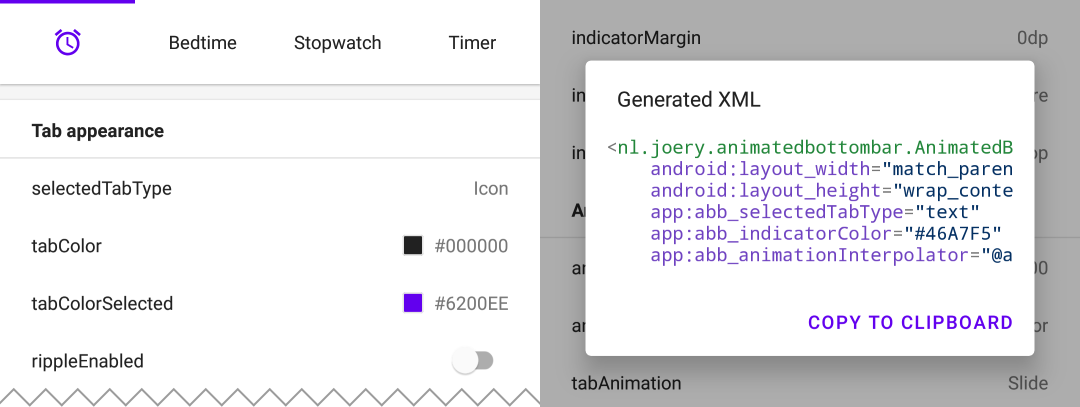 Download the playground app from Google Play, with this app you can try out all features and even generate XML with your selected configuration.
 ## Contents
- [Getting started](#getting-started)
- [Managing tabs](#managing-tabs)
- [Usage with ViewPager](#usage-with-viewpager)
- [Configuration](#configuration)
## Getting started
This library is available on Maven Central, install it by adding the following dependency to your build.gradle:
```gradle
implementation 'nl.joery.animatedbottombar:library:1.1.0'
```
*Versions 1.0.x can only be used with jCenter, versions 1.1.x and up can be used with Maven Central.*
Define `AnimatedBottomBar` in your XML layout with custom attributes.
```xml
## Contents
- [Getting started](#getting-started)
- [Managing tabs](#managing-tabs)
- [Usage with ViewPager](#usage-with-viewpager)
- [Configuration](#configuration)
## Getting started
This library is available on Maven Central, install it by adding the following dependency to your build.gradle:
```gradle
implementation 'nl.joery.animatedbottombar:library:1.1.0'
```
*Versions 1.0.x can only be used with jCenter, versions 1.1.x and up can be used with Maven Central.*
Define `AnimatedBottomBar` in your XML layout with custom attributes.
```xml
| Attribute | Description | Default |
|---|---|---|
| abb_tabs | Tabs can be defined in a menu file (Menu resource), in the res/menu/ resource folder. The icon and title attribute are required. By default all tabs are enabled, set android:enabled to false to disable a tab.
<menu xmlns:android="http://schemas.android.com/apk/res/android">
    <item
        android:id="@+id/tab_example"
        android:icon="@drawable/ic_example"
        android:title="@string/tab_example"
        android:enabled="true|false" />
    ...etc
</menu>
|
|
| abb_selectedIndex | Define the default selected tab index. | |
| abb_selectedTabId | Define the default selected tab by its ID, for example @id/tab_id |
| Attribute | Description | Default |
|---|---|---|
| abb_selectedTabType |
Determines whether the icon or text should be shown when a tab has been selected. icon  text  |
icon |
| abb_tabColor | The color of the icon or text when the tab is not selected. | @color/textColorPrimary |
| abb_tabColorSelected | The color of the icon or text when the tab is selected. | @color/colorPrimary |
| abb_tabColorDisabled | The color of the icon or text whenever the tab has been disabled. | @color/textColorSecondary |
| abb_textAppearance | Customize the look and feel of text in tabs, down below is an example of a custom text appearance. Define a new style in res/values/styles.xml:
<style name="CustomText">
    <item name="android:textAllCaps">true</item>
    <item name="android:fontFamily">serif</item>
    <item name="android:textSize">16sp</item>
    <item name="android:textStyle">italic|bold</item>
</style>

|
|
| abb_textStyle | Style (normal, bold, italic, bold|italic) for the text. Use bottom_bar.typeface to programmatically set text style. |
normal |
| abb_textSize | Size of the text. Recommended dimension type for text is "sp" (scaled-pixels), for example: 14sp. | 14sp |
| abb_iconSize | Increase or decrease the size of the icon. | 24dp |
| abb_rippleEnabled | Enables the 'ripple' effect when selecting a tab. |
false |
| abb_rippleColor | Change the color of the aforementioned ripple effect. | Default theme color |
| Attribute | Description | Default |
|---|---|---|
| abb_badgeBackgroundColor | The background color of the badges. | #ff0c10 (red) |
| abb_badgeTextColor | The text color of the text inside the badges. | #FFFFFF |
| abb_badgeTextSize | The text size of the text inside the badges. Recommended dimension type for text is "sp" (scaled-pixels), for example: 14sp. | 10sp |
| abb_badgeAnimation |
The enter and exit animation type for badges. none scale fade |
scale |
| abb_badgeAnimationDuration | The duration of the entry and exit animation of a badge. | 150 |
| Attribute | Description | Default |
|---|---|---|
| abb_animationDuration | The duration of all animations, including the indicator animation. | 400 |
| abb_tabAnimation |
The enter and exit animation style of the tabs which are not selected. none  slide  fade  |
fade |
| abb_tabAnimationSelected |
The enter and exit animation style of the selected tab. none  slide  fade |
slide |
| abb_animationInterpolator |
The interpolator used for all animations. See "Android Interpolators: A Visual Guide" for more information on available interpolators. Example value: @android:anim/overshoot_interpolator 
|
FastOutSlowInInterpolator |
| Attribute | Description | Default |
|---|---|---|
| abb_indicatorColor | The color of the indicator. | @android/colorPrimary |
| abb_indicatorHeight | The height of the indicator. | 3dp |
| abb_indicatorMargin | The horizontal margin of the indicator. This determines the width of the indicator. | 0dp |
| abb_indicatorAppearance |
Configure the shape of the indicator either to be square or round. invisible 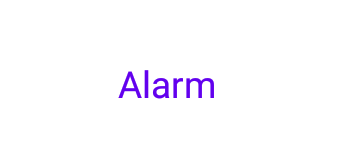 square 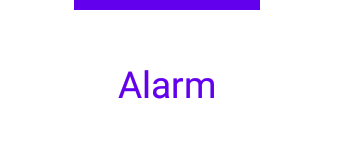 round 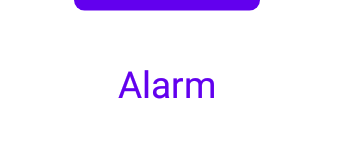 |
square |
| abb_indicatorLocation |
Configure the location of the selected tab indicator, top, bottom or invisible. top bottom  |
top |
| abb_indicatorAnimation |
The animation type of the indicator when changing the selected tab. none  slide fade 
|
slide |