[![Contributors][contributors-shield]][contributors-url]
[![Forks][forks-shield]][forks-url]
[![Stargazers][stars-shield]][stars-url]
[![Issues][issues-shield]][issues-url]
[![MIT License][license-shield]][license-url]
[![Latest Release][release-shield]][release-url]
Table of Contents
-
About The Project
-
Getting Started
- What Gets Installed
- Demo
- Screenshots
- Releases
- Roadmap
- Contributing
- License
- Contact
## About The Project
Server-AIO is an all-in-one setup toolkit that turns a fresh Ubuntu Server into a repeatable self-hosted platform — in the same spirit as [nextcloud-aio](https://github.com/nextcloud/all-in-one), but for the whole server rather than a single app. One installer bootstraps the shared infrastructure (Cloudflare DNS updates, a Docker-based Nginx reverse proxy, UFW, Fail2ban, and a shared Docker network), then separate setup commands bring up individual services such as Nextcloud, Vaultwarden, and Jellyfin on top of it.
Unlike a black-box AIO container, every piece here stays a plain, inspectable script and config file — nothing is hidden behind a control panel. Review and adapt the scripts for your network before exposing services to the internet.
(back to top)
### Built With
- [![Python][Python-badge]][Python-url]
- [![Bash][Bash-badge]][Bash-url]
- [![Docker][Docker-badge]][Docker-url]
- [![Nginx][Nginx-badge]][Nginx-url]
(back to top)
## Getting Started
### Prerequisites
Before running the installation script, ensure you have:
- Ubuntu Server LTS
- Root or sudo access
- Active internet connection
- A domain and Cloudflare API token for the included DNS automation
- Docker for the service setup scripts
### Installation
Run this command in your Ubuntu terminal to start the installation:
```bash
curl -fsSL https://raw.githubusercontent.com/ENIACore/server-configs/main/install.py -o /tmp/server-install.py && sudo python3 /tmp/server-install.py
```
The installer copies the available commands to `/usr/local/sbin`, collects the
initial server configuration, and prepares Nginx templates for the configured
domain. Run the infrastructure and service setup commands you want afterward.
(back to top)
## What Gets Installed
Server-AIO provides setup commands for the following services and infrastructure:
**Services:**
- **Nextcloud** - Self-hosted file sync and share platform
- **Vaultwarden** - Lightweight Bitwarden server implementation
- **Jellyfin** - Media server for your personal media collection
- **qBittorrent** - Torrent client with built-in WireGuard VPN (via the hotio image)
- **Jackett** - Indexer proxy for torrent trackers
- **jfa-go** - Jellyfin account management
- **Minecraft** - Fabric server with Lithium
- **PostgreSQL** and a personal-site container
**Security & Infrastructure:**
- **Nginx** - Reverse proxy with SSL termination
- **Cloudflare DNS** - Dynamic DNS updates for root and wildcard records
- **Fail2ban** - Intrusion prevention system
- **UFW Firewall** - Uncomplicated firewall configuration
- **Docker networking** - Shared internal network for service-to-service communication
Useful operational commands include `nginx-enable`, `nginx-disable`,
`scan-ports`, `docker-network-inspect`, `docker-system-prune`,
`add-healthcheck-cron`, `mask-sleep`, and `unmask-sleep`.
(back to top)
## Demo
[](https://youtu.be/xd_rBWV8tak)
(back to top)
## Screenshots
### Initial installation

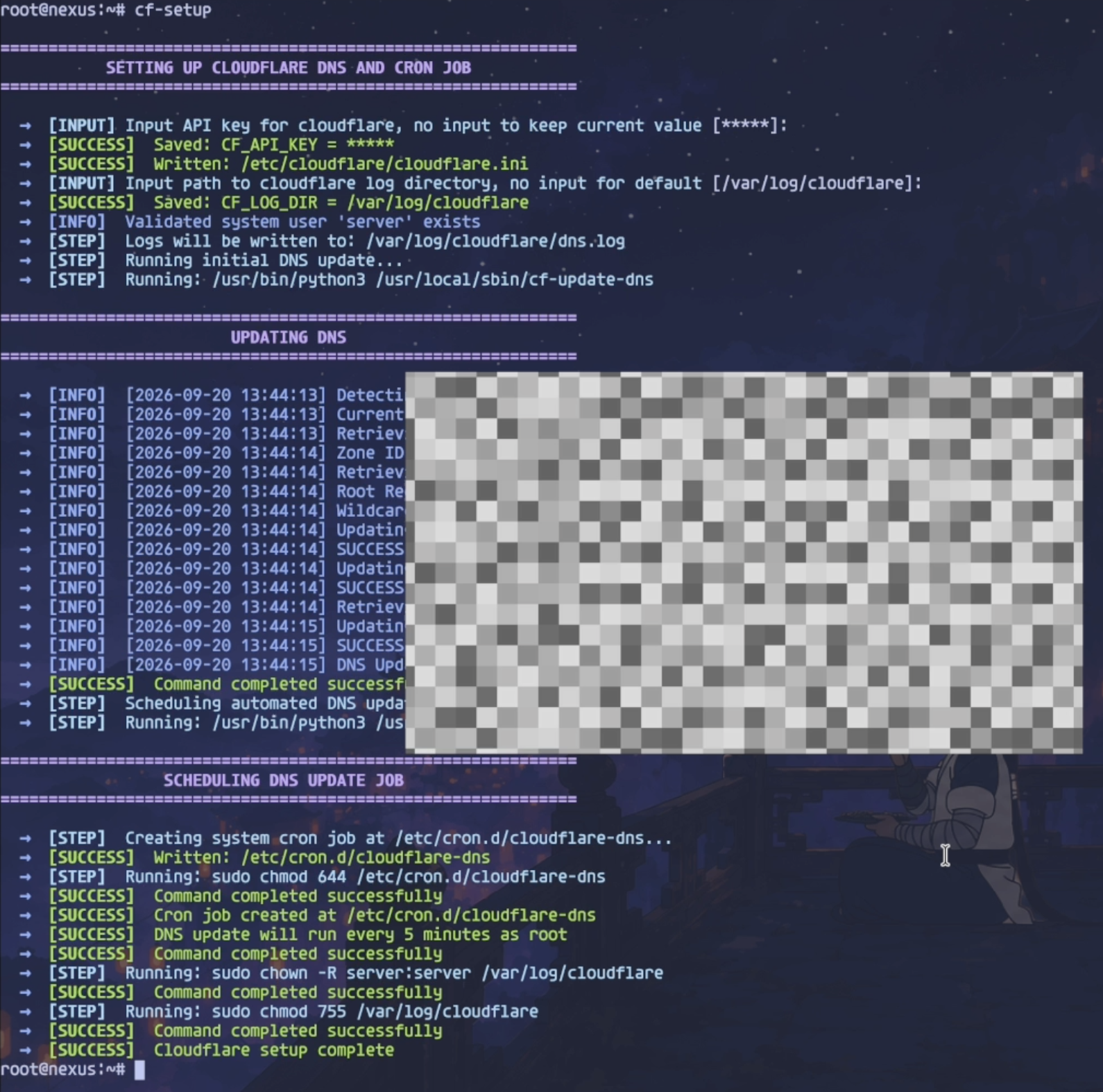
### Cloudflare DNS setup
### Reverse proxy setup

(back to top)
## Releases
Tagged releases (`vMAJOR.MINOR.PATCH`) are cut from `main` and listed on the
[Releases page][release-url]. See [CHANGELOG.md](CHANGELOG.md) for a
per-version summary of what changed. Between releases, `main` tracks the
maintainer's live server configuration directly.
(back to top)
## Roadmap
- [ ] Add support for additional Linux distributions
- [ ] Implement automated backup solutions
- [ ] Add monitoring and alerting system
- [ ] Create web-based configuration interface
- [ ] Add support for additional self-hosted services
See the [open issues](https://github.com/ENIACore/server-configs/issues) for a full list of proposed features and known issues.
(back to top)
## Contributing
Contributions are what make the open source community such an amazing place to learn, inspire, and create. Any contributions you make are greatly appreciated.
If you have a suggestion that would make this better, please fork the repo and create a pull request. You can also simply open an issue with the tag "enhancement".
1. Fork the Project
2. Create your Feature Branch (`git checkout -b feature/AmazingFeature`)
3. Commit your Changes (`git commit -m 'Add some AmazingFeature'`)
4. Push to the Branch (`git push origin feature/AmazingFeature`)
5. Open a Pull Request
(back to top)
### Top contributors:
 ## License
Distributed under the MIT License. See [LICENSE.md](LICENSE.md) for more information.
(back to top)
## Contact
Project Link: [https://github.com/ENIACore/server-configs](https://github.com/ENIACore/server-configs)
(back to top)
[contributors-shield]: https://img.shields.io/github/contributors/ENIACore/server-configs.svg?style=for-the-badge
[contributors-url]: https://github.com/ENIACore/server-configs/graphs/contributors
[forks-shield]: https://img.shields.io/github/forks/ENIACore/server-configs.svg?style=for-the-badge
[forks-url]: https://github.com/ENIACore/server-configs/network/members
[stars-shield]: https://img.shields.io/github/stars/ENIACore/server-configs.svg?style=for-the-badge
[stars-url]: https://github.com/ENIACore/server-configs/stargazers
[issues-shield]: https://img.shields.io/github/issues/ENIACore/server-configs.svg?style=for-the-badge
[issues-url]: https://github.com/ENIACore/server-configs/issues
[license-shield]: https://img.shields.io/github/license/ENIACore/server-configs.svg?style=for-the-badge
[license-url]: https://github.com/ENIACore/server-configs/blob/main/LICENSE.md
[release-shield]: https://img.shields.io/github/v/release/ENIACore/server-configs.svg?style=for-the-badge
[release-url]: https://github.com/ENIACore/server-configs/releases
[Python-badge]: https://img.shields.io/badge/Python-3776AB?style=for-the-badge&logo=python&logoColor=white
[Python-url]: https://www.python.org/
[Bash-badge]: https://img.shields.io/badge/Bash-4EAA25?style=for-the-badge&logo=gnubash&logoColor=white
[Bash-url]: https://www.gnu.org/software/bash/
[Docker-badge]: https://img.shields.io/badge/Docker-2496ED?style=for-the-badge&logo=docker&logoColor=white
[Docker-url]: https://www.docker.com/
[Nginx-badge]: https://img.shields.io/badge/Nginx-009639?style=for-the-badge&logo=nginx&logoColor=white
[Nginx-url]: https://nginx.org/