# titiler-eopf
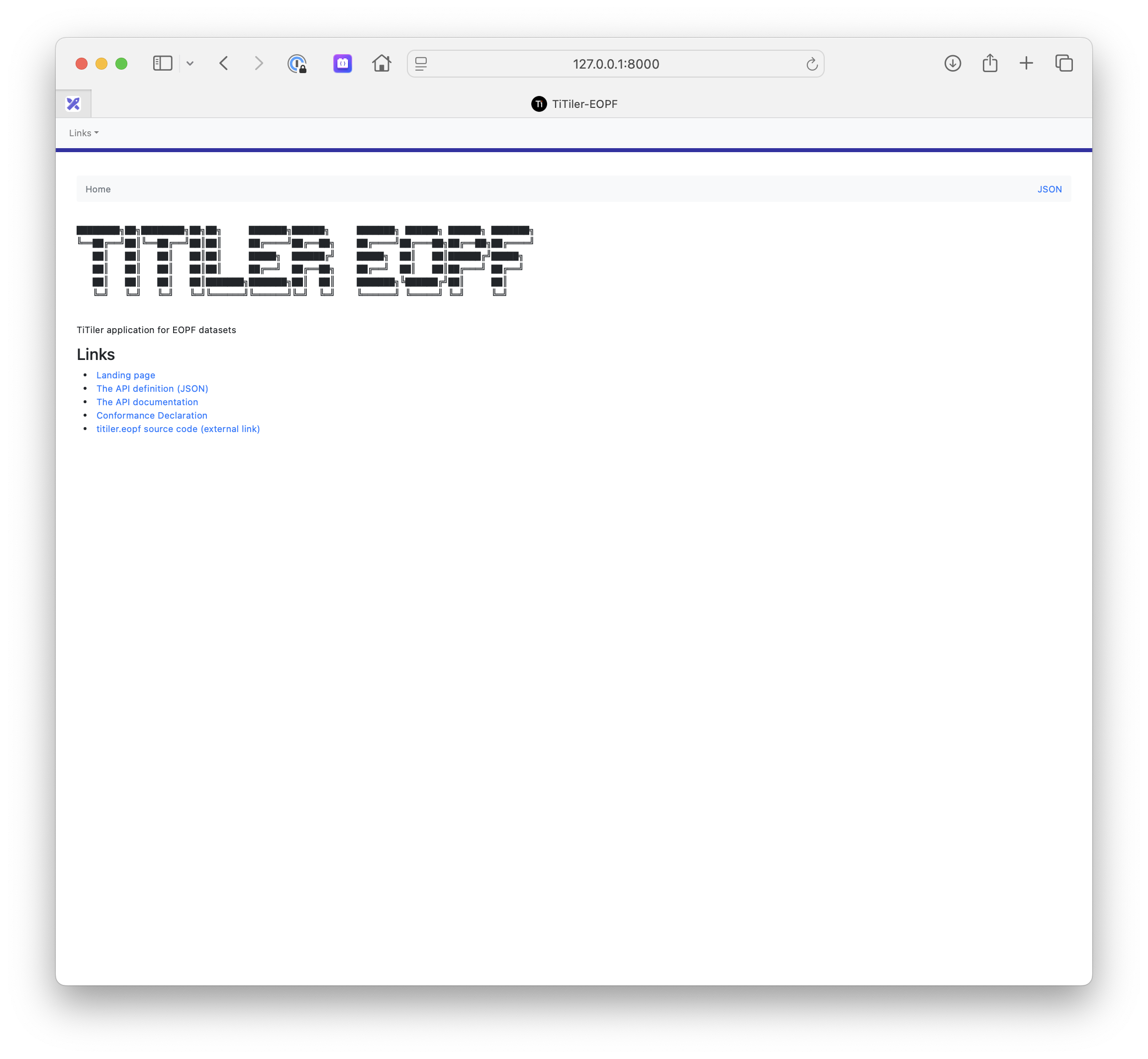
TiTiler application for EOPF datasets


---
**Documentation**:
**Source Code**: https://github.com/EOPF-Explorer/titiler-eopf/
---
## Installation
We recommand using [`uv`](https://docs.astral.sh/uv) as project manager for development.
See https://docs.astral.sh/uv/getting-started/installation/ for installation
```bash
git clone https://github.com/EOPF-Explorer/titiler-eopf.git
cd titiler-eopf
uv sync
```
## Configuration
The `titiler-eopf` application is linked to a STAC API. Tiler's endpoints are configured to take `collection_id` and `item_id` path parameter in form of `/collections/{collection_id}/items/{item_id}/...` for individual item access, and `/collections/{collection_id}/...` for collection mosaics.
The STAC API is configured with the `TITILER_EOPF_STAC_API_URL` (**required**) environment variable.
```
# Get Dataset Info for `s3://my-bucket/data/sentinel-2/S2A_MSIL2A_20250704T094051_N0511_R036_T33SWB_20250704T115824.zarr` file
http://127.0.0.1:8000/collections/sentinel-2/items/S2A_MSIL2A_20250704T094051_N0511_R036_T33SWB_20250704T115824/dataset
```
## Launch
```
uv run --extra server uvicorn titiler.eopf.main:app --host 127.0.0.1 --port 8080
```
### Using Docker
```
git clone https://github.com/EOPF-Explorer/titiler-eopf.git
cd titiler-eopf
export TITILER_EOPF_STAC_API_URL=https://api.explorer.eopf.copernicus.eu/stac
# AWS credentials are required to access assets stored in S3.
export AWS_ACCESS_KEY_ID=12345678910
export AWS_SECRET_ACCESS_KEY=a_super_secret_key
export AWS_DEFAULT_REGION=somewhere
export AWS_ENDPOINT_URL=https://custom_s3_endpoint.dev
docker-compose up --build api
```
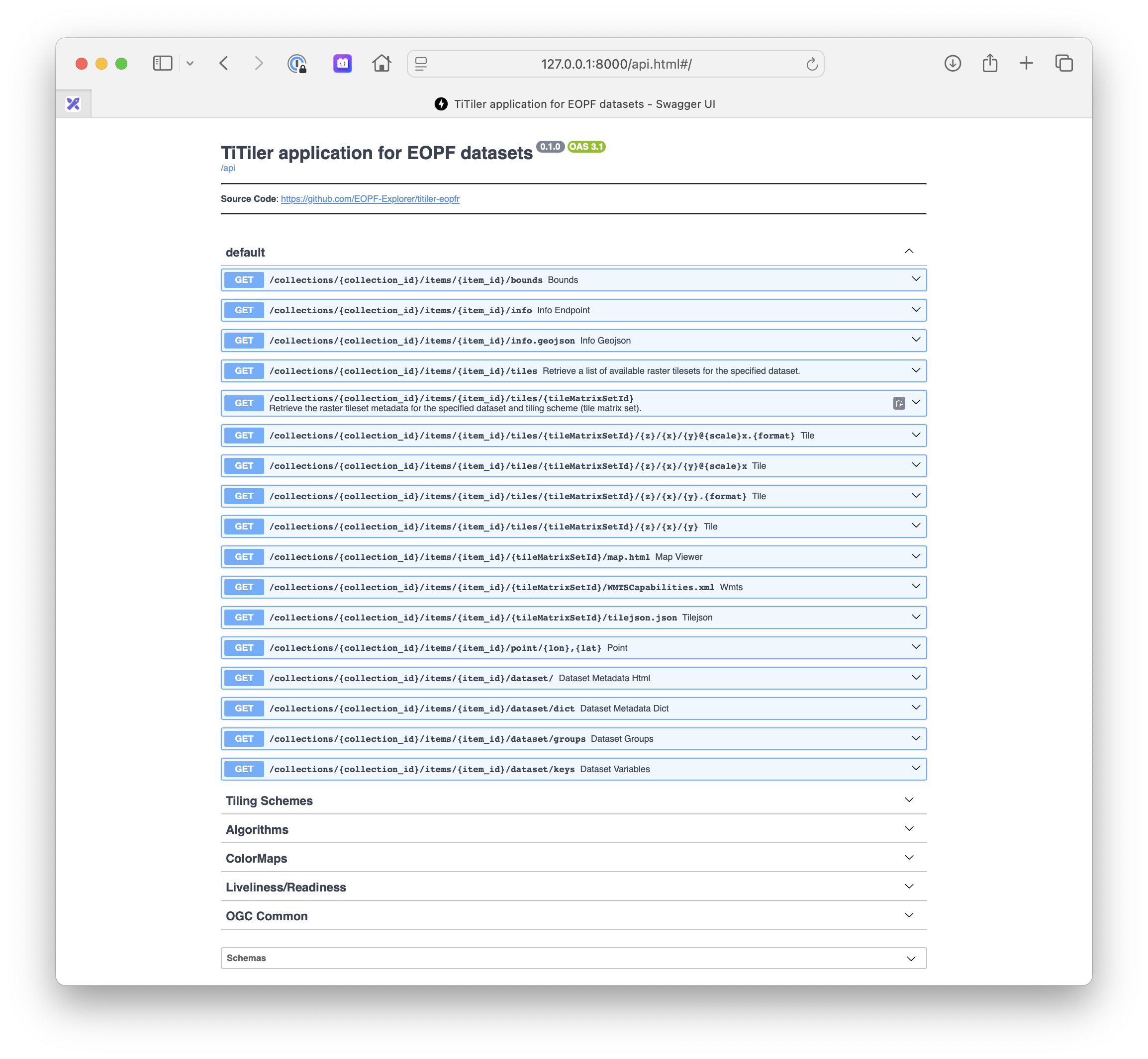
`http://127.0.0.1:8000/api.html`
 > Note: `api` and `api-openeo` cannot run at the same time. `api-openeo` extends
> `api`, and Compose *merges* the `ports` list rather than replacing it, so
> `api-openeo` publishes both 8081 and 8000 and the two collide. Start them one
> at a time (`docker compose up api`, then `docker compose up api-openeo`).
#### About the image
The image is built on [Chainguard Wolfi](https://github.com/wolfi-dev), pinned by
digest (`:latest` is the only free Chainguard tag, so the digest is the version
pin). GDAL and PROJ come from the `rasterio` and `pyproj` manylinux wheels rather
than system packages, so `osgeo` is intentionally absent.
The image runs as **root on port 80** — the Helm chart renders
`securityContext: {}` and passes `--port 80`, so adding a `USER` directive would
crashloop the deployments.
The Dockerfile comments explain the rest (why apk versions are unpinned, why
`libstdc++` is explicit); `docker/smoke-test.sh` asserts it — see CONTRIBUTING.md.
## OpenEO API Deployment
This repository includes a second application that deploys an OpenEO API (`titiler.eopf.openeo.main:app`). The same Docker image built by the CI pipeline can be used to deploy either the TiTiler EOPF application or the OpenEO API by configuring the `MODULE_NAME` environment variable.
### Deploying with Upstream TiTiler-OpenEO Helm Chart
The OpenEO API can be deployed using the upstream TiTiler-OpenEO Helm chart from the [sentinel-hub/titiler-openeo](https://github.com/sentinel-hub/titiler-openeo) repository with the Docker image from this repository.
#### Prerequisites
- Kubernetes cluster with Helm 3.0+
- Docker image from this repository's CI: `ghcr.io/eopf-explorer/titiler-eopf`
- Access to the upstream helm chart: https://github.com/sentinel-hub/titiler-openeo/tree/main/deployment/k8s/charts
#### Configuration
Create a custom `values.yaml` file to override the upstream chart's default image and configure the OpenEO backend:
```yaml
# Image configuration - use the image from this repository's CI
image:
repository: ghcr.io/eopf-explorer/titiler-eopf
tag: latest # or specific version tag (e.g., v1.0.0) or sha-
pullPolicy: IfNotPresent
# IMPORTANT: Override the command to use uvicorn instead of gunicorn
# The upstream titiler-openeo chart expects uvicorn, but this image uses gunicorn by default
# You must override the command in the deployment configuration
command:
- "uvicorn"
- "titiler.eopf.openeo.main:app"
- "--host"
- "0.0.0.0"
- "--port"
- "80"
# Alternatively, if the chart doesn't support command override, you can use environment variables
# to configure gunicorn (though uvicorn is preferred for compatibility):
env:
# Application module configuration (for gunicorn - only if you can't override the command)
MODULE_NAME: titiler.eopf.openeo.main
VARIABLE_NAME: app
HOST: 0.0.0.0
PORT: 80
WEB_CONCURRENCY: 1
# STAC Endpoint Configuration
TITILER_EOPF_STAC_API_URL: "https://api.explorer.eopf.copernicus.eu/stac/"
# OpenEO Backend Configuration (Required)
TITILER_OPENEO_STAC_API_URL: "https://api.explorer.eopf.copernicus.eu/stac/"
TITILER_OPENEO_STORE_URL: "services/eopf-explorer.json"
# AWS Configuration (if using S3)
AWS_DEFAULT_REGION: "de"
AWS_ENDPOINT_URL: "https://s3.de.io.cloud.ovh.net/"
AWS_EC2_METADATA_DISABLED: "true"
# OpenEO Authentication Configuration (Optional)
TITILER_OPENEO_AUTH_METHOD: "oidc"
TITILER_OPENEO_AUTH_OIDC_CLIENT_ID: "cdse-public"
TITILER_OPENEO_AUTH_OIDC_WK_URL: "https://identity.dataspace.copernicus.eu/auth/realms/CDSE/.well-known/openid-configuration"
TITILER_OPENEO_AUTH_OIDC_REDIRECT_URL: "https://your-openeo-deployment-url/"
TITILER_OPENEO_AUTH_OIDC_SCOPES: "openid profile email"
TITILER_OPENEO_AUTH_OIDC_NAME_CLAIM: "preferred_username"
# Additional OpenEO Configuration (Optional)
TITILER_OPENEO_API_DEBUG: "false"
TITILER_OPENEO_PROCESSING_MAX_ITEMS: "100"
LOG_LEVEL: "INFO"
# AWS Credentials - reference to existing secret
# (The upstream chart may have different secret handling - adjust as needed)
secrets:
aws:
accessKeyId: "your-access-key-id"
secretAccessKey: "your-secret-access-key"
```
#### Installation
1. **Clone the upstream TiTiler-OpenEO repository to access the Helm chart**:
```bash
git clone https://github.com/sentinel-hub/titiler-openeo.git
cd titiler-openeo/deployment/k8s/charts
```
2. **Create a Kubernetes secret for AWS credentials** (if using S3):
```bash
kubectl create secret generic openeo-aws-credentials \
--from-literal=AWS_ACCESS_KEY_ID=your-access-key-id \
--from-literal=AWS_SECRET_ACCESS_KEY=your-secret-access-key
```
3. **Install the chart with custom values**:
```bash
helm install openeo-eopf . -f /path/to/your/values.yaml
```
Or install directly from the cloned repository:
```bash
cd /path/to/titiler-openeo/deployment/k8s/charts
helm install openeo-eopf . -f values.yaml
```
#### Local Development
For local development, you can run the OpenEO API using the configuration from `.vscode/launch.json`:
```bash
export TITILER_OPENEO_STAC_API_URL="https://your-stac-api-url.com"
export TITILER_OPENEO_STORE_URL="services/eopf-explorer.json"
export TITILER_EOPF_STAC_API_URL="https://api.explorer.eopf.copernicus.eu/stac/"
export AWS_DEFAULT_REGION="your-region"
export AWS_ENDPOINT_URL="https://your-s3-endpoint.com/"
uv run --group server uvicorn titiler.eopf.openeo.main:app --host 127.0.0.1 --port 8081
```
#### Required Environment Variables
The OpenEO API requires the following environment variables to be configured:
- `TITILER_OPENEO_STAC_API_URL`: URL of the STAC API for collection discovery
- `TITILER_OPENEO_STORE_URL`: Path to the services configuration file
- `TITILER_EOPF_STAC_API_URL`: URL of the STAC API endpoint
Additional environment variables for authentication, AWS configuration, and other settings can be found in the `.vscode/launch.json` file.
## Contribution & Development
See [CONTRIBUTING.md](https://github.com/EOPF-Explorer/titiler-eopf/blob/main/CONTRIBUTING.md)
## License
See [LICENSE](https://github.com/EOPF-Explorer/titiler-eopf/blob/main/LICENSE)
## Authors
See [contributors](https://github.com/EOPF-Explorer/titiler-eopf/graphs/contributors) for a listing of individual contributors.
## Changes
See [CHANGES.md](https://github.com/EOPF-Explorer/titiler-eopf//blob/main/CHANGES.md).