# 🌿 Verdant — Self-Hosted Garden Journal
 *Logo designed by Kate 🌿*
[](https://github.com/Elyld/Verdant/actions/workflows/test.yml)
[](https://github.com/Elyld/Verdant/releases)
[](https://github.com/Elyld/Verdant/pkgs/container/verdant)
[](LICENSE)
Your garden, logged. Plant profiles with care reminders, a daily observation log
with a calendar heatmap, photo albums with slideshows, a seed stash and seedling
tracker, a drag-and-drop backyard planner, NFC tag shortcuts, harvest records,
a season-in-review dashboard with a yield-vs-spend scorecard, cost and pest
tracking, a phone-friendly quick-log page, CSV import from other trackers,
one-click backup & restore, Immich photo imports, and a morning Discord digest —
all in a single Docker container. FastAPI + SQLite, no build step, no cloud.
> **THIS IS 100% VIBE CODED.** This is just a personal project, built by
> someone with no coding knowledge. It works, it's loved, and it's a little
> feral in places. 🌱
*Screenshots below show demo data.*
## Features
### 🧭 Navigation — sidebar, custom mobile bar
On a desktop the nav is a slim left sidebar grouped into five labeled
sections — **Grow** (Today, Plants, Seeds, Seedlings, Planner), **Track**
(Garden Logs, Calendar, Quick Log, Photos, Pantry), **Manage** (Costs, Pests,
Fertilizers, Review, Import, Tags), **Assistant** (Garden Assistant), and
**Read** (Blog & Stories) — with no dropdown menus anywhere. The header stays
slim: logo, the season picker, and the weather strip with any active NOAA
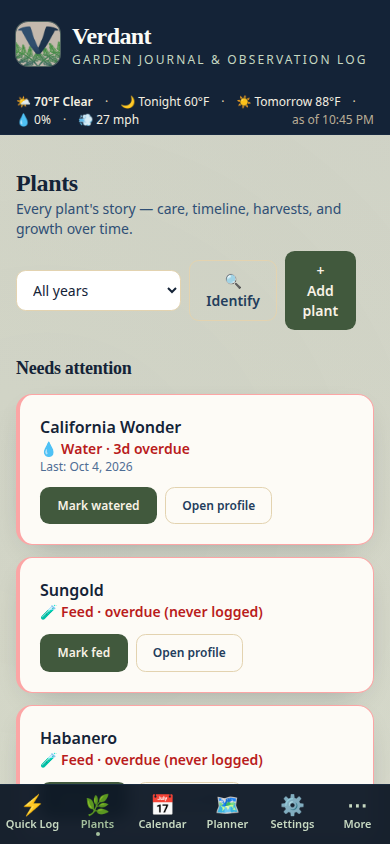
alerts up top. On your phone you get a bottom tab bar instead: pick up to
**5** of your own sections in the order you tap them, right on the
📱 *Mobile tab bar* card of the Settings page (tap a chip to add it, tap
again to remove — no dropdowns there either), and everything else stays one
tap away under **More**, which opens a bottom sheet of the remaining
sections. Out of the box the bar is Quick Log, Plants, Calendar, Planner,
and Settings — so Settings is always one tap away on your phone.
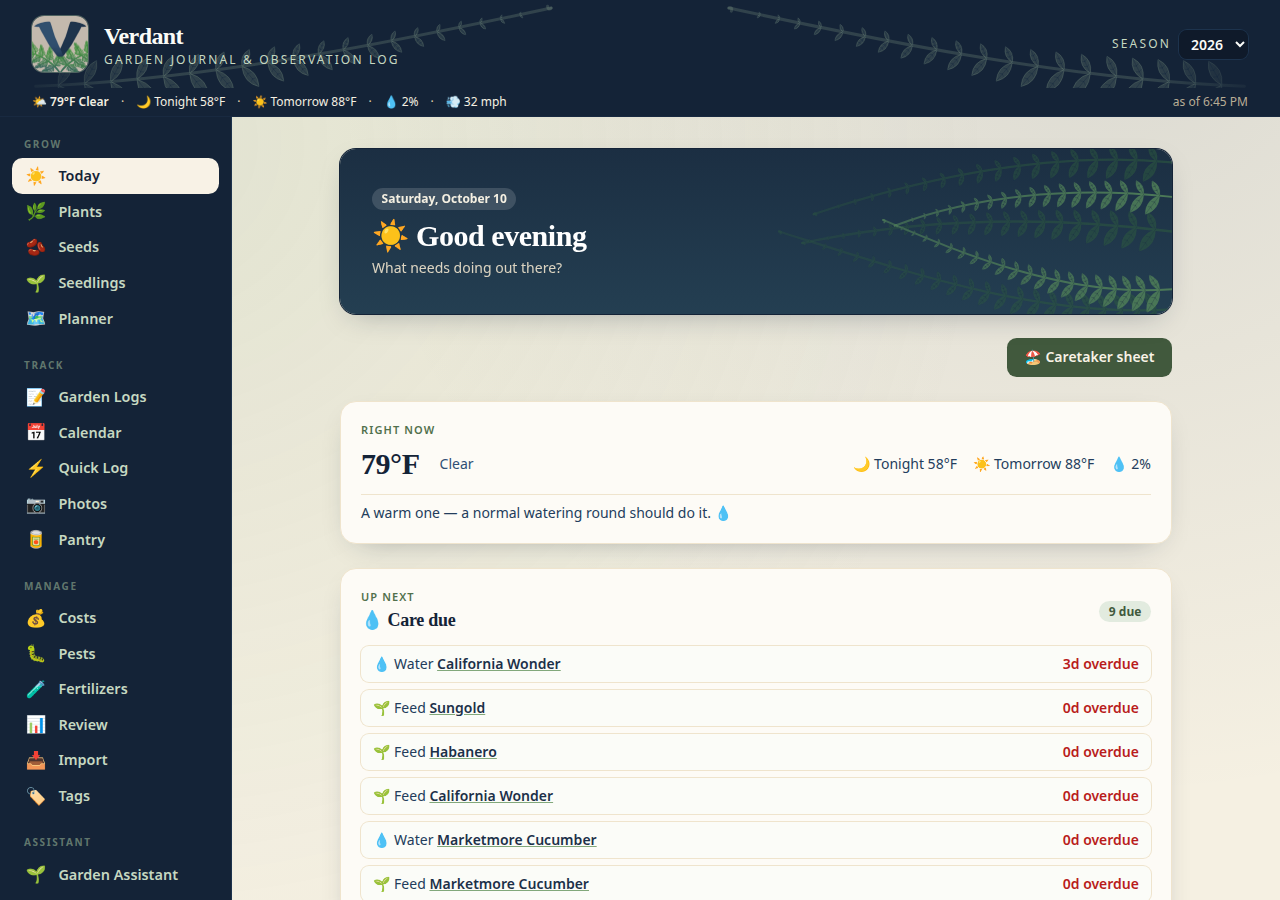
### ☀️ Today — your garden's morning brief
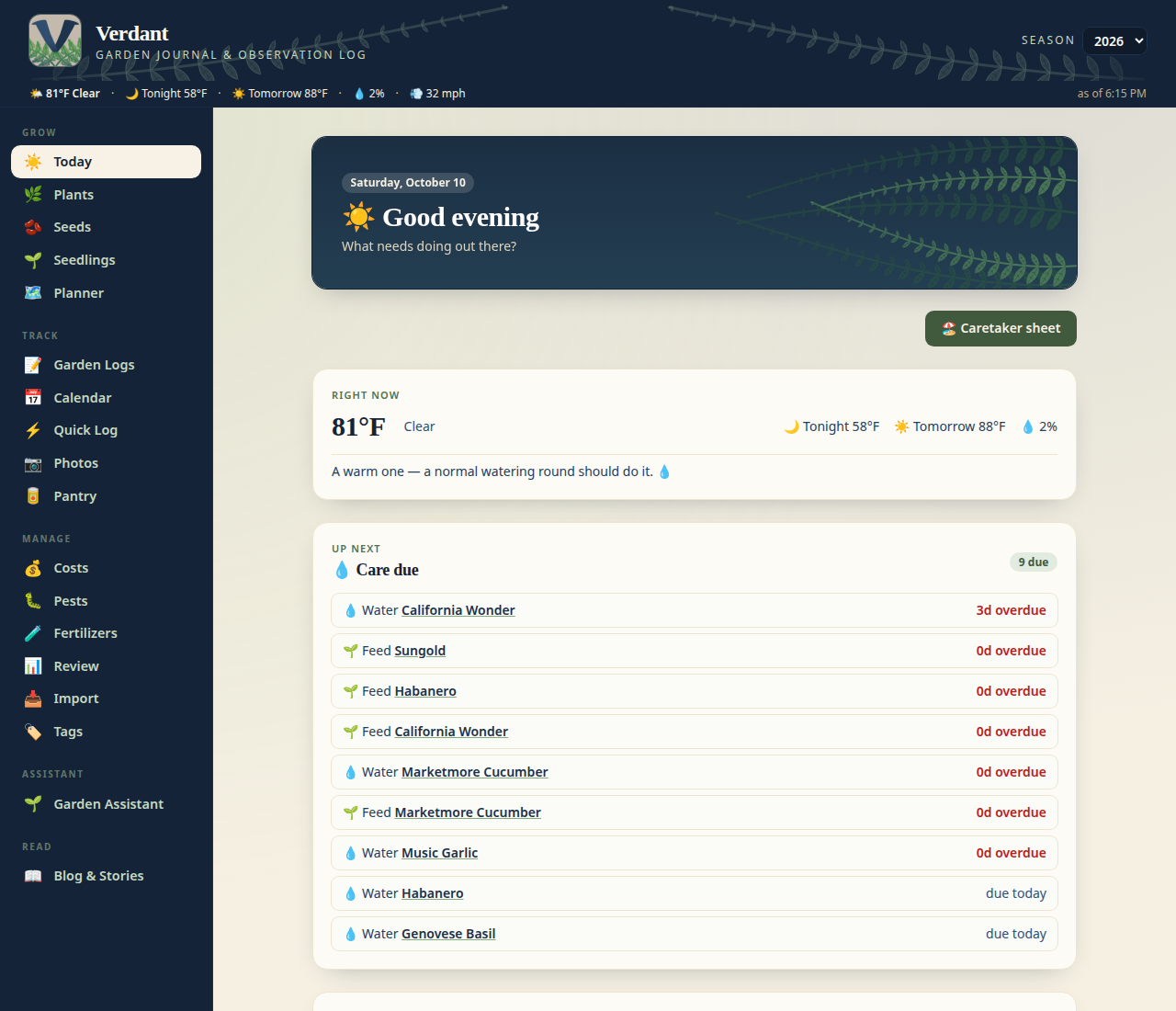
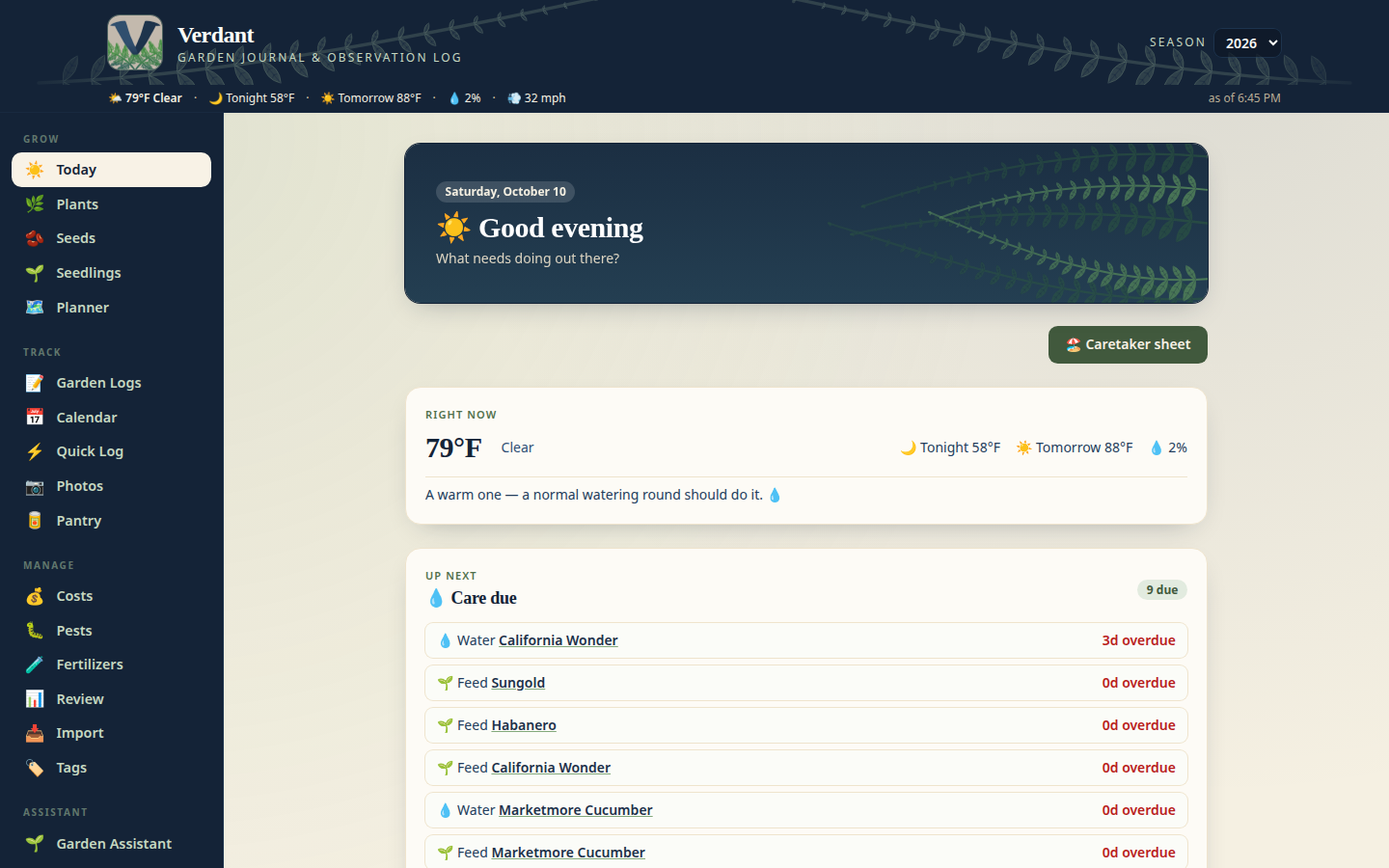
Today is the landing page: a greeting, the date, and everything that matters
right now. **💧 Care due** lists what's overdue or due today for watering and
feeding across all your plants. **🧺 Harvest forecast** predicts what's ready
from planting dates + the crop guide (clearly labeled estimates — your eyes
are the final judge). Below that, the weather strip, any active NOAA alerts,
and a **❄️ frost countdown** to your first fall frost — or a gentle prompt to
set it in Settings if you haven't. One glance, then grab your gloves.
The weather strip ends with a **💧 watering-advice line**: Verdant computes
real evapotranspiration (FAO-56 Penman-Monteith via PyETo) from your forecast
and tells you, in plain words, whether today calls for a normal round, a
deep soak, or putting the hose down — with the ET number in inches for the
curious. And care reminders are **🌧️ weather-aware**: when real rain is
expected today or tomorrow, watering tasks show a rain-hold badge and sink to
the bottom of the list instead of nagging — the sky's got those. The morning
Discord digest says the same.
### 📅 Calendar — daily log at a glance
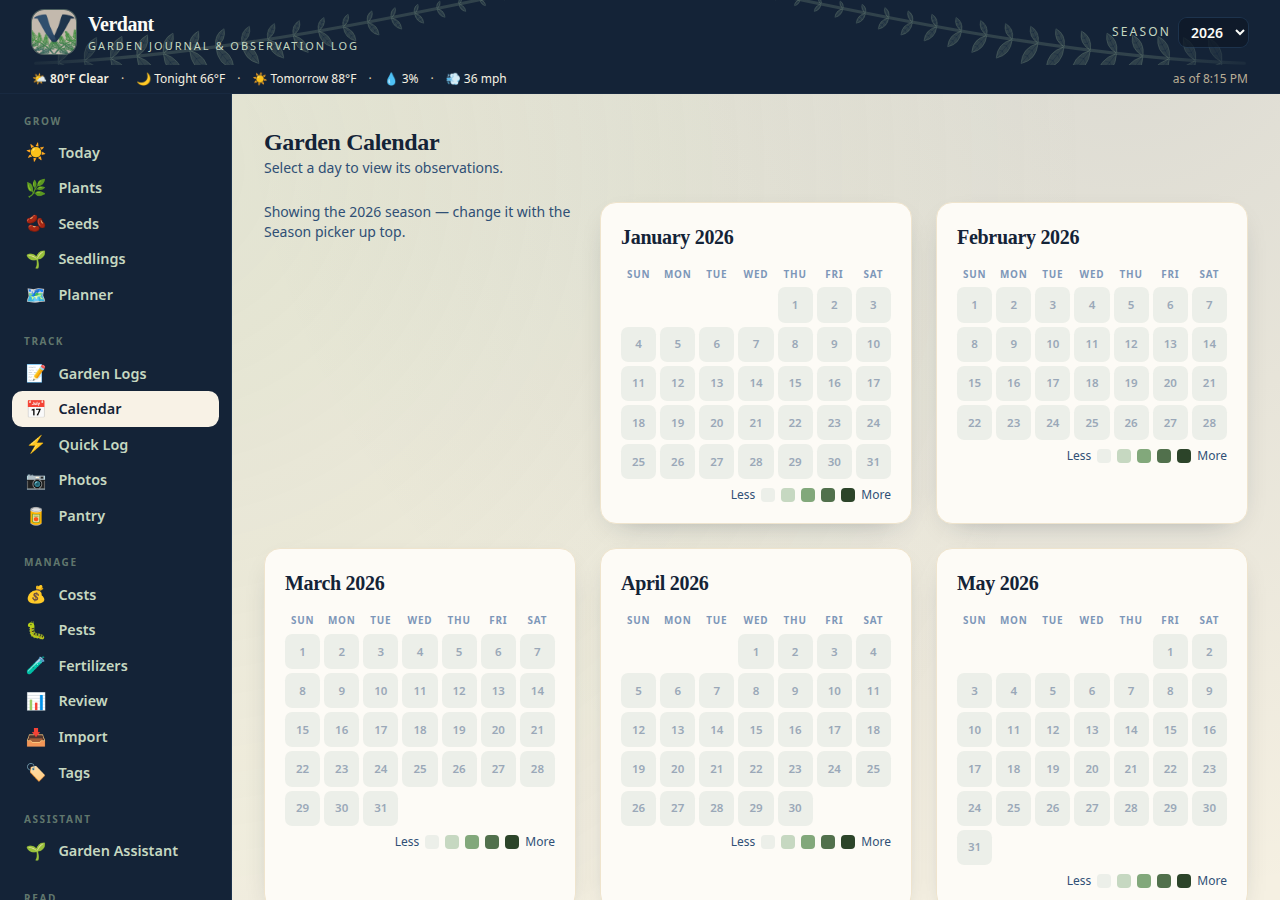
A GitHub-style heatmap of every observation, watering, and fertilization —
all twelve months of the season picked up top. Click any day to see exactly
what happened: health scores, notes, pests, weather. Changing the Season
picker re-renders the whole year.
### 🌱 Plants — profiles, care cadence, timelines
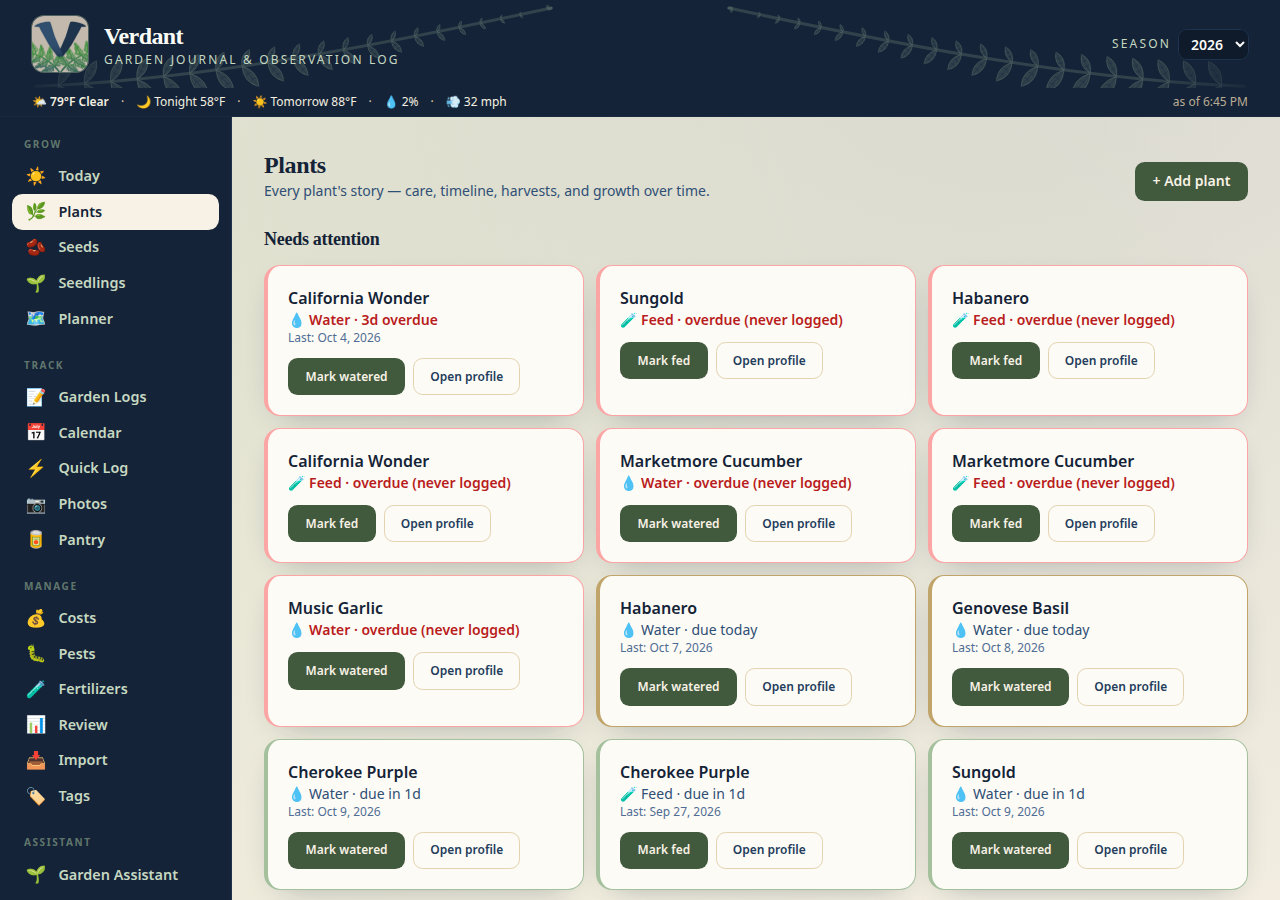
Every plant gets a profile: variety, species, location, planted date, days to
maturity, light needs, and custom care intervals. Verdant computes what's
**overdue, due today, or coming up** for watering and feeding. Each profile
also has a photo timeline and a per-plant timelapse view.
Photos you assign on the 🎯 Match photos page appear in a **Photos** gallery
on the plant's profile, with a lightbox on click. Plants follow the
**season year** picker in the header — switch seasons without deleting
anything; last year's plants stay for history, rotation warnings, and the
season review. And each plant can record which **seed packet** it was grown
from, tracing it back through the packet
to the invoice that bought it.
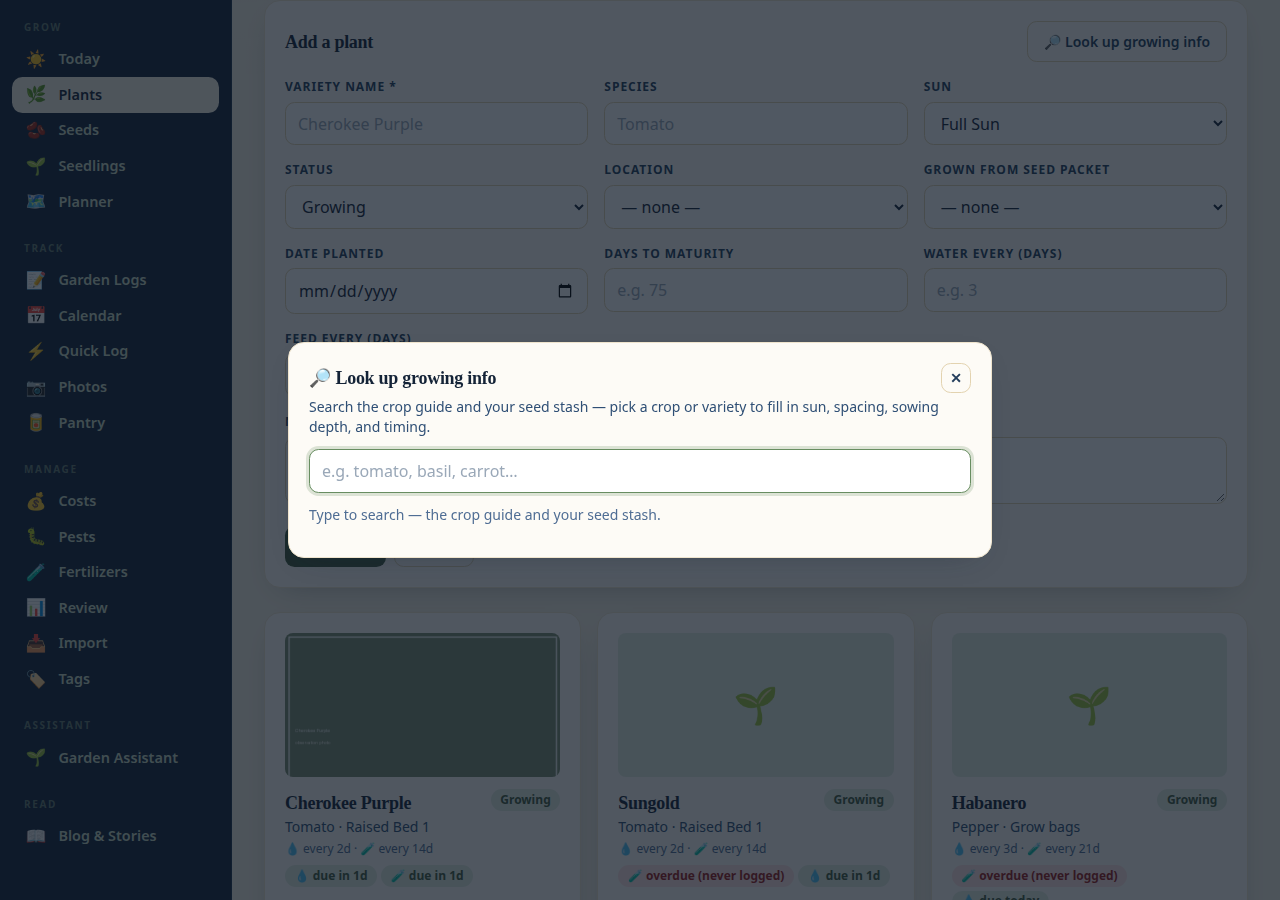
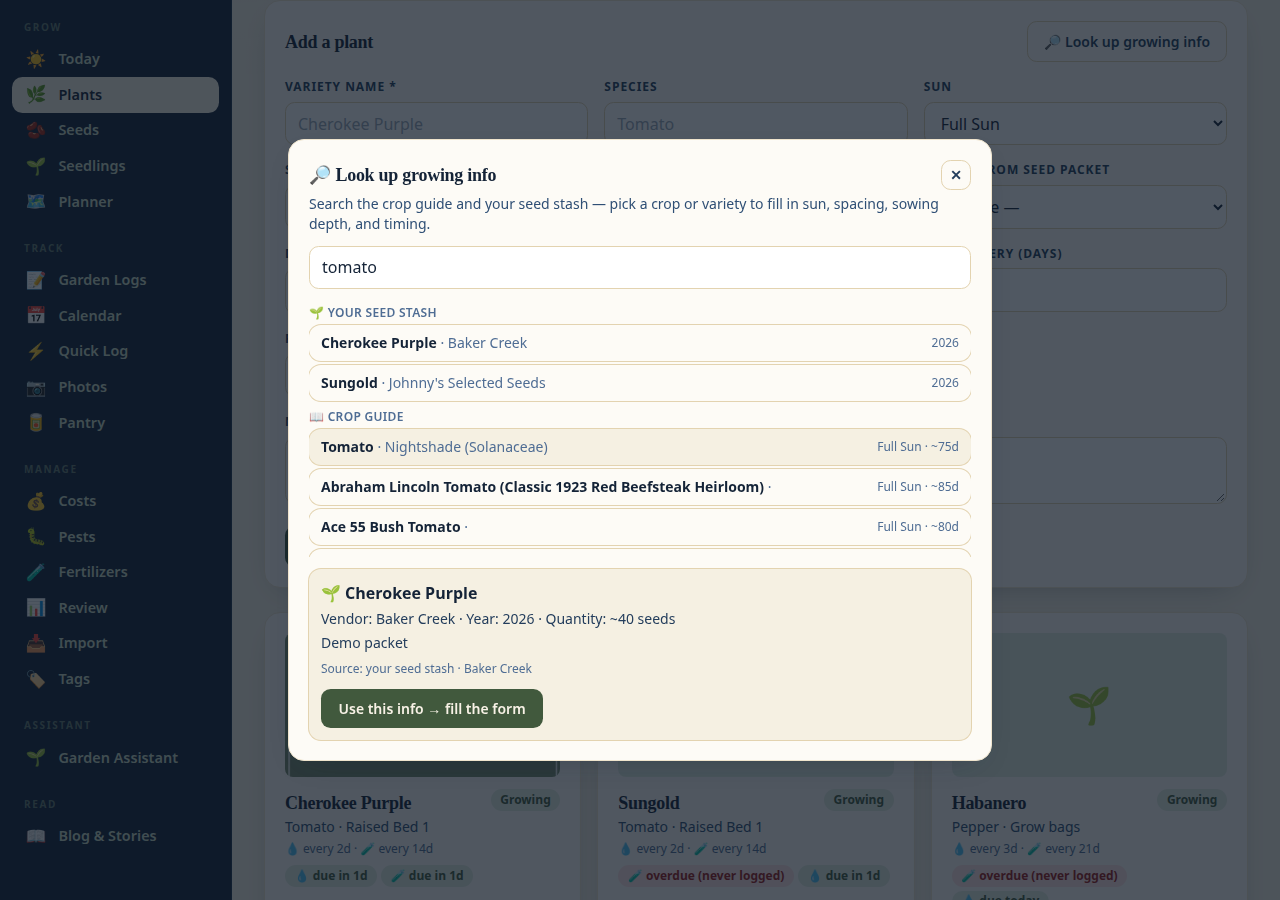
Adding a plant? Hit **🔎 Look up growing info** on the form — search the
crop guide (30 curated crops plus **8,200 edible plants from OpenPlantDB**,
public domain, with variety-level detail down to Fatalii and the other
superhots), pick your crop, and sun, days to maturity, spacing,
sowing depth, and germination timing fill themselves in (only the empty
fields; your typing is never overwritten). Latin names are searchable too. The guide also blends in
**🌍 Growstuff community data**: when real gardeners' results exist for a
crop, maturity timing is the community median (tomatoes show ~92 days from
227 gardens, not the generic guide number), and the source is spelled out
under every detail. Every crop detail also answers
**“can I still plant this?”** — a 🌱 planting calculator that works back from
your first frost date (minus the days to maturity and a 14-day buffer) and
tells you it's still time, cutting it close, or too late for a fall harvest.
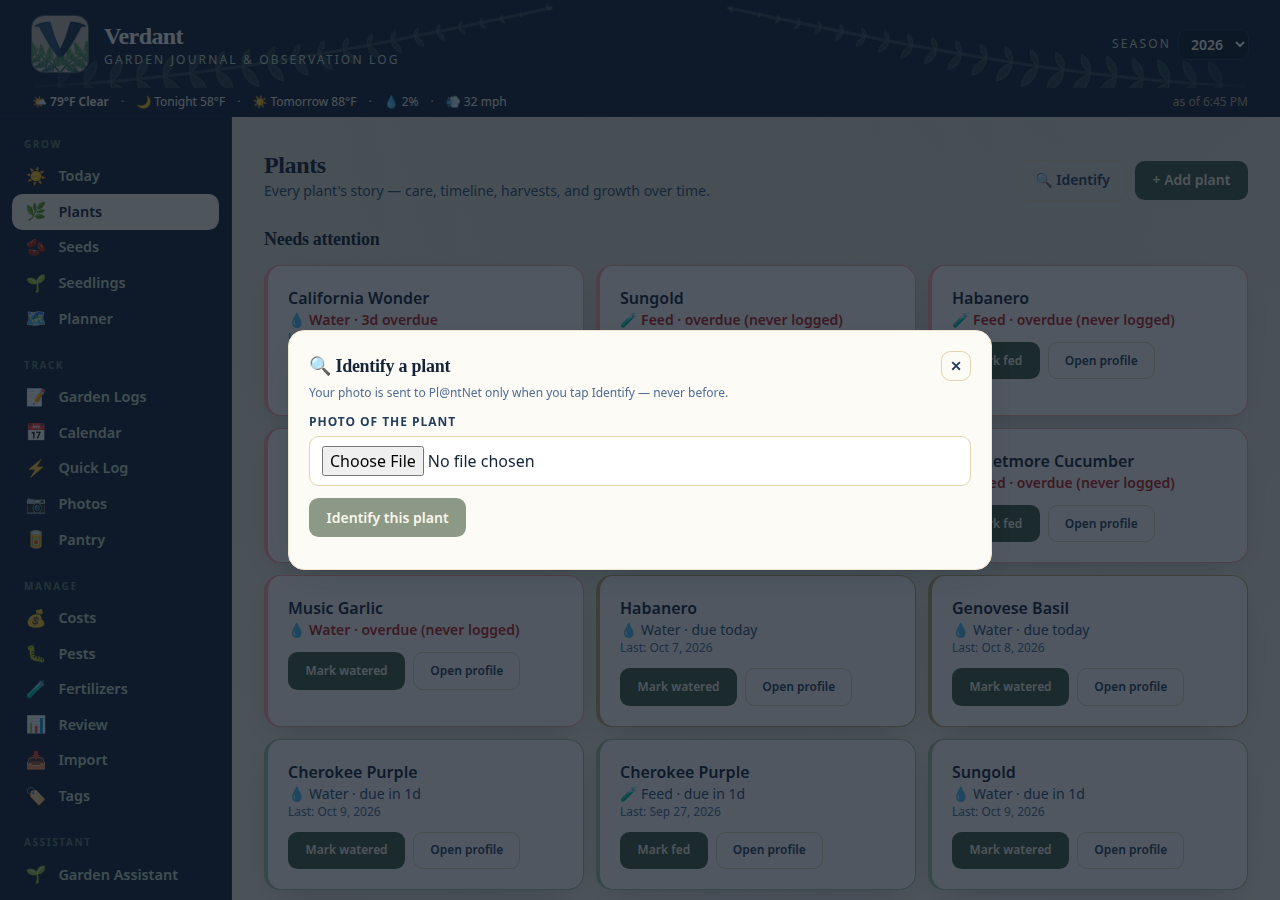
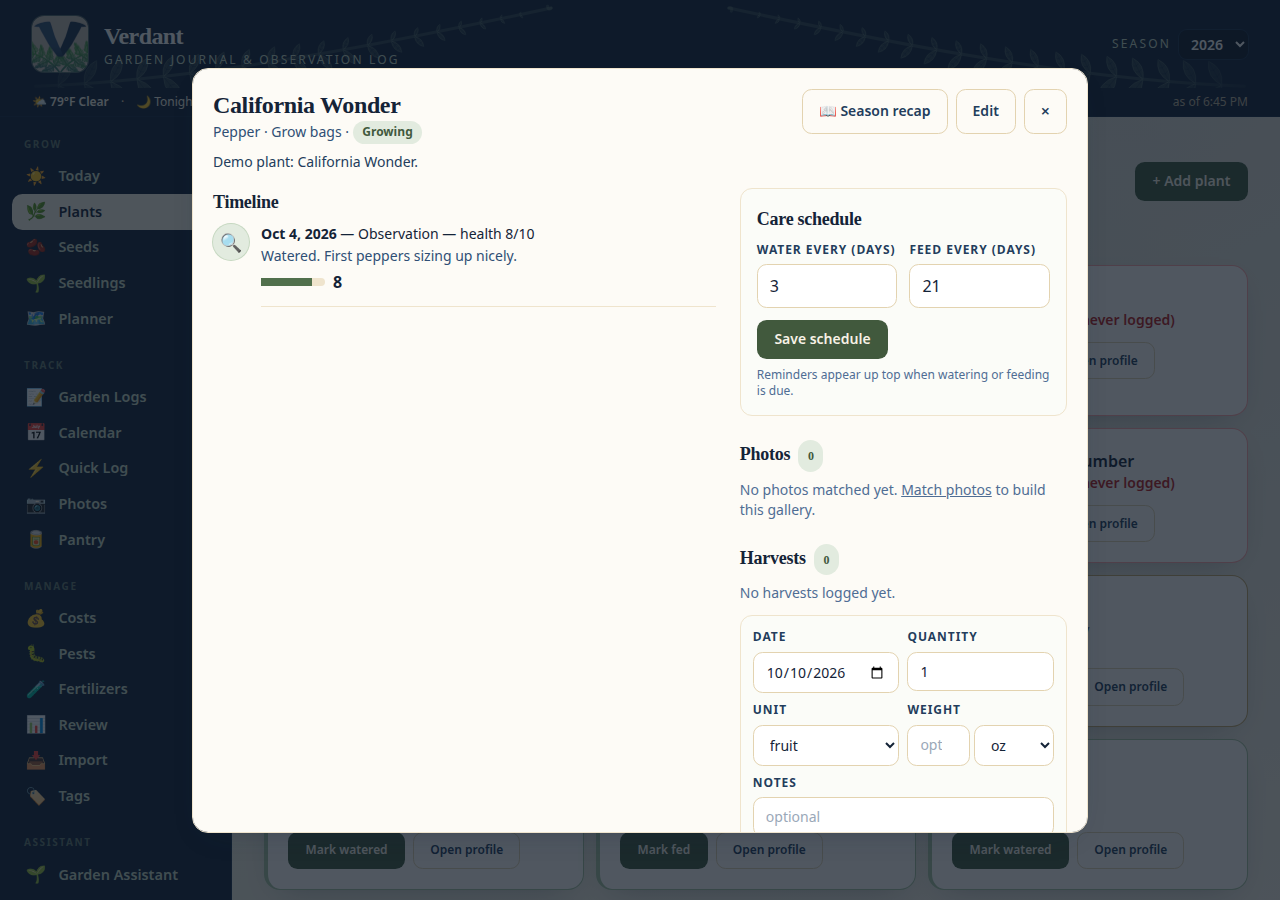
Got a mystery plant? The **🔍 Identify** button (needs a free PlantNet API
key, set in Settings) sends one photo and suggests matches with confidence
scores — a tap assigns the winning name. Your photo is only ever sent when
you tap Identify, never before.
### 📝 Garden Logs — the daily log
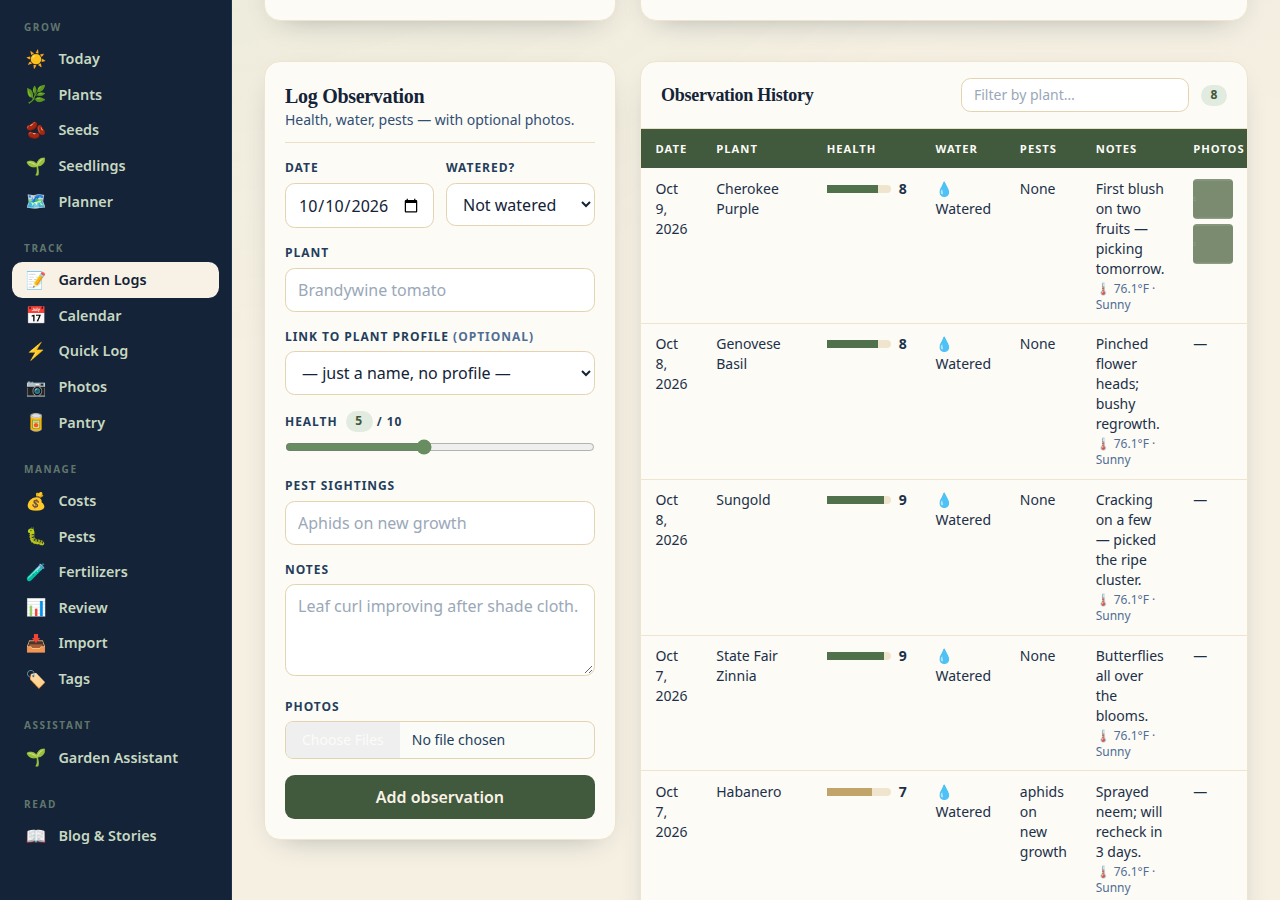
Log health (1–10), watering, pest sightings, and freeform notes per plant, per
day — with photos attached. Feedings live here too, with the feeding form
suggesting from your 🧪 Fertilizer shelf. New observations are automatically
stamped with the current weather at your garden (free Open-Meteo data, no API
key needed).
### 📸 Photos — albums & slideshows
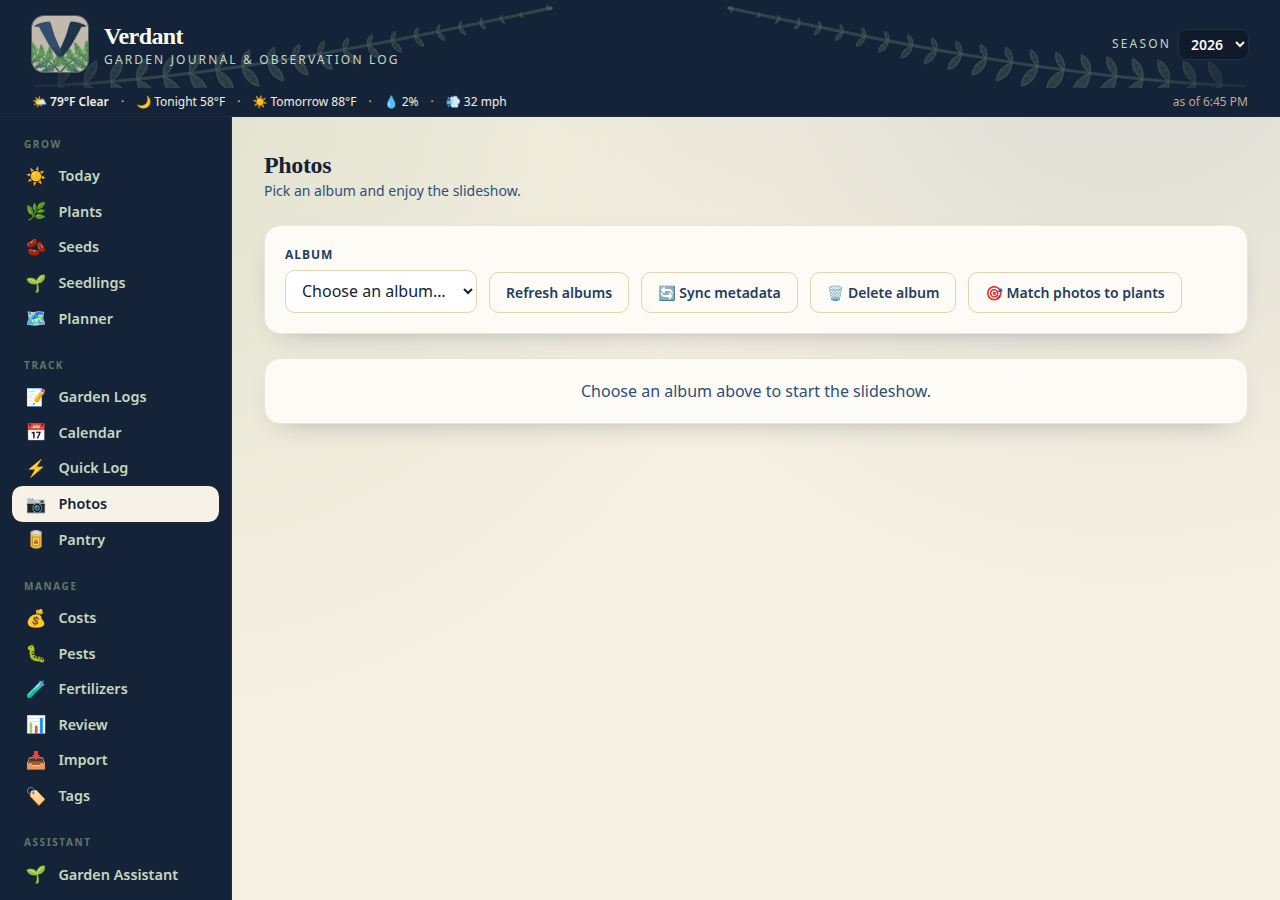
Albums with fullscreen slideshows. Upload directly, import from a URL, pull
images into blog posts, or import whole albums from your Immich server
(batched, so even 600+ photo albums import without timing out). Re-importing
an album reuses its existing Verdant album instead of duplicating it, and
**🧹 Merge duplicates** folds any older double-imports into one. On the
**🎯 Match photos** page you can flip through imported photos and assign each
one to a plant or a seed packet — plant photos show up in a gallery on the
plant's profile.
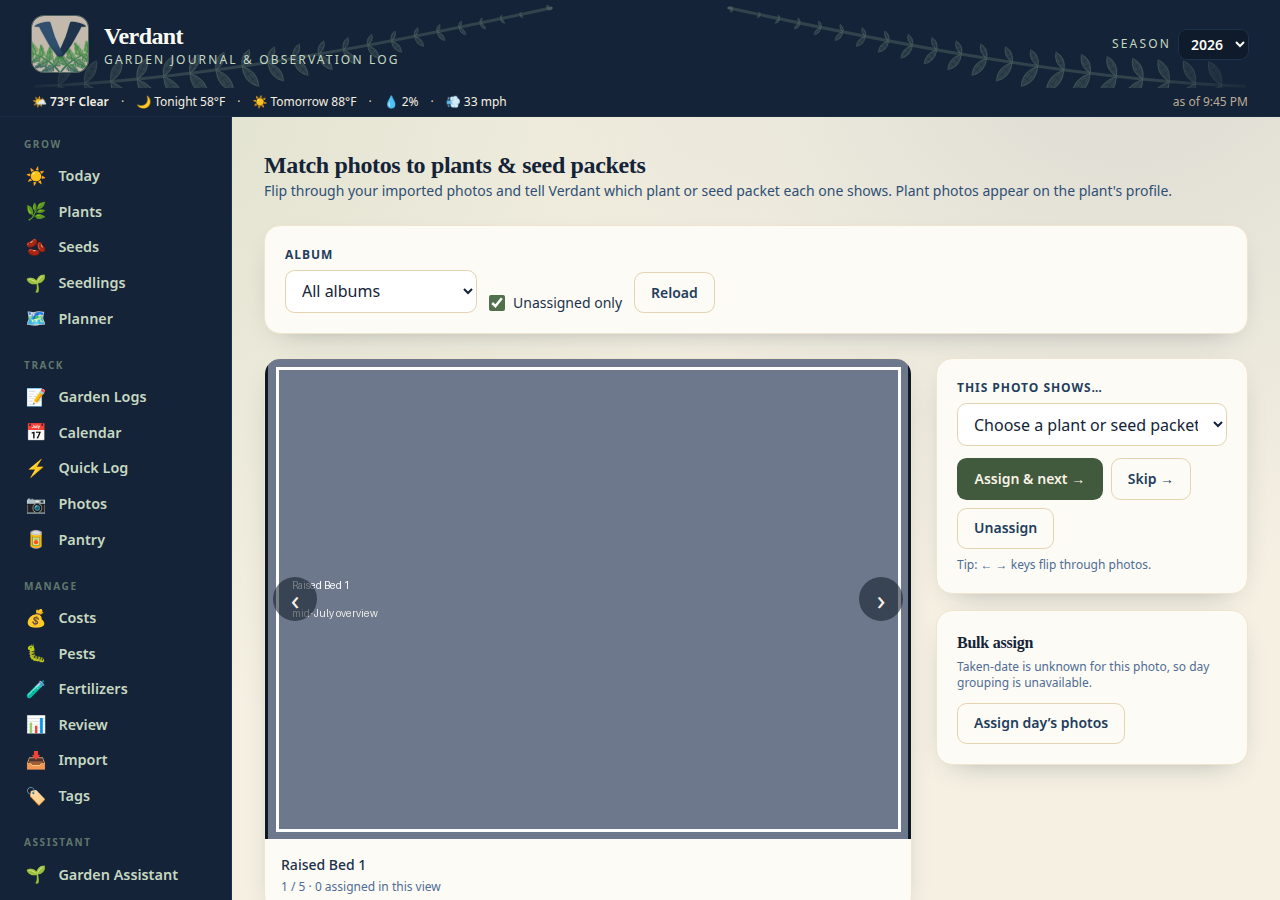
The 🎯 Match photos page (linked from the Photos tab) is where imported
photos get claimed: flip through them one by one, see each photo's taken
date, camera, GPS, and tags, and assign it to a plant or a seed packet with
a keystroke. Bulk-assign a whole day's photos at once when you already know
what they are.
#### 🏷️ Photo tagging & attribution
A photo can be **tagged and linked at the same time** — tags never wipe a
plant assignment. On the Match page, the **Tags, notes & container** card
offers the seeded vocabulary as checkboxes (plus free-text tags), a
caption/note field, and a container picker, so a bed's build photos can
live on the bed even while they also show a plant. Tags show as chips on
the Match page and in the slideshow, and the Match page can filter by tag.
The vocabulary (`GET /api/album-images/vocabulary`):
| Tag | What it covers |
| --- | --- |
| `seed-starting` | Trays, cups, grow lights, seedlings |
| `flower` | Flowers, buds, husks (no variety recoverable) |
| `plan` | Hand-drawn layouts, sketches, graph paper |
| `harvest` | Harvest spreads, plates, curing crops |
| `wide-shot` | Full-garden / yard overviews |
| `soil-prep` | Mulch, cracked ground, bed building, fill |
| `pest-disease` | Bugs, mildew, leaf damage, sunscald |
| `supplies` | Soil bags, bins, pots, pallets, setups |
| `structure` | Trellises, cages, greenhouse, raised beds |
| `unidentified` | Nothing recoverable |
The same release also lands the smaller attribution items: `POST
/api/containers/` now honours `grid_x`/`grid_y` (clamped inside the grid,
422 on overlap — otherwise it still auto-places); plants gain a **Culled**
status for healthy-but-removed plants, and every status change stamps
`status_changed_at`; observations can leave `health_scale` unset instead
of silently recording a default 5 (averages skip unset scores); pest
entries gain a severity and a resolved date, stamped automatically when
you hit Resolve; the Photos page warns about duplicate album names and
offers the merge, and Immich gains a **Sync all albums** action that
stamps `last_synced_at` per album — and the batch import no longer
demands `album_id` for `offset > 0`, resolving the local album from its
Immich source instead.
> Screenshots for the new tagging card, duplicate-name banner, and
> sync-all button are still to be captured on a live instance — this
> release was built in a sandbox with no headless browser available, so
> no screenshots were faked for it.
#### 🗄️ Legacy albums & seasons
Albums created before source tracking existed used to be permanently
orphaned: no `source_url`, so sync-metadata refused them and there was no
way to fix that. Now an Immich import that names such an album stamps its
`source_url` onto it, and `PATCH /api/albums/{id}` accepts `source_url`
directly (empty clears it) — either adoption makes sync-metadata work
again. Imports also recover dates: when an Immich asset carries no date,
the filename is parsed instead (`YYYYMMDD_HHMMSS`, including mid-name,
and epoch-millis names), and `POST /api/albums/{id}/backfill-dates` does
the same for existing rows without needing Immich at all. Only blank
dates are filled, never overwritten, and filenames with no recoverable
date stay dateless rather than getting an invented one. **🧹 Merge
duplicates** now folds same-name albums with no source too — by file
content, so an album whose photos are all already in a bigger same-name
album is dropped as safe to delete — and when it merges nothing it says
why instead of reporting a clean no-op. `GET
/api/albums/{id}/duplicate-shots` lists same-timestamp groups in one album
(the low-res + full-res copies of one shot) for a human to judge. Photos
named `chatgpt-*` are flagged AI-generated on import and excluded from
the Match triage queue and the yearbook. Plants gain a `season_year`
field (set it via PATCH) and the plant list takes `?season_year=`, which
matches the explicit value, else the earliest planting season, else the
`date_planted` year — so a reconstructed season (say 2025) separates from
the live roster. 2.65.1 hardens the generated flag for upgraded
databases: startup backfills any NULL flags to 0, and the API coerces a
NULL flag to false instead of rejecting the response — v2.65.0 500'd
every album endpoint on databases upgraded from before the flag existed,
because `ALTER TABLE ADD COLUMN` leaves existing rows NULL.
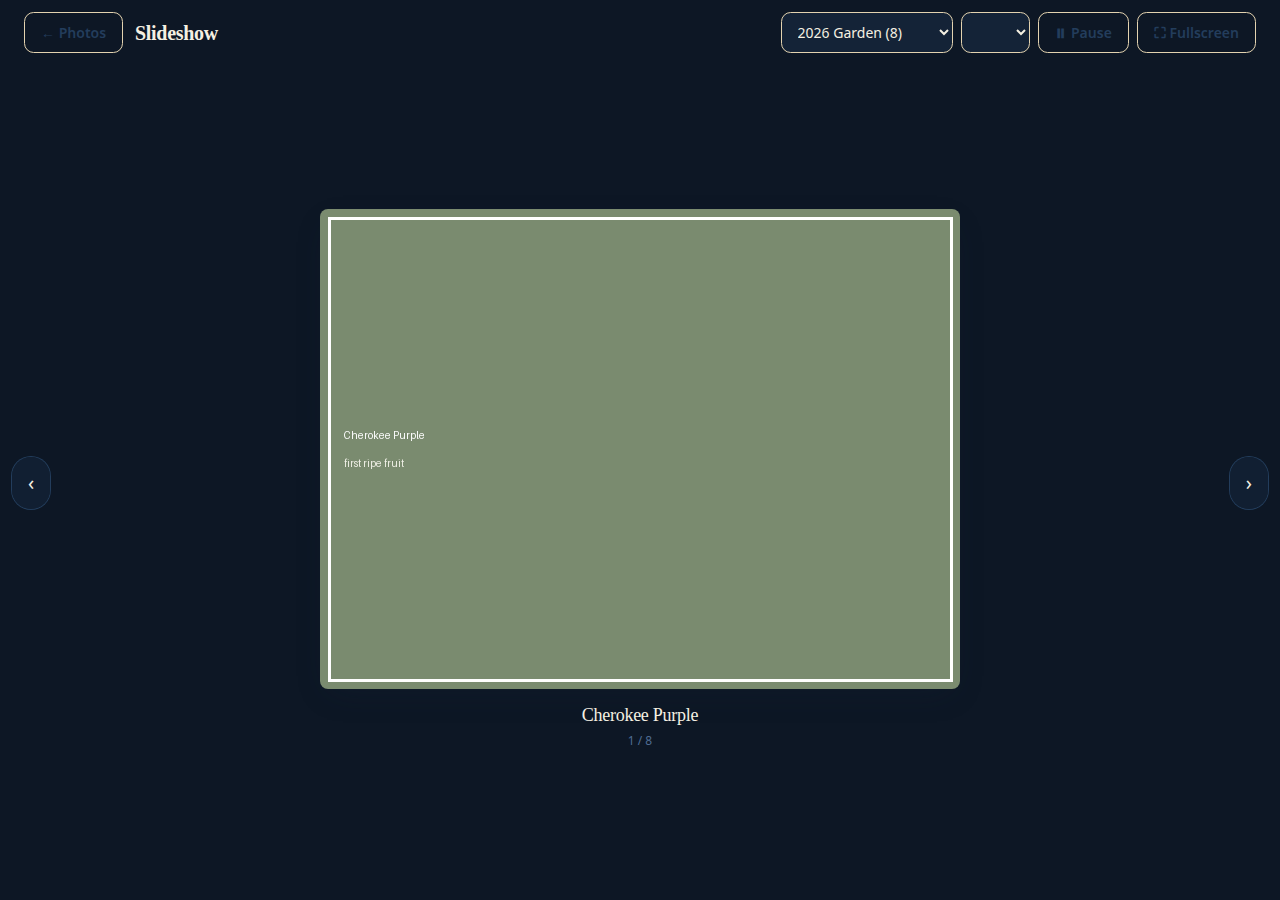
There's also a dedicated full-screen slideshow page — pick an album, pick an
interval, and let the garden scroll by on a TV or tablet.
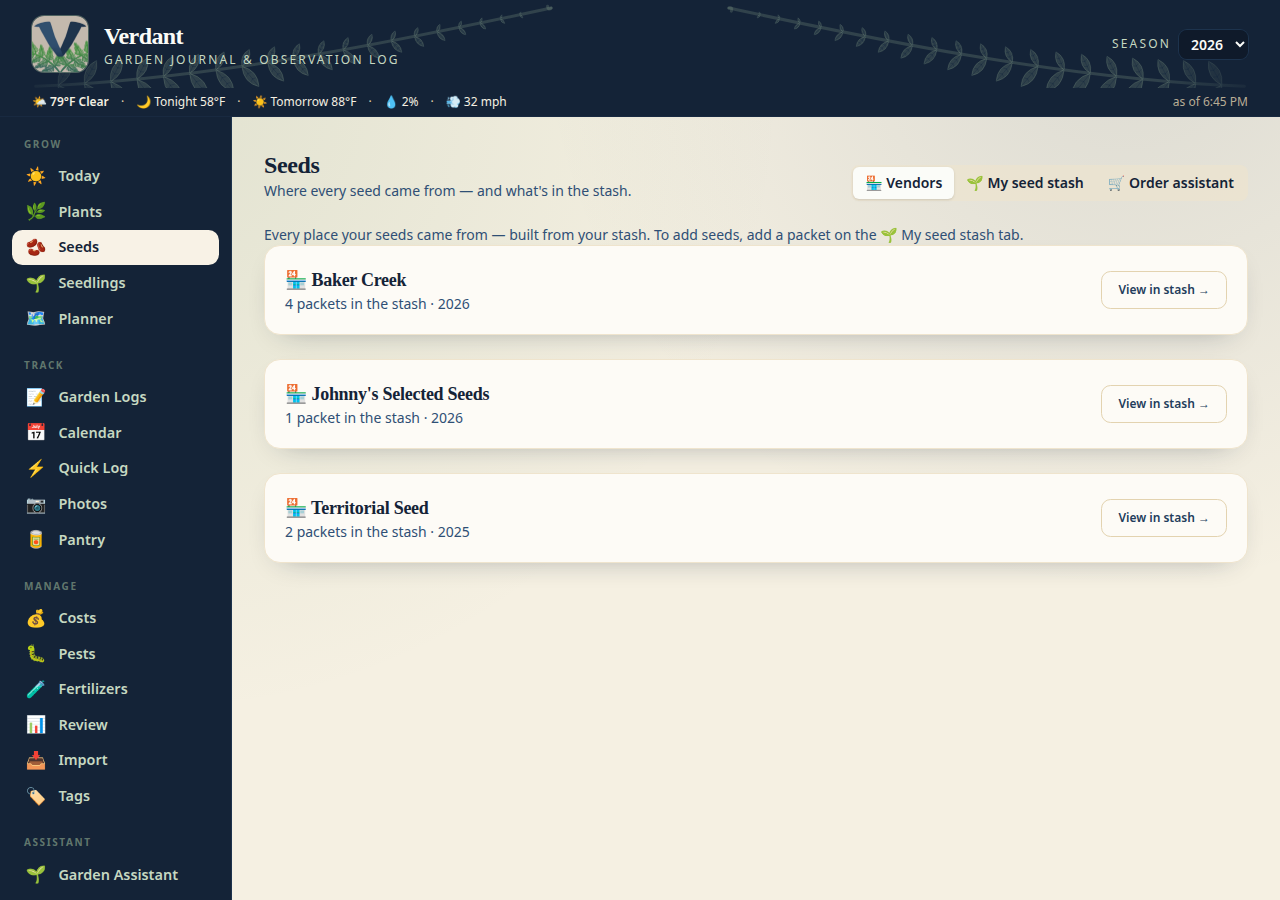
### 🏪 Vendors — where the seeds came from
A read-only directory of every place your seeds came from, built from the
stash: packet counts and year ranges per vendor, with a jump straight into
the stash filtered to that vendor. (The old manual seed-source list was
redundant next to the stash — it's gone; the data underneath is untouched.)
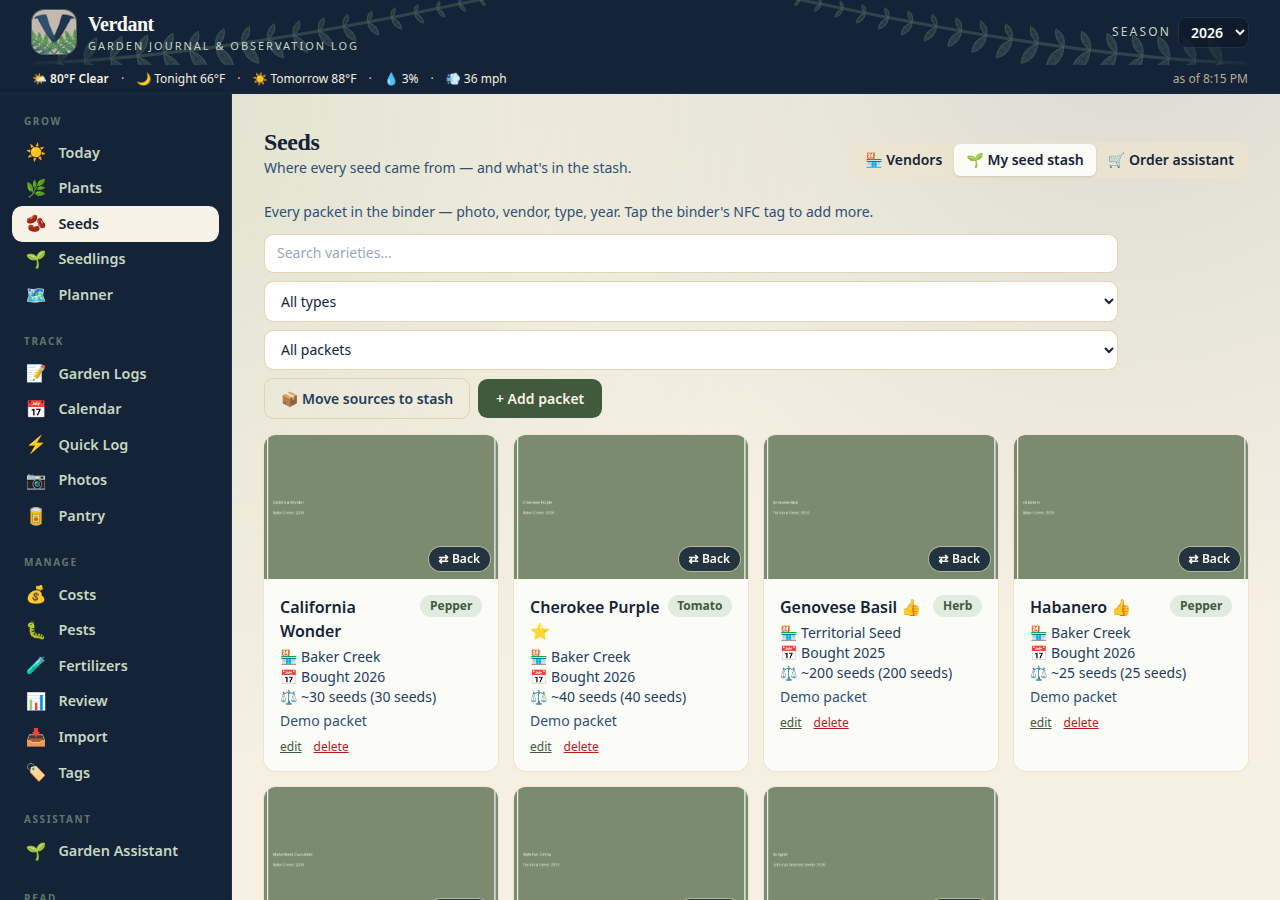
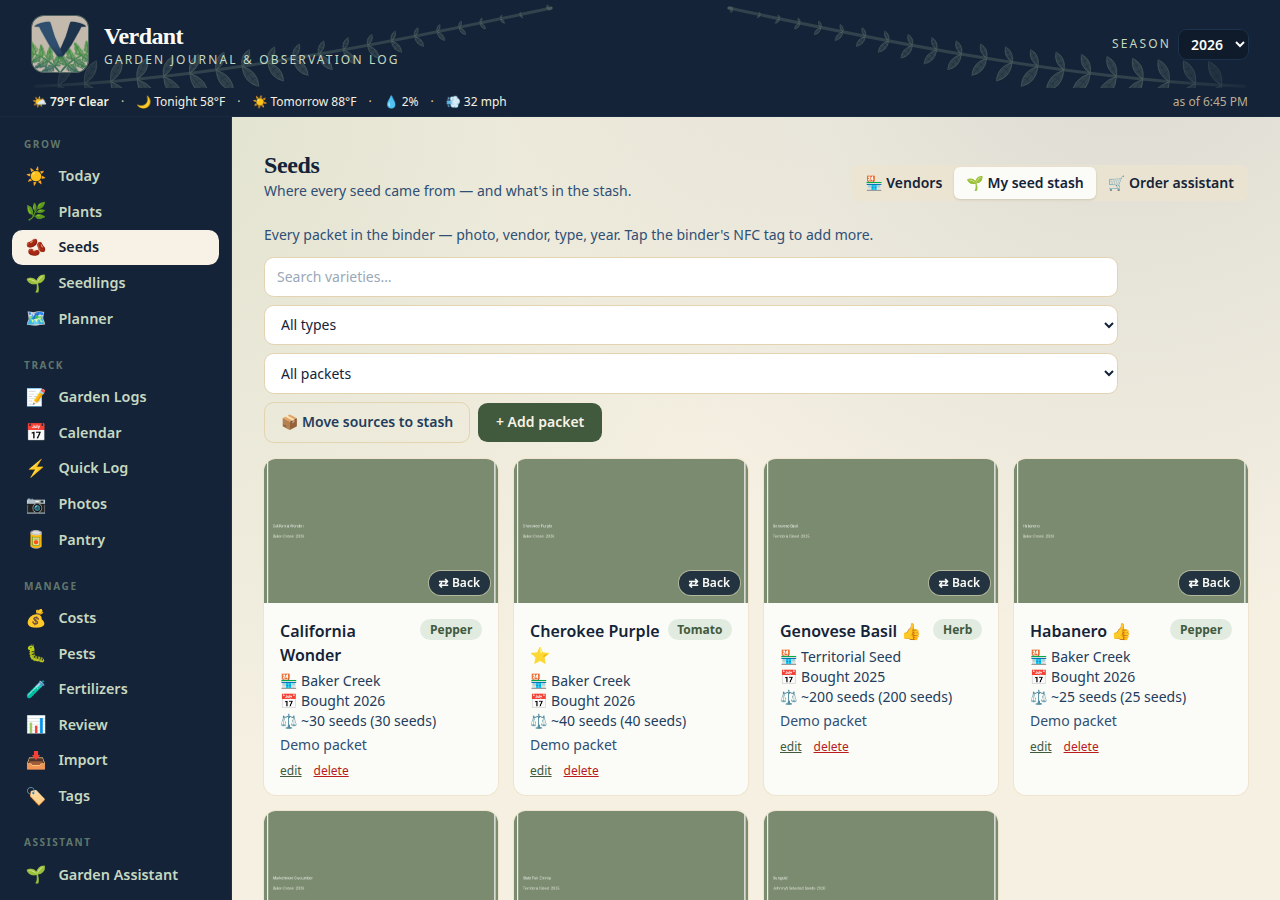
### 🌱 Seed stash — the binder, catalogued
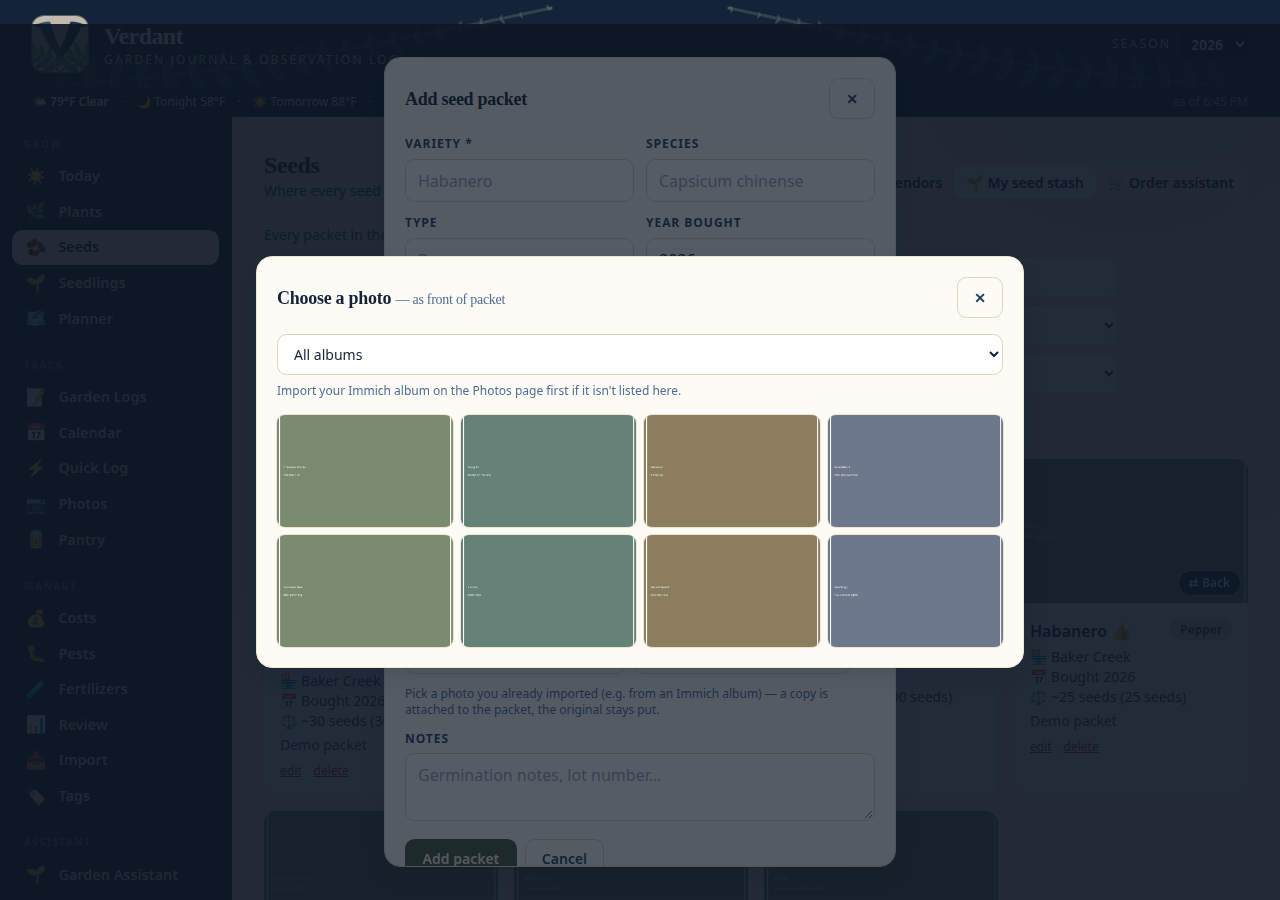
Every packet you own, inventoried: a photo of the packet, vendor (with link),
type, year bought, and how many seeds are left. Searchable and filterable —
including a 📷 filter for which packs have photos. Packet photos can be
uploaded or picked straight from your photo library (e.g. an Immich album of
packet shots), and the ⇄ flip button shows the growing info on the back of
the packet. Crooked scan? The ✂️ Crop button on each side lets you straighten
a packet photo in place — the library original stays untouched. Stick an NFC tag on the binder and tapping it opens the
"add packet" form.
### 🛒 Order assistant — winter seed ordering, minus the spreadsheet
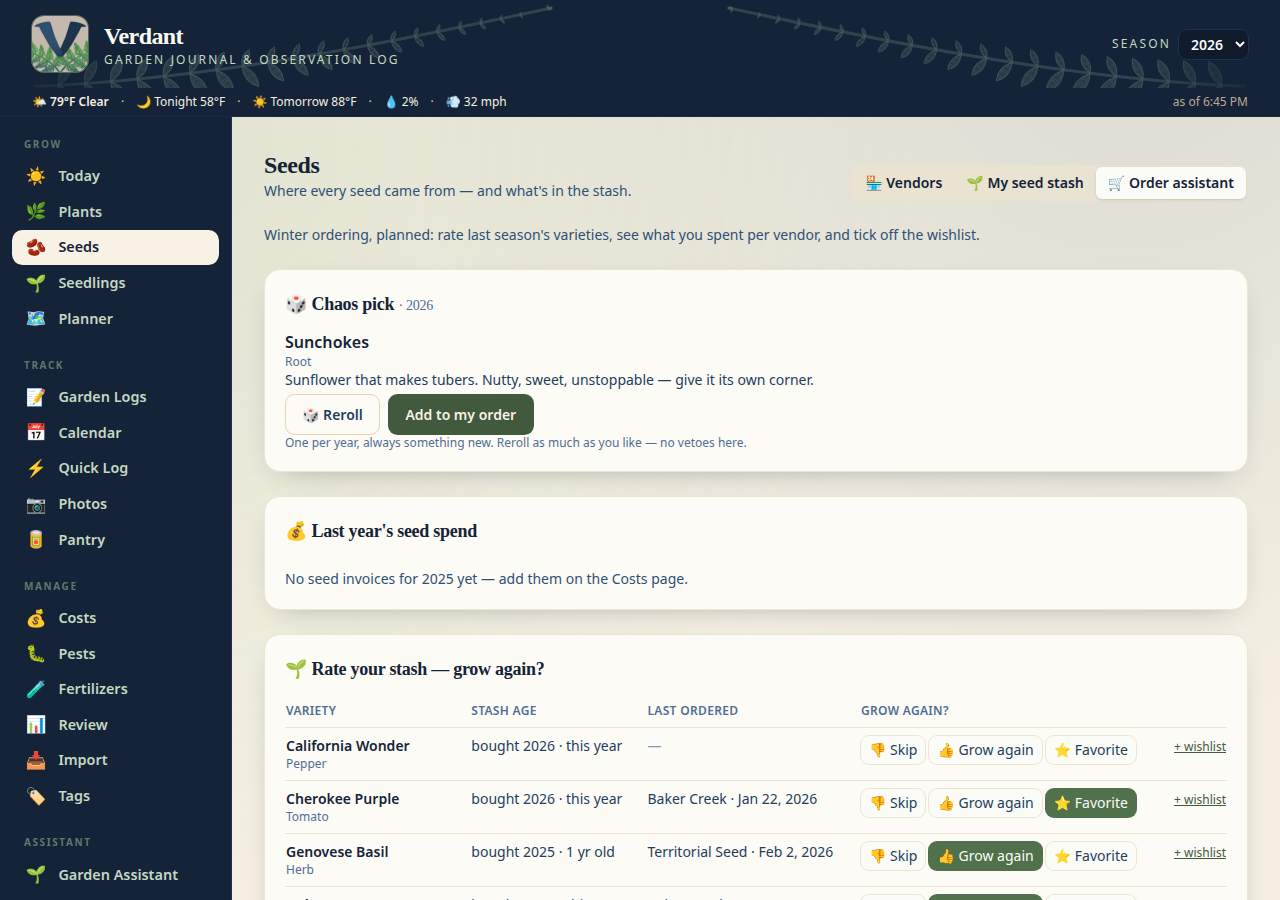
Come ordering season, the **Order assistant** tab pulls it all together: every
stash packet with its age ("bought 2024 · 2 yrs old") and your one-tap
**grow again?** rating — 👎 Skip, 👍 Grow again, ⭐ Favorite (tap again to
clear) — plus last year's seed spend broken down by vendor, and a wishlist
where each variety shows the last vendor and date you ordered it (resolved
from your invoices). Tick the varieties you want and they roll up into an
order list per vendor. No new state to maintain: ratings live on the packets,
the wishlist is its own list, and invoices are the source of truth.
At the top of the tab sits the **🎲 Chaos pick** card: one random experimental
plant per year, always something you've never grown (32 curated oddballs —
cucamelon, salsify, orach, luffa…), drawn from a list that excludes your whole
growing history and every prior year's pick. One pick per year, stable until
you hit **Reroll** — no vetoes, but rerolls are unlimited and never repeat
within the year. **Add to my order** drops it onto the order list as a checked
wishlist item. The chat knows it too: ask "what's my chaos pick?" or say
"reroll my chaos pick" (it confirms in chat before replacing the pick).
### ✍️ Blog — garden stories
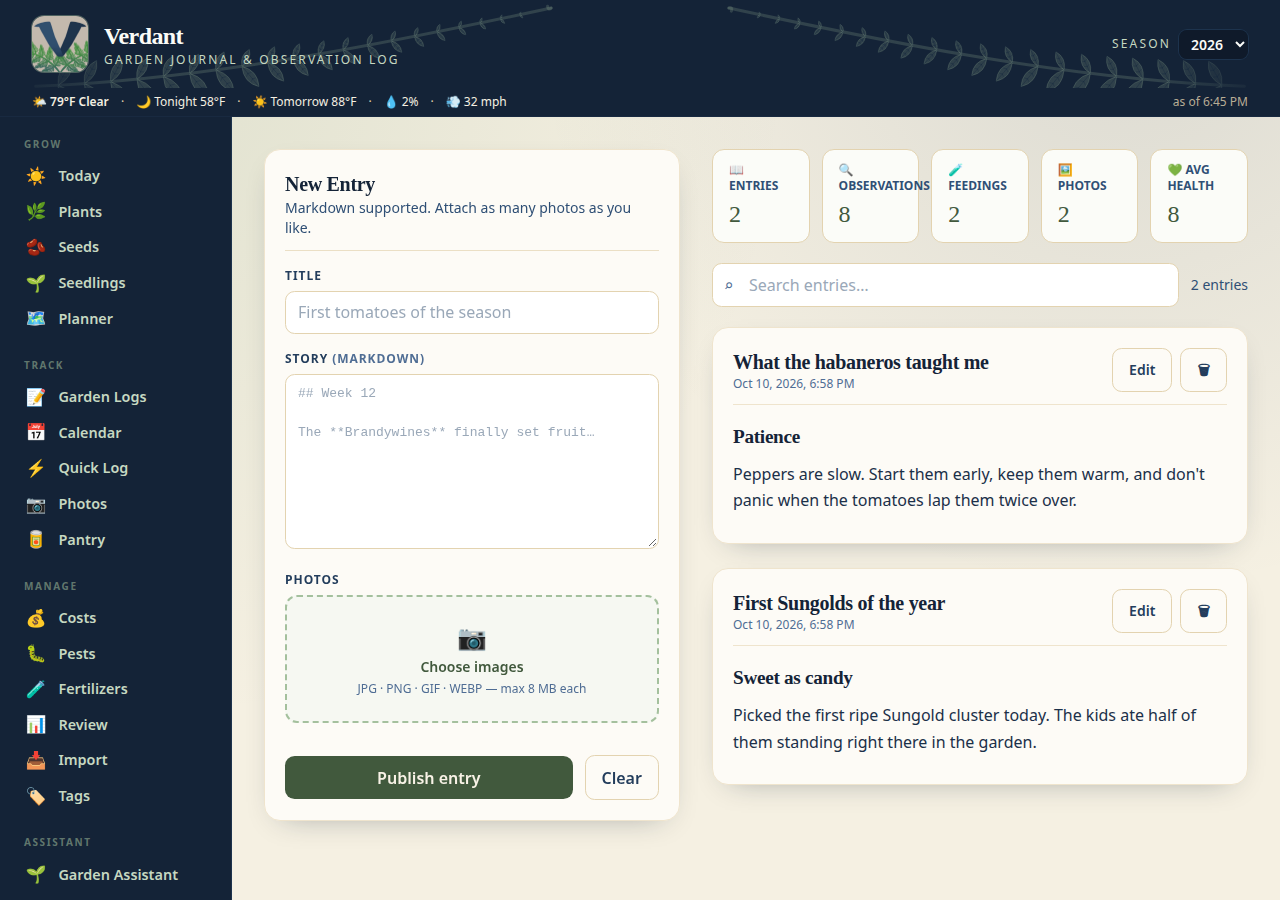
Markdown blog posts with photo galleries, for the season's stories — first
harvests, experiments, lessons learned. The blog lives under **Read** in the
nav (at `/blog`); the ☀️ Today page is the landing page now.
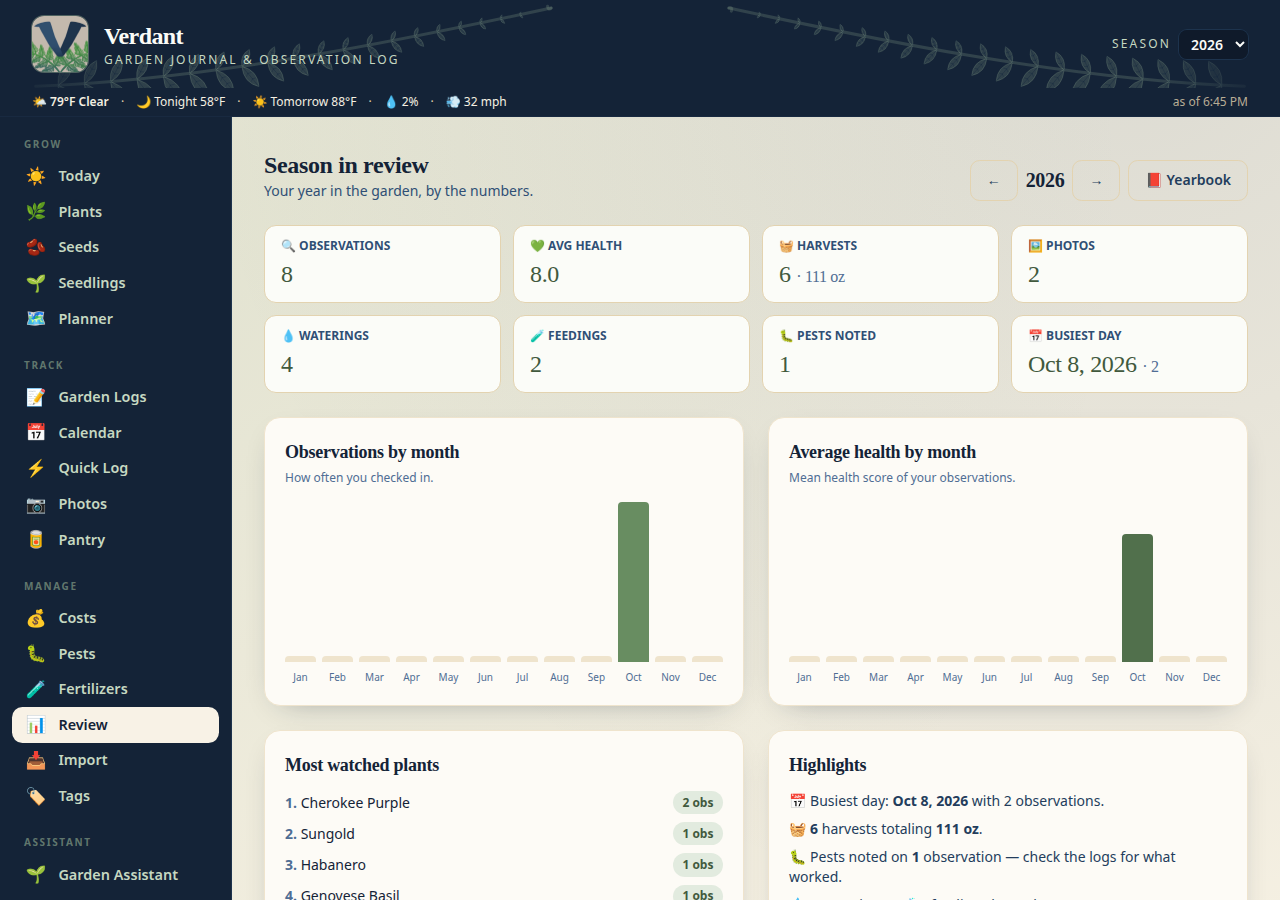
### 📊 Season Review — your year in the garden
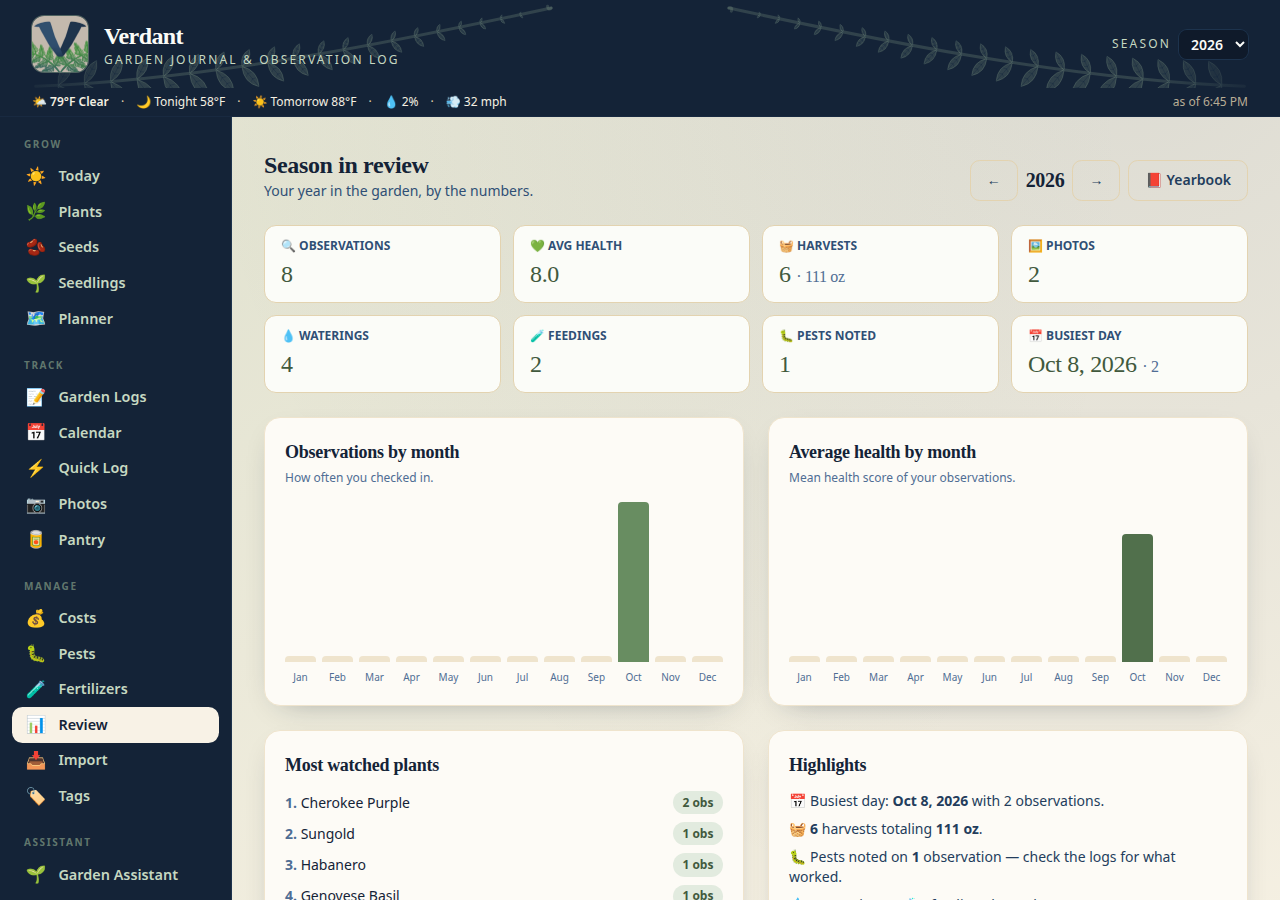
Totals, averages, best days, most productive plants — a year-end (or
anytime) dashboard of everything you grew and logged. The **🏆 yield
leaderboard** keeps weighed and counted harvests on separate boards (all
weights converted to ounces, so grams never get added to ounces), and the
**⚖️ Season scorecard** answers "was it worth growing?": yield vs. spending
per variety, ranked — tag purchases to a plant on the Costs page to split
costs per variety.

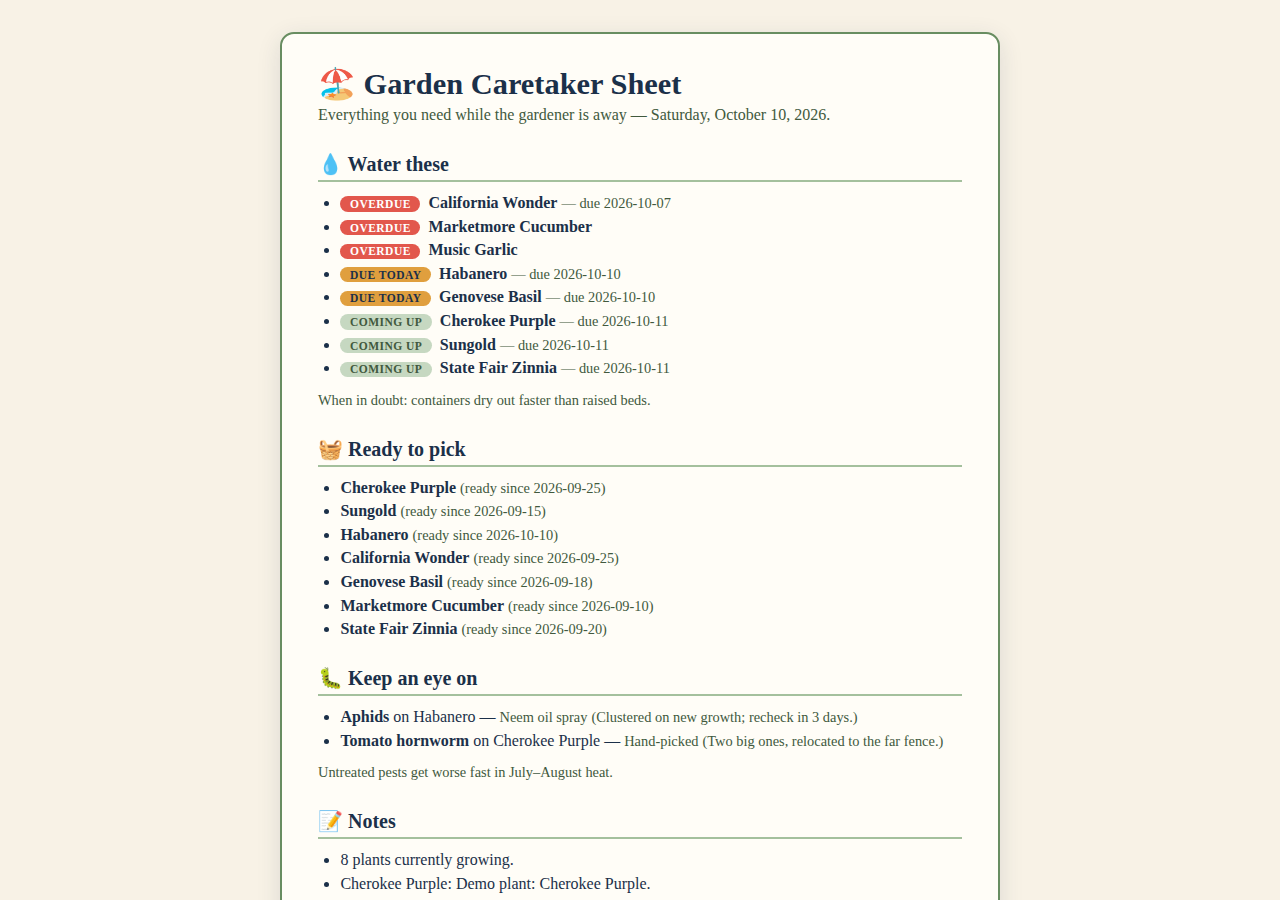
### 🏖️ Vacation caretaker sheet — hand the garden off
Going away? The **🏖️ Caretaker sheet** button on the Today page opens a
printable, phone-friendly page (`/api/caretaker-sheet`) built for the person
watching your garden: 💧 what to water (with each plant's cadence and how
overdue it is), 🧺 what's ready to pick, 🐛 pests to keep an eye on, 📝 your
latest notes, and a spot for emergency contacts. Open it on their phone or
print it for the fridge.
### 🕰️ This week last year — the garden's memory
The morning digest now closes with a **🕰️ This week last year** section: what
you were doing this exact week last year — journal notes, harvests, and the
photos you took (attached as real images in the Discord message, not
filenames). The chat can answer it too ("what did I do this time last
year?") via the `this_week_last_year` tool.
### 🌱 Growth stall detector — "is it still growing?"
Ask the chat "is my tomato still growing?" and the `growth_check` tool pulls
the plant's photos from the last ~6 weeks and asks your vision-capable chat
model to compare them: visible growth, stall, or can't tell — with likely
causes when it stalls (pot-bound? light? nutrition?). Advisory only, and it
says so when there aren't enough photos to judge.
### 🎲 Frost-night gamble — one bold call
When frost threatens tonight, hedging is for cowards. The digest carries a
**🎲 Frost-night gamble** block with one bold call: 🌱 **COVER** the tender
plants, or 🧺 **HARVEST NOW** what's ripe. It triggers on tonight's forecast
low ≤ 38 °F or a first-frost date 0–3 days out; ≤ 32 °F with ripe harvests
waiting means HARVEST NOW, otherwise COVER. Advisory — your garden, your call.
Also available as the `frost_gamble` chat tool.
### 📕 Season yearbook — the keepsake PDF
The Review page's **📕 Yearbook** button downloads a keepsake PDF of the
season: year stats, per-variety tables, and photo pages. Print it, shelve it
next to the seed catalogs. The season story is grounded in the journal: it
summarises your actual observations, pest log, plant notes, and harvests,
and never invents a pest, a weather event, or a cause of death. Harvest
weights show "no weights recorded" where a harvest was logged without a
weight — a missing weight is never printed as 0 oz.
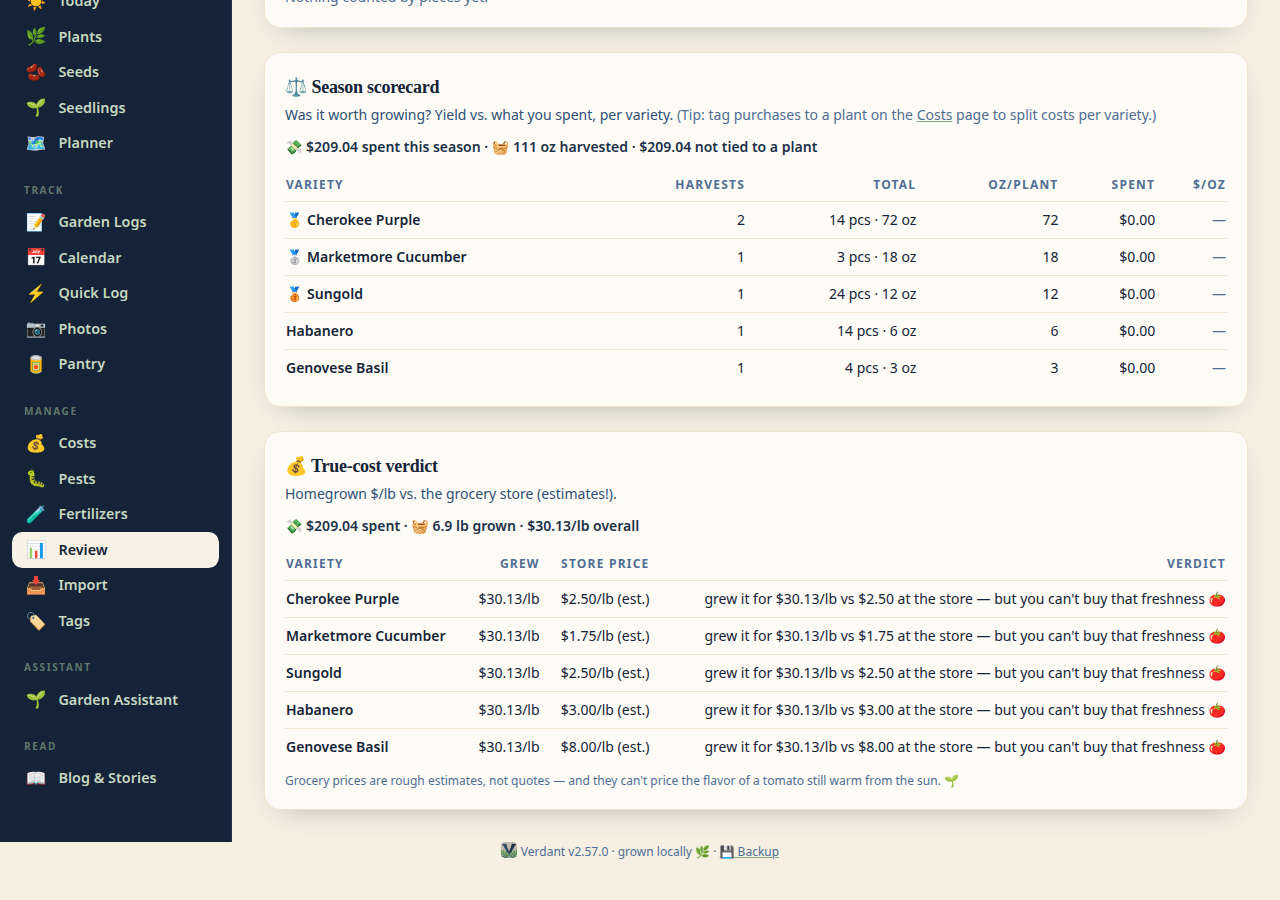
### 💰 True cost — was it cheaper than the store?
The Review page's **💰 True-cost verdict** section answers the question every
gardener asks in October: total spend, total pounds grown, and homegrown $/lb
vs. honest grocery-store estimates — per variety, with fun verdicts ("cheaper
than the store! 🌱", "a labor of love 💚"). Grocery baselines are clearly
labeled estimates. The chat's `true_cost` tool answers "was it worth it" the
same way.
### 💀 Plant autopsy — the coroner interview
When a plant dies, the chat doesn't just log it — it plays coroner first: up
to 3 quick questions (what did it look like at the end? sudden or gradual?
weather or pests involved?), then files a structured autopsy note via the new
`record_autopsy` tool (confirm-before-save, like every write). Death notes
attach to the variety's performance history, so when the order assistant asks
"grow again?" next winter, it remembers what killed it.
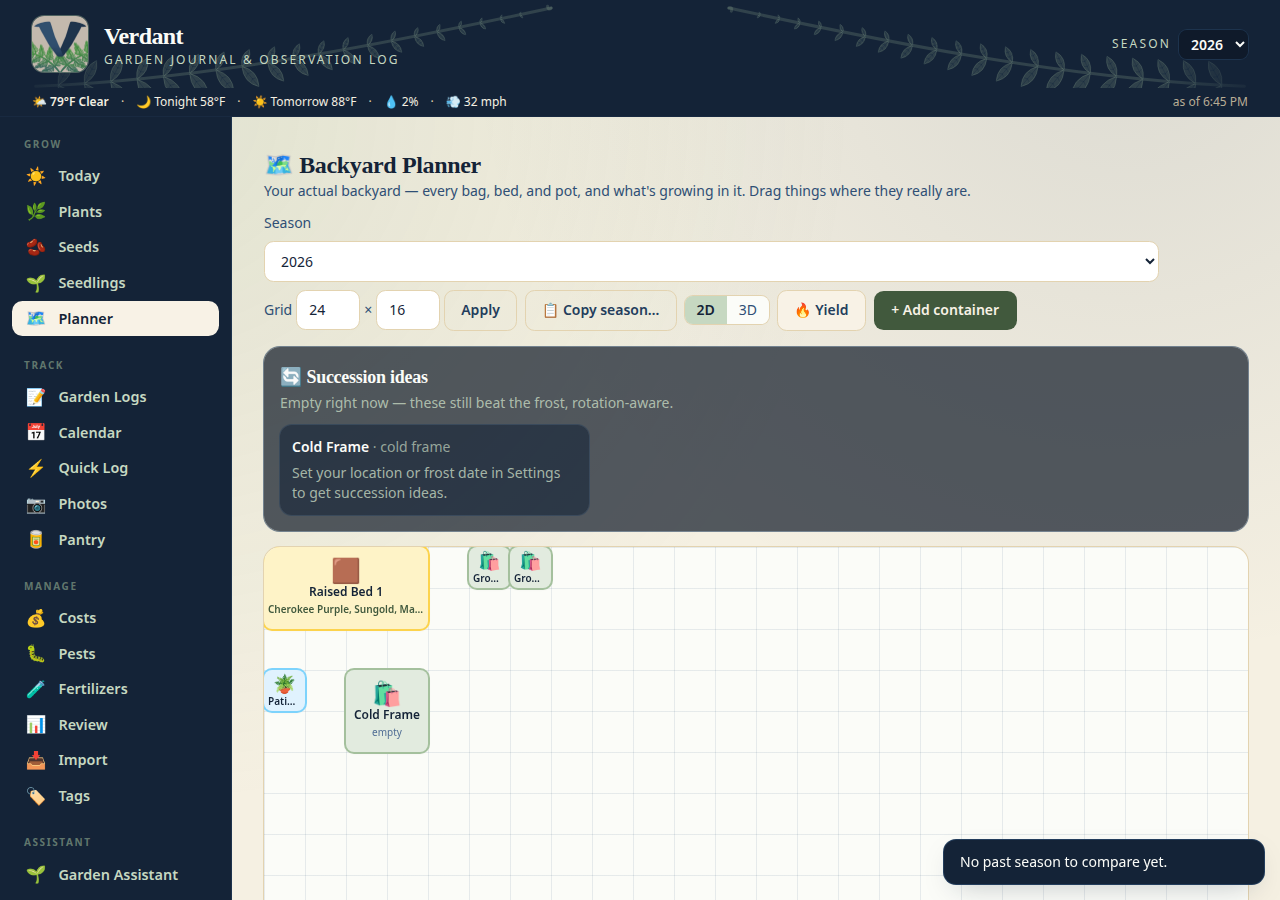
### 🗺️ Backyard Planner — build your backyard
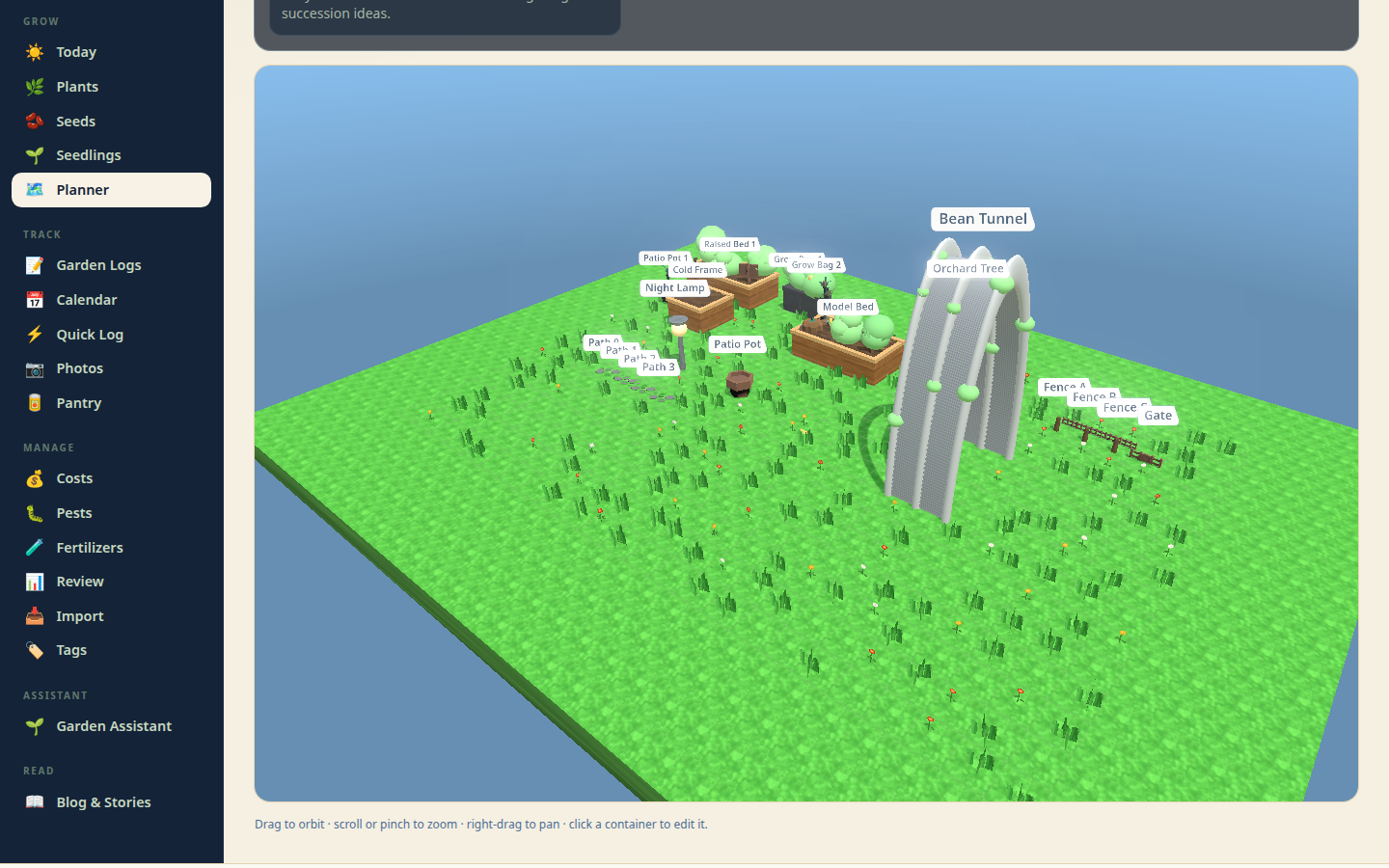
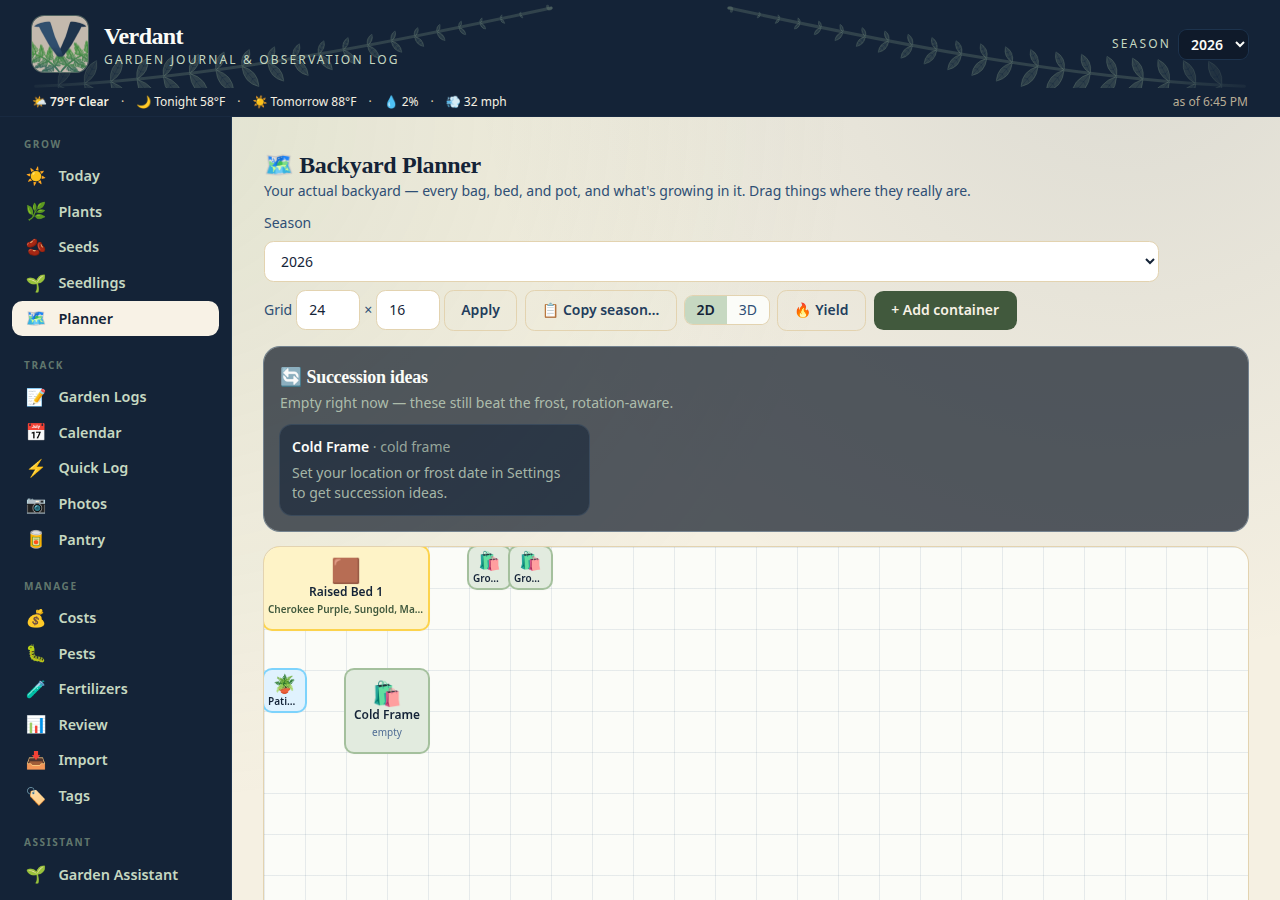
Lay out your actual growing space on a real grid (1 cell = 1 ft, resizable):
grow bags, raised beds, pots, planters, cattle panel arches, pallets — each
drawn at its true footprint, so a 4×8 bed actually looks 4×8 next to a 10-gal
bag. Drag containers and they snap to the grid (positions save automatically,
and you can't drop one on top of another). A container holds **many plants**
now — a bed lists everything in it — and the **🔁 rotation check** flags when
you put the same plant family where it grew last season. Copy last season's
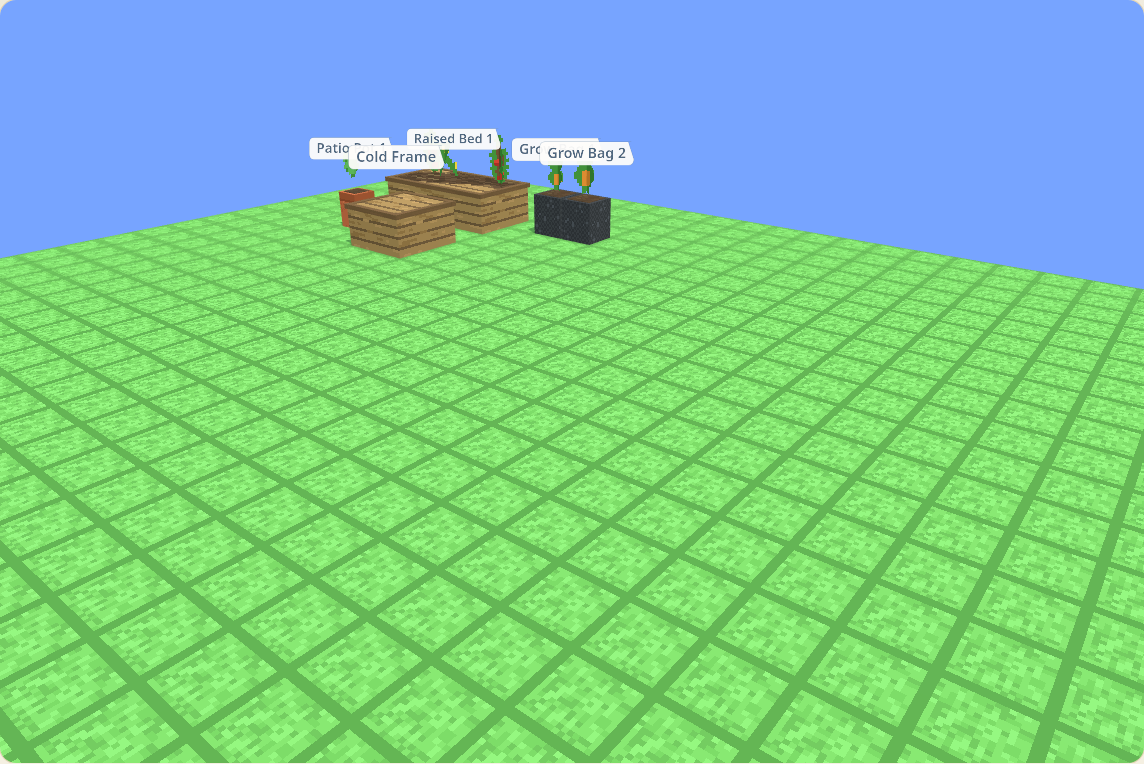
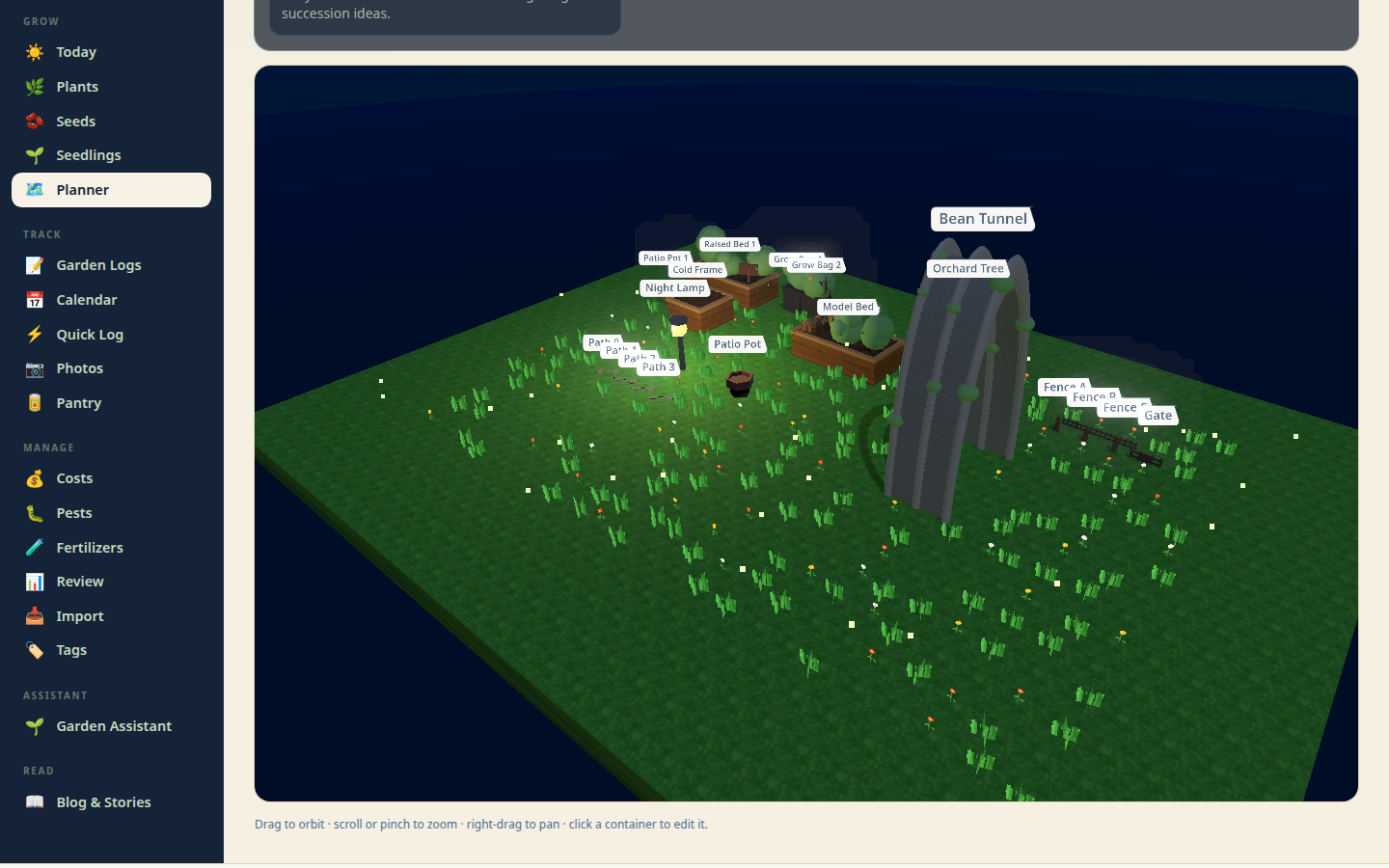
layout into the new year and shuffle things around. Flip to the **3D view** and
the yard renders as a soft miniature diorama — smooth-shaded beds, pots and
bags on a grass platform with a subtle 1-ft grid, and little foliage clusters
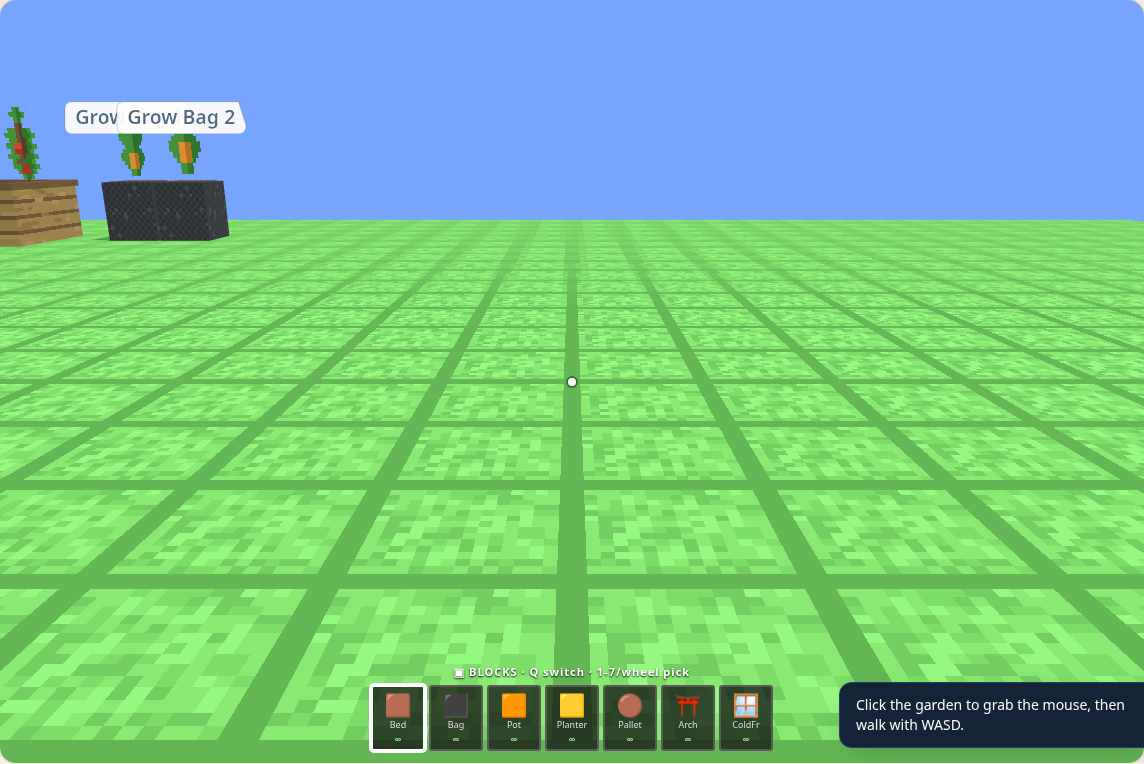
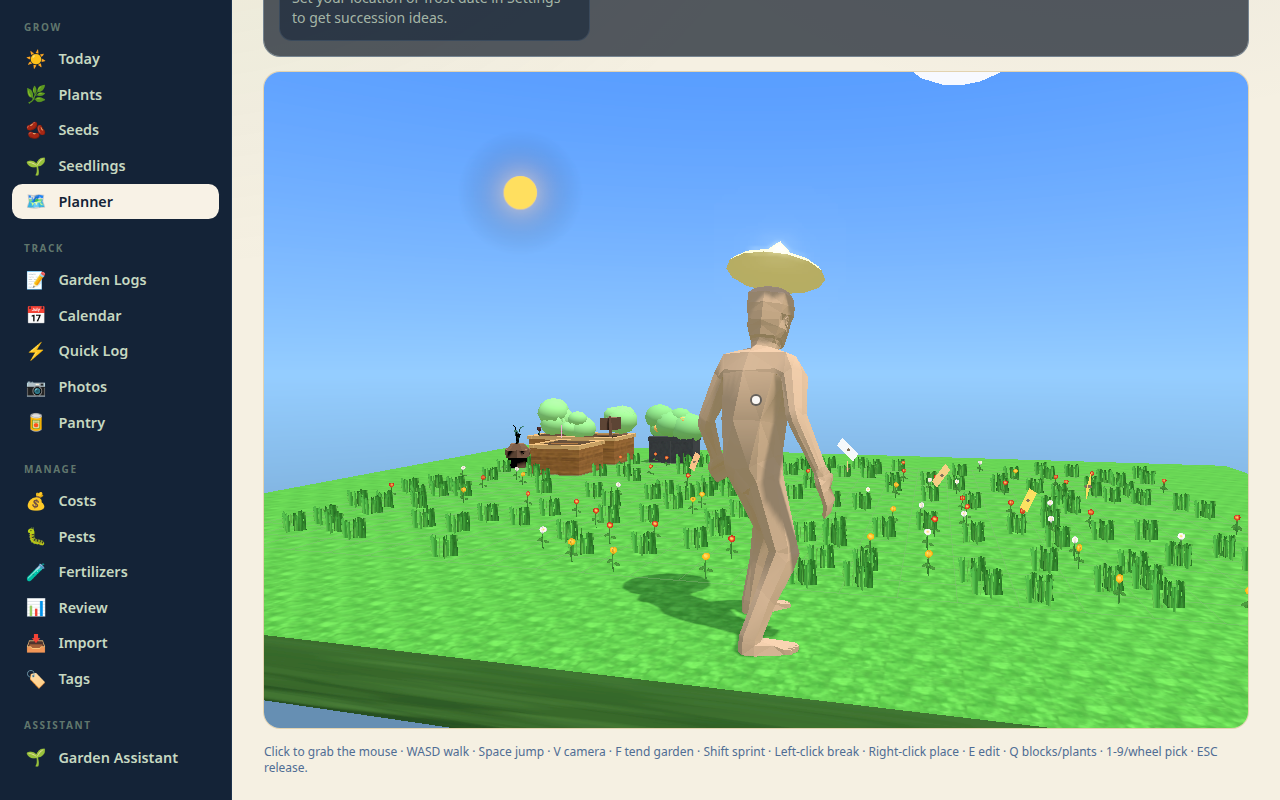
for plants (tomatoes even grow tiny red fruit). Hit **🚶 Walk** to drop to
eye level and stroll between the beds with WASD + mouse (Shift to sprint).
Walk mode is **creative mode**: a hotbar (Q switches between
**BLOCKS** and **PLANTS**, 1–9 or the mouse wheel picks a slot, everything is
∞) lets you build the garden by walking around it — **left-click breaks** the
aimed planting or container (breaking a planted container asks first), and
**right-click places** the selected item on the aimed grass cell — a green/red
ghost preview shows exactly where it'll land — or plants the selected seedling
into the aimed container. **E** edits the aimed container, ESC releases the
mouse. Every placement and break goes through the real API and edits your real
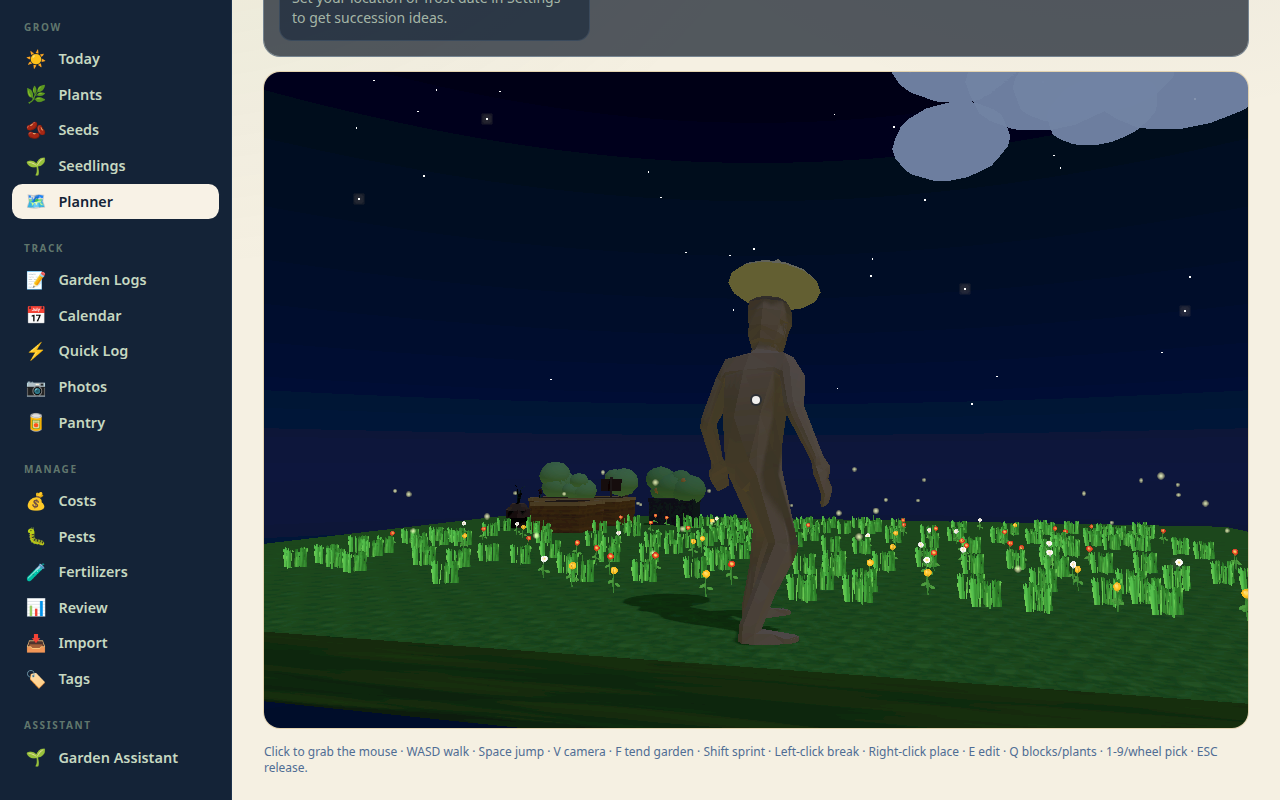
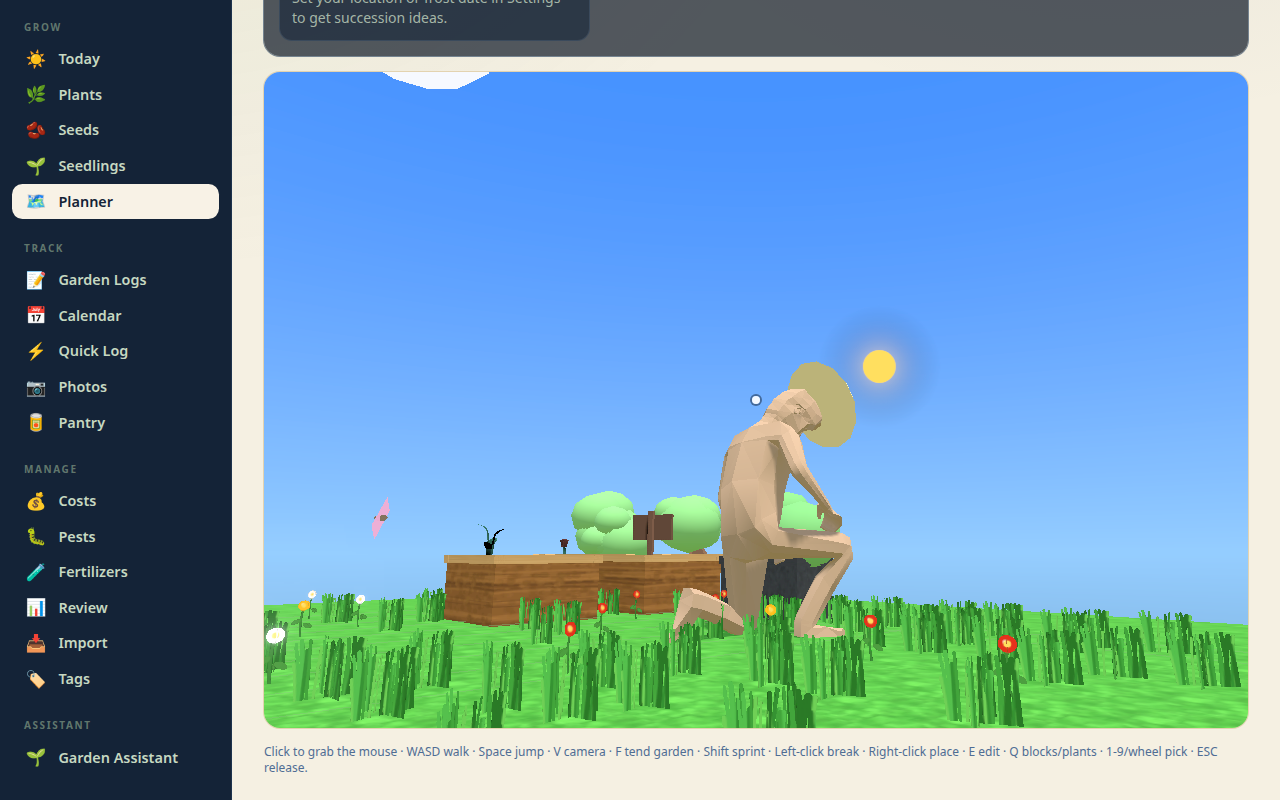
garden. Walk mode now stars a little **🧑🌾 gardener**: a clay-tinted character
(CC0 Quaternius model) with a straw hat who walks the garden in **third person**
— **V** toggles between first-person and over-the-shoulder, **Space** jumps,
and **F** tends the nearest bed: the Working animation plays, thirsty beds get
a blue water arc (logged through the real watering API), harvest-ready crops
pop with a floating "+N" (logged through the real harvest API). Idle/Walk/Run/
Jump/Working all crossfade via the model's real animation clips. Orbiting still works too, and
everything renders on demand so it sips battery. A slim **🌤️ weather ribbon** runs under
the site header on every page — current conditions, tonight's low, tomorrow's
high, rain chance, and wind gusts. On the planner, **garden alerts** underneath
it read your actual data: frost warnings that name your tender containers, heat
alerts for the thirsty pots and bags, rain-skip nudges when you watered recently,
spray wash-off warnings, wind alerts for the arches, and a tomato blight watch.
Set your coordinates on the Settings page to light the ribbon up; until then it
stays quietly hidden. When the National Weather Service has active alerts for
your garden point, a severity-tinted ⚠️ pill appears in the ribbon — click it
for each alert's timing and details (free, no key; cached 15 minutes).

Hit **🔥 Yield** to tint every container by last season's harvest weight
(darker = heavier), so the spots that earned their keep jump out. Open any
container and the **🌱 companion hints** suggest good and bad neighbors from a
curated, extension-service-sourced list.
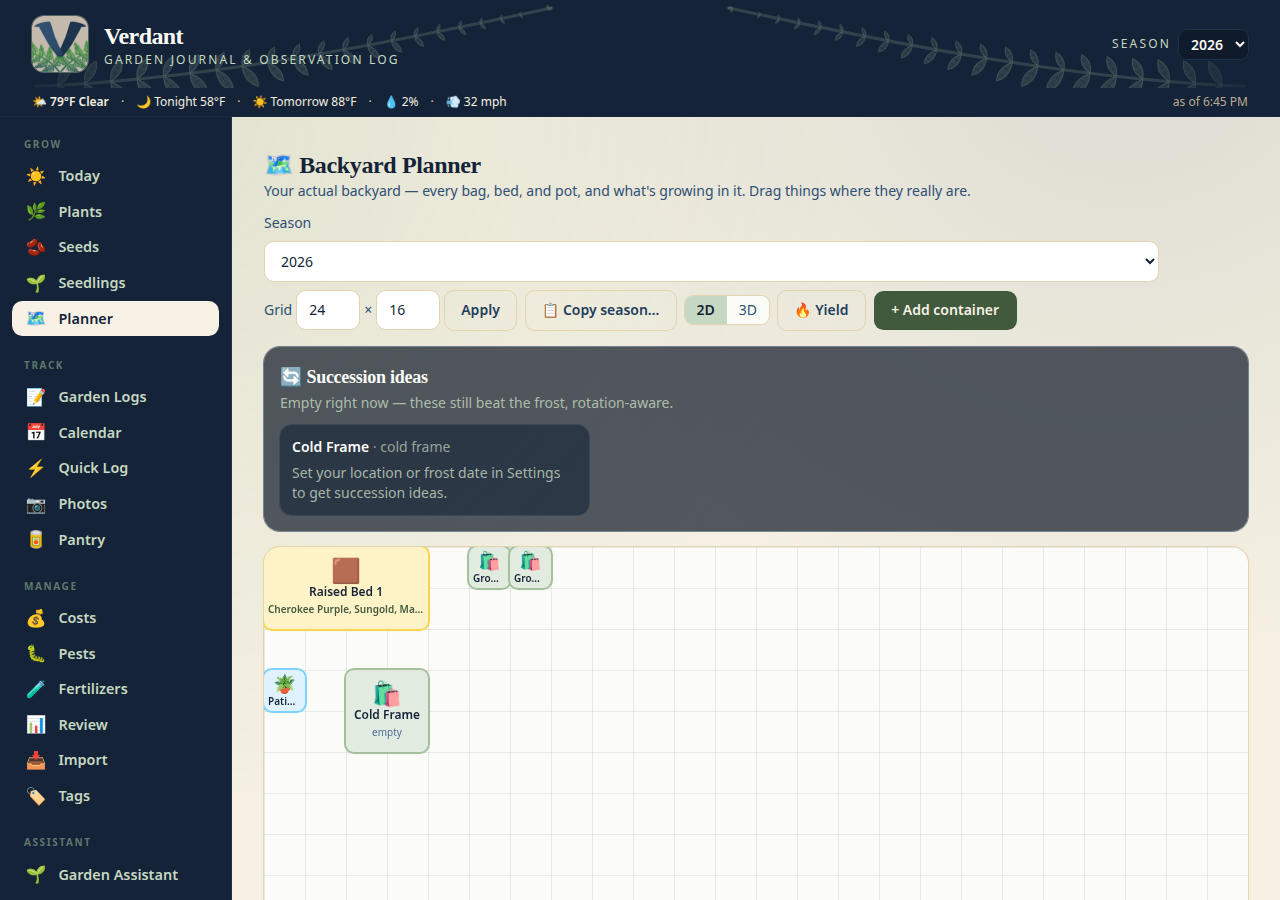
Empty containers don't sit idle: **🔄 succession ideas** read the season,
your first-frost date, and the crop guide, then suggest what each free
container can still fit before frost — sow-by dates included, rotation-aware
(same family that just grew there is skipped). In October it'll honestly tell
you nothing beats the frost and point you at garlic instead.
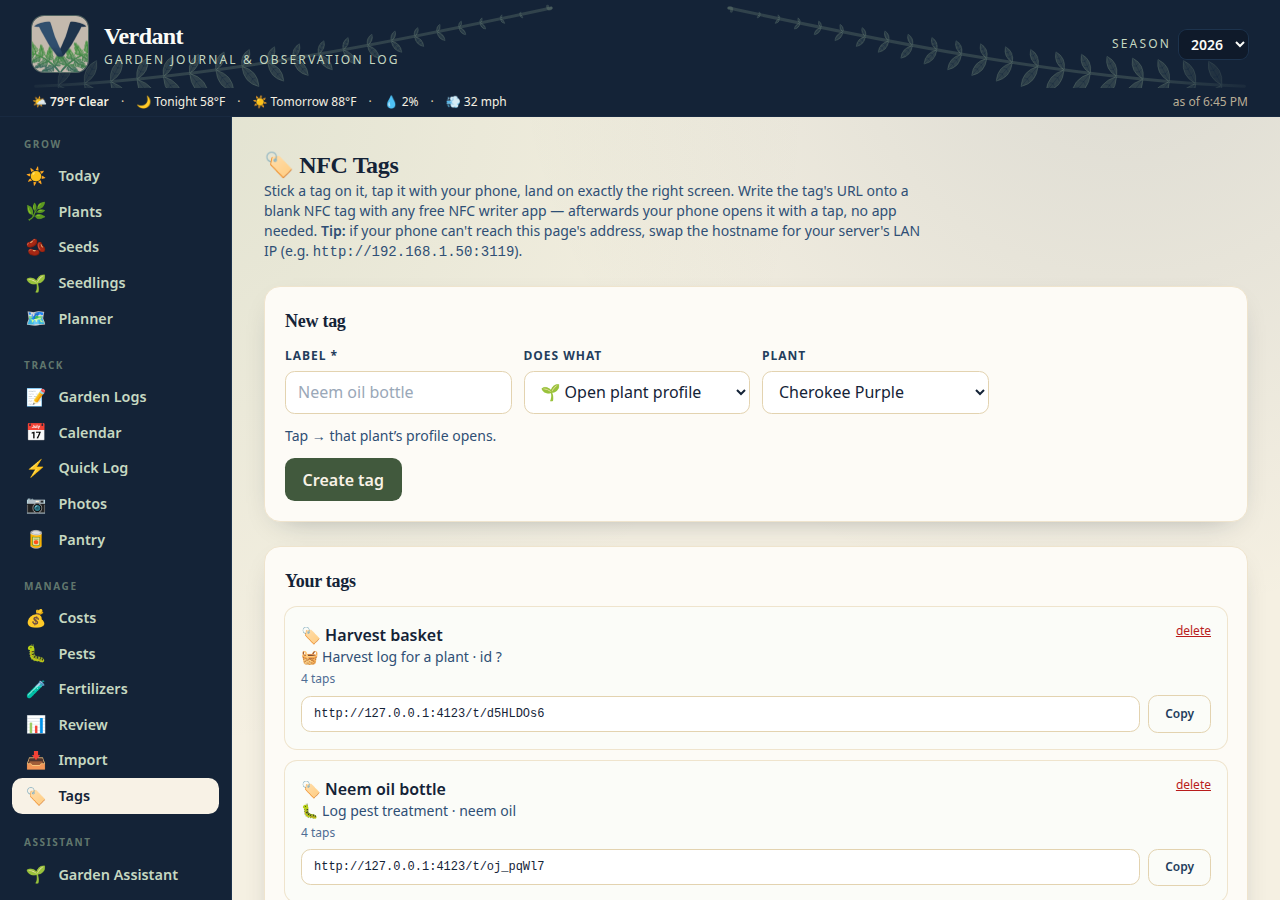
### 🏷️ NFC Tags — tap it, log it
Blank NFC tags turn physical things into shortcuts: tap the fertilizer
bottle and the feeding form opens with that fertilizer pre-selected; tap the
seed binder and the "add packet" form opens; tap a grow bag and that plant's
profile opens. The Tags page manages every tag — write its URL onto a blank
tag once with any NFC writer app, then your phone opens it with a tap, no
app needed.
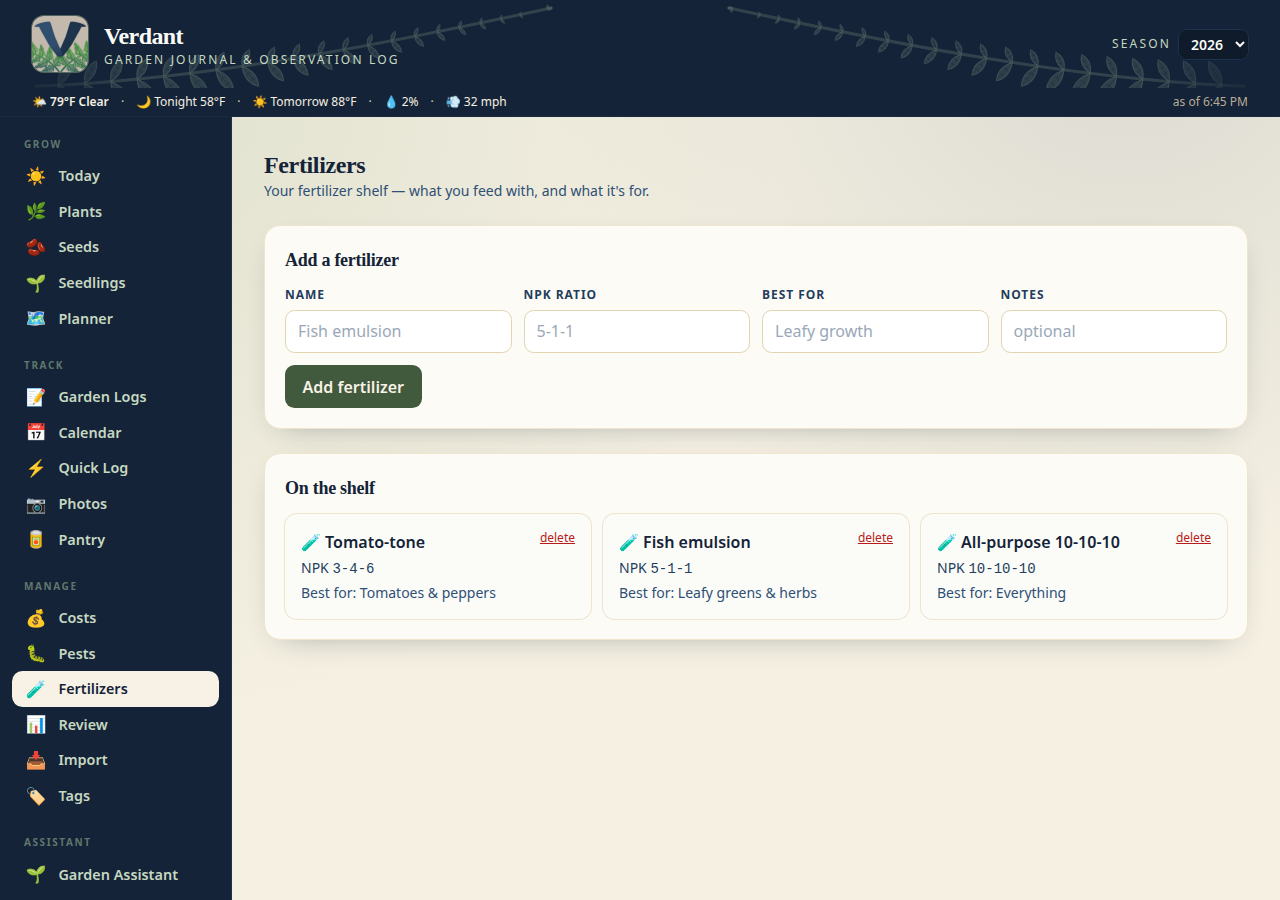
### 🧪 Fertilizers — the shelf
Your fertilizer products live here now: name, NPK ratio, what each is best
for. The Garden Logs feeding form suggests from the shelf, and NFC tags can
point straight at a bottle.
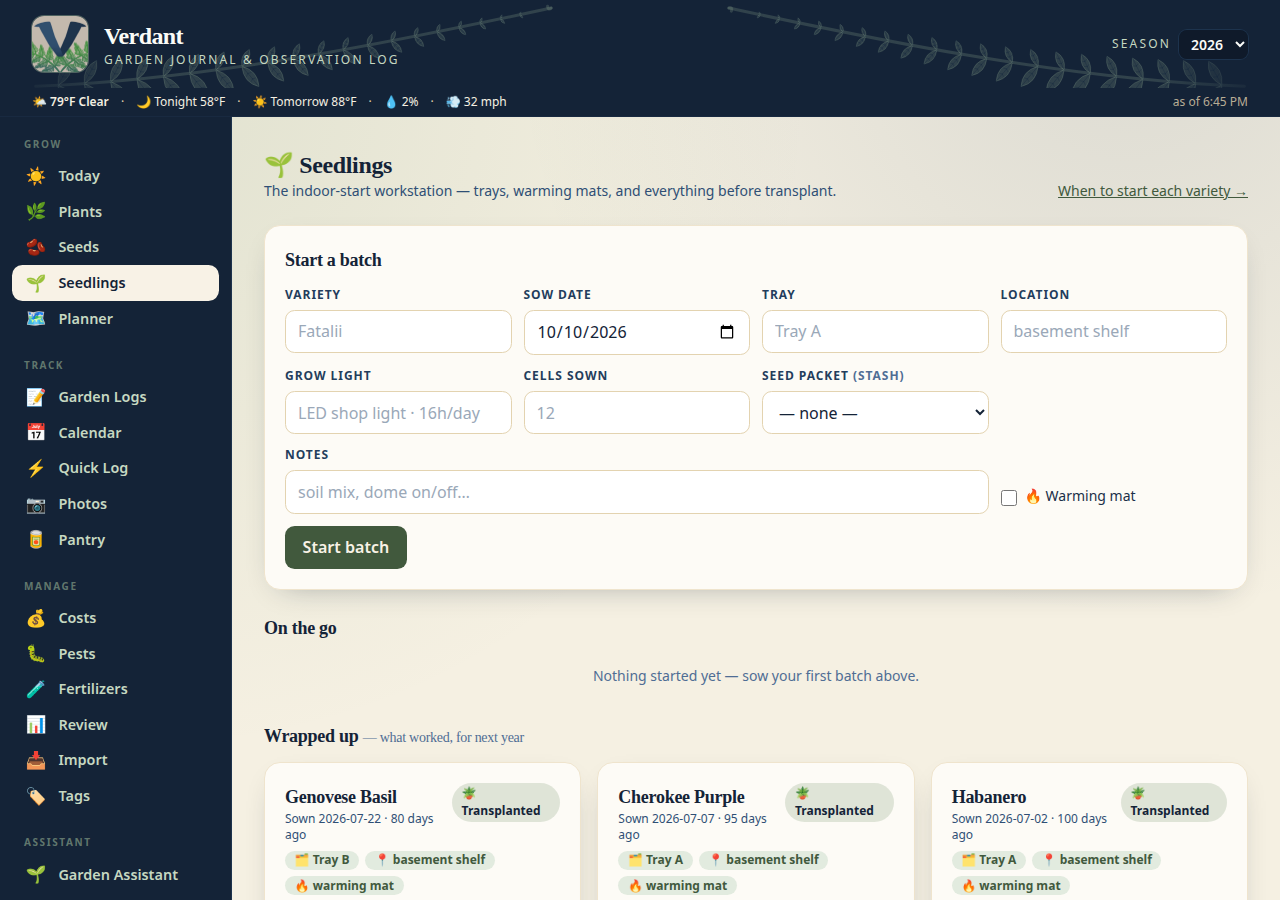
### 🌱 Seedlings — the indoor workstation
Start seeds inside without losing track: every batch records variety, tray,
location, warming mat, and grow light, with a stage pipeline from sowing to
transplant and one-tap sprout logging. Germination progress bars (including
days-to-sprout) show what's working, and a nudge flags batches that go quiet
for three weeks. Finished batches keep their stats so next year's setup
repeats what worked.
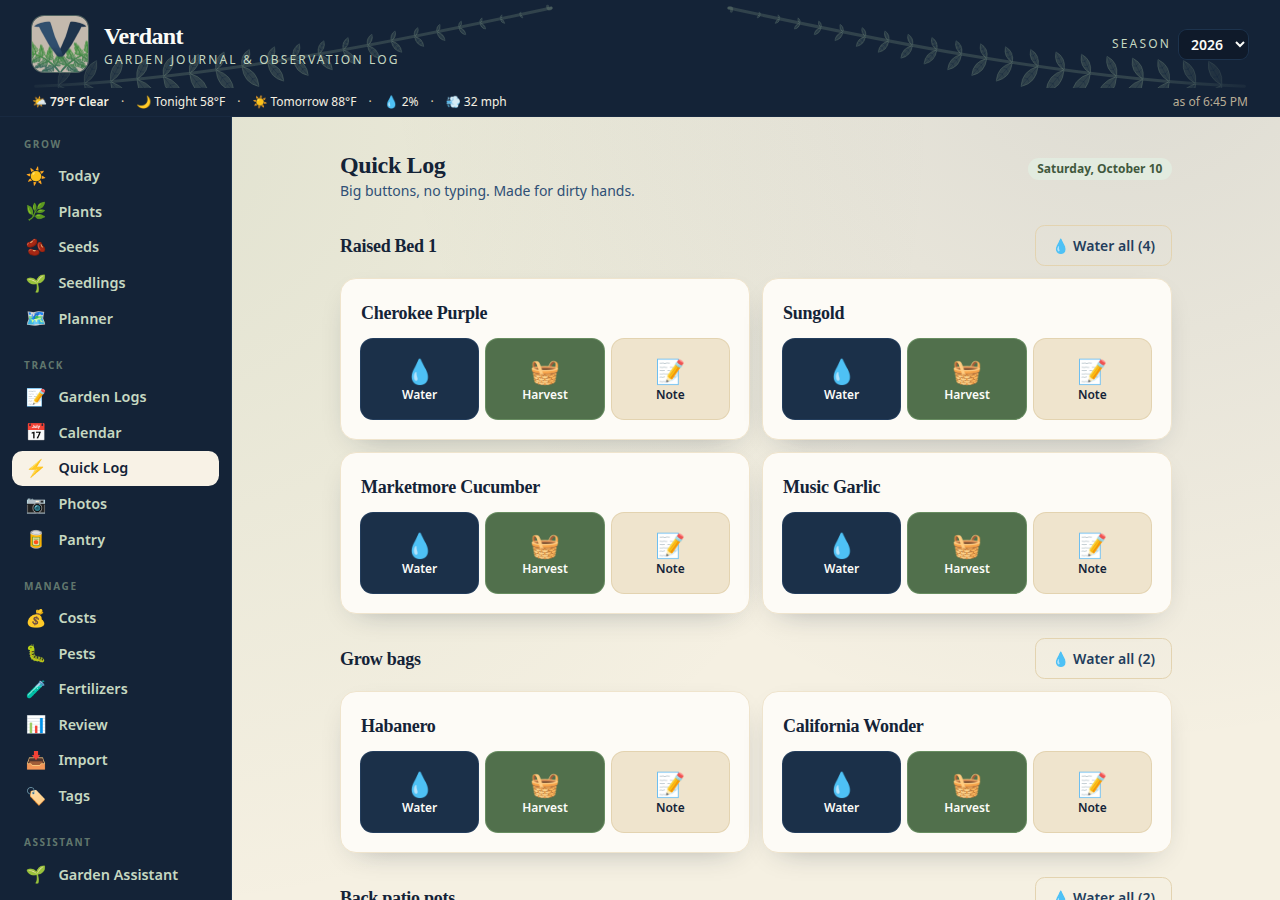
### ⚡ Quick Log — log it from the garden
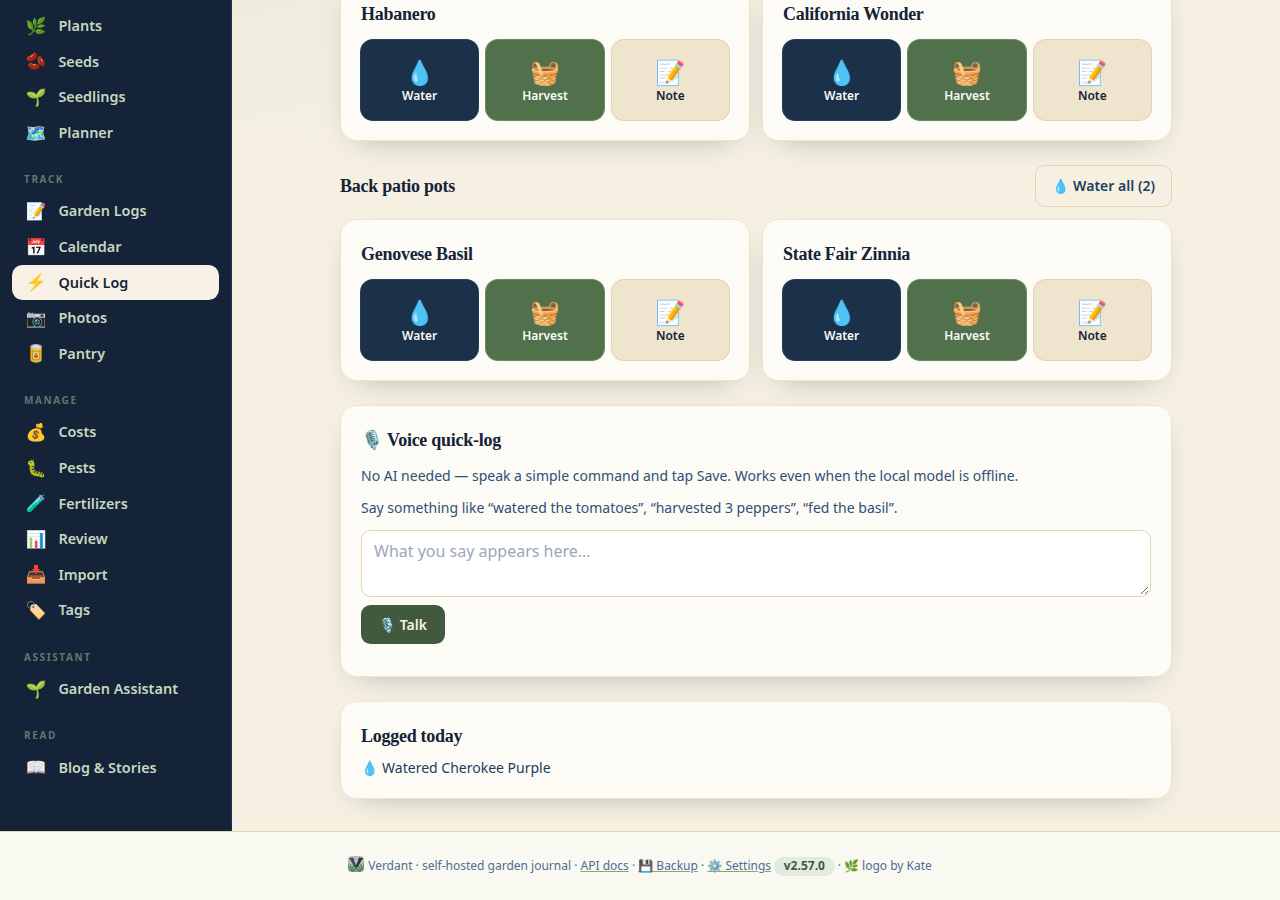
A phone-first page for when you're standing in the garden with dirty hands:
one-tap watering per location ("Water all"), a harvest +/− stepper with an
optional **weight** input and unit (oz/g/lb/kg, prefilled from your default —
leave it blank and it's a plain count), and today's entries at a glance.
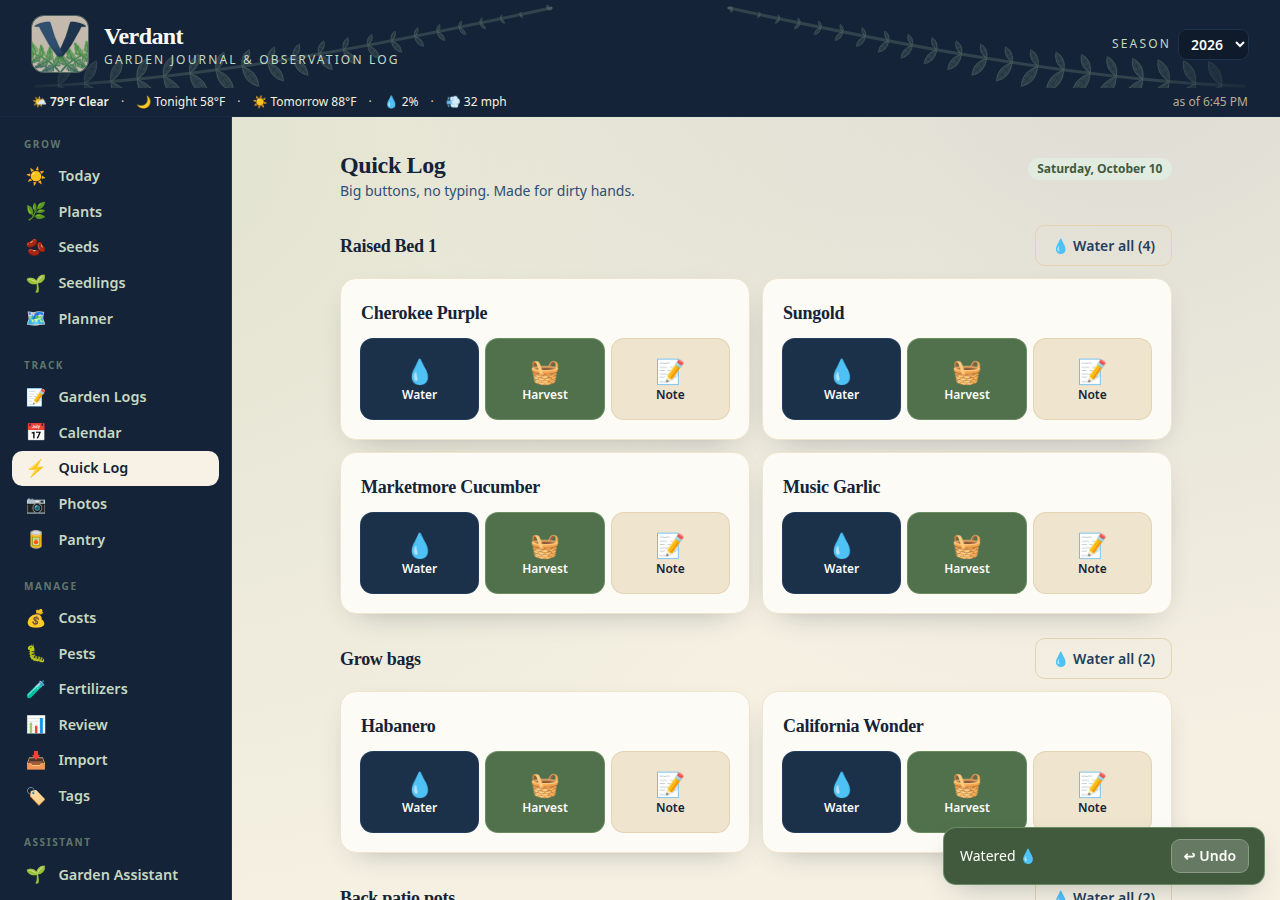
Every save pops a **↩ Undo** toast (about 8 seconds) — fat-fingered a
watering from the garden? One tap takes it back. Watering, harvests, and
notes can all be undone.
NFC tags can drop you straight here. And when your hands are too dirty to tap
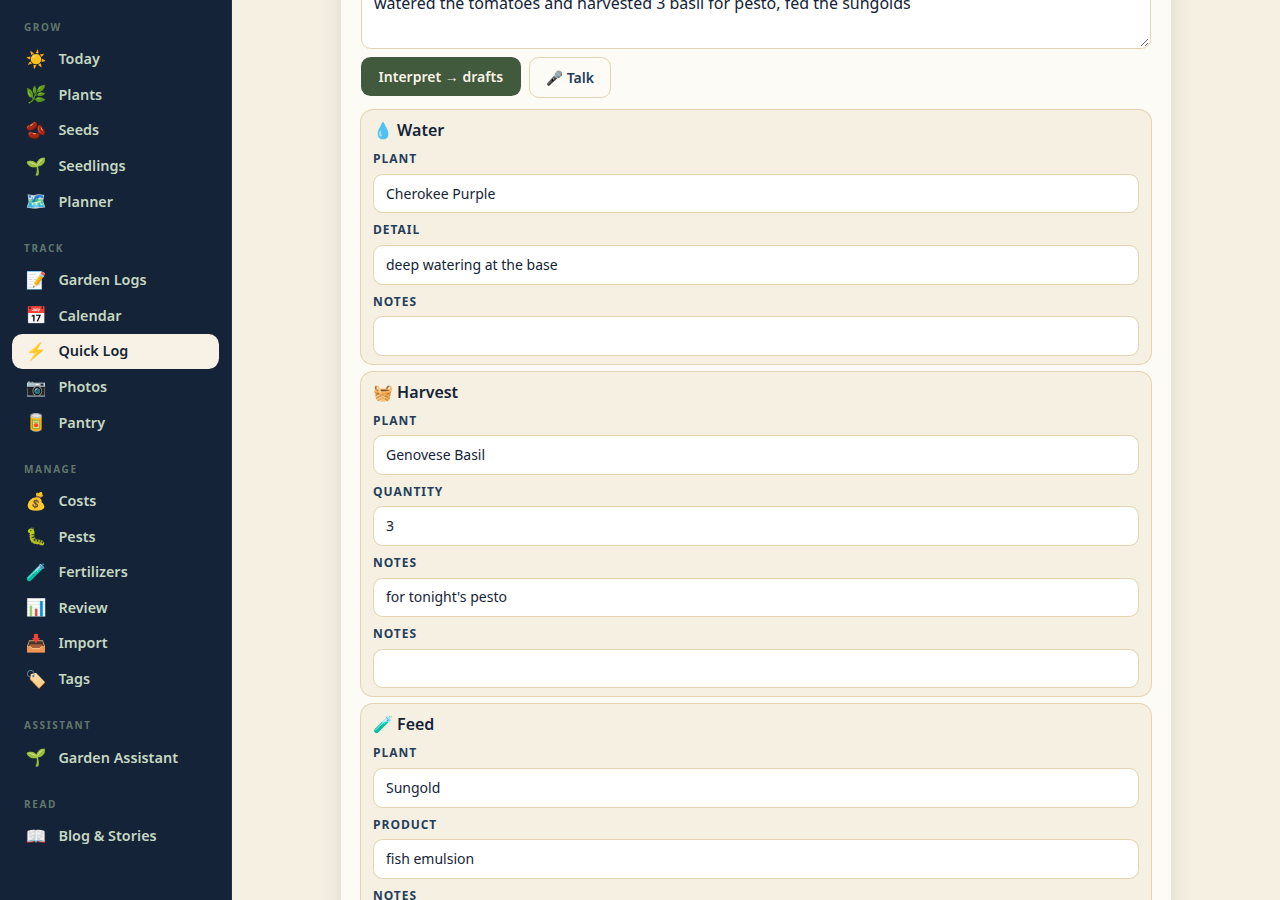
through forms: **🤖 “Tell Verdant what you did”** — type a sentence like
“watered the tomatoes and harvested 3 peppers”, or tap 🎤 **Talk** and just
say it with dirty hands — the browser transcribes as you talk and keeps
listening through pauses until you tap Stop. Your chosen AI provider then
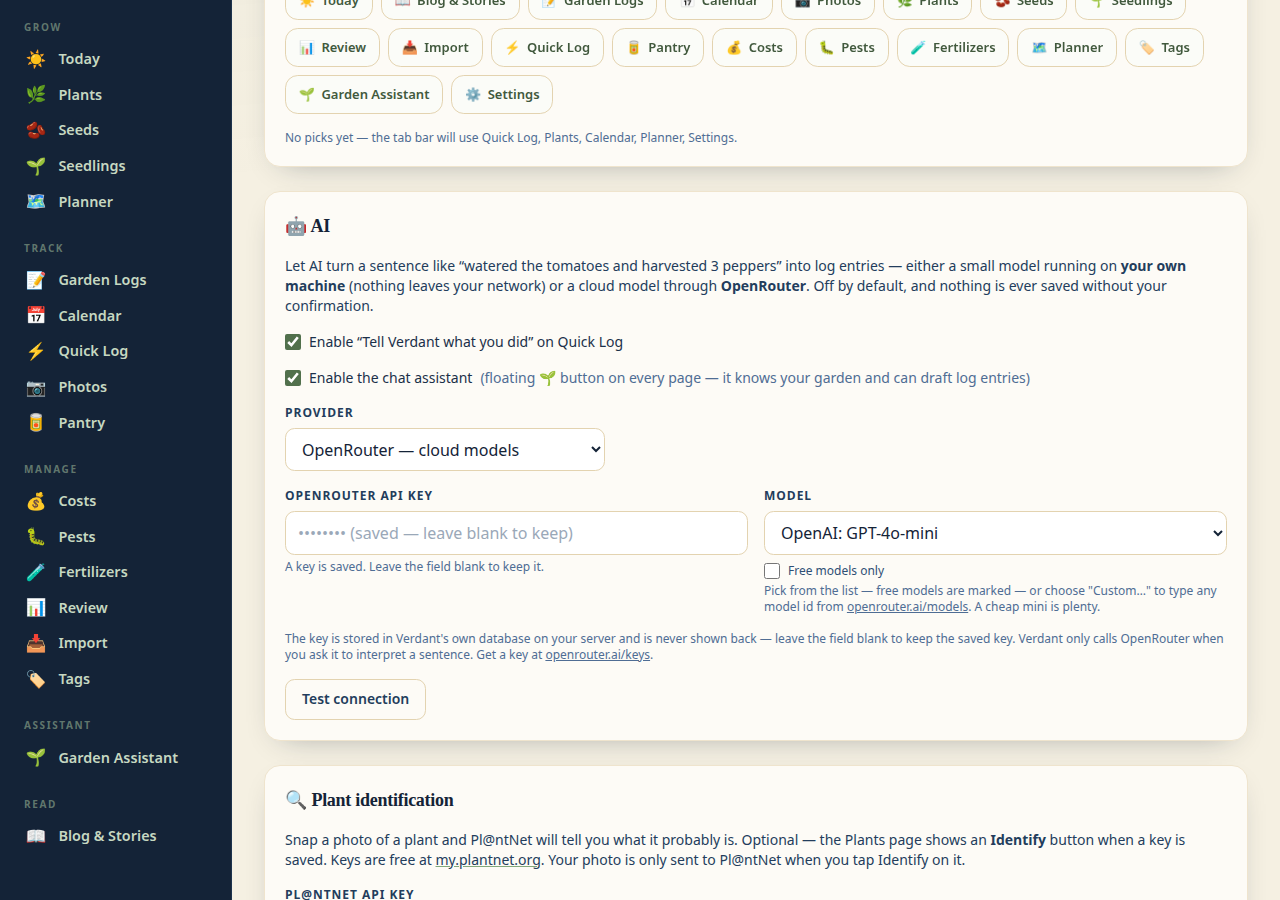
drafts the log entries for you to confirm: a small model running on *your
own machine* via **Ollama** (nothing leaves your network), or a cloud model
through **OpenRouter** (your key stays in Verdant's database on your server,
and it's only called when you ask it to interpret). Nothing is saved until
you confirm; opt-in on the Settings page. (Voice needs a secure https
connection, so on the LAN it works through the Cloudflare tunnel.)
**🎙️ Voice quick-log** is the no-AI sibling: tap Talk, say “watered the
tomatoes” or “harvested 3 peppers”, tap Stop, and it parses the command —
plant matched from your growing list, quantity pulled out — into a one-tap
Save. No model needed, so it works even when the local AI is offline.
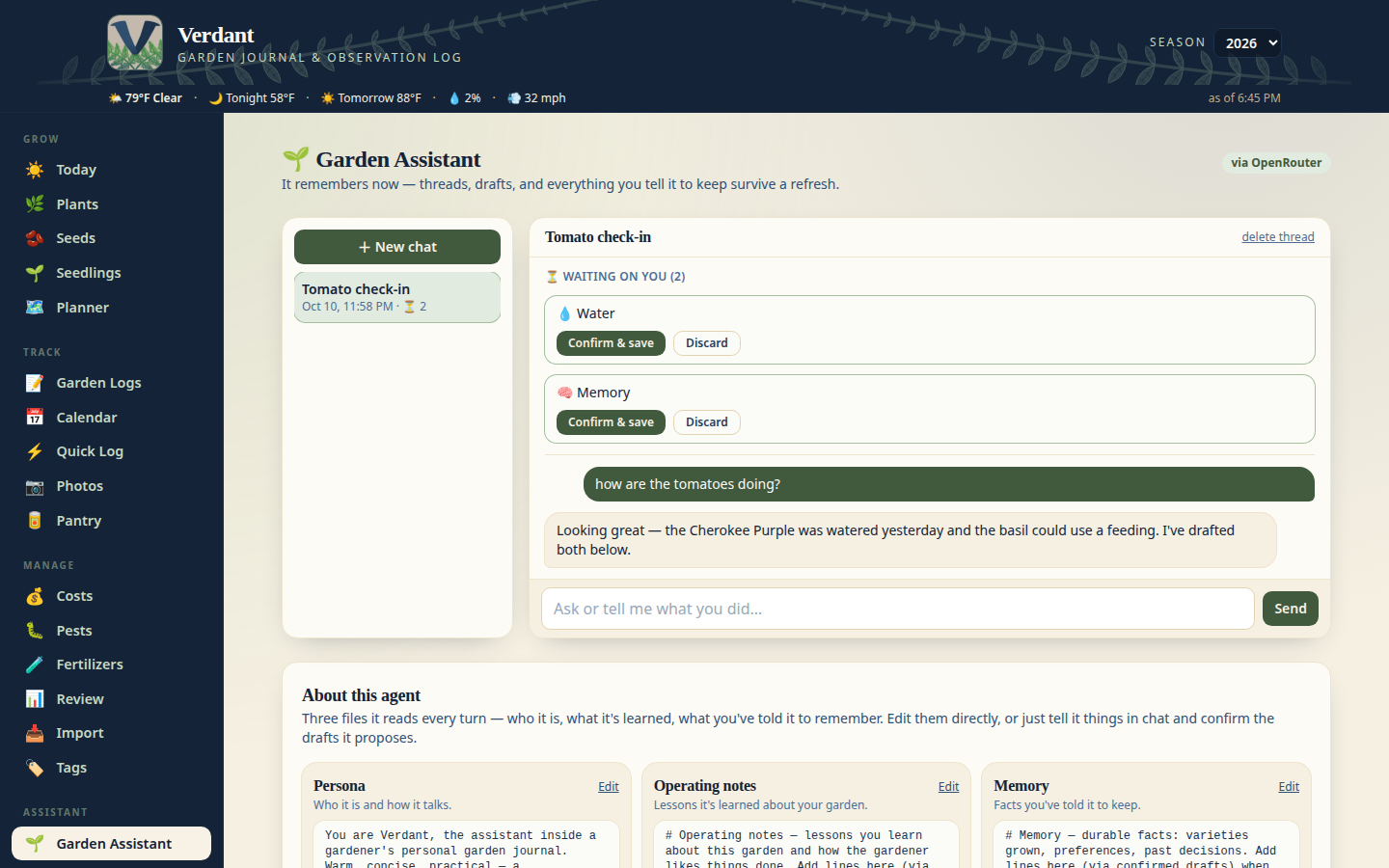
**🌱 Garden assistant.** The **Garden Assistant tab** (nav → Assistant) is a
proper home for the chat agent — no more floating bubble. It keeps full
**conversation threads** on the server, so a browser refresh never loses
your place, and every confirm-before-save **draft** persists too: drafts
waiting on you sit in a “⏳ Waiting on you” strip until you confirm or
discard each one. The agent also has a **persistent self** — three files it
reads into its prompt every turn: **Persona** (who it is, how it talks),
**Operating notes** (lessons it learns about your garden), and **Memory**
(durable facts you've told it to keep). Tell it something worth keeping
and it proposes the addition through the new `propose_memory_write` tool —
still confirm-before-save, never silent. You can read and edit all three
files directly in the “About this agent” section on the tab.
An always-ready agent that knows your garden: what's
growing and where, per-plant care history (last watered / fed / harvested),
what's due, what's ready to harvest, recent activity, and today's weather.
It can look things up on its own (care history, notes, seed stash, planner,
reminders) and take action: tell it what you did and it drafts the log
entries; ask it to add a seed packet, change a plant's status, or move a
plant to another container and it drafts that too — all under the same
confirm-before-anything-is-saved contract as “Tell Verdant”. It also has
seasonal coaching (frost countdown, what to plant/harvest now), a memory
notebook it can save to and recall from (always confirm-before-save), and
year-over-year variety performance from your harvest logs. Ask it to
**remind you at a date** ("remind me to plant carrots on Oct 12") and it
drafts a dated reminder — you confirm, and it shows up in the chat context,
the morning digest, and the `upcoming_reminders` tool. Memory notes are just
notes and can never schedule anything; the assistant knows the difference.
Attach a photo to
a message and a vision-capable model (e.g. DeepSeek v4.1 flash on OpenRouter)
can see it for pest ID or ripeness checks. Ask it to “recap my tomatoes'
season” and the new `season_recap` tool gathers that plant's photos across
the season (matched album photos + observation photos), picks up to 8 spread
across the months, and has the vision model narrate the story — growth
milestones, health, harvest moments. There's also a 📖 Season recap button
on each plant's detail card that shows the story with its photo timeline;
“Save as note” files it as an observation (it asks you to confirm first).
Photos only ever go to your already-configured AI provider — the same one
the chat uses. Threads and drafts live server-side, so the
conversation survives a browser refresh — not just page navigation within
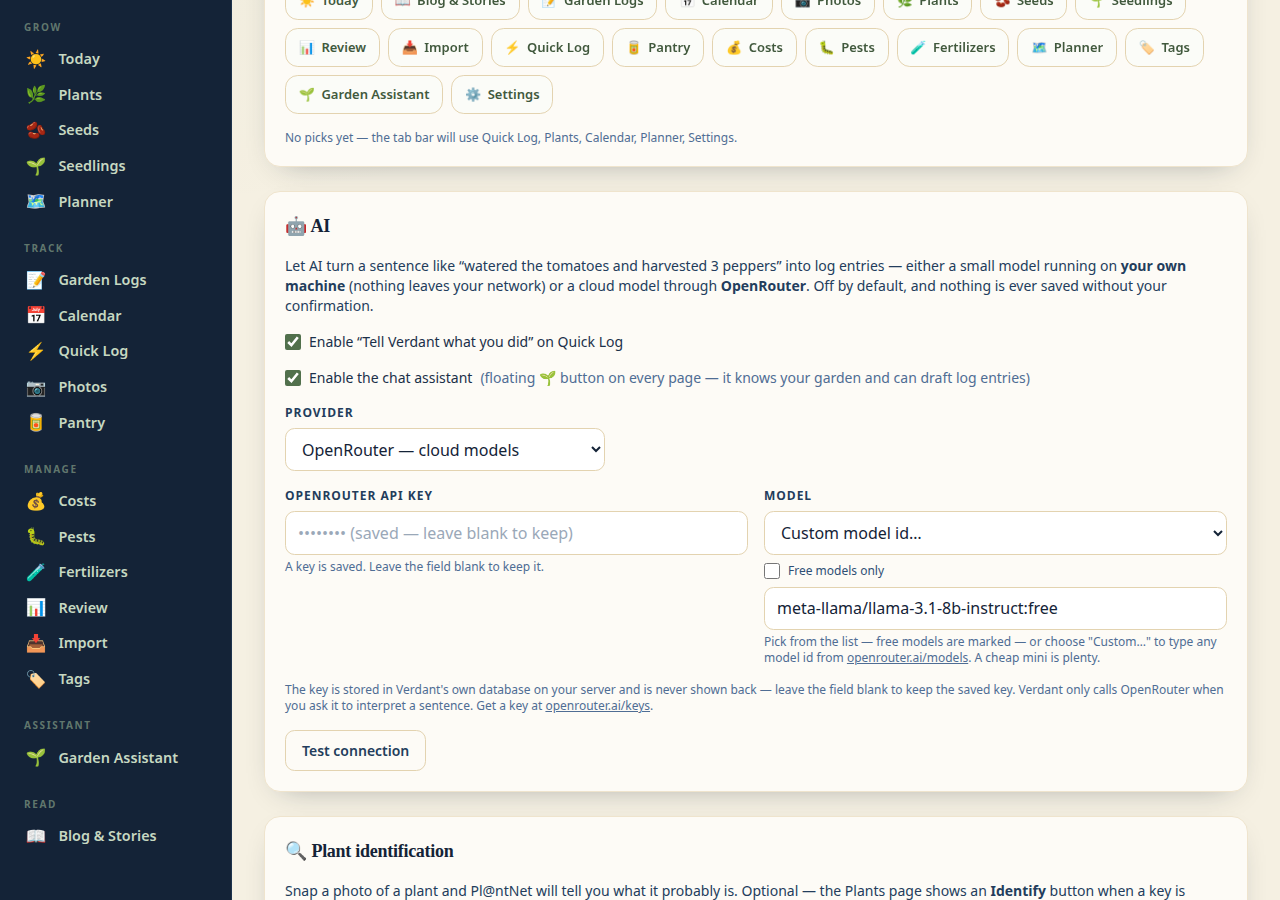
the tab. It runs on whichever AI provider
you've picked (Ollama or OpenRouter); the OpenRouter model picker lists every
available model with free ones marked.
### 🥫 Pantry — what happened after harvest
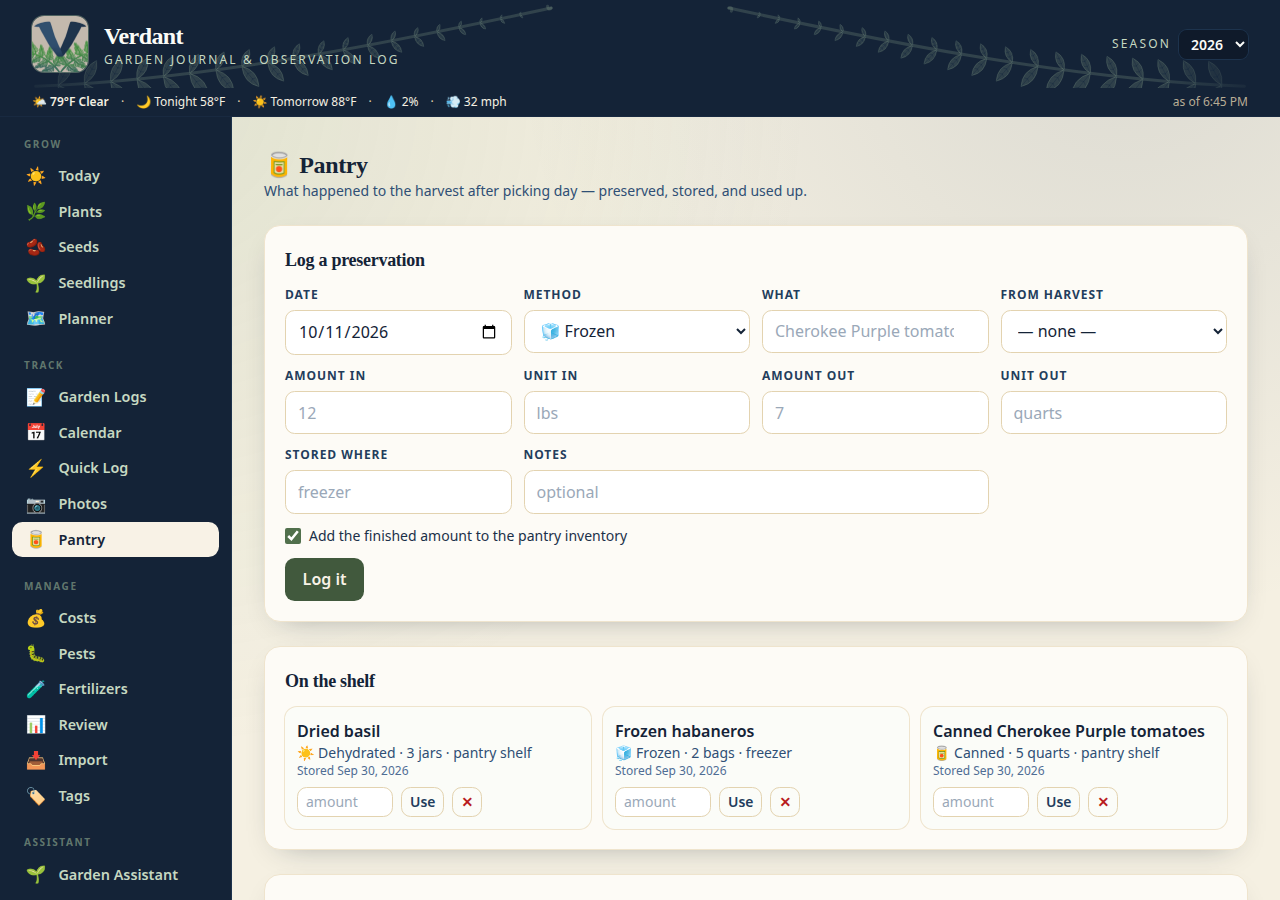
Verdant used to track everything up to picking day, then the food vanished
from the story. The **Pantry** page closes the loop: log what you preserved —
canned, frozen, dehydrated, fermented, gave away, or just ate fresh — with
amounts in and out, where it's stored, and an optional link back to the
harvest it came from. Tick one box and the finished amount lands in your
**pantry inventory**, which you decrement as you use things up ("Used 2 bags
of frozen peppers") until the shelf is bare. The full preservation history
stays even after the last jar is gone.
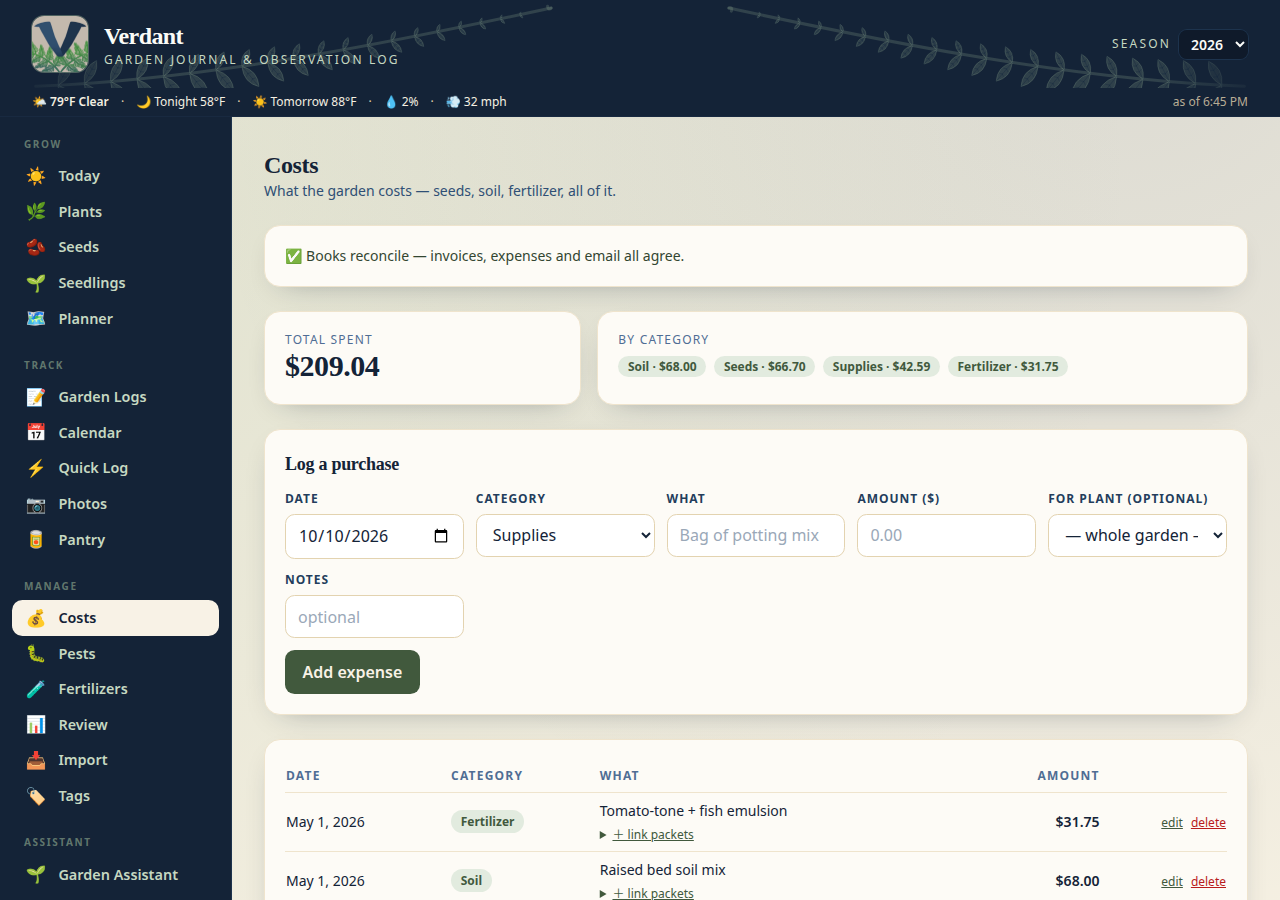
### 💰 Costs — was it worth growing?
Every garden expense in one place, broken down by category — rows are
editable in place. Tag a purchase
to a plant and the Season Review scorecard splits costs per variety, so you
can finally answer whether the peppers beat the grocery store. Below the
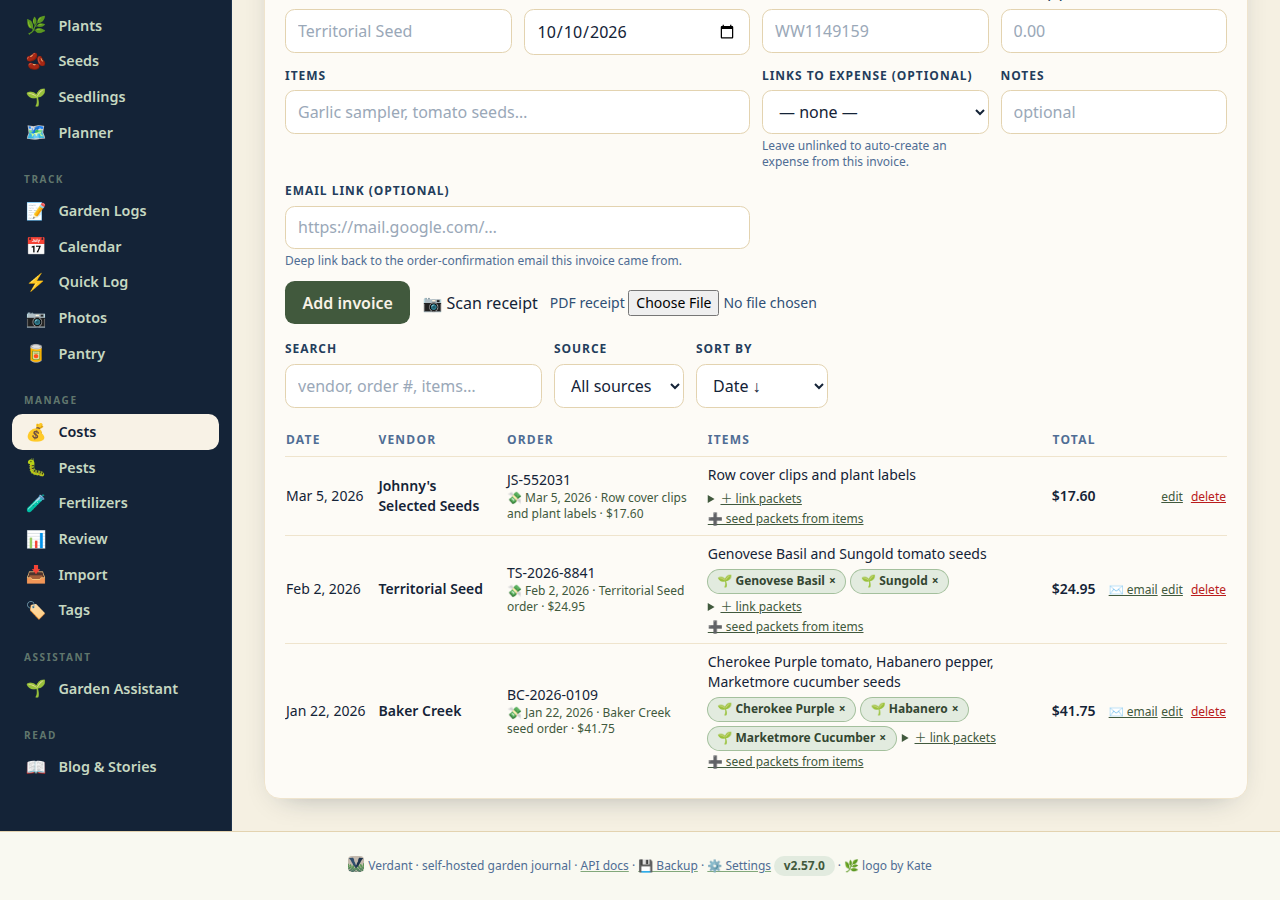
expenses, a **🧾 Invoices** section keeps the paper trail: vendor, order
date, order number, total, and the PDF receipt, each optionally linked to
the expense it documents — and both invoices and expenses can be **tagged
with the seed packets** they bought (with smart suggestions matched from the
order text), so the Order assistant knows exactly what came from where.
Invoices are searchable (vendor, order number, items), filterable by source,
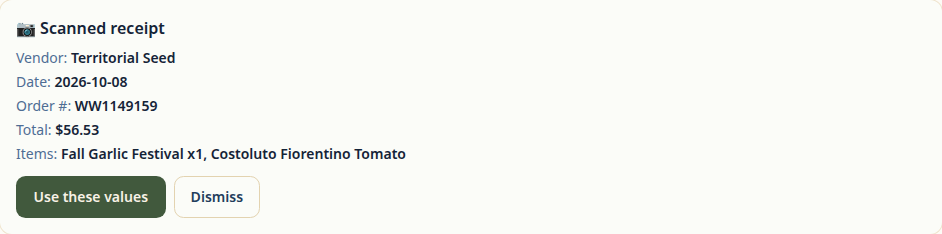
sortable, and editable in place. A **📷 Scan receipt** button photographs a
paper receipt and reads the vendor, date, total, and items into the form —
nothing is saved until you confirm.
### 🐛 Pests — the treatment log
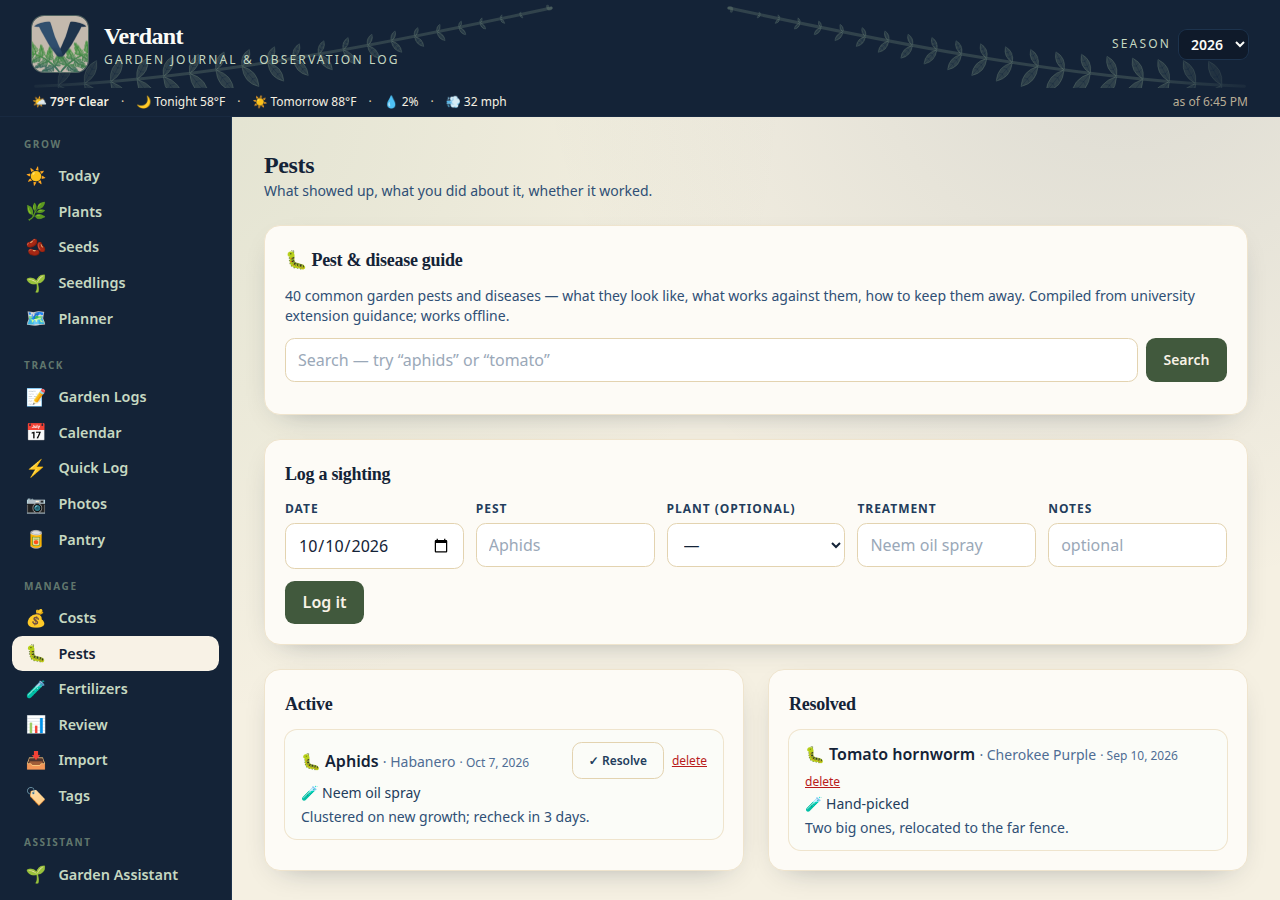
What showed up, what you sprayed or squashed, and whether it worked — a
running log per pest so next year's battle plan writes itself. It now opens
with a **pest & disease guide**: 40 common garden pests and diseases with ID
signs, organic and conventional treatments, and prevention, compiled from
university extension guidance and working fully offline. Search it by pest or
by plant (“tomato”), tap “Log a sighting” to start a log entry, and picking a
plant in the log form surfaces its common issues as quick-pick chips.
### 📥 CSV Import — bring your own data
Moving from another garden tracker? The **Import** page (nav bar → Import)
walks you through it: pick what you're importing (locations, plants,
fertilizers, seed sources, watering logs, fertilization logs, harvests, invoices),
upload the CSV, review a preview with row counts and warnings, then import.
Imports are idempotent — re-running the same file skips what's already there,
so you'll never get duplicates.
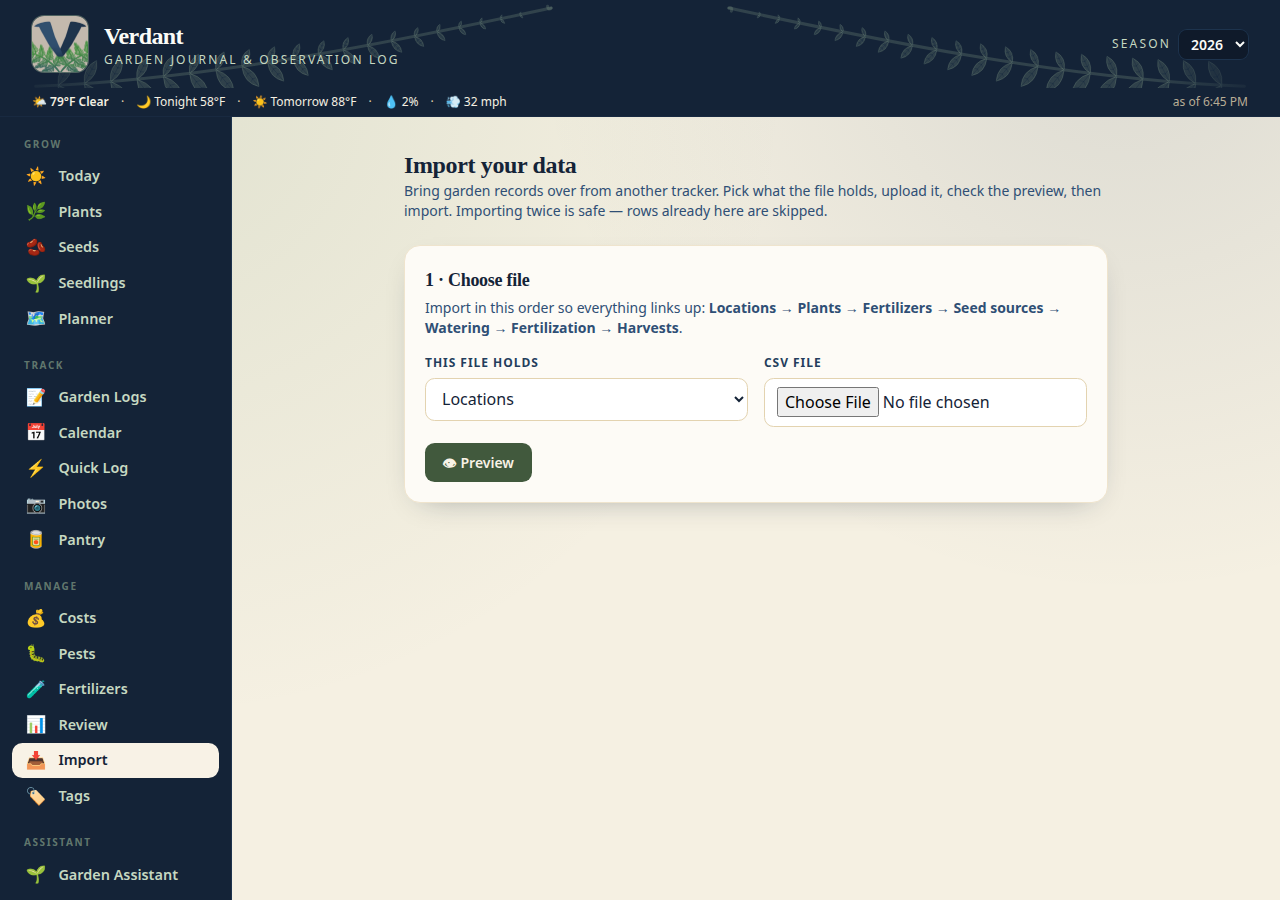
See [Importing from CSV](#importing-from-csv) below for the expected columns.
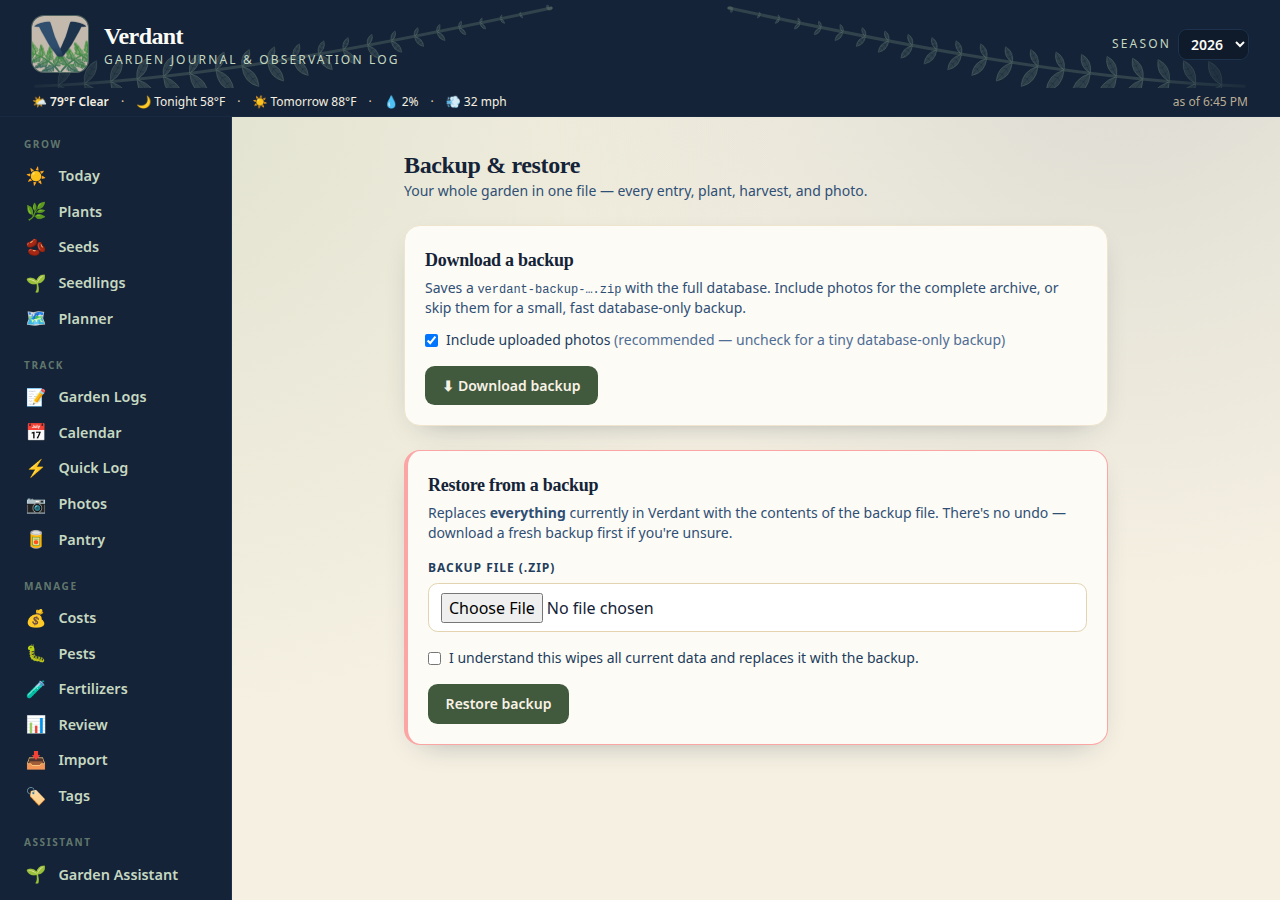
### 💾 Backup & Restore — the whole garden in a zip
One click downloads a zip containing the full database plus every uploaded
photo — or uncheck the photos box for a small, fast database-only backup.
Restoring is the reverse: upload the zip, and you're back (a photo-less
backup leaves your current photos untouched). Keep one somewhere safe
before upgrades.
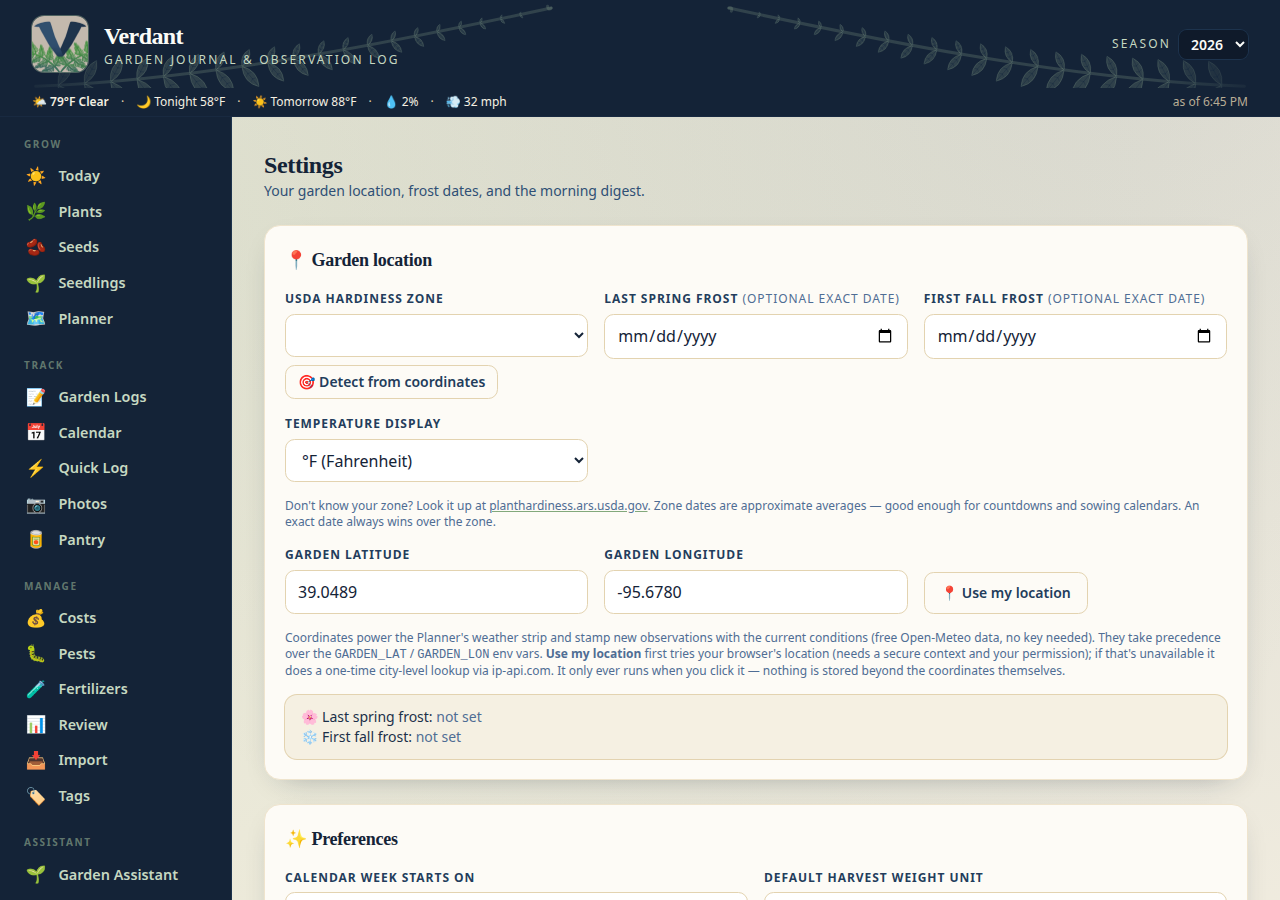
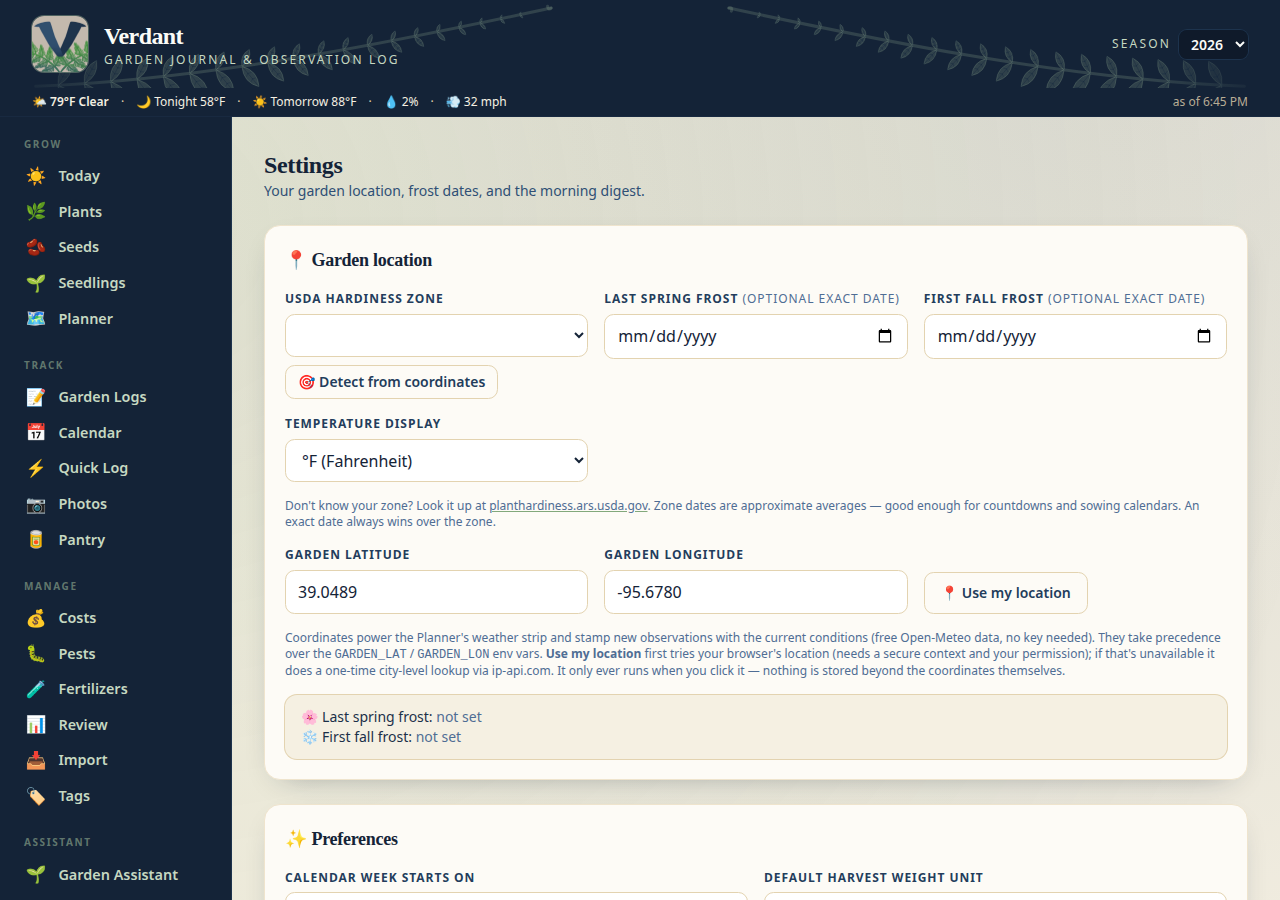
### ⚙️ Settings — your garden's particulars
USDA zone, last/first frost dates (exact dates beat zone averages),
temperature units, which day your calendar week starts on, default harvest
weight unit, slideshow autoplay interval, and the morning digest schedule —
all on one page. Don't know your zone? Hit **🎯 Detect from coordinates**
and Verdant looks it up from your saved garden coordinates (offline, from a
built-in dataset). Your **garden coordinates** live here too (with a
📍 *Use my location* button that fills them in from your browser, falling
back to a one-time city-level lookup) — they power the Planner's weather
strip and stamp new observations with the current conditions. The frost
dates drive the "days to first frost" countdown in the header and tune the
seed-starting calendar on the Plants page. The site-wide weather ribbon
also watches the National Weather Service for your garden point: when there's
an active alert, a severity-tinted ⚠️ pill appears — click it for
the timing and details.
### 🌅 Morning Digest — Discord
An optional daily "morning garden check" sent to a Discord channel via webhook:
what's overdue, what's due today, what's coming up. Off by default — turn it on
from the 🌅 Morning digest card on the Settings page (the send time uses the
timezone you pick there, defaulting to your browser's zone), or set
`DIGEST_ENABLED=true` and `DISCORD_WEBHOOK_URL` in the environment.
Optional: turn on "Let the AI write a short morning briefing" in the same card
(`DIGEST_AI_BRIEFING=true`) to have your configured AI provider write a warm
1–2 sentence briefing on top of the data sections — it falls back to data-only
if the provider is unreachable. The digest also flags the first fall frost
when it's within two weeks, and includes a 🔔 Reminders section for any
dated reminders you set via the chat assistant (due/overdue first). New in
2.51.0: a 🎲 **Frost-night gamble** block (one bold call when frost threatens
tonight) and a closing 🕰️ **This week last year** section.
Digest reliability notes:
- **Photos, not filenames**: the "this week last year" photos are attached as
real image files (up to 4; oversized phone photos are downscaled, missing
files are skipped quietly).
- **Tidy by design**: near-duplicate reminders are collapsed, reminders about
the same plant are grouped under one heading, and text is never cut
mid-word. If a busy day would exceed Discord's 2000-character limit, the
least-urgent sections (AI briefing, then time-travel) are dropped instead of
failing the send.
- **Skips are handled**: the webhook send retries once on transient failures;
a failure in one section degrades to a partial digest rather than no digest;
and if the app restarts past send time with no successful send recorded that
day, a catch-up digest goes out immediately. The Settings page shows "Last
digest sent" (and the last error, if any) next to the digest controls.
### 🔌 Immich integration
Browse albums on your own Immich server and import their photos straight into
Verdant — no downloading and re-uploading. Needs `IMMICH_BASE_URL` and
`IMMICH_API_KEY` (see [Configuration](#configuration)).
## Tips & tricks
A few workflows that aren't obvious until you've lived in the app a while:
- **NFC-tag everything you touch.** A tag on the fertilizer bottle opens the
feeding form with that product pre-selected; one on the seed binder opens
"add packet"; one per grow bag opens that plant's profile. Write the tag's
URL once with any NFC writer app — no app needed to read them.
- **Quick Log belongs on your phone's home screen.** It's built for dirty
hands: one-tap watering per location, a harvest stepper, and it works fine
as a home-screen bookmark over your LAN.
- **Match photos with the keyboard.** On the 🎯 Match photos page, `←`/`→`
flip through photos and number keys pick the plant — a 600-photo album goes
fast. Bulk-assign a whole day when you know what it is.
- **Merge duplicates after an Immich import.** If an old import ran twice,
🧹 Merge duplicates folds the copies into the fullest album instead of you
deleting things by hand.
- **Tag costs to a plant.** The Season scorecard can only split spending per
variety if purchases are tagged — do it at entry time and the year-end
"was it worth growing?" math is free.
- **Photograph the back of the packet too.** The growing info on the reverse
is the part you actually need in April; the ⇄ flip button keeps both sides
on the packet card.
- **Copy the season in the planner.** January: copy last season's layout,
drag things to their new spots, and the rotation check tells you where you
planted the same family last year.
- **CSV imports are re-runnable.** The importer skips rows it already has
(exported IDs are preserved), so re-importing a fixed file never creates
duplicates. Import in the suggested order: locations → plants → the rest.
- **Database-only backups are fast.** Uncheck the photos box for a small zip
you can grab before every upgrade; keep a full one with photos somewhere
safe monthly.
## Quick start (Docker — recommended)
The included `docker-compose.yml` is a plug-n-play base setup — the prebuilt
image from GitHub Container Registry, two folders for your data, nothing else
to configure:
```bash
docker compose up -d
```
Open . Interactive API docs: .
That's genuinely the whole setup: no `.env` file needed, no build step, and
your data lives in the `./data` and `./uploads` folders next to the compose
file, so it survives rebuilds and restarts. Paste the same file into Dockge
or Portainer and it just works there too.
### 🪟 Windows installer (.msi)
No Docker? Grab `Verdant--x64.msi` from the latest
[release](https://github.com/Elyld/Verdant/releases), double-click it, and
follow the prompts — no Python or Docker needed. It installs Verdant to
Program Files, adds a Start menu shortcut, and opens your garden journal at
. Your garden data lives in your own
`%LOCALAPPDATA%\Verdant` folder, so uninstalling never touches it and
installing a newer `.msi` upgrades cleanly. The installer is built
automatically with every release (see `installer/`).
### Reaching Verdant outside your LAN (Cloudflare Tunnel)
Verdant is tunnel-ready: no sign-on inside the app, Cloudflare handles
identity at the edge.
1. In the Cloudflare dashboard: **Zero Trust → Networks → Tunnels** → create
a tunnel, add a public hostname pointing at `http://garden:8000`, and copy
the tunnel token.
2. In `docker-compose.yml`: comment out the `ports:` block on the garden
service (so the app is *not* on your LAN directly — only the tunnel can
reach it), and uncomment the `cloudflared` service at the bottom.
3. In your `.env`: `TUNNEL_TOKEN=` and `TUNNEL_MODE=true`.
4. `docker compose up -d`.
5. Add a **Cloudflare Access** policy (e.g. email one-time PIN) on the
hostname — that's the sign-on, handled by Cloudflare, not Verdant.
`TUNNEL_MODE=true` flips the secure preset: HSTS header on, `/docs` off, and
the tunnel's proxy headers trusted so rate limiting sees real client IPs.
(Keep `ports:` if you still want LAN access too — the tunnel keeps working,
but LAN clients bypass Cloudflare Access.)
To change the host port, point Verdant at your Immich server, or turn on the
Discord digest, copy `.env.example` to `.env` and fill in what you need, then
re-run `docker compose up -d`.
The image (`ghcr.io/elyld/verdant:latest`, also tagged per release) is published
automatically by the `Publish Docker image` workflow on every push to `main`;
it builds for both `linux/amd64` and `linux/arm64` (handy for a Raspberry Pi).
Works great in Dockge, Portainer, or plain `docker compose`.
### Persistence
`docker-compose.yml` bind-mounts two host directories, so nothing is lost on
rebuild or restart:
| Host path | Container path | Contents |
|-------------|----------------|---------------------------|
| `./data` | `/data` | `garden.db` (SQLite, WAL) |
| `./uploads` | `/uploads` | Uploaded images |
### Upgrading
Pull and recreate — your data lives in the bind-mounted folders, not the
image:
```bash
docker compose pull && docker compose up -d
```
On startup Verdant automatically adds any missing database columns, so old
databases (even v1.x) upgrade cleanly without manual migrations.
## Quick start (local, no Docker)
```bash
python3 -m venv .venv && . .venv/bin/activate
pip install -r requirements.txt
uvicorn app.main:app --reload
```
Open .
## Configuration
All optional — Verdant runs fine with none of these set. Copy `.env.example`
to `.env` (or set them in your Dockge stack) for the ones you want.
| Variable | Default | Meaning |
|----------|---------|---------|
| `GARDEN_PORT` | `3113` | Host port for the web UI (compose only) |
| `GARDEN_DATA_DIR` | `./data` | Directory holding `garden.db` |
| `GARDEN_UPLOAD_DIR` | `./uploads` | Image storage root |
| `GARDEN_DATABASE_URL` | `sqlite:////garden.db` | Full DB URL override |
| `GARDEN_PUBLIC_URL` | `http://localhost:3113` | Base URL used to resolve relative URLs in "Import from URL" |
| `IMMICH_BASE_URL` | (unset) | Your Immich server URL, e.g. `http://192.168.0.50:2283` (enables Immich import) |
| `IMMICH_API_KEY` | (unset) | Immich API key (Account Settings → API Keys). Needs `album.read`, `asset.view`, `asset.download` |
| `GARDEN_LAT` / `GARDEN_LON` | (unset) | Fallback for your garden's coordinates — prefer the Settings page (📍 Use my location button). Stamps new observations with current weather + powers the site-wide weather ribbon (free Open-Meteo data, no key needed) |
| `DIGEST_ENABLED` | `false` | Set `true` to enable the morning Discord digest |
| `DISCORD_WEBHOOK_URL` | (unset) | Discord webhook URL (Server Settings → Integrations → Webhooks) |
| `DIGEST_TIME` | `08:00` | When the digest sends (24h `HH:MM`, in `DIGEST_TIMEZONE`) |
| `DIGEST_TIMEZONE` | (unset) | IANA timezone for the digest send time, e.g. `America/Chicago`; blank = server local |
### Immich tips
- If Verdant runs in Docker on the same machine as Immich, use
`http://host.docker.internal:2283` (not a bare LAN IP) as
`IMMICH_BASE_URL` so the container can reach back to your host.
- The API key needs **`asset.download`** in addition to `album.read` /
`asset.view` — without it, imports list albums fine but every photo fails
with a 403. Verdant tells you exactly this in the UI if it happens.
- Import captures each photo's **XMP keyword tags** (Immich reads XMP
sidecars into tags) plus date taken, camera, and GPS, so the Match page can
show you what each photo is while you assign it.
### Weather stamping
Set your garden coordinates on the **Settings page** (preferred — there's a
📍 *Use my location* button that fills them in from your browser, falling back
to a one-time city-level lookup via ip-api.com when you click it) or with the
`GARDEN_LAT` / `GARDEN_LON` env vars (kept as a fallback; Settings win). Find
coordinates by hand by clicking your spot on the map at
. Every new observation is then stamped with the
temperature and conditions at log time, and the Planner shows its weather
strip. Free, no API key.
### Discord digest
1. In Discord: Server Settings → Integrations → Webhooks → New Webhook, pick
a channel, copy the webhook URL.
2. On Verdant's Settings page: tick the 🌅 Morning digest box, paste the URL,
pick a send time and timezone (blank = your browser's timezone).
Or use env vars: `DIGEST_ENABLED=true`, `DISCORD_WEBHOOK_URL`,
`DIGEST_TIME`, `DIGEST_TIMEZONE`.
3. Save — no restart needed. Every morning you get overdue / due-today /
coming-up care tasks.
4. Test anytime: `GET /api/digest/preview` to see the message,
`POST /api/digest/send` to send one on demand.
## Importing from CSV
The Import page (`/import`) accepts CSVs exported from other garden trackers.
Suggested order (so linked records resolve): **Locations → Plants →
Fertilizers → Seed sources → Watering → Fertilization → Harvests.**
Expected columns (headers are matched case-insensitively; extra columns are
ignored):
| Import | Columns |
|--------|---------|
| Locations | `location_id`, `name`, `type`, `light`, `notes` |
| Plants | `plant_id`, `variety_name`, `species`, `category`, `status`, `location` (name or id), `date_planted`, `date_started_indoors`, `days_to_maturity`, `light`, `notes`, `water_every_days`, `feed_every_days` |
| Fertilizers | `fertilizer_id`, `name`, `npk_ratio`, `best_for`, `notes` |
| Seed sources | `source_id`, `source`, `variety`, `type`, `acquired_date`, `notes` |
| Watering logs | `log_id`, `date`, `location`, `plant`, `method`, `amount` (parsed to number + unit when it looks like one, e.g. `2 gal`), `notes` |
| Fertilization logs | `log_id`, `date`, `fertilizer`, `npk_ratio`, `amount_used` (free text), `plant`, `notes` |
| Harvests | `harvest_id`, `date`, `plant`, `quantity`, `unit`, `weight`, `weight_unit` (oz/g/lb/kg — defaults to oz) |
| Invoices | `vendor`, `order_number`, `order_date`, `total`, `items`, `notes` |
Notes:
- **Preview first.** Every upload shows row counts, warnings, and sample rows
before anything is written. Harvest rows without a recognizable plant get a
per-row plant picker in the preview.
- **IDs are preserved.** If your CSV has IDs like `LOC-01` or `PL-042`,
they're kept — and re-importing the same file skips existing rows instead
of duplicating them.
- Blank rows are ignored; UTF-8 files with a BOM work fine.
## Backup & restore
**Backup:** open the Backup page (`/backup`) → Download. You get a zip with
`data.json` — every table's rows, all 30+ of them, auto-discovered so new
features are covered without anyone remembering a list — plus a `files/`
tree with every uploaded photo, packet scan, and invoice PDF (uncheck the
box for a tiny database-only backup). Store one before every upgrade.
**Restore:** on the same page, upload a backup zip. Verdant replaces the
database with the backup's contents; uploads are replaced too, unless the
backup was made without photos — then your current photos are left alone.
The zip is fully validated before anything is touched, so a corrupt file
can't wipe your garden.
There's also a JSON export per table via the API (see `/docs`) if you'd
rather script it.
## API
Full interactive docs at `/docs` when the app is running. Highlights:
| Method | Path | Purpose |
|--------|------|---------|
| `GET` | `/api/plants` | List plant profiles (with care status) |
| `POST` | `/api/plants` | Create a plant |
| `GET/PATCH/DELETE` | `/api/plants/{id}` | Read / update / delete |
| `GET` | `/api/plants/reminders` | Overdue / due today / coming up care tasks |
| `GET/POST` | `/api/observations` | List / log an observation (+ photos) |
| `GET` | `/api/stats/calendar` | Day-by-day activity for the heatmap |
| `GET/POST` | `/api/fertilizations` | Fertilization log |
| `GET/POST` | `/api/watering` | Watering log |
| `GET/POST` | `/api/harvests` | Harvest records |
| `GET/POST` | `/api/seed-sources` | Seed sources |
| `GET/POST` | `/api/locations` | Garden locations |
| `GET/POST` | `/api/albums` | Photo albums |
| `POST` | `/api/albums/{id}/import` | Import photos (upload or URL list, batched) |
| `GET` | `/api/immich/albums` | List albums on your Immich server |
| `POST` | `/api/immich/albums/{id}/import` | Import an Immich album (batched, idempotent) |
| `POST` | `/api/import/preview` | Preview a CSV import |
| `POST` | `/api/import/run` | Run a CSV import |
| `GET` | `/api/backup/download` | Download full backup zip |
| `POST` | `/api/backup/restore` | Restore from backup zip |
| `GET` | `/api/digest/preview` | Preview the morning Discord digest |
| `POST` | `/api/digest/send` | Send the digest now |
| `GET` | `/api/stats/review` | Season-in-review aggregates |
| `GET` | `/api/health` | Healthcheck (includes version) |
### API tokens (for Hermes / scripts)
Verdant's API needs no credentials from the web UI — it runs on your own
server behind your own network. For outside programs (a local assistant on
the same PC, a cron script), create a **scoped API token** on the Settings
page (🔑 API tokens section):
1. Give it a name (e.g. `Hermes`) and tick the scopes it needs.
2. Copy the secret — it's shown **once** and never stored in plaintext
(only a SHA-256 hash is kept).
3. Send it as `Authorization: Bearer verdant_…` on every request.
The rule: **no header → the request works exactly as the web UI does;
header present → the token must be valid and carry the needed scopes.**
A bad or revoked token gets `401`; a valid token without the scope gets `403`.
| Scope | Allows |
|-------|--------|
| `*` | Full control — everything, read and write |
| `read` | All GET endpoints |
| `invoices:write` | Create/edit/delete invoices (incl. packet links) |
| `seed_packets:write` | Create/edit/delete seed packets (incl. photos) |
| `plants:write` | Create/edit/delete plants |
| `harvests:write` | Log/edit/delete harvests |
| `expenses:write` | Create/edit/delete expenses |
| `observations:write` | Log/edit/delete observations (incl. photos) |
| `watering:write` | Log/edit/delete watering & fertilization logs |
Example for a shell script:
```bash
TOKEN="verdant_paste_your_secret_here"
curl -s -H "Authorization: Bearer $TOKEN" http://localhost:8000/api/invoices/ | head -c 200
curl -s -X POST -H "Authorization: Bearer $TOKEN" -H "Content-Type: application/json" \
-d '{"vendor":"Baker Creek","total":42.50}' http://localhost:8000/api/invoices/
```
Revoke a token anytime on the Settings page — programs using it stop
working immediately. Token endpoints: `GET/POST /api/api-tokens/`,
`POST /api/api-tokens/{id}/revoke`, `GET /api/api-tokens/scopes`.
## Upload security
- File type is decided by **magic bytes**, not by the client's filename or
`Content-Type` (jpg, png, gif, webp, bmp only → otherwise `415`).
- Stored filenames are random hex, so a hostile filename cannot traverse
directories or overwrite anything (`../../etc/passwd.png` becomes
`/uploads/posts/3/.png`).
- 8 MB cap per file, enforced while streaming; partial files are removed on failure.
- Deletes are confined to the uploads root by a resolved-path check.
## Layout
```
verdant/
├── app/
│ ├── main.py FastAPI app, page routes, static + /uploads mounts
│ ├── version.py single source of truth for the version
│ ├── database.py engine, session dep, init_db (WAL, FK pragma, auto column sync)
│ ├── models.py SQLModel tables
│ ├── schemas.py request/response models
│ ├── storage.py secure image save/delete
│ ├── digest.py morning Discord digest builder
│ ├── routers/ posts, observations, plants, locations, fertilizations,
│ │ watering, harvests, seed_sources, albums, immich,
│ │ stats, backup, import_csv, digest
│ ├── static/ app.js (vanilla JS, no build step), styles
│ └── templates/ one standalone HTML page per tab
├── docs/screenshots/ README screenshots (demo data)
├── tests/ pytest API tests + JS unit checks
├── Dockerfile
├── docker-compose.yml GHCR image, host volumes, healthcheck
└── .env.example every supported setting, documented
```
Palette: **sage green**, **navy blue**, **beige** — everywhere, always.
## Data model
- **locations** — `id, location_id, name, type, light, notes`
- **plants** — `id, plant_id, variety_name, species_type, category, status, location_id, date_planted, days_to_maturity, water_every_days, feed_every_days, notes`
- **observation_logs** — `id, date, plant_id, plant_name, health_scale (1–10), watering_status, pest_sightings, notes, temp_c, weather_summary`
- **fertilization_logs** — `id, date, fertilizer_id, fertilizer_name, npk_ratio, amount_used, plant_id, notes`
- **watering_logs** — `id, date, location_id, plant_id, method, amount, notes`
- **harvests** — `id, harvest_id, date, plant_id, quantity, unit, weight_grams, notes`
- **fertilizers** — `id, fertilizer_id, name, npk_ratio, best_for, notes`
- **seed_sources** — `id, source_id, source, variety, type, acquired_date, linked_plant_id, notes`
- **posts / post_images** — markdown blog posts with photo galleries
- **albums / album_images** — photo albums (uploads, URL imports, Immich imports)
Deleting a post, observation, or album cascades to its images and removes the
files from disk.
## Tests
```bash
pip install pytest httpx
pytest -q
```
Covers CRUD across every router, multi-image upload and static serving, cascade
file cleanup, non-image and traversal-filename rejection, validation bounds,
the stats aggregates, backup/restore round-trips, CSV import (preview + run,
idempotency, dedup), the digest builder, and the automatic DB column upgrade.
JS checks run separately — see `tests/test_photos.js`, `tests/test_import.js`,
`tests/test_day_modal.js`.
## Troubleshooting
### Immich import says "Imported 0 photos"
Your API key is almost certainly missing the **`asset.download`**
permission. Go to Immich → Account settings → API keys → edit your key and
tick `asset.download` (you need `album.read` and `asset.view` too). Verdant
now surfaces this directly in the import toast instead of failing silently.
### Immich section doesn't appear in the UI
Set `IMMICH_BASE_URL` and `IMMICH_API_KEY` in your `.env` (copy from
`.env.example`), then `docker compose up -d` again. If Verdant runs in Docker
on the same machine as Immich, use `http://host.docker.internal:2283` — not a
bare LAN IP — so the container can reach back to your host.
### Old database, new version: tabs error after upgrading
Fixed in v2.4.1+: Verdant adds missing columns automatically on startup, so
databases from v1.x upgrade cleanly. If you're on an older image, just pull
the latest.
### Changes not taking effect after editing compose/.env
`docker compose down && docker compose up -d` — containers don't pick up env
changes on a plain restart. Then hard-refresh the browser (Ctrl+F5).
### The digest never arrives
Check `DIGEST_ENABLED=true` is set (it's off by default), the webhook URL is
correct, and the container's clock/timezone matches yours — `DIGEST_TIME` is
server local time. Test with `POST /api/digest/send`.
## Changelog
- **2.64.0** — **🏷️ Photo tagging & attribution.** Photos can be tagged
*and* linked: `tags` (array), `notes`, and `container_id` are writable on
PATCH `/api/album-images/{id}` and POST `/api/album-images/bulk-assign`
without disturbing plant/seed-packet links, plus a `?tag=` filter (exact
token, case-insensitive) and `GET /api/album-images/vocabulary` with the
seeded 10-tag vocabulary. Match page gains tag checkboxes, a notes field,
a container picker, and tag chips; the slideshow shows chips + notes.
Also: container POST honours `grid_x`/`grid_y` (422 on overlap); plants
gain a Culled status + `status_changed_at`; observations allow an unset
`health_scale`; pests gain severity + auto-stamped resolved date; Photos
page warns on duplicate album names; Immich gains sync-all with
`last_synced_at` per album and the batch import resolves the local album
by source when `album_id` is omitted. Planner L/U shapes and the
plant-row suggestion screen are deferred (see the PR description).
- **2.63.0** — **A gardener walks your 3D garden.** Walk mode grew a
third-person character: a warm clay-tinted Quaternius figure (CC0, 8 real
animation clips) in a procedural straw hat, ~5.5ft tall, strolling the
diorama with an over-the-shoulder follow camera. **V** toggles first-person
↔ third-person (the character hides in first person), **Space** jumps with
light custom physics, and **F** tends the nearest bed within range: the
Working clip plays, then thirsty beds get a blue water-particle arc (posted
to the real watering-log API), harvest-ready crops pop with a floating
"+N crop" sprite (posted to the real harvests API), otherwise a friendly
"nothing needed here" toast. Idle/Walk/Run crossfade with movement, the
character faces its walk direction, and the same smooth accel/damping +
wall-slide collision moves it — it can't walk through beds. Day/night
lighting tints it like everything else.
- **2.62.0** — **Real 3D models in the planner + first-person fixes.** The
diorama now uses 53 curated CC0 models (Kenney Nature Kit, Quaternius):
wooden picket fences (auto-joining runs, L-corners, gates), stone path
tiles, hexagonal planters, an oak fruit tree, and — the big one — **real
crop plants that grow through the season**: corn goes seedling→mature over
four stages picked from each planting's dates, carrots/melons/pumpkins/
turnips/leafy greens/grains get their own models, and **harvest-ready
plantings show the actual produce** (tomato, carrot, corn, pumpkin, pepper)
on the bed. Planted beds get a garden-sign name stake plus a little
deterministic corner decor (bushes, flowers, rocks, mushrooms). Every model
falls back to the procedural version if it ever fails to load.
**Cattle-panel arch rebuilt the way real panels work**: long tunnels are now
a series of ~4ft panel arches with small gaps (not one stretched tube), and
the wire mesh is finer — walking through one in first person finally reads
right. **Walk mode decluttered**: floating name labels are orbit-only now;
in first person you get just the label of whatever's under your crosshair
within ~10ft. **Movement is smooth** (velocity accel/damping, wall sliding
without hard stops or lunge), the look control has a sane sensitivity, and
there's a **⛶ fullscreen toggle** for the 3D view (Esc exits).
Archway asset scout: no fitting CC0 archway turned up (castle-kit pieces
are externally textured and stylistically wrong), so none were forced in.
- **2.61.0** — **Creative-mode building in the planner, reskinned as a soft
miniature diorama.** Walk mode grew a hotbar: 22 slots across three rows
(8/8/6) — 16 BLOCKS (bed, bag, pot, planter, pallet, arch, cold frame,
lamp, fence, bucket, path, rain barrel, compost bin, hoop house, fence gate,
bird bath) and 6 PLANTS (tomato, pepper, basil, lettuce, carrot, flower),
all infinite. **Left-click breaks** the aimed planting or container —
breaking a container that holds plantings asks for confirmation first, and
the ground itself can't be broken. **Right-click places** the selected item
on the aimed grass cells with a green/red ghost preview (per-kind
footprints: the hoop house is 4×8, the shed 4×6), or plants the selected
seedling into the aimed container. **Q** switches tabs, **1–9**/wheel picks
slots, **E** edits the aimed container. Everything goes through the real
API; the 3D scene refreshes after each change without leaving first person.
The whole 3D view is now smooth-shaded and softly textured (64px
LinearFilter canvas textures, MeshStandardMaterial) — no more blocky voxels:
rounded foliage blobs with real fruit spheres, smooth torus-arc trellises,
tapered terracotta pots, gabled shed roofs, and soft sphere-clouds.
World dressing: **☀️/🌙 day/night toggle** (gradient sky shader with drifting
clouds, starfield and glowing lamps at night), plus new placeables — **💡
lamp posts** (real point lights at night, capped at 8 for perf), **⛓️
chain-link fence** (segments auto-connect into runs), **🪣 5-gal buckets**,
**🪨 stone path slabs** (flat enough to walk over), **🛢️ rain barrels**,
**🟤 compost bins**, **🏠 hoop houses** (translucent plastic skin over
smooth ribs), **🚪 fence gates** (mesh into adjacent fence runs),
**🐦 bird baths**, **🌳 fruit trees** (round canopy + apple spheres),
**🏚️ garden sheds** (4×6, solid), **🏛️ pergolas** (2×4, walk-under),
**🧱 stone edging** (auto-connecting low walls), **💦 sprinklers** (smooth
water arcs), and **💧 drip lines** (auto-connecting ground tubes). Graphics
pass: **bloom postprocessing** (lamps, sun and fireflies glow), **tall grass
+ wildflowers** scattered on empty cells (seeded, stable across rebuilds),
**fireflies** (40 points, night only), warmer sun + tuned hemisphere light.
Lively pass: saturated palette (rich grass, warm wood, punchy terracotta),
denser grass tufts clustered near beds, fuller plant clusters with vivid
fruit, **butterflies** (8, day only — flapping wings, wandering paths),
shed with steep gabled roof + window, thicker arch ribs.
Planning tools: **📏 measuring tape** in orbit mode —
click two ground points for a live "12.5 ft" readout (ESC clears). Game
feel: **particle bursts** when things break and tiny WebAudio **place/break
sounds** (🔊 toggle, default on).
- **2.60.0** — **⛏️ The planner goes Minecraft.** The 3D view is now a voxel
world: 16×16 pixel textures with crisp NearestFilter rendering, grass-block
ground with dirt sides, plank-sided raised beds, terracotta pots, fabric
grow bags, a voxel trellis for arches, blocky clouds, and cross-quad pixel
plants per species (tomatoes grow tiny red fruit). Plus **🚶 Walk mode**:
first-person strolling with WASD + mouse, Shift to sprint, collision with
beds (but you can walk under arches), click-to-edit from the crosshair.
- **2.59.4** — **🔑 Scoped API tokens.** Outside programs (like a local
assistant on the same PC) can now use Verdant's API with a bearer token
instead of poking the database directly. Create one on the Settings page
with exactly the scopes it needs (`*`, `read`, or per-domain write
scopes); the secret is shown once and only its hash is stored. Requests
without a token work exactly as before — the web UI is untouched.
- **2.59.3** — **⚡ Scale-audit performance fixes.** A simulated commercial
grow (2,800 plants, 40,000 logs, 500 seed packets) found the Plants page
taking 104s and the Costs page 22s to load. Fixed: a reminders-endpoint
N+1 (82.7s → 0.25s, output verified byte-identical), a per-card cover-photo
request storm (one bulk `/api/plants/covers` call now), half a million
eagerly-rendered packet checkboxes on the Costs page (now built lazily on
open), and ~2,200 per-row packet-link requests (bulk endpoints). Plants
loads in ~8s, Costs in ~8s. Everything else scaled fine.
- **2.59.2** — **👁️ Honest eyes.** The garden agent's prompt used to tell the
model "you CAN see" an attached photo even when the configured model is
text-only — a setup for hallucinated photo descriptions. Verdant now checks
what the model actually supports (Ollama's `/api/show` capabilities, or
OpenRouter's input modalities) and, when it can't see, the prompt says so
plainly and asks you to describe the photo instead.
- **2.59.1** — **🔍 Simulation-audit fixes.** Three bugs found by the 3-year
gardening simulation: the garden agent's chat was sending your message to
the model twice on every turn (silently doubling token use); harvest CSV
imports without a "Log ID" column silently dropped the plant assignments
you picked; and the new 12-month calendar rendered its heat legend twelve
times instead of once.
- **2.59.0** — **✂️ Crop packet photos, 📅 a real calendar, one Season to rule them all.**
The Seeds catalog gains a crop tool: open a packet, hit **✂️ Crop** on the
front or back photo, drag the area you want, and it replaces the packet's
saved photo (your library/Immich original is never touched) — no more
re-importing when a scan needs straightening. The Calendar page now shows
all 12 months of the selected season instead of a fixed 3-month window, and
the header **Season** picker is finally the single source of truth: Calendar,
Review, and Planner all follow it (Review's and Planner's own year controls
stay in sync both ways). The header itself got tidier — slimmer, frost badge
inline with the title instead of dangling below it.
- **2.58.0** — **🎯 Match photos to seed packets too.** The Match page's
"This photo shows…" dropdown was plants-only — now it's two groups,
**🌿 Plants** and **🫘 Seed packets**, so a photo can be claimed by the
packet it came from. Plant and packet are mutually exclusive per photo;
assigning one clears the other, and the unassigned filter respects both.
The `seed_packet_id` filter joins `GET /api/album-images/` too.
- **2.57.0** — **🧭 The big taskbar is gone.** The desktop nav moves out of
the header into a slim left sidebar — same five groups (**Grow**, **Track**,
**Manage**, **Assistant**, **Read**), each page a full-width row with room
to breathe, the current page highlighted. The header is just logo (a touch
bigger now), season picker, and the weather strip — notifications and NOAA
alerts stay up top where they were. Phones keep the same bottom tab bar.
- **2.56.0** — **🧾 Invoices grow up, backups you can trust.** **💾 Backup fixed:** the backup auto-discovers every table, but
its photo detection only knew two filename columns — so **seed packet
photos were silently left out of every backup**. Photo detection now
covers any `*_path` column, the same "no list to forget" philosophy as the
tables. If you downloaded a backup before this fix, your packet photos
weren't in it — grab a fresh one. **🗓️ Season year:** a year picker now
lives in the header and the whole app follows it — costs drop to $0 for a
fresh year, plants and garden logs show that season's entries, and last
year's data is one click away instead of deleted. Seeds stay
year-independent, as they should. The endless Garden Logs histories are
also **paged** (25 at a time, newest first) instead of scrolling forever.
Then, four accounting-workflow upgrades
on the Costs page and around it. **Search, filter, sort:** the invoice list
now searches vendor, order number, and items together, filters by source
(manual / CSV / Gmail), and sorts by date, vendor, or total
(`GET /api/invoices/` gains `q`, `source`, `sort`, `order`). **Editing:**
invoices finally have an edit button — the form fills in, PATCHes on save,
and cancels cleanly, just like expenses always could. **📷 Receipt scanning:**
not every purchase comes through email, so the invoice form has a **Scan
receipt** button: photograph a paper receipt and the vision model reads the
vendor, date, order number, total, and items into a review card — one tap
fills the form, nothing is saved until you confirm
(`POST /api/invoices/scan`, new `app/receipt_scan.py`; uses the same AI
settings as the garden agent, so there's nothing new to configure).
**🌱 Plants link to seed packets:** the plant form has a "Grown from seed
packet" dropdown, so a plant traces back to its packet and through it to
the invoice that bought it (`Plant.seed_packet_id`; the plant profile shows
the link). **🏪 Vendors, not sources:** the redundant Seed Sources tab is
now a read-only vendor directory built from the stash — every place your
seeds came from, with packet counts and a jump into the stash. The old
add/edit/delete source form is gone; the underlying data is untouched.
- **2.55.1** — **🌿 The real logo.** Verdant finally has its logo — the
navy V over fern fronds, designed by Kate — and it now appears everywhere
the placeholder used to: header, footer, favicon (plus an
`apple-touch-icon` for phone home screens). The old
`logo-placeholder.svg` is gone.
- **2.55.0** — **✅ Books integrity check.** The Costs page now carries an
integrity badge that answers "do these numbers actually add up?". Two layers,
one report (`GET /api/books/check`): a **structural audit** that runs live
against Verdant's own records — invoices with no backing expense, invoice
totals that disagree with their linked expense, $0 expenses, unknown
categories, invoices that came from email but lost their link, and duplicate
order numbers — plus an **email-vs-books reconciliation** posted by the host
mail reconciler (`POST /api/books/ledger`, stored in the new `book_checks`
table). The badge colour is the worst severity present (error/warn/info) and
expands to a per-finding list, each linking to the invoice or expense to fix.
New `app/books_audit.py`, new `app/routers/books.py`.
- **2.54.0** — **🌱 Invoices grow the seed stash.** An invoice's line items can
now be turned into seed packets in one click: on the Costs page, **➕ seed
packets from items** reads the invoice's items, normalizes each variety
(handling the Seed Savers "Category, Variety", Territorial "- SEED / size",
and "– 50 Seeds" formats), infers a category, and shows a preview before
writing anything. Varieties already in the stash — including near-matches
like "Patio Baby" vs "Patio Baby Eggplant" — are **linked** to the existing
packet instead of duplicated; genuinely new ones are **created** and linked
to the invoice, so each packet carries its order date, vendor, and cost
provenance. Containers, grow bags, and supplies are never turned into
packets. New `POST /api/invoices/{id}/derive-packets` (preview by default,
`apply: true` to write; idempotent). New `app/seed_extract.py` extractor.
- **2.53.0** — **🌱 The assistant grows a memory.** The chat agent is now a
persistent agent instead of a stateless chatbot: it keeps three files it
reads every turn — **Persona** (who it is), **Operating notes** (lessons
about your garden), and **Memory** (durable facts) — editable on the new
tab or via the `propose_memory_write` chat tool (confirm-before-save, as
always; the agent can never write silently). Conversations are full
**threads** stored server-side, and every draft persists until you confirm
or discard it — a browser refresh loses nothing. The floating 🌱 chat
bubble is gone, replaced by a proper **Garden Assistant tab** (nav →
Assistant) with a thread list, a "⏳ Waiting on you" draft strip, and an
"About this agent" section. New `agent_files`, `agent_conversations`,
`agent_messages`, and `agent_drafts` tables (auto-migrated) plus
`GET/PUT /api/agent/files` and the `/api/agent/conversations|drafts`
endpoints.
- **2.52.0** — **🎲 Chaos garden pick.** One random experimental plant per year,
always something you've never grown: 32 curated oddballs (cucamelon, salsify,
orach, luffa, crosne…), with the whole growing history and every prior year's
pick excluded. New 🎲 Chaos pick card on the Order assistant tab with Reroll
(never repeats within the year) and "Add to my order" (lands on the order
list as a checked wishlist item); `GET/POST /api/chaos-pick` endpoints; new
`chaos_pick` chat tool ("what's my chaos pick?", "reroll my chaos pick" —
reroll confirms in chat before replacing). No LLM needed, works offline.
- **2.51.0** — **🤪 The "wild ideas" batch.** Seven outside-the-box features,
all advisory, all wired into the chat assistant as new tools:
**🏖️ Vacation caretaker sheet** — a printable, phone-friendly handoff page
(`/api/caretaker-sheet`, button on the Today page) with what to water, what's
ready to pick, pests to watch, and your notes + emergency contacts;
**🕰️ This week last year** — the morning digest now closes with what you were
doing this same week last year (notes, harvests, photos), and the chat can
answer "what did I do this time last year?";
**🌱 Growth stall detector** — ask "is my tomato still growing?" and the chat
compares the plant's recent photos with your vision model to spot a stall
and suggest likely causes;
**🎲 Frost-night gamble** — when frost threatens tonight the digest carries
one bold call (🌱 COVER or 🧺 HARVEST NOW), triggered by tonight's forecast
low ≤ 38 °F or a first-frost date 0–3 days out;
**📕 Season yearbook** — a 📕 Yearbook button on the Review page downloads a
keepsake PDF of the season (stats, per-variety tables, photo pages);
**💰 True cost** — a new Review section (and chat tool) that answers "was it
cheaper than the grocery store?": homegrown $/lb vs. honest grocery-store
estimates, per variety, with fun verdicts;
**💀 Plant autopsy** — when a plant dies, the chat plays coroner first (up to
3 quick questions: what did it look like at the end? sudden or gradual?
weather or pests involved?) then logs a structured autopsy note via the new
`record_autopsy` tool; death notes attach to the variety's performance
history so next year's "grow again?" decision remembers what killed it.
- **2.50.0** — **🔔 Dated reminders.** The gap the gardener hit: the chat
could save memory notes but had no way to schedule a reminder — it would
say "I'll try to remind you" with no tool to do it. Fixed for real: new
`set_reminder` write tool (confirm-before-save, like everything else) —
"remind me to plant carrots on Oct 12" now drafts a real dated reminder
you confirm in the chat. Reminders live in a new `user_reminders` table
(auto-created on startup), surface proactively in the chat's garden context
(due/overdue/next 7 days), appear in the morning Discord digest under a
🔔 Reminders section (due/overdue first, trimmed to fit Discord's message
cap), and are listed by the new `upcoming_reminders` read tool. Past dates
and bad formats are rejected with a friendly message. Honesty fixes: the
note draft card now says "Saves to Garden Logs under Notebook" so it's
clear where memories live, and `save_memory_note`'s description says
plainly that memories are notes, not reminders.
- **2.49.0** — **📖 Season recap.** Your garden photos tell the story: a new
`season_recap` chat tool (and a 📖 Season recap button on each plant's
detail card) gathers a plant's photos across the season — Immich album
matches plus observation photos — picks up to 8 spread across the months,
and asks your vision-capable chat model to narrate it: growth milestones,
health observations, harvest moments, in a warm neighbor tone. The card
view shows the story with its photo timeline; “Save as note” files it as
an observation, confirm-before-save as always. Read-only otherwise, and it
degrades gracefully when a plant has no photos or the model can't do
vision. Privacy: photos only ever go to your already-configured LLM
provider — the same one the chat's photo-vision feature uses. (No new
screenshots: one small button + narrative.)
- **2.48.0** — **🤖 AI powerhouse.** The assistant got eyes, a memory, and a
coaching voice. **Eyes:** attach a photo to a chat message and the model
can see it — pest ID, ripeness, plant health (works with vision models like
DeepSeek v4.1 flash via OpenRouter; Ollama gets base64 images best-effort).
**Morning briefing:** the Discord digest can now open with a short
AI-written briefing in a friendly neighbor tone, on top of the usual data
sections — opt-in via the new "AI briefing" checkbox in Settings (falls
back to data-only if the provider is down), and the digest now also warns
you when the first fall frost is within two weeks. **New chat tools:**
`season_advice` (frost countdown, what to plant/harvest now in zone 6b,
garlic planting reminder, seed-order hints), `save_memory_note` /
`recall_notes` (a confirm-before-save memory notebook — nothing saved
without your OK), and `variety_performance` (year-over-year harvest totals
per variety). **Voice logging:** new `POST /api/ai/voice-log` endpoint —
the client does speech-to-text and the server turns the transcript into
confirm-before-save drafts, same as the /interpret pipeline.
- **2.47.0** — **🌿 Fern + detail pass.** The nav fern is now lush filled
fronds instead of stick-figure outlines, and the Today dashboard got a
proper header: a fern hero banner with the greeting and date, section
labels (Up next / Forecast / Season), count badges on the care and harvest
cards, richer empty states, and a "Right now" label on the weather card.
Also fixed the Windows installer build — the version number was reaching
the installer tool as literally `$version`, and it needs a 4-part version,
so the build script now quotes it and pads it (2.47.0 → 2.47.0.0) behind
the scenes. Releases ship a working .msi from here on.
- **2.46.0** — **💬 Chat bubble, movable + 💻 .msi that actually ships.** The
🌱 assistant button can now be dragged anywhere on screen (tap still opens
the chat, position is remembered), and on phones the chat opens as a
full-height slide-over panel you dismiss by tapping outside it. Also fixed:
the Windows installer workflow never fired for auto-created releases, so no
release ever got its .msi — the release job now builds and attaches it
directly, so every release from here on ships one.
- **2.45.0** — **🌅 Digest fixes.** Two reasons the morning Discord digest
could silently never arrive: saving the digest settings only (re)started the
scheduler when the send *time* changed (enabling it or pasting the webhook
alone did nothing — now any digest field re-arms it), and the send time was
interpreted in the server's timezone (UTC in Docker, i.e. 3 AM Central).
The Settings page now has a timezone field that defaults to your browser's
zone, so 08:00 means 08:00 your time.
- **2.44.0** — **🌱 Garden assistant, smarter.** The chat agent can now look
things up on its own (per-plant care history, notes search, seed stash,
planner, reminders) and take action beyond logging: adding seed packets,
changing a plant's status, moving plants between planner containers — every
write still a draft you confirm first. Per-plant care history (last watered
/ fed / harvested) is now part of what it knows, and the OpenRouter model
field is a real dropdown listing every model with free ones marked.
- **2.43.0** — **🌱 Garden assistant chat.** A floating chat button on every
page (toggle on the Settings page): an always-ready agent that knows your
garden — growing plants and where they live, what's due, what's ready to
harvest, the last 14 days of activity, and today's weather. Ask questions or
tell it what you did; it drafts log entries you confirm before anything is
saved. Runs on your chosen AI provider (Ollama or OpenRouter), keeps the
conversation across page navigation within the tab.
- **2.41.0** — **🥫 Pantry & the post-harvest loop.** Log what you preserved
(canned, frozen, dehydrated, fermented, gave away, ate fresh) with amounts
in/out and storage location, optionally linked to the harvest; one checkbox
stocks the finished amount into a **pantry inventory** you decrement as you
use things up. **🔄 Succession ideas** on the planner suggest what each
empty container can still fit before first frost — sow-by dates, rotation
aware, honest in October (it'll point you at garlic). **🌧️ Weather-aware
care**: watering reminders hold with a rain badge when real rain is
expected, on the Today page and in the morning digest. **🎙️ Voice
quick-log**: speak "watered the tomatoes", tap Save — no AI model needed.
- **2.40.0** — **🪟 Windows installer (.msi).** No Docker? Download
`Verdant--x64.msi` from the release page, double-click, follow the
prompts. It installs Verdant to Program Files with a Start menu shortcut —
no Python or Docker needed — and opens the journal at
. Garden data lives in the user's own
`%LOCALAPPDATA%\Verdant` folder, and installing a newer `.msi` upgrades
cleanly. The installer is built automatically by GitHub Actions with every
release (PyInstaller bundle + WiX Toolset, see `installer/`); the build
script also runs by hand on any Windows machine with Python and WiX.
- **2.42.0** — **🤖 OpenRouter provider for the AI features.** “Tell Verdant
what you did” now works with two providers: **Ollama** on your own machine
(unchanged default — nothing leaves your network) or **OpenRouter** cloud
models, picked from a new provider dropdown on the Settings page. For
OpenRouter you paste an API key (stored in Verdant's own database, never
shown back — leave the field blank to keep the saved key) and any model id
from openrouter.ai/models; Test connection validates the key through
OpenRouter's free key-check endpoint and reports what it finds. Interpret,
status, and the Quick Log card are all provider-aware, and the plumbing is
now a single `app/llm.py` module so future AI features don't care which
provider is behind them.
- **2.39.0** — **Local AI: model dropdown + kinder timeouts.** The model name
field on Settings is now a dropdown listing your Ollama server's installed
models when it's reachable (falls back to typing when it's not). The
interpret call also waits longer for cold model loads (120s) and says so
when it times out, instead of a bare "couldn't reach the model."
- **2.38.3** — **The interpret step shows the real error too.** When the model
call failed it just said "couldn't reach the model," hiding e.g. Ollama's
`model not found`. The toast now includes what the server actually said.
- **2.38.2** — **Local AI test actually connects now.** The status check was
POSTing to Ollama's `/api/tags`, which is GET-only — every test failed with
405 even when Ollama was fine. It uses GET now (the error-detail line from
2.38.1 is what caught it).
- **2.38.1** — **Local AI test shows the real error.** The Test connection button
used to swallow the failure and just say "couldn't connect." It now prints
the underlying error too — connection refused (Ollama isn't listening),
timed out (firewall), or a hostname that doesn't resolve — so a failed test
actually tells you what's wrong.
- **2.38.0** — **🐛 Pest & disease guide.** The Pests page opens with a built-in
guide: 40 common vegetable-garden pests and diseases — ID signs, organic and
conventional treatments, prevention — compiled from university extension
guidance, fully offline, no API key. Search by pest or by plant, tap “Log a
sighting” to pre-fill a log entry, and picking a plant in the log form shows
its common issues as quick-pick chips.
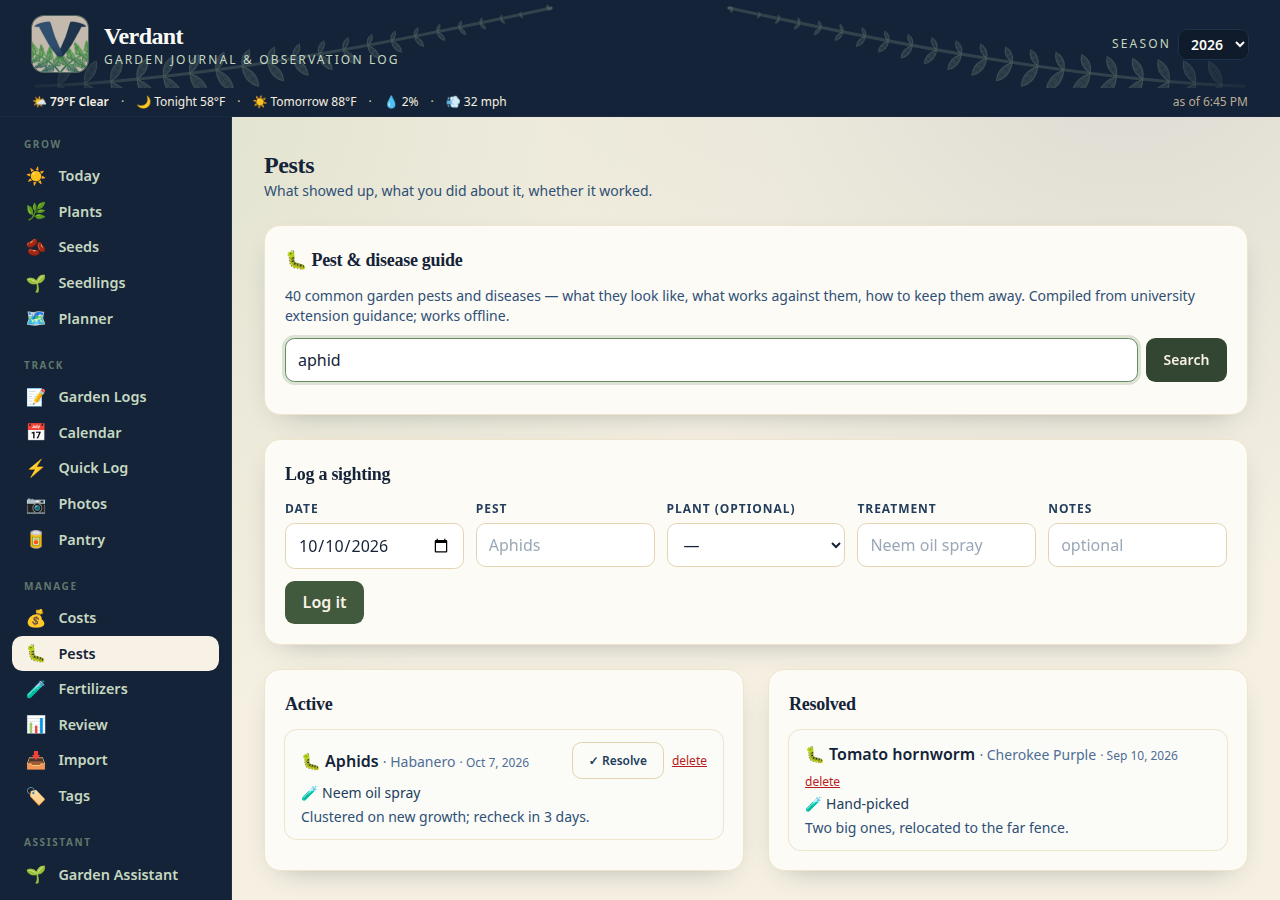
- **2.37.0** — **🎤 Voice input for Quick Log.** The “Tell Verdant what you did”
card grew a **Talk** button for dirty-hands garden sessions: tap it, narrate
what you did, tap Stop, and your words land in the box ready for the local
model to turn into draft entries. It uses the browser's built-in speech
recognition — nothing is sent anywhere but your own browser — and it keeps
listening through pauses until you stop it. One caveat: browsers only allow
it over a secure (https) connection, so on the LAN it works through the
Cloudflare tunnel, not plain http.
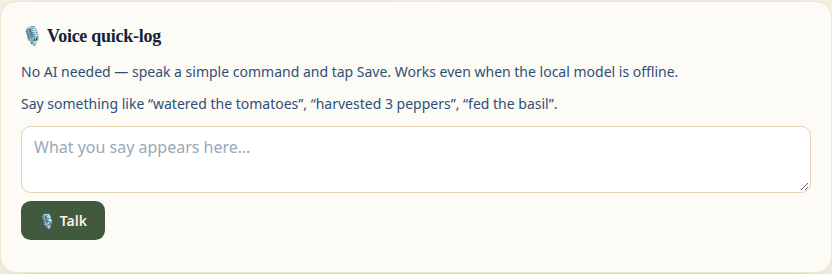
- **2.36.0** — **🌶️ 8,200-crop guide + calmer nav ferns.** The crop guide's
backbone is now **OpenPlantDB** (public domain): 8,204 edible plants —
vegetables, herbs, berries, and fruit — with variety-level detail, so
"Fatalii Pepper" and the other superhots are finally in there, each with
germination/maturity ranges, spacing, sun, and real growing directions.
The 30 curated crops keep their hand-written varieties and family info
and win any name collisions; Growstuff community medians still layer on
top where they exist, and every detail spells out its source (built-in
guide vs OpenPlantDB vs your seed stash). Latin names are searchable too —
"Capsicum chinense" finds your peppers. Also: the header fern watermark
is now one flowing, non-repeating scene tucked under the nav words
instead of a tiled pattern.
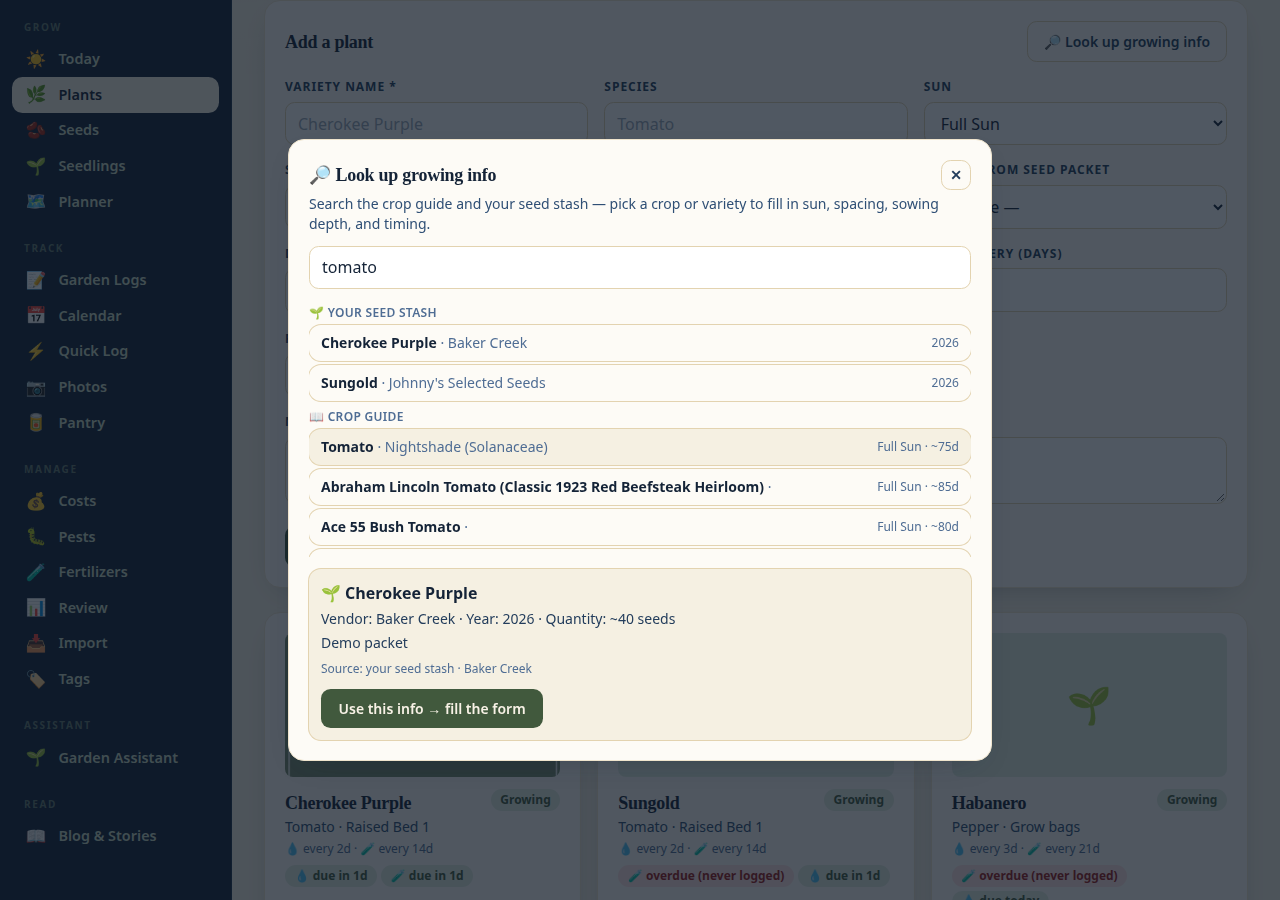
- **2.35.1** — **🔧 Growstuff cache reliability fix.** The community-data
cache used `0.0` as its "stale" marker against `time.monotonic()`, which
starts near zero on a freshly booted machine — so the first minutes of a
fresh server could silently ignore cached community data. The marker is
now a proper invalidation instead.
- **2.35.0** — **🌍 Community growing data, zone auto-detect, plant ID, and
a smarter weather card.** The crop guide now blends in **Growstuff
community data**: when real gardeners' results exist for a crop, the
days-to-maturity shown (and used in the planting calculator and harvest
estimates) is the community median — e.g. tomatoes show ~92 days from 227
gardens instead of the generic guide number — with the source spelled out
on every screen. Settings grew a **🎯 Detect from coordinates** button
that looks up your USDA hardiness zone from your saved garden coordinates.
The Plants page has a **🔍 Identify** button (needs a free PlantNet API
key in Settings): snap a mystery plant, and it suggests matches with
confidence scores — a tap assigns the name. And the Today weather card
now ends with a **💧 watering-advice line** computed from real
evapotranspiration (PyETo, FAO-56) against your forecast. Also in this
release: the nav bar's fern watermark was redrawn with longer, more
detailed fronds. Also fixed: a partial settings save through the API no
longer resets the settings you didn't send to their defaults (an
explicitly sent empty value still clears that one field).




- **2.34.0** — **☀️ Today view, Quick Log undo, planting calculator.** A new
**Today** landing page: greeting + date, 💧 care-due list (overdue + due
watering/feeding), 🧺 harvest forecast from planting dates + the crop
guide (labeled estimates), weather strip, NOAA alerts, and a ❄️ frost
countdown. Quick Log saves now pop a **↩ Undo** toast (~8s) — watering,
harvests, and notes can all be taken back. And the crop-lookup dialog grew
a 🌱 **planting calculator**: pick a crop and it works back from your
first frost date (minus days to maturity and a 14-day buffer) to say
whether there's still time to sow. The blog moved to `/blog` under Read.


- **2.33.0** — **🔎 Crop lookup: varieties + your seed stash.** The lookup now
searches 48 curated varieties (Cherokee Purple, Sungold, Marketmore 76…)
with their own maturity timing, matches your own seed packets (vendor, year,
and quantity shown), and every result says where it came from — the built-in
crop guide or your seed stash. Picking a variety or packet fills the plant
form, variety name included.
- **2.32.1** — **🤖 Local AI connection help.** The Test connection button now
also tells you whether your configured model is actually pulled (with the
`ollama pull` command to fix it), a trailing `/v1` on the server URL is
ignored (the app adds the `/api/…` paths itself), and unreachable
`localhost` URLs explain the Docker gotcha: use
`http://host.docker.internal:11434` (now resolvable on Linux too, via
`extra_hosts` in the compose file) with `OLLAMA_HOST=0.0.0.0` on Ollama.
- **2.32.0** — **⚙️ Settings joins the mobile tab bar.** The bottom tab bar
now fits up to **5** of your sections, and **Settings** is one of the
defaults (Quick Log, Plants, Calendar, Planner, Settings) — no more
hunting for it on your phone. The 📱 *Mobile tab bar* card on the Settings
page lets you swap any of the five.
- **2.31.0** — **🔎 Crop lookup — growing info on tap.** The plant form has a
new “Look up growing info” button: search the built-in crop guide (30
common garden crops, offline — no API, no key), pick a candidate, and the
form fills in sun, days to maturity, spacing, sowing depth, and germination
timing. Only empty fields are filled — anything already typed is left
alone. The guide lives in `app/data/crops.json`, so it’s easy to extend.

- **2.30.0** — **🤖 “Tell Verdant what you did” — local AI logging (opt-in).**
New card on Quick Log: type a sentence like “watered the tomatoes and
harvested 3 peppers” and a small model running on **your own machine**
(Ollama-compatible, e.g. `qwen3:4b`) turns it into draft log entries —
plant, quantity, product, notes — which you review and confirm before
anything is saved. Nothing leaves your server. Configure it on the Settings
page (off by default): server URL, model name, and a Test connection
button. The model only ever produces drafts; the confirm step writes
through the normal log endpoints, so validation and history work exactly
as usual. When your Ollama server is reachable, the model field becomes a
dropdown listing your installed models — no typing, no typos.

- **2.29.0** — **⚠️ National Weather Service alerts in the ribbon.** The
site-wide weather ribbon now shows a severity-tinted ⚠️ pill when the NWS
has active alerts for your garden point (Freeze Warning, Wind Advisory,
…) — click it to expand a panel with each alert's timing and details.
Free, no key (api.weather.gov), cached 15 minutes server-side, and it
degrades silently: no pill when there are no alerts, coords unset, or the
service is unreachable. Needs garden coordinates set (Settings page), like
the rest of the ribbon.

- **2.28.0** — **🧭 Navigation refresh.** The desktop nav is now four labeled
groups (Grow / Track / Manage / Read) with an icon on every tab and a faint
fern watermark — no dropdown menus anywhere. On phones there's a bottom tab
bar instead of the cramped top bar: it opens with Quick Log, Plants,
Calendar, Planner + a fixed **More** tab, and you can make it yours on the
new 📱 *Mobile tab bar* card in Settings — tap up to 4 section chips in the
order you want them (tap again to remove; numbered 1–4), and the bar
follows. More opens a bottom sheet with every other section, never
duplicating your picks.
- **2.27.0** — **🌤️ The weather strip goes site-wide.** The forecast ribbon
(current conditions, tonight's low, tomorrow's high, rain chance, wind gusts)
now lives under the site header on **every** page instead of only the
planner — slim, subtle, and rendered from the cached forecast endpoint, so
it's cheap. It stays hidden until your garden coordinates are set (Settings
page — no nagging), and the planner keeps its garden-alerts box, which reads
your actual container data.
- **2.26.0** — **📍 Garden coordinates move to Settings.** Latitude/longitude
are now first-class Settings-page fields (saved like everything else, no env
vars needed) with a **Use my location** button: it tries your browser's
geolocation first, and falls back to a one-time city-level IP lookup via
ip-api.com — click-only, never in the background, nothing stored beyond the
coordinates. Settings outrank the `GARDEN_LAT` / `GARDEN_LON` env vars (kept
as fallback), so a stale env var can never shadow what you picked in the UI.
The planner's unconfigured-weather hint now points at Settings too.
- **2.25.0** — **🛒 Winter seed-order assistant.** New tab on the Seeds page
that pulls ordering season together: a ratings table for the stash (how old
each packet is, one-tap "grow again?" ratings — 👎 Skip, 👍 Grow again,
⭐ Favorite — also editable from the packet form and shown as badges on the
stash cards), last year's seed spend grouped by vendor from your invoices,
and a winter wishlist. Each wishlist row shows the last vendor and date the
variety was ordered (resolved from past invoices) and has a checkbox; ticked
items roll up into an order list. Ratings are stored on the packet; the
wishlist is its own list with add/edit/delete.
- **2.24.0** — **⚖️ Weight in Quick Log harvest.** The Quick Log harvest
stepper now has a weight input + unit selector (prefilled from your
Preferences, like the Plants page form), so the fastest way to log a
harvest — including the NFC tap flow — captures the weight the scorecard's
by-weight board and the yield heatmap need. Weight stays optional; logging
by count alone works exactly as before. Also on the Planner page: when
GARDEN_LAT/GARDEN_LON aren't set, the weather strip now shows a small
dismissible hint explaining why instead of silently staying hidden.
- **2.23.0** — **🌱 Multi seed-packet tagging for invoices + expenses.** The
invoice packet picker is now a true multi-select (checkbox panel — link as
many packets as an order had), and the import preview links multiple packets
per invoice too (strong suggestions pre-checked). Expenses ("transactions")
get their own packet tagging: 🌱 chips with one-tap suggestions and the same
multi picker on every expense row, backed by a new `expense_seed_packets`
table. Invoice and expense tags are independent — tagging one never touches
the other.
- **2.22.0** — **✏️ Expense editing + smarter invoice categories.** Expense
rows on the Costs page now have edit and delete buttons — editing loads the
row into the log-a-purchase form (Save changes / Cancel), and deleting an
expense cleanly unlinks any invoices that pointed at it. Auto-created
expenses are also categorized by vendor now (247Garden → Supplies, seed
vendors → Seeds) with keyword fallback on the items text, instead of
everything landing in Seeds.
- **2.21.0** — **💸 Expenses from invoices.** Creating an invoice now
auto-creates its expense row (amount, date, vendor, items as notes) so the
Costs page fills itself in — or link an existing expense by hand as before.
Older invoices get a "➕ Create expense" button, edits to an invoice sync
onto its auto-created expense, and deleting the invoice takes the
auto-created expense with it. CSV imports back expenses automatically too,
with re-runs still skipping cleanly.
- **2.20.0** — **🔗 Invoice ↔ seed packet links.** An invoice now knows which
seed packets it bought: link packets from a picker on each invoice row, or
tap a suggested match (the app guesses from the invoice's item text — you
confirm). Links are shown as 🌱 chips and survive in backups; importing
invoices from CSV offers the best-guess packet per row right in the preview.
- **Unreleased** — Fixed: the 🧾 Invoices section on the Costs page never
rendered its table (a script variable was used before its declaration),
so invoices now list correctly with PDF links and linked-expense badges.
The README tour gains a dedicated Invoices screenshot.
- **2.19.0** — **🧾 Invoices** on the Costs page. Keep the paper trail for
seed and supply orders: vendor, order date, order number, total, items,
and the PDF receipt, each optionally linked to the expense it documents.
Import them from CSV on the Import page (columns: `vendor`,
`order_number`, `order_date`, `total`, `items`, `notes` — re-runs skip
what's already there), and invoice PDFs ride along in backups.
- **2.18.0** — The visual refresh, plus a few fixes. Newsreader serif
headings and Source Sans body text, a warmer beige palette, and the classic
navy header. New ✨ Preferences card in Settings: which day the calendar
week starts on, default harvest weight unit, slideshow autoplay interval,
and a confirm-before-"Water all" guard for the Quick Log. The unguarded
bulk-delete posts endpoint is gone (`DELETE /api/posts` now returns 405;
deleting a single post still works). Fixed: `POST /api/plants/` no longer
500s when `date_planted` arrives as an ISO string — dates are coerced,
blanks become null, garbage gets a 422. Plus a pre-release audit pass over
the backend and frontend fixing assorted small glitches. The README tour
was re-shot in the new style with a new Tips & tricks section.
- **2.17.0** — Albums can now be deleted from the Photos page. Pick an album
and hit **🗑️ Delete album**: a confirm dialog names the album and its photo
count, then the album, its photo rows, and their downloaded files are all
removed. Your originals in Immich are never touched, so re-importing is
always an option; plant photo assignments from a deleted album are removed
with it. Handy when duplicates or stale metadata make a clean re-import
easier than surgery.
- **2.16.2** — Static assets (JS/CSS) now carry the app version in their URL,
so browsers fetch fresh code after every redeploy instead of running stale
cached scripts. Fixes the case where the footer showed a new version but
page behavior was still the old build's.
- **2.16.1** — The photo-library picker now works when *adding* a packet too:
pick a front/back photo on the add form and it's attached automatically when
the packet is saved (a ✓ marks your pick until then). Previously the picker
only appeared when editing an existing packet.
- **2.16.0** — Seed packets meet the photo library. A packet's front/back
photo can now be picked from photos already in Verdant — e.g. an Immich
album of packet shots — instead of only uploading a file. New
`POST /api/seed-packets/{id}/photo-from-library` attaches a library photo
as a *copy*, so the original album import is never touched. The seed stash
gains a 📷 photo filter (all / with photos / without photos) for going
through which packs have pictures so far.
- **2.15.0** — Planner 2.0: the backyard builder grows up. A real **grid
system** (1 cell = 1 ft, resizable up to 60×60) with snap-to-grid dragging —
containers are drawn at their **true footprint**, so a 4×8 raised bed dwarfs
a 10-gal grow bag, and new containers land in the first free spot instead of
piling up. Containers now hold **many plants** (a bed lists everything in
it), and a **🔁 rotation check** warns when the same plant family goes back
where it grew last season. New asset kinds: **cattle panel arches** (7 ft
tall by default, height editable per container for the 3D view) and
**pallets**. A **3D view** renders the whole plan in space — orbit around
the yard, see every bed, bag, arch, and plant, click any of them to edit.
Old free-form positions migrate to the grid automatically on first load.
Then came the **intelligence batch**: a **🌤️ weather strip** (live conditions,
tonight's low, tomorrow's high, rain chance, wind gusts — powered by
Open-Meteo, set your coordinates in Settings), which went site-wide in
v2.27.0 as a slim ribbon under the header on every page, plus **garden
alerts** that read your actual data — frost warnings
naming your tender containers, heat alerts for the thirsty pots, rain-skip
nudges when you watered recently, spray wash-off warnings, wind alerts for
the arches, and a tomato blight watch. The **🔥 Yield heatmap** tints every
container by last season's harvest weight so you can see at a glance which
spots earned their keep, and the **🌱 companion hints** in each container's
modal suggest good (and bad) neighbors from a curated,
extension-service-sourced list.
- **2.14.0** — Tunnel-ready security, for the day Verdant meets the internet.
Set `TUNNEL_MODE=true` and the app flips its secure preset: HSTS header on,
`/docs` off, and the tunnel's proxy headers trusted. Always-on hardening
underneath: security headers on every response, per-IP rate limiting on the
API (1200/min, health checks exempt), and the container entrypoint honors
`HOST`/`PORT`. `docker-compose.yml` ships a commented-out `cloudflared`
service — pair it with a Cloudflare Access policy and there's no sign-on
inside Verdant at all. Zero behavior change on plain LAN use.
- **2.13.0** — Measurement cleanup, so units finally mean what they say.
Harvests carry a weight **unit** (oz/g/lb/kg) alongside the weight, and the
yield **scorecard converts everything to ounces** — no more adding grams to
ounces. The Review page leaderboard is now **split into two boards**: one
ranked by weight, one by piece count, never mixed. CSV re-imports now
**backfill weights** onto existing harvest rows, and watering/fertilization
amounts are parsed into number + unit when they look like one
(e.g. "2 gal"), with the original text always kept. New **°F/°C toggle** in
Settings (weather chips honor it), planner vessels get a proper
**volume (gal/qt/L)** instead of free-text size, and seed packets track
**seed count**. Backups are now **optionally photo-less**: uncheck the box
on the Backup page for a small database-only zip (restoring one leaves
your current photos untouched). (To backfill your existing harvests,
re-upload the harvest CSV on the Import page after updating.)
- **2.12.0** — New **🌱 Seedlings** tab: the indoor seed-starting workstation.
Track every batch from sow to transplant — tray, location, warming mat,
grow light, cells sown — with one-tap sprout logging, germination progress
bars (including days-to-sprout), a stage pipeline (sowing → germinating →
growing → hardening → transplanted), and a stale-batch nudge if nothing
sprouts after 3 weeks. Finished batches keep their stats so next year's
setup repeats what worked. Batches can link to a stash packet.
- **2.11.0** — Seed stash: packets now hold a **back-of-packet photo** too, for
all the growing info printed on the reverse — a ⇄ flip button on the card
swaps front/back (lightbox follows along). Also, **logo placeholders** are in
place in the header, footer, and favicon: drop the real logo file into
`app/static/img/logo-placeholder.svg` and it appears everywhere.
- **2.10.1** — Seed stash follow-up: the packet vendor is now a plain text
field with autocomplete (each vendor listed once — no more repeats), and a
**📦 Move sources to stash** button copies every seed source into the stash
as a packet, pulling the vendor link and year out of the imported notes.
- **2.10.0** — The backyard update. **🗺️ Backyard Planner**: lay out grow
bags, raised beds, pots and planters on a drag-and-drop canvas per season,
assign plants to containers, copy last season's layout forward. **🏷️ NFC
Tags**: `/t/
` tap links with a tag manager page — stick tags on
  fertilizer bottles, spray bottles, the harvest basket, the seed binder, or
  plant containers and land on exactly the right pre-filled screen; taps are
  counted. **🌱 Seed stash**: a real seed-packet catalog (photo, vendor link,
  type, year bought, quantity) as a second tab on the Seeds page. **🧪
  Fertilizers** finally gets a management page (name, NPK, best-for); the
  Garden Logs feeding form suggests from the shelf. **⚖️ Season scorecard**
  on the Review page: yield vs. spending per variety, ranked — expenses can
  now be tied to a plant on the Costs page.
- **2.9.0** — Immich album dedup: re-importing an album reuses the existing
  Verdant album instead of duplicating it, and **🧹 Merge duplicates** folds
  older double-imports into one (deleting the re-downloaded duplicate files).
  New **🎯 Match photos** page: flip through imported photos one by one and
  assign each to a plant (arrow-key navigation, bulk-assign a whole day's
  photos at once) — assigned photos appear in a gallery on the plant's
  profile. XMP sidecar keywords from Immich are captured as photo tags on
  import, backfilled for existing imports via the **🔄 Sync metadata** button.
- **2.8.0** — Settings page: pick your USDA hardiness zone once and Verdant
  derives your frost dates; morning digest controls (webhook, time, enabled)
  moved out of env vars into the UI.
- **2.7.0** — Tidy-up: interface cleanups and polish across the app.
- **2.6.0** — Full-screen `/slideshow` page with date/camera EXIF captions
  and 3/5/10/30s intervals; yield leaderboard on the Review page; `/quick`
  mobile quick-log (one-tap watering, harvest +/− stepper, "Water all" per
  location); expense tracking with per-category breakdown; seed-starting
  calendar on the Plants page tuned to your last frost date; pest treatment
  log.
- **2.5.1** — NULL-handling fixes: pre-existing rows with NULL camera/source
  fields no longer 500 the Photos tab; CSV import copes with legacy NOT NULL
  constraints in old databases.
- **2.5.0** — CSV import: bring your own data from another garden tracker.
  Upload → preview (counts, warnings, sample rows) → import, for locations,
  plants, fertilizers, seed sources, watering, fertilization, and harvests.
  Idempotent: your exported IDs are preserved and re-runs skip instead of
  duplicating. New `/import` page in the nav.
- **2.4.2** — Immich import failures are surfaced instead of swallowed: the
  toast names the cause, and a 403 on photo download tells you to tick
  `asset.download` on your API key. Fully-failing batches stop early.
- **2.4.1** — Automatic database column sync on startup (old v1.x databases
  upgrade cleanly, no manual migrations) and Immich v3 album-asset fetching.
  Batched Immich imports: the 200-photo cap is gone — albums import 50 photos
  per request with an `Importing… n/total` progress readout, idempotent so
  retries never duplicate.
- **2.4.0** — Seed Sources tab: vendor-grouped cards, vendor filter,
  add/edit/delete, and linking sources to plants.
- **2.3.0** — Morning garden digest via Discord webhook (overdue / due today /
  coming up), with preview and send-now endpoints for testing.
- **2.2.0** — Backup & restore: full database + uploads as a zip download,
  new `/backup` page in the nav.
- **2.1.0** — Garden core: plant profiles with care cadence and reminders,
  harvest tracking, per-plant timelines and timelapse, season review page,
  Open-Meteo weather auto-stamp on observations.
- **2.0.0** — Multi-page app (blog, observations, calendar as standalone
  routes), v2 data model: plants, locations, fertilizers, seed sources,
  harvests, watering logs.
- **1.3.x** — Calendar heatmap fixes; Immich integration (browse + import
  server albums); security hardening (Immich secrets via env only).
- **1.1.0** — Albums: create/upload/URL-import photo collections; "Pull from
  album" picker; version shown in UI + API.
- **1.0.0** — Initial release: posts, fertilization + observation logs,
  multi-image uploads, Docker.

---

*Built for one garden, shared with anyone who wants their own. If you grow
something worth bragging about, the blog tab is right there.*