# GraphMan

Quickly scaffold a postman collection for a GraphQL API.
---
GraphMan CLI generates an complete collection from a GraphQL endpoint,
containing one request per query & mutation, with pre filled fields, parameters
and variables.
_Note: GraphMan is designed for the postman-collection spec 2.1_
✨GraphMan is fully compatible with the Insomnia API Client out of the box!✨
### Status

[](https://github.com/Escape-Technologies/graphman/actions/workflows/cd.yaml)
[](https://github.com/Escape-Technologies/graphman/actions/workflows/check.yml)
## Motivation
Visualizing and exploring existing graphql APIs can be quite daunting. Using
postman to manage all your apis is pretty standard, however creating and
maintaining collections is difficult. GraphMan makes thoses things easy, helping
you for:
- Graph discovery
- Graph testing
- Collection updating
## Usage
### Run from url
_GraphMan uses deno as a javascript / typescript runtime. That allows to run the
CLI from the file url._ To get started:
1. [Install deno](https://deno.land/#installation)
2. Run:
`deno run https://deno.land/x/graphman@v1.2.2/src/cli.ts `
3. Import the generated `[...].postman_collection.json` file in postman.
### Install GraphMan
If you want to access graphman easly you can "install" it on your machine:
1. [Install deno](https://deno.land/#installation)
2. Run:
`deno install -r -f --allow-net --allow-write -n graphman https://deno.land/x/graphman@v1.2.2/src/cli.ts`
3. The command will output `export PATH="..."` copy paste it in your `~/.bashrc`
or `~/.zshrc` file to add graphman to your path. You can now run graphman
using the `graphman ` command! 🎉 To **update** GraphMan just
reproduce the **step 2**.
_Note: this is not a real installation, it just creates a script that basically
aliases the run form url command._
### Run locally
1. Clone the repo
2. Run `deno run src/index.ts `
_Note that deno will ask for network and file-system permissions as it's runtime
is secure by default_
The relases are mirrored at https://deno.land/x/graphman@VERSION, you can use
previous versions if needed.
### CLI Options
- Custom output filename: `--out=FILENAME`
- Headers: `-H="header: value"`, can be used multiple times.
- Global Postman collection authorization header: `--AuthHeader="header: value"`
or `-A="header: value"`
- Get help: `--help` or `-h`
### Examples
You can try graphman on public graphql APIs, and it is a great way to get
started with graphQL:
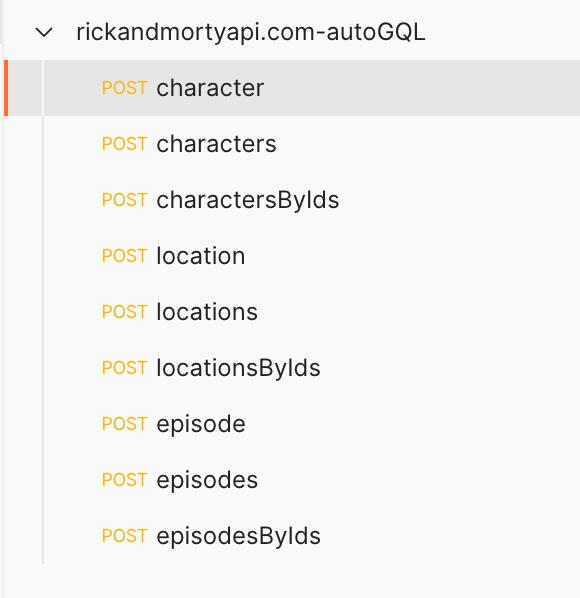
- Rick&Morty API:
`deno run https://deno.land/x/graphman@v1.2.2/src/cli.ts https://rickandmortyapi.com/graphql`
|  |
| :----------------------------------------------------------------------------------------------------------------: |
| _GraphMan collection for the Rick and morty API_ |
|
|
| :----------------------------------------------------------------------------------------------------------------: |
| _GraphMan collection for the Rick and morty API_ |
|  |
| :-----------------------------------------------------------------------------------------------------------: |
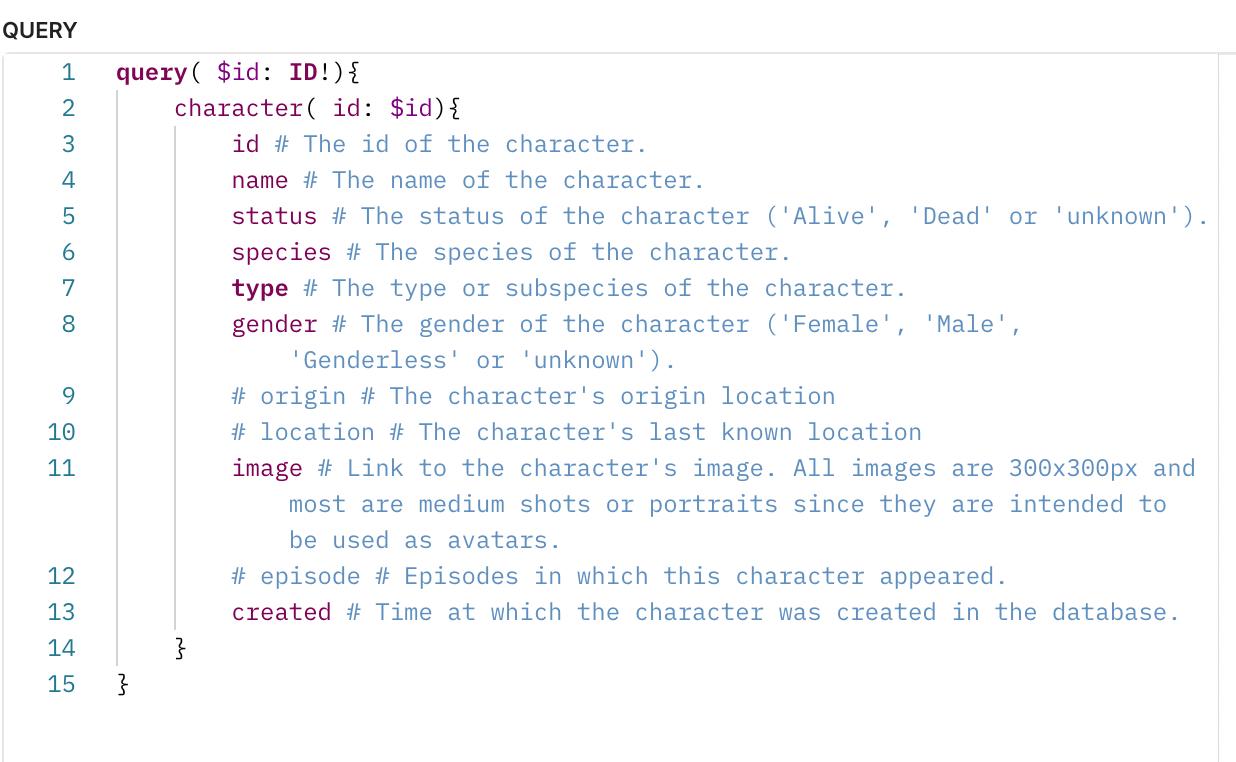
| _Character query for the Rick and morty API collection_ |
## Issues and contributions
- Please open an issue if you encounter bugs, with reproduction steps and error
message.
- For feature requests, please open an issue too
- Feel free to create merge requests to improve GraphMan !
|
| :-----------------------------------------------------------------------------------------------------------: |
| _Character query for the Rick and morty API collection_ |
## Issues and contributions
- Please open an issue if you encounter bugs, with reproduction steps and error
message.
- For feature requests, please open an issue too
- Feel free to create merge requests to improve GraphMan !