dsh-im-companion
**Chinese** · [中文](../README.md)
**dsh-im-companion enhances dsh-im with the concepts of assistants and homes.**
Your star means the world to me.
*Give every agent a home — IM Companion handles the rest.*
[](https://www.npmjs.com/package/dsh-im-companion) [](https://www.npmjs.com/package/dsh-im-companion) [](https://github.com/FeatherHunter/dsh-im-companion/commits/master) [](../LICENSE) [](https://github.com/xmanrui/dsh-im) [](https://github.com/FeatherHunter/dsh-im-companion/issues)
👇 Workspaces with assistants, at a glance.
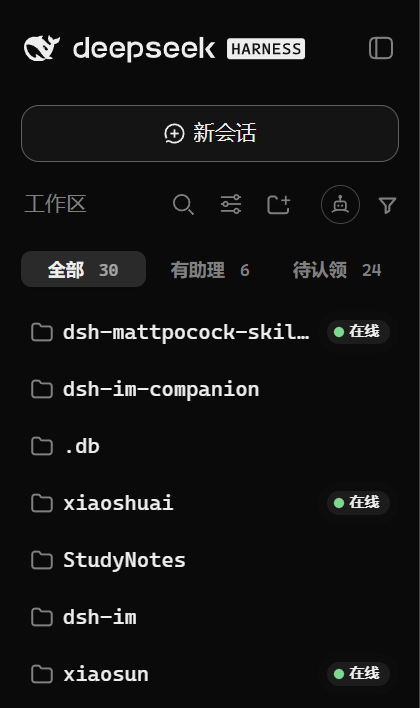
|
👇 Enhances DSH's native session states.
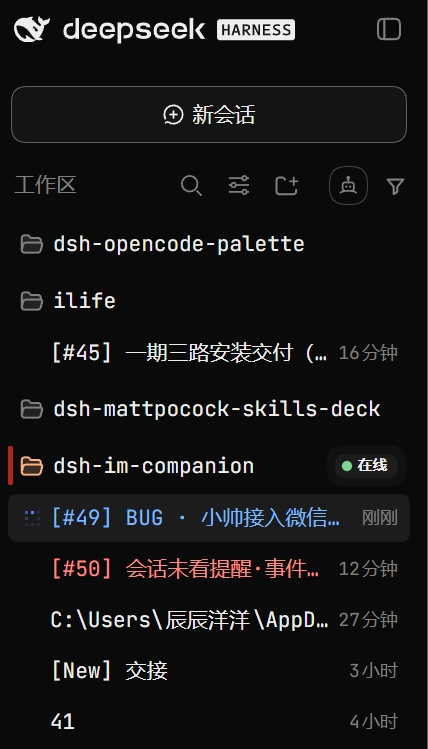
|
**One minute to install (dsh-im first, then the companion).**
INSTALL
Installation
Prerequisites: [DSH](https://www.npmjs.com/package/@deepseek-ai/dsh) (DeepSeek Harness) + [dsh-im](https://github.com/xmanrui/dsh-im) (the IM bot core).
```bash
# 1. Install the DSH CLI (skip if installed)
npm install -g @deepseek-ai/dsh
# 2. Install the dsh-im core first (skip if installed; --profile is required too)
dsh plugin --profile desktop add dsh-im
# or
dsh plugin --profile web add dsh-im
# 3. Then install the companion (--profile is required: the entry you actually use)
dsh plugin --profile desktop add dsh-im-companion
# or
dsh plugin --profile web add dsh-im-companion
# Pin a version for stability (current: 0.1.8)
dsh plugin --profile desktop add dsh-im-companion@0.1.8 --registry https://registry.npmjs.org
```
Refresh the page after installing and it takes effect. If the panel does not show up, quit DSH completely and reopen it.
Let your AI do the installing
Copy the text below and send it to your AI:
```text
Please install the DeepSeek Harness plugin dsh-im-companion (the IM companion).
Read the repo README first: https://github.com/FeatherHunter/dsh-im-companion
First confirm which profile my DSH entry uses (desktop app goes to desktop, self-hosted web service goes to web),
then confirm the dsh-im core is in the same profile (install it first if missing), then install the companion into the right profile.
```
When updates do not apply
Below uses desktop as the example; web users replace --profile desktop with --profile web:
```bash
dsh plugin --profile desktop add dsh-im-companion@0.1.8 --registry https://registry.npmjs.org
npx --yes @deepseek-ai/dsh plugin --profile desktop add dsh-im-companion
dsh plugin --profile desktop add dsh-im-companion@latest --registry https://registry.npmjs.org
```
Upgrade · Uninstall:
```bash
dsh plugin --profile desktop update dsh-im-companion
dsh plugin --profile desktop remove dsh-im-companion
```
COMPAT
Compatibility
| dsh-im-companion | dsh-im | Notes |
| --- | --- | --- |
| **0.1.16+** | **4.21.1** (verified) | Dual transport unchanged: 4.17.1+ uses the `/api` carrier, ≤4.17.0 falls back to the legacy route; 4.21.1's carrier rule re-checked as identical to 4.17.1 (`dsh-im` + `{ method, payload }`) |
| 0.1.7 – 0.1.15 | 4.17.1 (verified) | Dual transport: 4.17.1+ uses the `/api` carrier, ≤4.17.0 falls back to the legacy route automatically |
| 0.1.6 | 4.17.1 | **Fails to assemble in a web profile** (the host half used the retired prefix route: `cannot get property "webServer" without inject`) → upgrade to 0.1.7 |
| 0.1.4 | ≤4.17.0 | Broken after the dsh-im 4.17.1 carrier change (HTTP 405 in the connect wizard); upgrade to 0.1.7 |
Host `@deepseek-ai/dsh` **0.1.5-rc.2** verified (the host must provide `connection.fetch`; older hosts fail loudly at assembly rather than degrading silently). The panel header shows three version capsules side by side, where the colour carries the identity: purple = this plugin's own version, blue-white = the compatible `dsh-im` version (`dsh-im 4.21.1`), black-white = the verified host `dsh` version (`dsh 0.1.5-rc.2`); each capsule keeps only the axis name + version number, and the full wording lives on hover (values come from `package.json`, injected at build time).
WHY
Why an IM companion
dsh-im owns connecting; dsh-im-companion adds capabilities through the concepts of assistants and homes.
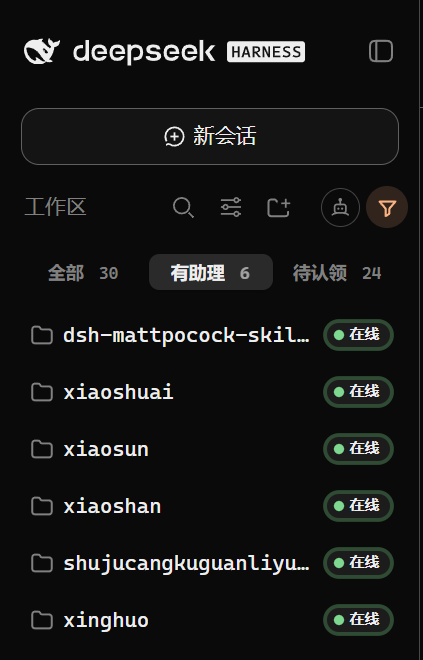
**Home**: which workspace has an assistant minding it, online or not, all in view; moving takes one drag.
👇 Click “with-assistant” to see only settled homes.
IN ACTION
Live demos
👇 Settings → IM companion: assistants, channels and online states on one screen.
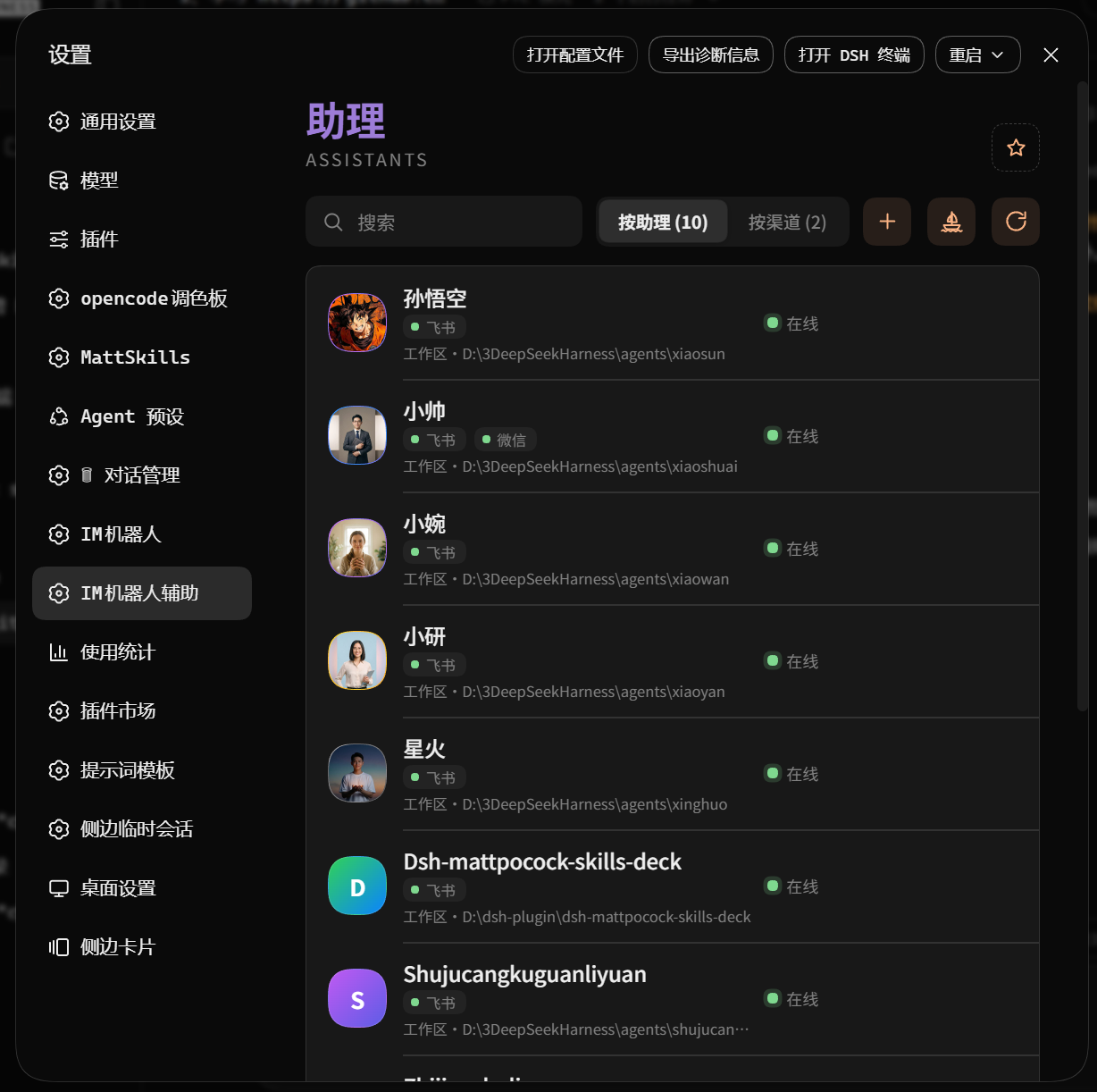 👇 Switch to channels: same-channel assistants line up.
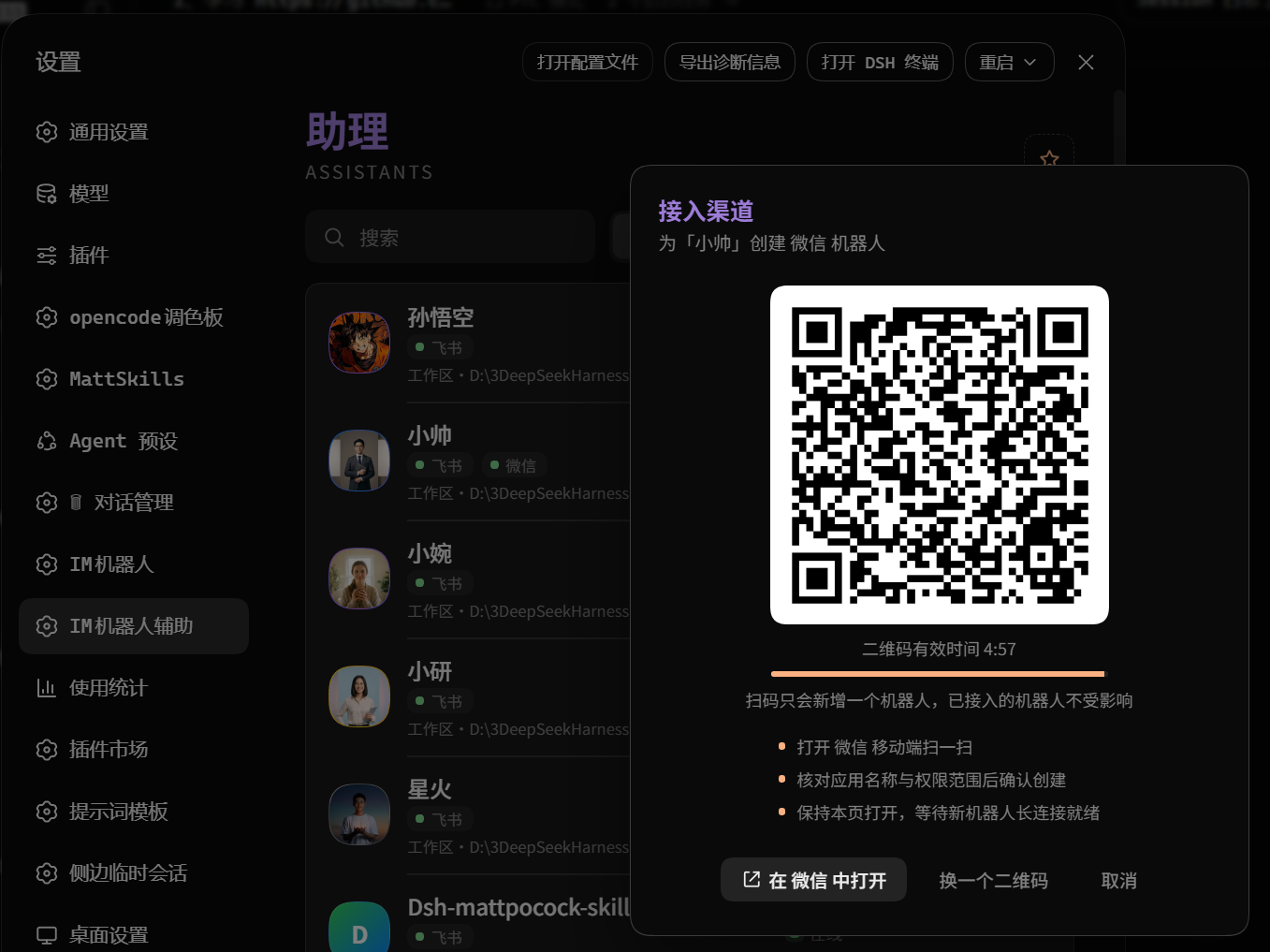
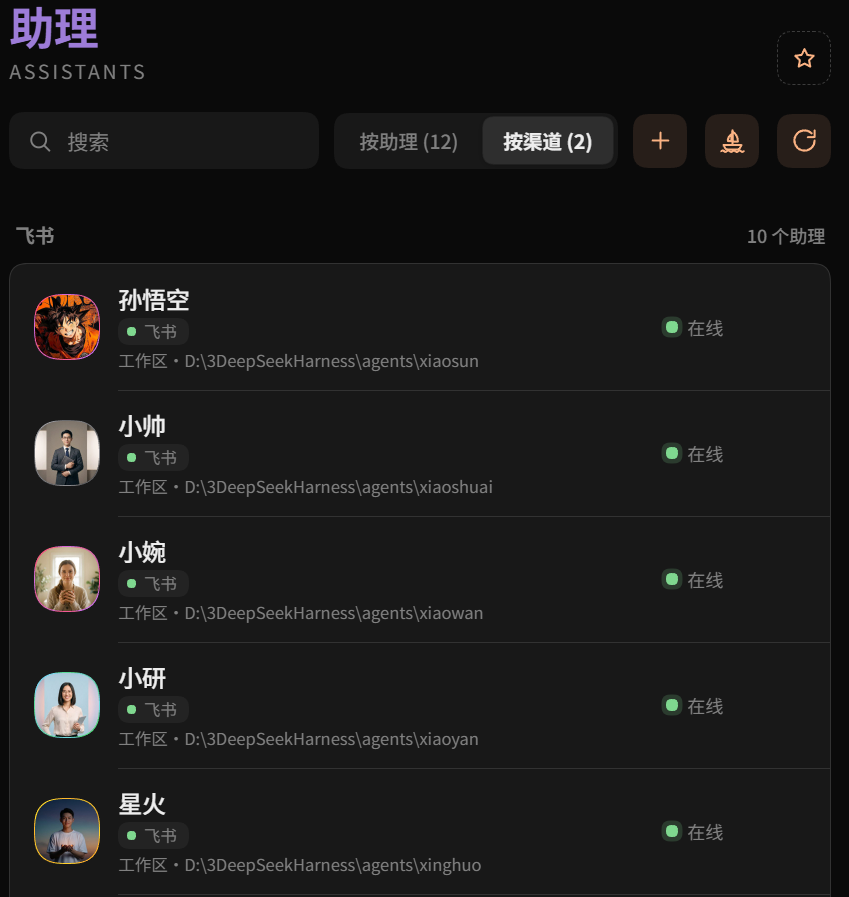 👇 Click “add connection”: pick a home, scan, bound.
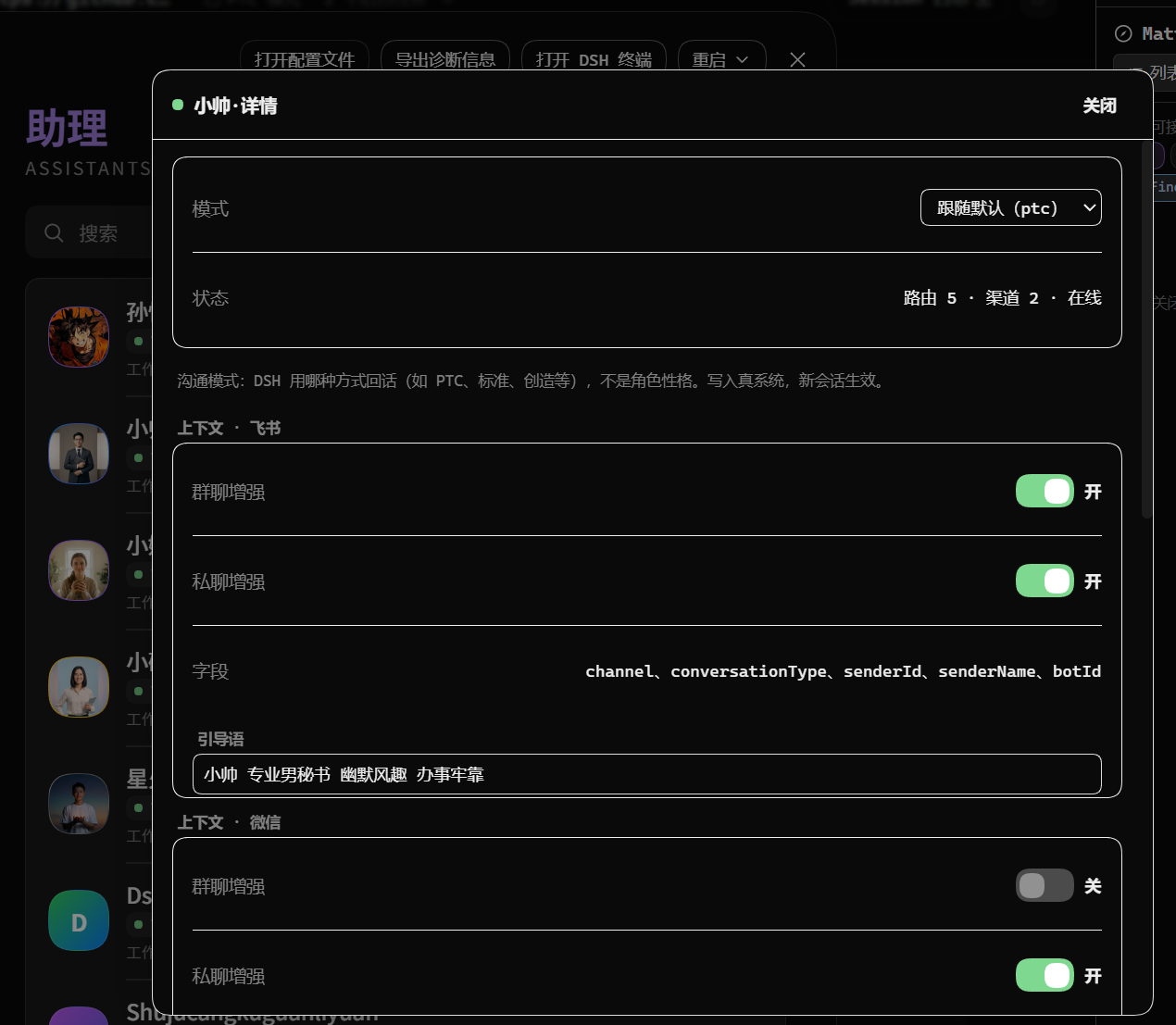
 👇 Open an assistant card: mode, status and per-channel switches at a glance.
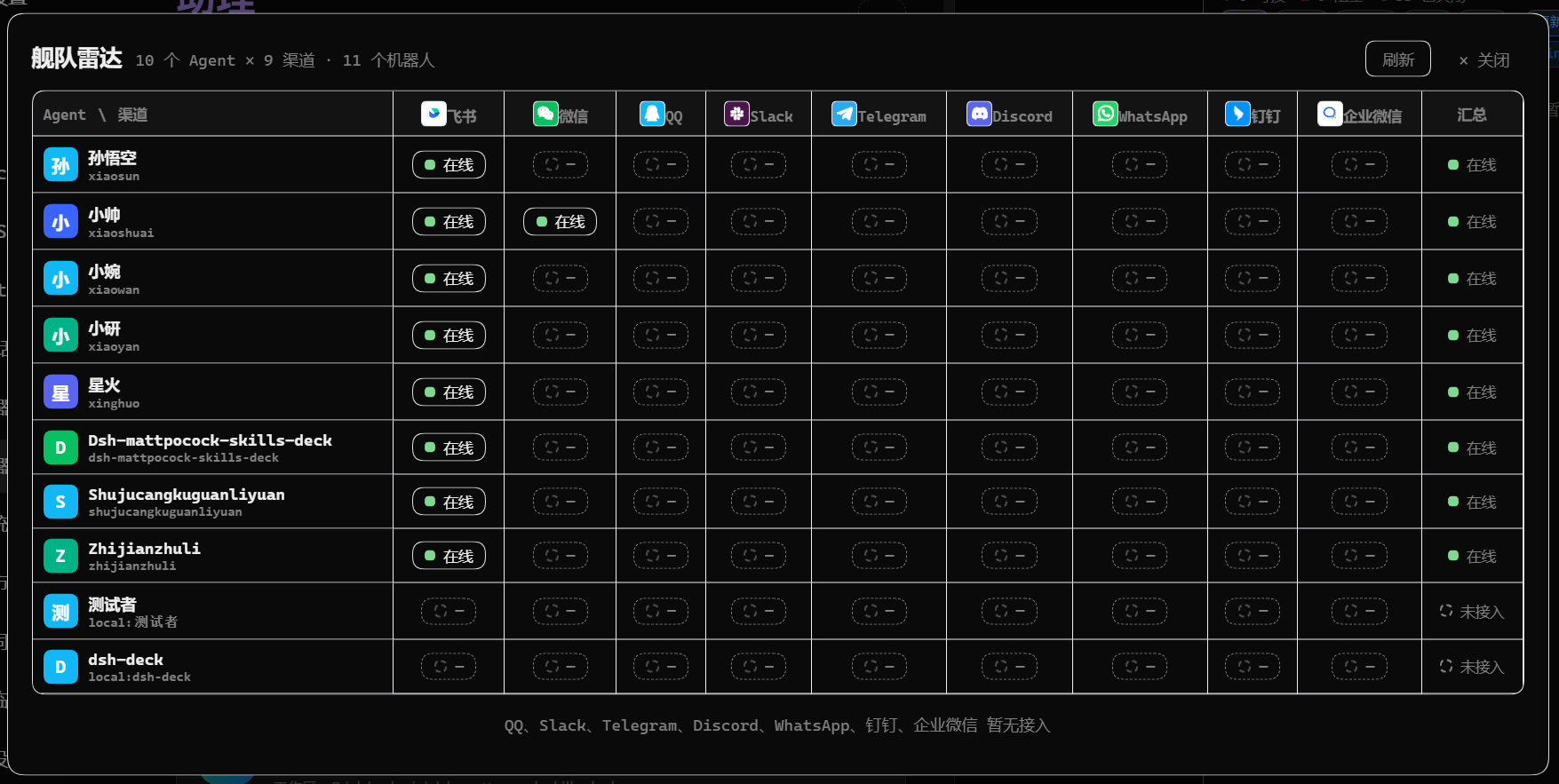
 👇 Fleet radar: the Agent × channel matrix shows the whole fleet online state.
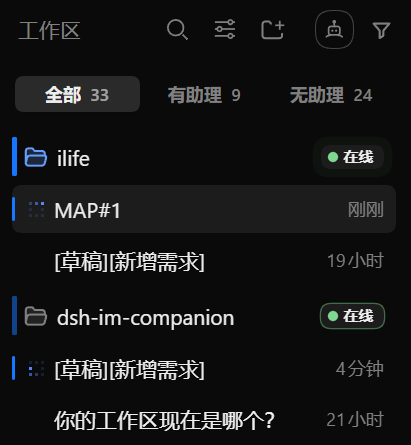
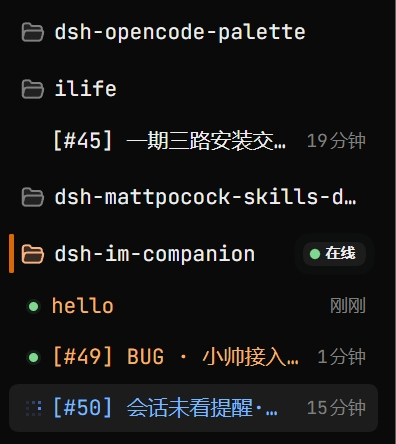
 👇 Session states at a glance (DSH enhanced).
👇 A blue bar means a session is running.
|
👇 An orange bar means a message is waiting for you. It goes away once opened.
|
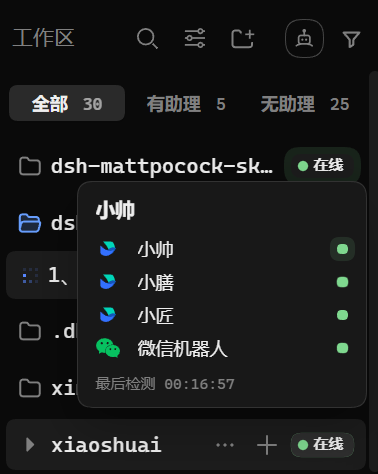
👇 Hover for channels + last check time
|
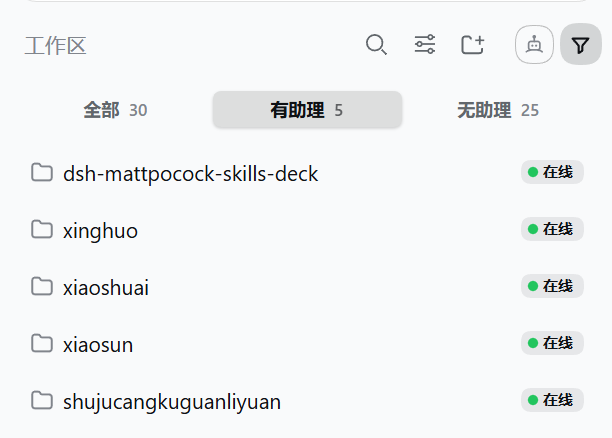
👇 Light theme works too
|
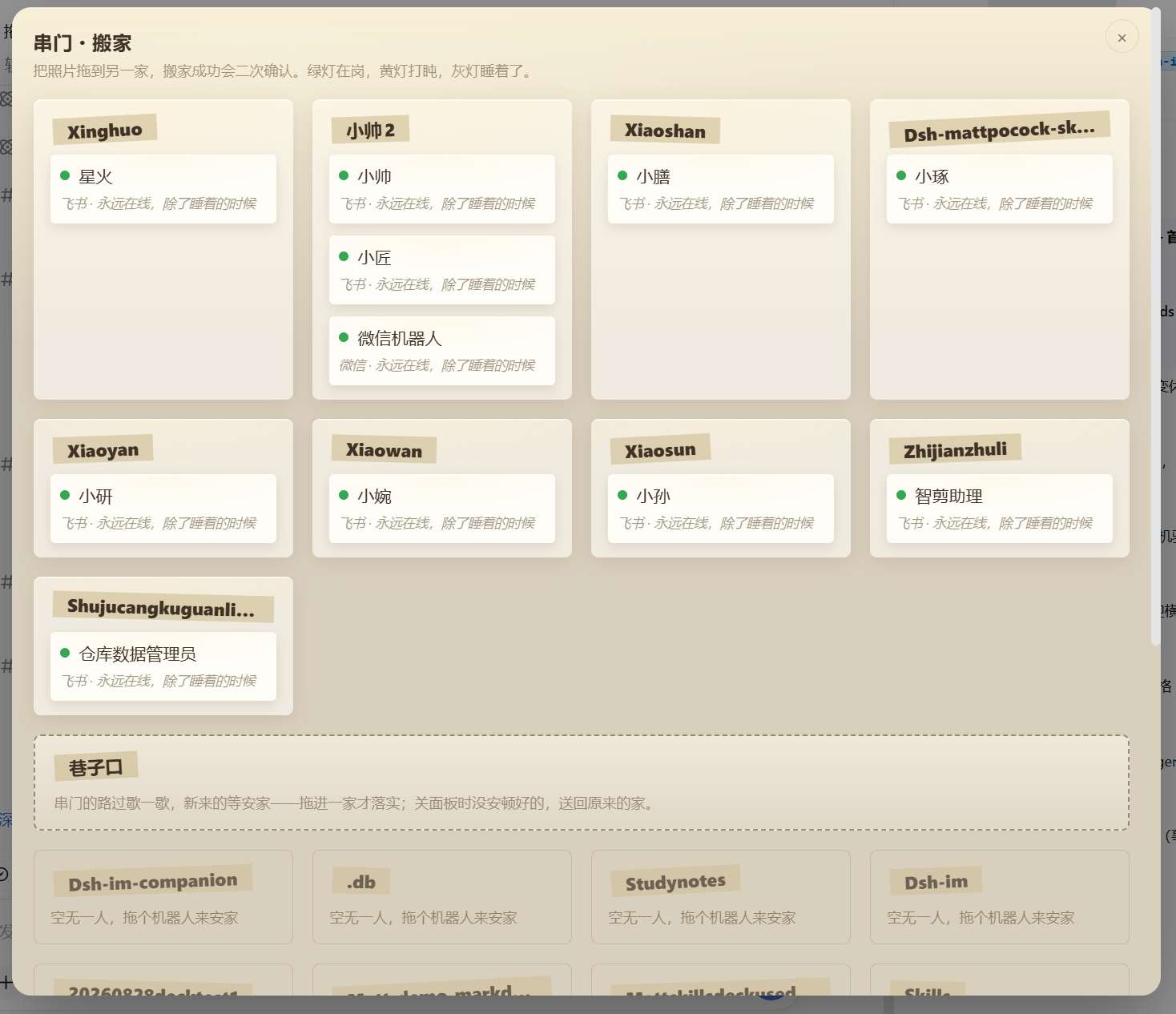
👇 Click the robot-face icon in the toolbar to open the moving panel
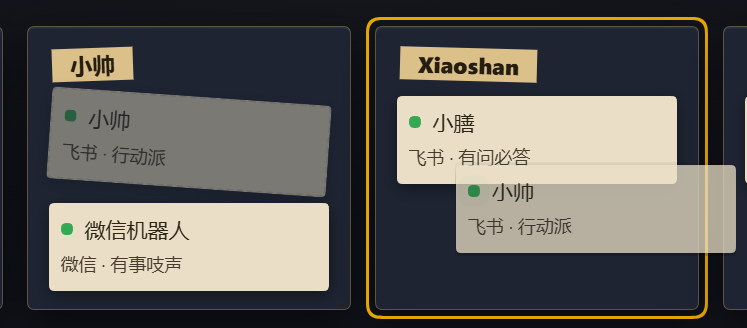
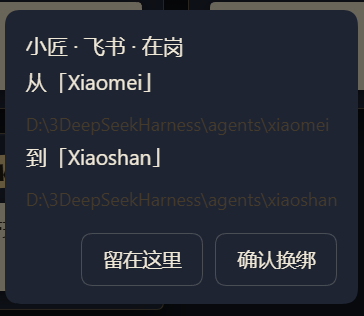
 👇 Move house: drag the photo to another home, confirm twice. Green on duty, yellow napping, grey asleep.
 👇 Drag the card over another home and the target lights up
 👇 Confirm before moving
FAQ
FAQ
Still the old version after updating?
That is the desktop app-market cache: freshly published versions are silently skipped for a few hours. Wait a few hours and update again; if you cannot wait, install once with the explicit official registry:
```bash
dsh plugin --profile desktop add dsh-im-companion@latest --registry https://registry.npmjs.org
```
MORE
More by the author
**[dsh-opencode-palette](https://github.com/FeatherHunter/dsh-opencode-palette)** —— 34 classic opencode themes, one-click switch
**[dsh-mattpocock-skills-deck](https://github.com/FeatherHunter/dsh-mattpocock-skills-deck)** —— Matt Pocock skills deck: 25 engineering and productivity skills, ready to use
**[dsh-chinese-skill-patch](https://github.com/FeatherHunter/dsh-chinese-skill-patch)** —— Chinese skill names that just work, no English rename needed
**[dsh-prompt](https://github.com/FeatherHunter/dsh-prompt)** —— Prompt toolbox: 24 deep templates at hand
---
Questions? [File an ISSUE](https://github.com/FeatherHunter/dsh-im-companion/issues); read the docs/agents label rules before claiming.
MIT © FeatherHunter
THANKS
Thanks
Thanks to everyone who files Issues and PRs and joins discussions.
The first public release (v0.1.0) has no external contributors yet — the first person to file an Issue gets their name here.
Also thanks to upstream [dsh-im](https://github.com/xmanrui/dsh-im): no core, no companion.
CONNECT
Join us
Bugs and ideas go straight to ISSUEs — faster and traceable.
[File an ISSUE](https://github.com/FeatherHunter/dsh-im-companion/issues) · [Upstream dsh-im](https://github.com/xmanrui/dsh-im)
Topic-group QR coming — a permanent one will live here once there is a group.