🎨 dsh-opencode-palette
**🌐 [中文](README.md) · [English](docs/README.en.md)**
**38 款配色,一键给 DSH 换装。**
*38 themes for DSH, one click.*
你的 ⭐ 是我夜空中最亮的星。
[](https://www.npmjs.com/package/dsh-opencode-palette)
[](https://www.npmjs.com/package/dsh-opencode-palette)
[](https://github.com/FeatherHunter/dsh-opencode-palette/commits/main)
[](https://github.com/anomalyco/opencode)
[](https://github.com/FeatherHunter/dsh-opencode-palette/issues)
SHOWCASE
真实效果
---
本插件为您有更好的DSH体验而生💗
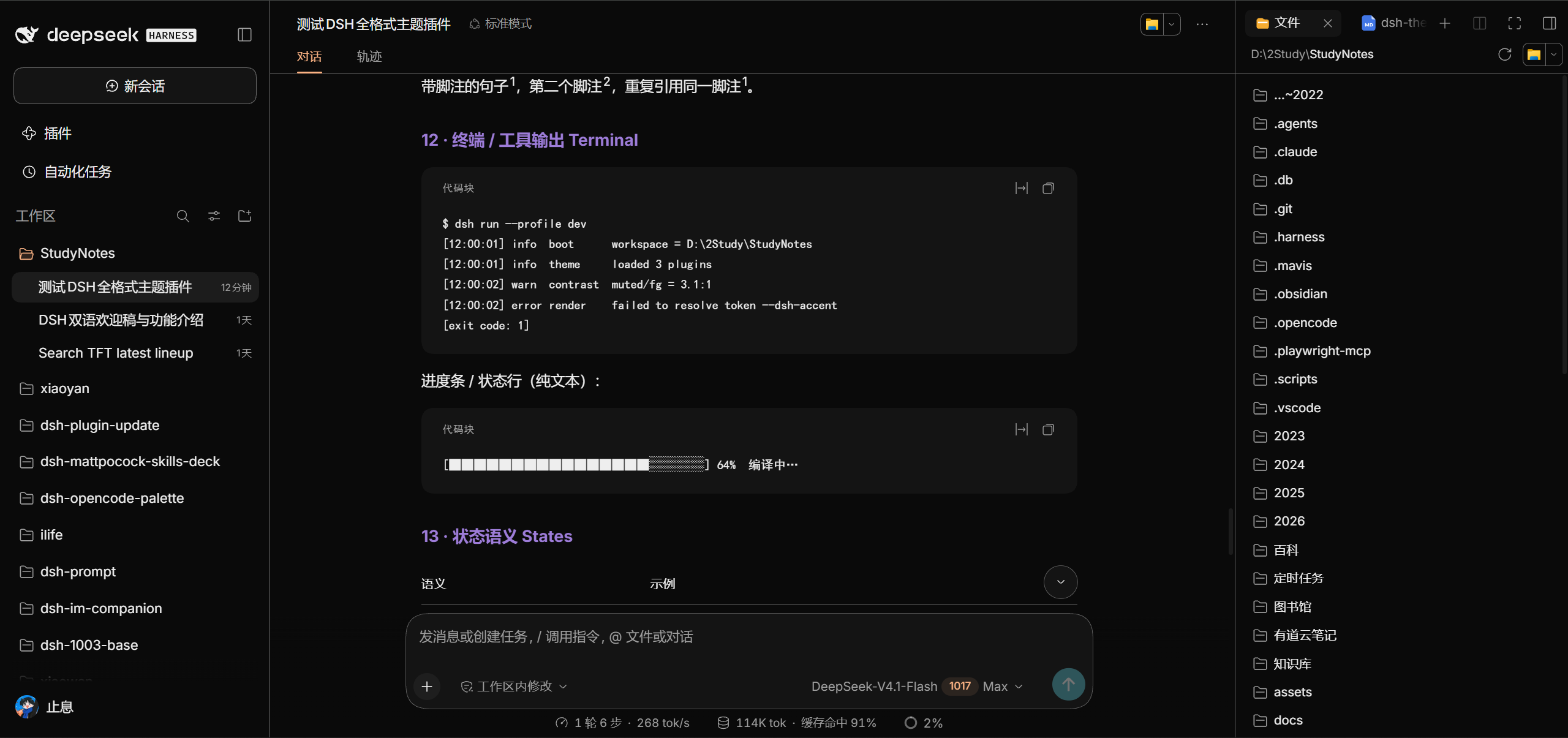
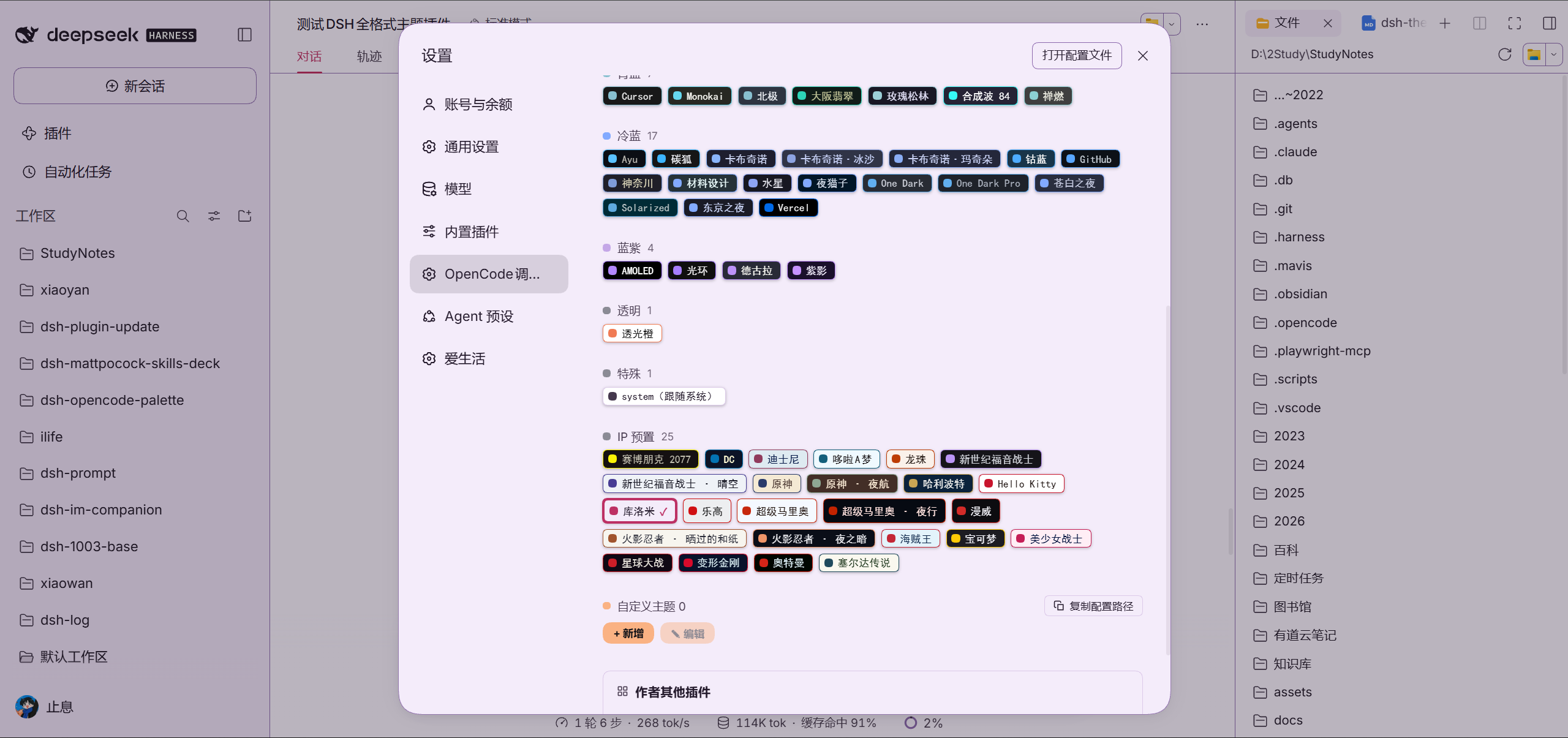
| 主界面(opencode 主题) | 设置面板(38 款按色系分组) |
|---|---|
|  |  |
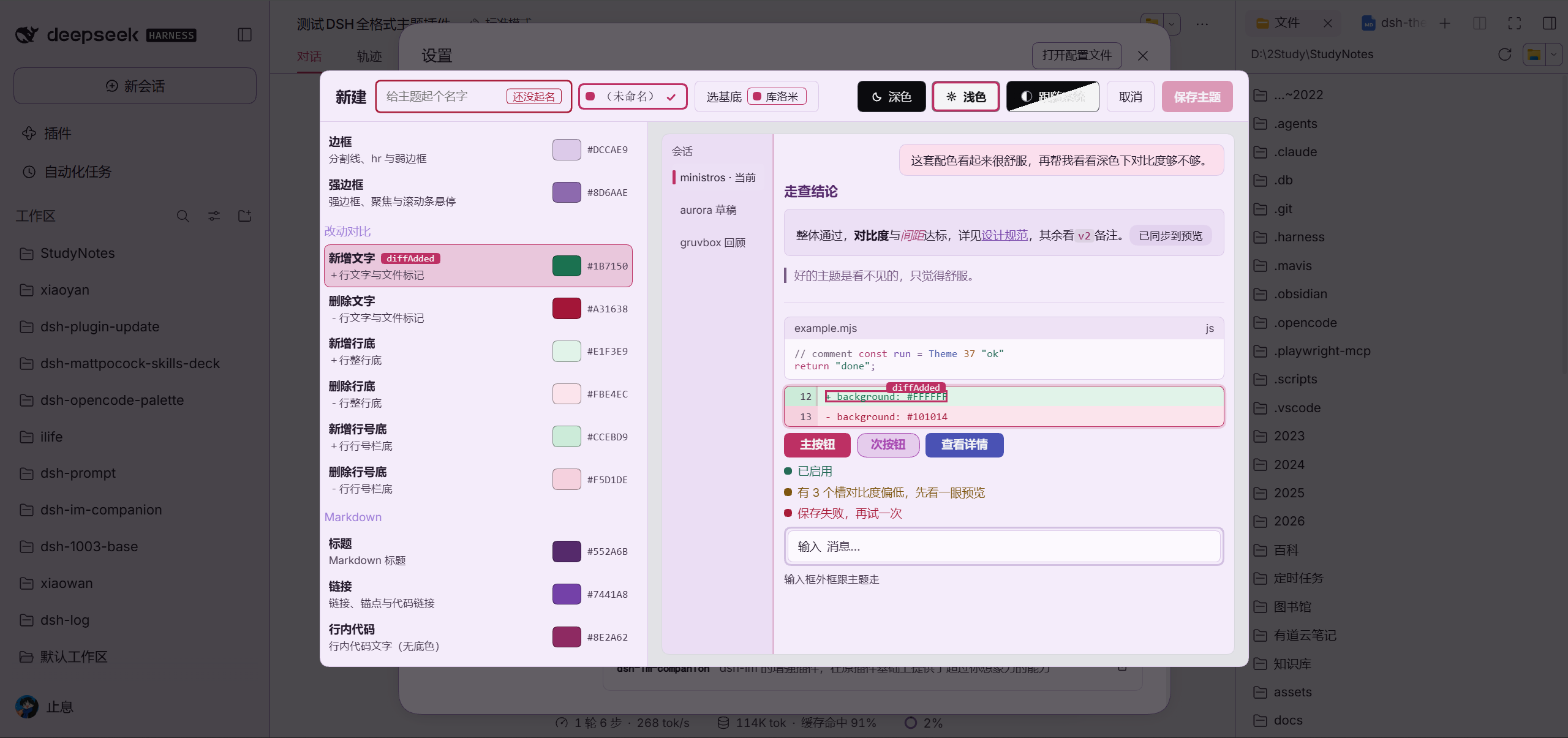
| 自定义编辑器(37 个颜色) | IP 主题胶囊:原神(浅色) |
|---|---|
|  | 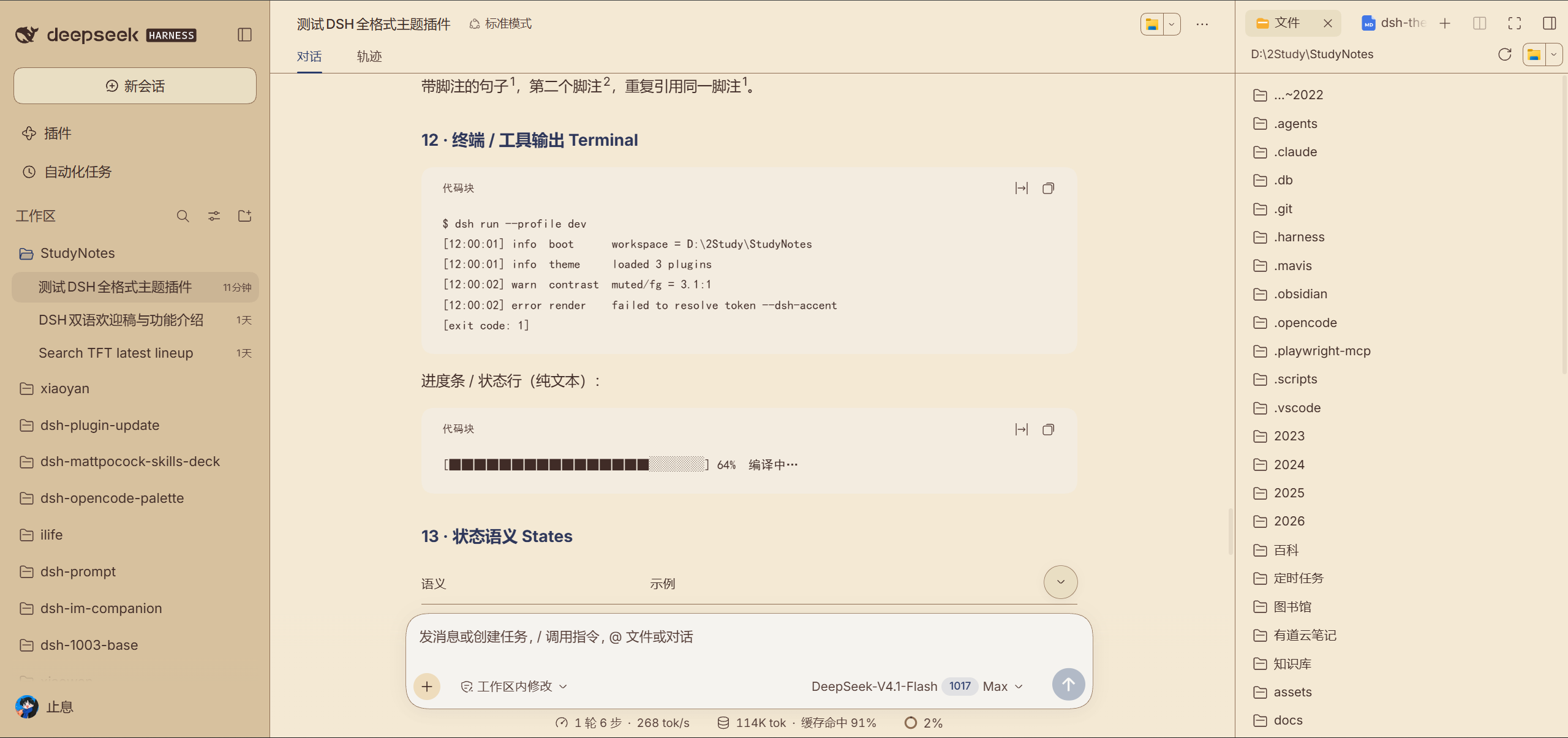 |
| IP 主题胶囊:库洛米(浅色) | IP 主题胶囊:哆啦A梦(浅色) |
|---|---|
| 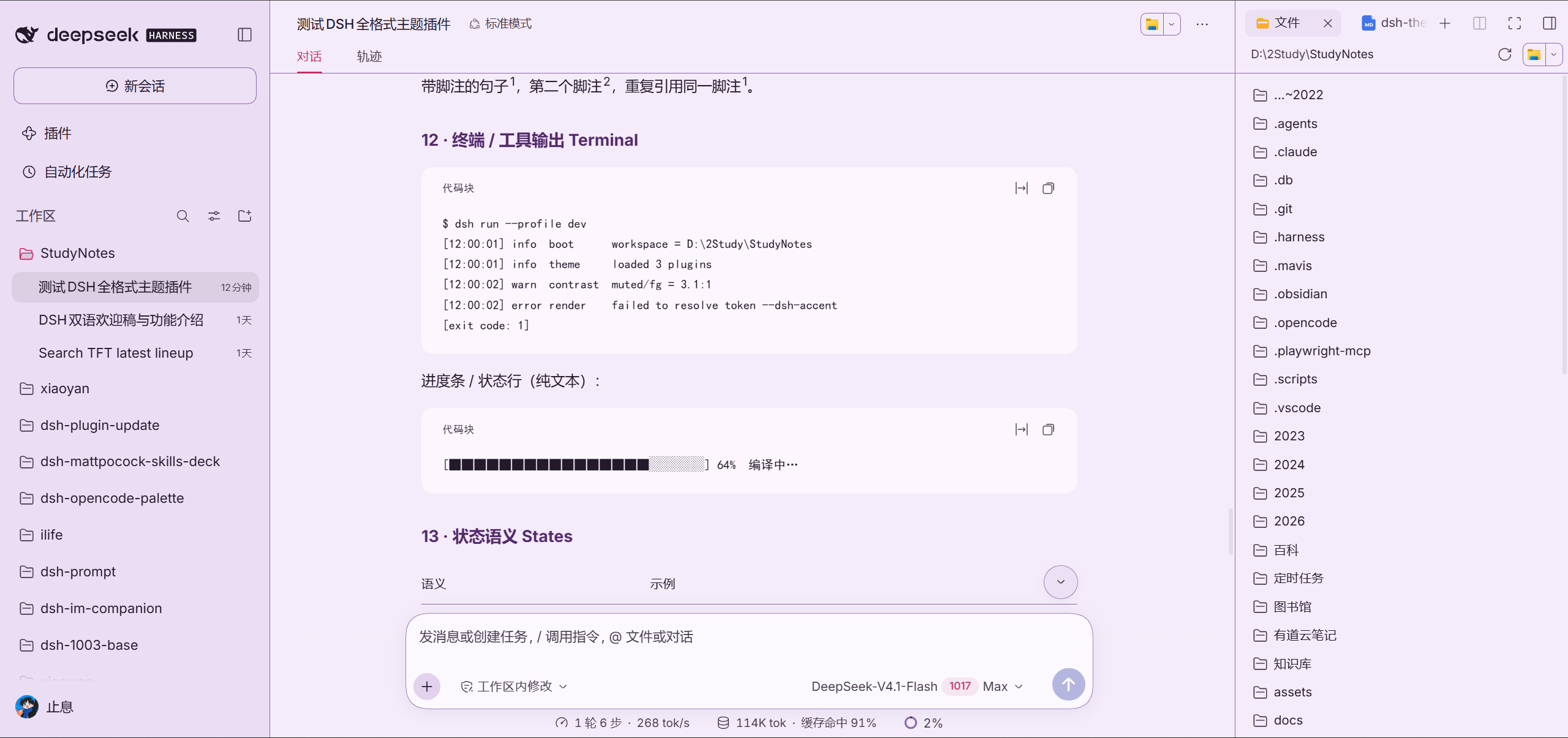 | 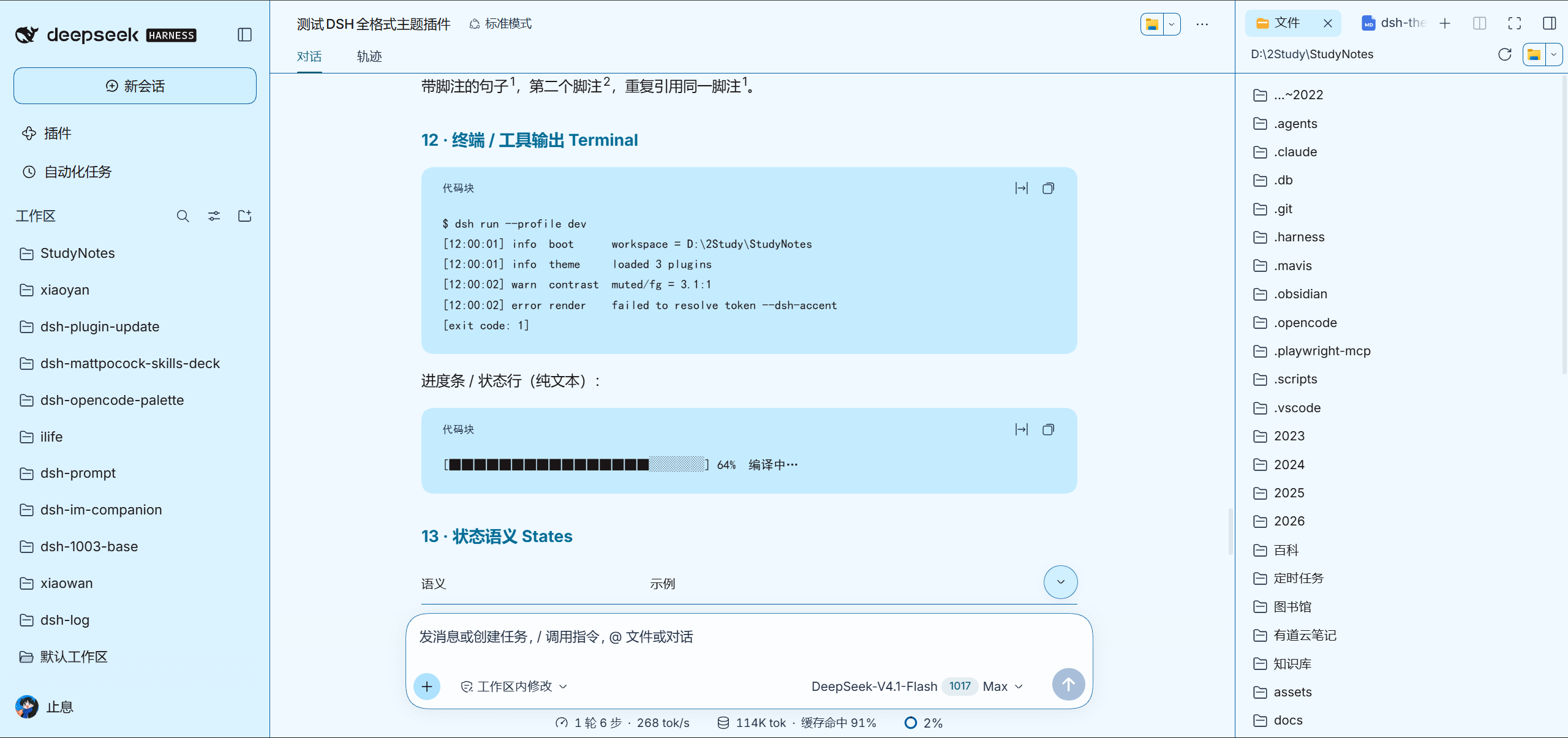 |
| IP 主题胶囊:哈利波特(深色) | IP 主题胶囊:赛博朋克2077(深色) |
|---|---|
| 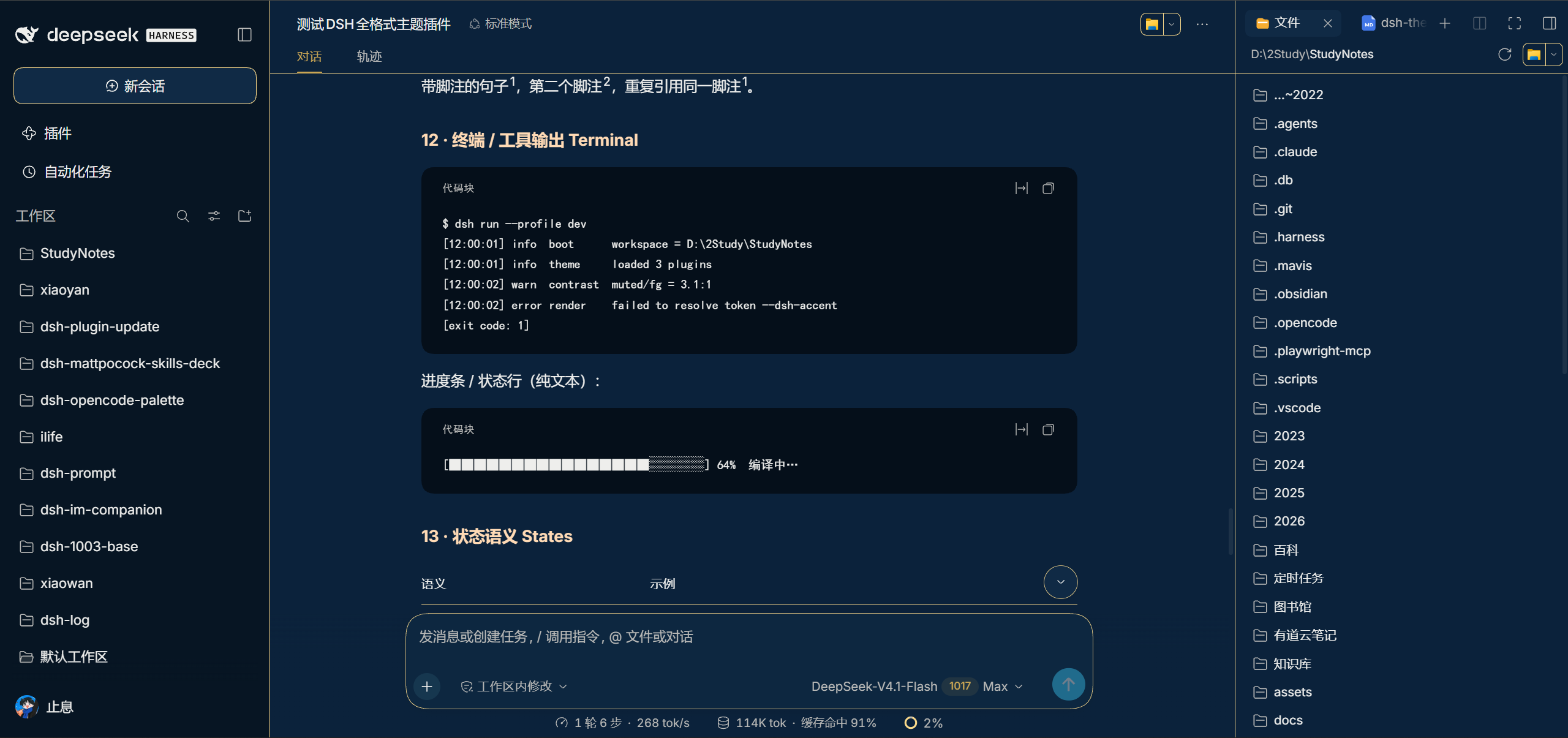 | 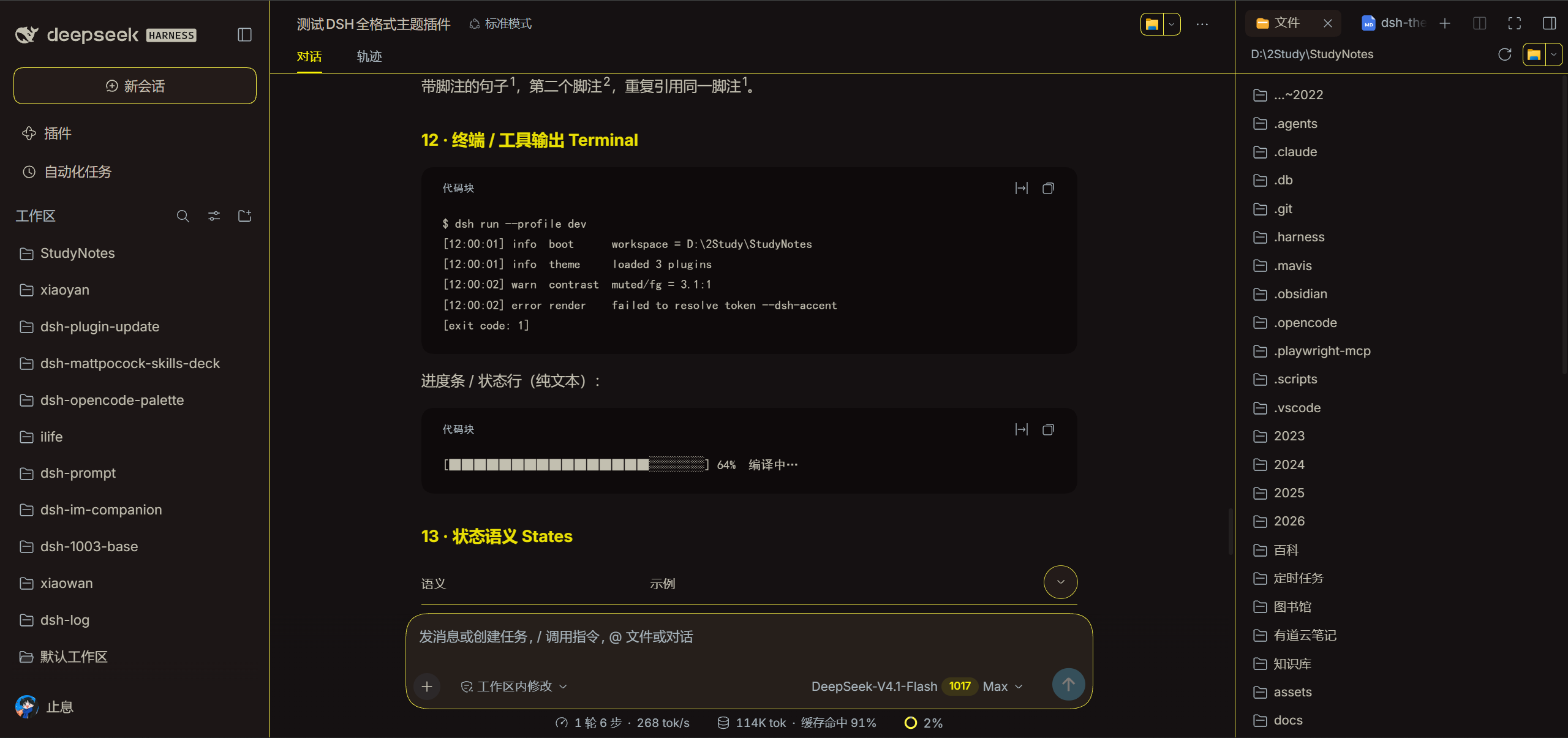 |
| 经典主题:德古拉(深色) | IP 主题胶囊:龙珠(浅色) |
|---|---|
| 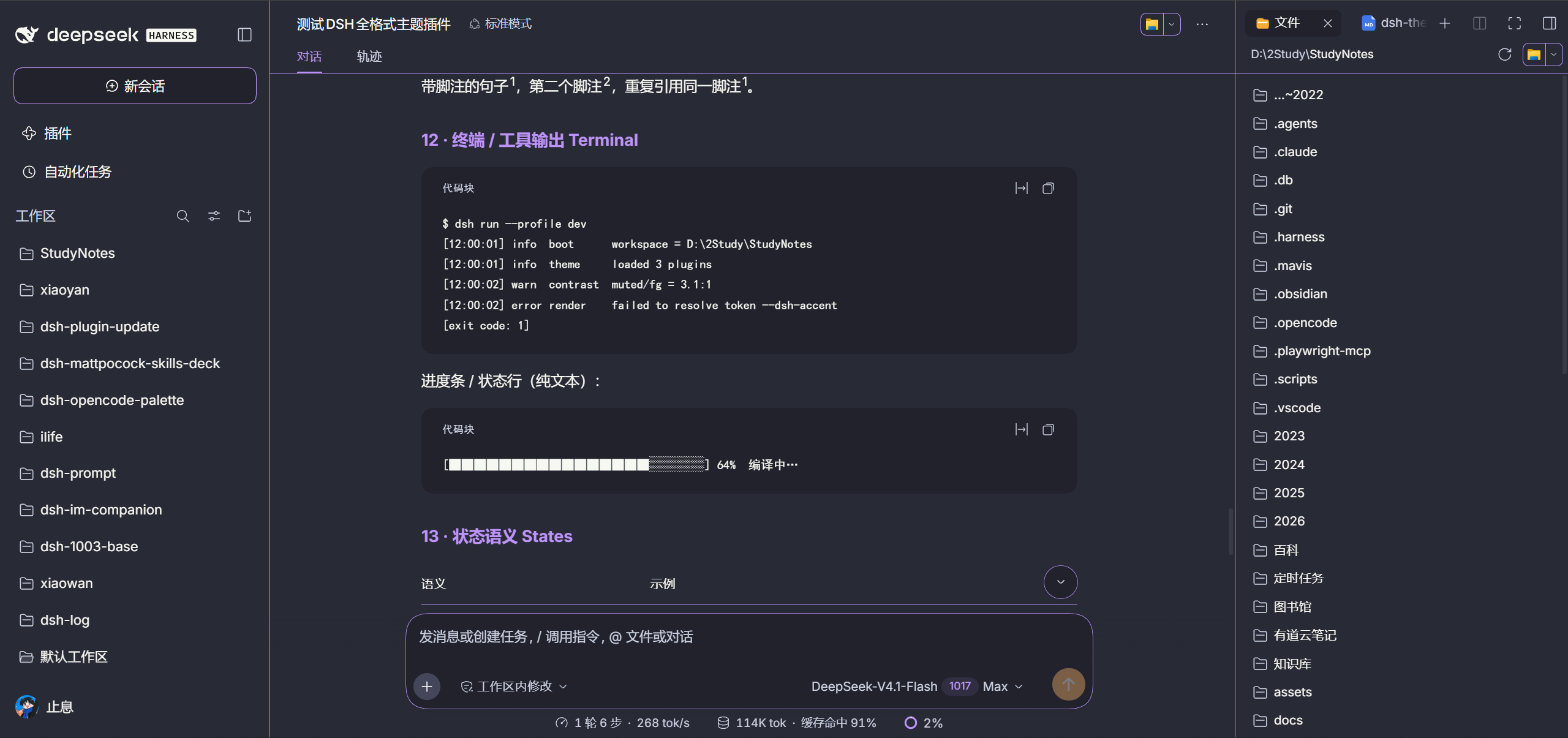 | 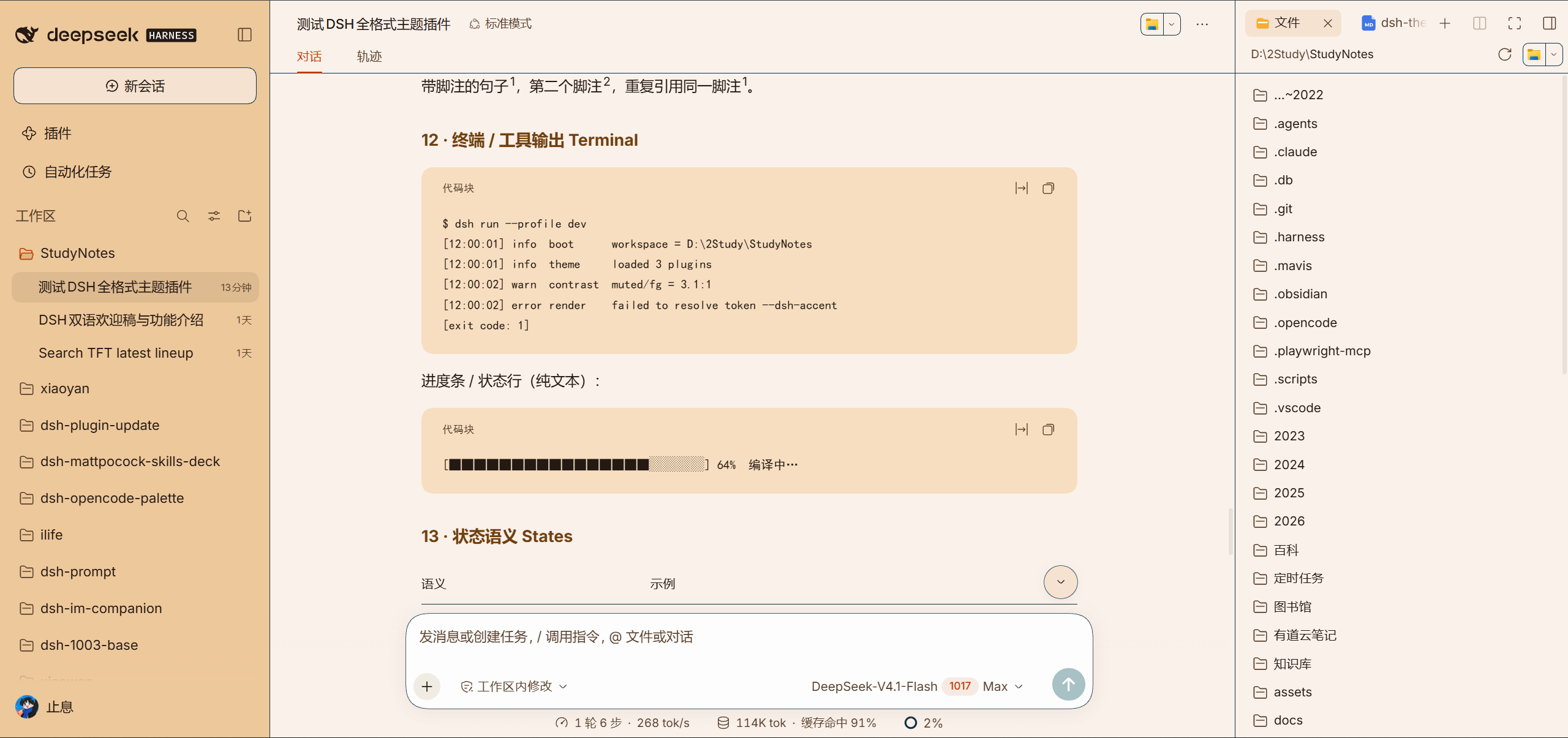 |
INSTALL
三步上手
```bash
# ① 还没装 DSH CLI 先装(已装跳过)
npm install -g @deepseek-ai/dsh
# ② 把插件装进你的 profile
dsh plugin --profile web add dsh-opencode-palette
# ③ 装完重启 DSH(或刷新浏览器页面)
```
**① 装好插件。**
**② 打开「OpenCode调色板」。** 设置 → 插件 → OpenCode调色板
**③ 挑一个喜欢的主题。**
DEMO
基础使用演示
基础使用演示:点开看 7 段操作视频
安装插件
跟着视频一次装好插件并重启生效。
https://github.com/user-attachments/assets/3332e166-ecdc-4a3a-877b-154a2614dd03
1. 跑 `dsh plugin --profile web add dsh-opencode-palette` 把插件装进你的 profile。
2. 重启 DSH(或刷新浏览器页面)。
3. 打开「OpenCode调色板」,确认面板能打开。
---
设置字体字号
分清等宽与常规两种字体,字号 11–24 px 随手调。
https://github.com/user-attachments/assets/f6c17168-5b39-4a12-bf9b-f819db681055
1. 打开设置面板,找到字体与字号两处。
2. 等宽把整个界面换成等宽字,常规只让代码块用等宽。
3. 字号在 11–24 px 之间拖到看着舒服为止。
---
选择主题
一键挑中喜欢的主题,界面立即换装。
https://github.com/user-attachments/assets/b425fed9-1aab-43c3-ab70-726de38a9c1a
1. 打开「OpenCode调色板」,按色系浏览 38 款配色。
2. 点中喜欢的那一款,界面立即换装。
3. 不满意再点另一款,随时可换。
---
新增自定义主题
37 个颜色逐个调,右边预览实时联动,存成专属胶囊。
https://github.com/user-attachments/assets/349dba7f-4cdb-4281-b71c-c39c6f9dfccd
1. 点新增,37 个颜色逐个调,右边预览实时联动。
2. 点预览里的元素,左边对应那行会滚到中间并打开取色器。
3. 存好后胶囊落在 `/opencode-palette/custom-themes/` 里。
---
编辑自定义主题
回来改存好的胶囊,改完界面即时换上新配色。
https://github.com/user-attachments/assets/4ff48986-142f-404b-bb1b-70d948d95ba8
1. 打开存好的自定义主题,进编辑。
2. 改要动的颜色,预览里即时看效果。
3. 保存,界面即时换上新的配色。
---
删除自定义主题
删掉不想要的胶囊,删前确认,删后可以重建。
https://github.com/user-attachments/assets/5f2e42bb-7e5b-4bf2-b61a-600df5e47ba2
1. 选中不想要的自定义主题,点删除。
2. 确认删除,胶囊从列表里消失。
3. 后悔了照新增那条重建一个。
---
AI 编辑自定义主题
一句话让 AI 改色,不用逐个手调。
https://github.com/user-attachments/assets/542f3083-eb7e-4b60-8d1a-a142ef9a87e9
1. 打开自定义主题的 AI 编辑入口。
2. 一句话说清想要的配色,比如“暖一点的暗色”。
3. 看预览,满意就保存,不满意再说一句。
EXTENSIONS
OpenCode 主题之外提供的功能
| 能力 | 说明 |
|---|---|
| **IP 主题胶囊** | 预置 25 套:原神、库洛米、哆啦A梦、哈利波特、赛博朋克2077、宝可梦、龙珠……开箱即用,挑一套喜欢的当配色基底直接用。 |
| **打造专属胶囊** | 37 个颜色逐个调,右边是微缩的 DSH 预览:点预览里的元素,左边对应那行会滚到中间并打开取色器;鼠标划过左边的颜色,右边预览里那个元素会亮起一圈。存好的胶囊落在 `/opencode-palette/custom-themes/`。 |
| **字体与字号** | 字体独立于颜色:等宽(终端风)把整个界面换成等宽字,常规(界面风)只让代码块用等宽;字号 11–24 px,代码字体可以直接从本机已装字体里挑。 |
UPGRADE
升级
```bash
# 升级到最新版(当前 2.1.12):web 与 desktop 两个 profile 各跑一条
dsh plugin --profile web update dsh-opencode-palette
dsh plugin --profile desktop update dsh-opencode-palette
# 需要钉回指定版本(把版本号换成你要的):
dsh plugin --profile web add dsh-opencode-palette@2.1.12
dsh plugin --profile desktop add dsh-opencode-palette@2.1.12
```
「设置 → 插件 → OpenCode调色板」 → **检查更新**
MORE
作者的其他作品
喜欢这个插件的话,这些可能你也用得上:
**[dsh-mattpocock-skills-deck](https://github.com/FeatherHunter/dsh-mattpocock-skills-deck)** —— 近 30 万 star 的 mattpocock/skills 整套预置好(27 个技能),装好即用。
**[dsh-prompt](https://github.com/FeatherHunter/dsh-prompt)** —— 经常反复重复的模板化提示词,存成自定义模板,选中后直接注入,不再需要耗费精力。
**[dsh-im-companion](https://github.com/FeatherHunter/dsh-im-companion)** —— 给 dsh-im 加了「助理」和「家」的概念。
**[ilife](https://github.com/FeatherHunter/ilife)** —— ⚠️建设中⚠️爱生活:居家生活套件,记账、运动、饮食、体重、食谱、物品管理、作息规划、备忘录等。
THANKS
致谢
感谢每一位提交 Issue、PR 与参与讨论的朋友,是你们让这个插件一点点变好。
| 贡献者 | 致敬 | 贡献 |
| --- | --- | --- |
| [@oopsdoes](https://github.com/oopsdoes) | 🌹🌹 | [#46](https://github.com/FeatherHunter/dsh-opencode-palette/issues/46) [#55](https://github.com/FeatherHunter/dsh-opencode-palette/issues/55) |
| [@insp63](https://github.com/insp63) | 🌹 | [#124](https://github.com/FeatherHunter/dsh-opencode-palette/issues/124) |
| [@gitwch1](https://github.com/gitwch1) | 🌹 | [#73](https://github.com/FeatherHunter/dsh-opencode-palette/issues/73) |
| [@anci3ntr0ck](https://github.com/anci3ntr0ck) | 🌹 | [#73](https://github.com/FeatherHunter/dsh-opencode-palette/issues/73) |
| [@SRKBob](https://github.com/SRKBob) | 🌹 | [#43](https://github.com/FeatherHunter/dsh-opencode-palette/issues/43) |
| [@anupamme](https://github.com/anupamme) | 🌹 | [#32](https://github.com/FeatherHunter/dsh-opencode-palette/pull/32) |
| [@Number444](https://github.com/Number444) | 🌹 | [#12](https://github.com/FeatherHunter/dsh-opencode-palette/issues/12) |
| [@xiSage](https://github.com/xiSage) | 🌹 | [#11](https://github.com/FeatherHunter/dsh-opencode-palette/issues/11) |
| [@the-beating-light-of-the-nail](https://github.com/the-beating-light-of-the-nail) | 🌹 | [#3](https://github.com/FeatherHunter/dsh-opencode-palette/issues/3) |
也感谢在评论区与讨论区留下想法的每一位朋友。如果你也遇到了问题或有新想法,欢迎直接提 Issue 或发起讨论。
CONNECT
反馈与联系
👏欢迎提交PR、ISSUE。星星之火可以燎原🔥有任何建议、意见、想法、吐槽、idea都可以进群交流。