🎨 dsh-opencode-palette

**🌐 [中文](../README.md) · [English](README.en.md)** **38 themes for DSH, one click.** *38 款配色,一键给 DSH 换装。* Your ⭐ is the brightest star in my night sky. [![npm](https://img.shields.io/npm/v/dsh-opencode-palette?label=npm)](https://www.npmjs.com/package/dsh-opencode-palette) [![downloads](https://img.shields.io/npm/dt/dsh-opencode-palette?label=downloads&color=red)](https://www.npmjs.com/package/dsh-opencode-palette) [![last-commit](https://img.shields.io/github/last-commit/FeatherHunter/dsh-opencode-palette?label=last-commit&color=FE7D37)](https://github.com/FeatherHunter/dsh-opencode-palette/commits/main) [![themes](https://img.shields.io/badge/themes-OpenCode%C2%B738-9D7CD8)](https://github.com/anomalyco/opencode) [![Issues welcome](https://img.shields.io/badge/Issues%20welcome-brightgreen.svg)](https://github.com/FeatherHunter/dsh-opencode-palette/issues)

SHOWCASE
Real Look

--- This plugin exists to make your DSH experience better 💗 | Main screen (opencode theme) | Settings panel (38 themes by color family) | |---|---| | ![OpenCode Palette — overview (opencode theme)](../showcase/opencode调色板opencode风格主页面-en.png) | ![OpenCode Palette — settings panel (grouped by color family)](../showcase/settings-opencode-en.png) | | Custom editor (37 slots) | IP theme capsule: 原神 Genshin (light) | |---|---| | ![OpenCode Palette — custom editor (37 slots)](../assets/自定义编辑器.png) | ![OpenCode Palette — IP theme capsule: 原神 Genshin](../assets/原神.png) | | IP theme capsule: 库洛米 Kuromi (light) | IP theme capsule: 哆啦A梦 Doraemon (light) | |---|---| | ![OpenCode Palette — IP theme capsule: 库洛米 Kuromi](../assets/库洛米.png) | ![OpenCode Palette — IP theme capsule: 哆啦A梦 Doraemon](../assets/哆啦A梦.png) | | IP theme capsule: 哈利波特 Harry Potter (dark) | IP theme capsule: 赛博朋克2077 Cyberpunk 2077 (dark) | |---|---| | ![OpenCode Palette — IP theme capsule: 哈利波特 Harry Potter](../assets/哈利波特.png) | ![OpenCode Palette — IP theme capsule: 赛博朋克2077 Cyberpunk 2077](../assets/赛博朋克2077.png) | | Classic theme: 德古拉 Dracula (dark) | IP theme capsule: 龙珠 Dragon Ball (light) | |---|---| | ![OpenCode Palette — classic theme: 德古拉 Dracula](../assets/德古拉.png) | ![OpenCode Palette — IP theme capsule: 龙珠 Dragon Ball](../assets/龙珠.png) |

INSTALL
Get started in three steps

```bash # 1. install the DSH CLI first (skip if you have it) npm install -g @deepseek-ai/dsh # 2. add the plugin to your profile dsh plugin --profile web add dsh-opencode-palette # 3. restart DSH once it's installed (or refresh the browser page) ``` **① Install the plugin.** **② Open “OpenCode Palette”.** Settings → Plugins → OpenCode Palette **③ Pick a theme you like.**

DEMO
Basic usage demo

The 7 videos below reuse the same URLs as the Chinese page (recorded in the Chinese UI); all collapsed by default — expand to watch.
Basic usage demo: expand for 7 short videos
Install the plugin Follow the video to install the plugin and restart once. https://github.com/user-attachments/assets/3332e166-ecdc-4a3a-877b-154a2614dd03 1. Run `dsh plugin --profile web add dsh-opencode-palette` to add the plugin to your profile. 2. Restart DSH (or refresh the browser page). 3. Open "OpenCode Palette" and confirm the panel opens.
---
Change fonts and size Mono vs regular, and sizes from 11–24 px. https://github.com/user-attachments/assets/f6c17168-5b39-4a12-bf9b-f819db681055 1. Open the settings panel and find fonts and size. 2. Mono turns the whole interface monospaced, while Regular keeps monospace to code blocks. 3. Drag the size until it feels right.
---
Switch themes Pick a theme in one click, applied instantly. https://github.com/user-attachments/assets/b425fed9-1aab-43c3-ab70-726de38a9c1a 1. Open "OpenCode Palette" and browse 38 themes by color family. 2. Click the one you like; the interface switches instantly. 3. Changed your mind? Click another — switch anytime.
---
Create a custom theme Tune 37 colors one by one with a live preview, then save your own capsule. https://github.com/user-attachments/assets/349dba7f-4cdb-4281-b71c-c39c6f9dfccd 1. Click new: tune 37 colors one by one while the preview follows live. 2. Click an element in the preview and the matching row scrolls into view with the color picker. 3. Saved capsules land in `/opencode-palette/custom-themes/`.
---
Edit a custom theme Come back and re-tune a saved capsule; the interface wears the new colors at once. https://github.com/user-attachments/assets/4ff48986-142f-404b-bb1b-70d948d95ba8 1. Open a saved custom theme for editing. 2. Change the colors you want; the preview updates instantly. 3. Save, and the interface wears the new colors at once.
---
Delete a custom theme Remove capsules you no longer want; you can always rebuild one. https://github.com/user-attachments/assets/5f2e42bb-7e5b-4bf2-b61a-600df5e47ba2 1. Select the custom theme you no longer want and delete it. 2. Confirm; the capsule disappears from the list. 3. Regret it? Rebuild one following the fourth video above.
---
AI-edit a custom theme Recolor with one sentence, no manual tuning. https://github.com/user-attachments/assets/542f3083-eb7e-4b60-8d1a-a142ef9a87e9 1. Open the AI editing entry of a custom theme. 2. Describe the palette you want in one sentence (for example "a warmer dark theme"). 3. Check the preview; save if you like it, or ask again.

EXTENSIONS
What the OpenCode themes come with

| Feature | Details | |---|---| | **IP theme capsules** | 25 preinstalled: 原神 Genshin, 库洛米 Kuromi, 哆啦A梦 Doraemon, 哈利波特 Harry Potter, 赛博朋克2077 Cyberpunk 2077, 宝可梦 Pokémon, 龙珠 Dragon Ball… ready out of the box — pick one you like and use it as the base for your colors. | | **Build your own capsule** | 37 slots, one at a time, with a miniature DSH preview on the right — click an element in the preview and the matching row on the left scrolls to the middle and opens the color picker; hover a slot on the left and that element lights up in the preview. Saved capsules land in `/opencode-palette/custom-themes/`. | | **Fonts and size** | Fonts sit apart from color: Mono (terminal look) turns the whole interface monospaced, Regular (interface look) applies monospace to code blocks only; size 11–24 px, and the code font can be picked from the fonts installed on this machine. |

UPGRADE
Upgrade

```bash # upgrade to the latest (currently 2.1.12): one command per profile — web and desktop dsh plugin --profile web update dsh-opencode-palette dsh plugin --profile desktop update dsh-opencode-palette # pin a specific version (swap the version number for the one you want): dsh plugin --profile web add dsh-opencode-palette@2.1.12 dsh plugin --profile desktop add dsh-opencode-palette@2.1.12 ``` Settings → Plugins → OpenCode Palette → **Check for updates**

MORE
More from the author

If you like this plugin, these might help too: **[dsh-mattpocock-skills-deck](https://github.com/FeatherHunter/dsh-mattpocock-skills-deck)** — The whole mattpocock/skills set (nearly 300k stars) preinstalled — 27 skills, ready as soon as it is installed. **[dsh-prompt](https://github.com/FeatherHunter/dsh-prompt)** — The boilerplate prompts you keep retyping, saved as custom templates and injected on selection — no more wasted effort. **[dsh-im-companion](https://github.com/FeatherHunter/dsh-im-companion)** — Adds the ideas of an “assistant” and a “home” to dsh-im. **[ilife](https://github.com/FeatherHunter/ilife)** — ⚠️Work in progress⚠️ iLife, the home-life suite: bookkeeping, exercise, diet, weight, recipes, item management, schedule planning, memos and more.

THANKS
Contributors

Thanks to everyone who opened an issue, sent a PR, or joined a discussion — you made this plugin better bit by bit. | Contributor | Tribute | Contributions | | --- | --- | --- | | [@oopsdoes](https://github.com/oopsdoes) | 🌹🌹 | [#46](https://github.com/FeatherHunter/dsh-opencode-palette/issues/46) [#55](https://github.com/FeatherHunter/dsh-opencode-palette/issues/55) | | [@insp63](https://github.com/insp63) | 🌹 | [#124](https://github.com/FeatherHunter/dsh-opencode-palette/issues/124) | | [@gitwch1](https://github.com/gitwch1) | 🌹 | [#73](https://github.com/FeatherHunter/dsh-opencode-palette/issues/73) | | [@anci3ntr0ck](https://github.com/anci3ntr0ck) | 🌹 | [#73](https://github.com/FeatherHunter/dsh-opencode-palette/issues/73) | | [@SRKBob](https://github.com/SRKBob) | 🌹 | [#43](https://github.com/FeatherHunter/dsh-opencode-palette/issues/43) | | [@anupamme](https://github.com/anupamme) | 🌹 | [#32](https://github.com/FeatherHunter/dsh-opencode-palette/pull/32) | | [@Number444](https://github.com/Number444) | 🌹 | [#12](https://github.com/FeatherHunter/dsh-opencode-palette/issues/12) | | [@xiSage](https://github.com/xiSage) | 🌹 | [#11](https://github.com/FeatherHunter/dsh-opencode-palette/issues/11) | | [@the-beating-light-of-the-nail](https://github.com/the-beating-light-of-the-nail) | 🌹 | [#3](https://github.com/FeatherHunter/dsh-opencode-palette/issues/3) | And thanks to everyone who left thoughts in comments and discussions. If you hit a problem or have an idea, feel free to open an issue or start a discussion.

CONNECT
Feedback and Contact

👏Welcome PRs and issues. A single spark can start a prairie fire 🔥. Any suggestion, opinion, idea or rant — come join the group and talk.
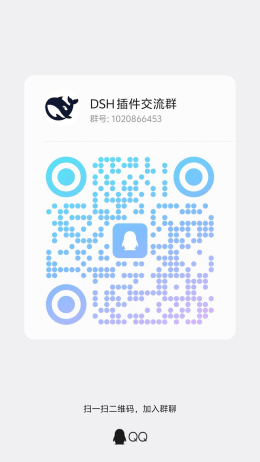
Feishu Group (Main)QQ Group (New)WeChat Group (New)
DSH plugin community group Feishu QR codeDSH plugin community group QQ QR codeDSH plugin community group WeChat QR code
![Star history chart: total stars on the left axis, daily new stars on the right axis](https://raw.githubusercontent.com/FeatherHunter/dsh-opencode-palette/main/docs/star-history.svg?v=202610300000)