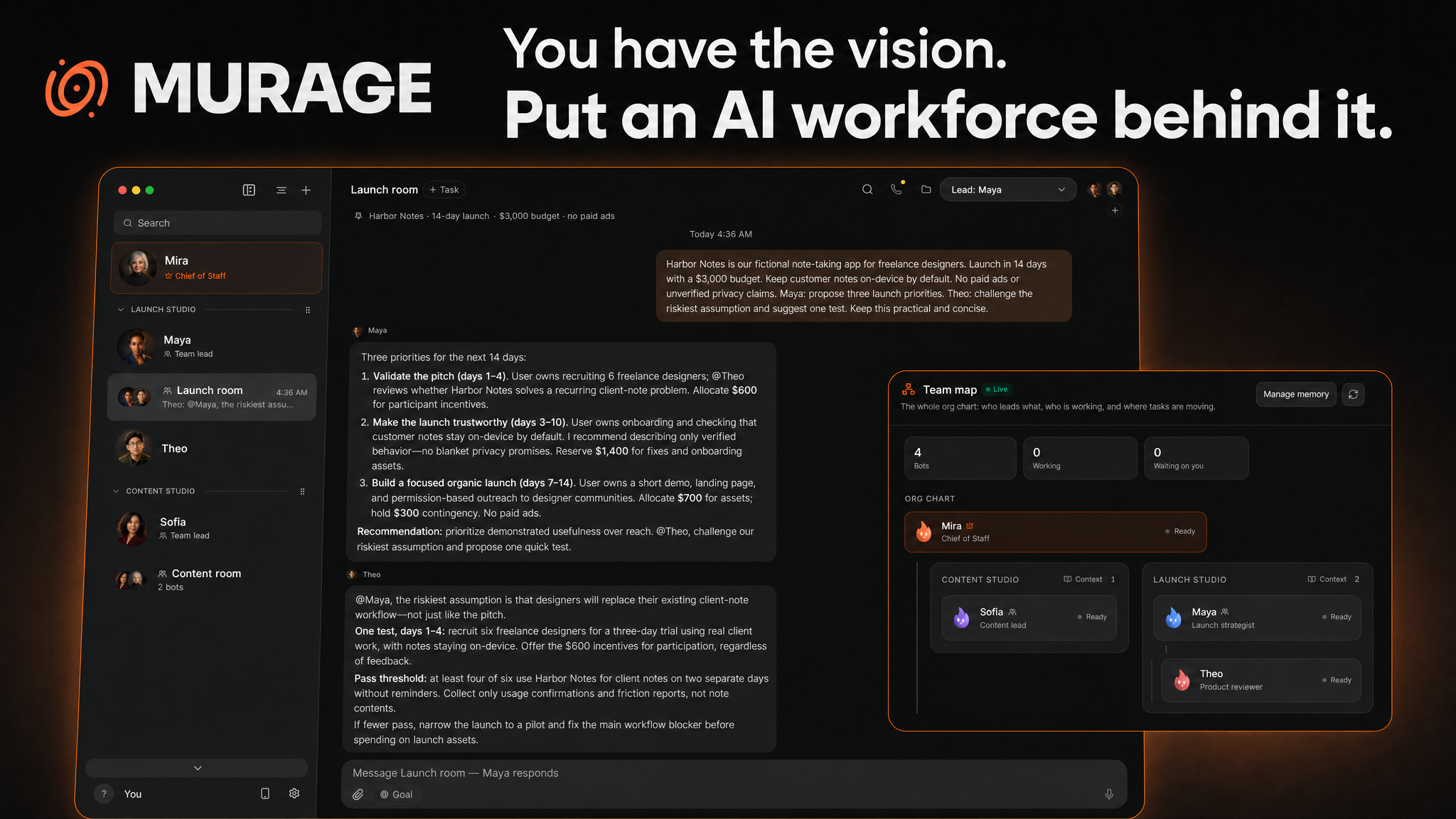
**You have the vision. Put an AI workforce behind it.**
Brief your AI Chief of Staff. It assembles specialists, coordinates their work, and brings the results back to you, with shared tools, durable memory and you in control.
*For founders, creators and operators with more ideas than hands.*
[Build your first AI team →](#download) · [About](#about-murage) · [See it in action](#a-real-brief-a-working-team) · [Web & mobile](#your-workspace-on-the-device-in-your-hand) · [Memory](#memory-that-you-can-inspect-and-control) · [Telegram](#stay-in-the-conversation-from-telegram)
Start with the outcome: launch a product, research a market, review a codebase or build a content workflow.
Murage brings together a **Chief of Staff, specialist teams, 2,237 skills, connected tools and durable memory** in one workspace. Use a prebuilt team or ask a capable Chief to assemble one for the job. Give agents a browser or computer where supported, follow their work, and make the decisions that need you.
Work in the desktop app, continue through the responsive Web UI or PWA, or message your Chief from Telegram. **Fuigo is included, and multi-vendor choice is built in.**
## Download
**[Latest release](https://github.com/FerroxLabs/murage-releases/releases/latest)** · [All releases](https://github.com/FerroxLabs/murage-releases/releases)
| Platform | Installer |
|---|---|
| macOS · Apple Silicon | **[Download for Mac](https://github.com/FerroxLabs/murage-releases/releases/latest/download/Murage.dmg)** |
| macOS · Intel | [Download for Intel Mac](https://github.com/FerroxLabs/murage-releases/releases/latest/download/Murage-intel.dmg) |
| Windows · x64 | **[Download for Windows](https://github.com/FerroxLabs/murage-releases/releases/latest/download/Murage-setup.exe)** |
| Ubuntu 24.04 · x64 | **[Download .deb](https://github.com/FerroxLabs/murage-releases/releases/latest/download/Murage-amd64.deb)** · [AppImage](https://github.com/FerroxLabs/murage-releases/releases/latest/download/Murage.AppImage) |
Mac downloads are signed and notarized. Windows downloads are signed. See the release notes for platform verification and known limitations. [Ubuntu checksums](https://github.com/FerroxLabs/murage-releases/releases/latest/download/SHA256SUMS-ubuntu-x64.txt) are available alongside the downloads.
**Fuigo is bundled. Installed desktop builds require no Node.js, npm, pnpm or separate Fuigo installation.** Your selected engine still needs its own provider login or API credentials; model access and provider charges are separate.
If an official desktop build says “Fuigo CLI not found” or asks you to install Fuigo through npm, that is a bundled-engine detection or installation problem, not a normal prerequisite. Report your Murage version, operating system and installer type. Do not include API keys.
## About Murage
**Everyone should have a team.** Most people with more ideas than hours have no one to hand work to, and most businesses have good people buried in busywork. Murage gives both a Chief of Staff and a team of AI agents that work on your own computer, with the AI you already use.
You brief your Chief of Staff the way you would brief a person. It works out who is needed, sets up specialist bots or whole teams, hands out the work, keeps track of it and brings the results back to you. Every bot has its own role, instructions, memory, folders and tools, and nothing risky happens without your say: you choose how much each bot may do on its own, and you can see and change what it remembers.
Two rules shape everything we build:
- **Easy to start.** Download it, connect the AI you already have (Claude Code, Codex, Gemini, Hermes, a local model or your own API key) and tell your Chief of Staff what needs doing.
- **Grows with you.** Start with one bot clearing an inbox. Grow into teams that run whole parts of a business, with routines on a schedule, shared projects, connected apps, your phone and your chat apps.
AI changes every month, so Murage changes with it. New engines, tools and abilities land in each release, and the [changelog](https://murage.ai/changelog) lists every one.
> "Murage grew out of the harness we already ran our own work on inside Ferrox Labs. It worked, and I wanted everyone to have it: a real team in your hands, whatever AI you use underneath."
>
> Sean Donahoe, founder, Ferrox Labs
## A real brief. A working team.
A 14-day launch. A $3,000 budget. No paid ads. The strategist proposes priorities; the reviewer challenges the assumption that could make the plan fail.
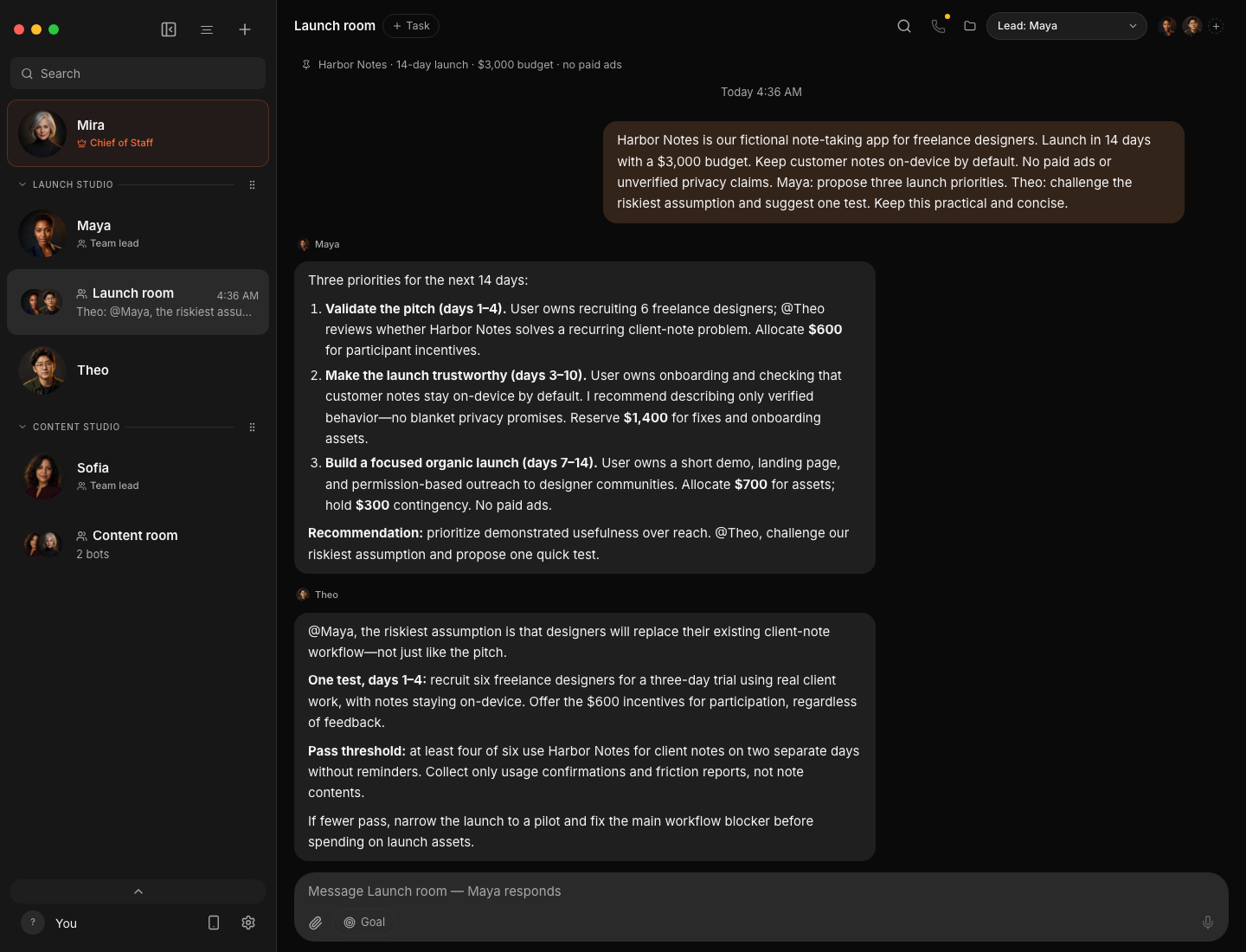
*A saved, real GPT-6 Astra conversation in an isolated demo workspace, now shown in dark mode with custom demo avatars. Harbor Notes and its team identities are fictional.*
## A Chief of Staff for the whole workspace
Give your team a central point of coordination. The **Chief of Staff** sits above team leads and specialists, so you can organize work across several teams instead of managing an undifferentiated list of bots.
In this demo, Mira is Chief of Staff. Maya leads Launch Studio with Theo reviewing the product plan; Sofia leads Content Studio. Each team has its own group conversation. Open **Team map** to see who leads whom and where work is moving.
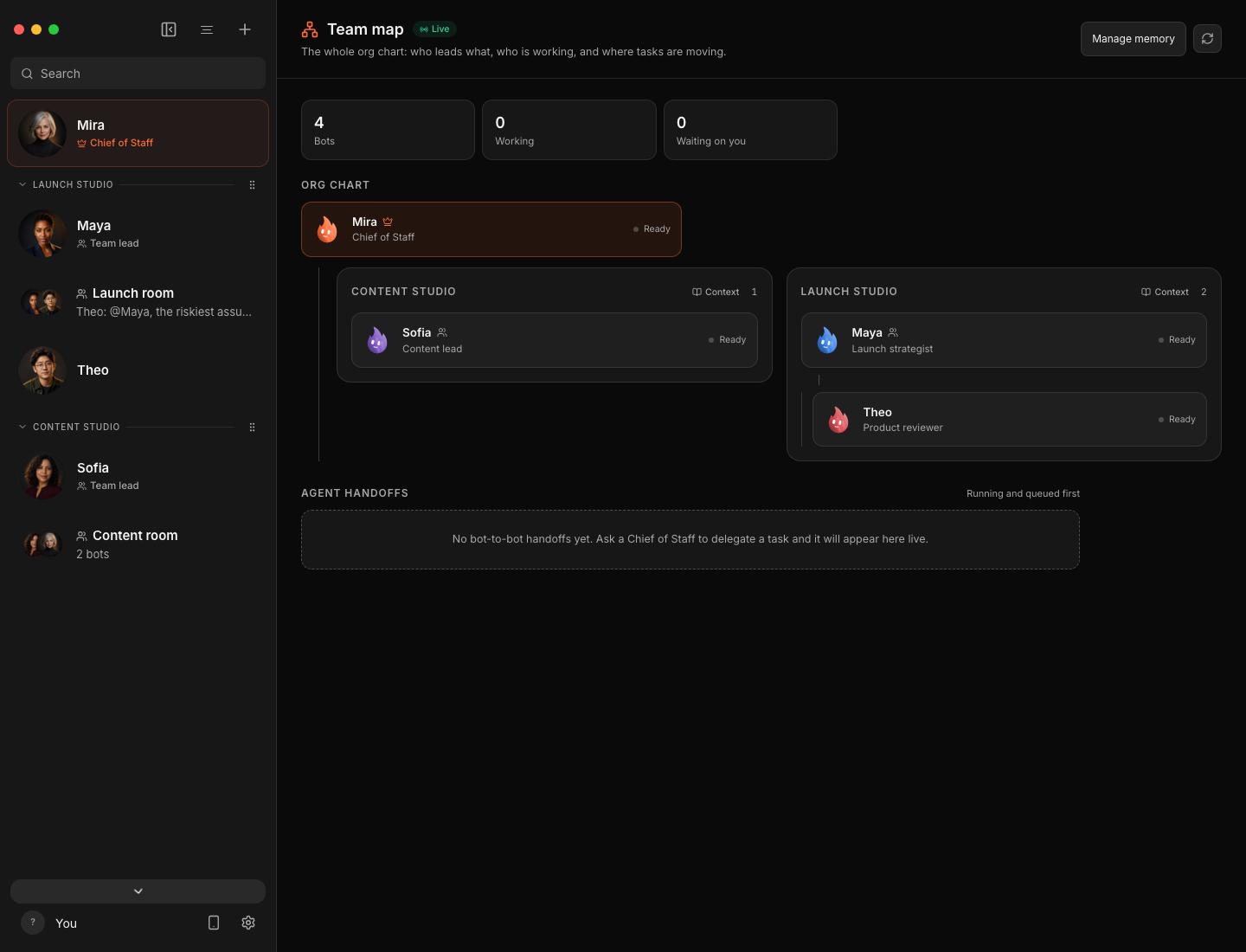
Custom avatars, named teams and group portraits make that structure easy to recognize in the sidebar. Each agent still has its own role, instructions and model selection.
## Start with a team. Or let your Chief assemble one.
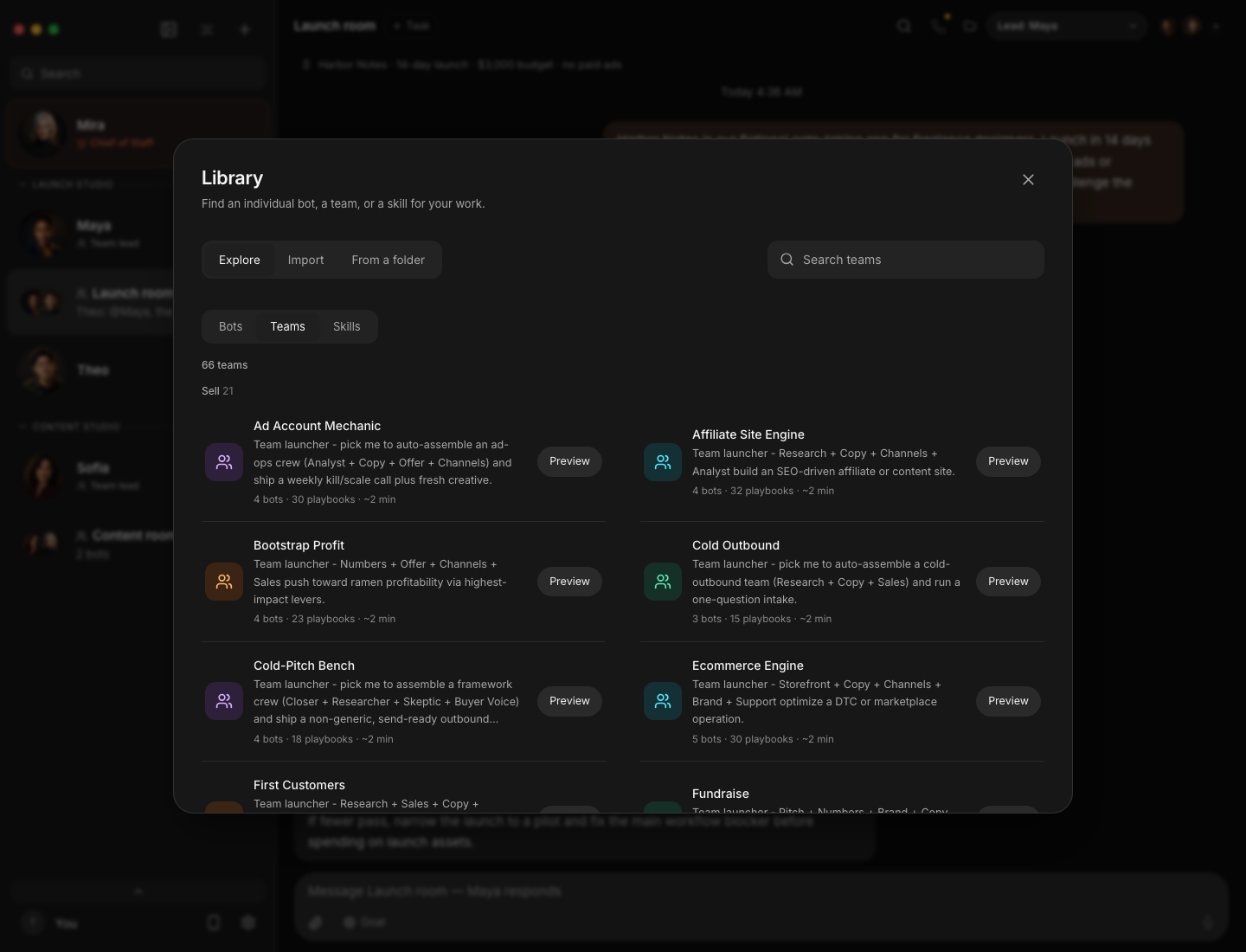
You do not have to invent every role and workflow yourself. Browse **prebuilt teams** for an outcome, inspect their members and playbooks, and choose what to import. Bots can also work on their own, with their own instructions, model and task history.
With a delegation-compatible engine, your Chief can use the live roster, create useful specialists when you ask for a team, and assign them work. The Chief stays your central point of contact. Nested Chief-to-lead-to-specialist delegation has a known tool-availability limitation; improvements are in development and are not part of this release.
> “Build a launch team for this product. Have a strategist propose the plan, a reviewer challenge the assumptions, and a writer prepare the copy. Bring me the decisions.”
### 2,237 skills to build on
The shipped skill library spans research, writing, engineering, design, operations and business workflows. Search for the task, find an existing playbook and give the right capabilities to the right agent. Team import previews show what will be added before you accept; credentials and permission grants do not travel inside a team package.
## Give your agents somewhere to work
A plan becomes more useful when the agent can work with the tools and environments the task requires.
| Environment | What it is for |
|---|---|
| **Browser** | Work with web pages through browser tools and, where available, view the interactive browser inside Murage. |
| **This computer** | Use the host's screen and applications after the required platform permissions and explicit setup. |
| **Local VM** | Give an agent a separate local Linux desktop in supported configurations. |
| **Remote / cloud computer** | Connect a supported cloud or user-managed remote desktop environment, separate from your everyday computer. |
| **Off** | Keep desktop access disabled for work that does not need it. |
Choose the destination per bot. Browser, local control, VM and remote access have their own setup requirements; engine support and permissions determine which actions are available. Hosted computers can have separate costs.
## Keep the lessons. Improve the playbook.
A useful process should become something your team can reuse. A correction should become context for the next attempt.
Ask an agent to **`/learn`** a workflow, a source, or what you just worked through. It can distill the steps into a reusable skill, or revise an existing learned skill when you explicitly request it. Murage stages the change for review; **you approve it before it becomes active**.
Combined with managed memory, this gives the team an evolving working playbook: relevant context for the current task, reusable procedures for recurring work, and corrections you can inspect and carry forward. The team can adapt its plan and specialist mix to the workload while permanent skill changes stay under your control.
## Memory that you can inspect and control
**Memory belongs to Murage, independently of the engine chosen for an agent.** It is stored as durable records with source history and searchable indexes. Relevant context is selected for eligible turns; supported integrations also expose deeper memory tools.
- **Recall useful context.** Search by keywords and, after the optional local-model download on supported platforms, by meaning. Bounded context keeps a growing history from becoming one ever-larger prompt.
- **Keep audiences separate.** Bot, conversation, channel, team and project scopes determine what can be recalled. Private notes do not automatically become shared team knowledge.
- **See where a memory came from.** Inspect source excerpts and versions. Review candidates, correct a record, or pin an important constraint.
- **Share deliberately.** Approve knowledge for a different audience instead of silently pooling everything every agent knows.
- **Forget and recover.** Forgetting excludes affected material from future recall. Authoritative memory is included in installation backups; derived indexes can be rebuilt.
- **Bring existing notes forward.** Preview and import existing notebooks or team briefs while preserving the original files.
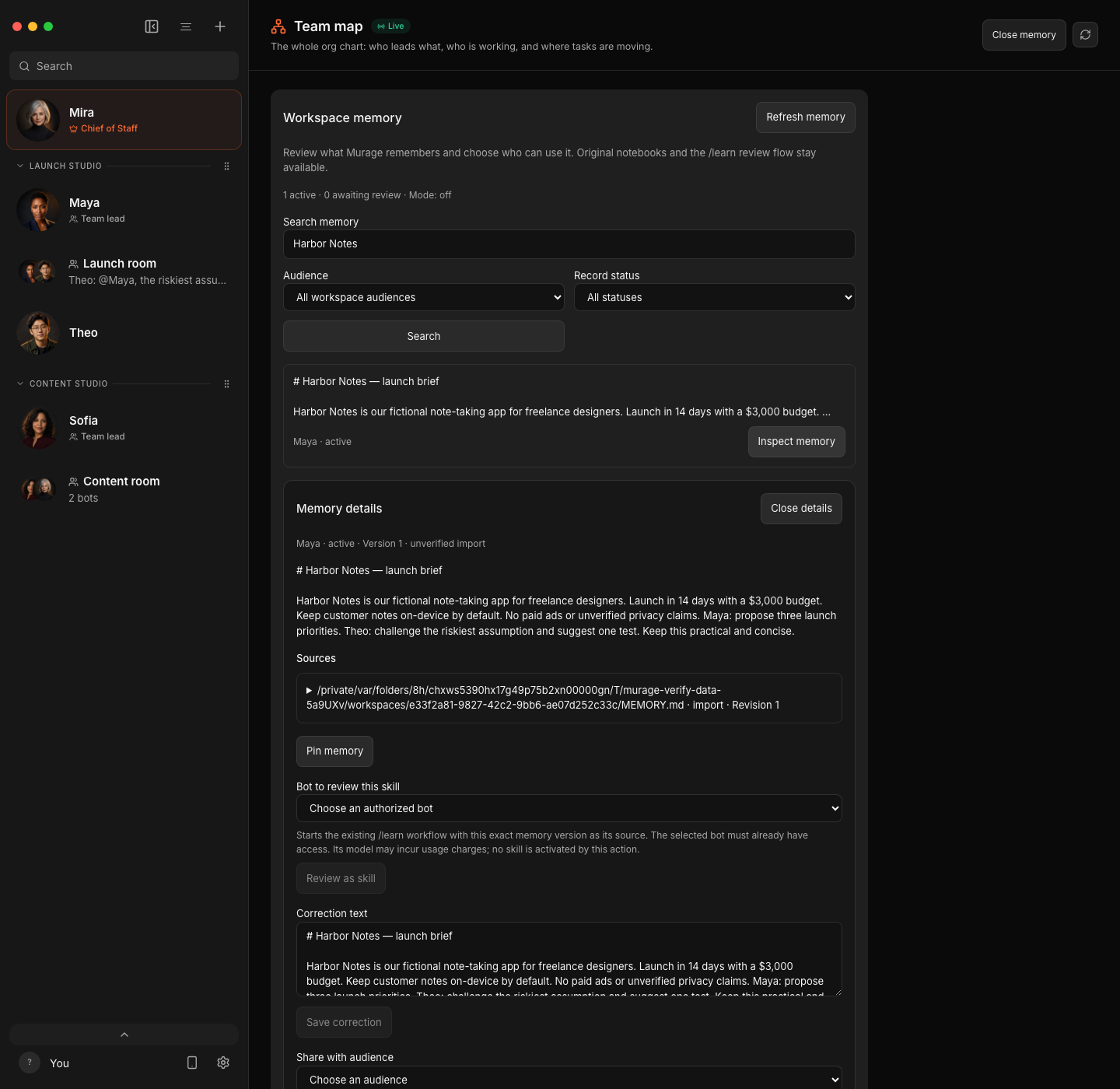
*Inspect the saved launch brief’s source and audience. This record was deliberately imported from the demo conversation and retains its unverified-import label.*
**Managed memory is on (Capture and recall) for a new installation; an existing installation keeps the mode it already has.** Open **More → Team map → Manage memory** to choose Off, Capture only or Capture and recall. Local indexing does not require a paid extraction model. Optional model-based extraction is a separate, explicit setting and creates review candidates.
Local storage is not the same as local-only AI processing: recalled context sent to a hosted engine is processed by that provider. Forgetting cannot retract text already sent. Local semantic retrieval (smart search) is available on Apple Silicon and Intel Macs, Windows x64 and Linux x64. Intel Macs run the same model on ONNX Runtime WebAssembly, so building the index for a large memory takes longer there; searches during a turn are not held up by it. [Read the memory guide](docs/memory.md).
## Your workspace, on the device in your hand
Start at your desk. Continue from your phone, tablet or another computer. Murage's **Web UI serves the same workspace**, so you can follow conversations and work from a paired browser without installing another desktop copy.
- **Responsive on mobile.** Navigation, conversations and controls adapt to smaller screens and touch input.
- **Installable as a PWA.** On a supported browser with secure HTTPS access, add Murage to your home screen or install it as a standalone web app.
- **Private remote access.** Enable browser access and pair your device over your own Tailscale network. The workspace is not automatically exposed to the public internet.
- **One running workspace.** Agents execute on the host running Murage; your paired device connects to that host. Keep it available when you want to continue elsewhere.