---
## About
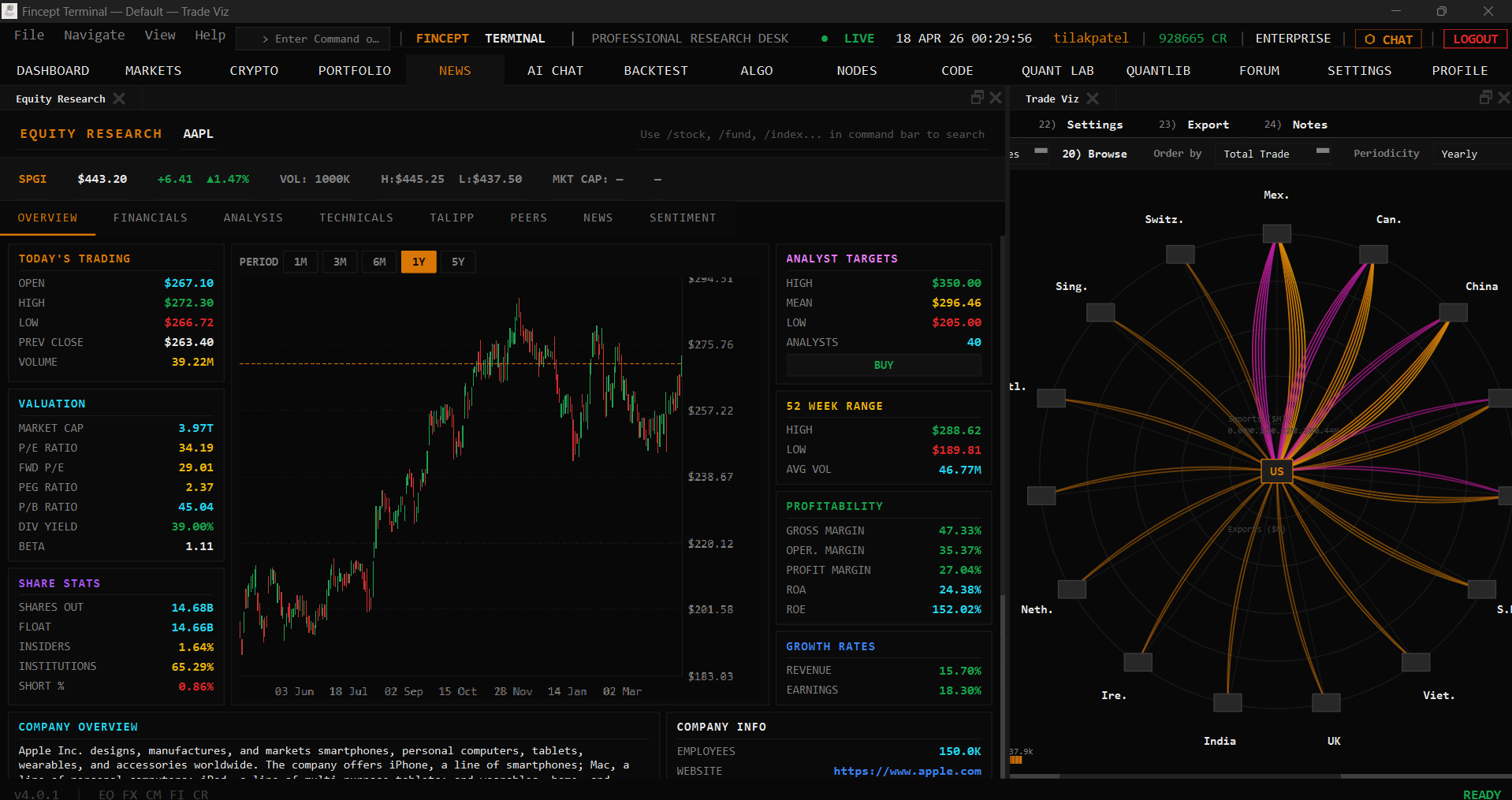
**Fincept Terminal v4** is a pure native C++20 desktop application. It uses **Qt6** for UI and rendering, embedded **Python** for analytics, and delivers Bloomberg-terminal-class performance in a single native binary.
---
## Features
| **Feature** | **Description** |
|-------------|-----------------|
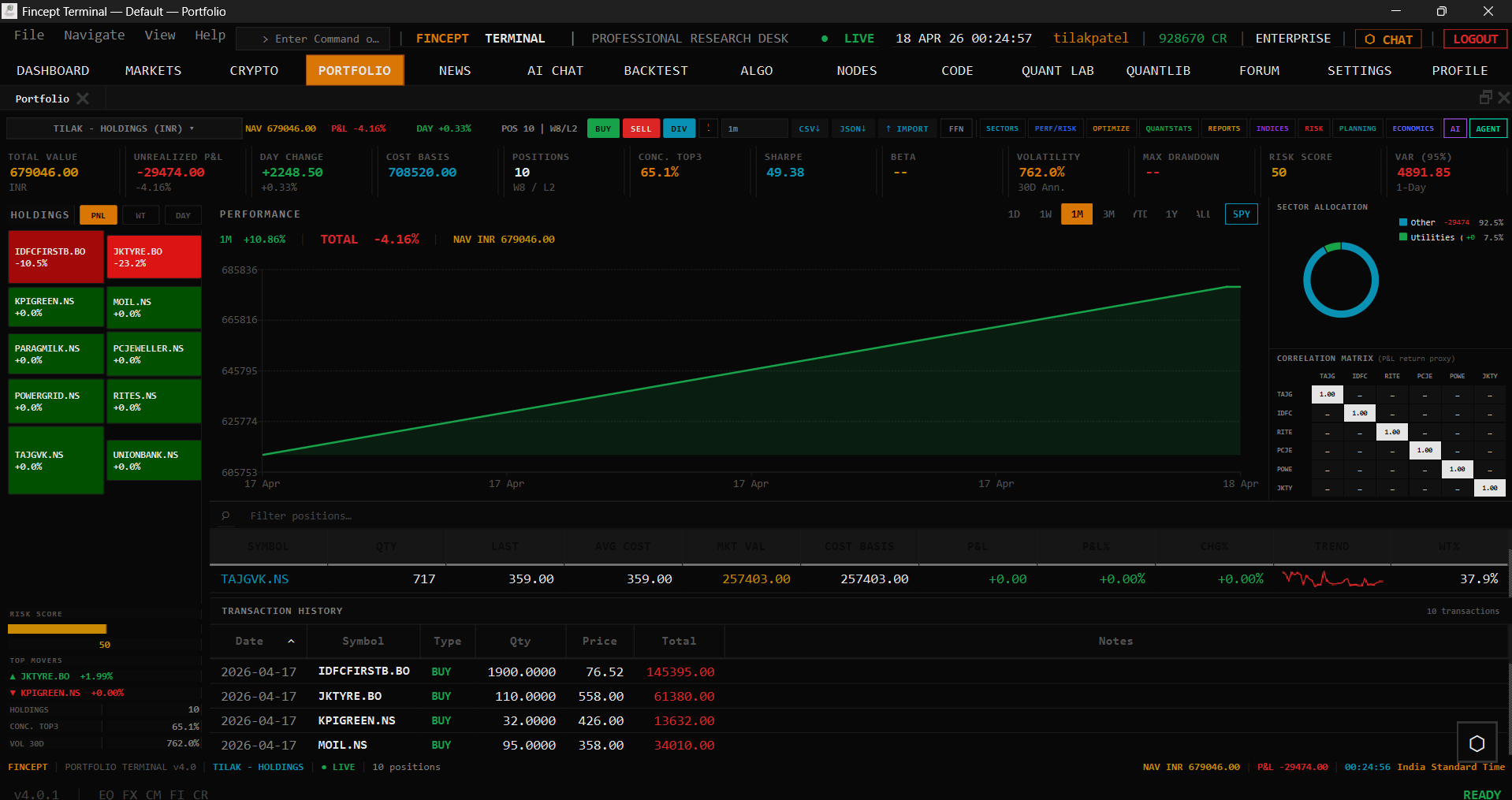
| 📊 **CFA-Level Analytics** | DCF models, portfolio optimization, risk metrics (VaR, Sharpe), derivatives pricing via embedded Python |
| 🤖 **AI Agents** | 37 agents across Trader/Investor (Buffett, Graham, Lynch, Munger, Klarman, Marks…), Economic, and Geopolitics frameworks; local LLM support; multi-provider (OpenAI, Anthropic, Gemini, Groq, DeepSeek, MiniMax, OpenRouter, Ollama) |
| 🌐 **100+ Data Connectors** | DBnomics, Polygon, Kraken, Yahoo Finance, FRED, IMF, World Bank, AkShare, government APIs, plus optional alternative-data overlays such as Adanos market sentiment for equity research |
| 📈 **Real-Time Trading** | Crypto (Kraken/HyperLiquid WebSocket), equity, algo trading, paper trading engine, 16 broker integrations (Zerodha, Angel One, Upstox, Fyers, Dhan, Groww, Kotak, IIFL, 5paisa, AliceBlue, Shoonya, Motilal, IBKR, Alpaca, Tradier, Saxo) |
| 🔬 **QuantLib Suite** | 18 quantitative analysis modules — pricing, risk, stochastic, volatility, fixed income |
| 🚢 **Global Intelligence** | Maritime tracking, geopolitical analysis, relationship mapping, satellite data |
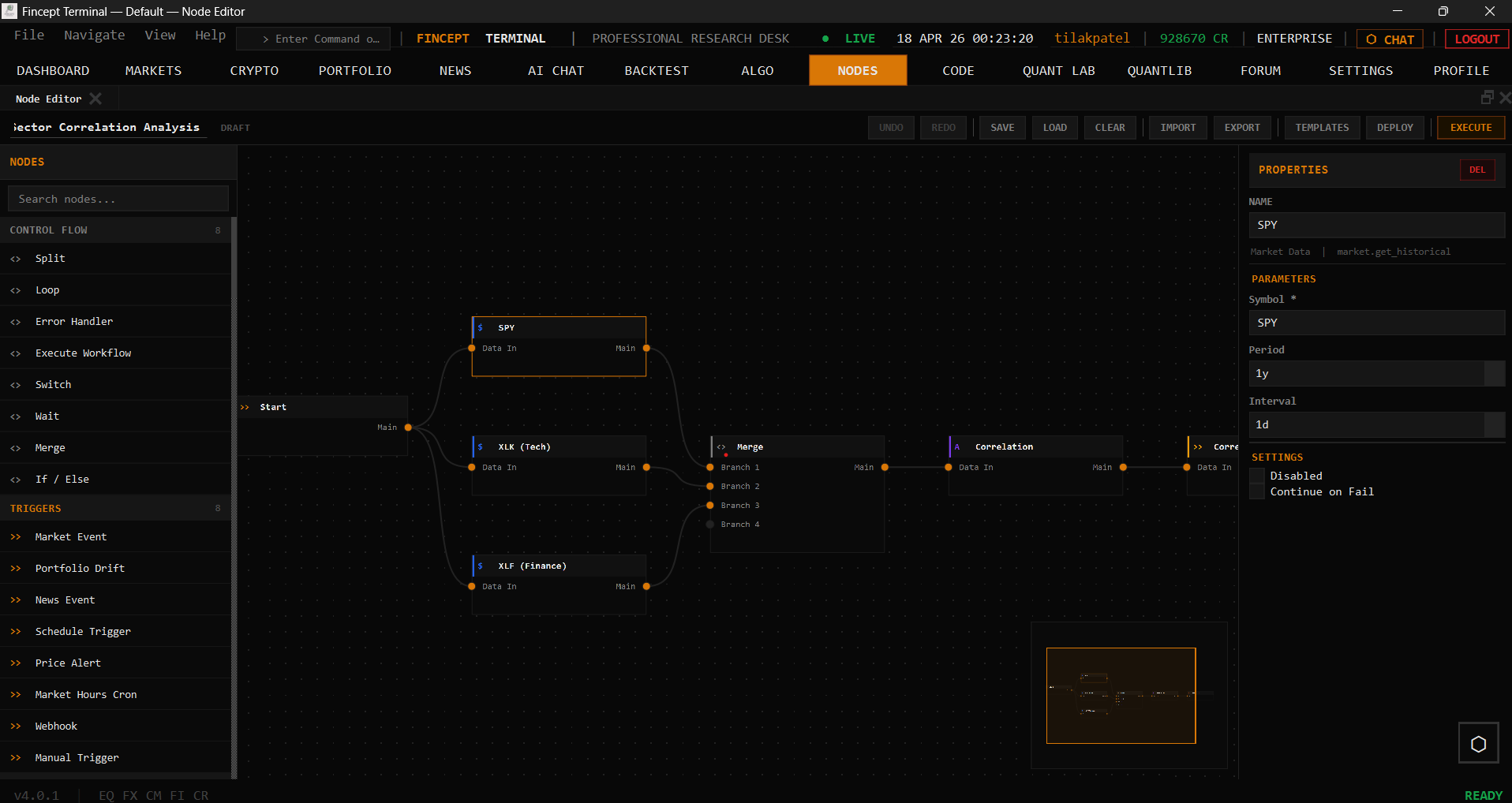
| 🎨 **Visual Workflows** | Node editor for automation pipelines, MCP tool integration |
| 🧠 **AI Quant Lab** | ML models, factor discovery, HFT, reinforcement learning trading |
---
## Installation
### Option 1 — Download Installer (Recommended)
Latest release: **v4.0.2** — [View all releases](https://github.com/Fincept-Corporation/FinceptTerminal/releases/tag/v4.0.2)
| Platform | Download | Run |
|----------|----------|-----|
| **Windows x64** | [FinceptTerminal-Windows-x64-setup.exe](https://github.com/Fincept-Corporation/FinceptTerminal/releases/download/v4.0.2/FinceptTerminal-4.0.2-win64-setup.exe) | Run installer → launch `FinceptTerminal.exe` |
| **Linux x64** | [FinceptTerminal-Linux-x64.run](https://github.com/Fincept-Corporation/FinceptTerminal/releases/download/v4.0.2/FinceptTerminal-4.0.2-linux-x64-setup.run) | `chmod +x` → run installer |
| **macOS Apple Silicon** | [FinceptTerminal-macOS-arm64.dmg](https://github.com/Fincept-Corporation/FinceptTerminal/releases/download/v4.0.2/FinceptTerminal-4.0.2-macOS-setup.dmg) | Open DMG → drag to Applications |
---
### Option 2 — Quick Start (One-Click Build)
Clone and run the setup script — it installs all dependencies and builds the app automatically:
```bash
# Linux / macOS
git clone https://github.com/Fincept-Corporation/FinceptTerminal.git
cd FinceptTerminal
chmod +x setup.sh && ./setup.sh
```
The script handles: compiler check, CMake, Qt6, Python, build, and launch.
> **Windows:** No setup script — use the manual build steps in Option 4 below. It's just two commands.
---
### Option 3 — Docker
```bash
# Pull and run
docker pull ghcr.io/fincept-corporation/fincept-terminal:latest
docker run --rm -e DISPLAY=$DISPLAY -v /tmp/.X11-unix:/tmp/.X11-unix \
ghcr.io/fincept-corporation/fincept-terminal:latest
# Or build from source
git clone https://github.com/Fincept-Corporation/FinceptTerminal.git
cd FinceptTerminal
docker build -t fincept-terminal .
docker run --rm -e DISPLAY=$DISPLAY -v /tmp/.X11-unix:/tmp/.X11-unix fincept-terminal
```
> **Note:** Docker is primarily intended for Linux. macOS and Windows require additional XServer configuration.
---
### Option 4 — Build from Source (Manual)
> **Versions are pinned.** Use the exact versions below. Newer or older versions are unsupported and may fail to build or produce unstable binaries.
#### Prerequisites (exact versions)
| Tool | Pinned Version | Notes |
|------|----------------|-------|
| **Git** | latest | — |
| **CMake** | **3.27.7** | [Download](https://cmake.org/download/) |
| **Ninja** | **1.11.1** | [Download](https://github.com/ninja-build/ninja/releases) |
| **C++ compiler** | **MSVC 19.38** (VS 2022 17.8) / **GCC 12.3** / **Apple Clang 15.0** (Xcode 15.2) | C++20 required |
| **Qt** | **6.8.3** | [Qt Online Installer](https://www.qt.io/download-qt-installer) |
| **Python** | **3.11.9** | [python.org](https://www.python.org/downloads/release/python-3119/) |
| **Platform SDK** | Win10 SDK 10.0.22621.0 / macOS SDK 14.0 (deploy 11.0+) / glibc 2.31+ | — |
#### Install Qt 6.8.3
**Windows:** Qt Online Installer → select `Qt 6.8.3 > MSVC 2022 64-bit` (install path: `C:/Qt/6.8.3/msvc2022_64`)
**Linux:** Qt Online Installer → `Qt 6.8.3 > Desktop gcc 64-bit` (install path: `~/Qt/6.8.3/gcc_64`). **Or** for system packages, install `qt6-base-dev qt6-charts-dev qt6-tools-dev qt6-base-private-dev libqt6websockets6-dev libgl1-mesa-dev` — note system packages may be a different 6.x minor.
**macOS:** Qt Online Installer → `Qt 6.8.3 > macOS` (install path: `~/Qt/6.8.3/macos`)
#### Build (using CMake presets — recommended)
```bash
git clone https://github.com/Fincept-Corporation/FinceptTerminal.git
cd FinceptTerminal/fincept-qt
```
**Step 1 — Configure** (one-time, or after `CMakeLists.txt` changes):
```powershell
cmake --preset win-release # Windows (PowerShell)
cmake --preset linux-release # Linux
cmake --preset macos-release # macOS
```
**Step 2 — Compile** (run this for every code change):
```powershell
cmake --build --preset win-release # Windows
cmake --build --preset linux-release # Linux
cmake --build --preset macos-release # macOS
```
Debug variants: replace `release` with `debug` (e.g. `win-debug`, `linux-debug`, `macos-debug`).
> **Windows prerequisite:** The PowerShell profile at `~/Documents/PowerShell/Microsoft.PowerShell_profile.ps1`
> auto-initializes VS 2022 on every new terminal — open a fresh PowerShell and cmake works directly.
#### Build (manual — if presets can't resolve your Qt path)
```powershell
# Windows (PowerShell)
cmake -B build/win-release -G Ninja -DCMAKE_BUILD_TYPE=Release `
-DCMAKE_PREFIX_PATH="C:/Qt/6.8.3/msvc2022_64"
cmake --build build/win-release
```
```bash
# Linux
cmake -B build/linux-release -G Ninja -DCMAKE_BUILD_TYPE=Release \
-DCMAKE_PREFIX_PATH="$HOME/Qt/6.8.3/gcc_64"
cmake --build build/linux-release
# macOS
cmake -B build/macos-release -G Ninja -DCMAKE_BUILD_TYPE=Release \
-DCMAKE_OSX_DEPLOYMENT_TARGET=11.0 \
-DCMAKE_PREFIX_PATH="$HOME/Qt/6.8.3/macos"
cmake --build build/macos-release
```
#### Run
```bash
./build/