# Manga Colorizer
**Drop in a black-and-white manga, get it back in color.** A self-hosted web app that AI-colors whole books (PDF, EPUB or CBZ) and gives you back the same format, plus a [browser extension](#browser-extension) that colors manga pages in place while you read online. It runs on your own GPU, with no account, no cloud and no uploads to anyone.
[](https://github.com/FlamboyantEntertainment/manga-colorizer/actions/workflows/ci.yml)
[](LICENSE)
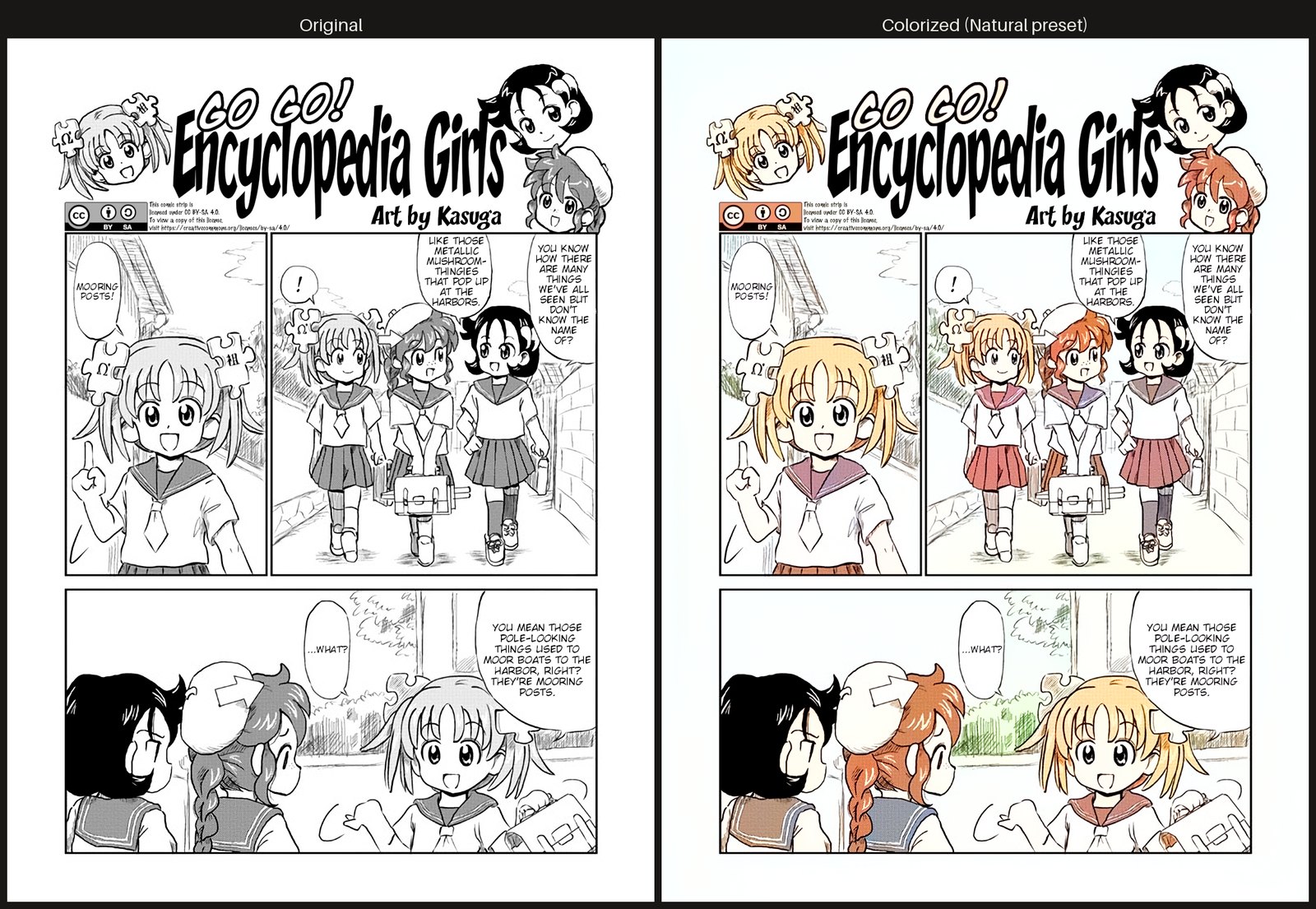
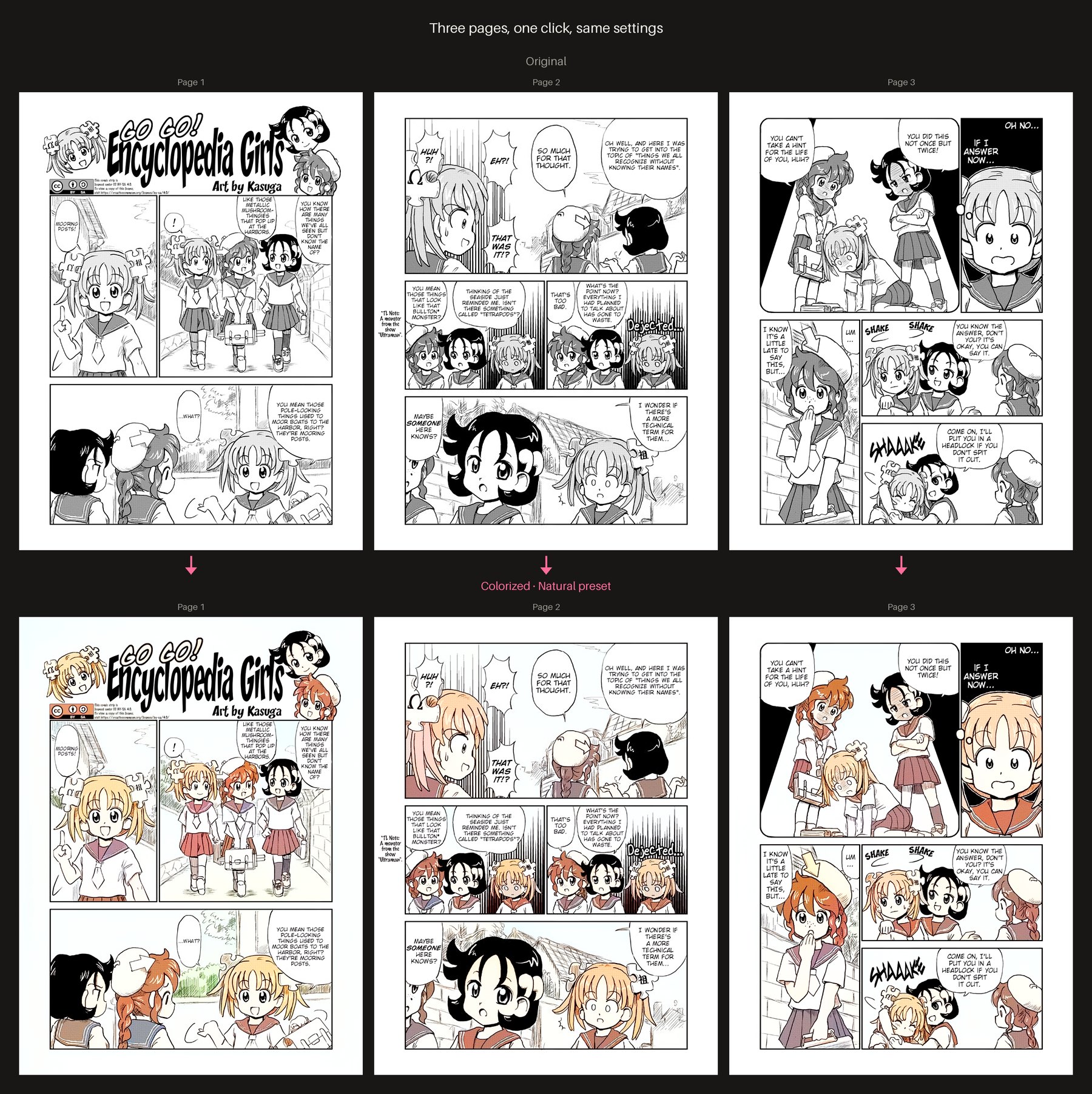
## Features
- **Whole books in, whole books out.** Supports PDF, EPUB and CBZ. EPUBs stay valid EPUBs, and page order and file names are preserved.
- **Sharp linework.** The AI colors a small copy of each page, then only the color is transferred onto your original full-resolution page. Lines and screentone stay as crisp as the source.
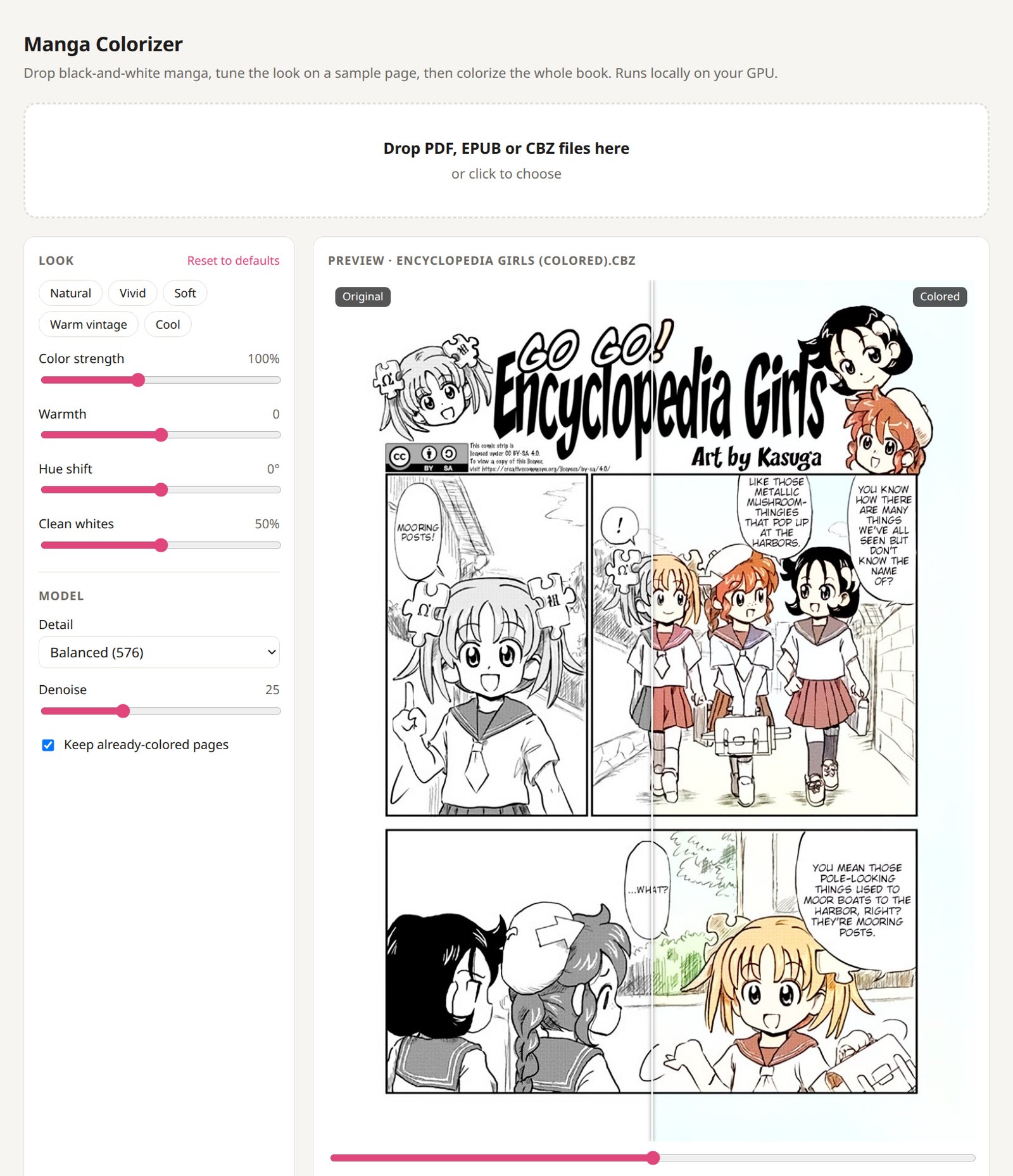
- **Live preview.** Tune the look on any page of the book with a before/after slider before you commit.
- **Tone controls.** Color strength, warmth, hue shift and "clean whites" (removes the tint on paper and speech bubbles), plus presets.
- **Browser extension.** Colors manga pages in place as you read on a website, with the same presets and sliders as the web UI.
- **Smart skipping.** Already-colored pages such as covers are left alone, and so are small images like icons.
- **Light on hardware.** Runs on 8 GB NVIDIA GPUs at about 0.5 s per page, and also works on CPU (about 10–20 s per page, so a 200-page volume takes about an hour).
## Quick start
You need [Docker](https://docs.docker.com/get-docker/). Then pick one:
### NVIDIA GPU: Windows (Docker Desktop)
```
docker run -d --gpus all -p 7860:7860 -v manga-models:/models --name manga-colorizer --restart unless-stopped ghcr.io/flamboyantentertainment/manga-colorizer:latest
```
### NVIDIA GPU: Linux
First, one-time setup: install the [NVIDIA Container Toolkit](https://docs.nvidia.com/datacenter/cloud-native/container-toolkit/latest/install-guide.html) so Docker can use your GPU. Then run the same command:
```
docker run -d --gpus all -p 7860:7860 -v manga-models:/models --name manga-colorizer --restart unless-stopped ghcr.io/flamboyantentertainment/manga-colorizer:latest
```
### No NVIDIA GPU (any computer, including Mac)
```
docker run -d -p 7860:7860 -v manga-models:/models --name manga-colorizer --restart unless-stopped ghcr.io/flamboyantentertainment/manga-colorizer:cpu
```
Then open **http://localhost:7860**. On the first start the app downloads the AI model (about 130 MB), and the status line at the top tells you when it's ready.
Docker Compose
```
curl -O https://raw.githubusercontent.com/FlamboyantEntertainment/manga-colorizer/main/docker-compose.yml
docker compose up -d
```
For CPU only, edit the file first: use the `:cpu` tag and delete the `deploy:` section.
**Update:** `docker pull ghcr.io/flamboyantentertainment/manga-colorizer:latest`, then remove the container (`docker rm -f manga-colorizer`) and run the command again. The downloaded model is kept.
## How to use
1. **Drop** one or more books onto the page.
2. **Tune** the look. The app picks a representative page (it skips covers, blank pages and title pages). Use Prev/Next to check other pages. Drag the slider in the middle of the preview to compare before and after.
3. **Colorize**, then **Download** when it's done. The file is named ` (colored).`.
### Settings
| Setting | What it does |
|---|---|
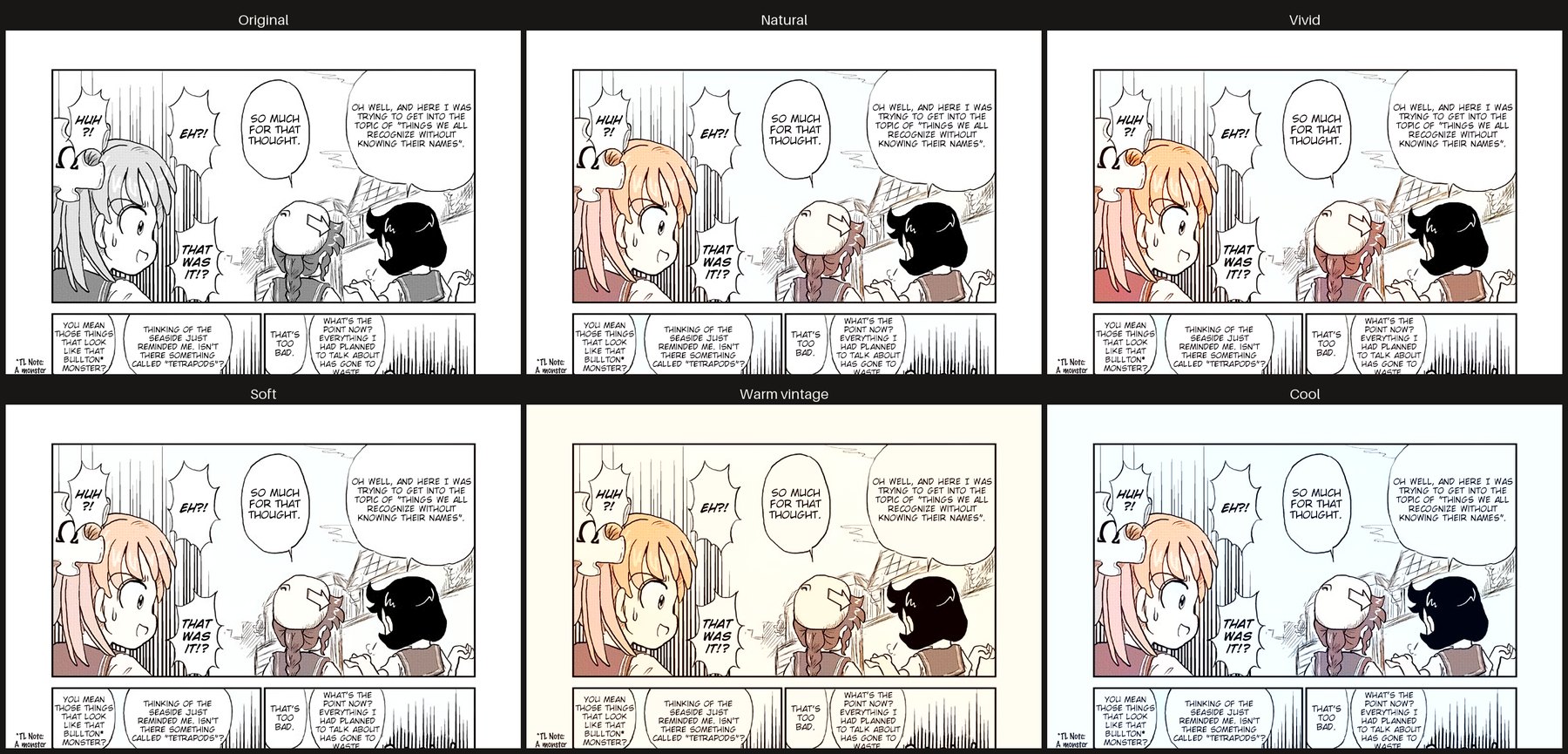
| Presets | Natural, Vivid, Soft, Warm vintage, Cool |
| Color strength | 0% = grayscale, 100% = the AI's own colors, up to 250% |
| Warmth | Shifts colors toward yellow/red (warm) or blue (cool) |
| Hue shift | Rotates all colors, for when the whole palette feels off |
| Clean whites | Removes the color tint the AI leaves on paper and speech bubbles |
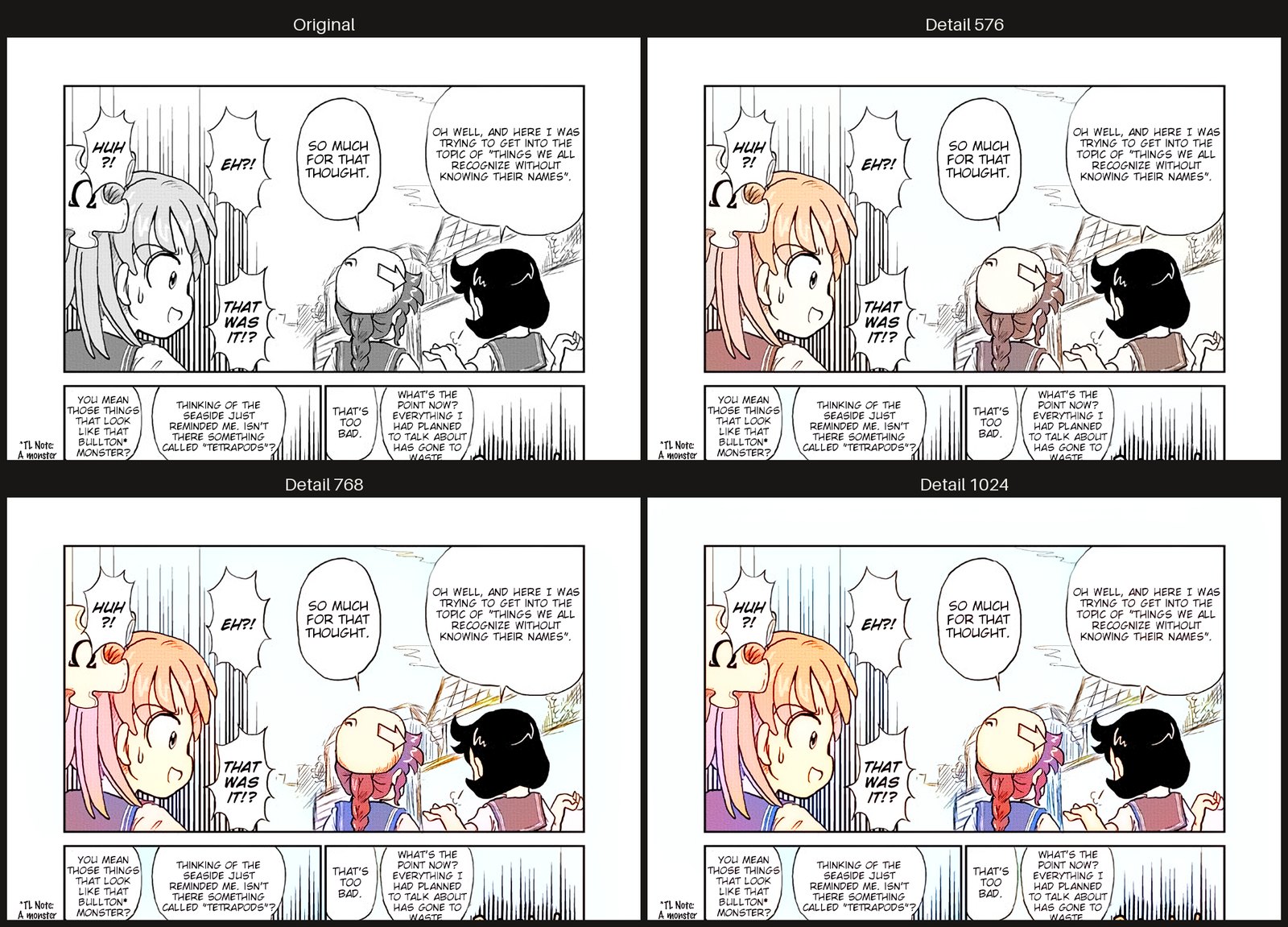
| Detail | The resolution the AI works at. 576 is what it was trained on and usually looks best |
| Denoise | Cleans JPEG noise before coloring. Raise it for noisy scans; use 0 for clean digital releases |
**Reset to defaults** restores everything; double-click any slider to reset just that one.
**Presets** on the same page:
**Detail**: higher values give small areas such as collars and braids their own color, at the cost of speed:
## What to expect
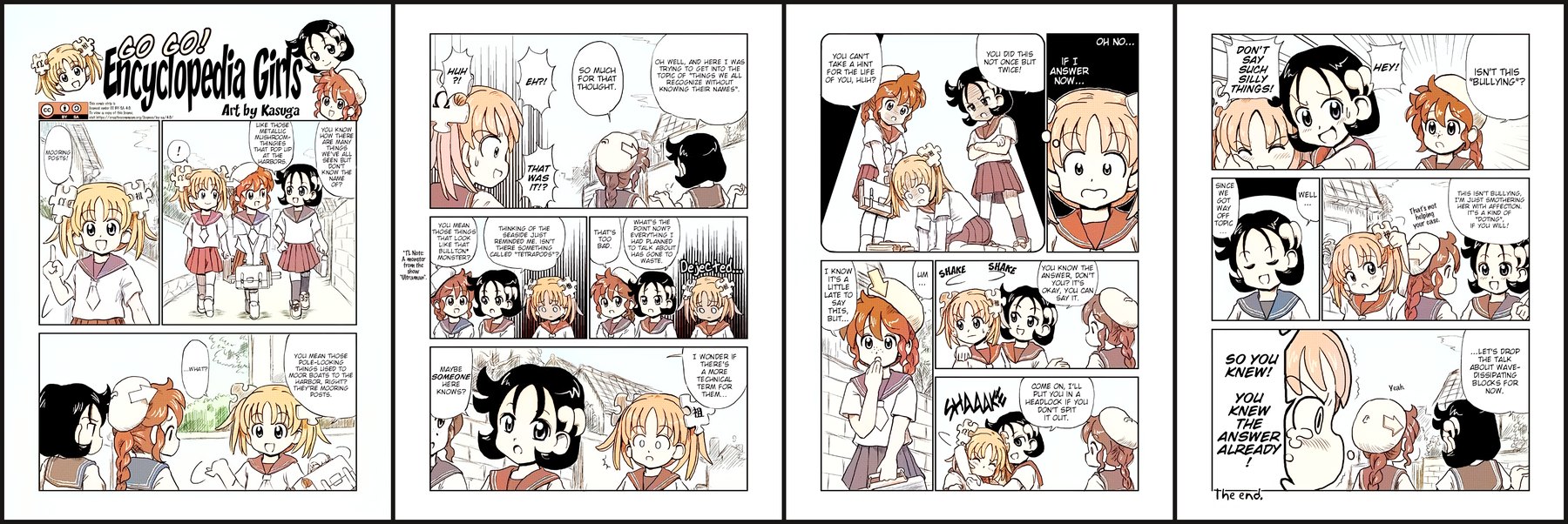
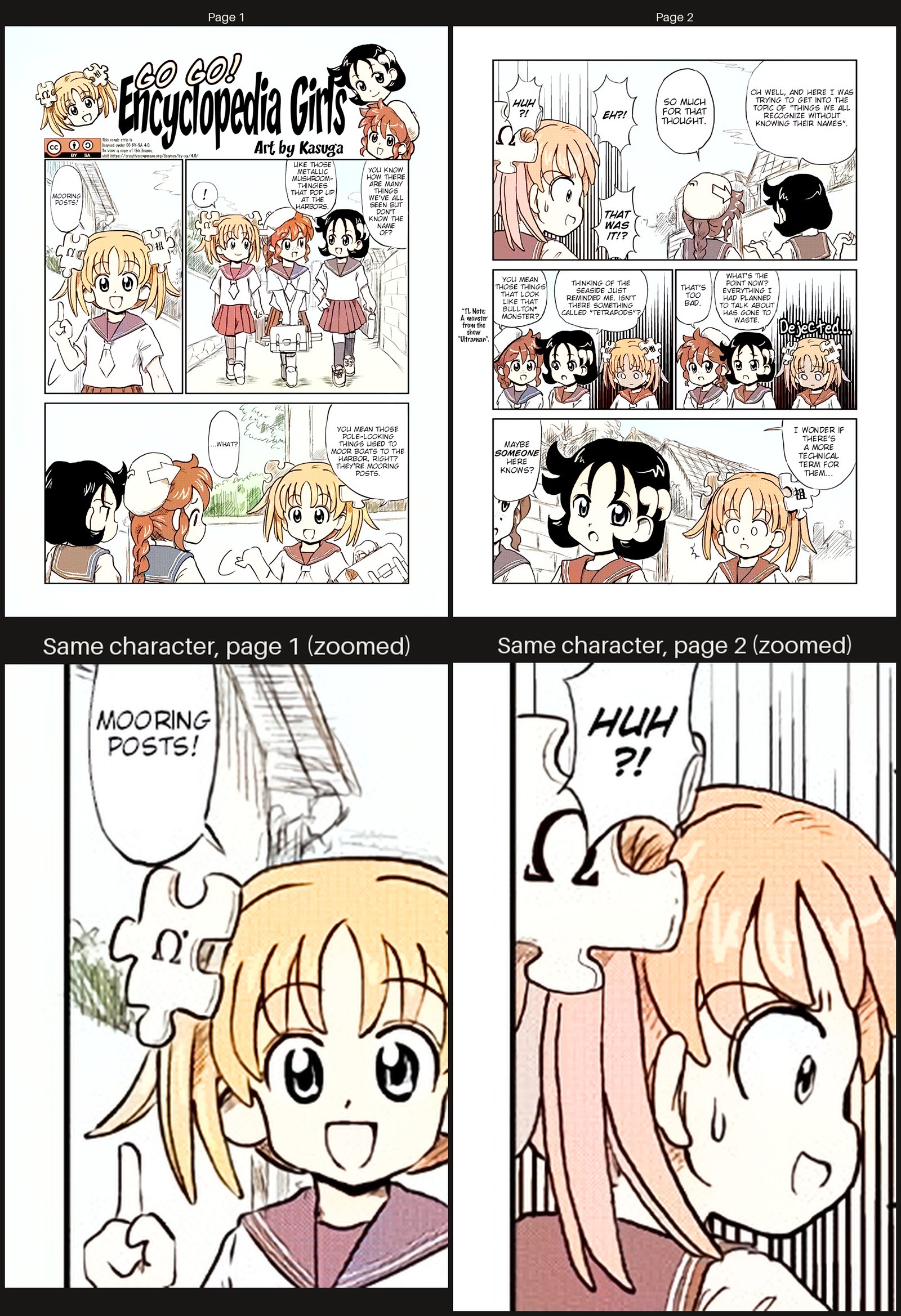
This uses [manga-colorization-v2](https://github.com/qweasdd/manga-colorization-v2), a fast, lightweight model. Results are pleasant, soft, anime-style color, not hand-colored quality. Each page is colored on its own, so a character's hair or clothes may change color between pages. The tone controls help you get a consistent overall look.
A full four-page story with the default settings:
**Page-to-page consistency**, up close: the same girl is golden blonde on page 1, but in page 2's big close-up her hair turns peach with pink strands. In page 2's smaller panels she's blonde again, so colors can drift even within a page, most often in large close-ups.
## Troubleshooting
- **The status line says "CPU" but I have an NVIDIA GPU.** Make sure you used `--gpus all`. On Linux, install the NVIDIA Container Toolkit. Check with `docker run --rm --gpus all ubuntu nvidia-smi`. The GPU image needs an RTX 20-series or newer card and NVIDIA driver 580 or newer; `nvidia-smi` shows your driver version.
- **The model failed to download.** The first start needs internet access to GitHub. Restart the container to retry.
- **Port 7860 is already in use.** Change the first number, for example `-p 8080:7860`, then open http://localhost:8080. The browser extension always looks for the server on port 7860, so it won't work on another port.
- **The extension popup says "Server offline".** Start the server (the Docker container or `./run.sh`) and reopen the popup. Pages marked "server offline" stay queued and are colored once it is back.
- **The extension does nothing on a site.** Tick **Colorize on ** in the popup for that site, and reload the tab after updating the extension. Pages drawn into a `