# Steam Cloud File Manager
**English** | [简体中文](README.md)













> Cross-platform Steam Cloud file management utility built with Rust and egui.
## Features
A cloud save management utility built with Rust and the Steamworks SDK. By directly interfacing with low-level Steam APIs, it provides complete visibility and control over your cloud files. It supports uploading, downloading, and deleting individual files, and introduces a symlink sync solution to resolve cross-platform configuration sync issues.
- **VDF File Tree Visualization**: Fully parses `remotecache.vdf` to reconstruct the cloud directory structure.
- **Batch Transfer**: Supports multi-file selection and drag-and-drop for uploads/downloads.
- **Deep Control**: Directly delete cloud files and force sync status updates.
- **Root Path Mapping**: Parses numeric Root IDs (0-12) from `remotecache.vdf` and automatically resolves them to absolute local disk paths (this mapping is undocumented in official sources).
- **Search & Filter**: Supports regex search for filenames, paths, and sync status.
- **Game Library Scanning**: Automatically discovers local games by parsing `libraryfolders.vdf`.
- **Symlink Sync**: Supports mounting locally unsupported files to Steam Cloud via symlinks (Experimental).
- **UFS Config Management**: Directly read/write `appinfo.vdf` to edit Auto-Cloud configuration like the Steamworks backend (Experimental). Add/edit/delete savefiles rules and rootoverrides path mappings to customize cloud sync behavior.
- **Multi-Platform Support**: Windows / macOS / Linux.
## Platform Compatibility
Supports **Windows (x64)**, **macOS (Intel & Apple Silicon)**, and **Linux (x64)**.
Build artifacts include standard installers and portable versions (Generic Binary / AppImage).
> _Note: Due to upstream Steamworks SDK limitations, we cannot currently build ARM64 versions for Windows and Linux._
## Installation
### Windows
1. Download [](https://github.com/Fldicoahkiin/SteamCloudFileManager/releases)
2. Extract to any location
3. Double-click `SteamCloudFileManager.exe` to run
> **Note**:
>
> - Windows: Logs are saved in the `logs/` folder in the application directory.
> - macOS: Logs are saved in `~/Library/Logs/SteamCloudFileManager/` directory.
> - Linux: Logs are saved in `~/.local/share/SteamCloudFileManager/logs/` directory.
### macOS
#### Homebrew
**Install (Recommended, auto-installs to Applications):**
```bash
brew tap Fldicoahkiin/tap
brew install --cask steam-cloud-file-manager
```
> If the app is reported as damaged, run: `xattr -cr "/Applications/Steam Cloud File Manager.app"`
**Install as Formula (Terminal launch command only):**
```bash
brew install steam-cloud-file-manager
```
#### Manual Installation
1. Download the version for your architecture:
- Intel: [](https://github.com/Fldicoahkiin/SteamCloudFileManager/releases)
- Apple Silicon: [](https://github.com/Fldicoahkiin/SteamCloudFileManager/releases)
2. Open the DMG file
3. Drag the app to the Applications folder
4. If you encounter a "Damaged" or "Cannot be opened" error, run the following command in Terminal to fix the signature:
```bash
xattr -c "/Applications/Steam Cloud File Manager.app"
```
### Arch Linux (AUR)
```bash
yay -S steam-cloud-file-manager-bin
# or
paru -S steam-cloud-file-manager-bin
```
Manual build:
```bash
git clone https://aur.archlinux.org/steam-cloud-file-manager-bin.git
cd steam-cloud-file-manager-bin
makepkg -si
steam-cloud-file-manager
```
Or download [](https://github.com/Fldicoahkiin/SteamCloudFileManager/releases) pre-built package:
```bash
tar -xzf SteamCloudFileManager-*-linux-x86_64-aur.tar.gz
cd SteamCloudFileManager-*-linux-x86_64-aur
makepkg -si
steam-cloud-file-manager
```
### Debian/Ubuntu
Download [](https://github.com/Fldicoahkiin/SteamCloudFileManager/releases)
```bash
sudo dpkg -i steam-cloud-file-manager_*.deb
sudo apt-get install -f
steam-cloud-file-manager
```
### Fedora/RHEL/openSUSE
Download [](https://github.com/Fldicoahkiin/SteamCloudFileManager/releases)
```bash
sudo dnf install ./steam-cloud-file-manager-*.rpm
steam-cloud-file-manager
```
### AppImage (Universal)
Download [](https://github.com/Fldicoahkiin/SteamCloudFileManager/releases)
```bash
chmod +x SteamCloudFileManager-*.AppImage
./SteamCloudFileManager-*.AppImage
```
### .tar.gz (Universal)
Download [](https://github.com/Fldicoahkiin/SteamCloudFileManager/releases)
```bash
tar -xzf SteamCloudFileManager-*-linux-x86_64.tar.gz
./steam-cloud-file-manager
```
### Build from Source
```bash
git clone https://github.com/Fldicoahkiin/SteamCloudFileManager.git
cd SteamCloudFileManager
cargo build --release
```
**Build Dependencies:**
- **Cargo**
- **Rust 1.90.0+**
- Uses Rust 2021 edition
- Install: `curl --proto '=https' --tlsv1.2 -sSf https://sh.rustup.rs | sh`
- **C++ Toolchain:**
- **Windows**:
- Visual Studio 2019 or newer (recommend installing "Desktop development with C++" workload)
- Or [Build Tools for Visual Studio](https://visualstudio.microsoft.com/downloads/#build-tools-for-visual-studio-2022)
- **macOS**:
- Xcode Command Line Tools: `xcode-select --install`
- **Linux**:
- gcc/g++ or clang
- Ubuntu/Debian: `sudo apt install build-essential`
- Fedora: `sudo dnf install gcc gcc-c++`
- Arch: `sudo pacman -S base-devel`
**Runtime Dependencies:**
- Steam client (must run in debug mode)
## Usage
### Steam Debug Mode
This tool uses the CDP protocol to communicate with Steam, so you **must** launch Steam with debugging enabled.
**Why is this required?**
- CDP (Chrome DevTools Protocol) is the debugging interface for Steam's built-in browser.
- We use this interface to fetch the cloud file list and download links.
- The CDP port is only active when debug mode is enabled.
**Windows:**
1. Right-click your Steam shortcut and select "Properties".
2. Add `-cef-enable-debugging` to the end of the "Target" field.
3. Click "OK" and launch Steam.
**macOS:**
1. Quit Steam.
2. Run in Terminal:
```bash
open -a Steam --args -cef-enable-debugging
```
**Linux:**
1. Close Steam.
2. Run in Terminal:
```bash
steam -cef-enable-debugging &
```
Or edit your Steam shortcut and append `-cef-enable-debugging` to the Exec line.
**Note:** The software features a built-in "Restart Steam in Debug Mode" button that automates this process.
### Basic Workflow
1. Ensure Steam is running in debug mode.
2. Select the target game:
- **Game Library**: Click the game library button to select a local game (auto-connects).
- **Manual Input**: Enter App ID and click **"Connect"**.
3. Once loaded, manipulate files via the tree view on the left.
App IDs can be found in Steam Store URLs or on [SteamDB](https://steamdb.info/).
> ⚠️ **Warning**
>
> - **Irreversible Action**: Deletions are committed to the local cache immediately.
> - **Data Safety**: We recommend backing up original files before batch operations.
> - **Sync Mechanism**: Changes are written to the local cache and uploaded asynchronously by Steam. Do not kill the Steam process before sync completes.
### Cloud Sync Mechanism
```mermaid
graph TB
subgraph dev["🔧 Developer"]
Steamworks["Steamworks Backend
Configure ufs"]
GameCode["Game Code"]
end
Cloud(("🌐 Steam Server"))
subgraph client["🖥️ Steam Client"]
subgraph vdf["Local VDF Files"]
AppInfo[(appinfo.vdf)]
RemoteCache[(remotecache.vdf)]
end
subgraph sync["☁️ Steam Cloud Sync"]
Auto["Steam Auto-Cloud
Auto recursive file matching"]
API["Steam Cloud API
ISteamRemoteStorage"]
end
end
%% Steamworks config delivery
Steamworks --> Cloud
Cloud -->|Deliver ufs Config| AppInfo
AppInfo -->|ufs Config Rules| Auto
Auto --> RemoteCache
%% Game code calls API
GameCode -->|Call API| API
API -->|Write File| RemoteCache
%% Bidirectional sync
RemoteCache <===>|Bidirectional Sync| Cloud
```
**This Tool's Interaction Flow:**
```mermaid
graph TB
Tool["🛠️ This Tool"]
subgraph client["🖥️ Steam Client"]
subgraph vdf["Local VDF Files"]
AppInfo[(appinfo.vdf)]
RemoteCache[(remotecache.vdf)]
end
subgraph sync["☁️ Steam Cloud Sync"]
Auto["Steam Auto-Cloud"]
API["Steam Cloud API"]
end
Browser["🌐 Steam Built-in Browser
127.0.0.1:8080"]
end
Cloud(("🌐 Steam Server"))
%% This tool's operations (inject into flow)
Tool -.->|Read| AppInfo
Tool -.->|Read| RemoteCache
Tool ==>|Inject ufs Config| AppInfo
Tool -->|Call API| API
Tool -->|CDP Get Download Link| Browser
%% Steam internal flow
AppInfo -->|ufs Config Rules| Auto
Auto --> RemoteCache
API -->|Write File| RemoteCache
RemoteCache <===>|Bidirectional Sync| Cloud
Browser <-->|Access Cloud Storage| Cloud
```
Full Architecture Diagram (Click to Expand)
```mermaid
graph LR
subgraph left["External"]
subgraph dev["🔧 Developer"]
Steamworks["Steamworks Backend
Configure ufs"]
GameCode["Game Code"]
end
Tool["🛠️ This Tool"]
end
subgraph client["🖥️ Steam Client"]
subgraph vdf["Local VDF Files"]
AppInfo[(appinfo.vdf)]
RemoteCache[(remotecache.vdf)]
end
subgraph sync["☁️ Steam Cloud Sync"]
Auto["Auto-Cloud"]
API["Steam Cloud API"]
end
Browser["🌐 Built-in Browser"]
end
Cloud(("🌐 Steam
Server"))
%% Developer flow
Steamworks --> Cloud
Cloud -->|Deliver ufs Config| AppInfo
GameCode -->|Call API| API
%% Steam internal flow
AppInfo --> Auto
Auto --> RemoteCache
API --> RemoteCache
RemoteCache <===> Cloud
Browser <--> Cloud
%% This tool's operations
Tool -.->|Read| AppInfo
Tool -.->|Read| RemoteCache
Tool ==>|Inject ufs| AppInfo
Tool -->|Call| API
Tool -->|CDP| Browser
```
#### Two Types of Steam Cloud Sync
Steam provides two cloud sync mechanisms:
**Auto-Cloud**\
Developers configure in Steamworks backend, Steam automatically scans specified directories:
- Steam actively scans configured directories
- Automatically matches files based on patterns (e.g., `*.sav`)
- New files are automatically added to remotecache.vdf and synced
- Configuration stored in appinfo.vdf's `ufs` section
**Steam Cloud API**\
Game code calls `ISteamRemoteStorage::FileWrite()` to explicitly register files:
- Steam does not actively scan
- Requires game to call API to register files
- User-created files are not automatically synced
**This Tool's Positioning**:\
This tool provides two ways to control cloud sync:
1. **Steam Cloud API**: Manually call API to register files, solving the problem of games not writing to symlinked directories
2. **UFS Config Injection** (New Feature): Directly modify local `appinfo.vdf`'s `ufs` section, enabling Steamworks-like configuration management. You can:
- Add/edit/delete `savefiles` rules (specify sync directories, file patterns, and recursive search option)
- Add/edit/delete `rootoverrides` path mappings (cross-platform path conversion)
- Configure `pathtransforms` path transformation rules (optional, for dynamic path substitution)
- Customize cloud sync paths for any game
> ⚠️ **Note**: UFS config injection modifies local appinfo.vdf. Steam updates may overwrite these changes. Backup your configuration before modifying.
### Data Flow
```mermaid
graph TD
subgraph Toolbar
Upload[Upload]
Download[Download]
SyncToCloud[Sync to Cloud]
Delete[Delete]
Forget[Forget]
Compare[Compare Files]
Refresh[Refresh]
Backup[Backup]
end
subgraph SteamAPI[Steam API]
WriteFile[write_file]
ReadFile[read_file]
DeleteFile[delete_file]
ForgetFile[forget_file]
SyncCloud[sync_cloud_files]
end
subgraph DataFetch[Data Fetching]
CDPClient[CDP Client]
VDFParser[VDF Parser]
end
Upload -->|Select Local File| WriteFile
WriteFile --> SyncCloud
Download --> CDPClient
CDPClient -->|Get Download URL| HTTP[HTTP Download]
HTTP --> LocalDisk[Local Disk]
SyncToCloud -->|Upload Local-Only Files| WriteFile
Delete --> DeleteFile
DeleteFile --> SyncCloud
Forget -->|Remove from Cloud, Keep Local| ForgetFile
ForgetFile --> SyncCloud
Compare --> CDPClient
Compare --> VDFParser
CDPClient -->|Calculate Cloud Hash| HashCompare[Hash Compare]
VDFParser -->|Calculate Local Hash| HashCompare
Backup --> ReadFile
ReadFile --> LocalDisk
Refresh --> VDFParser
Refresh --> CDPClient
VDFParser --> FileList[File List]
CDPClient --> FileList
SyncCloud -.->|Background Async| CloudServer[Steam Cloud]
```
### Data Source Priority
| Source | Data Content | Priority | Description |
| ------------- | ---------------------------------------- | ---------- | ------------------------------- |
| **VDF** | Local cached file list, sync status | Primary | Parses `remotecache.vdf` |
| **CDP** | Real-time cloud file list, download URLs | Supplement | Via Steam's built-in browser |
| **Steam API** | File read/write/delete, quota query | Operations | `ISteamRemoteStorage` interface |
### Sync Status (`is_persisted`)
```
Newly uploaded file
is_persisted = false ← Only in local cache
↓
Steam background upload (takes seconds to minutes)
↓
is_persisted = true ← Synced to cloud
```
> ⚠️ **Important**: `sync_cloud_files()` returns immediately; actual upload happens asynchronously in background. Steam forces sync completion on disconnect.
### CDP Protocol
Fetches real-time cloud data via Steam's CEF (Chromium Embedded Framework) debug interface:
1. **Detect**: Access `http://127.0.0.1:8080/json` to get debug target list
2. **Connect**: Establish WebSocket connection to target page
3. **Navigate**: Go to `store.steampowered.com/account/remotestorage`
4. **Inject**: Execute JavaScript to extract file list and download URLs
5. **Merge**: Combine CDP data with VDF data, supplementing download URLs and real-time status
### VDF Parsing & Root Mapping
The tool parses `remotecache.vdf` in real-time for file lists, and parses **`appinfo.vdf`** to extract game cloud rules (`ufs` section), automatically handling Steam's Root ID mapping:
**What is Root ID?**
Steam uses numeric Root IDs (0-12) in `remotecache.vdf` to identify file storage locations. **This numeric ID to path mapping is not documented in any official sources** - it has been verified through VDF file parsing and actual game testing.
| Root ID | Steamworks Root Name | Windows Path Example |
| ------- | ----------------------- | --------------------------------- |
| 0 | `Default` | `userdata/{uid}/{appid}/remote/` |
| 1 | `App Install Directory` | `steamapps/common/GameName/` |
| 2 | `WinMyDocuments` | `%USERPROFILE%\Documents\` |
| 3 | `WinAppDataLocal` | `%LOCALAPPDATA%\` |
| 9 | `WinSavedGames` | `%USERPROFILE%\Saved Games\` |
| 11 | `SteamCloudDocuments` | `Documents\Steam Cloud\` |
| 12 | `WinAppDataLocalLow` | `%USERPROFILE%\AppData\LocalLow\` |
**Details**:
- Developers use **string names** in Steamworks backend configuration (e.g., `WinMyDocuments`)
- Steam client stores as **numeric IDs** in `remotecache.vdf` (e.g., `2`)
- Official docs only publish string names; **numeric IDs are obtained by parsing remotecache.vdf**
- **[Root Path Mapping Table](ROOT_PATH_MAPPING.md)** - Complete validation data and cross-platform mappings
> **Note**: The Root path mapping table is verified through actual game testing. Contributions of new validation data are welcome!
## TODO
### Feature Development
- [x] Multi-language support (i18n) - Chinese/English
- [x] Version update detection
- [x] Tree view
- [x] Batch upload/download
- [x] File conflict detection and handling
- [x] Cloud save backup
- [x] Symlink sync support (experimental)
- [x] UFS config management (experimental) - Steamworks-like Auto-Cloud configuration editing
- [ ] Automatic backup schedule
- [ ] Launch on startup (system tray background service)
- [ ] Auto-inject UFS config on startup (auto-detect local save paths without manual operation)
- [ ] UFS config management page (dedicated visual interface, replacing current popup editor)
- [ ] Cloud save version history (view and rollback to previous versions)
### Package Manager Support
- [x] AUR (Arch User Repository) - `yay -S steam-cloud-file-manager-bin`
- [x] Homebrew (macOS) - `brew tap Fldicoahkiin/tap && brew install steam-cloud-file-manager`
- [ ] Winget (Windows) - `winget install steam-cloud-file-manager`
- [ ] Scoop (Windows) - `scoop install steam-cloud-file-manager`
- [ ] Chocolatey (Windows) - `choco install steam-cloud-file-manager`
- [ ] APT Repository (Debian/Ubuntu) - `apt install steam-cloud-file-manager`
- [ ] DNF/YUM Repository (Fedora/RHEL) - `dnf install steam-cloud-file-manager`
- [ ] Flatpak - `flatpak install steam-cloud-file-manager`
- [ ] Snap - `snap install steam-cloud-file-manager`
## Contributing
Welcome to submit Issues and Pull Requests! See [CONTRIBUTING.md](CONTRIBUTING.md) for detailed guidelines.
### How to Contribute
- 🐛 **Report Bugs**: Use Issue templates to submit problems
- ✨ **Request Features**: Share your ideas and suggestions
- 📖 **Improve Documentation**: Help improve README and technical docs
- 🌐 **Contribute Translations**: Add new languages, see [i18n Contribution Guide](I18N_GUIDE.md)
- 🗺️ **Add Root Mappings**: Submit game remotecache.vdf validation data to help improve the [Root Path Mapping Table](ROOT_PATH_MAPPING.md)
- 🔧 **Submit Code**: Fix bugs or implement new features
Currently supported languages:
- 简体中文
- English
## Contributors
 ## Project Structure
```
src/
├── main.rs # Entry: initialize logger, start eframe
├── app.rs # Main app: state holder, UI render loop
├── app_state.rs # State structure definitions
├── app_handlers.rs # Business logic handlers
├── async_handlers.rs # Async task management (channel holders)
│
├── steam_api.rs # Steam API wrapper (CloudFile struct)
├── steam_worker.rs # External process communication (JSON RPC)
├── steam_process.rs # Steam process management (start/stop)
│
├── file_manager.rs # File operations (upload/download/delete)
├── file_tree.rs # File tree structure
├── downloader.rs # Batch downloader
├── backup.rs # Backup functionality
├── conflict.rs # Conflict detection
├── symlink_manager.rs # Symlink management
│
├── vdf_parser.rs # VDF file parsing (appinfo.vdf, loginusers.vdf)
├── appinfo_writer.rs # appinfo.vdf writing (UFS config injection)
├── path_resolver.rs # Path resolution (savefiles config → actual paths)
├── cdp_client.rs # CDP web parsing (fetch remote file list)
├── game_scanner.rs # Game scanning (merge VDF + CDP)
├── user_manager.rs # User management
│
├── config.rs # Configuration management (settings persistence)
├── update.rs # Auto update
├── logger.rs # Logging system
├── i18n/ # Internationalization
│ ├── mod.rs # Language enum and dispatch
│ ├── en.rs # English
│ └── zh.rs # 简体中文 (Chinese Simplified)
├── icons.rs # Icon system (Phosphor Icons)
├── version.rs # Version info
│
└── ui/
├── mod.rs # UI module exports
├── app_panels.rs # Panel rendering (top/bottom/center, action buttons, status bar)
├── controls.rs # Control rendering
├── file_list.rs # File list (table/tree view)
├── windows.rs # Windows (game selector, user selector)
├── settings.rs # Settings window
├── theme.rs # Theme system (dark/light mode)
├── upload_dialog.rs # Upload dialog
├── backup_dialog.rs # Backup dialog
├── conflict_dialog.rs # Conflict dialog
├── guide_dialog.rs # Guide dialog
├── appinfo_dialog.rs # AppInfo dialog
├── symlink_dialog.rs # Symlink dialog
└── font_loader.rs # Font loader
```
## License
This project is licensed under GPL-3.0 - see [LICENSE](LICENSE) file for details.
## Acknowledgments
### Core Dependencies
- [steamworks-rs](https://github.com/Thinkofname/steamworks-rs) - Rust bindings for Steamworks SDK
- [egui](https://github.com/emilk/egui) - Immediate mode GUI framework
- [eframe](https://github.com/emilk/egui/tree/master/crates/eframe) - Cross-platform framework for egui
- [keyvalues-parser](https://github.com/CosmicHorrorDev/vdf-rs) - VDF text format parser
- [tungstenite](https://github.com/snapview/tungstenite-rs) - WebSocket client (CDP communication)
### Utility Libraries
- [rfd](https://github.com/PolyMeilex/rfd) - Native file dialogs
- [ureq](https://github.com/algesten/ureq) - HTTP client
- [anyhow](https://github.com/dtolnay/anyhow) - Error handling
- [tracing](https://github.com/tokio-rs/tracing) - Logging/tracing
- [serde](https://github.com/serde-rs/serde) - Serialization framework
- [image](https://github.com/image-rs/image) - Image processing
- [self_update](https://github.com/jaemk/self_update) - Auto update
- [regex](https://github.com/rust-lang/regex) - Regular expressions
- [chrono](https://github.com/chronotope/chrono) - Date/time
- [walkdir](https://github.com/BurntSushi/walkdir) - Directory traversal
- [open](https://github.com/Byron/open-rs) - Open files/URLs
- [dirs](https://github.com/dirs-dev/dirs-rs) - System directories
- [uuid](https://github.com/uuid-rs/uuid) - UUID generation
- [sha1](https://github.com/RustCrypto/hashes) - Hash computation
- [byteorder](https://github.com/BurntSushi/byteorder) - Byte order handling
### UI Extensions
- [egui-phosphor](https://github.com/amPerl/egui-phosphor) - Phosphor icon library
- [egui_extras](https://github.com/emilk/egui/tree/master/crates/egui_extras) - egui extension components
### Packaging Tools
- [cargo-bundle](https://github.com/burtonageo/cargo-bundle) - macOS .app/.dmg packaging
- [cargo-deb](https://github.com/kornelski/cargo-deb) - Debian/Ubuntu .deb packaging
- [cargo-generate-rpm](https://github.com/cat-in-136/cargo-generate-rpm) - Fedora/RHEL .rpm packaging
- [cargo-appimage](https://github.com/StratusFearMe21/cargo-appimage) - Universal AppImage packaging
- [cargo-aur](https://github.com/fosskers/cargo-aur) - Arch Linux PKGBUILD generation
### Reference Projects
- [SteamCloudFileManagerLite](https://github.com/GMMan/SteamCloudFileManagerLite) - Lightweight C# implementation
- [Facepunch.Steamworks](https://github.com/Facepunch/Facepunch.Steamworks) - Steamworks C# wrapper
- [SteamTools (Watt Toolkit)](https://github.com/BeyondDimension/SteamTools) - Open source Steam toolkit
- [SteamDatabase/SteamAppInfo](https://github.com/SteamDatabase/SteamAppInfo) - appinfo.vdf binary format documentation
- [tormak9970/new-vdf-parser](https://lib.rs/crates/new-vdf-parser) - Rust binary VDF parser library
- [tralph3/Steam-Metadata-Editor](https://github.com/tralph3/Steam-Metadata-Editor) - Python Steam metadata editor
### Documentation
- [Steamworks SDK](https://partner.steamgames.com/doc/sdk/api) - Official SDK documentation
- [Steamworks Steam Cloud](https://partner.steamgames.com/doc/features/cloud) - Official Steam Cloud documentation
- [ISteamRemoteStorage API](https://partner.steamgames.com/doc/api/ISteamRemoteStorage) - Steam Cloud API reference
- [Steam Cloud Best Practices](https://partner.steamgames.com/doc/features/cloud#best_practices) - Official best practices
- [VDF Parser (Python)](https://github.com/ValvePython/vdf) - Python VDF parser library
- [Stack Exchange: Steam Cloud](https://gaming.stackexchange.com/questions/146644) - Root path community verification
- [Quick Guide to Steam Cloud Saves](https://www.gamedeveloper.com/game-platforms/quick-guide-to-steam-cloud-saves) - Developer cloud save guide
- [A Gentle Introduction to Steamworks](https://www.gamedeveloper.com/business/a-gentle-introduction-to-steamworks) - Steamworks integration tutorial
- [Elena Temple Dev Blog](https://www.grimtalin.com/2018/04/elena-temple-steam-cloud-saves.html) - Unity cloud save configuration example
## Star History
## Project Structure
```
src/
├── main.rs # Entry: initialize logger, start eframe
├── app.rs # Main app: state holder, UI render loop
├── app_state.rs # State structure definitions
├── app_handlers.rs # Business logic handlers
├── async_handlers.rs # Async task management (channel holders)
│
├── steam_api.rs # Steam API wrapper (CloudFile struct)
├── steam_worker.rs # External process communication (JSON RPC)
├── steam_process.rs # Steam process management (start/stop)
│
├── file_manager.rs # File operations (upload/download/delete)
├── file_tree.rs # File tree structure
├── downloader.rs # Batch downloader
├── backup.rs # Backup functionality
├── conflict.rs # Conflict detection
├── symlink_manager.rs # Symlink management
│
├── vdf_parser.rs # VDF file parsing (appinfo.vdf, loginusers.vdf)
├── appinfo_writer.rs # appinfo.vdf writing (UFS config injection)
├── path_resolver.rs # Path resolution (savefiles config → actual paths)
├── cdp_client.rs # CDP web parsing (fetch remote file list)
├── game_scanner.rs # Game scanning (merge VDF + CDP)
├── user_manager.rs # User management
│
├── config.rs # Configuration management (settings persistence)
├── update.rs # Auto update
├── logger.rs # Logging system
├── i18n/ # Internationalization
│ ├── mod.rs # Language enum and dispatch
│ ├── en.rs # English
│ └── zh.rs # 简体中文 (Chinese Simplified)
├── icons.rs # Icon system (Phosphor Icons)
├── version.rs # Version info
│
└── ui/
├── mod.rs # UI module exports
├── app_panels.rs # Panel rendering (top/bottom/center, action buttons, status bar)
├── controls.rs # Control rendering
├── file_list.rs # File list (table/tree view)
├── windows.rs # Windows (game selector, user selector)
├── settings.rs # Settings window
├── theme.rs # Theme system (dark/light mode)
├── upload_dialog.rs # Upload dialog
├── backup_dialog.rs # Backup dialog
├── conflict_dialog.rs # Conflict dialog
├── guide_dialog.rs # Guide dialog
├── appinfo_dialog.rs # AppInfo dialog
├── symlink_dialog.rs # Symlink dialog
└── font_loader.rs # Font loader
```
## License
This project is licensed under GPL-3.0 - see [LICENSE](LICENSE) file for details.
## Acknowledgments
### Core Dependencies
- [steamworks-rs](https://github.com/Thinkofname/steamworks-rs) - Rust bindings for Steamworks SDK
- [egui](https://github.com/emilk/egui) - Immediate mode GUI framework
- [eframe](https://github.com/emilk/egui/tree/master/crates/eframe) - Cross-platform framework for egui
- [keyvalues-parser](https://github.com/CosmicHorrorDev/vdf-rs) - VDF text format parser
- [tungstenite](https://github.com/snapview/tungstenite-rs) - WebSocket client (CDP communication)
### Utility Libraries
- [rfd](https://github.com/PolyMeilex/rfd) - Native file dialogs
- [ureq](https://github.com/algesten/ureq) - HTTP client
- [anyhow](https://github.com/dtolnay/anyhow) - Error handling
- [tracing](https://github.com/tokio-rs/tracing) - Logging/tracing
- [serde](https://github.com/serde-rs/serde) - Serialization framework
- [image](https://github.com/image-rs/image) - Image processing
- [self_update](https://github.com/jaemk/self_update) - Auto update
- [regex](https://github.com/rust-lang/regex) - Regular expressions
- [chrono](https://github.com/chronotope/chrono) - Date/time
- [walkdir](https://github.com/BurntSushi/walkdir) - Directory traversal
- [open](https://github.com/Byron/open-rs) - Open files/URLs
- [dirs](https://github.com/dirs-dev/dirs-rs) - System directories
- [uuid](https://github.com/uuid-rs/uuid) - UUID generation
- [sha1](https://github.com/RustCrypto/hashes) - Hash computation
- [byteorder](https://github.com/BurntSushi/byteorder) - Byte order handling
### UI Extensions
- [egui-phosphor](https://github.com/amPerl/egui-phosphor) - Phosphor icon library
- [egui_extras](https://github.com/emilk/egui/tree/master/crates/egui_extras) - egui extension components
### Packaging Tools
- [cargo-bundle](https://github.com/burtonageo/cargo-bundle) - macOS .app/.dmg packaging
- [cargo-deb](https://github.com/kornelski/cargo-deb) - Debian/Ubuntu .deb packaging
- [cargo-generate-rpm](https://github.com/cat-in-136/cargo-generate-rpm) - Fedora/RHEL .rpm packaging
- [cargo-appimage](https://github.com/StratusFearMe21/cargo-appimage) - Universal AppImage packaging
- [cargo-aur](https://github.com/fosskers/cargo-aur) - Arch Linux PKGBUILD generation
### Reference Projects
- [SteamCloudFileManagerLite](https://github.com/GMMan/SteamCloudFileManagerLite) - Lightweight C# implementation
- [Facepunch.Steamworks](https://github.com/Facepunch/Facepunch.Steamworks) - Steamworks C# wrapper
- [SteamTools (Watt Toolkit)](https://github.com/BeyondDimension/SteamTools) - Open source Steam toolkit
- [SteamDatabase/SteamAppInfo](https://github.com/SteamDatabase/SteamAppInfo) - appinfo.vdf binary format documentation
- [tormak9970/new-vdf-parser](https://lib.rs/crates/new-vdf-parser) - Rust binary VDF parser library
- [tralph3/Steam-Metadata-Editor](https://github.com/tralph3/Steam-Metadata-Editor) - Python Steam metadata editor
### Documentation
- [Steamworks SDK](https://partner.steamgames.com/doc/sdk/api) - Official SDK documentation
- [Steamworks Steam Cloud](https://partner.steamgames.com/doc/features/cloud) - Official Steam Cloud documentation
- [ISteamRemoteStorage API](https://partner.steamgames.com/doc/api/ISteamRemoteStorage) - Steam Cloud API reference
- [Steam Cloud Best Practices](https://partner.steamgames.com/doc/features/cloud#best_practices) - Official best practices
- [VDF Parser (Python)](https://github.com/ValvePython/vdf) - Python VDF parser library
- [Stack Exchange: Steam Cloud](https://gaming.stackexchange.com/questions/146644) - Root path community verification
- [Quick Guide to Steam Cloud Saves](https://www.gamedeveloper.com/game-platforms/quick-guide-to-steam-cloud-saves) - Developer cloud save guide
- [A Gentle Introduction to Steamworks](https://www.gamedeveloper.com/business/a-gentle-introduction-to-steamworks) - Steamworks integration tutorial
- [Elena Temple Dev Blog](https://www.grimtalin.com/2018/04/elena-temple-steam-cloud-saves.html) - Unity cloud save configuration example
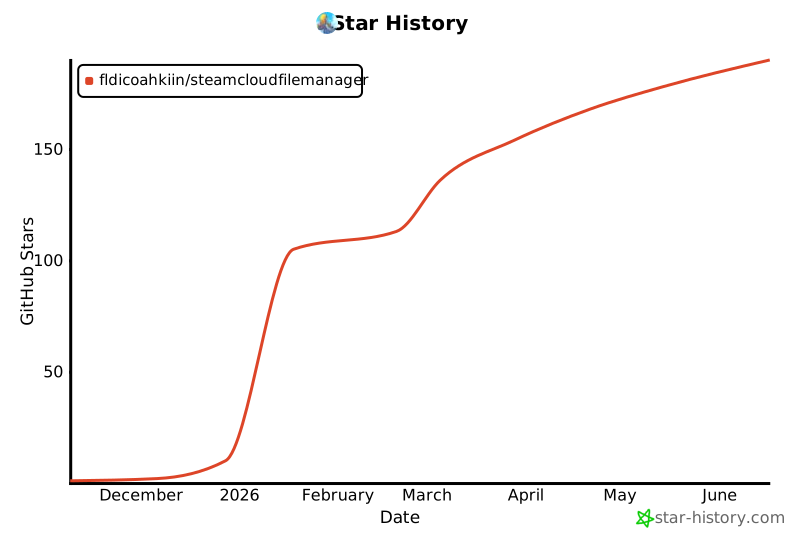
## Star History