---
See the **[Wiki](https://github.com/FrankoonG/hy2scale/wiki)** for full installation, configuration, and API documentation.
## Quick Start
### One-liner (native binary, systemd)
```bash
curl -fsSL https://raw.githubusercontent.com/FrankoonG/hy2scale/main/install.sh | sudo sh
```
Auto-detects the CPU architecture (`amd64`, `arm64`, `armv7`, `mips64le`,
`mipsle-softfloat`), downloads the matching tarball from the latest
release, installs the binary to `/usr/local/bin/hy2scale`, and registers
a systemd service. Re-running upgrades in place. Pin a version with
`HY2SCALE_VERSION=v1.4.4`; uninstall with `… | sudo sh -s -- --uninstall`.
On UniFi OS gateways (run as root) it installs under `/data/hy2scale`, kept across
firmware updates ([details](https://github.com/FrankoonG/hy2scale/wiki/Installation#unifi-os)).
### Docker
Full mode (host network — everything enabled):
```bash
docker run -d --name hy2scale \
--network host --privileged \
-v hy2scale-data:/data \
--restart unless-stopped \
frankoong/hy2scale:latest
```
Bridge mode (VPN + proxies; rules route their users):
```bash
docker run -d --name hy2scale \
-p 5565:5565/tcp -p 5565:5565/udp \
-p 500:500/udp -p 4500:4500/udp -p 1194:1194/udp -p 51820:51820/udp \
-v hy2scale-data:/data \
--restart unless-stopped \
frankoong/hy2scale:latest
```
The VPN servers (IKEv2, L2TP/IPsec, OpenVPN, WireGuard) and proxies run in
userspace and need no capabilities or devices; plain port mapping is enough.
Routing rules apply to their users in every mode. Capturing the host's own
traffic and hosts routed through it (transparent rules) needs `--network host`
and `NET_ADMIN`; server port hopping needs `NET_ADMIN`.
Open `https://:5565/scale/` (self-signed certificate by default) — default login `admin` / `admin`.
For iKuai v4, download the `.ipkg` from [Releases](https://github.com/FrankoonG/hy2scale/releases) and install via the app store — see the [iKuai v4 guide](https://github.com/FrankoonG/hy2scale/wiki/iKuai-v4-Installation).
## Features
- Connect nodes into a mesh and route traffic through any of them, several hops deep (nested discovery).
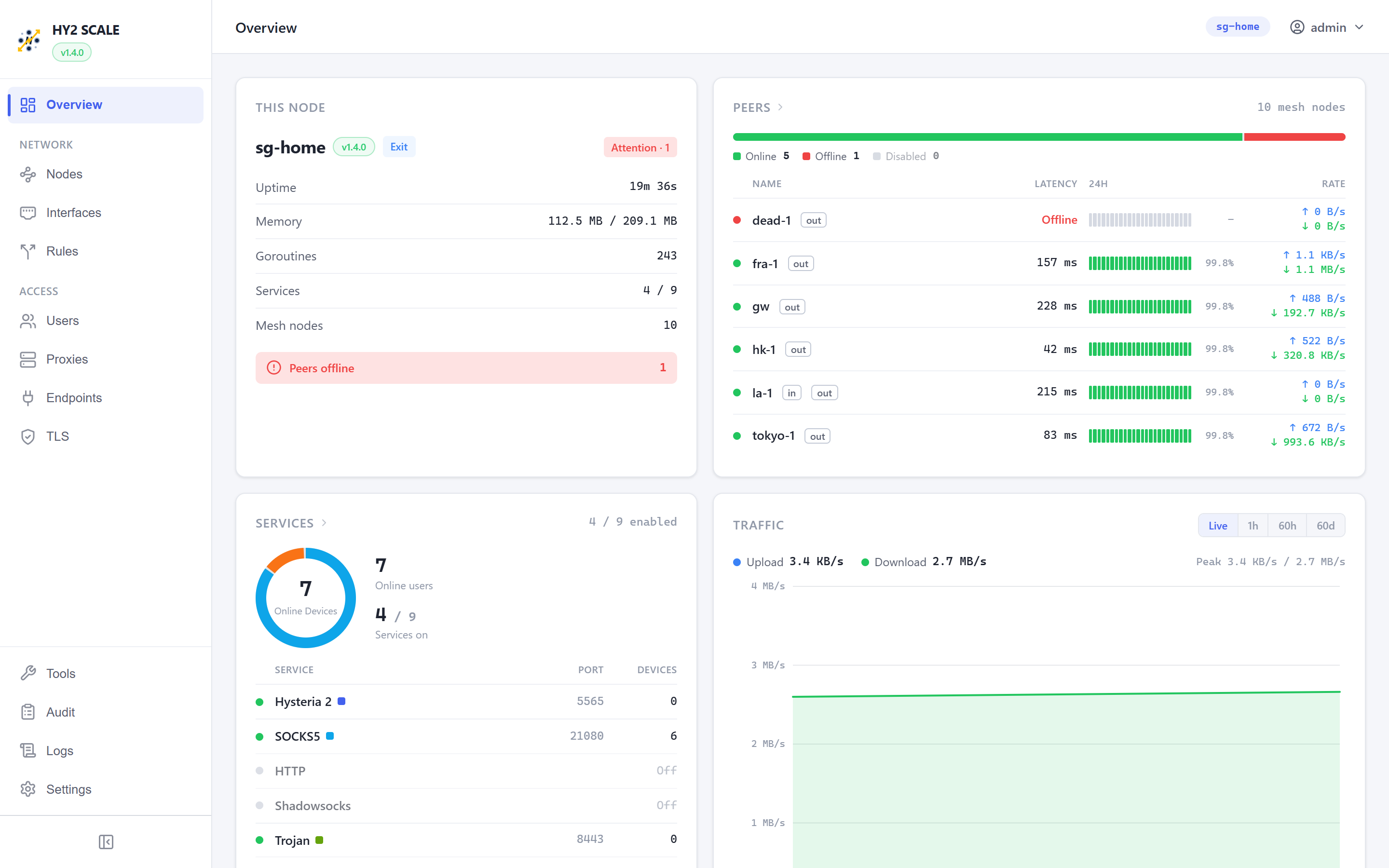
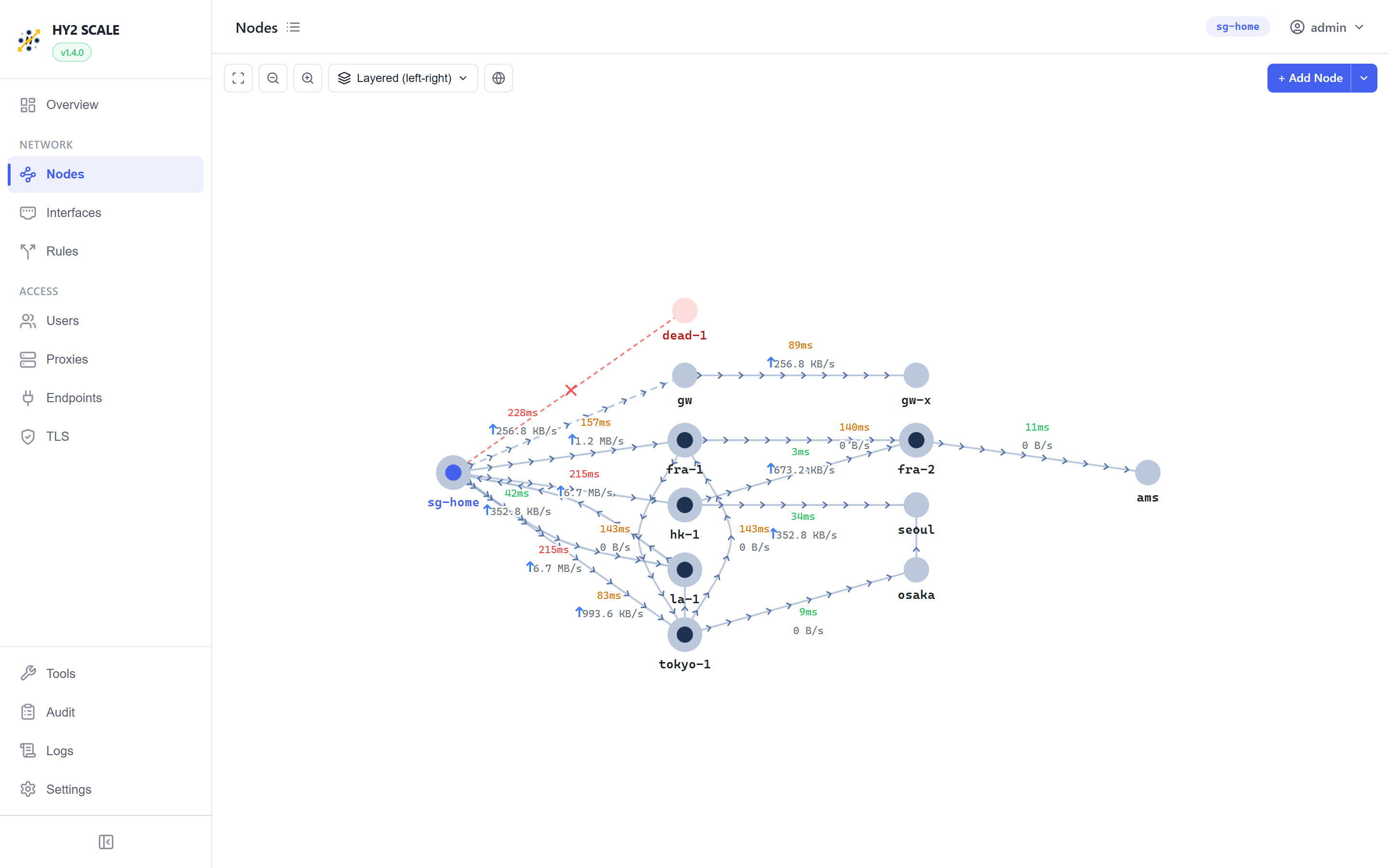
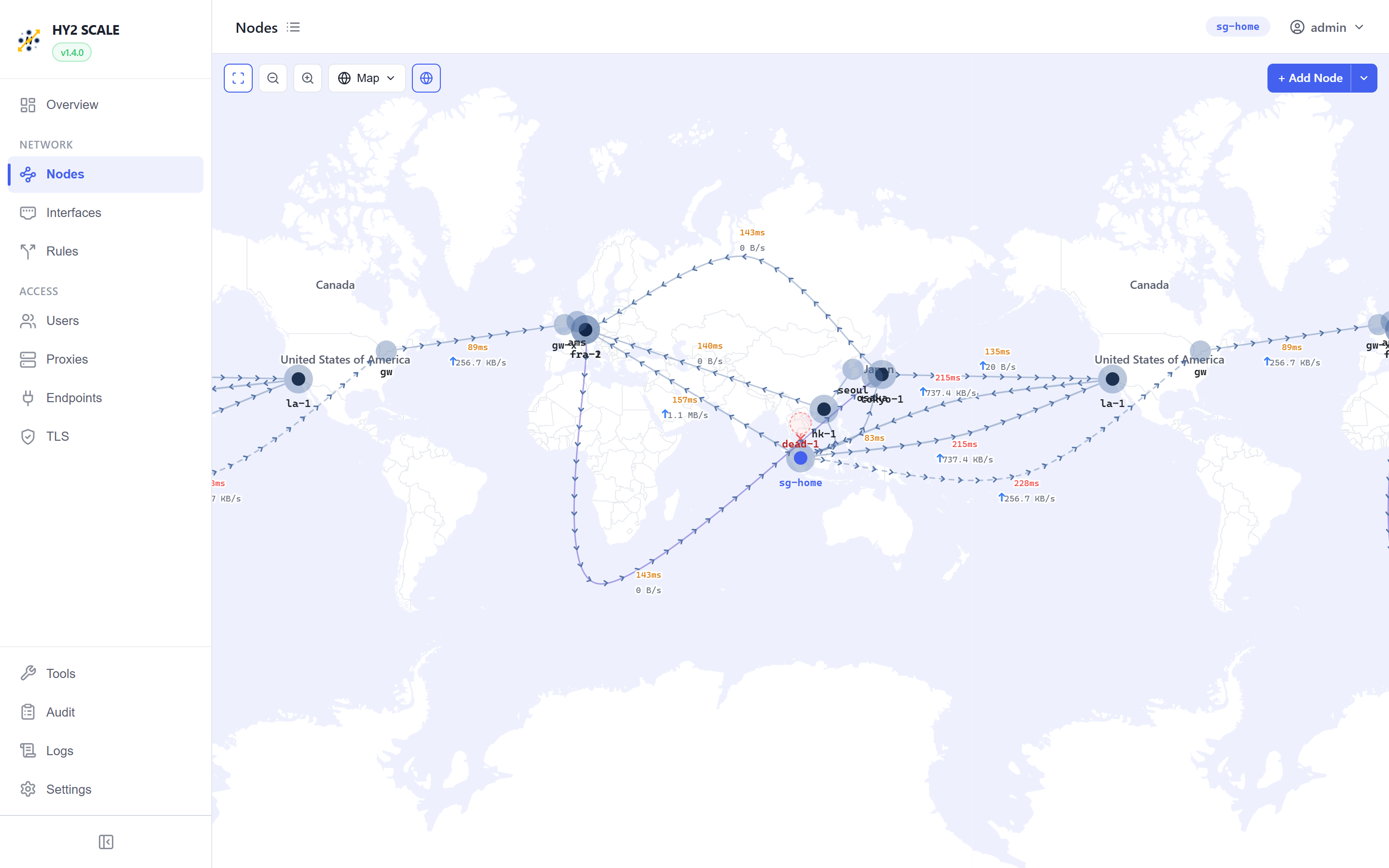
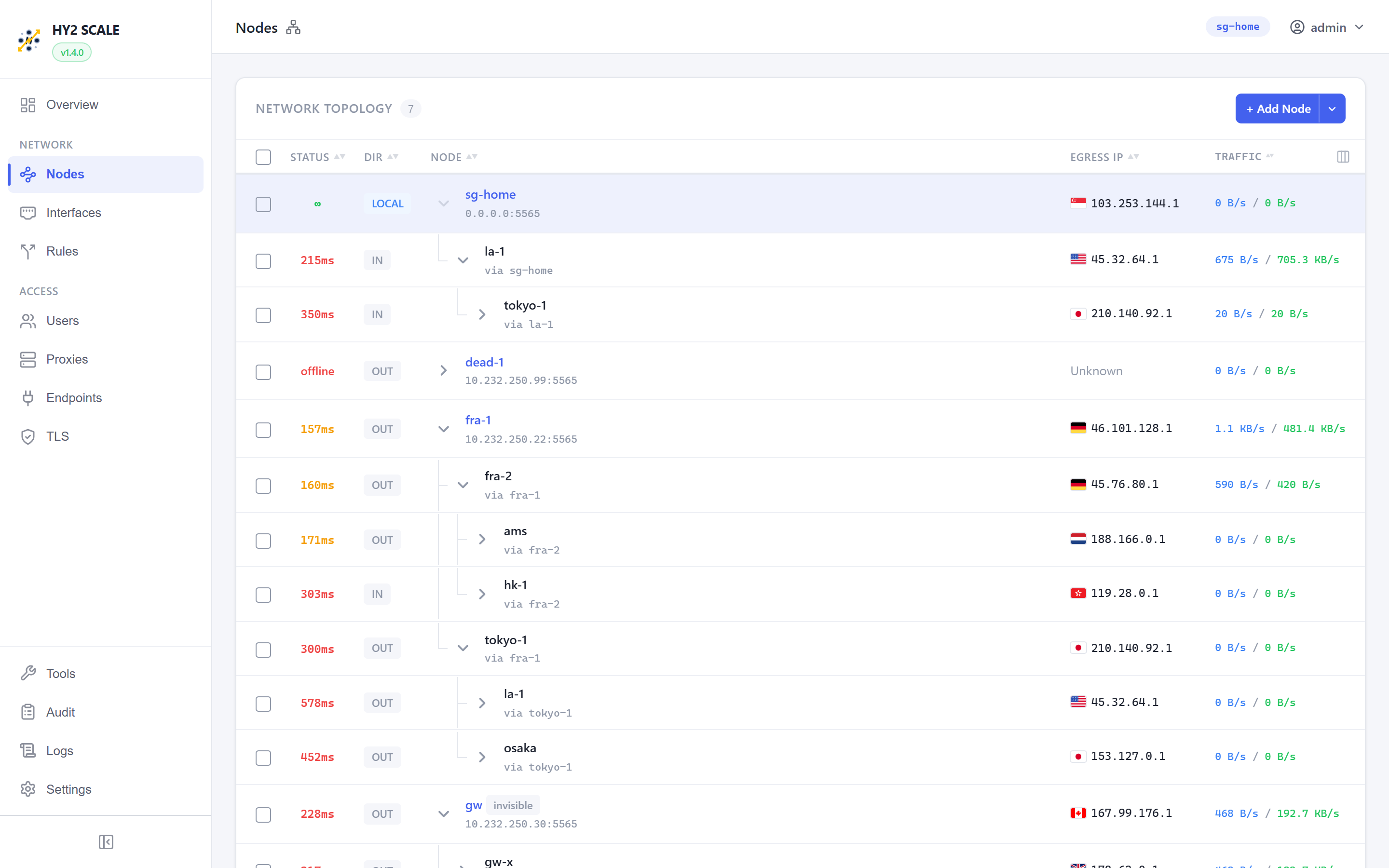
- See the mesh live: Overview dashboard, topology graph, list, and a world map of the nodes by country.
- Run VPN / proxy services: Hysteria 2, SOCKS5, HTTP, Shadowsocks, Trojan, L2TP/IPsec, IKEv2, OpenVPN (UDP and TCP), WireGuard. The VPN servers run fully in userspace, without privileges.
- Policy sets route traffic by user, source, destination, domain (TLS SNI / HTTP Host), country or ASN, with nested flows; transparent capture of the node's own and forwarded traffic.
- Per-user exits (single path, quality failover or aggregation, or a policy set), traffic limits with periodic reset, upload / download rate limits, expiry.
- Multi-address peers, hole punching between nodes behind NAT, and per-address outgoing interface or source address; sub-interfaces and per-interface public IP on the Interfaces page.
- TLS certificate management with a built-in certificate authority.
- Audit log of every connection, system logs, and network tools (ping, traceroute, throughput, terminal).
- Backup / restore, signed in-app upgrade, UI in EN / 中文 / 한국어.
## Screenshots
A Singapore home node (`sg-home`) with peers in Tokyo, Osaka, Seoul, Hong Kong, Los Angeles, Frankfurt, Amsterdam, Toronto and London:
## Building
```bash
git clone https://github.com/FrankoonG/hy2scale.git
cd hy2scale
docker build -t hy2scale .
```
## Notice
HY2 SCALE uses the Hysteria 2 protocol. It is not affiliated with the Hysteria project or with Tailscale.
## Star History