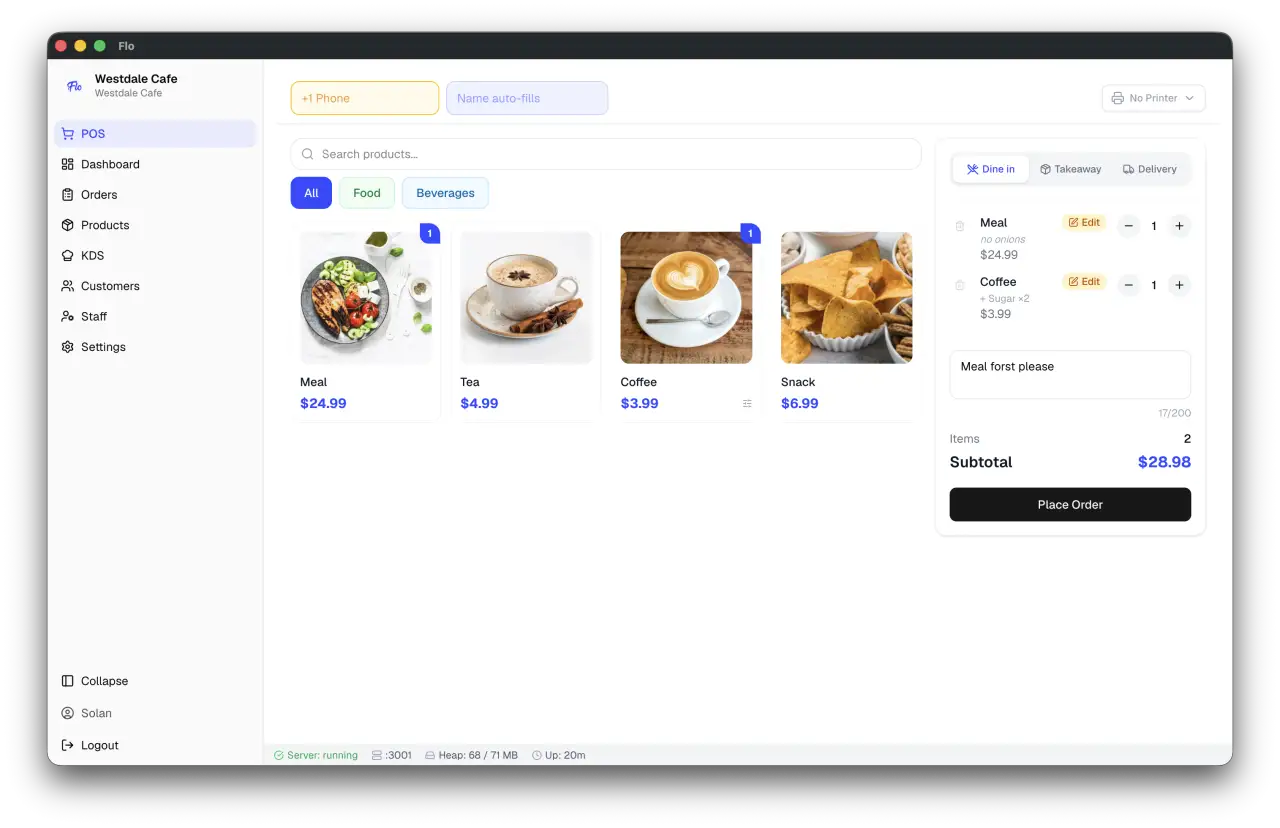
FloCafe runs directly on the business's own computer. Orders, customers, receipts, and backups are stored in a local SQLite database, allowing counter service and kitchen displays to continue operating without an internet connection. No hosted or cloud account is required for core POS operation. Optional integrations—such as Google Drive backup, WhatsApp bill delivery, and cloud-connected reporting—can be enabled when needed.
## Get FloCafe
Download the latest installer from [GitHub Releases](https://github.com/FreeOpenSourcePOS/FloCafe/releases), or install through your platform's app store:
Releases include Windows installers, macOS DMGs, and Linux AppImage, `.deb`,
`.rpm`, and Snap packages. For Linux package-specific installation and update
behavior, FUSE setup, printing permissions, and tray behavior, see [Linux
installation and support](docs/linux.md).
### System requirements
| Requirement | Minimum |
| ---------------- | ---------------------------------------------------------------------------------------------- |
| Operating system | Windows 10+, macOS 12+, or a current supported Linux distribution — 64-bit only (x64 or arm64) |
| Memory | 4 GB RAM |
| Storage | 500 MB free space, plus room for local backups |
Node.js is only required to develop FloCafe, not to run a packaged release.
FloCafe does not build or publish 32-bit installers. A terminal that can only
run a 32-bit OS can still be used from a lightweight browser, without
installing the desktop app locally:
- **Companion screen or POS terminal:** open the Server App or the browser POS,
both served over LAN.
- **KDS station:** open the KDS URL listed in the app's About dialog (macOS:
the application menu; Windows and Linux: **Help**). The KDS is a separate
LAN-served display on its own port, configurable through `KDS_PORT`; it is
not served from the Server App or the browser POS.
Uninstall a direct-download build
App Store and Microsoft Store installs should be removed through the relevant store or operating system.
```sh
# macOS
curl -fsSL https://github.com/FreeOpenSourcePOS/FloCafe/releases/latest/download/uninstall-macos.sh -o uninstall-macos.sh
chmod +x uninstall-macos.sh
./uninstall-macos.sh
```
```powershell
# Windows PowerShell
irm https://github.com/FreeOpenSourcePOS/FloCafe/releases/latest/download/uninstall-windows.ps1 -OutFile uninstall-windows.ps1
powershell -ExecutionPolicy Bypass -File .\uninstall-windows.ps1
```
Both scripts ask whether to keep application data. Do not choose their data-purge options unless you intend to remove the local database and backups.
## Key features
High-Speed Counter POS
Fast, touch-optimized checkout built for busy café rushes. Filter menu categories with a tap, adjust item quantities on the fly, and accept cash or card payments with zero lag.
Tailor every drink and dish to customer preferences. Configure milk selections (whole, oat, almond), extra espresso shots, syrup flavors, and kitchen prep instructions effortlessly.
Real-Time Kitchen Display (KDS)
Keep kitchen staff and baristas in sync with a digital ticket board. Drag orders from waiting to preparing to ready, track prep times, and eliminate lost paper tickets.
See your entire dining area at a glance. Track occupied and open tables, check how long guests have been seated to optimize turnaround, and view checks instantly.
Handheld Waiter App
Take orders right at the table from any smartphone or tablet. Servers select menu items, apply modifiers, and fire tickets directly to the kitchen without walking back to the counter.
Split Payments & Multi-Tender
Split bills equally across guests or accept multiple payment types on a single ticket. Handle partial cash, card, and loyalty point redemptions with automatic change calculations.
Supplies & Stock Tracking
Manage raw ingredients and café supplies with precision. Record stock deliveries, waste, and manual adjustments, track unit costs, and review complete movement audit logs.
Thermal Receipt & Kitchen Printing
Print clean customer receipts and kitchen order slips on standard 58mm or 80mm thermal receipt printers over USB or local network, complete with itemized tax summaries.