# OpenSpideyPS1
Native recompilations of **Spider-Man** and **Spider-Man 2: Enter Electro** for
Windows, built with [RecompOne](https://github.com/BlackLabelHQ/RecompOne).
The PlayStation code is translated to C# ahead of time and runs against a shared
runtime that implements the original console services, with modern rendering and
higher-detail character assets.
This is an active development project, not a claim of complete game compatibility.
Both games reach gameplay; targeted menu, level, costume and renderer tests do not
replace full playthroughs or long-duration stability testing.
## Download and install version 1.0
1. Download the package for your game below and extract it. Open the extracted game folder.
2. Launch SpiderMan.exe or SpiderMan2.exe, keeping the included mods folder beside it.
3. Select your USA PlayStation BIN/CUE or ISO. Setup extracts the assets and starts the game.
| Package | Download | Installation and included contents |
|---|---|---|
| Spider-Man 1.0 — 34 costume mods | [Windows x64 ZIP](https://github.com/GTTeancum/OpenSpideyPS1/releases/download/sm1-v1.0/Spider-Man-1.0-Windows-x64.zip) | [Release notes](https://github.com/GTTeancum/OpenSpideyPS1/releases/tag/sm1-v1.0) |
| Spider-Man 2 1.0 — 35 costume mods | [Windows x64 ZIP](https://github.com/GTTeancum/OpenSpideyPS1/releases/download/sm2-v1.0/Spider-Man-2-1.0-Windows-x64.zip) | [Release notes](https://github.com/GTTeancum/OpenSpideyPS1/releases/tag/sm2-v1.0) |
| Blender Character Tools 1.0 | [Installable add-on ZIP](https://github.com/GTTeancum/OpenSpideyPS1/releases/download/blender-v1.0/OpenSpidey-Character-Tools-1.0.zip) | [Installation and requirements](https://github.com/GTTeancum/OpenSpideyPS1/releases/tag/blender-v1.0) |
Each package includes Readme.txt. Install the Blender ZIP through Blender's add-on preferences; its repository and conversion-tool requirements are listed in its release notes.
Use the downloads above for ready-to-run games. GitHub's **Source code (zip)** and the ZIP links on the **Tags** tab contain developer source files.
## Screenshots
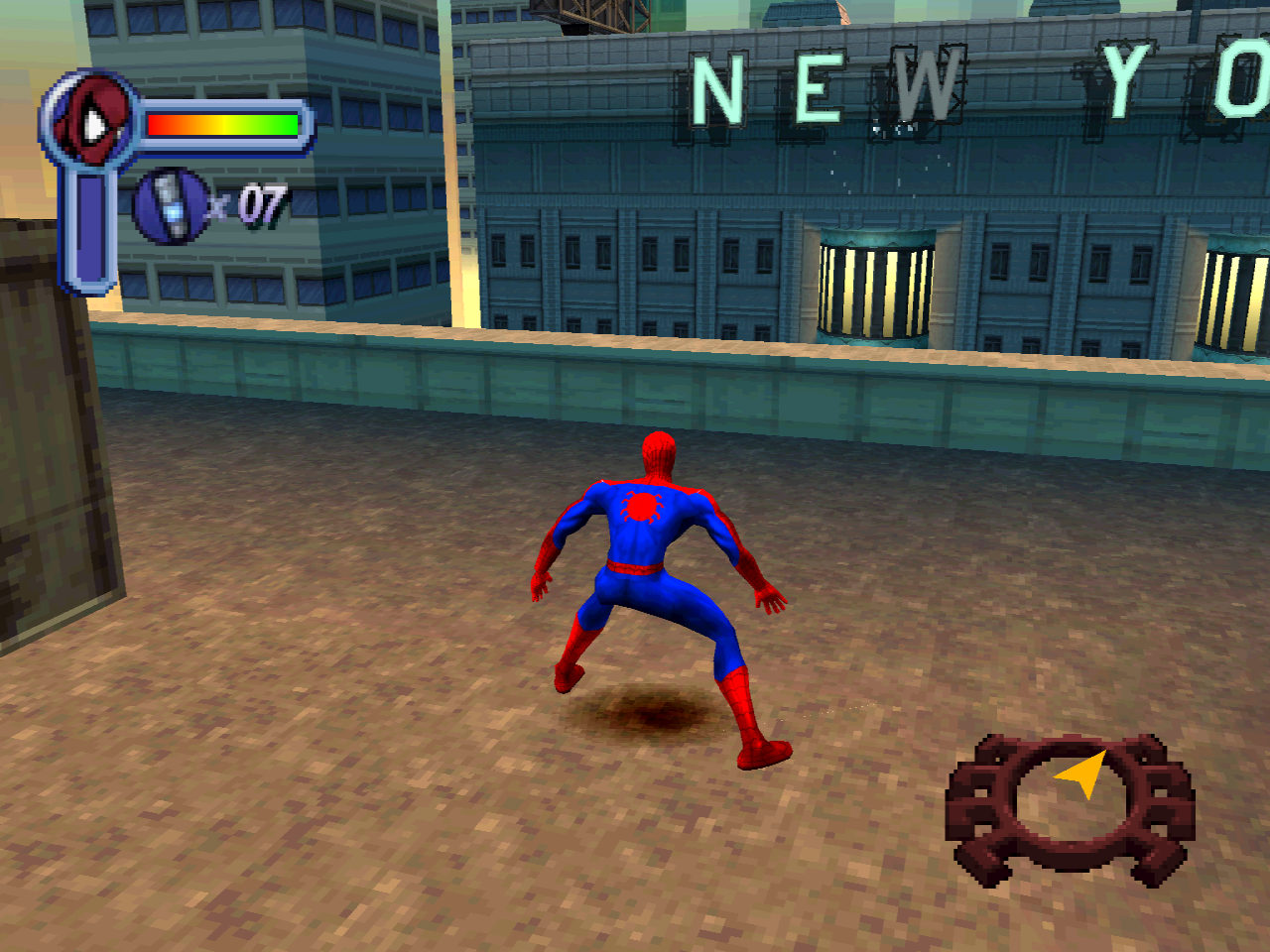
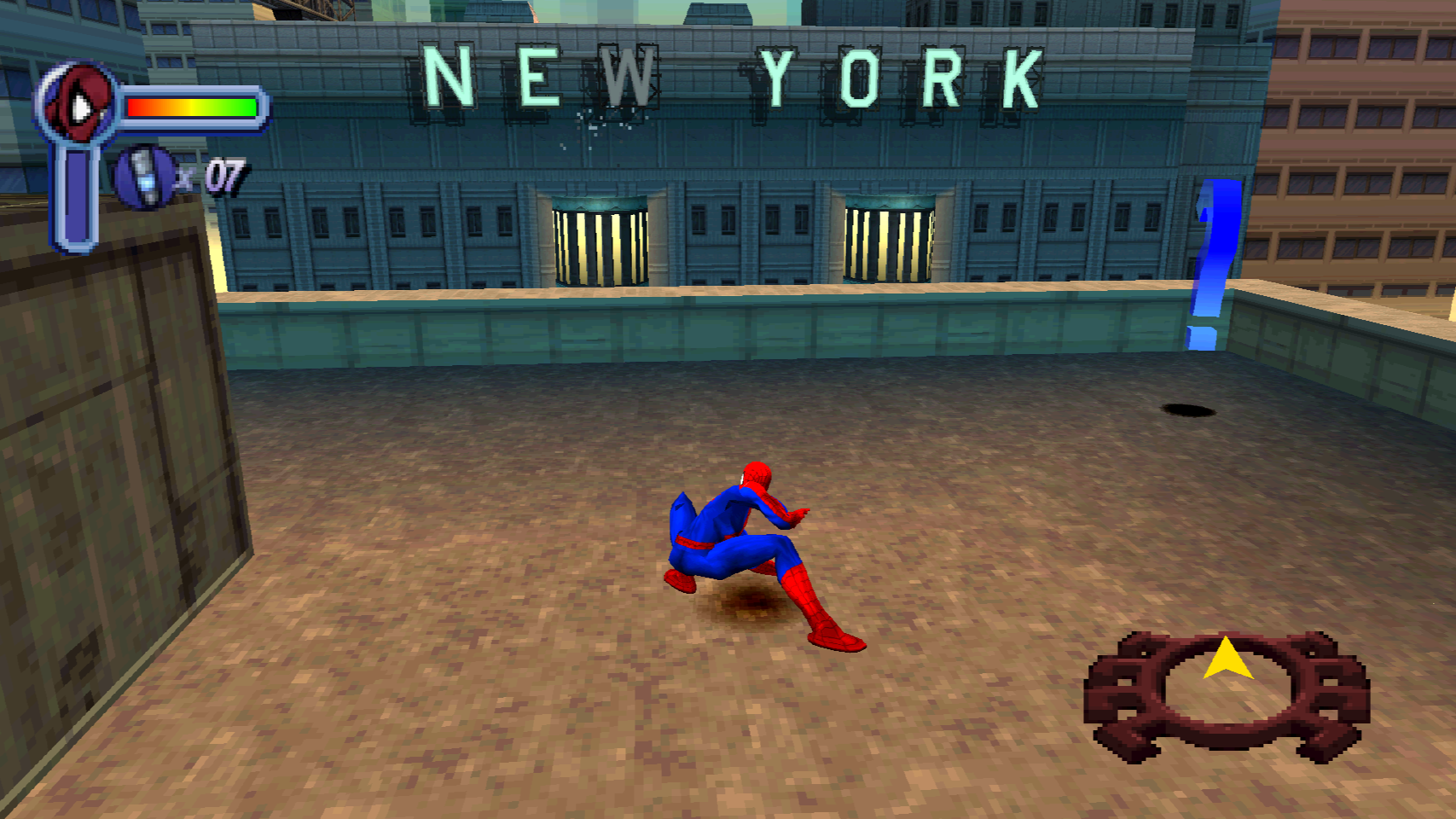
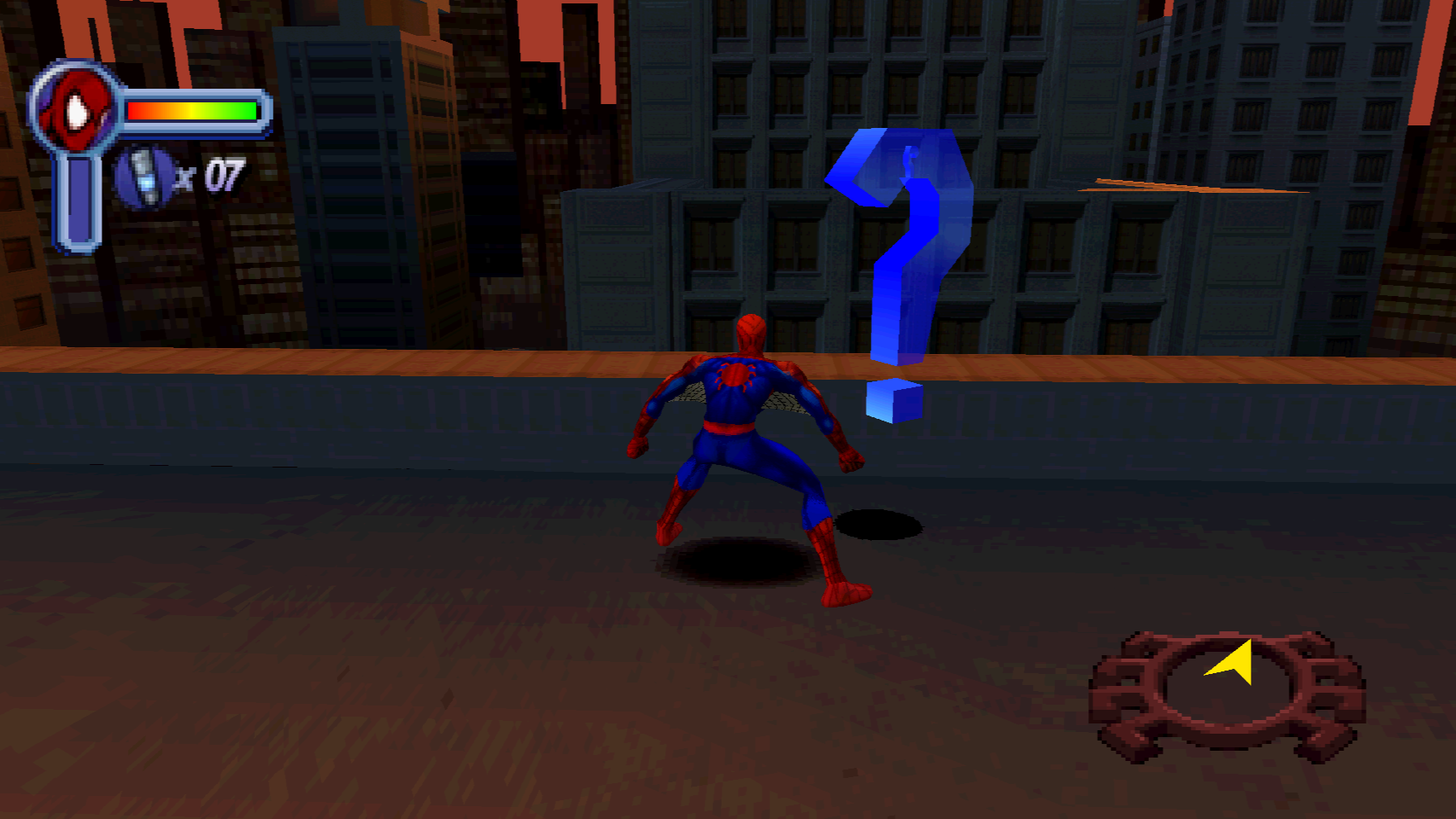
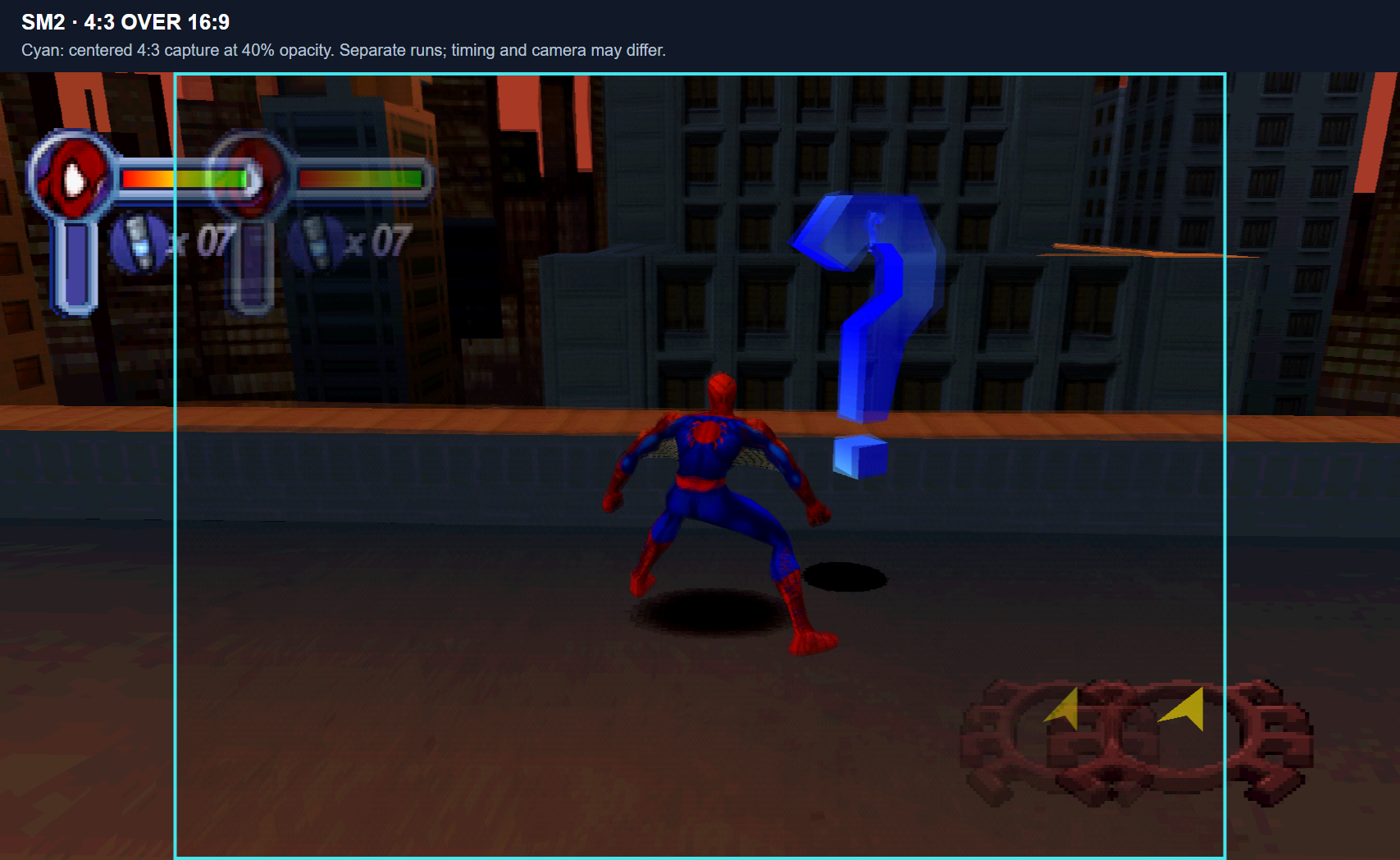
Native renderer captures from both games. Click any image for the full-size version.
The 4:3 and 16:9 shots come from separate runs, so camera position, animation, and
HUD state can differ. The overlays place the complete 4:3 capture over the wider
shot at 40% opacity; the cyan outline marks its boundary.
### Spider-Man
| 4:3 gameplay | 16:9 gameplay |
|---|
 |  |
[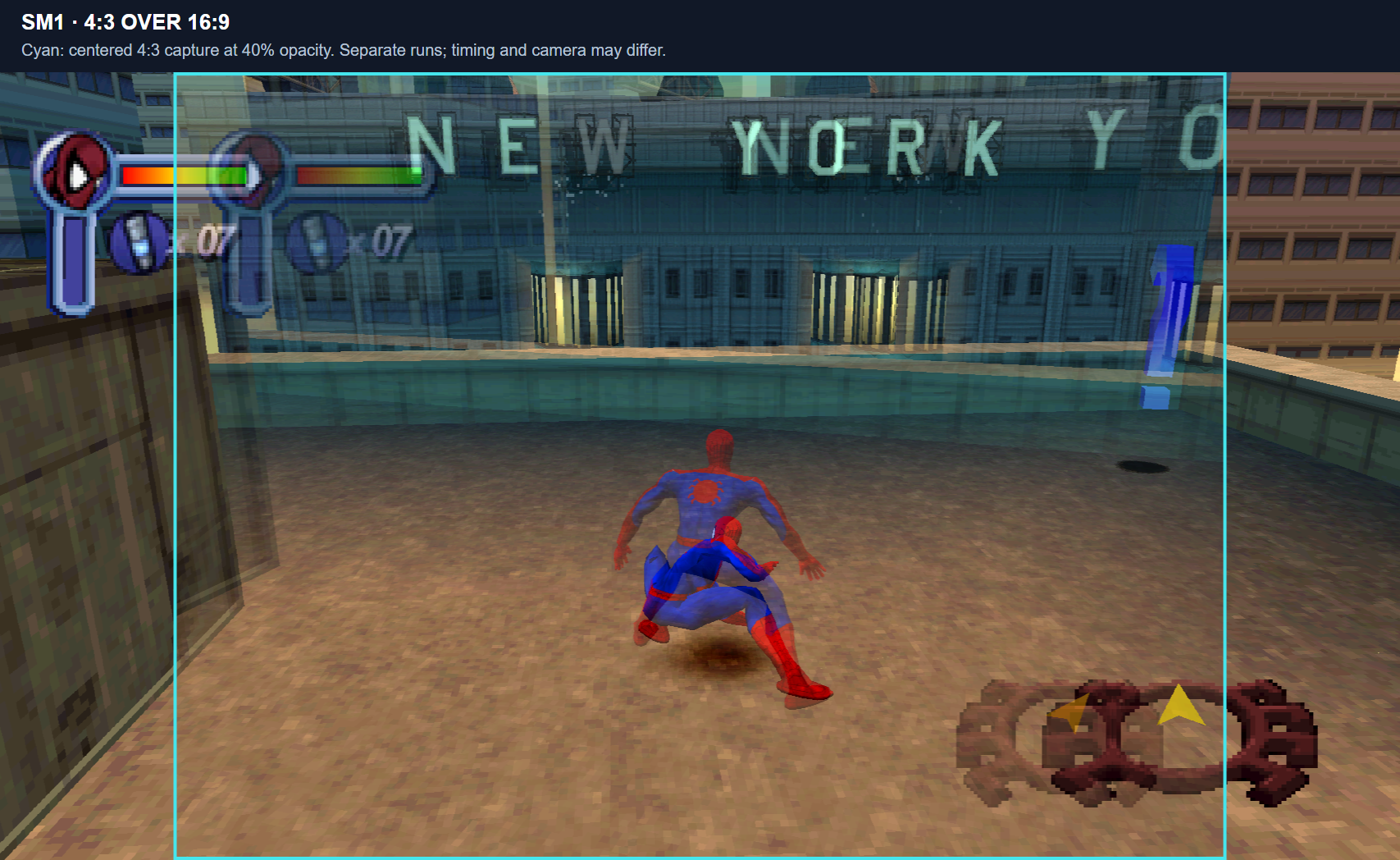](docs/screenshots/gallery/sm1-comparison.png)
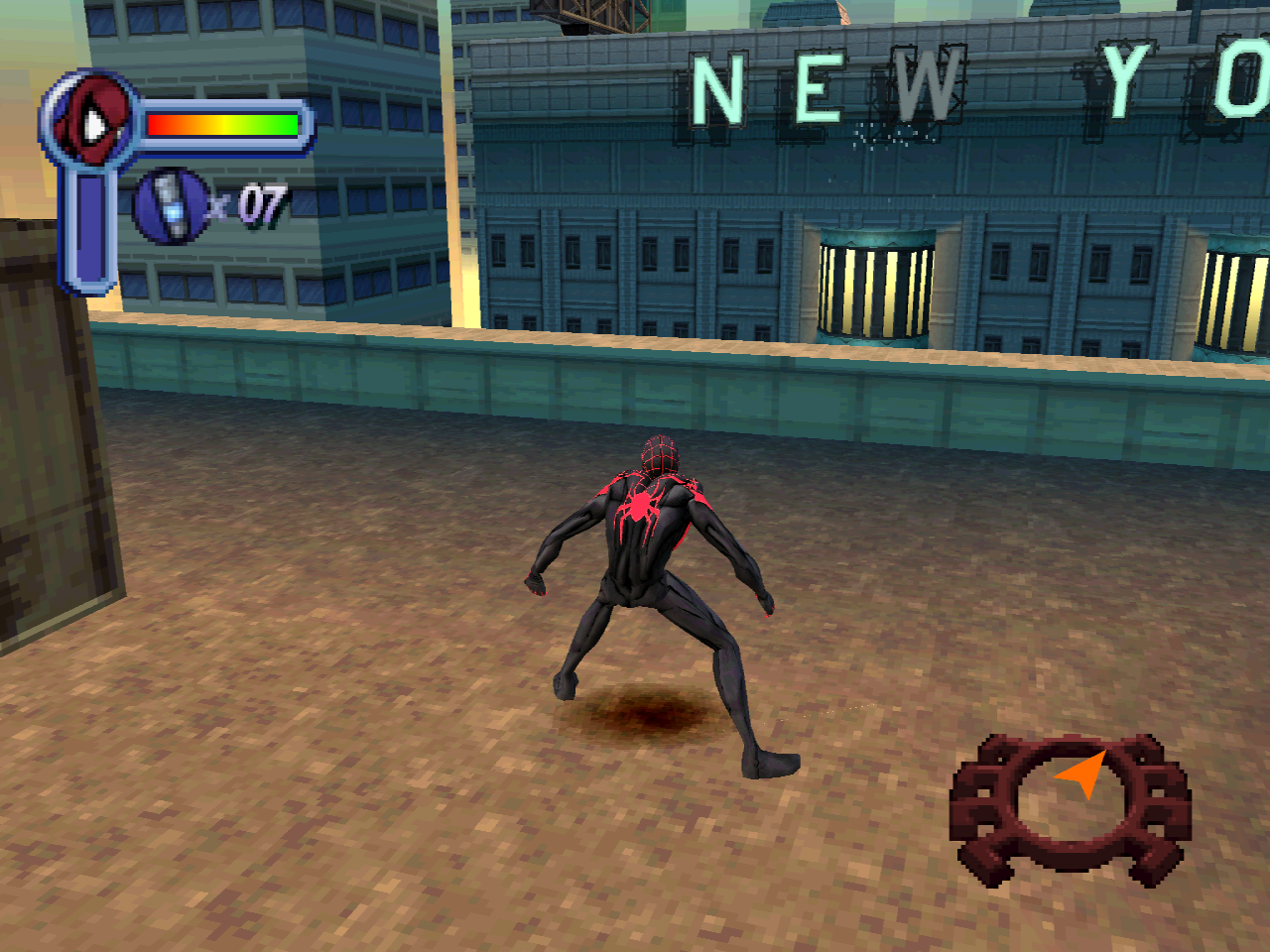
| Miles Morales - gameplay | Miles Morales - main menu |
|---|
 | 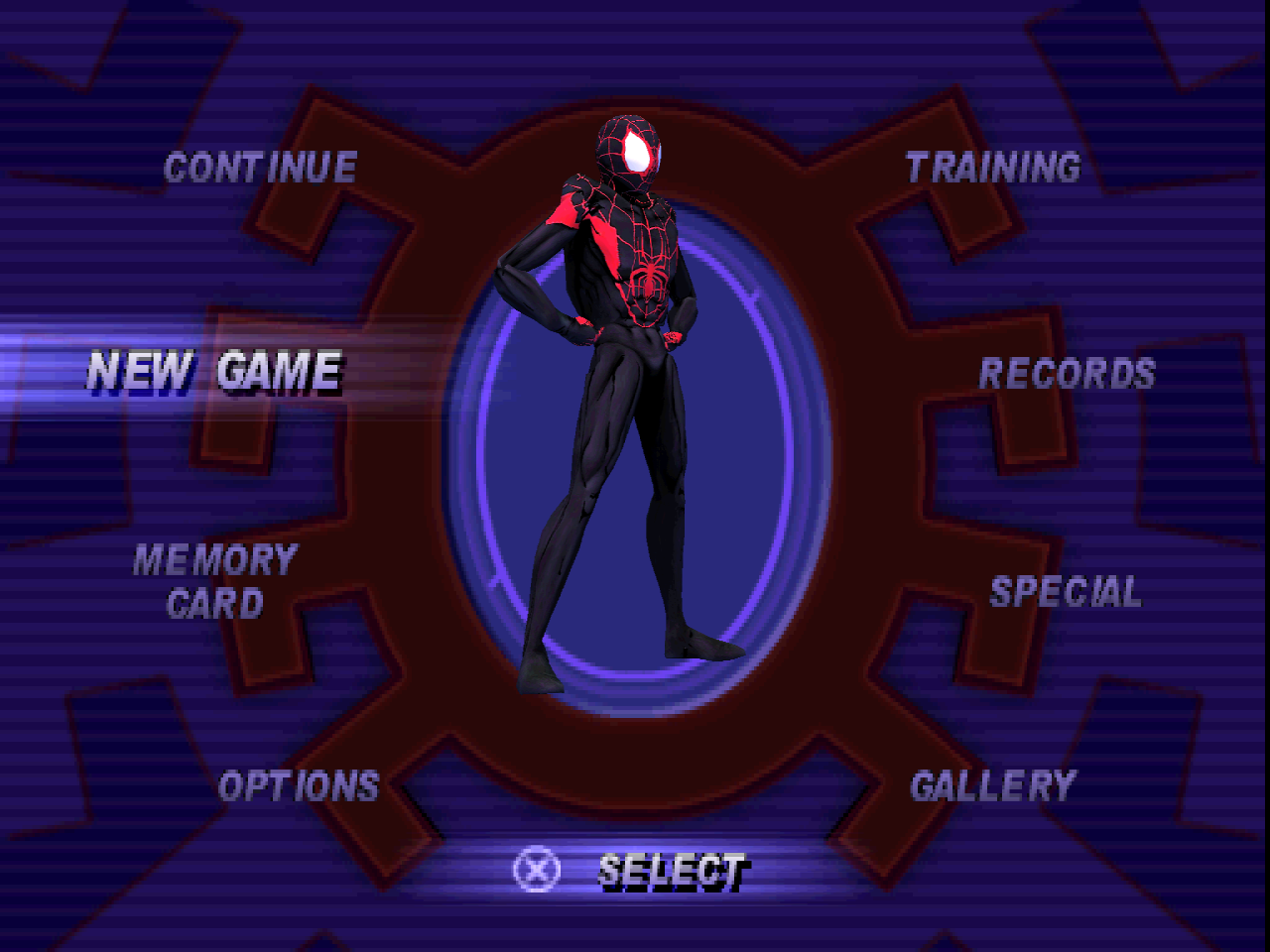 |
| Last Stand - gameplay | Last Stand - main menu |
|---|
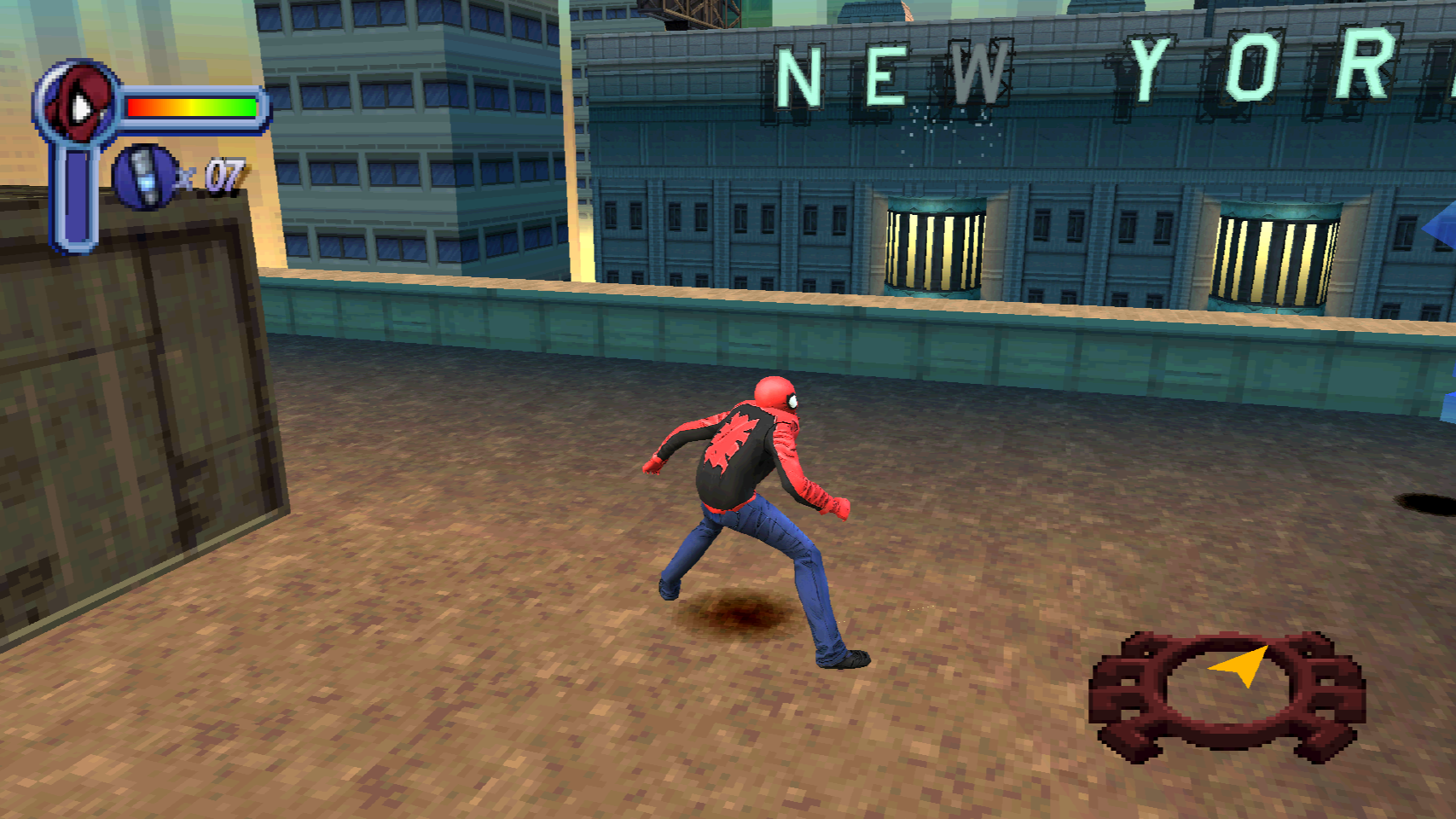 | 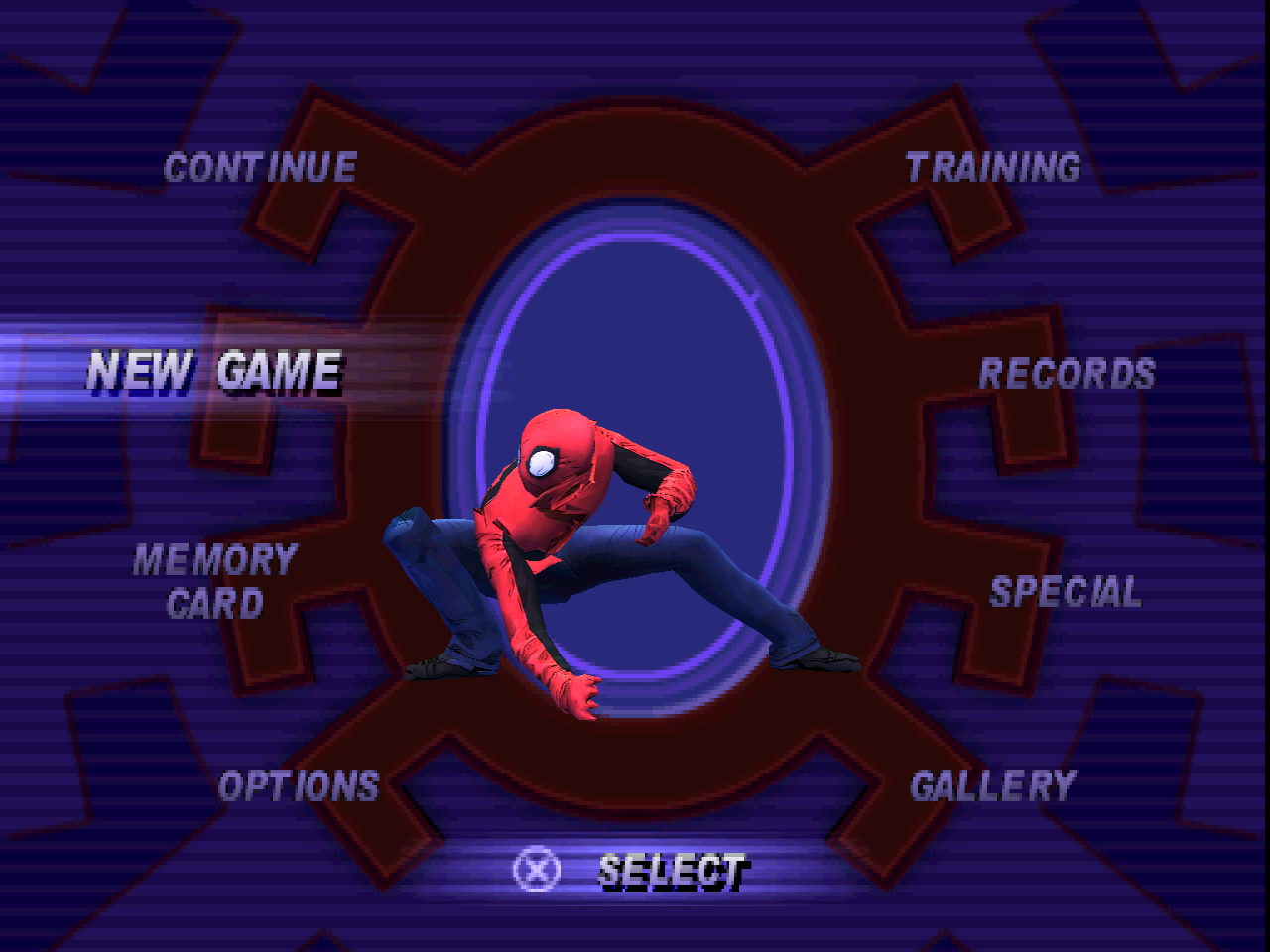 |
| Spider-Punk - gameplay | Spider-Punk - main menu |
|---|
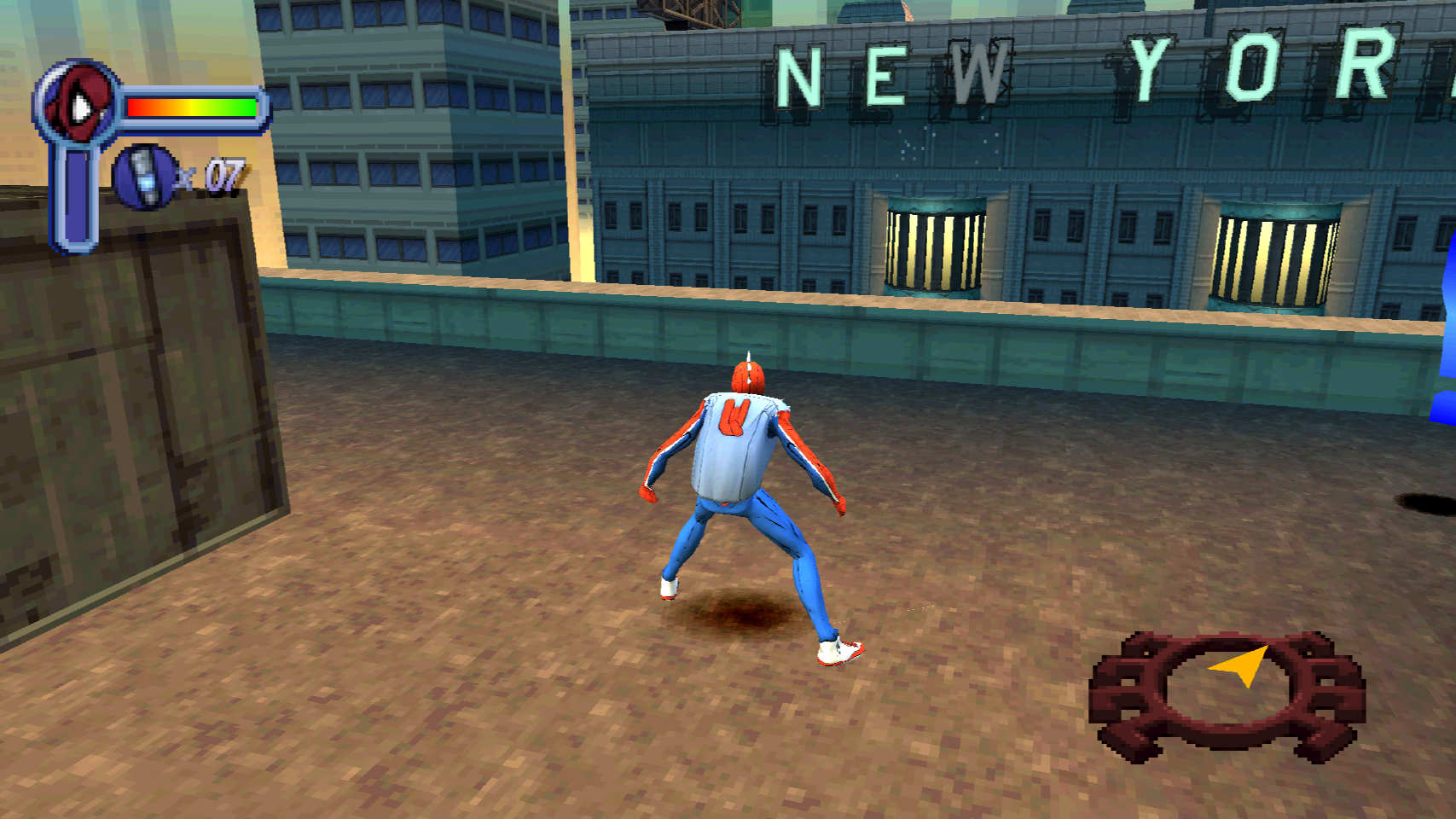 | 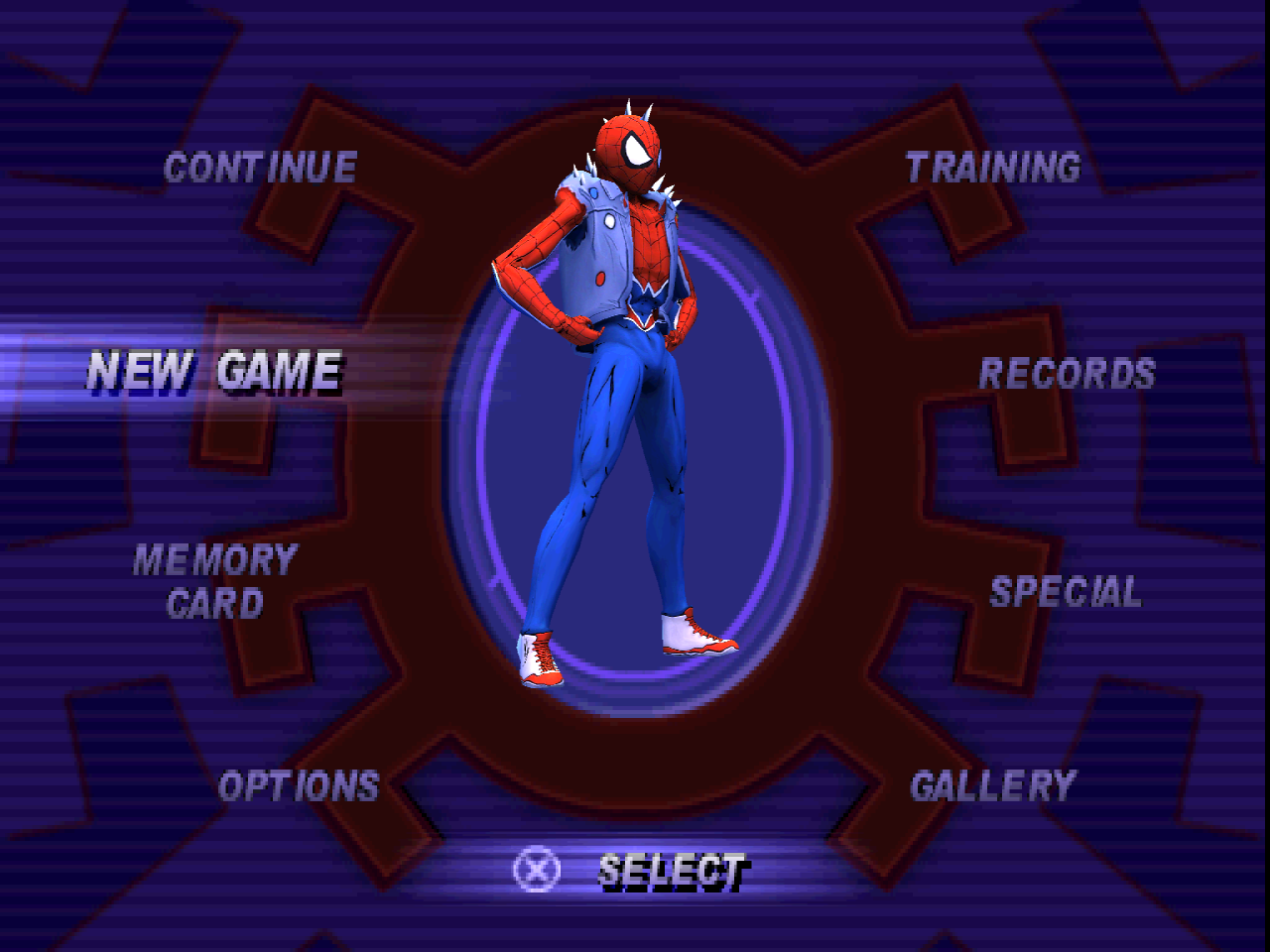 |
| Spider-Noir - gameplay | Spider-Noir - main menu |
|---|
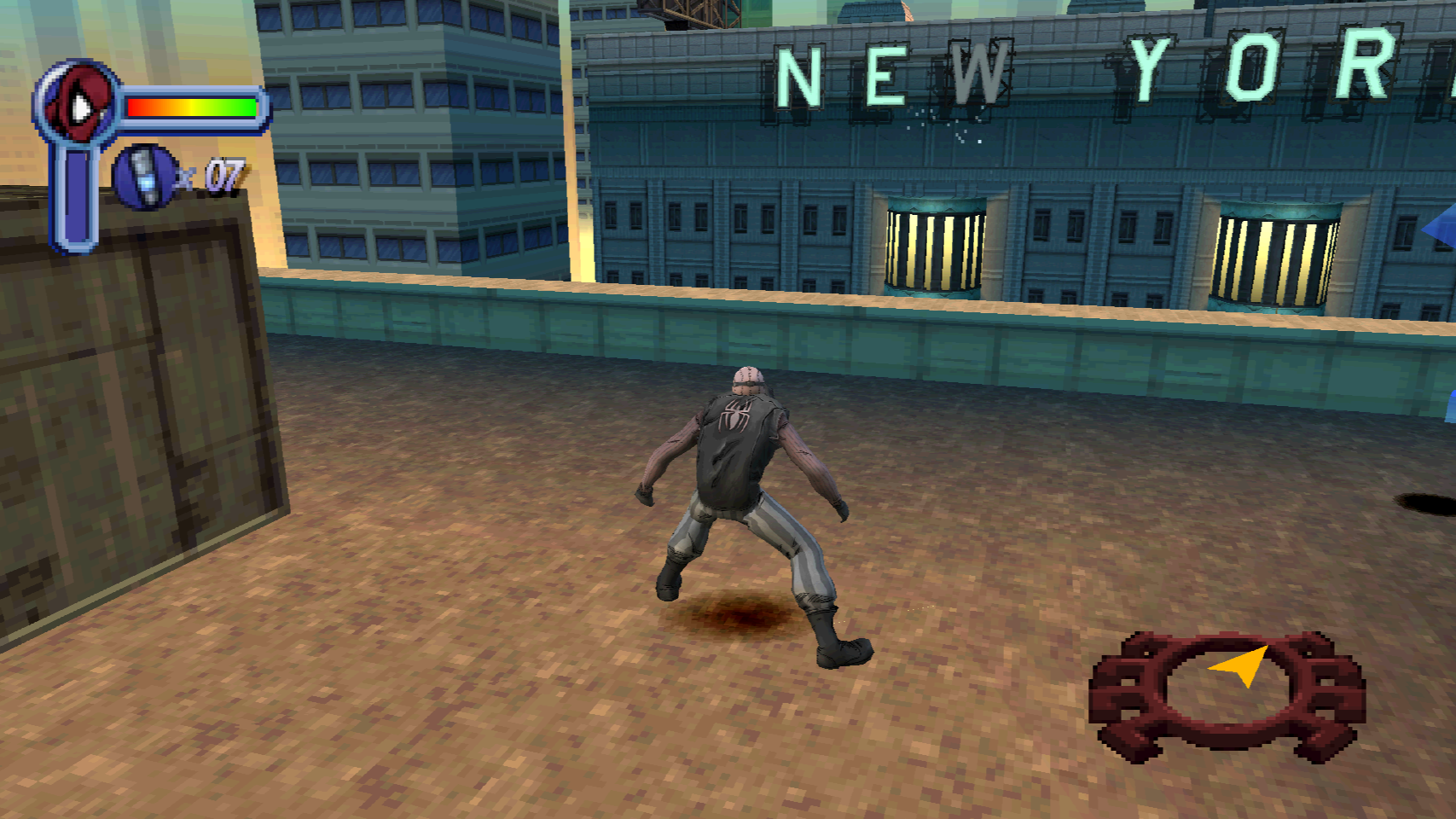 | 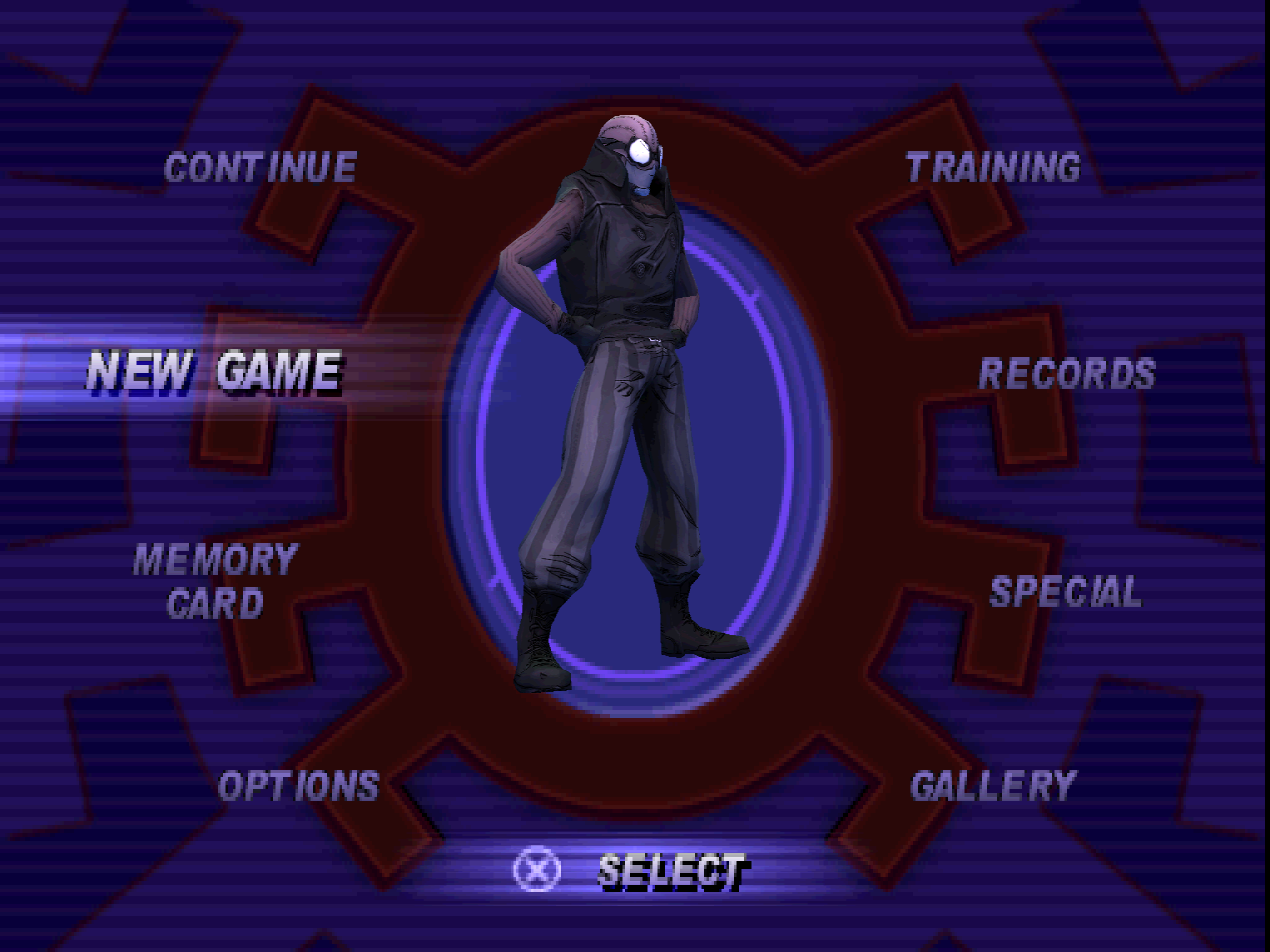 |
### Spider-Man 2: Enter Electro
| 4:3 gameplay | 16:9 gameplay |
|---|
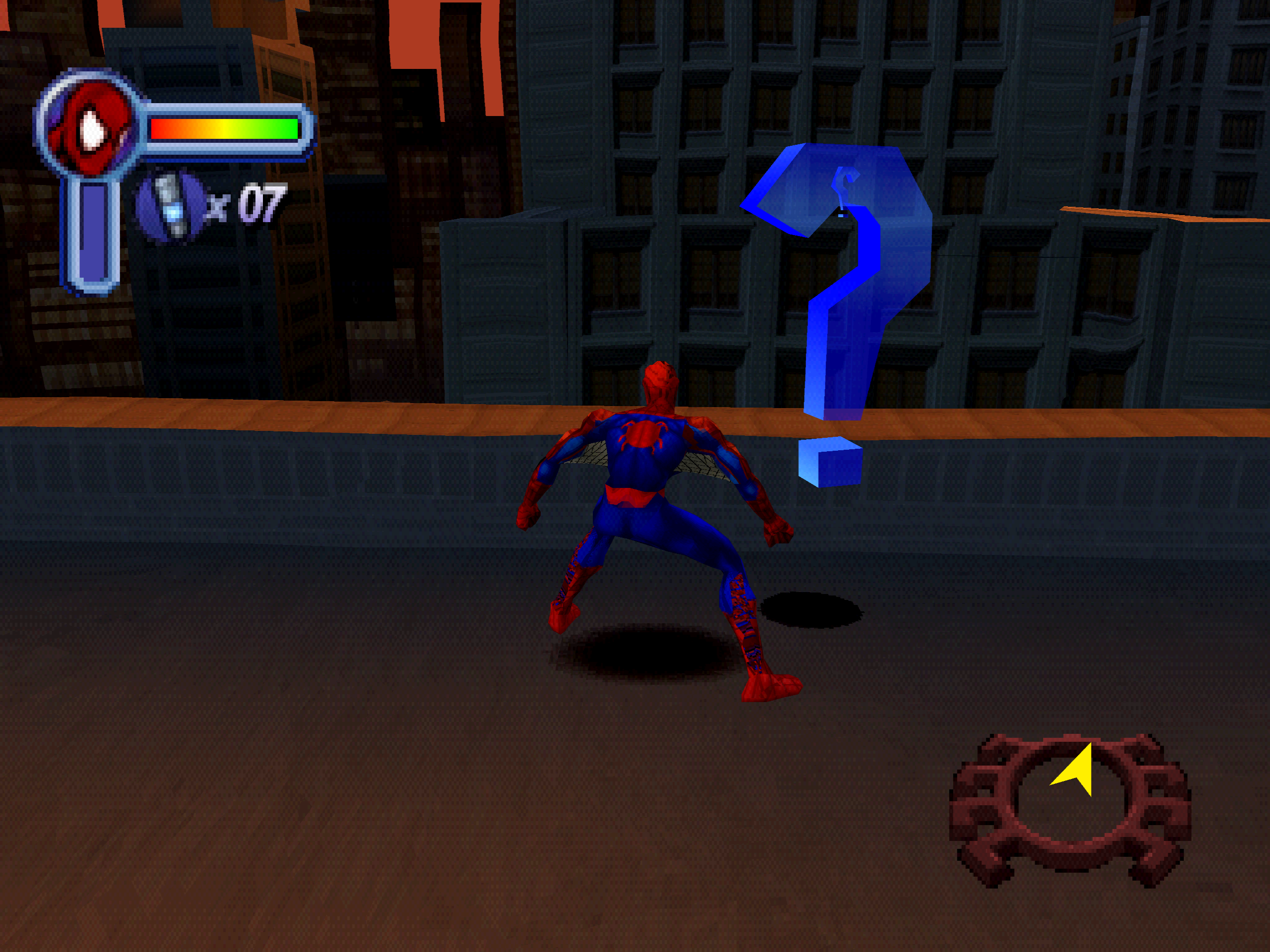 |  |
[](docs/screenshots/gallery/sm2-comparison.png)
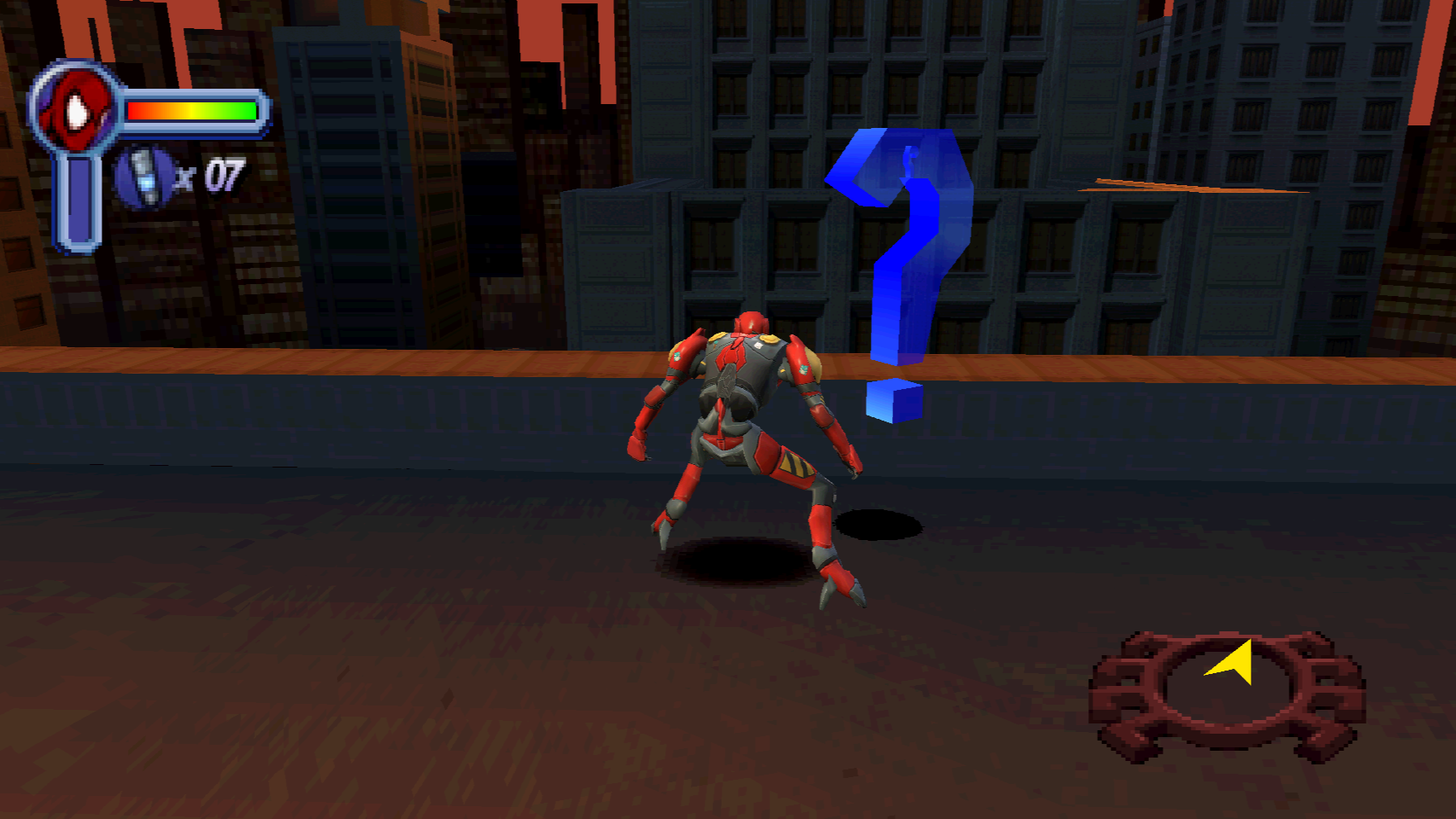
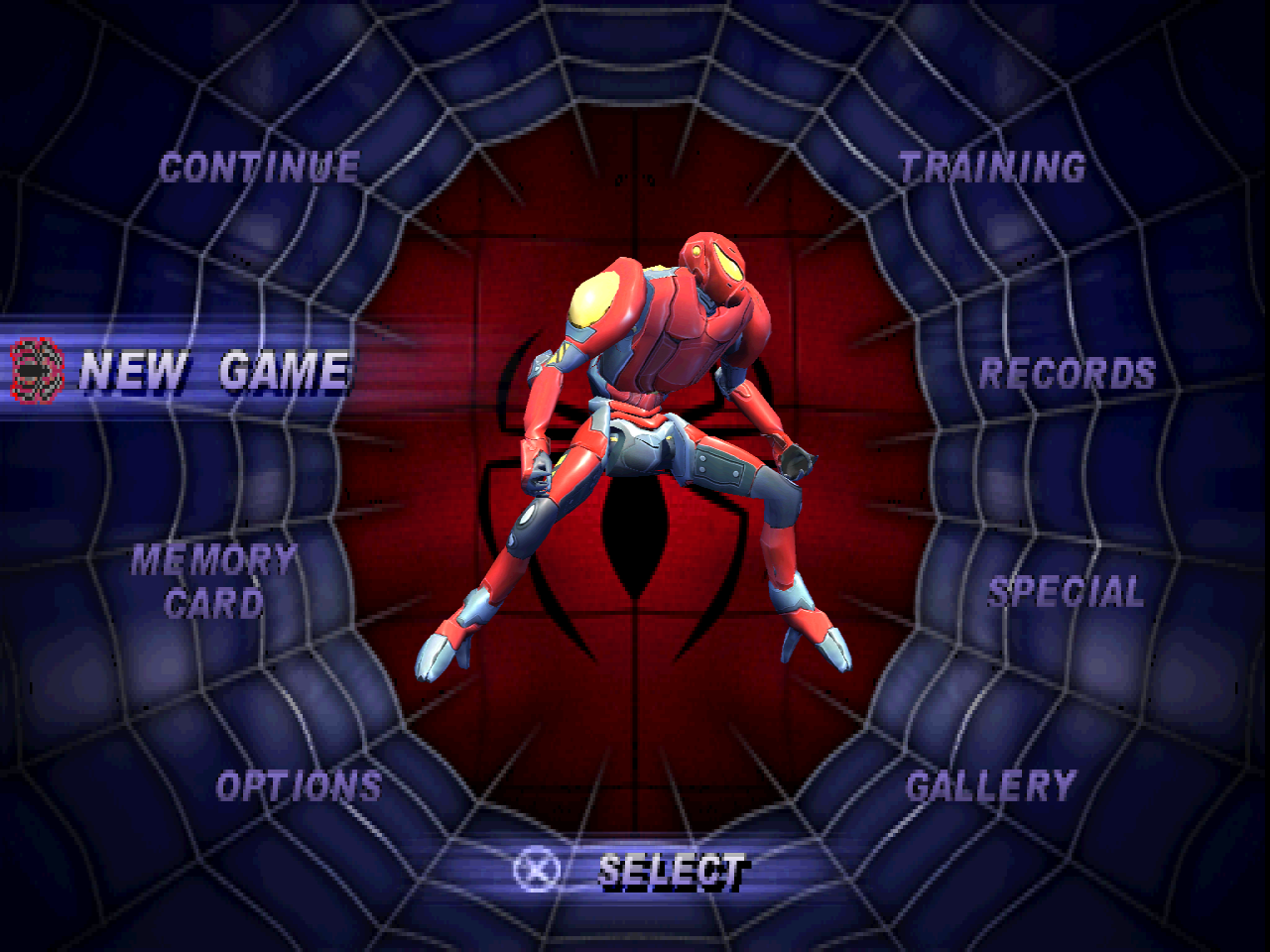
| SP//DR - gameplay | SP//DR - main menu |
|---|
 |  |
| MCU Infinity War - gameplay | MCU Infinity War - main menu |
|---|
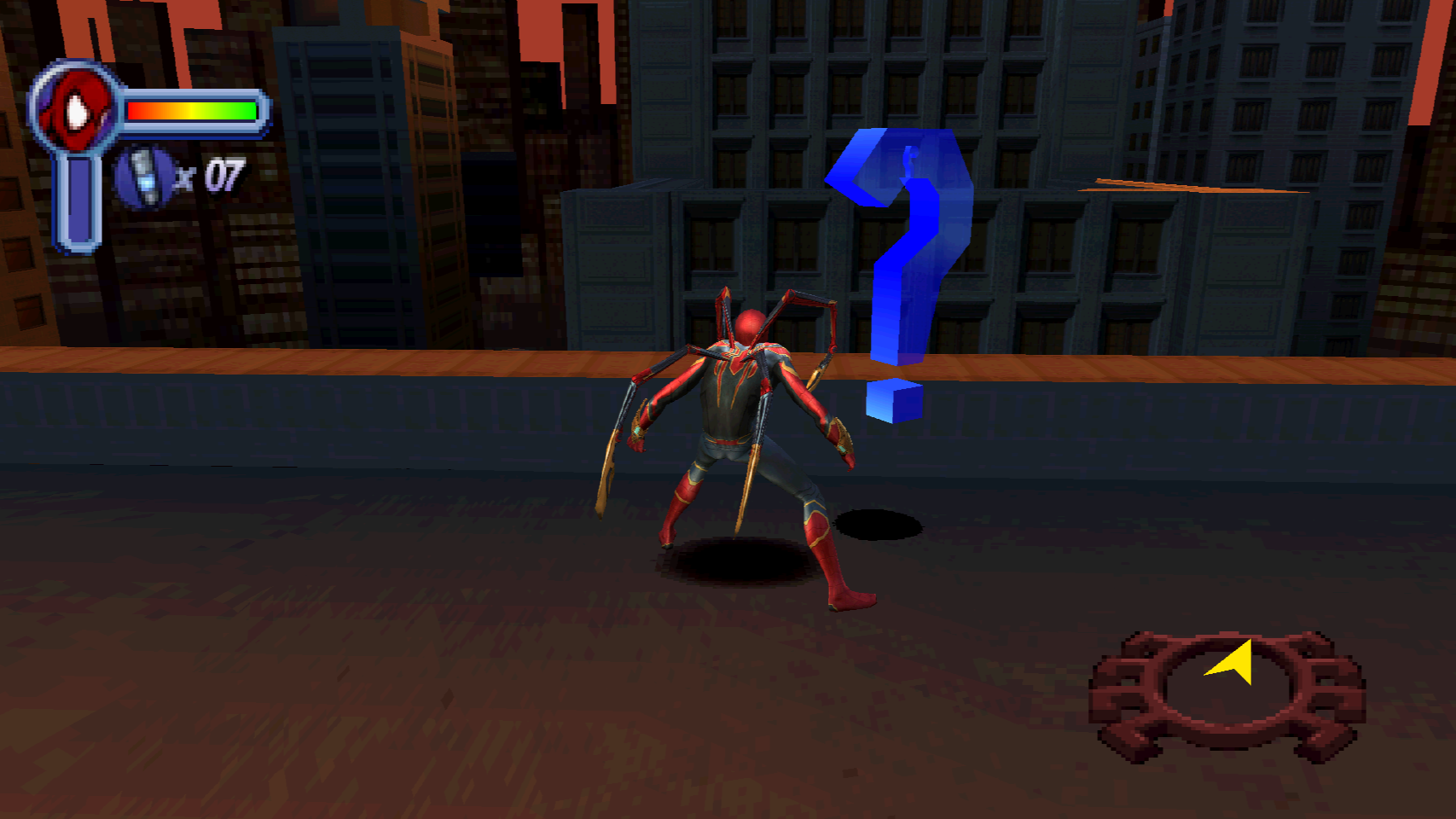 | 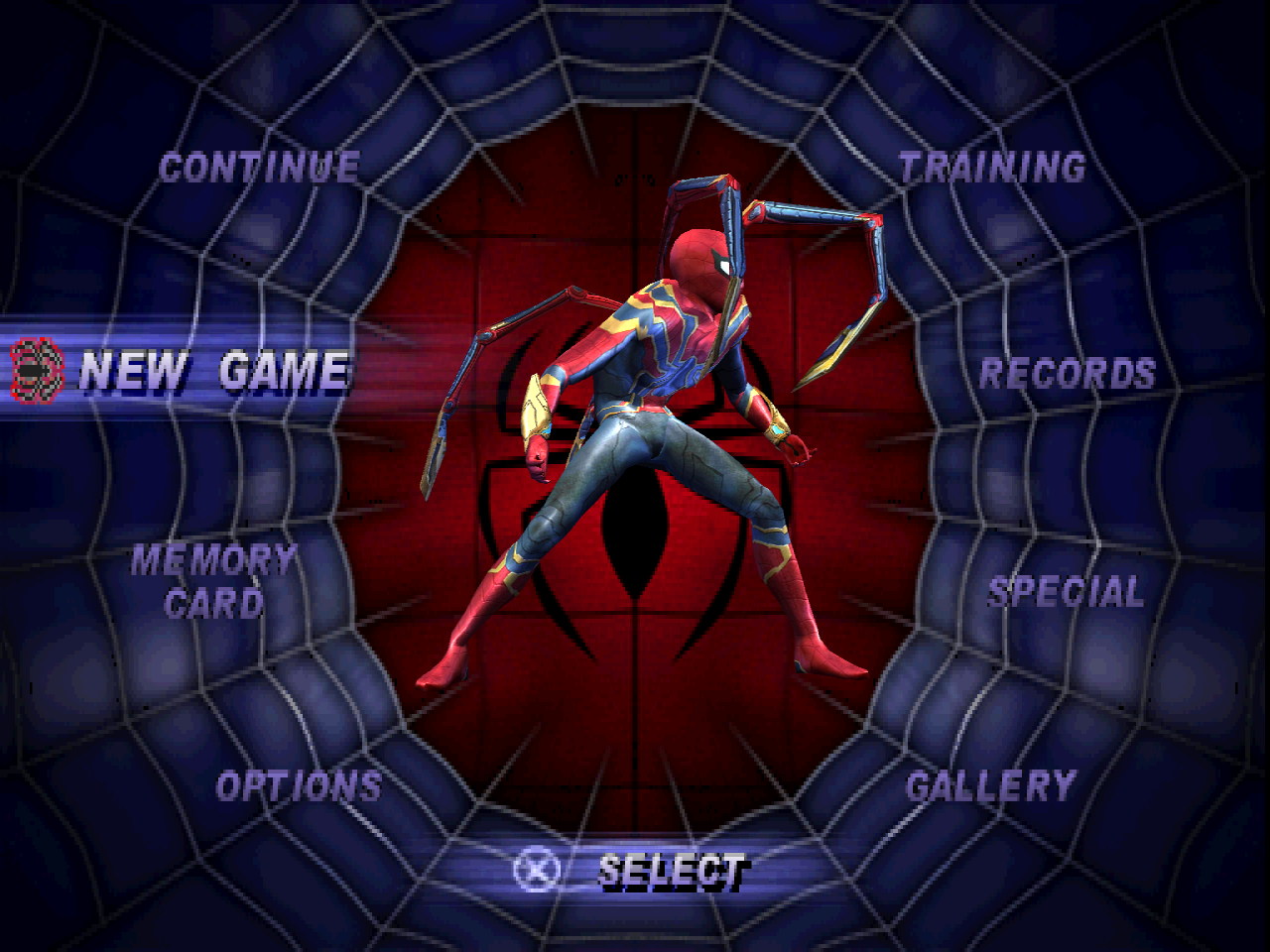 |
| Hornet - gameplay | Hornet - main menu |
|---|
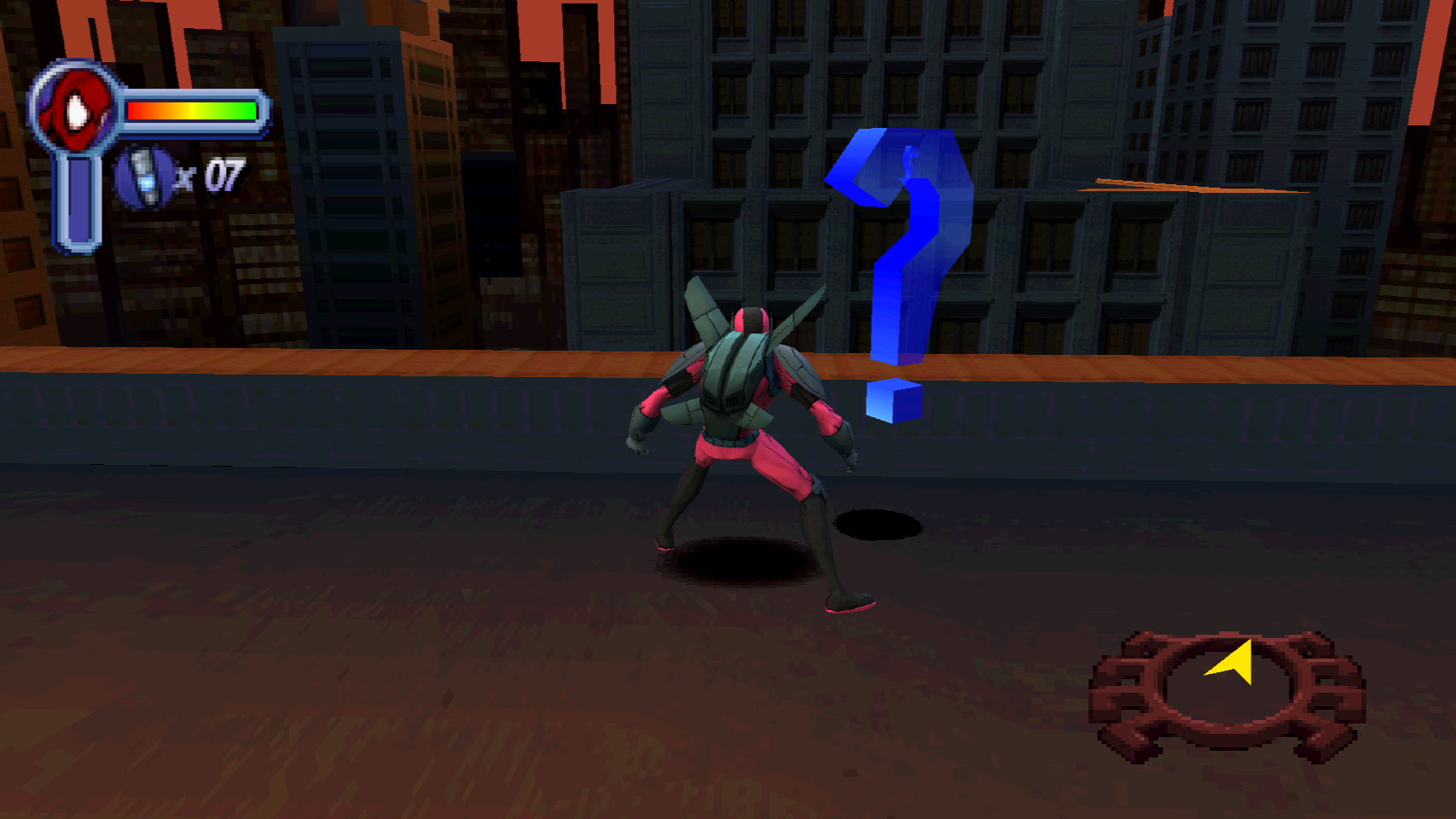 | 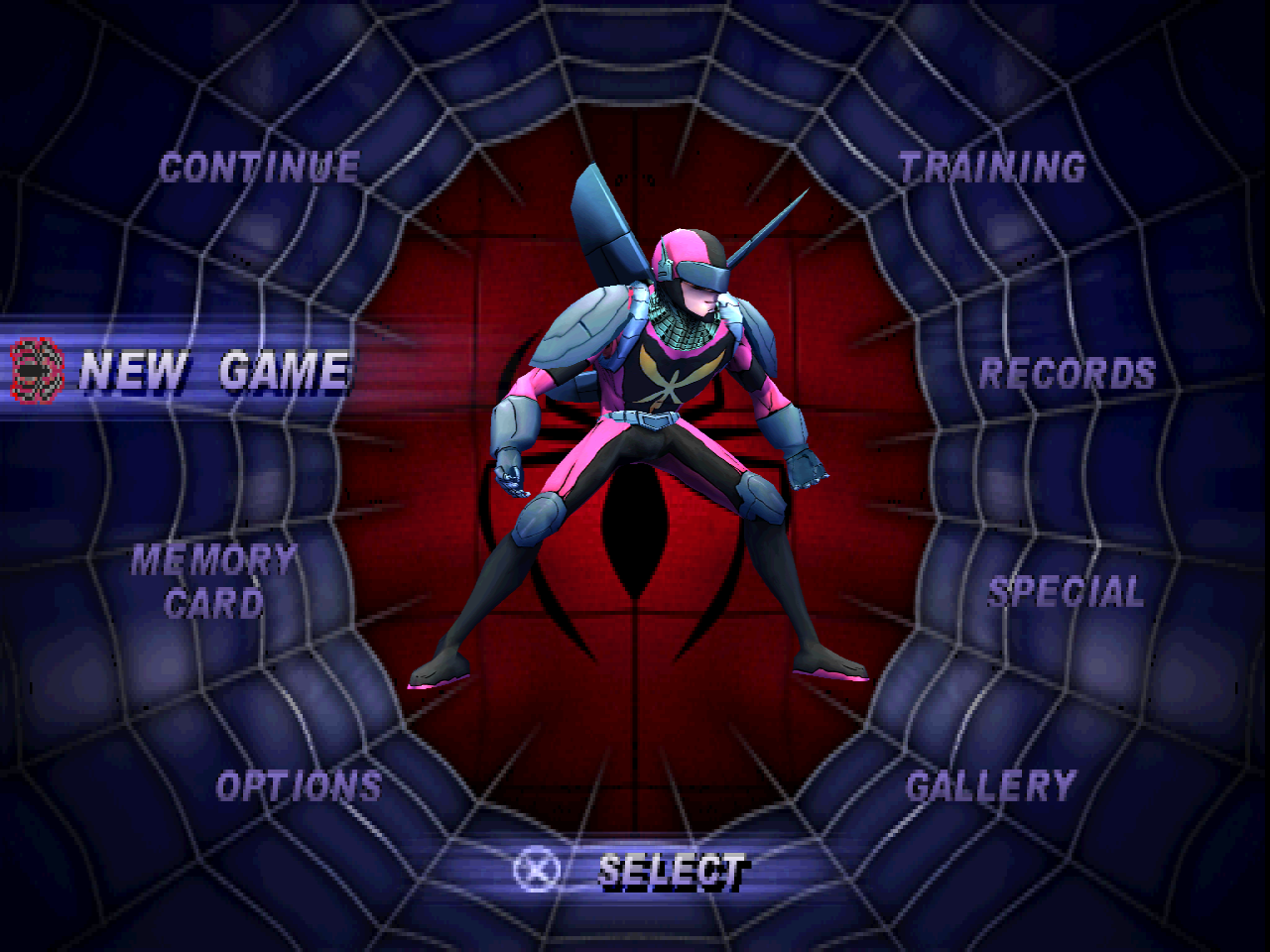 |
| Ghost Spider - gameplay | Ghost Spider - main menu |
|---|
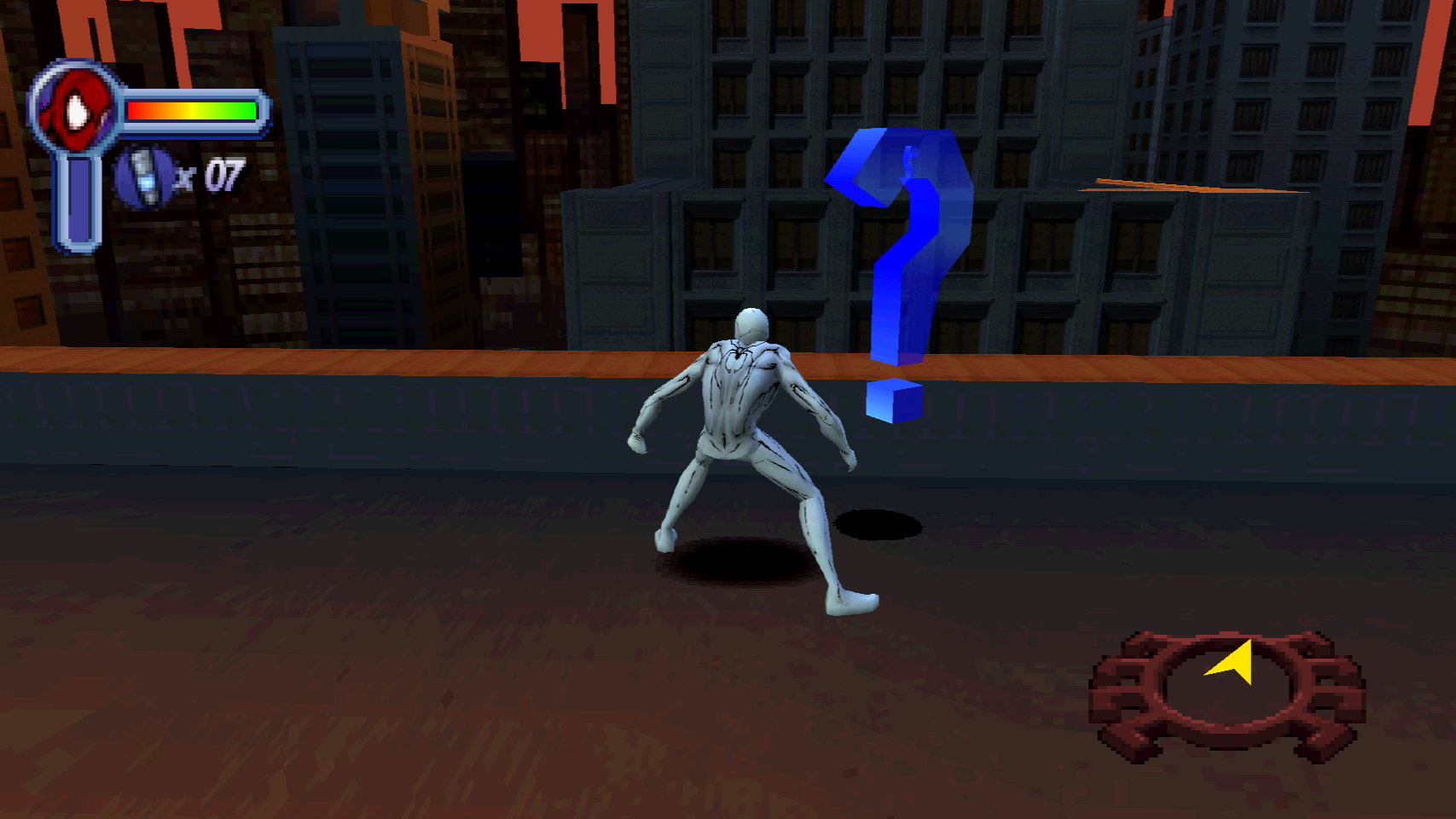 | 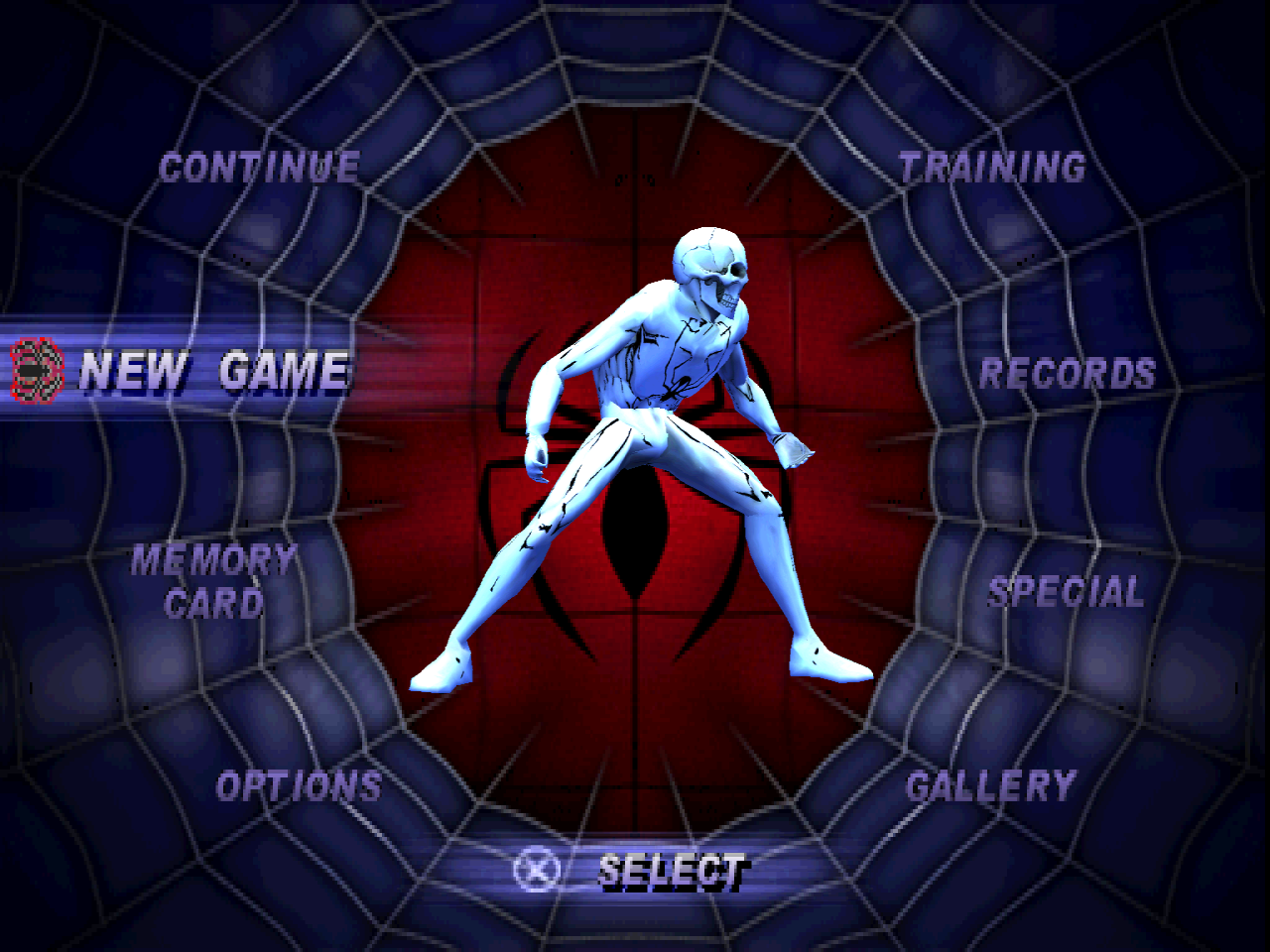 |
Featured mod models and textures by **Gameloft**, converted from *Spider-Man Unlimited*.
## Current features
- **Modern rendering in both games:** perspective-correct textured geometry,
no PS1 dithering or 5-bit output quantization, increased internal resolution,
and host-resolution FXAA enabled by default. Both 4:3 and 16:9 use the modern
renderer; legacy rendering is reserved for developer reference.
- **Widescreen gameplay:** wider projection and HUD handling in both games.
Choose 4:3 or 16:9 in OPTIONS > VIDEO SETUP.
Menus retain their original 4:3 layout.
- **Dreamcast character upgrades:** SM1 uses converted DC actors where applicable;
SM2's upgrade work focuses on Spider-Man and costumes, not matching every NPC.
Character textures use external host-resolution packs. Environments remain
the original PS1 environments.
- **Twenty built-in SM1 costumes:** the ten original suits plus ten imported SM2
entries. Imported suits use SM1 animations and copied SM1 ability profiles, with
paired existing unlock events. The winged default SM2 suit is available from
the start. Original SM1 default Spider-Man remains visually wingless.
- **Costume mods in both games:** external PNGs, custom names and author credits,
independent donor powers, built-in bodies, and validated custom native models.
Mod suits are always unlocked and do not replace built-ins. Each game supports
60 total costumes.
- **First-run disc setup:** published builds are self-contained executables with
an embedded installer. Extraction runs inside the game window with progress
and elapsed time, then subsequent launches use loose files.
## Make or customize a costume
The selector supports **60 total costumes**: 20 built-ins plus 40 mod slots in
SM1, and 19 built-ins plus 41 mod slots in SM2. Version 1.0 includes 34 SM1 mods
and 35 SM2 mods, leaving **six free slots in each game**. Magenta Man is not in
the release roster.
1. Copy a complete installed suit folder under `mods/suits/` beside the executable.
2. Give the copy a unique folder name and `id` in `suit.json`; edit its name and
comments while preserving author credits. Names support 19 printable ASCII characters.
3. Edit the referenced PNG textures, keeping their UV layout and texture keys.
Keep any referenced `modelFile` with its matching textures.
4. Choose a supported `abilities.profile` for the destination game. Appearance
and donor powers are independent; profiles do not combine powers.
5. Restart and select the costume under **SPECIAL > COSTUME VIEWER** in SM1 or
**SPECIAL > COSTUMES** in SM2.
Every packaged suit includes instructions. The shared
[mod instructions](mods/suit-instructions.txt) cover all donor profiles,
model choices, moving suits between games, and troubleshooting. Move unwanted
suits to `mods/inactive-suits` to free slots while preserving their files.
The `model` field selects a built-in body: `spiderman`, `scarlet-spider`,
`symbiote`, `quick-change`, `peter-parker`, or `sm2-spiderman`.
`spiderman` uses the wingless SM1 body in either game. An optional `modelFile`
references a validated native `.psx` actor in the suit folder; raw FBX, OBJ,
or GLB models cannot be installed directly. PNGs support up to 4096 pixels per
side within a 64 MiB decoded texture budget per suit.
For custom geometry, use [Blender Character Tools](tools/blender_spidey/README.md)
to import a native template, transfer and edit weights, and export a native
character package. The add-on requires the repository conversion backend,
external Python with Pillow, and NeversoftMultitool. Always check the result in
native gameplay; automatic weight transfer still needs artist review.
## In-game video setup (SM1 and SM2)
Open **OPTIONS → VIDEO SETUP**. This replaces the old Screen Adjust entry and
uses the game's original menu graphics, text, highlights, sounds, and controls.
Use Up/Down to select a row and Left/Right to change its value (Cross also cycles
the value). Select **APPLY** with Cross to save; Triangle discards any pending
changes and returns to OPTIONS.
| Aspect | Output resolutions |
|---|---|
| 4:3 | 640×480, 800×600, 1024×768, 1280×960, 1600×1200, 1920×1440 |
| 16:9 | 960×540, 1280×720, 1600×900, 1920×1080, 2560×1440, 3840×2160 |
**FULLSCREEN: ON/OFF** switches between fullscreen and windowed presentation when
you select Apply. Fullscreen uses the monitor's output area; turning it off restores
the selected windowed resolution. Apply also sets the gameplay aspect immediately.
The existing internal rendering scale remains a separate Display setting. Menus
retain their original 4:3 proportions. Applied choices are remembered on restart
in each game's `settings.json` and `interface.ini`.
## Run a published build
Extract the download, keeping `mods/` beside the EXE. Launch the game and select
your USA **BIN/CUE or ISO** when prompted. For a CUE sheet, keep its referenced
BIN files alongside it.
| Executable | Required disc | ID |
|---|---|---|
| `SpiderMan.exe` | Spider-Man (USA) | SLUS-00875 |
| `SpiderMan2.exe` | Spider-Man 2: Enter Electro (USA) | SLUS-01378 |
The installer checks the USA boot ID in `SYSTEM.CNF` and that its boot file exists.
It does not check disc hashes, exact executable sizes, or revision-specific disc
lengths. Extraction runs in the game window, then the game starts automatically.
After installation, the original image is no longer needed for play.
Both EXEs contain .NET, the native game libraries, and the Visual C++ runtime.
No separate runtime installer or loose DLLs are required. Windows and your graphics
driver supply the remaining system libraries.
Game files live under `game/` beside the executable; bundled character replacements
and texture packs live under `assets/builtin/`. User reskins belong in `mods/suits/`,
not inside the built-in asset folder. Each game has its own settings and data.
The bundled replacements do not require a Dreamcast disc, and SM1's imported
costumes do not require an SM2 disc at installation time.
See [first-run installation](docs/first-run-installation.md) for validation,
installation layout and recovery details.
## Build from source
Development builds require .NET 10, Python 3 with NumPy and Pillow, and the
appropriate retail disc data. Start in the directory of the game being built:
```powershell
cd spiderman # or spiderman2
python tools/disc.py extract extracted
python tools/cdwad.py extract extracted/wad
python tools/overlays.py build config/overlays
python tools/genmaps.py
python tools/build.py
```
BIN/CUE is import media, not the runtime format. The extractor produces loose files
and `recompone-disc.json`; later builds and launches use that directory.
Raw source discs and extracted retail files must not be added to Git.
From the repository root, publish a self-contained executable with:
```powershell
dotnet publish spiderman/port/SpiderMan.csproj -c Release
dotnet publish spiderman2/port/SpiderMan2.csproj -c Release
```
Outputs are `spiderman/port/dist/SpiderMan.exe` and
`spiderman2/port/dist/SpiderMan2.exe`. Ordinary builds instead use each project's
`port/bin/Release/net10.0/` directory. Published builds embed each game's
`port/bundled/runtime-assets.zip`; asset maintainers rebuild those payloads using
`python dreamcast/tools/build_bundled_runtime_assets.py` after approved changes.
### Development switches
Both games use the `SPIDEY_*` prefix, but level and costume names differ.
Set environment variables before starting the executable.
| Variable | Purpose |
|---|---|
| `SPIDEY_WIDE=1` / `0` | Enable / disable widescreen gameplay; neither selects legacy rendering |
| `RECOMP_RENDER_SCALE=4` | Internal rendering scale, from 1 to 8 |
| `RECOMP_FXAA=0` | Disable the normally enabled FXAA pass |
| `SPIDEY_LEVEL=l1a1` | Direct SM1 level boot; SM2 uses names such as `e1m0` |
| `SPIDEY_COSTUME=symbiote` | Select an SM1 built-in costume for testing |
| `SPIDEY_CHEATS=all` | Enable the game's cheat set |
| `SPIDEY_SHOTS=1050,1500` | Save native captures at specified frames |
| `SPIDEY_SNAP=crash` | Dump game RAM on a crash |
## Project layout and technical notes
`spiderman/` and `spiderman2/` have separate game code, configuration, extracted
data and output. `tools/RecompOne/` contains the shared recompiler/runtime;
`dreamcast/` contains character-conversion and audit tooling, not a third game port.
- [SM1 technical notes](spiderman/README.md)
- [SM2 technical notes](spiderman2/README.md)
- [Dreamcast extraction and conversion](dreamcast/README.md)
- [DC character-port pipeline](docs/ports/dreamcast-characters-in-ps1-sm1.md)
- [Reskin implementation and tests](docs/magenta-man-mod-development.md)
Older per-game investigation notes record the results of particular builds and
test routes. They should not be read as guarantees that every map, costume or
long-session scenario currently passes.
## Rights
Spider-Man, Spider-Man 2: Enter Electro, their characters and original assets belong
to their respective rights holders. This is an unofficial project. Players supply
the supported retail PS1 disc for the game they run. Converted character assets
and the sample reskin are distinct from the port's source code; their inclusion
does not transfer ownership of the underlying art.