
Your RCT Power inverter is just one REST call away.






---
## What is RCT Manager?
Do you have an RCT inverter and want to do more than the manufacturer’s app
allows? RCT Manager connects to one or more inverters via TCP, providing access
to readings and controls via a REST API. This means you can build your own
integrations without having to work directly with the proprietary RCT protocol.
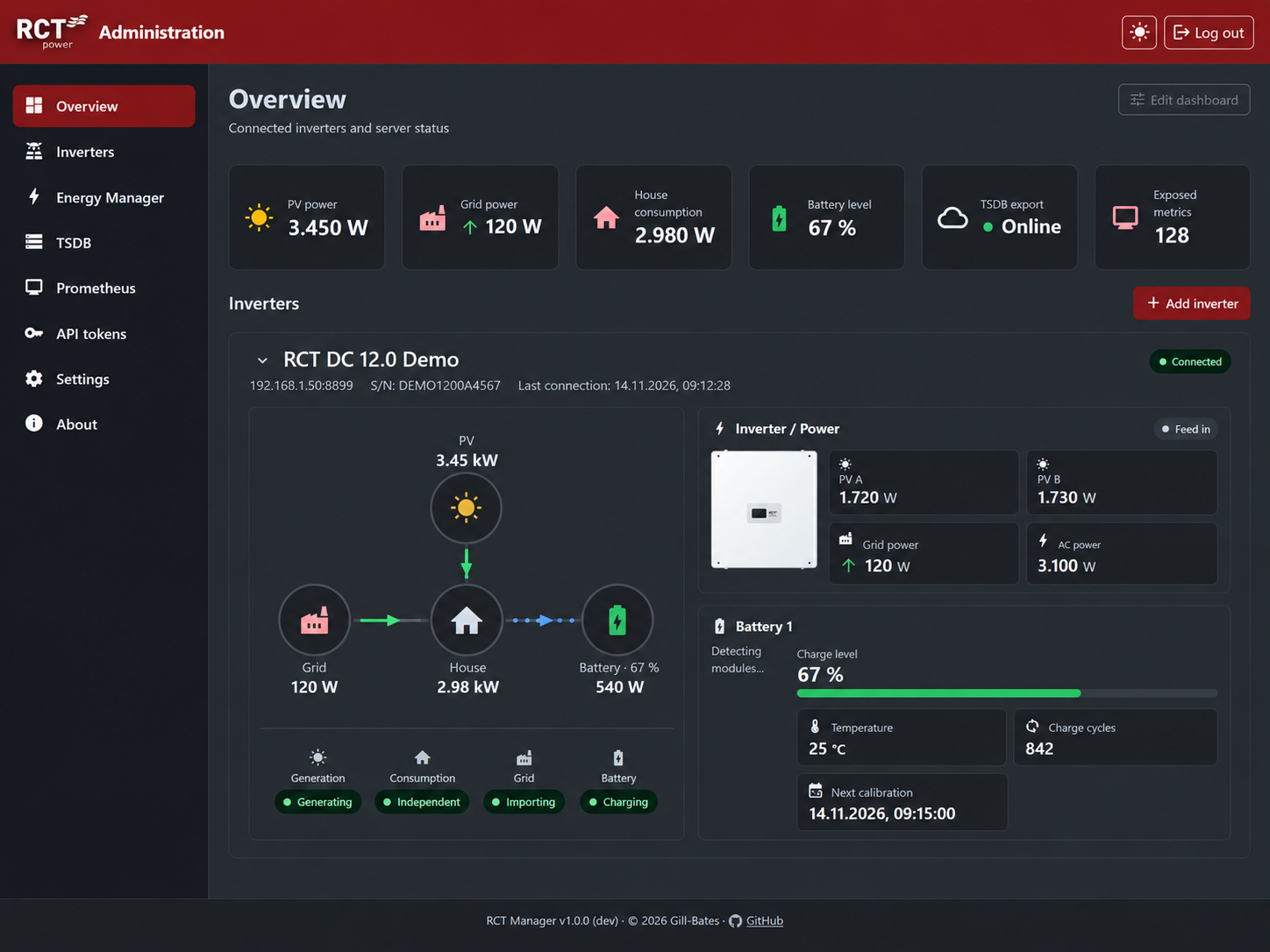
Built independently from the ground up, it combines the API, monitoring, data
export and an administration interface in a single service. No vendor app is
required.
---
## ✨ Features
| Category | Highlights |
|---|---|
| **REST API** | Read values from the full protocol catalogue and control approved functions programmatically with JSON responses and standard error messages. |
| **Your own analytics** | Use the Prometheus `/metrics` endpoint or export data to your own InfluxDB 2 or QuestDB for Grafana, Telegraf, and custom analysis. |
| **Dynamic electricity tariffs** | Use the API to automate your own tariff and charge the battery from the grid or discharge it to supply your home, setting a target state of charge, power limit and duration. |
| **Administration GUI** | Manage the overview, inverters, Energy Manager, TSDB, Prometheus, API tokens and settings all in one place. |
| **Guarded controls** | Writes are disabled by default and checked after execution; access is protected by tokens and separate admin sessions. |
| **Multiple devices** | Connect several inverters to one API. Requests to each endpoint are coordinated to avoid conflicts at the device level. |
| **Hardened container** | The container uses a read-only root file system, drops capabilities for the server process and runs it as a non-root user. It also includes a health check. |
---
## 🚀 Quick start
```sh
cp settings.env.example settings.env # set HMAC_SECRET (openssl rand -base64 32) for Docker
docker compose -f docker/compose.yaml up -d
```
Without Docker, use Python 3.13+:
```sh
python -m pip install -e '.[dev]'
python -m app validate
python -m app
```
Open `http://127.0.0.1:8000/`. The one-time `admin` password appears in a
`FIRST START - admin login` block on first startup and is also saved to
`data/initial-admin-password`. You must change this password when you first log
in.
Settings are stored in `data/rct.db`, encrypted and authenticated with
`HMAC_SECRET` from `settings.env` (generated on a local start, required for
Docker). Back up the database and the secret together. See
[Configuration](https://github.com/Gill-Bates/rct-manager/blob/main/docs/getting-started/configuration.md).
Documentation: .
Container details are in [`docker/README_docker.md`](https://github.com/Gill-Bates/rct-manager/blob/main/docker/README_docker.md).
If RCT Manager works well for you, please leave a
[star on GitHub](https://github.com/Gill-Bates/rct-manager). If something is
missing or does not work as expected, open an
[issue](https://github.com/Gill-Bates/rct-manager/issues/new/choose).
---
> [!IMPORTANT]
> **Disclaimer:** This is an independent open-source project. It is not affiliated
> with, endorsed by or connected to RCT Power GmbH, Line-Eid-Str. 1, D-78467
> Konstanz. "RCT Power" and related names are trademarks of their respective owners
> and are used only to describe compatibility.
---
## License
Released under the [MIT License](https://github.com/Gill-Bates/rct-manager/blob/main/LICENSE). Third-party components retain their
respective licenses.
