
Gladys Assistant
Your privacy-first, open-source smart home assistant
Try It •
Getting Started •
Contribute •
Contributors •
License
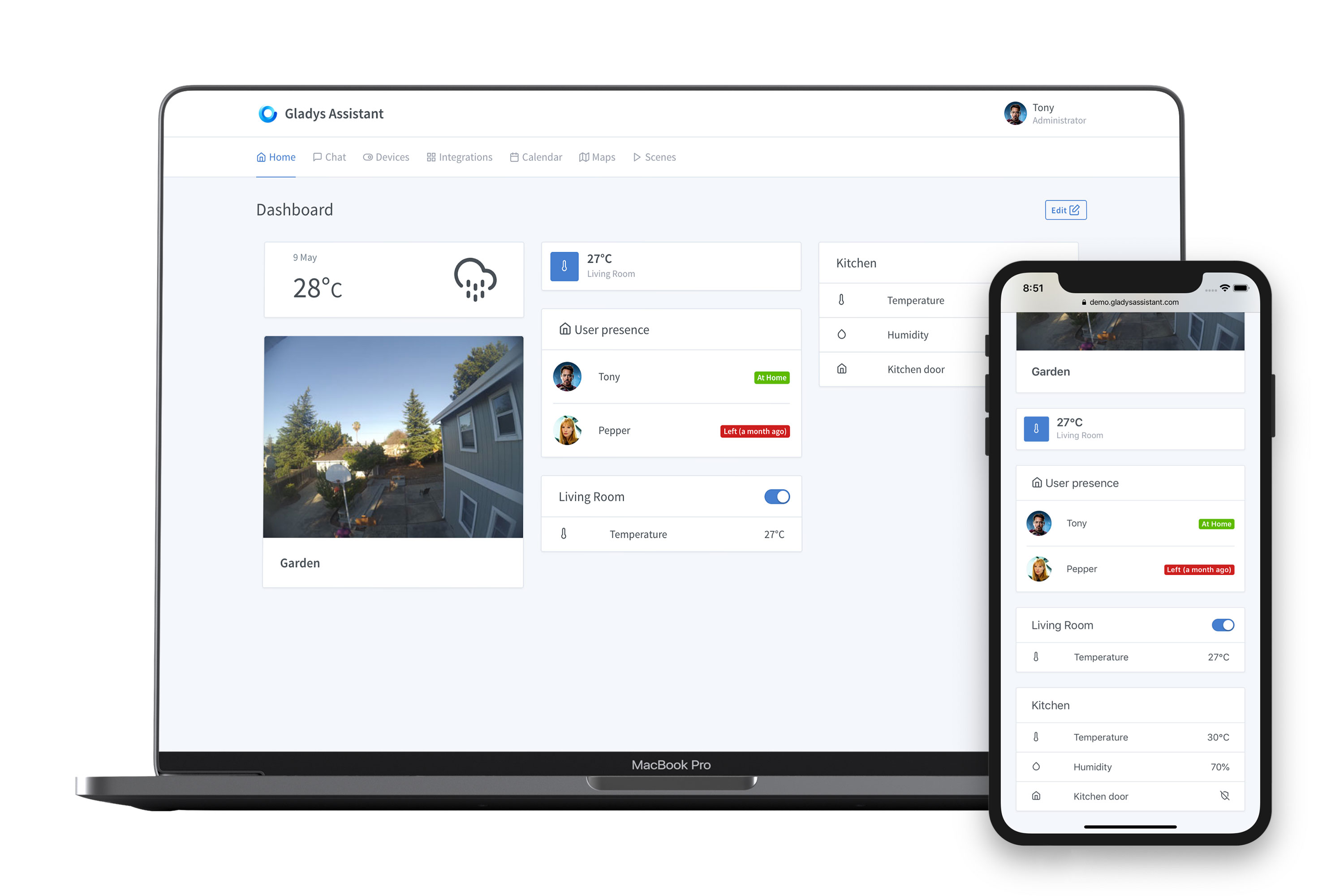
---
## 🚀 Try Gladys Assistant
Spin up a local Gladys Assistant instance in seconds using Docker:
```bash
sudo docker run -d \
--log-driver json-file \
--log-opt max-size=10m \
--cgroupns=host \
--restart=always \
--privileged \
--network=host \
--name gladys \
-e NODE_ENV=production \
-e SERVER_PORT=80 \
-e TZ=Europe/Paris \
-e SQLITE_FILE_PATH=/var/lib/gladysassistant/gladys-production.db \
-v /var/run/docker.sock:/var/run/docker.sock \
-v /var/lib/gladysassistant:/var/lib/gladysassistant \
-v /dev:/dev \
-v /run/udev:/run/udev:ro \
gladysassistant/gladys:v4
```
Prefer using Docker Compose? Check out our [Docker Compose installation guide](https://gladysassistant.com/docs/installation/docker-compose/).
## 📚 Getting Started
To install Gladys Assistant on your smart home setup, head over to our [official website](https://gladysassistant.com) for a step-by-step guide.
Whether you're installing on a mini-PC, a NAS or a Raspberry Pi, we've got you covered with clear instructions tailored to your setup.
---
## 🤝 Contribute to Gladys
We welcome contributions of all kinds — code, documentation, translations, or feature ideas.
Gladys is built by an open-source community, and **you can be a part of it!**
### 1. Set up your development environment
Follow the guide that matches your system to get started:
- [MacOS / Linux Setup Guide](https://gladysassistant.com/docs/dev/setup-development-environment-mac-linux/)
- [Windows Setup Guide](https://gladysassistant.com/docs/dev/setup-development-environment-windows/)
### 2. Start developing
Once your environment is ready, dive into our [contributing guide](https://gladysassistant.com/docs/dev/developing-a-service/) to understand the project structure, how to build features, and how to open a pull request.
---
## 🧑💻 Contributors
A huge thank you to all our amazing contributors! 💜
Gladys wouldn't be where it is today without your help.
Thanks goes to these wonderful people 👏
This project follows the [all-contributors](https://github.com/all-contributors/all-contributors) specification. Contributions of any kind welcome!
Read [Contributing.md](https://github.com/gladysassistant/Gladys/blob/master/.github/CONTRIBUTING.md) if you want to help us on Gladys Assistant.
## Articles
- [EN: Interview in Console #107](https://console.substack.com/p/console-104)
- [EN: Hackster.io - Gladys Assistant Is a Privacy-First Smart Home Platform — and Now Installable in Raspberry Pi Imager](https://www.hackster.io/news/gladys-assistant-is-a-privacy-first-smart-home-platform-and-now-installable-in-raspberry-pi-imager-4a84d5559c63)
- [FR: Framboise 314 - Plus de 500 installations pour l’assistant domotique Gladys !](https://www.framboise314.fr/plus-de-500-installation-pour-lassistant-domotique-gladys/)
## 📄 License
This project is licensed under the Apache 2.0 License. See the [LICENSE](LICENSE) file for details.
© 2014–present Gladys Assistant.


