# AI Film Pipeline — guided skill set for high-end AI video production in Higgsfield
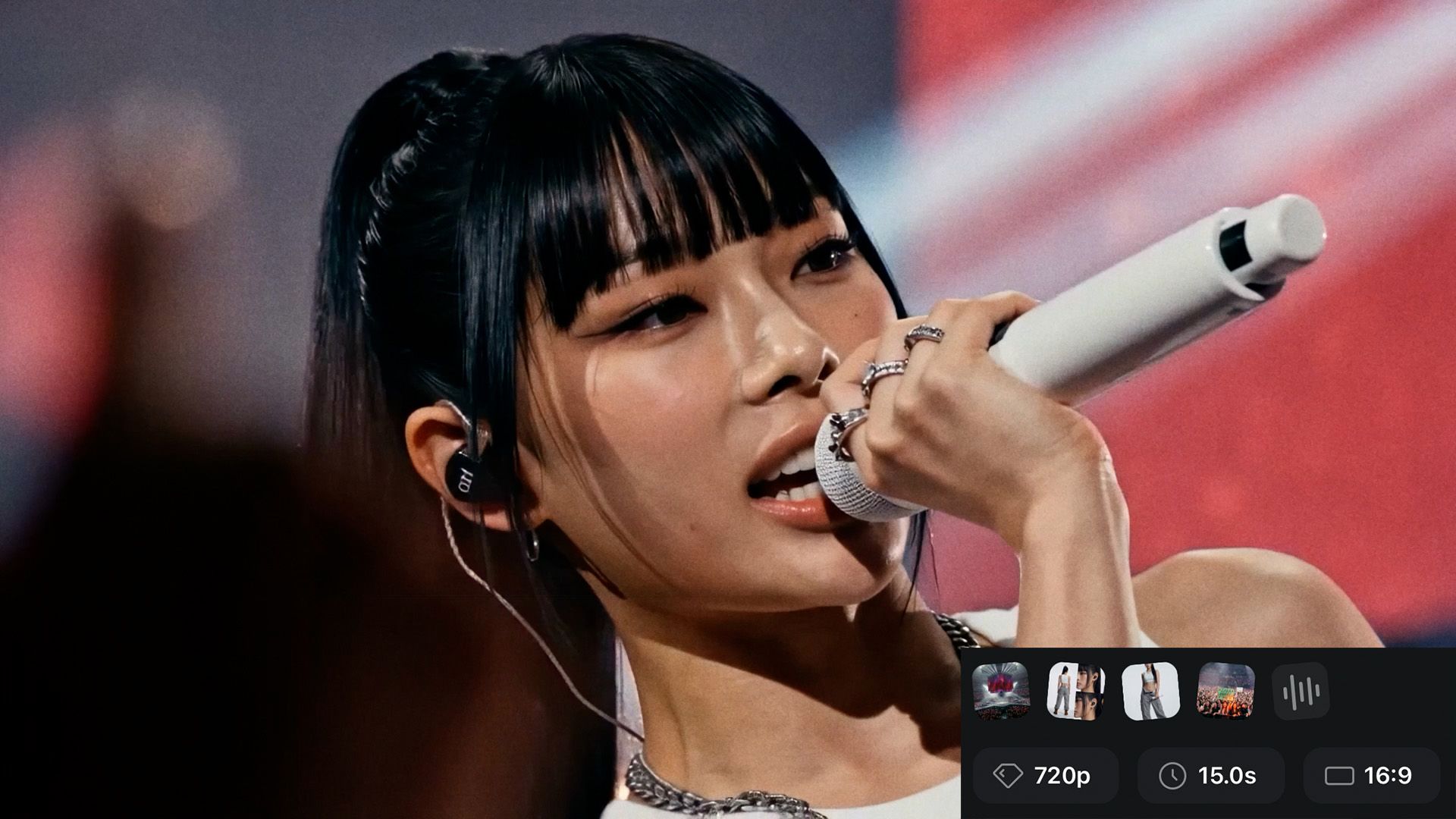
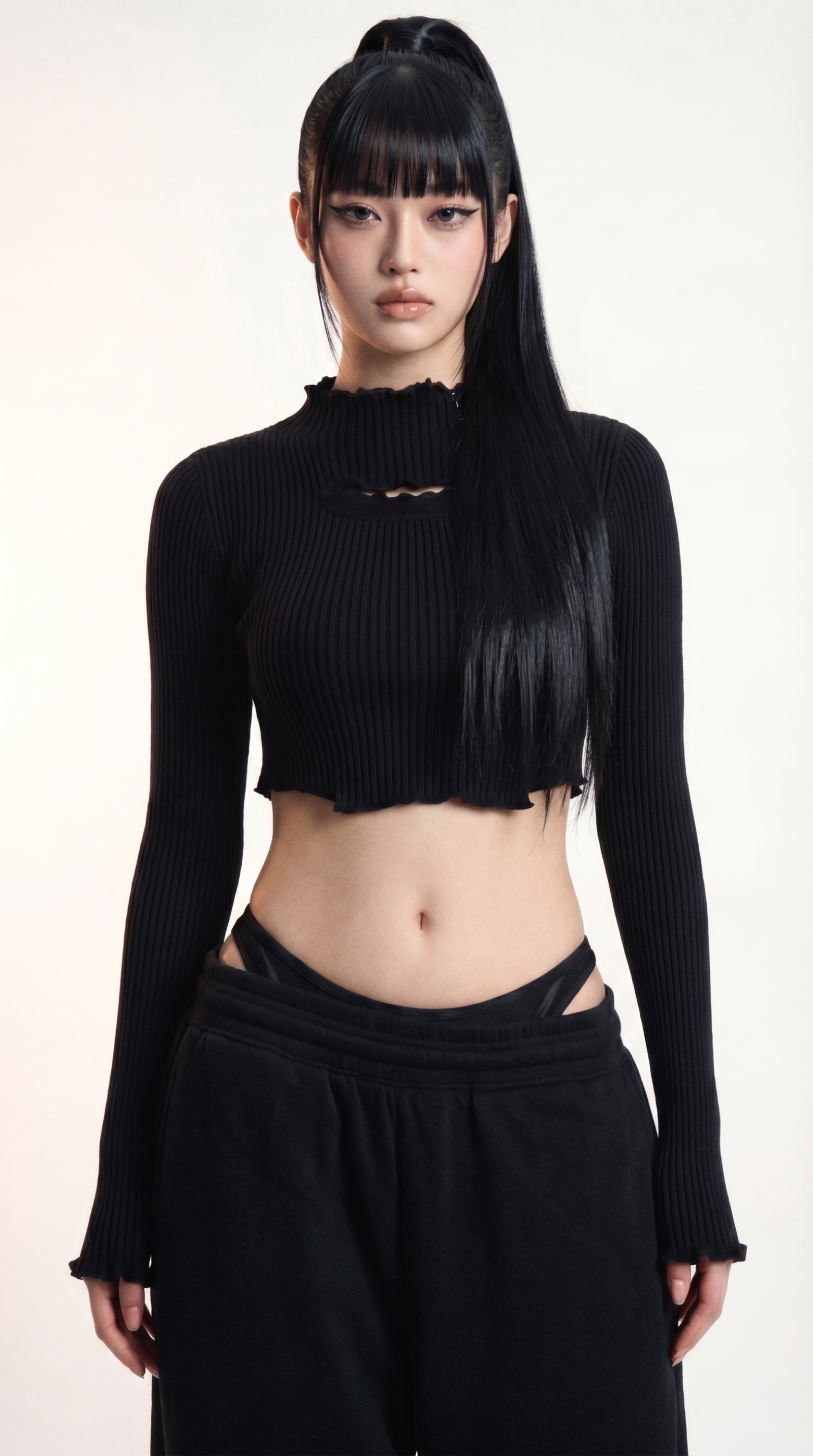
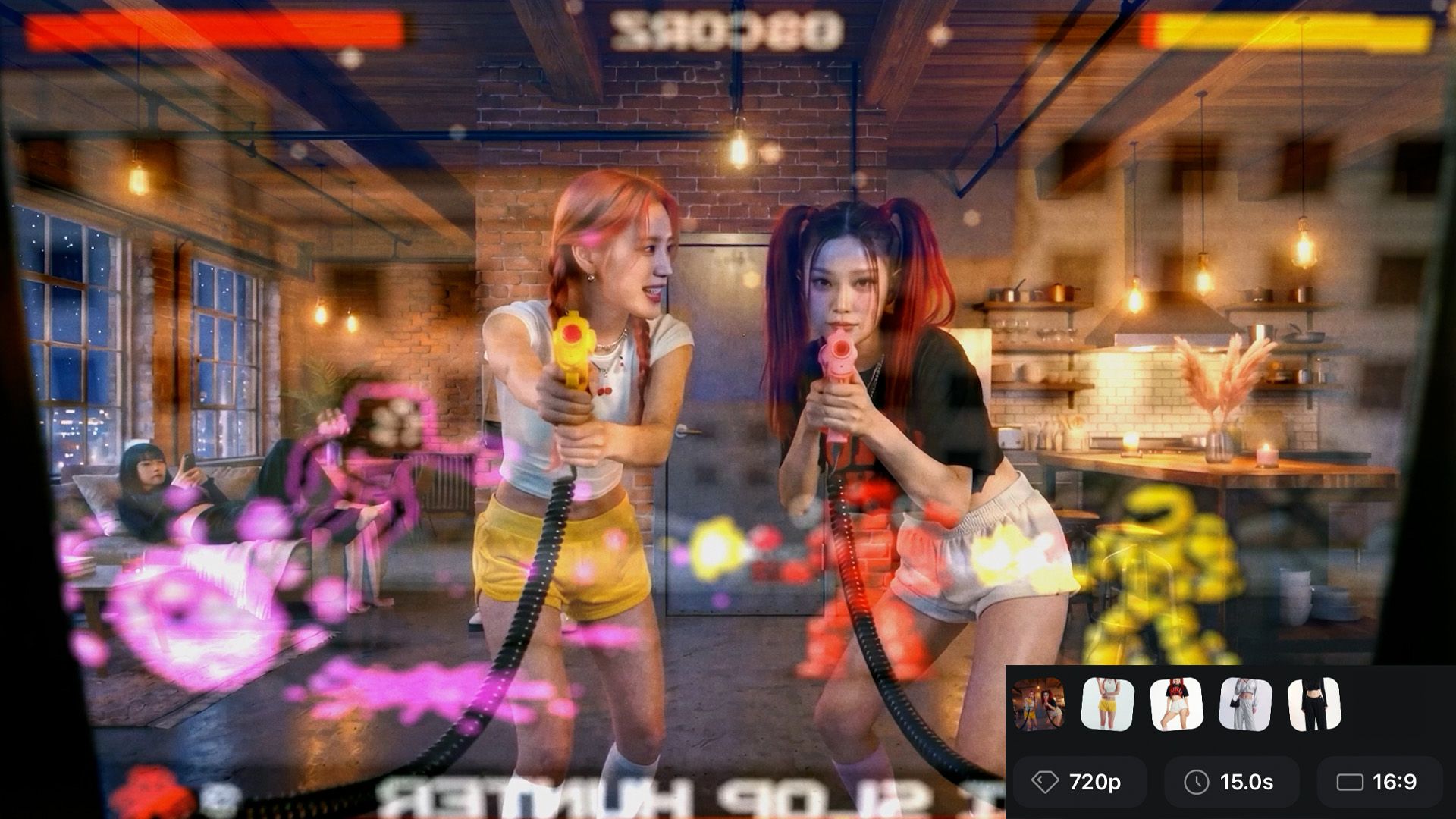
The two specialist skills in this repo are built on top of Joey's original work for CTRL — an AI-generated K-Pop short film. On-stage performance frames, tight subject portraits, behind-the-scenes life in the loft — every shot AI-built. Watch CTRL on Instagram · directed by Joey (@acornjoey), NYC. If you follow him, mention that a0339x sent you.
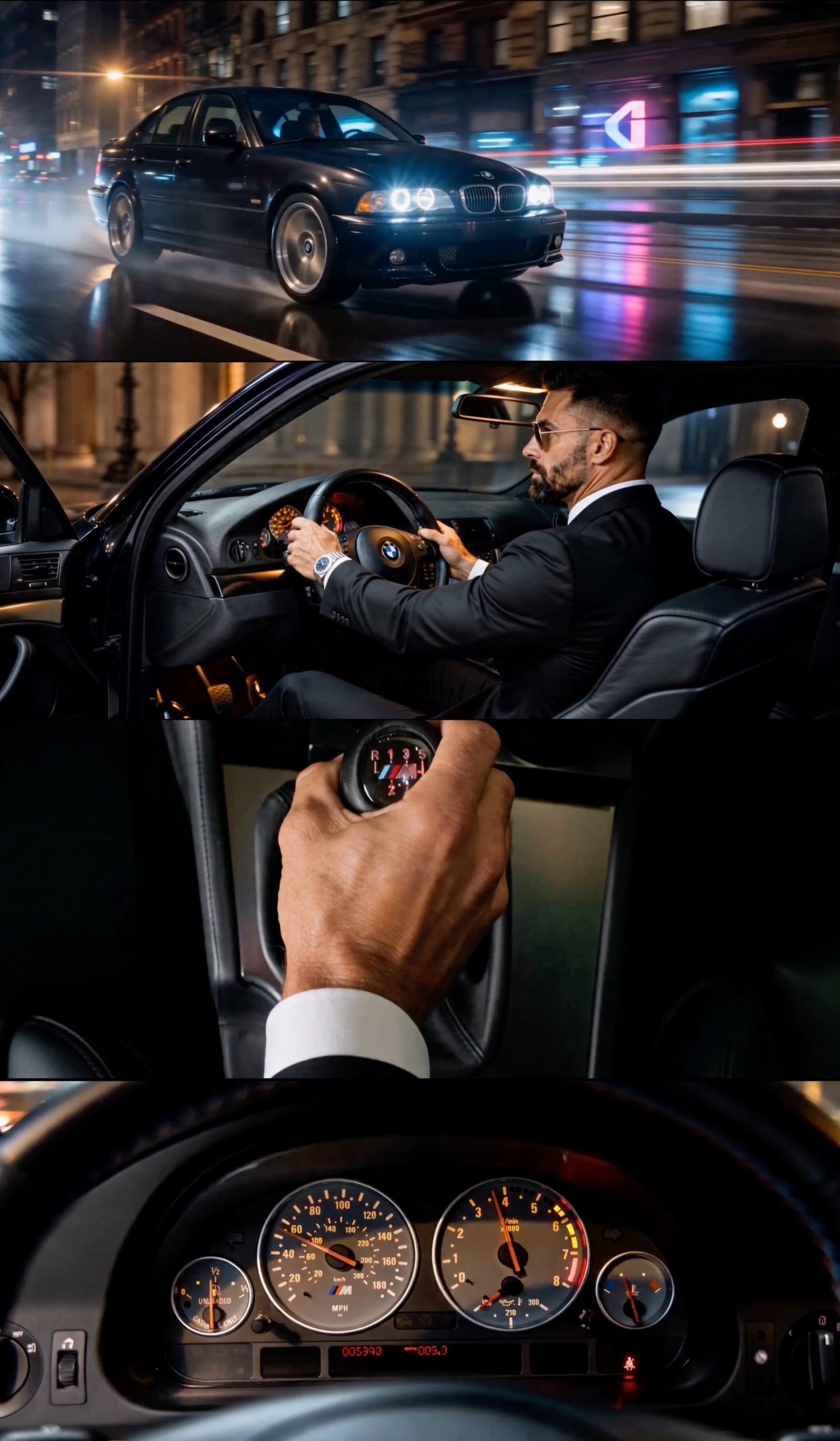
A 30-second BMW E39 M5 black-tie commercial — every shot built with this pipeline. Real-photo references → ChatGPT character sheets → Seedance shots on ArtCraft. Roughly one weekend, around $10 in generation credits.
---
## Starting guide — read this first
**This is the only section you need to read to start using the project.** GitHub is built for developers, and it shows — the file listings, the green buttons, the talk of clones and pull requests. **You can ignore all of it.** The only piece of information you actually need is the link to this page:
```
https://github.com/Gregory-Esman/ai-film-pipeline
```
Open the **Claude desktop app** in **Cowork mode** (or run `claude` in your terminal if you're already comfortable there), start a new task, and paste a message like:
> *Hey, I want to use this https://github.com/Gregory-Esman/ai-film-pipeline to help me create a promotional BMW commercial featuring the new BMW M5 2026. Please download this repo, check out the CLAUDE.md file, get up to speed, and lead me through the creation of my commercial!*
Swap "promotional BMW commercial featuring the new BMW M5 2026" for whatever you actually want to make — a music video, a short film, a brand spot, a perfume teaser, anything. The orchestrator clones the repo, reads `CLAUDE.md`, follows the workflow, and starts asking you the right questions one at a time.
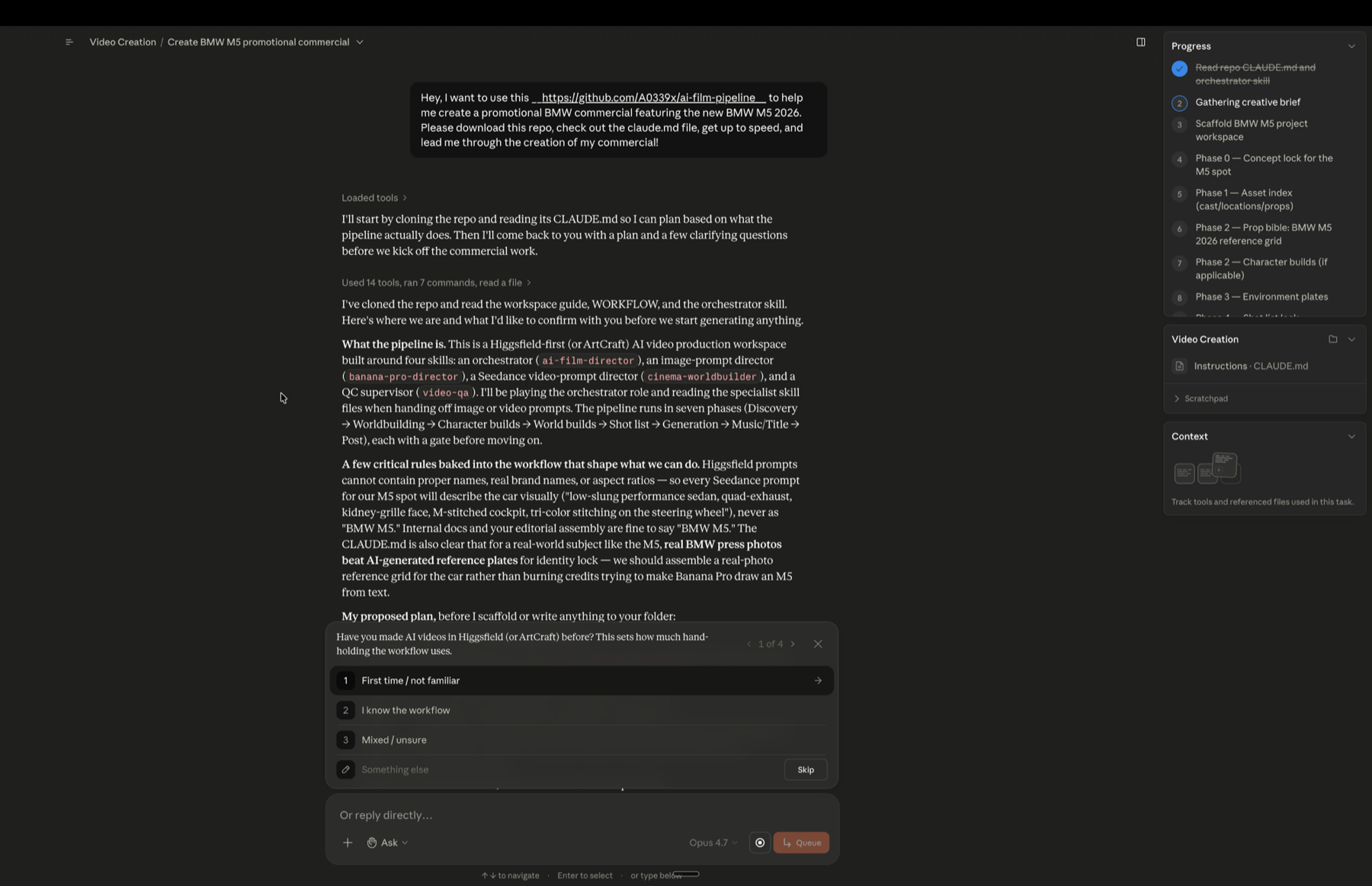
That's the whole onboarding. Drop the link, ask Claude to download the repo and read CLAUDE.md, describe your project — and watch the agent map every phase (right sidebar), then start asking the right questions one at a time. The whole pipeline runs from there.
The rest of this README (install paths, skill anatomy, platform recommendations, file conventions) is the full reference — useful once you're deep in a project, but skippable for your first run.
---
---
End-to-end skill set for making cinema-grade AI videos in Higgsfield without burning credits on shots that drift. Four skills work together: two specialists that write the prompts, one orchestrator that leads you through the whole project, and one QC supervisor that catches drift before it ships. Runs in **Claude Code (recommended — easiest install)** or **claude.ai (web/desktop app)**.
Built on top of two original skills by **Joey** (the creator of the AI-built K-Pop short film [*CTRL: Hunters*](https://youtu.be/sVib0X-PvsY)) — extended with a guided orchestrator + QC layer to walk first-time users through the workflow.
---
## What's new — the 2.0 specialist skills
The two specialist skills are updated to Joey's **2.0 release** ([upgrade video](https://youtu.be/4TXaAnittHs) · [write-up](https://pyrite-mallow-3b0.notion.site/The-Claude-skills-that-run-my-AI-Cinema-workflow-got-an-UPGRADE-Here-s-Why-36d49da027d780ff928ef70a16148369)). Three changes moved the needle most:
1. **Volumetric depth in every frame.** The biggest AI tell is flat air. Both skills now bake atmospheric language — haze density, particulate, light shafts, atmospheric falloff between subject and background — into every prompt by default. This is the single biggest jump toward *photographed, not generated*.
2. **Mid-gray seamless replaces white for character builds.** Pure white blows out face edges, kicks bounce light into the jaw, and bakes in the pasted-on plastic look when the character later seeds video. Mid-gray gives the model a value to read skin against. Gray is now the locked default; white is explicit-request only.
3. **Cameras described by behavior, not brand names.** No more "ARRI Alexa 35 + Kodak Vision3 250D" — the model pattern-matches the vibe, not the gear. Prompts now write the look itself: "wide-latitude cinema capture, vintage 2x anamorphic character at a wide aperture, oval bokeh, color-negative film rendition with fine 35mm grain."
Also new in 2.0: **Mode 0 face locks** for new characters (Banana Pro single-pass default, GPT-2 high-fidelity option, Soul Cinema two-pass iteration path), **outfit replacement** two-reference swaps, the **Capture Realism block** (the anti-plastic / anti-contrast physics engine in every Seedance prompt), **`@imageN` reference tags** matching numbered upload order in Seedance, a ten-block labeled Seedance prompt structure, and density discipline (280–400 words single-shot — shorter prompts render better).
**Hero prompts from Joey's OUR TURN production** — written by the 2.0 skills and used in the actual video — are mirrored in [`docs/sample-prompts.md`](docs/sample-prompts.md), along with his "real expectations" notes (you'll still regenerate, just 2–3 takes instead of 8–10; hit rate scales with prep). Paste them into Higgsfield, swap your references in, study the structure.
---
## Scope — what this is and what it isn't
**This is the pre-production and asset-generation pipeline.** It gets you everything you need to assemble a finished film: locked character sheets, environment plates, hero prop sheets, Seedance video clips, an original Suno music track, a title card, and a full shot list and generation log to organize it all.
**This is NOT a video editor.** The skills don't cut, color, conform, master, or assemble. Once you have your clips, music, and title card, you take them into a real NLE (DaVinci Resolve, Premiere, Final Cut, etc.) and edit the film yourself. The pipeline ends at "you have all the parts" — the assembly is on you.
Think of it as the difference between a production crew and a post-production editor: this skill set is the crew that shoots and delivers the dailies. The cut is still your job.
## What this gives you
A complete operating system for the *creation* side of AI video projects in Higgsfield:
- **Character consistency across hundreds of generations.** Lock a character once, reuse forever. The skills enforce naming discipline, locked photoreal stacks, and 6-panel reference sheets that keep faces from drifting by Shot 3.
- **Cinema-grade camera grammar.** Five locked cinema modes (Narrative / Studio / Action / Performance / Atmospheric), each with its own capture register, lens character, movement, diffusion, and grade — described by behavior, never by gear brand names. Prompts come out looking like they were shot, not rendered.
- **Credit savings by design.** Pitfall flags fire before you generate shots that won't earn — character not locked, runtime overshoot past Seedance's 15s reliability window, mode mismatch, music language leaking into video prompts, brand contamination. The source production team burned ~7,500 credits on their first project; their post-mortem said they could have done it in 3,000 with this workflow in hand.
- **Guided pipeline for first-timers, lean iterative loop for pros.** Two operating modes per skill, switchable mid-project. Newbies get walked through seven structured phases. Pros run a five-step iterative loop with just-in-time builds.
- **QC before ship.** A dedicated skill audits the project against locked bibles — eight scored categories in guided mode, three lean checks (drift / continuity / prompt audit) in pro mode. Pause-with-evidence, prescribed fix path, hand back to the right specialist to regenerate.
- **Multi-frame drift detection.** QC uses `ffmpeg` to extract frames at 1 fps from every generated clip, then compares each frame against the locked references. Catches within-clip drift that single-thumbnail audit misses — wrong-generation prop slips (e.g. an E39 M5 with E46 taillights), identity wobble across a long take, animation artifacts at specific moments, hand-through-wheel clipping, etc. Cross-platform install paths documented; graceful fallback paths for users who can't install ffmpeg.
- **Multi-project workspace.** One repo, many films. Each project lives in its own `projects//` folder with isolated bibles, references, clips, and QC reports. A single `scripts/new-project.sh` command scaffolds a fresh project workspace from the bundled templates. Projects don't collide; you can be running a music video, a brand spot, and a short film concurrently without their assets stepping on each other.
- **Real-world references over AI-generated, when available.** If your subject exists in the real world — a specific car, a specific watch, a specific architectural style, a real location — **use real photos as your reference assets rather than generating new ones**. A multi-panel grid built from real photographs of an E39 M5 cockpit locks identity tighter than any AI-generated cockpit plate, costs zero credits, takes 5 minutes to assemble, and gives you fine detail (M-tri-color stitching, H-pattern shift gate, gauge cluster numerals) that's hard to prompt accurately. The pipeline treats real-world reference photos as first-class anchors — drop them into `references/` exactly as you would an AI-generated plate.
What you get out at the end: a folder of locked references, a folder of generated clips, a music track, a title card image, and the bibles + shot list + generation log that document how the project was built. You bring that bundle into your NLE of choice and cut the film.
---
## The four skills
| Skill | Role | Owns |
|---|---|---|
| **`banana-pro-director`** | Image prompts | Mode 0 face locks for new characters (Banana Pro / GPT-2 / Soul Cinema fork), character outfits on mid-gray seamless, 6-panel character sheets, scene plates, GPT-2 detail face shots, outfit replacement swaps. Enforces the locked cinema stack. |
| **`cinema-worldbuilder`** | Seedance video prompts | Five cinema modes with behavior-described camera/grade, per-shot runtime, diegetic audio rule, multi-shot per-shot timing. Ten-block labeled output (Scene & Mood → Frame Map → Subject Lock → … → Capture Realism → Camera Capture) with numbered `@imageN` reference tags. |
| **`ai-film-director`** | Pipeline orchestrator | Leads users from a one-line intention through every phase of the project. Calls the two specialists at the right moments. Pauses for Higgsfield generation. Protects against credit-burning pitfalls. Two modes: guided (seven phases) or pro (five-step loop). |
| **`video-qa`** | QC supervisor | Audits the project against locked character/environment/prop bibles. Uses `ffmpeg` for **multi-frame extraction at 1 fps per clip** so drift within a single shot gets caught — wrong-generation prop slips, identity wobble, animation artifacts at specific moments, hand-through-object clipping. Pauses with evidence (specific frame numbers), prescribes fixes, hands back to specialists to regenerate. Two modes: guided (eight scored categories, Ship/Hold/Block verdict) or pro (drift + continuity + prompt scan, no score). Graceful fallback if ffmpeg can't be installed. |
---
## Install
Two install paths. Pick whichever matches how you already work with Claude.
### Path A — Claude desktop app, Cowork mode (recommended for first-time producers)
If you're using the Claude desktop app, run this in **Cowork mode** — it's the right fit for AI film production specifically. Three reasons:
1. **The Cowork Progress sidebar mirrors the seven-phase pipeline.** Discovery → Worldbuilding → Character builds → World builds → Shot list → Generation → Music/Title → Post. Each phase shows up as a tracked step on the right-hand side as the orchestrator works through it. You always know where you are.
2. **AI film production is async-heavy.** You step away to generate in ArtCraft, edit in your NLE, run Suno, come back the next day to look at locked clips. Cowork tasks persist across that — the plan stays visible, you can queue messages while the agent works, and resuming is one click.
3. **The interactive question UI is cleaner.** The orchestrator asks a lot of structured questions (mode pick, runtime, cinema mode picks, recurring characters yes/no). Cowork renders these as multi-choice pickers — click instead of type.
**To use it:**
- Open the Claude desktop app and switch to the **Cowork** tab (top of the left sidebar, between Chat and Code).
- Optionally create a Project (e.g. `Video Creation`) so each film you make has its own folder + chat history.
- Start a new task and paste the prompt template from the onboarding section above (the *"Hey, I want to use this https://github.com/Gregory-Esman/ai-film-pipeline ..."* one).
- The orchestrator clones the repo, reads `CLAUDE.md`, lays out the phase plan in the Progress sidebar, and starts asking the right questions one at a time.
### Path A.2 — Claude Code in the terminal (for developers / terminal-comfortable producers)
If you live in the terminal and prefer Claude Code's CLI experience, this works too. Same skills, same workflow — just a different surface.
```bash
git clone https://github.com/Gregory-Esman/ai-film-pipeline.git
cd ai-film-pipeline
claude
```
Then in the session, describe what you want to make. Claude Code reads `CLAUDE.md` automatically, finds the four `SKILL.md` files at the repo root, and follows the right one as its operating instructions when the matching trigger fires.
Bonus: the scaffold script runs natively, `ffmpeg` (needed for QC multi-frame extraction) auto-installs in-session, and bibles/references/clips/QC reports all live in the same workspace the agent operates on with no copy-paste.
**When to pick Code mode over Cowork mode:** if you're also extending the skills themselves (editing `SKILL.md` files, debugging the orchestrator's logic, adding new cinema modes). For *using* the pipeline to make a film, Cowork wins.
### Path B — claude.ai (web app / desktop app)
If you'd rather work in [claude.ai](https://claude.ai) (web or desktop), upload the four skills as `.zip` files via **Settings → Capabilities → Skills → +**. Each zip must contain a folder named after the skill (e.g. `ai-film-director/`) with `SKILL.md` directly inside it.
#### Zip each folder by platform
| Platform | Command / action |
|---|---|
| macOS Finder | Right-click each of the four folders → **Compress**. Produces `.zip`. |
| macOS / Linux Terminal | `zip -r ai-film-director.zip ai-film-director/` (repeat for the other three) |
| Windows File Explorer | Right-click → **Send to** → **Compressed (zipped) folder**. Verify the zip contains the folder (not just `SKILL.md` flattened). |
| Windows PowerShell | `Compress-Archive -Path ai-film-director -DestinationPath ai-film-director.zip` (repeat for the other three) |
| iPad / browser-only | Use the Files app's **Compress** option on each folder. Upload via claude.ai on a desktop browser. |
#### Upload to claude.ai
1. Open [claude.ai](https://claude.ai) in a browser or the desktop app.
2. Go to **Settings → Capabilities → Skills**.
3. Click **+** and select **Upload skill**.
4. Drop each `.zip` in individually.
5. Skills auto-activate based on conversation context — no manual invocation needed.
You need all four installed for the orchestrator and QC to work properly. Without the specialists installed, handoffs degrade silently to generic Claude prompt-writing.
**Trade-offs vs Claude Code:** you'll attach reference images to chats manually (vs filesystem-native in Claude Code), you'll need to run the scaffold script on a separate desktop machine if you want it (or create project folders by hand), and you'll need to install `ffmpeg` yourself before invoking `video-qa` (Claude Code can do this in-session for you).
---
## Use
In a new Claude Code session (or claude.ai chat), say what you want to make:
> *"I want to make an AI music video"*
> *"Help me build a short film concept"*
> *"Make me a brand spot for [thing]"*
`ai-film-director` activates and asks two opening questions:
1. **Are the other three specialists available?** (In Claude Code: yes, they're sibling files in the repo — confirm and move on. On claude.ai: are the other three zips installed? If not, install them first — handoffs need them.)
2. **Pro mode or guided mode?** Guided walks you through seven phases with structured gates — the right pick if it's your first time through **this pipeline** (even if you've used Higgsfield or ArtCraft before, the workflow itself is what guided teaches). Pro runs a five-step iterative loop for producers who've already shipped a project through this pipeline and want the gates as safety rails instead of teaching.
From there, the orchestrator leads. It will:
- Help you develop characters (or lock the ones you already have from reference images)
- Build environment plates and prop sheets as shots call for them
- Map your shot list beat-by-beat
- Call `cinema-worldbuilder` for every Seedance prompt with the right context loaded
- Pause for you to generate in Higgsfield with explicit "save to this path, return when locked" handoffs
- Warn before you torch credits on shots that aren't yet earnable
After generating a batch (or before final assembly), invoke `video-qa` to audit drift, continuity, and prompt-rule violations.
The workspace `templates/` folder gives you starting templates for character bibles, shot lists, generation logs, Suno music prompts, and title card briefs.
### Starting a new project
Each project lives in its own folder under `projects/`. The bundled scaffold script creates the structure:
```bash
./scripts/new-project.sh bmw-m5-spot
```
Replace `bmw-m5-spot` with whatever lowercase-with-hyphens working name fits your project (e.g. `kpop-music-video`, `perfume-brand-30s`, `coffee-roastery-doc`). The script:
- Creates `projects//` with the standard subfolder layout (`references/{characters,environments,props,titles}/`, `clips/`, `audio/`, `prompts/`, `qc-reports/`)
- Copies the empty templates from `templates/` (bibles, shot list, generation log, Suno prompt, title card brief)
- Stubs a per-project `README.md` with folder map + start-here notes
The orchestrator can also run the script for you in Claude Code — it'll ask for the project name at the start of Phase 1 and handle the scaffold automatically. On claude.ai (no shell access), run the script once on a desktop machine or create the folders manually following the layout.
**The `projects/` folder is gitignored** so each producer's work stays private. If you want to share a project as an example, force-add it (`git add -f`).
Multiple projects can coexist in one repo without colliding — switch between them by `cd`-ing into the project folder or telling the orchestrator which project you're working on.
---
## Where to run Seedance — platform recommendations
The four skills run inside Claude (Claude Code or claude.ai). But the actual **video generation happens on a Seedance 2.0 host** — that's a separate platform where you paste the Seedance prompt that `cinema-worldbuilder` produces. Several platforms host Seedance 2.0; the right one depends on your budget and feature needs.
### Recommended by use case
| If you're... | Use | Why |
|---|---|---|
| **Most projects** — hobbyist, indie commercial, music video, brand spot, single test, anything where you'll assemble cuts in your NLE | **[ArtCraft](https://getartcraft.com/)** Basic ($10/mo, ~63s Seedance 2.0) | Runs the **same Seedance 2.0 model** the professionals use. Supports reference attachment (up to 9 individual images per generation), identity anchoring via `@Characters`, full prompt-level control. **Does ~90% of what Higgsfield does, at a fraction of the cost.** The BMW M5 spot at the top of this README was produced entirely on ArtCraft. **Limitation:** no auto-edit / multi-cut in a single generation — if your shot needs internal cuts, generate them as separate clips and assemble in your NLE (this is what most editors do anyway). |
| **Top-tier production** — client hero work, multi-cut bursts in one render, heavy-iteration shoots, anything where the final 10% of polish is the brief | **Higgsfield** Plus / Ultra ($34–49/mo+ depending on region) | The **professional tier.** Same Seedance 2.0 model, but adds the last 10% that matters at the top: multi-cut auto-edit (one prompt → multiple shots stitched into one generation), edit-and-rerun on prompts, larger generation budget, faster iteration cadence. The CTRL K-pop production at the top of this README was made on Higgsfield. Worth the premium when the production demands those specific features — not because it's the "serious" tool. |
| **One-off project, no subscription commitment** | **fal.ai** pay-per-use (~$0.24–0.30/sec at 720p) | Official Seedance 2.0 API mirror. Pay per generation, no monthly floor. Watch the resolution setting — 1080p costs ~3× the advertised 720p rate. |
| **Power user willing to work the API** | **ByteDance / BytePlus ModelArk direct** (~$0.14/sec) | Cheapest possible. ~$0.37 per 4s clip. 3,500-character prompt limit is the catch — our cinema-worldbuilder prompts are denser than that, so prompts need compression (which trades fidelity). Right for ongoing high-volume work after you know which prompt sections you can safely trim. |
### The default recommendation for new users
**Start with ArtCraft Basic ($10/mo).** This is not a "training-wheels" recommendation — it's the right tool for most projects. It runs the same Seedance 2.0 model as Higgsfield, covers a 30-second spot end-to-end with credits to spare, supports reference attachment cleanly, and gets out of your way. The BMW M5 commercial above was made entirely on ArtCraft.
If during shot planning you discover you need a multi-cut sequence in a single generation (auto-edit ON), spin up a Higgsfield month for just that shot — pay-per-month, cancel when done.
The trap to avoid: don't subscribe to multiple platforms before you know what you need. Most spots don't require multi-cut auto-edit. For most users, ArtCraft alone is enough.
### The ArtCraft / Higgsfield trade-off in one line
**ArtCraft does ~90% of what Higgsfield does at a fraction of the cost. Higgsfield is the professional tier — it adds the last 10% (multi-cut auto-edit, edit-and-rerun, faster iteration) that matters on hero productions.** Pick ArtCraft as the default; reach for Higgsfield specifically when your shot list needs auto-edit multi-cut sequences in a single render, or when you're producing client work where that last 10% is the brief.
---
## Source attribution
The two specialist skills (`banana-pro-director` and `cinema-worldbuilder`) come from **Joey**, the creator of the AI-built K-pop short *CTRL: Hunters*. He published them free on his YouTube channel and Notion, in his own words:
> *"The pipeline is the actual product. The video is just a demo showcasing it being used. Take them, use them, modify them, build your own off of them. I don't care."*
His full project breakdown (the 133-generation, 7,500-credit post-mortem that produced the workflow patterns in this repo) lives in his [YouTube release video](https://youtu.be/sVib0X-PvsY) and the linked Notion playbook. The 2.0 skill updates in this repo come from his [upgrade video](https://youtu.be/4TXaAnittHs) and the matching [Notion write-up](https://pyrite-mallow-3b0.notion.site/The-Claude-skills-that-run-my-AI-Cinema-workflow-got-an-UPGRADE-Here-s-Why-36d49da027d780ff928ef70a16148369). Watch them — they're the source material.
The two added skills (`ai-film-director` and `video-qa`) and the workspace templates are derivative work built on top of Joey's pipeline, designed to walk first-time users through it without re-deriving the patterns from scratch.
---
## File structure
```
.
├── README.md — this file
├── LICENSE — MIT
├── CLAUDE.md — workspace entry doc for Claude
├── WORKFLOW.md — the full pipeline narrative
├── banana-pro-director/ — Joey's image-prompt skill
│ └── SKILL.md
├── cinema-worldbuilder/ — Joey's Seedance video-prompt skill
│ └── SKILL.md
├── ai-film-director/ — orchestrator skill
│ └── SKILL.md
├── video-qa/ — QC skill
│ └── SKILL.md
├── templates/ — empty templates (copied per project)
│ ├── character-bible.md
│ ├── environment-bible.md
│ ├── prop-bible.md
│ ├── shot-list.md
│ ├── generation-log.md
│ ├── suno-music-prompt.md
│ └── title-card-prompt.md
├── scripts/
│ └── new-project.sh — scaffold a new project workspace
└── projects/ — one folder per project (gitignored)
└── / — your workspace per film
├── character-bible-*.md
├── environment-bible-*.md
├── prop-bible.md
├── shot-list.md
├── generation-log.md
├── references/{characters,environments,props,titles}/
├── clips/
├── audio/
├── prompts/
└── qc-reports/
```
---
## License
MIT. See [LICENSE](LICENSE). The two specialist skills (`banana-pro-director`, `cinema-worldbuilder`) are Joey's original work, included here per his explicit "take them, use them, modify them" release. The added orchestrator and QC layer plus templates are derivative work licensed under the same terms.
---
## Production stack reference
For the curious — the tools the source production used and which this pipeline assumes:
| Stage | Tool |
|---|---|
| Character face locks (Mode 0) | Nano Banana Pro single-pass (default) · GPT-2 (highest fidelity, more credits) · Soul Cinema two-pass (cheap iteration) |
| Outfits / fuses / merges / outfit swaps | Nano Banana Pro (simple fits) · Soul Cinema two-step (complex/baggy custom fits) |
| Detail face / chest-up portraits | Higgsfield GPT-2 |
| Video generation | Seedance 2.0 |
| Music | Suno |
| Upscale | Topaz Video |
| Edit / assembly | Any NLE (DaVinci Resolve, Premiere, Final Cut) |
If Higgsfield ships UI changes or new model variants, the skills are written to flex around them as long as the underlying model behavior is intact.