Gridea Pro

Gridea Pro

The next-generation desktop static blog client — write like you're in Notion, publish with one click.

A static blog writing client built on Wails (Go + Vue 3). Free and open source, forever.

License Release Downloads Platform Go Vue 3 Chinese

English · 简体中文

---

Live Demo  👉  are.ink

--- **Gridea Pro** is a complete rewrite of [Gridea](https://github.com/getgridea/gridea) (10k+ Stars), rebuilt from scratch with Go + Wails + Vue 3. The original Gridea has been unmaintained for about four years. Gridea Pro carries forward its core vision: **making it effortless for anyone to own their own blog.** Special thanks to the original author [@EryouHao](https://github.com/EryouHao) for creating [Gridea](https://github.com/getgridea/gridea) and helping countless people start their blogs. --- ## Screenshots
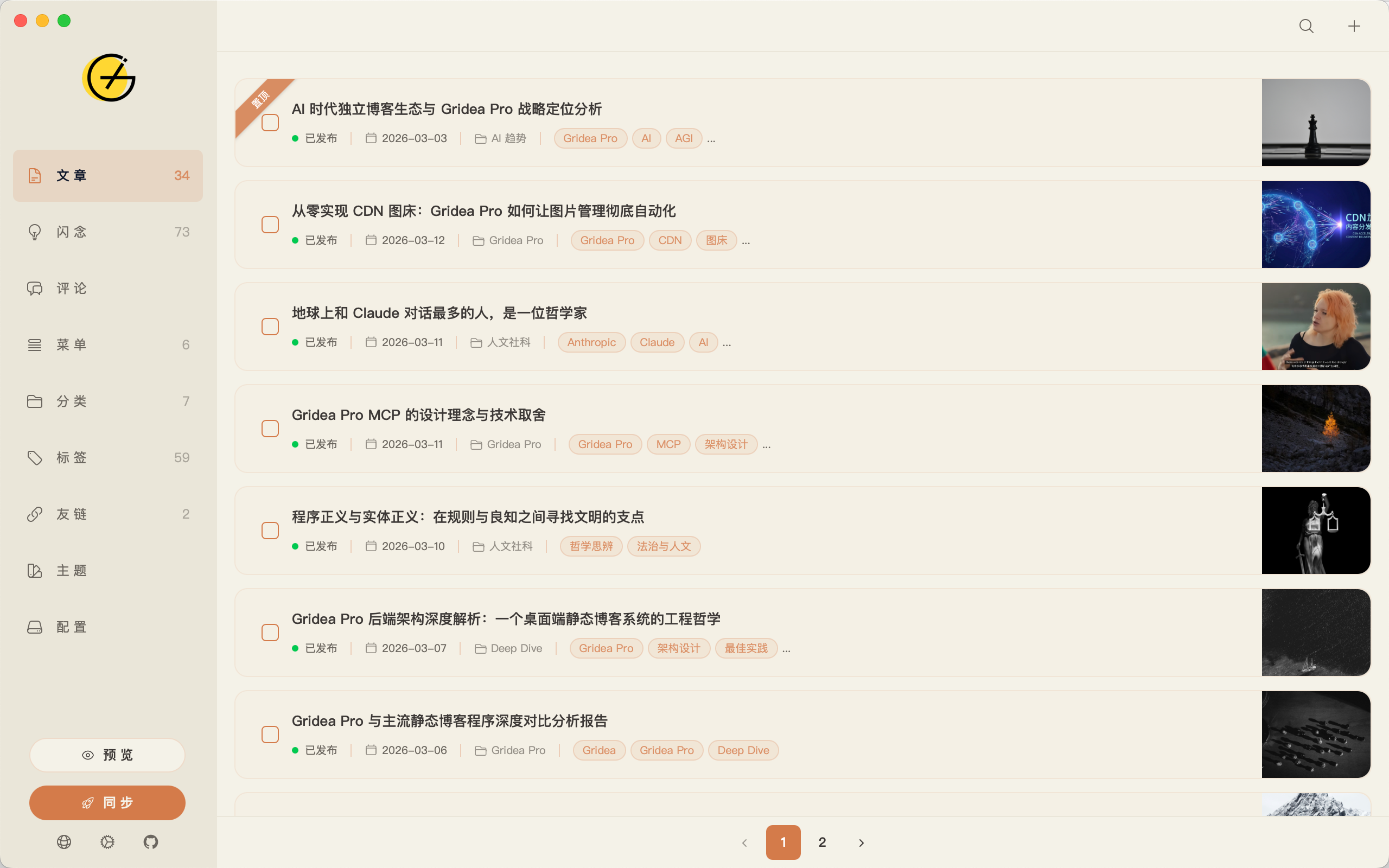
Post Management Writing Editor
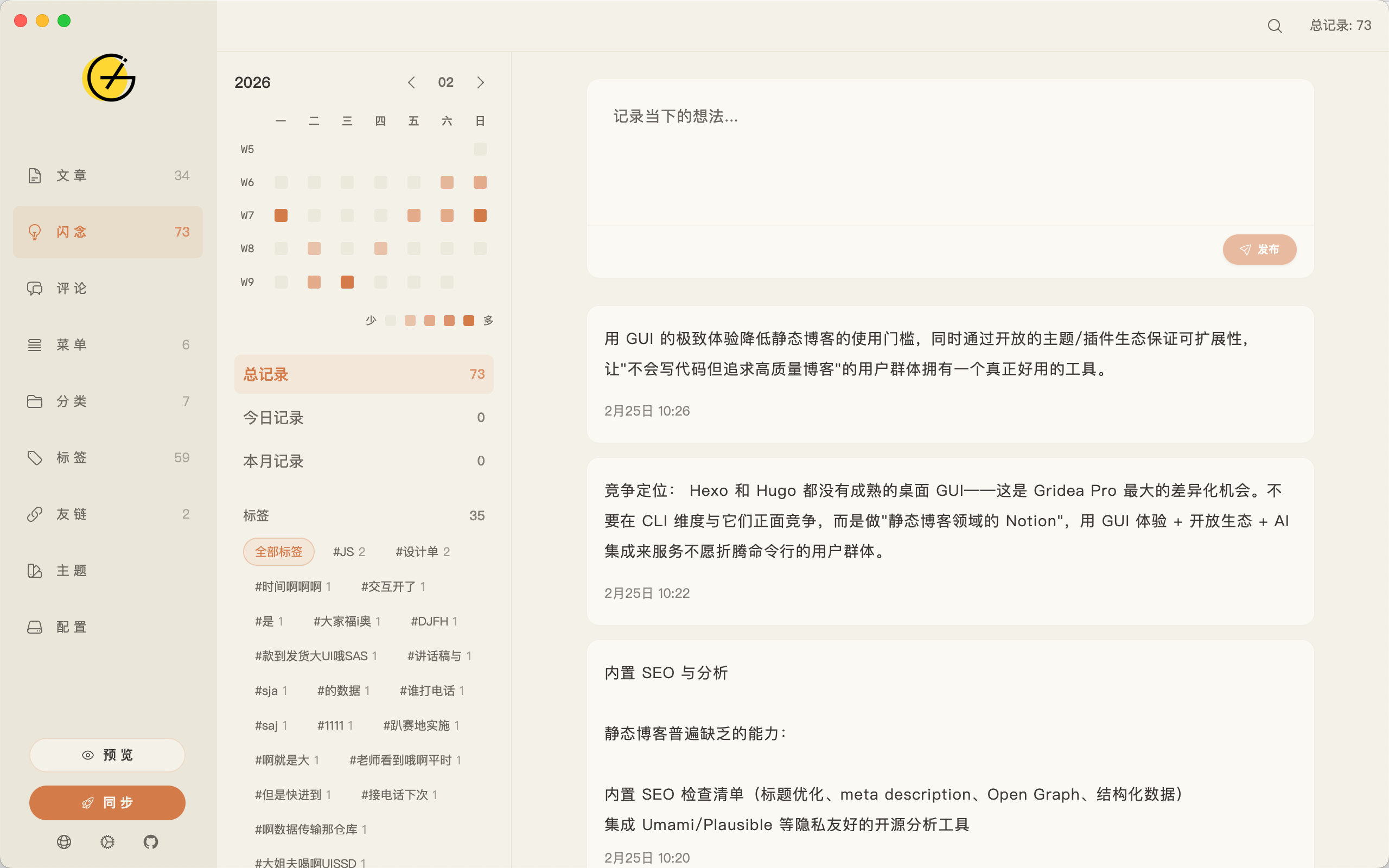
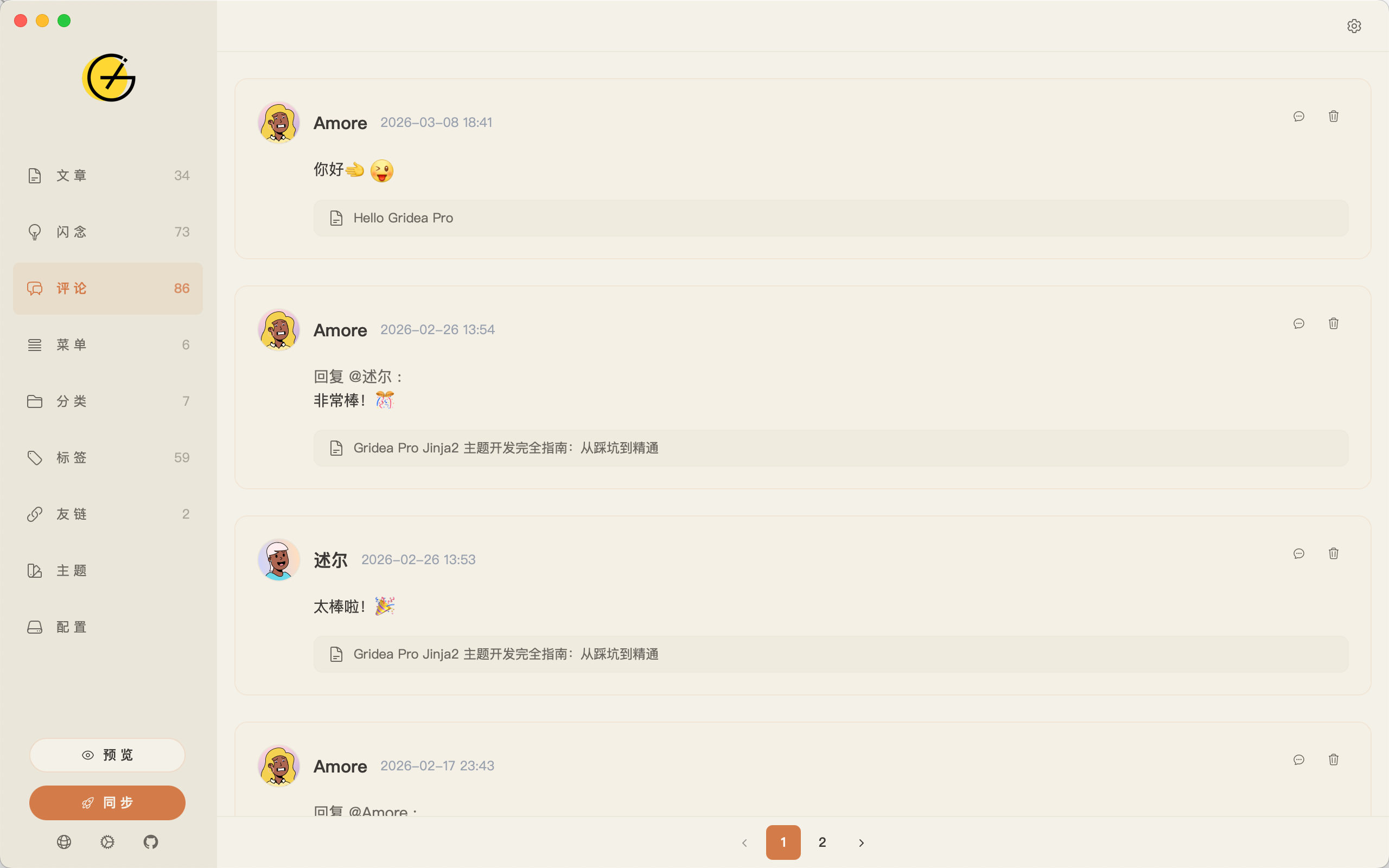
Memos Comment Management
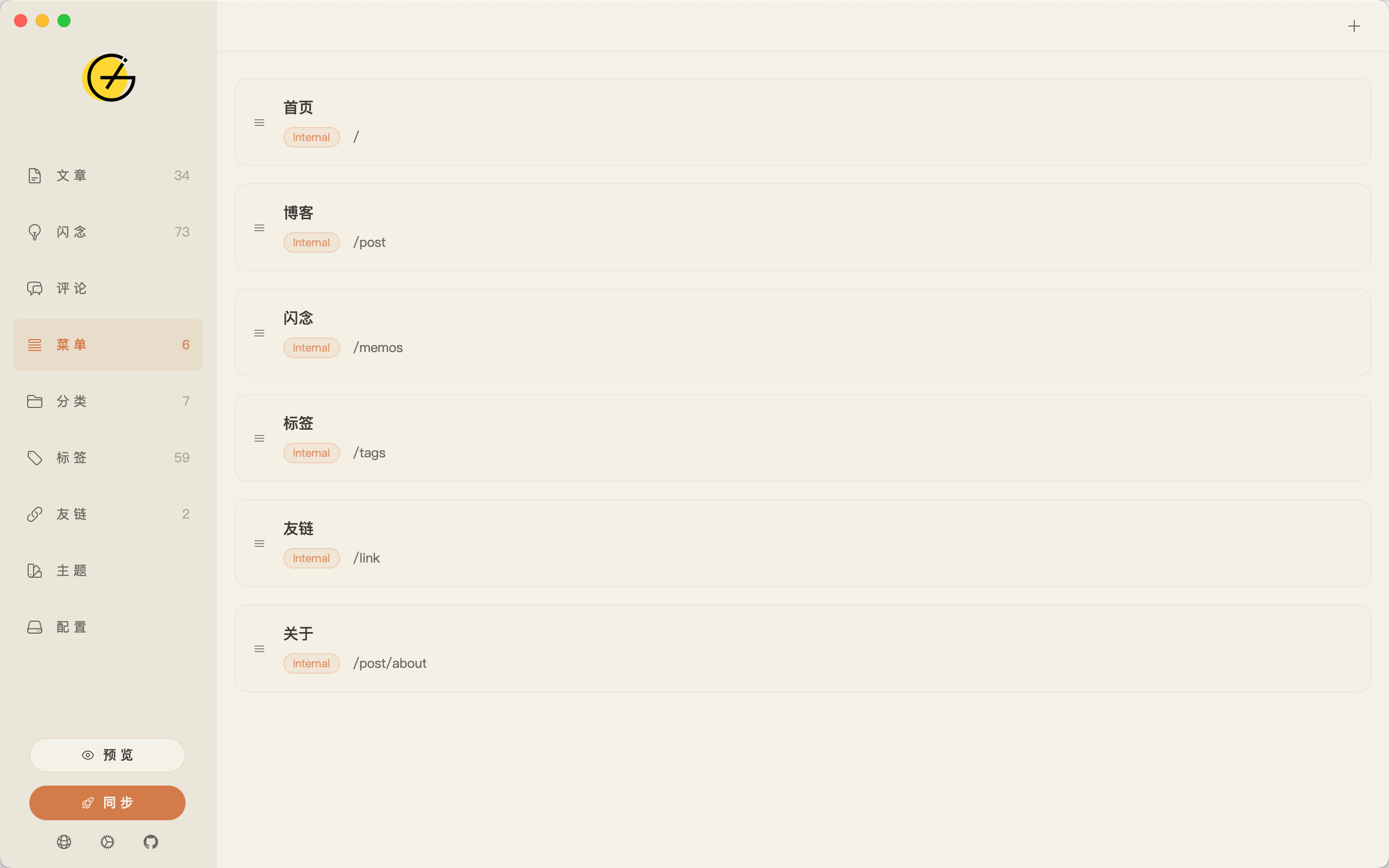
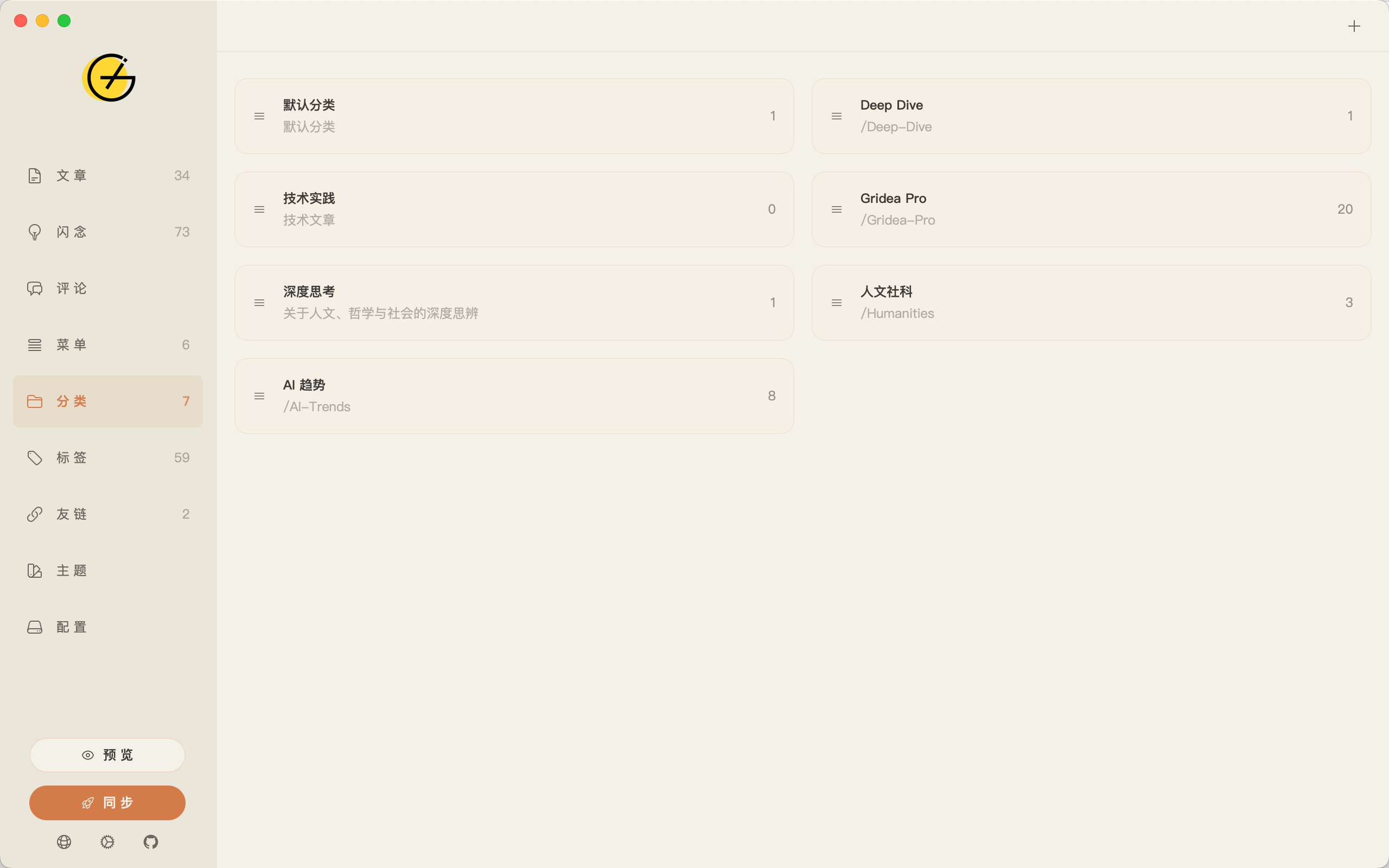
Menu Management Category Management
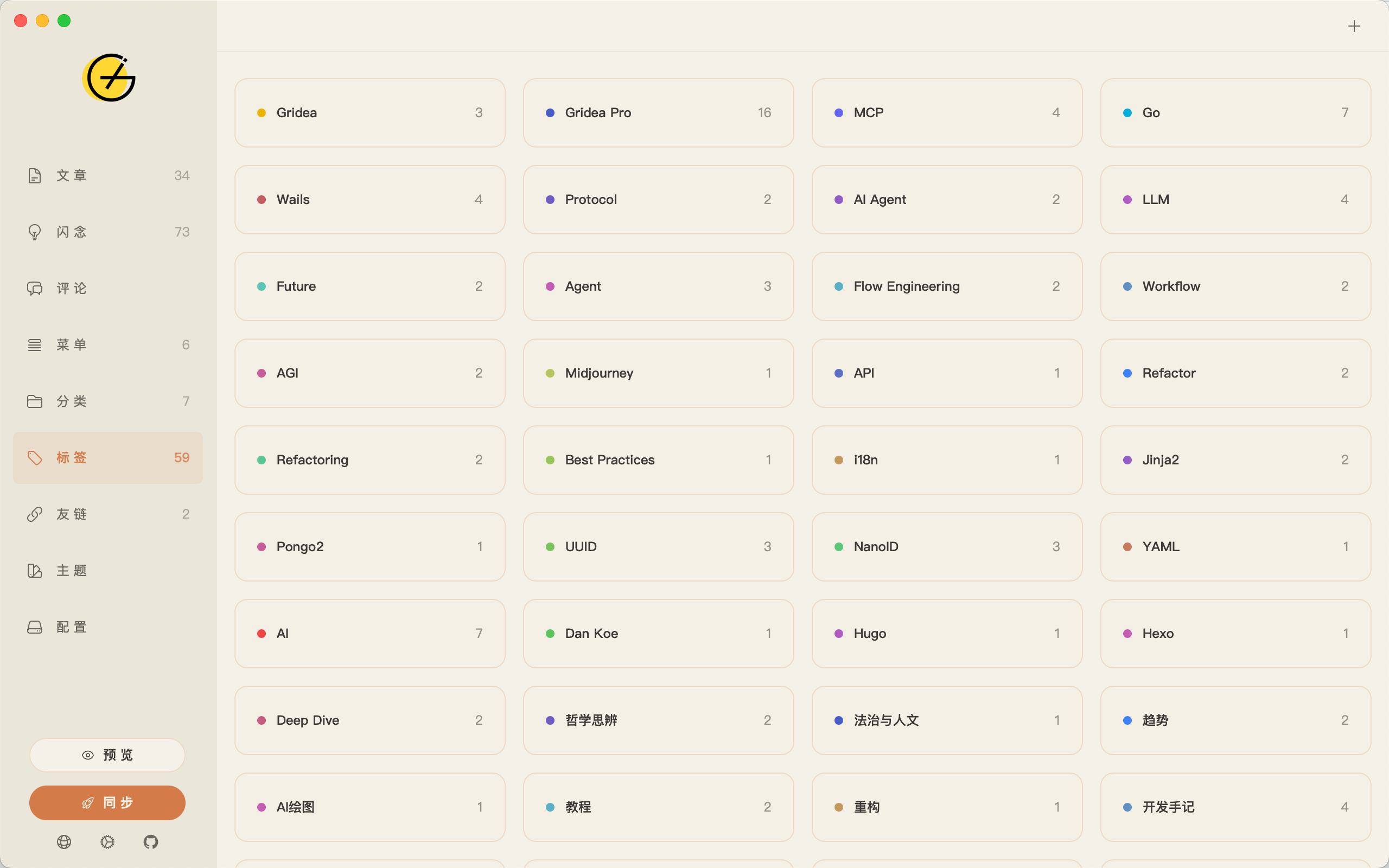
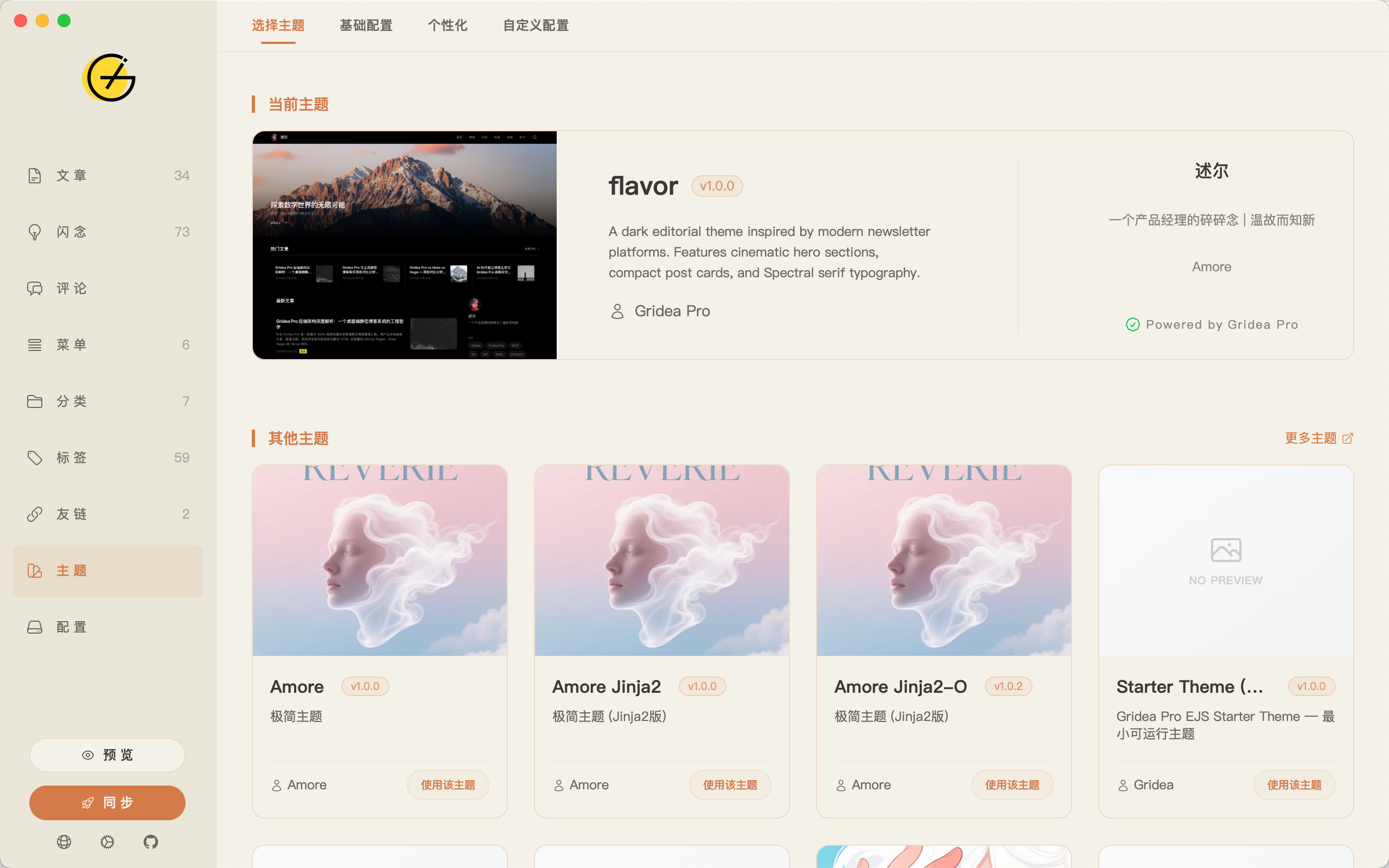
Tag Management Theme Management
--- ## Why Gridea Pro? Hugo, Hexo, and Jekyll are great tools — but they're built for developers. You need to install Node.js, learn the CLI, and write your own deployment scripts. Gridea Pro takes a different path: **download and go, everything lives in a GUI, with AI capabilities built right in.** | | Gridea Pro | Hugo | Hexo | |---|:---:|:---:|:---:| | Installation | Desktop app | CLI | CLI + Node.js | | Learning curve | Zero — no terminal needed | Requires CLI experience | Requires Node.js + CLI | | Writing environment | Built-in Monaco editor | Choose your own editor | Choose your own editor | | Theme switching | Visual UI in-app | Edit config files | Edit config files | | One-click deploy | ✅ GUI | ❌ Manual / CI | ❌ Manual / CI | | AI integration | ✅ MCP + built-in model | ❌ | ❌ | | Memory usage | ~30–50 MB | — | — | | Template engines | Jinja2 / EJS / Go | Go Templates | EJS / Nunjucks | > Hugo and Hexo are powerful tools for developers. Gridea Pro is designed for people who just want to write. --- ## Features ### ✍️ Writing & Editor - **Monaco Editor** (the same engine behind VS Code): syntax highlighting, IntelliSense, Vim/Emacs key bindings - Markdown extensions: math formulas (KaTeX), footnotes, task lists, Emoji, auto table of contents - Code block syntax highlighting for all major languages - Live preview - Precise CJK word count and estimated reading time ### 📋 Content Management - Posts: tags, categories, pinning, drafts, custom URL slugs, featured images - **Memos**: quick-capture notes with `#tag` syntax, image attachments, and heatmap statistics - Friend links and navigation menu management - Comment management: reply and delete (requires a connected comment system) - Full-text search ### 🎨 Theme System - **9 built-in themes**, switch with one click: `amore`, `flavor`, `claudo`, `letters`, `inotes`, `fly`, `simple`, `notes`, and more - Three template engines: **Jinja2 (Pongo2)**, **EJS**, **Go Templates** - Visual theme configuration — `config.json` declarations are rendered as a UI form, no file editing required - Dark mode and responsive layout support ### 🚀 Deployment - One-click deploy to 5 platforms: GitHub Pages, Vercel, Netlify, Coding, SFTP/FTP - Pure Go Git engine built in — **no system Git required**, more reliable syncing - CDN media upload: automatically sync images and assets to a GitHub repository on deploy, with customizable path templates - Custom domain (CNAME) support ### 🔍 SEO - Auto-generates `sitemap.xml` (with image metadata), `robots.txt`, RSS/Atom Feed - Open Graph and Twitter Card meta tags for social sharing - JSON-LD structured data - Google Analytics, Baidu Analytics, Google Search Console verification - Custom `` code injection ### 💬 Comment Systems 7 comment systems built in — enable with a checkbox, no manual code integration needed:

Gitalk Giscus Disqus Valine Waline Twikoo Cusdis
### 🤖 AI Integration (MCP) Gridea Pro implements the [Model Context Protocol (MCP)](https://modelcontextprotocol.io/), letting AI assistants like Claude and Cursor manage your blog directly: **25+ MCP tools** covering the full blog workflow: | Category | Tools | |----------|-------| | Posts | list, get, create, update, delete | | Memos | list, create, update, delete, heatmap stats | | Tags / Categories | full CRUD | | Menus / Links | full CRUD | | Comments | list, reply, delete | | Themes | list themes, get / update theme config | | Site | get / update global settings | | Render & Deploy | trigger render, trigger deploy (opt-in) | **5 built-in workflow prompts**: writing assistant, memo-to-post, content review, site health check, post translation. **MCP configuration example:** ```json { "mcpServers": { "gridea-pro": { "command": "C:\\Program Files\\Gridea Pro\\gridea-pro-mcp.exe", "env": { "SOURCE_DIR": "C:\\Users\\\\Documents\\Gridea Pro", "DEPLOY_ENABLED": "false" } } } } ``` > The `command` points to a **standalone `gridea-pro-mcp.exe` binary** (shipped alongside the GUI client `Gridea Pro.exe`; they are two separate programs), not a `--mcp` mode of the GUI. `SOURCE_DIR` is the Gridea Pro data directory (default `~/Documents/Gridea Pro`). > ⚠️ **Response order**: MCP responses may arrive out of order. The stdio transport from [mark3labs/mcp-go](https://github.com/mark3labs/mcp-go) v0.43.2 processes handlers concurrently in goroutines. **Match responses by JSON-RPC `id`**, not by arrival order. See [#118](https://github.com/Gridea-Pro/gridea-pro/issues/118). > Set `DEPLOY_ENABLED=true` to allow AI to trigger deployments. Disabled by default — requires manual confirmation. **Built-in AI model**: Use the built-in free model with no API key required (20 calls/day limit). Or connect your own: 13 providers supported, including OpenAI, Anthropic, DeepSeek, Gemini, Kimi, Qwen, GLM, and more. ### 📱 PWA Support - Enable Progressive Web App with a single toggle - Configurable: app name, icon, theme color, screen orientation, and more - Users can "install" your blog to their phone or desktop for offline access ### 🌍 Internationalization The app interface supports **11 languages**: `English` · `简体中文` · `繁體中文` · `日本語` · `한국어` · `Deutsch` · `Español` · `Français` · `Italiano` · `Português (BR)` · `Русский` --- ## Getting Started ### Download & Install Download the installer for your platform from the [Releases](https://github.com/Gridea-Pro/gridea-pro/releases) page: | Platform | Package | |----------|---------| | macOS | `.dmg` | | Windows | `.exe` | | Linux | `.AppImage` / `.deb` / `.rpm` | Double-click to install and start writing. > **AppImage Note**: Some Linux distributions (e.g., newer Fedora) do not ship with FUSE by default. If you encounter an "AppImages require FUSE" error, install it manually: `sudo dnf install fuse-libs` (Fedora) or `sudo apt install libfuse2` (Ubuntu). **Migrating from Gridea**: Point the "Site Directory" setting to your existing Gridea data folder. Gridea Pro will migrate your data automatically on first launch — no manual steps required. ### Build from Source **Prerequisites**: Go 1.22+, Node.js 18+, [Wails v2](https://wails.io/) ```bash git clone https://github.com/Gridea-Pro/gridea-pro.git cd gridea-pro cd frontend && npm install && cd .. # Development mode (hot reload) wails dev # Production build wails build ``` --- ## Theme Development Gridea Pro supports three template engines. Jinja2 (Pongo2) is recommended. Theme directory structure: ``` my-theme/ ├── config.json # Theme config declaration (auto-generates the settings UI panel) ├── templates/ │ ├── index.html # Home page │ ├── post.html # Post detail page │ ├── tag.html # Tag page │ ├── archives.html # Archives page │ └── partials/ # Reusable components └── assets/ ├── styles/ └── scripts/ ``` See the [Theme Development Guide](https://github.com/Gridea-Pro/gridea-pro/wiki/Theme-Development) for full documentation. --- ## Contributing Issues and Pull Requests are welcome! Please read [CONTRIBUTING.md](CONTRIBUTING.md) before contributing. ```bash # Fork and clone git clone https://github.com//gridea-pro.git # Create a feature branch git checkout -b feature/your-feature # Submit a PR when ready ``` --- ## Acknowledgements - [Gridea](https://github.com/getgridea/gridea) — The original project. Thanks to [@EryouHao](https://github.com/EryouHao) for the pioneering work - [Wails](https://wails.io/) — Go desktop application framework - [Vue 3](https://vuejs.org/) — Frontend framework - [Monaco Editor](https://microsoft.github.io/monaco-editor/) — Editor engine - [Pongo2](https://github.com/flosch/pongo2) — Jinja2-compatible template engine for Go - [KaTeX](https://katex.org/) — Math formula rendering - [Tailwind CSS](https://tailwindcss.com/) — CSS framework --- ## Star History Star History Chart --- ## License [GPL-3.0](LICENSE) © Gridea Pro