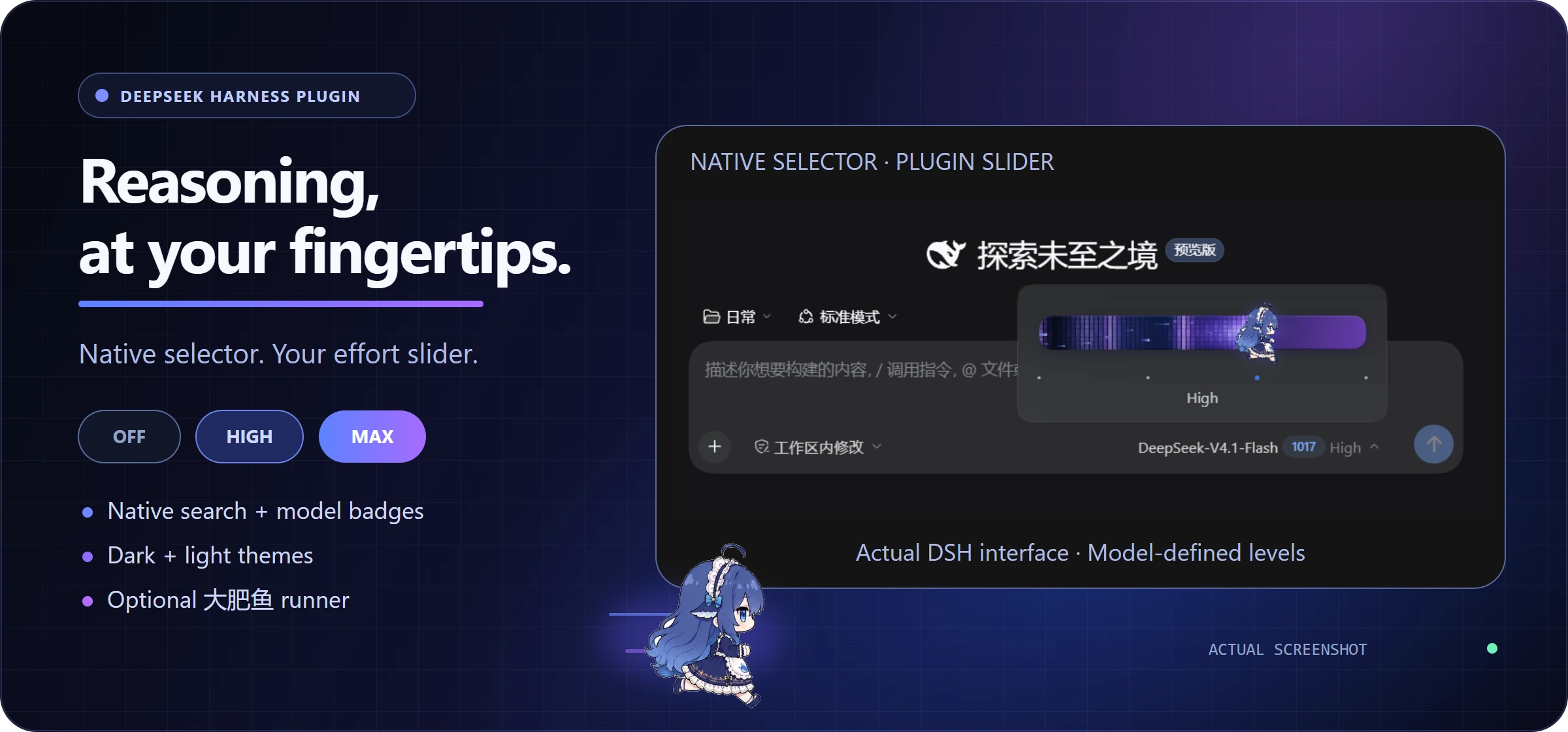
# dsh-reasoning-effort
**DSH’s native model selector, with a reasoning-effort slider inside its Effort entry.**
[中文首页](README.md) · [npm](https://www.npmjs.com/package/@ayanehana/dsh-reasoning-effort) · [Latest release](https://github.com/HanaAyane/dsh-reasoning-effort/releases/latest) · [Report an issue](https://github.com/HanaAyane/dsh-reasoning-effort/issues)
[](https://github.com/HanaAyane/dsh-reasoning-effort/releases/tag/v0.9.1)
[](#version-support-policy)
[](LICENSE)
[](https://github.com/HanaAyane/dsh-reasoning-effort/releases)
[](https://www.npmjs.com/package/@ayanehana/dsh-reasoning-effort)
Keep native model search, groups, and badges. Open Effort to adjust the plugin slider with level markers and a visible level name. The eight-frame Big Fat Fish runner speeds up as you drag; the menu stays open after adjustment and selections stay synchronized with `/model`.
- **Model-defined levels** — adapts to their count, names, and order; failed updates roll back.
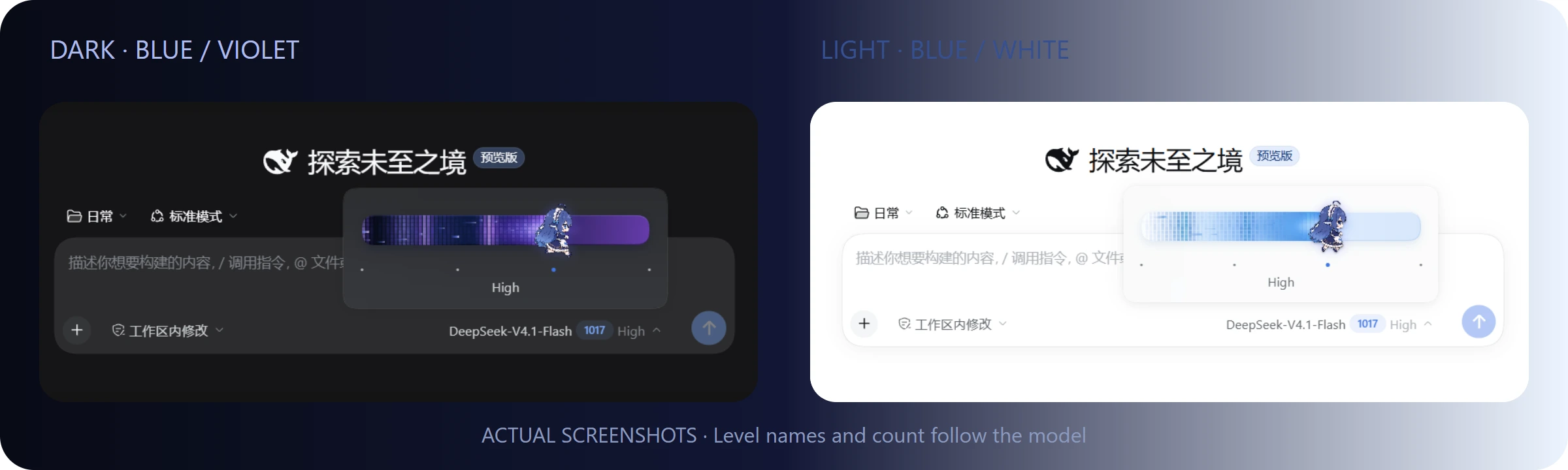
- **Native appearance** — dark and light themes, with Simplified Chinese and English following DSH's active language immediately.
- **Optional motion** — the runner is on by default, with a plain-thumb option and reduced-motion support.
- **Guidance when needed** — prefer graphical Settings for missing levels; manual steps and copy actions stay under Advanced configuration. Valid levels need no tutorial.
 [What changed](#whats-new-in-v091) · [Install and update](#install-and-update) · [Desktop installation](#install-in-dsh-desktop) · [Version support](#version-support-policy) · [Appearance](#the-big-fat-fish-slider) · [Troubleshooting](#troubleshooting)
## What's new in v0.9.1
- **Brief compatibility hint** — show troubleshooting advice for five seconds whenever the effort slider is enabled. Disabling it hides the hint immediately; opening Settings does not trigger it.
- **Native switch appearance** — match DSH switch dimensions, theme colors, round thumbs, and animation; remove the extra Enabled/Disabled text.
- **Plugin icon** — use a right-facing Big Fat Fish running frame from the existing eight-frame animation in the installed plugin list.
- **Localized description** — follow the DSH interface language in Chinese or English, with English as the fallback.
Thanks to [@oinzc](https://github.com/oinzc) for the feedback in [#25](https://github.com/HanaAyane/dsh-reasoning-effort/issues/25). The hint offers troubleshooting advice; it does not detect conflicts or force a replacement selector. A slider may be unmounted during normal use, such as when its menu is closed, so simple detection can produce false alarms while monitoring third-party UI adds maintenance cost.
See the [v0.9.1 release notes](.github/releases/v0.9.1.md) and [CHANGELOG](CHANGELOG.md).
## Version support policy
This plugin targets relatively stable **DSH RC versions** for compatibility work, testing, and bug fixes. **Individual alpha versions are not maintained.** During alpha development, client APIs, dependencies, and plugin loading may undergo frequent breaking changes. Supporting multiple transitional versions increases maintenance costs and makes compatibility difficult to sustain.
The current release is **plugin `v0.9.1`**. It supports DSH `0.2.1-rc.2` and `0.2.1-rc.3` for Web and Desktop profiles; the minimum version remains `0.2.1-rc.2`. DSH `0.2.0` RC users should remain on [v0.8.1](https://github.com/HanaAyane/dsh-reasoning-effort/releases/tag/v0.8.1). Desktop renders DSH's Web client but keeps separate plugin installation and activation state. For DSH `0.1.x`, continue using [v0.7.3](https://github.com/HanaAyane/dsh-reasoning-effort/releases/tag/v0.7.3). RC means release candidate; it does not imply automatic compatibility with every past or future RC.
| Item | Current status |
| --- | --- |
| Plugin release | [v0.9.1](https://github.com/HanaAyane/dsh-reasoning-effort/releases/tag/v0.9.1) |
| Web | DSH `0.2.1-rc.2` and `0.2.1-rc.3`; use the `web` profile |
| Desktop | DSH Desktop `0.2.1-rc.2` and `0.2.1-rc.3`; use the `desktop` profile |
| Upgrade notes | Install `v0.9.1`, then restart the corresponding Web Host or desktop app |
| Alpha versions | No separate adaptations; patch locally or switch to the target RC |
Continue using plugin `v0.9.1` with DSH [`0.2.1-rc.3`](https://github.com/deepseek-ai/deepseek-harness/releases/tag/dsh-v0.2.1-rc.3). This support documentation update is based on upstream changes; runtime validation on `rc.3` was not performed for this update.
## Install and update
The download badges separately show total downloads of GitHub release assets and npm package downloads over the last month, with a cache delay. For a newly published npm package, the badge may temporarily show `package not found or too new` until download statistics become available, then update automatically. Repeat downloads count separately; these figures are not plugin installation counts or unique users. GitHub statistics exclude npm downloads, GitHub-generated source ZIP/TAR downloads, and Git clones.
### Web: install a pinned release
Install the official npm package `@ayanehana/dsh-reasoning-effort@0.9.1`. The unscoped package belongs to another maintainer.
[npm package page](https://www.npmjs.com/package/@ayanehana/dsh-reasoning-effort) · [Download the v0.9.1 package](https://github.com/HanaAyane/dsh-reasoning-effort/releases/download/v0.9.1/dsh-reasoning-effort-0.9.1.tgz). For Desktop, use the package-name installation steps below.
If you previously installed the old `dsh-reasoning-effort` package from GitHub, uninstall it before switching to the scoped package to avoid loading both copies. For Web, run `dsh plugin --profile web remove dsh-reasoning-effort`; for Desktop, uninstall it from the **Plugins** page.
Run these commands in the terminal environment you use to start DSH:
```powershell
dsh plugin --profile web add @ayanehana/dsh-reasoning-effort@0.9.1
dsh --profile web --dump-config
```
Confirm that the output includes `name: '@ayanehana/dsh-reasoning-effort'` (quoting may vary). Use the same `add` command to update an existing npm installation.
The GitHub address remains `github:HanaAyane/dsh-reasoning-effort#v0.9.1`; this release uses the package name `@ayanehana/dsh-reasoning-effort`. To try development changes, replace `#v0.9.1` with `#main`; the main branch may contain unreleased changes.
You can also [download the v0.9.1 package](https://github.com/HanaAyane/dsh-reasoning-effort/releases/download/v0.9.1/dsh-reasoning-effort-0.9.1.tgz).
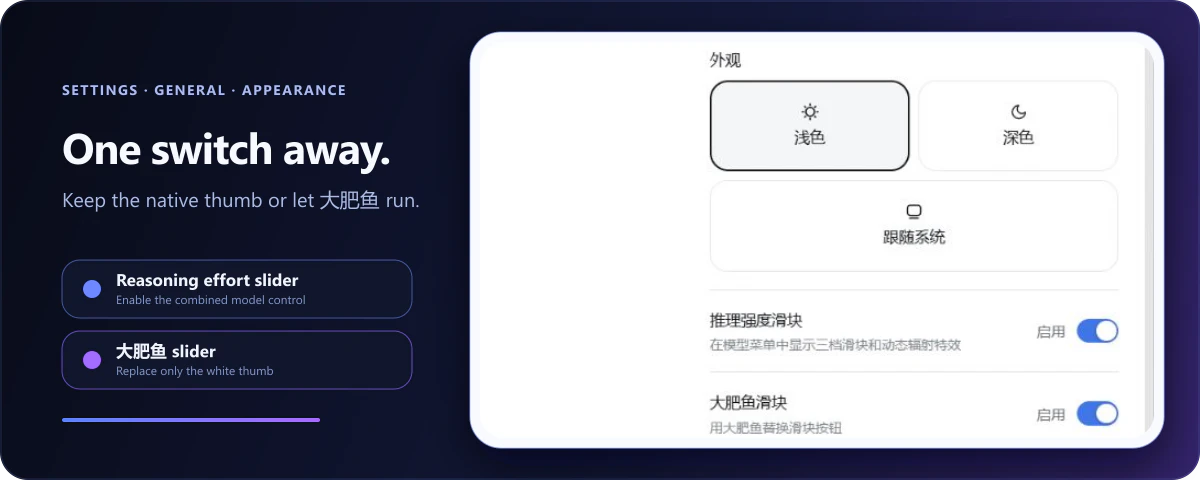 The runner changes only the thumb artwork. Snapping, keyboard control, radiation effects, and model selection remain unchanged. It animates faster while dragging and freezes on a stable frame when reduced motion is enabled.
The **Reasoning effort selector** switch on the same page disables the complete enhancement without uninstalling it. DSH's built-in model selector returns immediately. Both preferences stay in the current browser.
## Troubleshooting
### Installation reports “No matching version”
Installation can fail even when the page displays the plugin name and version correctly. During installation, `pnpm add` resolves the Profile's dependency tree again, so the failing package may be **another dependency already in the Profile**, rather than this plugin. Mirrors such as npmmirror can lag behind the upstream registry and temporarily lack a required version. The reporter of [Issue #24](https://github.com/HanaAyane/dsh-reasoning-effort/issues/24) confirmed that switching to the official npm registry resolved their installation failure.
1. On Windows Desktop, open the log for the failed installation: `%USERPROFILE%\.dsh\profiles\desktop\.plugin-manager\logs\