# dsh-reasoning-effort
**A Codex-style model and reasoning-effort control, built directly into DeepSeek Harness.**
[中文首页](README.md) · [Latest release](https://github.com/HanaAyane/dsh-reasoning-effort/releases/latest) · [Report an issue](https://github.com/HanaAyane/dsh-reasoning-effort/issues)
[](https://github.com/HanaAyane/dsh-reasoning-effort/releases/tag/v0.7.2)
[](#version-support-policy)
[](LICENSE)
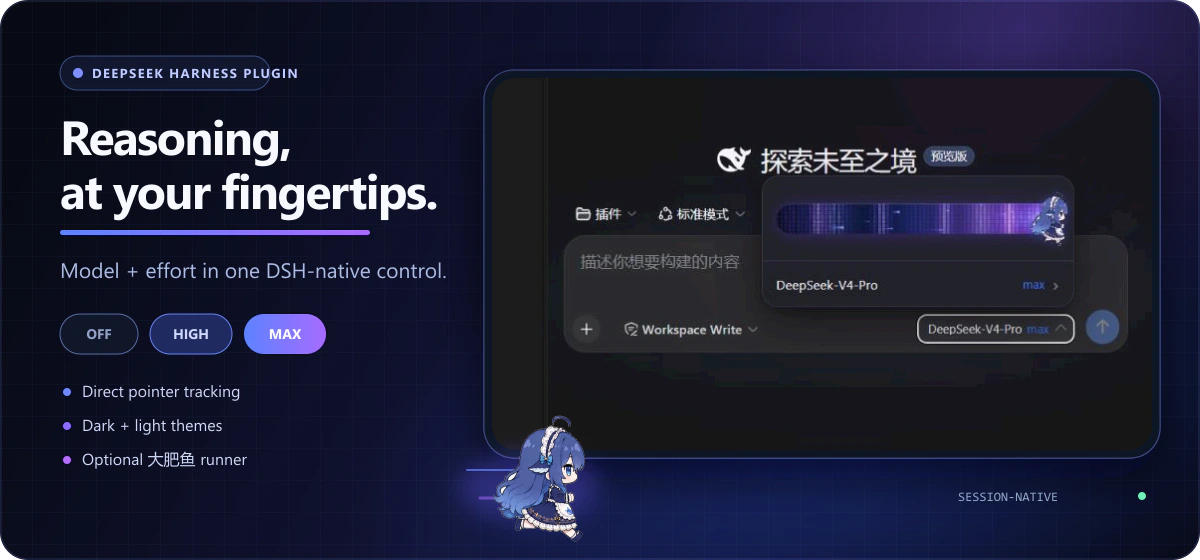
Switch models and adjust reasoning effort below the DSH composer, with an eight-frame Big Fat Fish runner that speeds up as you drag. Levels come from the selected model, and selections stay synchronized with `/model`.
- **Model-defined levels** — adapts to their count, names, and order; failed updates roll back.
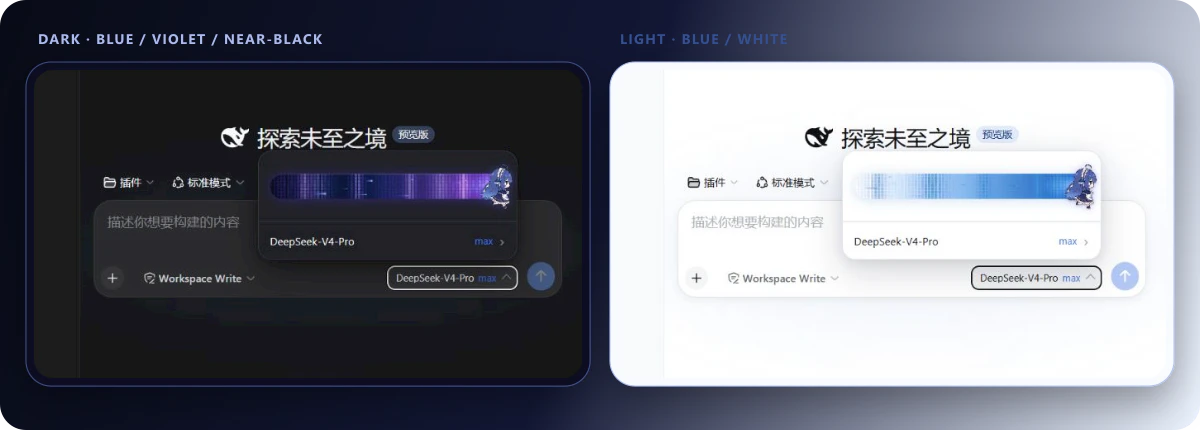
- **Native appearance** — dark and light themes, with Simplified Chinese and English following DSH's active language immediately.
- **Optional motion** — the runner is on by default, with a plain-thumb option and reduced-motion support.
- **Custom-model guidance** — copy a configuration snippet, or one-click copy a whole brief for an agent to diagnose and fill in.
 [What changed](#whats-new-in-v072) · [Install and update](#install-and-update) · [Version support](#version-support-policy) · [Appearance](#the-big-fat-fish-slider) · [Troubleshooting](#troubleshooting)
## What's new in v0.7.2
- Add **Copy for your agent** to collect the current model's configuration location, declaration rules, and suggested snippet in one brief.
- Restore communication for the custom-model guidance panel and show a notice when diagnosis fails.
- Fix stale copies after model switches and corrupted Unicode names across HTTP chunks.
- Improve menu placement and scrolling in narrow or short viewports.
See the [v0.7.2 release notes](https://github.com/HanaAyane/dsh-reasoning-effort/releases/tag/v0.7.2) and [CHANGELOG](CHANGELOG.md) for details.
## Version support policy
This plugin targets relatively stable **DSH RC versions** for compatibility work, testing, and bug fixes. **Individual alpha versions are not maintained.** During alpha development, client APIs, dependencies, and plugin loading may undergo frequent breaking changes. Supporting multiple transitional versions increases maintenance costs and makes compatibility difficult to sustain.
The current release is **plugin `v0.7.2`**. The maintainer has tested it with **DSH `0.1.5-rc.2` (Web Profile)** and reports no compatibility issues. If you need an alpha version, maintain a temporary adaptation yourself. RC means release candidate; it does not imply automatic compatibility with every past or future RC.
| Item | Current status |
| --- | --- |
| Plugin release | [v0.7.2](https://github.com/HanaAyane/dsh-reasoning-effort/releases/tag/v0.7.2) |
| Currently compatible version | DSH `0.1.5-rc.2`, Web Profile |
| Compatibility validation | Maintainer hands-on testing; no compatibility issues found |
| Upgrade notes | Install `v0.7.2`, then restart the Web Host manually and refresh the page |
| Alpha versions | No separate adaptations; patch locally or switch to the target RC |
## Install and update
### 1. Install a pinned release
Run these commands in the terminal environment you use to start DSH:
```powershell
dsh plugin --profile web add github:HanaAyane/dsh-reasoning-effort#v0.7.2
dsh --profile web --dump-config
```
Confirm that the output includes `name: dsh-reasoning-effort`. Use the same `add` command to update an existing installation. To try development changes, replace `#v0.7.2` with `#main`; the main branch may contain unreleased changes.
[What changed](#whats-new-in-v072) · [Install and update](#install-and-update) · [Version support](#version-support-policy) · [Appearance](#the-big-fat-fish-slider) · [Troubleshooting](#troubleshooting)
## What's new in v0.7.2
- Add **Copy for your agent** to collect the current model's configuration location, declaration rules, and suggested snippet in one brief.
- Restore communication for the custom-model guidance panel and show a notice when diagnosis fails.
- Fix stale copies after model switches and corrupted Unicode names across HTTP chunks.
- Improve menu placement and scrolling in narrow or short viewports.
See the [v0.7.2 release notes](https://github.com/HanaAyane/dsh-reasoning-effort/releases/tag/v0.7.2) and [CHANGELOG](CHANGELOG.md) for details.
## Version support policy
This plugin targets relatively stable **DSH RC versions** for compatibility work, testing, and bug fixes. **Individual alpha versions are not maintained.** During alpha development, client APIs, dependencies, and plugin loading may undergo frequent breaking changes. Supporting multiple transitional versions increases maintenance costs and makes compatibility difficult to sustain.
The current release is **plugin `v0.7.2`**. The maintainer has tested it with **DSH `0.1.5-rc.2` (Web Profile)** and reports no compatibility issues. If you need an alpha version, maintain a temporary adaptation yourself. RC means release candidate; it does not imply automatic compatibility with every past or future RC.
| Item | Current status |
| --- | --- |
| Plugin release | [v0.7.2](https://github.com/HanaAyane/dsh-reasoning-effort/releases/tag/v0.7.2) |
| Currently compatible version | DSH `0.1.5-rc.2`, Web Profile |
| Compatibility validation | Maintainer hands-on testing; no compatibility issues found |
| Upgrade notes | Install `v0.7.2`, then restart the Web Host manually and refresh the page |
| Alpha versions | No separate adaptations; patch locally or switch to the target RC |
## Install and update
### 1. Install a pinned release
Run these commands in the terminal environment you use to start DSH:
```powershell
dsh plugin --profile web add github:HanaAyane/dsh-reasoning-effort#v0.7.2
dsh --profile web --dump-config
```
Confirm that the output includes `name: dsh-reasoning-effort`. Use the same `add` command to update an existing installation. To try development changes, replace `#v0.7.2` with `#main`; the main branch may contain unreleased changes.
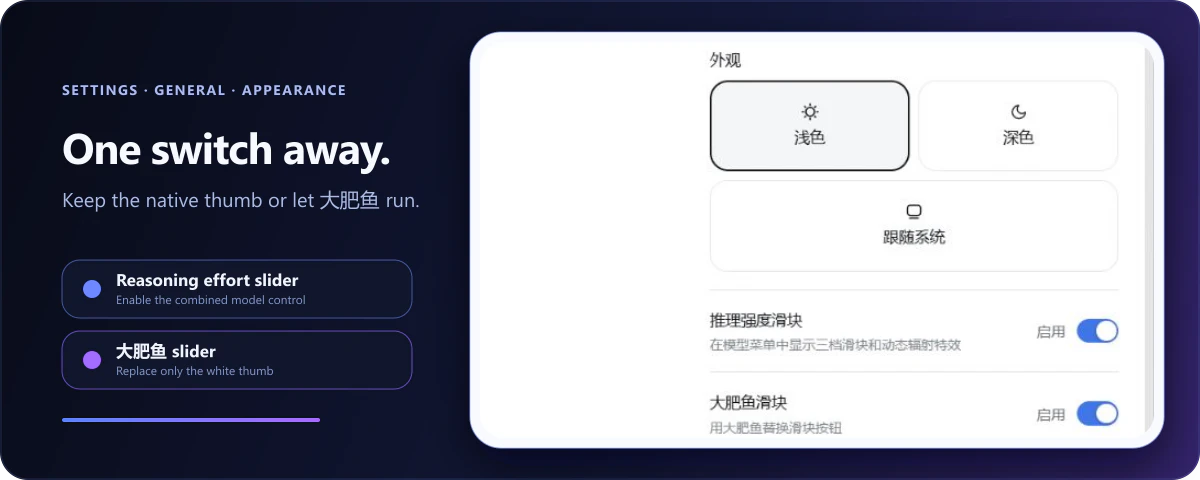 The runner changes only the thumb artwork. Snapping, keyboard control, radiation effects, and model selection remain unchanged. It animates faster while dragging and freezes on a stable frame when reduced motion is enabled.
The **Reasoning effort selector** switch on the same page disables the complete enhancement without uninstalling it. DSH's built-in model selector returns immediately. Both preferences stay in the current browser.
## Troubleshooting
### The slider does not appear
Check that:
1. Check the running version with `dsh --version`; the maintainer-tested combination is DSH `0.1.5-rc.2` + plugin `v0.7.2`.
2. You restarted the DSH Web Host after installation.
3. **Settings → General → Reasoning effort selector** is enabled.
4. The selected model exposes at least two effort levels in the DSH model directory (see the next entry for models without any), and thinking is not disabled by the deployment.
### A model declares no effort levels
First check **View declaration guidance** in the model menu. For manual configuration, fill in the model's `reasoningEfforts` and `compat` fields in `settings.yaml` using the current model and endpoint documentation. Do not reuse another model's levels or context limits without checking them.
The knowledge base provides guidance; the endpoint determines accepted values. If saving does not take effect, restart the Web Host and refresh the page.
### Report a problem on an RC version
Open an [issue](https://github.com/HanaAyane/dsh-reasoning-effort/issues) with your DSH version, plugin version, client type (Web or desktop wrapper), reproduction steps, and relevant console errors. Remove tokens and credentials before posting.
### Confirm that the plugin loaded
```powershell
dsh --profile web --dump-config
```
The output should contain `name: dsh-reasoning-effort`.
### Uninstall
```powershell
dsh plugin --profile web remove dsh-reasoning-effort
```
Restart the DSH Web Host afterward. The native model selector will return automatically.
## Development
```powershell
pnpm install
pnpm run check
pnpm pack
```
Use Node.js `22.19+` (also meeting the target DSH requirements) and `pnpm@11.7.0`. `pnpm run check` validates TypeScript and locale dictionaries, then rebuilds the host entry, browser module, and type declarations. See [design/visual-spec.md](design/visual-spec.md) for the complete interaction contract and [SECURITY.md](SECURITY.md) for vulnerability reporting.
## License
[MIT](LICENSE) © HanaAyane
The runner changes only the thumb artwork. Snapping, keyboard control, radiation effects, and model selection remain unchanged. It animates faster while dragging and freezes on a stable frame when reduced motion is enabled.
The **Reasoning effort selector** switch on the same page disables the complete enhancement without uninstalling it. DSH's built-in model selector returns immediately. Both preferences stay in the current browser.
## Troubleshooting
### The slider does not appear
Check that:
1. Check the running version with `dsh --version`; the maintainer-tested combination is DSH `0.1.5-rc.2` + plugin `v0.7.2`.
2. You restarted the DSH Web Host after installation.
3. **Settings → General → Reasoning effort selector** is enabled.
4. The selected model exposes at least two effort levels in the DSH model directory (see the next entry for models without any), and thinking is not disabled by the deployment.
### A model declares no effort levels
First check **View declaration guidance** in the model menu. For manual configuration, fill in the model's `reasoningEfforts` and `compat` fields in `settings.yaml` using the current model and endpoint documentation. Do not reuse another model's levels or context limits without checking them.
The knowledge base provides guidance; the endpoint determines accepted values. If saving does not take effect, restart the Web Host and refresh the page.
### Report a problem on an RC version
Open an [issue](https://github.com/HanaAyane/dsh-reasoning-effort/issues) with your DSH version, plugin version, client type (Web or desktop wrapper), reproduction steps, and relevant console errors. Remove tokens and credentials before posting.
### Confirm that the plugin loaded
```powershell
dsh --profile web --dump-config
```
The output should contain `name: dsh-reasoning-effort`.
### Uninstall
```powershell
dsh plugin --profile web remove dsh-reasoning-effort
```
Restart the DSH Web Host afterward. The native model selector will return automatically.
## Development
```powershell
pnpm install
pnpm run check
pnpm pack
```
Use Node.js `22.19+` (also meeting the target DSH requirements) and `pnpm@11.7.0`. `pnpm run check` validates TypeScript and locale dictionaries, then rebuilds the host entry, browser module, and type declarations. See [design/visual-spec.md](design/visual-spec.md) for the complete interaction contract and [SECURITY.md](SECURITY.md) for vulnerability reporting.
## License
[MIT](LICENSE) © HanaAyane