The model can be anyone's. The agent should be yours.
Codewhale is an open-source coding agent for your terminal, written in Rust.
It works with any model, can split one task across several agents, and every
line of it is yours to read.
```bash
curl -fsSL https://codewhale.net/install.sh | sh
```
This installs the latest release on macOS or Linux, and it needs no account.
[Windows, npm and Cargo](#install) are below.
[](https://github.com/codewhale-hq/Codewhale/releases/latest)
[](https://github.com/codewhale-hq/Codewhale/actions/workflows/ci.yml)
[](LICENSE)
[](https://discord.gg/37gfS3ksug)
[Website](https://codewhale.net) · [Documentation](docs/README.md) · [Changelog](CHANGELOG.md) · [Contributing](CONTRIBUTING.md)
[简体中文](docs/i18n/README.zh-CN.md) · [日本語](docs/i18n/README.ja-JP.md) · [Tiếng Việt](docs/i18n/README.vi.md) · [Bahasa Indonesia](docs/i18n/README.id.md) · [한국어](docs/i18n/README.ko-KR.md) · [Español](docs/i18n/README.es-419.md) · [Português](docs/i18n/README.pt-BR.md) · [Русский](docs/i18n/README.ru.md) · [Українська](docs/i18n/README.uk.md) · [Français](docs/i18n/README.fr.md) · [Deutsch](docs/i18n/README.de.md) · [繁體中文](docs/i18n/README.zh-TW.md) · [हिन्दी](docs/i18n/README.hi.md) · [Türkçe](docs/i18n/README.tr.md) · [Italiano](docs/i18n/README.it.md) · [Polski](docs/i18n/README.pl.md) · [العربية](docs/i18n/README.ar.md) · [Català](docs/i18n/README.ca.md)
A real session on a 0.10.3 development build: gemini-4-hydrogen through Google's API wrote the edit, and you allowed the test run once.
## Install
The command above puts checksum-verified `codewhale` and its short alias
`codew` in `~/.local/bin`. If your shell then says `command not found`,
follow the PATH note the installer prints
([details](docs/INSTALL.md#put-it-on-your-path)). `codewhale update` upgrades
it.
```bash
winget install --id HunterBown.CodeWhale --exact --source winget # Windows x64
npm install -g codewhale # wraps the same release binaries
cargo install codewhale-cli --locked # builds from source; can trail GitHub Releases
```
Prebuilt binaries cover Linux, macOS and Windows on x64 and arm64. Scoop, Nix,
Homebrew on Linux, Android and Termux (preview) and manual downloads are in the
[installation guide](docs/INSTALL.md), and containers are in
[Docker](docs/DOCKER.md). Use one install method per machine; otherwise two
copies end up on your `PATH` and whichever comes first wins.
## Quickstart
1. Commit or stash your work, then run `codewhale` from the root of a git
repository. By default it applies file edits there without asking and asks
before each shell command that is not read-only.
2. Run `/provider` (or press `F3`), pick a provider, paste its API key and
choose a model. DeepSeek is the default provider. On a first launch with no
key, Codewhale asks for a provider when you send your first message, and it
offers a local model when a local Ollama server answers.
3. Type a task:
```text
Fix the failing tests and explain what changed.
```
Read-only commands run straight away. For any other shell command Codewhale
asks first: `y` runs it once, `a` allows commands like it for the rest of the
conversation, and `n` refuses. `/undo` takes back your last request and its
file changes, and `/help` lists commands and keys.
For scripts and CI, `codewhale exec` runs one task without the interface. Read
[headless runs](docs/INSTALL.md#headless-scripts-ci) before you give it tools
with `--auto`, because `--auto` uses Full Access unless you add a sandbox.
## What it does
Give Codewhale a task and it reads the repository, edits files and runs
commands until the task is done or it needs your input. The
[latest release notes](https://github.com/codewhale-hq/Codewhale/releases/latest)
list the newest changes, and the [changelog](CHANGELOG.md) has every
version.
### Any model
More than 40 providers are built in, including Anthropic, OpenAI, DeepSeek,
Google, Mistral, Moonshot, OpenRouter and xAI. Any OpenAI-compatible endpoint
works, and so do local models through Ollama, vLLM or SGLang. The default
model is DeepSeek's `deepseek-flash`, which now serves DeepSeek V4.1 Flash
([details](docs/PROVIDERS.md#deepseek-v41-flash)).
`/model` switches models between turns, and `/model auto` picks one for each
turn (`/router` sets up how). `/turn inspect` shows which model a turn used,
what it cost and how long it took. See [Providers](docs/PROVIDERS.md).
### Receipts and undo
`/receipts`, or `codewhale receipts --last` after you quit, lists the files a
session changed, the commands it ran, its web and MCP calls, the agents it
started, each approval and who gave it, and what failed. `/undo` takes back
your last request and the files it changed in one step. `/restore` rolls the
whole workspace back to an earlier snapshot, and because that overwrites later
edits it needs `/trust on` or Full Access. See [Receipts](docs/RECEIPTS.md).
### Several agents on one task
`/goal` sets an objective that carries across turns. Codewhale can split work
across [sub-agents](docs/SUBAGENTS.md), run a [Fleet](docs/FLEET.md) of agents
with their own roles and models, or follow a
[workflow](docs/WORKFLOW_AUTHORING.md) checked into the repository.
### Plugins
Connect [MCP servers](docs/MCP.md), add [skills](docs/SKILLS.md) and
[plugins](docs/PLUGINS.md), and run [hooks](docs/HOOKS.md) on session and tool
events. Code mode (experimental, on by default) lets the model write one
`execute_tools` program that calls several MCP and plugin tools; each call
still meets your approval rules and keeps its receipt. [Computer Use](https://github.com/codewhale-hq/codewhale-cu-plugin)
is a separate plugin released on its own (experimental, macOS only), and stays
off until you review its access and turn it on.
### Ways to run it
| Command | What it does |
| --- | --- |
| `codewhale` | The interactive terminal app |
| `codewhale exec "…"` | One task without the interface, for scripts and CI ([headless runs](docs/INSTALL.md#headless-scripts-ci)) |
| `codewhale web` | A local web client on `127.0.0.1` ([guide](docs/WEB.md)) |
| `codewhale review --pr N` | An advisory review of a GitHub pull request; the [GitHub bot setup](docs/GITHUB_ACTION.md#set-up-your-own-bot) runs it on your own model key |
| `codewhale app-server --http` | The [Runtime API](docs/RUNTIME_API.md), a local HTTP API for threads, events, approvals and each turn's file changes |
| `codewhale serve --acp` | The Agent Client Protocol over stdio, for editors such as Zed |
The terminal app, `exec`, `web` and the Runtime API share one engine
([architecture](docs/ARCHITECTURE.md)). A community-maintained
[VS Code extension](https://marketplace.visualstudio.com/items?itemName=HengQuWorld.brotherwhale-vscode)
connects to it from the sidebar ([source](https://github.com/HengQuWorld/CodeWhale-VSCode)).
Codewhale × OrcaRouter
gives 30% extra DeepSeek V4.1 Flash credit on each OrcaRouter top-up until
November 21, 2026. This link is part of a referral campaign; Codewhale may
earn a referral reward on top-ups made through it.
## How it stays safe
Two switches say how much Codewhale may do on its own. `Tab`, when the input
is empty, changes the mode: **Plan** reads and searches but changes nothing,
**Work** edits files and runs commands, and **Operate** has the same access as
Work and keeps going until the goal is verified or it needs you. `Shift+Tab`
changes the permission. **Ask**, the default, applies file edits in your
repository without asking and asks before shell commands that are not
read-only.
**Auto-Review** lets rules and a reviewer model approve routine calls and
refuses high-risk ones; switch to Ask to approve those yourself. **Full
Access** never asks and turns off Codewhale's sandbox, although repository
rules and managed policy still apply. The
[v0.10.2 guide](https://github.com/codewhale-hq/Codewhale/blob/v0.10.2/docs/MODES.md)
has the details.
Coming in 0.10.3: `Shift+Tab` becomes one dial through Ask, Accept Edits,
Plan, Auto-Review and Full Access, `Tab` no longer changes the mode, and
Operate is retired. Ask will ask before every file edit too, and the new
default, Accept Edits, will apply edits inside the git repository and still ask
before commands. The [current guide](docs/MODES.md) describes it.
In Ask and Auto-Review, commands run in an OS sandbox where the system has
one: Seatbelt on macOS, and bubblewrap on Linux when it is installed. Windows
has no OS sandbox yet, and Full Access turns the sandbox off. Inside the
sandbox, shell commands and terminal sessions cannot read credential stores
such as `~/.ssh`, `~/.aws` and `.env` files.
`/preview-request` shows a redacted preview of the next request without
sending it.
You need no account, and keys you add with `/provider` stay on your machine.
With your own API key you pay the provider directly, and local models need no
key. The footer and `/cost` show what a session has cost when the price is
known, and an unknown price is shown as unknown, never as free.
Telemetry is on by default. It sends aggregate counts (version and platform,
session length and outcome, which built-in providers you used, feature and
error counts) with a random install ID that rotates every 90 days, and never
conversations, code, prompts, model names, file or repository names, or
credentials. This command turns it off:
```bash
codewhale config set telemetry false
```
At startup Codewhale also checks GitHub for a new release; set
`CODEWHALE_NO_UPDATE_CHECK=1` to skip that. More in
[authorization order](docs/AUTHORIZATION_ORDER.md),
[sandboxing](docs/SANDBOX.md) and [telemetry](docs/TELEMETRY.md).
## Where it is going
Codewhale is becoming one environment across your terminal, a desktop app,
the browser and cloud computers, all run by one engine. Each part says where
it stands today.
| Part | State | Today |
| --- | --- | --- |
| Terminal app | Released | Install it on macOS, Linux or Windows and run `codewhale` in any repository. |
| Local browser client | Released | Run `codewhale web` to read the conversation, send a task and answer approvals in your browser; it comes with the terminal and needs no account. |
| Many agents on one task | Released | Sub-agents, Fleets and workflows let several agents share one task, each with its own role. |
| Desktop app | In development, no download | We are building a desktop app on the same engine, and it has no public download yet. |
| Cloud computers | Invite-only | Cloud computers are invite-only, and we are building them so a session can keep working on a machine in the cloud. |
| One session across them | Being built | We are building one session that goes with you from the terminal to the desktop, the browser and the cloud, and stays yours the whole way. |
The [roadmap](docs/ROADMAP.md) says what each release covers and where you
can help.
## Coming from another agent
Codewhale reads `AGENTS.md` on its own. Instruction files written for other
tools, such as `CLAUDE.md`, `.cursorrules` or
`.github/copilot-instructions.md`, load only when you opt in with
`project_instruction_imports = ["claude"]` (or `"cursor"`, `"cline"`,
`"windsurf"`, `"copilot"`, `"all"`) in your config; see
[config.example.toml](config.example.toml). Codewhale warns when it finds one
it did not load.
`/import-claude` prepares an import of your Claude Code settings and MCP
servers for you to review. `/plugin install` accepts Claude Code plugins that
contain skills, commands, agent profiles and MCP servers, and refuses plugins
that need hooks or LSP servers
([details](docs/CLAUDE_PLUGIN_COMPAT.md)).
## Documentation
These guides follow the main branch and can describe changes that are not
in the latest release yet.
| Start here | Reference |
| --- | --- |
| [User guide](docs/GUIDE.md) | [Configuration](docs/CONFIGURATION.md) |
| [Installation](docs/INSTALL.md) | [Architecture](docs/ARCHITECTURE.md) |
| [Providers and local models](docs/PROVIDERS.md) | [Runtime API](docs/RUNTIME_API.md) |
| [Modes and permissions](docs/MODES.md) | [Plugin authoring](docs/PLUGIN_AUTHORING.md) |
| [Keybindings](docs/KEYBINDINGS.md) | [Receipts](docs/RECEIPTS.md) |
| [GitHub pull request review](docs/GITHUB_ACTION.md) | [All documentation](docs/README.md) |
## Contributing
Codewhale is built in the open by the people who use it, in many languages.
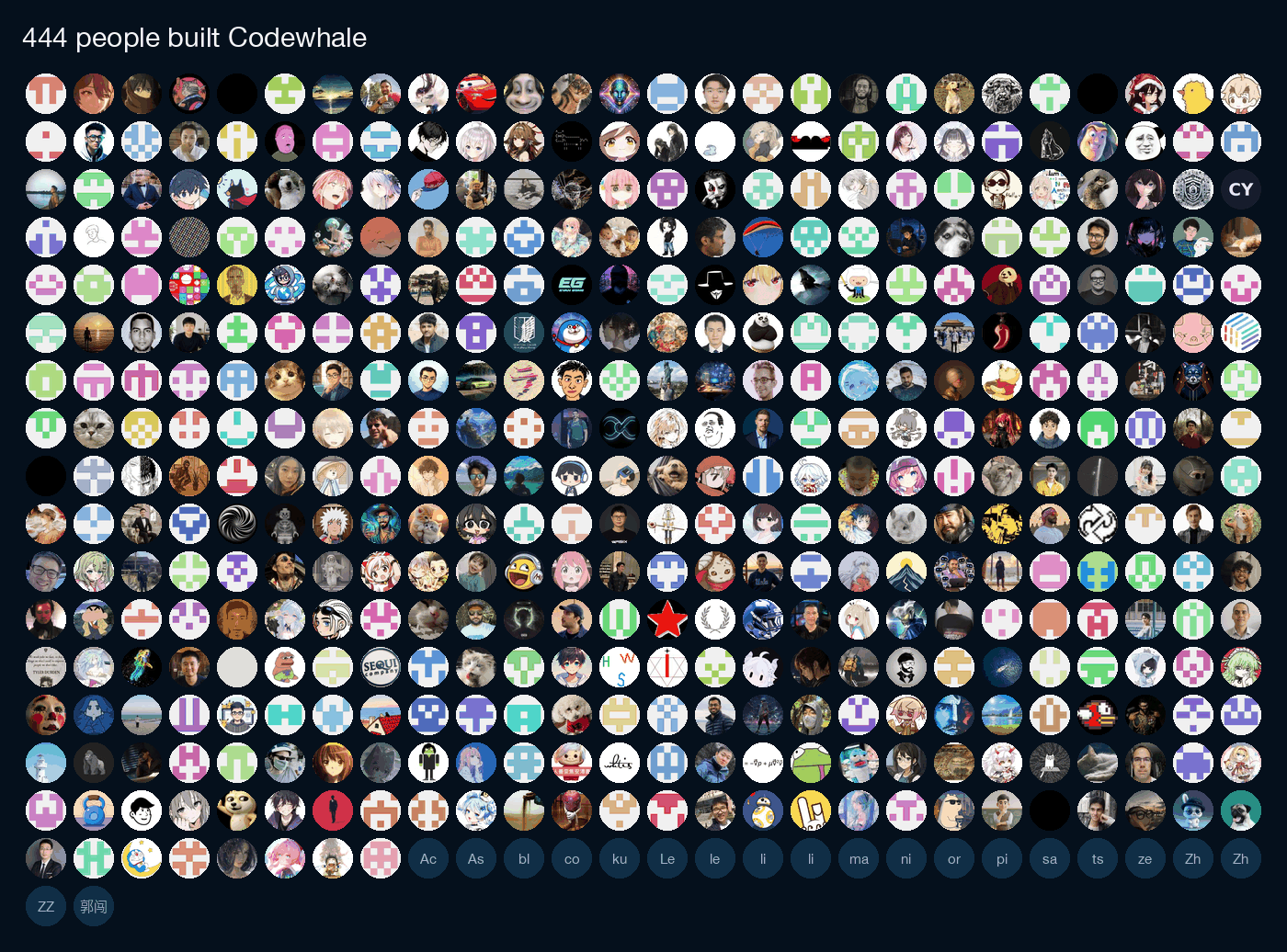
The [contributor wall](docs/CONTRIBUTORS.md) counts everyone whose code,
co-authored commits, carried-forward pull requests or credited reports are in
Codewhale, including people GitHub's own contributor list misses.
`scripts/contributor-wall.py` regenerates the picture and the list from git
history and GitHub.
All feedback is welcome: a bug, an idea, or something that looked or felt
wrong. [Open an issue](https://github.com/codewhale-hq/Codewhale/issues/new/choose)
for any of these; an issue is also the best place to start a new feature.
Pull requests are welcome for fixes, translations, providers and planned work.
Questions go to [Discussions](https://github.com/codewhale-hq/Codewhale/discussions).
The [contributing guide](CONTRIBUTING.md) shows where each kind of help goes,
how your work lands with your name on it, and
[where things live](CONTRIBUTING.md#project-structure).
Chat on [Discord](https://discord.gg/37gfS3ksug), or add the maintainer,
Hunter, on WeChat (`hunterbown`) and ask to join the Whale Brothers group.
Everyone is welcome.
## History and license
Codewhale started as `deepseek-tui` and still reads that project's
configuration and sessions. It is independently maintained and not affiliated
with DeepSeek or any other model provider.
[MIT](LICENSE). Code adapted from other open-source projects is listed in the
third-party notices for [vendored sources](THIRD_PARTY_NOTICES.md) and
[adapted designs](docs/THIRD_PARTY_NOTICES.md).

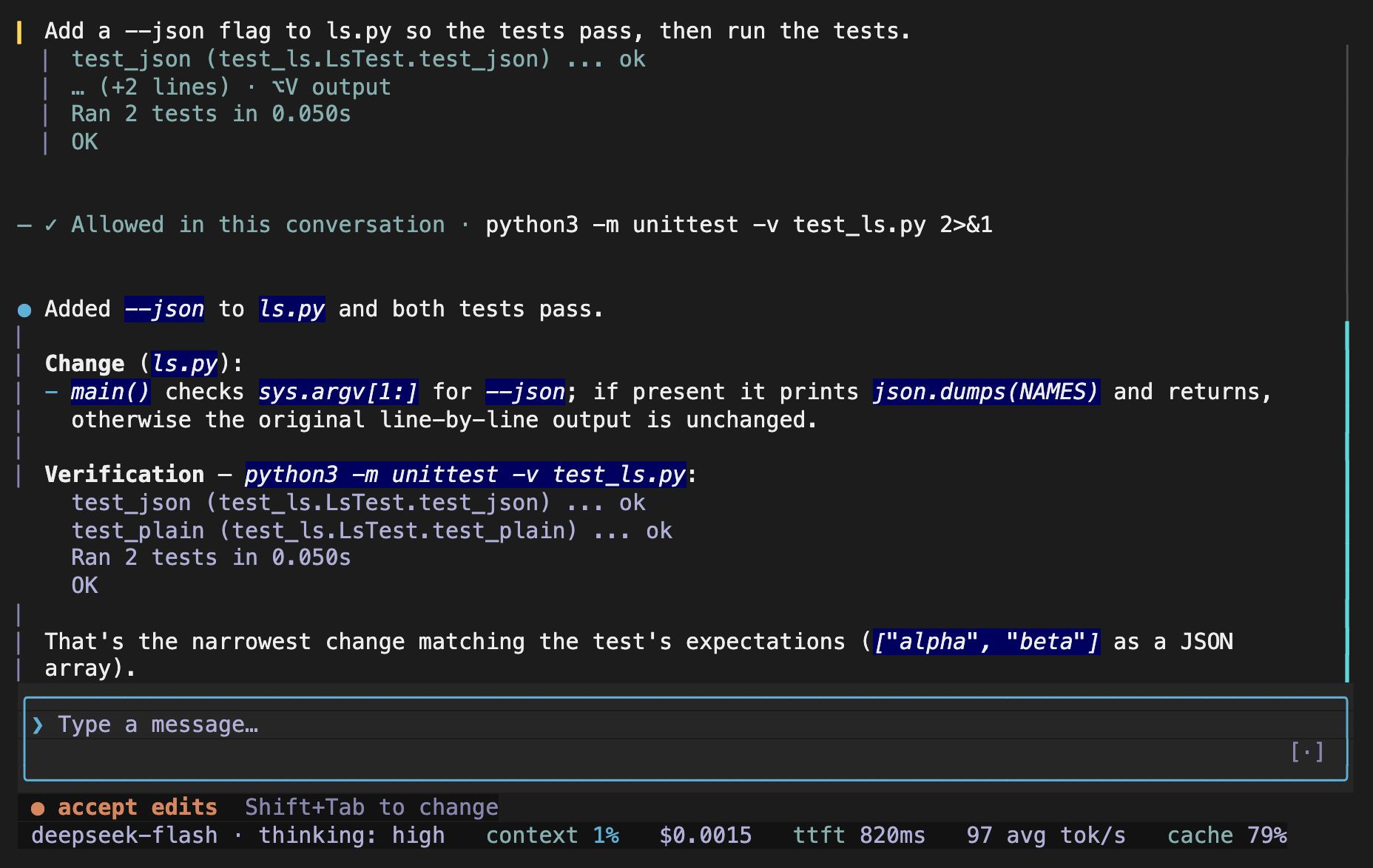 A real session on a 0.10.3 development build: gemini-4-hydrogen through Google's API wrote the edit, and you allowed the test run once.