简体中文 | [English](README_EN.md)
# Horosa for macOS
### A desktop metaphysics workstation for Apple Silicon, delivered through a signed offline installer and a notarized release channel
[](https://github.com/Horace-Maxwell/Horosa-Web-App-comprehensively-improved-MacOS/releases/latest)
[](LICENSE)
[](https://github.com/Horace-Maxwell/Horosa-Web-App-comprehensively-improved-MacOS/stargazers)
[](https://github.com/Horace-Maxwell/Horosa-Web-App-comprehensively-improved-MacOS/releases/latest)
[](https://github.com/Horace-Maxwell/Horosa-Web-App-comprehensively-improved-MacOS/releases/latest)
[](https://github.com/Horace-Maxwell/Horosa-Web-App-comprehensively-improved-MacOS/releases/latest/download/Horosa-Installer-macos-arm64-offline.pkg)
[](https://github.com/Horace-Maxwell/Horosa-Web-App-comprehensively-improved-MacOS/actions/workflows/ci.yml)
[](https://github.com/Horace-Maxwell/Horosa-Web-App-comprehensively-improved-MacOS/discussions)
[](https://github.com/Horace-Maxwell/Horosa-Web-App-comprehensively-improved-MacOS/releases/tag/v1.3.0)
[](https://github.com/Horace-Maxwell/Horosa-Web-App-comprehensively-improved-MacOS/releases/tag/v1.3.0-runtime1)
[](SECURITY.md)
[](SUPPORT.md)
[](CITATION.cff)
[](CONTRIBUTING.md)
[](https://github.com/Horace-Maxwell/Horosa-Web-App-comprehensively-improved-MacOS)
[](https://github.com/Horace-Maxwell/Horosa-Web-App-comprehensively-improved-MacOS/releases)
[](README_ZH.md)
[](README.md)
[Portal](README.md) | [Chinese Guide](README_ZH.md) | [Latest Release](https://github.com/Horace-Maxwell/Horosa-Web-App-comprehensively-improved-MacOS/releases/latest)
**Current release:** `v1.3.0`
**Release focus:** `v1.3.0` carries the latest AIAnalysis technique-selection, auto-snapshot, and desktop packaging updates while keeping the trusted fast-start path and the ARM Mac install safeguards in place.
**Licensing note:** the public repository is now distributed under `AGPL-3.0` because the released stack integrates Swiss Ephemeris / `pyswisseph`. Third-party subdirectories keep their own upstream notices.
## Why Horosa Feels Different
This repository certainly handles macOS delivery, but what it delivers is not a thin shell around one chart. Horosa on macOS already behaves like a layered metaphysics workstation: Western astrology, timing systems, relationship analysis, Chinese traditional methods, Yi and Sanshi workflows, Feng Shui, and export-oriented reading are organized as one desktop product rather than scattered tools.
That is the main idea this README should communicate. The installer matters, the notarization matters, but the bigger story is that the release channel is carrying a broad and mature analysis surface.
## What You Can Actually Do
As an end user
Download the offline installer, open Horosa like a finished macOS application, and start working without manually assembling Python, Java, or supporting runtime pieces.
|
As a maintainer
Use the same repository to trace the installer project, runtime packaging, GitHub Release page, and publishing flow behind the public desktop delivery.
|
Primary entry:
- [Horosa-Installer-macos-arm64-offline.pkg](https://github.com/Horace-Maxwell/Horosa-Web-App-comprehensively-improved-MacOS/releases/latest/download/Horosa-Installer-macos-arm64-offline.pkg)
Best fit:
- first-time installation
- mainland China or weak-network environments
- offline forwarding to another machine or another person
- users who want a first open that does not depend on an extra runtime download
## Preview
Main Workspace
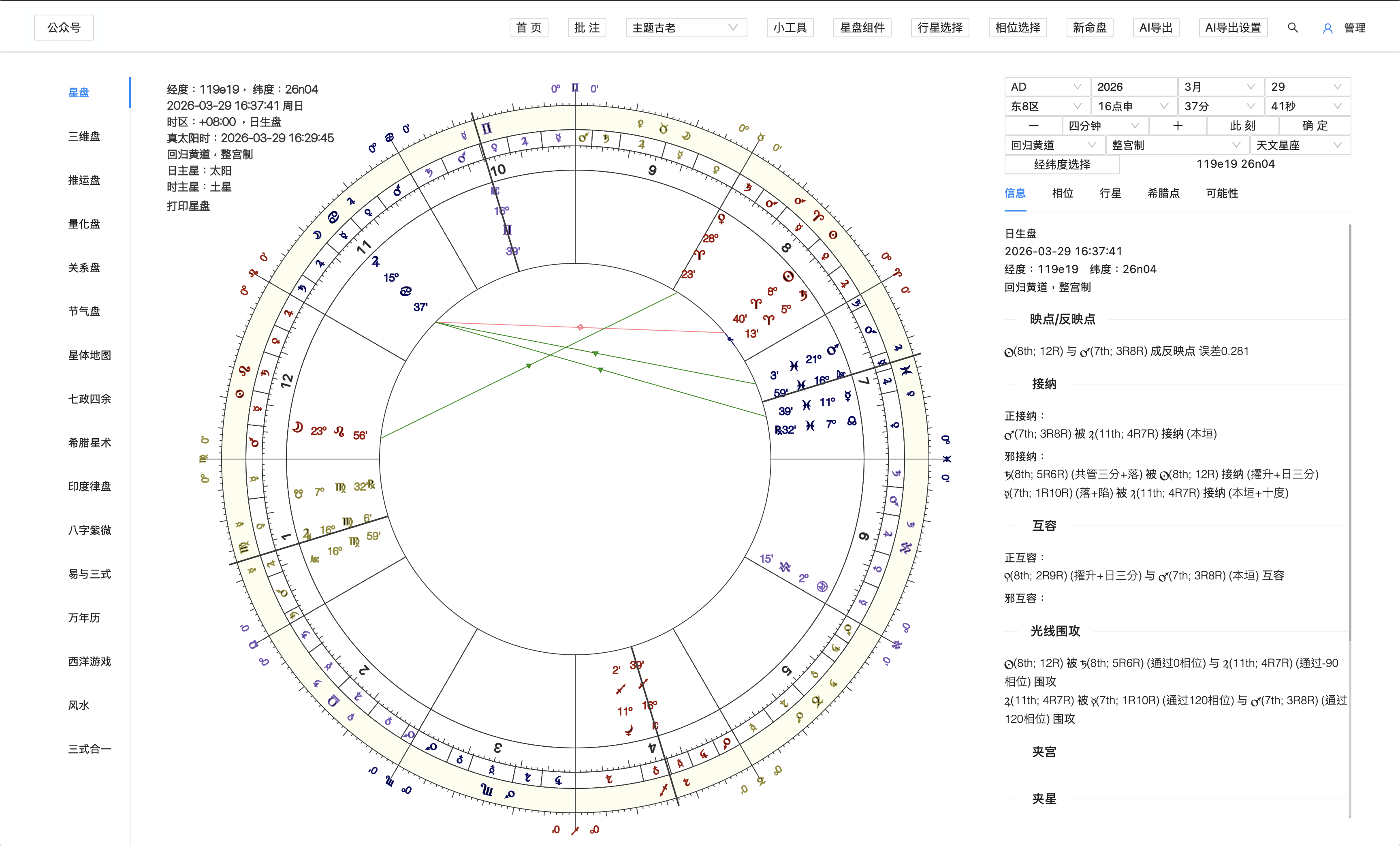
The primary Horosa workspace in the notarized macOS release, designed for chart reading, controls, and everyday desktop use.
Sanshi Workspace
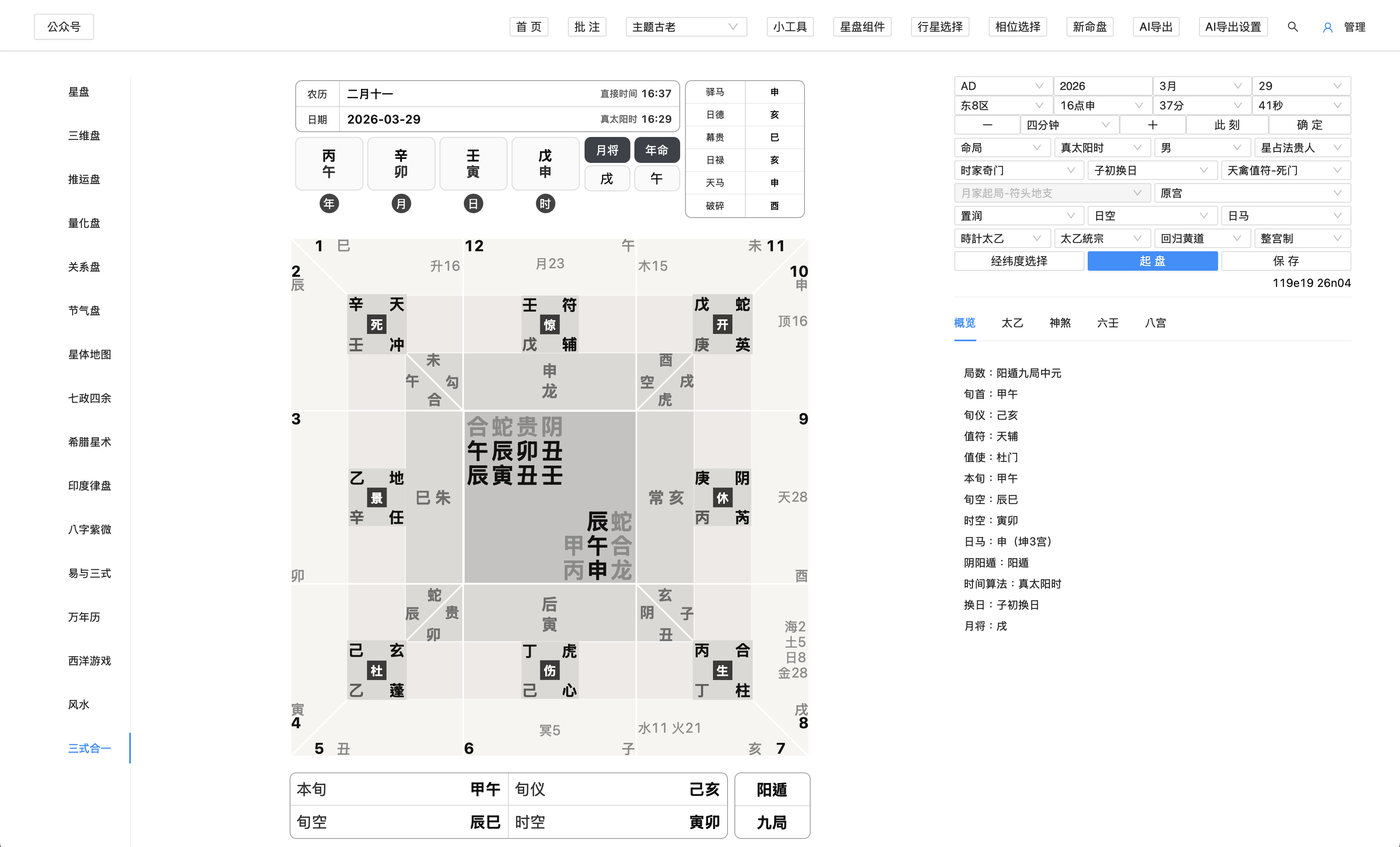
A more advanced view that spotlights Sanshi workflows and deeper tool-driven analysis inside the same desktop product.
## Signature Workflows
### Natal To Timing
Horosa already supports a continuous timing workflow rather than a loose menu of techniques. Users can start with natal and 3D chart reading, then move into primary directions, zodiacal releasing, firdaria, profection, solar arc, returns, and annual methods inside the same desktop environment.
### Relationship Analysis
The relationship layer is broader than a single compare screen. It already includes compare, composite, synastry, time-space midpoint, and Marks charts as distinct ways to inspect the same relationship from different structural angles.
### Chinese Traditional Stack
The Chinese traditional surface is presented as a system, not a decorative side module. Bazi, Ziwei, gua-symbol references, twelve-palace tools, calendar, and Feng Shui already live in the same workspace.
### Yi And Sanshi Depth
Yi and Sanshi go beyond standalone tabs. Horosa already includes Su Zhan, Yi Gua, Liu Ren, Jin Kou, Dun Jia, Tai Yi, Tong She Fa, and a deeper Sanshi United surface.
## Implemented Disciplines
### Western Astrology
The strength here is continuity from natal reading to timing and relationship work.
- natal chart and 3D chart
- primary directions, zodiacal releasing, firdaria, profection, solar arc, returns, and annual methods
- compare, composite, synastry, time-space midpoint, and Marks charts
### Global And Specialty Modules
Horosa goes beyond the default desktop astrology stack.
- Jieqi charts
- astrocartography and planetary maps
- Qizheng Siyu, Hellenistic, Indian, and quantitative views
### Chinese Traditional Systems
The Chinese traditional layer is arranged as a genuine system of entrypoints and references.
- Bazi, Ziwei, gua-symbol references, twelve-palace tools, and rule references
- calendar and Feng Shui as first-class modules
- a workspace that allows cross-reading between different traditions
### Yi And Sanshi
This layer gains its depth from the jump between standalone methods and an integrated analysis surface.
- Su Zhan, Yi Gua, Liu Ren, Jin Kou, Dun Jia, Tai Yi, and Tong She Fa
- Sanshi United with overview, Tai Yi, shensha, Liu Ren, major patterns, sub-patterns, references, and Bagong details
- integrated explanatory depth instead of placeholder tabs
### Tools And Export Workflow
Horosa is not only about calculation. It also provides the controls needed for desktop research and export-oriented interpretation.
- chart configuration
- aspect selection
- planet selection
- chart components
- utility tools
- AI export
- AI export settings
## New In v1.2.0: AIAnalysis
`AIAnalysis` is now a full workspace rather than a narrow export helper. Version `1.2.0` adds a dedicated tab stack for `Analyze`, `History`, `Materials`, `Templates`, and `Settings`, all designed around local-first persistence and shared between the web runtime and the desktop runtime.
Key additions in this release:
- streaming provider-native AI responses
- local-first conversation history with archive, favorites, and batch export
- materials, templates, bundles, backup/restore, and JSON-schema-aware template work
- provider presets and diagnostics for DeepSeek and other mainstream model endpoints
## Desktop Delivery
On macOS, the delivery layer is meant to feel native and finished rather than improvised.
- Apple Silicon (`arm64`)
- Developer ID signed
- notarized by Apple
- offline runtime path included in the install flow
- native in-app update path for future releases
The point is not “here is a codebase, please assemble it yourself.” The point is “here is Horosa as a finished desktop product.”
## Latest Release
- [GitHub Release v1.3.0](https://github.com/Horace-Maxwell/Horosa-Web-App-comprehensively-improved-MacOS/releases/tag/v1.3.0)
- [All Releases](https://github.com/Horace-Maxwell/Horosa-Web-App-comprehensively-improved-MacOS/releases)
## FAQ
### Do I Need To Clone The Repo To Use Horosa
No. Regular users should go straight to the latest release and download the offline installer package.
### Do I Need To Install Python Or Java Myself
No. The public offline install path is designed to carry the required runtime setup for you.
### Why Are There Other Files In The Release
Because the installer, updater, notarization flow, and runtime publishing pipeline still need them. They are support assets, not the public recommendation.
### Will Updates Remove My User Data
No. App replacement and runtime switching are designed to update the program and shared runtime, not erase user data.
## Developer Entry
If you maintain this stack, start with the path that matches your goal:
- understand the public-facing repository layout: [README.md](README.md)
- read the full Chinese guide: [README_ZH.md](README_ZH.md)
- inspect installer internals and publishing flow: [Horosa_Desktop_Installer/README.md](Horosa_Desktop_Installer/README.md)
- read the current version release page: [GitHub Release v1.3.0](https://github.com/Horace-Maxwell/Horosa-Web-App-comprehensively-improved-MacOS/releases/tag/v1.3.0)
- enter the application source tree: `Horosa-Web/`
- inspect shared runtime and diagnostics: `runtime/` and `diagnostics/`