The code coverage visualization tool that understands your code
Here is an [example report](https://igorbayerl.github.io/nanovision/reports/), its a self coverage report of the **nanovision** project.
For more details check the [docs](https://igorbayerl.github.io/nanovision/docs/)
[](https://github.com/IgorBayerl/nanovision/actions/workflows/pages.yml)
[](https://goreportcard.com/report/github.com/IgorBayerl/nanovision)
[](https://opensource.org/licenses/Apache-2.0)

---
nanovision converts coverage reports (Cobertura, GoCover, GCov) into human-readable visualizations.
### [View Example Report](https://igorbayerl.github.io/nanovision/reports/) | [Read the Docs](https://igorbayerl.github.io/nanovision/docs/)
---
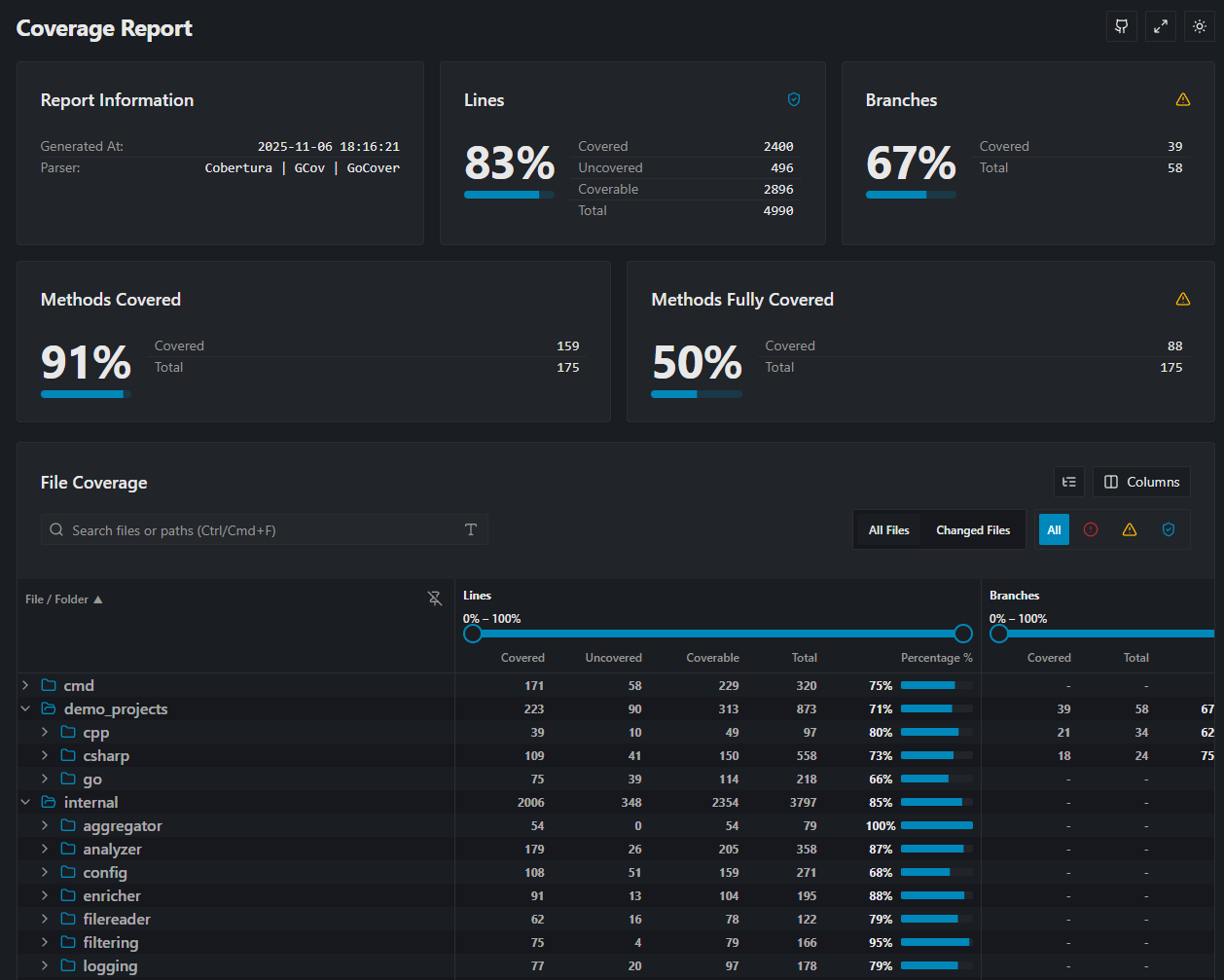
## Why nanovision?
While many CI tools give you a simple percentage, **nanovision** helps you understand *what* is covered and *why* it matters.
* **High Performance:** Written in Go. Fast parsing, low memory footprint.
* **Report Merging:** Combine Unit, Integration reports into a single unified view.
* **Patch Coverage:** Analyze coverage specifically on **new code** (using diffs) to stop technical debt before it merges.
* **Deep Analysis:** Calculates cyclomatic complexity and method/functions level metrics.
* **Modern UI:** Generates a static, html pages that are easy to host anywhere.
## Supported Formats
| Input Formats | Output Formats |
|:--------------|:---------------|
| Cobertura | HTML |
| Go Cover | Text Summary |
| GCov | LCOV |
| | Raw JSON |
## Installation
**Windows**
```ps1
winget install nanovision
```
**Linux**
```bash
curl -sL https://raw.githubusercontent.com/IgorBayerl/nanovision/main/scripts/install.sh | bash
```
### Or downdload From Releases
Download the binaries for Windows or Linux from the **[Releases Page](https://github.com/IgorBayerl/nanovision/releases)**.

## Quick Start
### 0. Check nanovision instalation
```bash
nanovision -version
```
```bash
nanovision -help
```
### 1. Generate a basic HTML report
```bash
nanovision -report="coverage.out" -sourcedirs="."
```
### 2. Merge multiple reports
Combine coverage from different languages or test suites:
```bash
nanovision -report="cobertura.xml;gocover.out" -sourcedirs="src/csharp;src/go"
```
### 3. Patch Coverage (Diff Analysis)
Focus only on the lines changed in your branch (great for PR checks):
```bash
# 1. Generate a diff file
git diff main > changes.diff
# 2. Run nanovision with the diff flag
nanovision -report="coverage.out" -sourcedirs="." -diff="changes.diff"
```
## Configuration
You can run nanovision entirely via CLI flags, or use a `nanovision.yaml` file for complex setups (like file filtering, risk thresholds, and excluded paths).
See the **[Configuration Documentation](https://igorbayerl.github.io/nanovision/docs/configs/)** for details.
## Contributing
Contributions are welcome!
Please see [CONTRIBUTING.md](CONTRIBUTING.md) for details on setting up the dev environment (Devcontainer included).
## License
Licensed under the [Apache 2.0 License](LICENSE).
## Credits
* Inspired by the excellent [ReportGenerator](https://github.com/danielpalme/ReportGenerator) by Daniel Palme.
## Star History