# ARPO: End-to-End Policy Optimization for GUI Agents with Experience Replay
This repository contains the code and models for the paper:
> **ARPO: End-to-End Policy Optimization for GUI Agents with Experience Replay**
> *Fanbin Lu, Zhisheng Zhong, Shu Liu, Chi-Wing Fu, Jiaya Jia*
> CUHK, SmartMore, HKUST
> [[Paper](https://arxiv.org/abs/2505.16282)] • [[Project Page](https://github.com/dvlab-research/ARPO)] • [[Model on HF](https://huggingface.co/Fanbin/ARPO_UITARS1.5_7B)]
## Overview
**ARPO (Agentic Replay Policy Optimization)** is a novel reinforcement learning framework designed to train **vision-language GUI agents** to complete **long-horizon desktop tasks**. It builds upon **Group Relative Policy Optimization (GRPO)** and introduces:
- **Distributed Rollouts**: Scalable task execution across parallel OSWorld environments with docker.
- **Multi-modal Input Support**: Processes long histories (15 steps) of screenshots + actions in an end-to-end way.
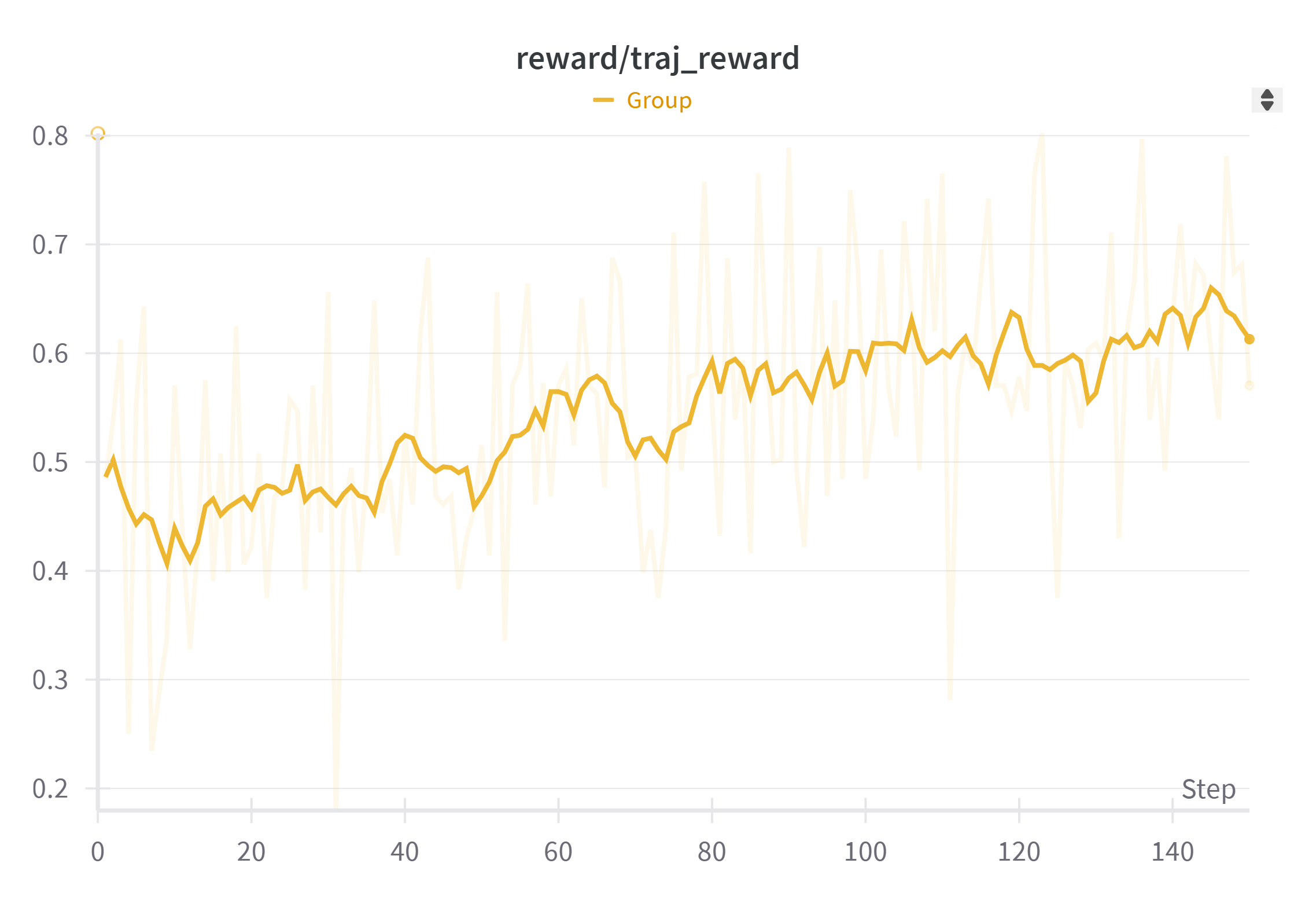
Access our [model](https://huggingface.co/Fanbin/ARPO_UITARS1.5_7B) on huggingface and view [training logs](https://wandb.ai/fanbinlu/arpo) on the Weights & Biases.
## 📊 Results on OSWorld
| Model | 128 training tasks | OSWorld overall|
|-----------------------------|---------|-------|
| UI-Tars-1.5 |68.7% | 23.5% |
| UI-Tars-1.5 + GRPO |72.9% | 26.0% |
| **UI-Tars-1.5 + ARPO (Ours)** |83.9% | **29.9%** |
> Evaluated with a max of **15 steps per trajectory**.
---
## 🛠 Installation
### 1. Clone the repository and create environment
```bash
git clone --recurse-submodules https://github.com/dvlab-research/ARPO.git
cd ARPO
# Create and activate Conda environment
conda create -n arpo python=3.10
conda activate arpo
# Install Python dependencies
pip install -r requirements.txt
```
### 2. Install OSWorld
Follow the origin installation guide of [OSWorld](https://github.com/xlang-ai/OSWorld) if you only want to evaluate the model. If you want to train with GRPO, you are required to pip install it.
```bash
cd OSWorld
pip install -e .
cd ..
```
> 💡 We strongly recommend running a full evaluation **with Docker** before training to prepare the docker image, Ubuntu VM data, and cache_dir required.
## ⚙️ Setup for Evaluation with OSWorld
To evaluate ARPO on the OSWorld benchmark with the [released model](https://huggingface.co/Fanbin/ARPO_UITARS1.5_7B) using Docker-based virtual environments, follow these steps:
### 1. **Prepare the Environment**
Ensure you have correctly installed [OSWorld](https://github.com/xlang-ai/OSWorld) by following its Docker setup instructions. Once OSWorld is set up:
```bash
nohup bash start_server.sh &
```
### 2. **Run Evaluation Script**
Navigate into the OSWorld directory and execute the evaluation script:
```bash
cd OSWorld
python run_multienv_uitars.py \
--headless \
--observation_type screenshot \
--max_steps 15 \
--max_trajectory_length 15 \
--temperature 0.6 \
--model ui-tars \
--action_space pyautogui \
--num_envs 8 \
--result_dir ./results/ \
--test_all_meta_path ./evaluation_examples/test_all.json \
--trial-id 0 \
--server_ip http://127.0.0.1
```
### ✅ Parameters Explained
- `--headless`: Enables headless mode (no GUI rendering).
- `--observation_type screenshot`: Use visual observations for the agent.
- `--max_steps` / `--max_trajectory_length`: Limit per-task interaction steps.
- `--temperature`: Sampling temperature for model output.
- `--model`: Name of the model.
- `--num_envs`: Number of parallel environments (VMs).
- `--result_dir`: Directory to store evaluation results.
- `--test_all_meta_path`: JSON file with evaluation task metadata.
- `--trial-id`: ID for the evaluation trial.
- `--server_ip`: IP of the evaluation server (usually localhost).
> You will find vmware_vm_data/, docker_vm_data/, and cache/ folders under the OSWorld after evaluation.
---
## ⚙️ Setup for GRPO Training
```bash
# Link evaluation examples and cache
ln -s $(pwd)/OSWorld/evaluation_examples ./
mkdir cache_dirs/
ln -s $(pwd)/OSWorld/cache ./cache_dirs/cache_0
ln -s $(pwd)/OSWorld/vmware_vm_data ./
ln -s $(pwd)/OSWorld/docker_vm_data ./
```
To run Docker without `sudo`:
```bash
sudo usermod -aG docker $USER
newgrp docker
```
---
## Training ARPO/GRPO with OSWorld
### Single Node (subset training: 32 tasks)
If you only have one node, we suggest training on a subset of OSWorld tasks with at most 16 Docker environments.
```bash
RAY_PORT=2468
RAY_HEAD_IP=
ray start --head --port=$RAY_PORT --resources='{"docker:'$RAY_HEAD_IP'": 128}'
bash ./examples/osworld_subset32.sh
```
### Multi-Node Setup with Ray (e.g. 8 nodes, 128 envs)
On **Ray master node**:
```bash
RAY_PORT=2468
RAY_HEAD_IP=
ray start --head --port=$RAY_PORT --resources='{"docker:'$RAY_HEAD_IP'": 128}'
```
On **Ray slave nodes** (with GPU):
```bash
ray start --address=$RAY_HEAD_IP:$RAY_PORT --num-gpus=8 --resources='{"docker:'$CURRENT_IP'": 128}'
```
Or (CPU only):
```bash
ray start --address=$RAY_HEAD_IP:$RAY_PORT --resources='{"docker:'$CURRENT_IP'": 128}'
```
Then run:
```bash
bash ./examples/osworld_full_arpo.sh
```
---
## 🔗 Related Projects
- [OSWorld](https://github.com/FanbinLu/OSWorld) — Realistic GUI environments for multimodal agents modified for GRPO training.
- [EasyR1](https://github.com/hiyouga/EasyR1) An efficient, scalable, multi-modality RL training framework based on veRL, supporting advanced VLMs and algorithms like GRPO.
---
## 📄 Citation
If you find ARPO useful, please consider citing our work.