




# Snap64 Recomp
Snap64 Recomp is a native PC port of Pokémon Snap (Nintendo 64, US release)
for Windows, Linux, the Steam Deck and macOS. It is made with
[N64: Recompiled](https://github.com/N64Recomp/N64Recomp), which translates
the game's own code so that it runs directly on a PC. The method is called
static recompilation. [RT64](https://github.com/rt64/rt64) draws the picture.
Out of the box it plays like the cartridge. Widescreen, higher frame rates,
mouse and gyro aim, button rebinding, fast forward, photo export and the
Snap Station's printer are there when you want them, and each stays off
until you turn it on.
### [Download the latest release](https://github.com/JackandBeans/Snap64Recomp/releases/latest)
**This repository and its releases contain no game assets. You need your own
ROM of the US cartridge to play.** Only the US cartridge's ROM works: the
Japanese, European and Australian releases are different builds of the game,
and the port is made from the US one.
The [Releases](https://github.com/JackandBeans/Snap64Recomp/releases) page
of this repository is the only official download.
**Contents:** [Get it running](#get-it-running) ·
[Screenshots](#screenshots) ·
[System requirements](#system-requirements) · [Features](#features) ·
[Faithful by default](#faithful-by-default) · [Controls](#controls) ·
[Linux and Steam Deck](#linux-and-steam-deck) · [macOS](#macos) ·
[FAQ](#faq) · [Known issues](#known-issues) ·
[What's next](#whats-next) · [Reporting a bug](#reporting-a-bug) ·
[Contributing](#contributing) ·
[What has been verified](#what-has-been-verified) ·
[Building](#building) · [How it was made](#how-it-was-made) ·
[Thanks](#thanks) · [Documentation](#documentation) · [License](#license)
[The manual](docs/MANUAL.md) has every control, page, hotkey and setting.
The rest of the documentation is listed [near the end](#documentation).
## Get it running
> **In a hurry?** The download holds a `START HERE.txt` with the short
> version. The one thing to know: this port has no launcher and no overlay.
> Everything it adds is inside the game's own **Options** screen. Press Esc,
> or Select on a pad, and it opens over the screen you are on: the title,
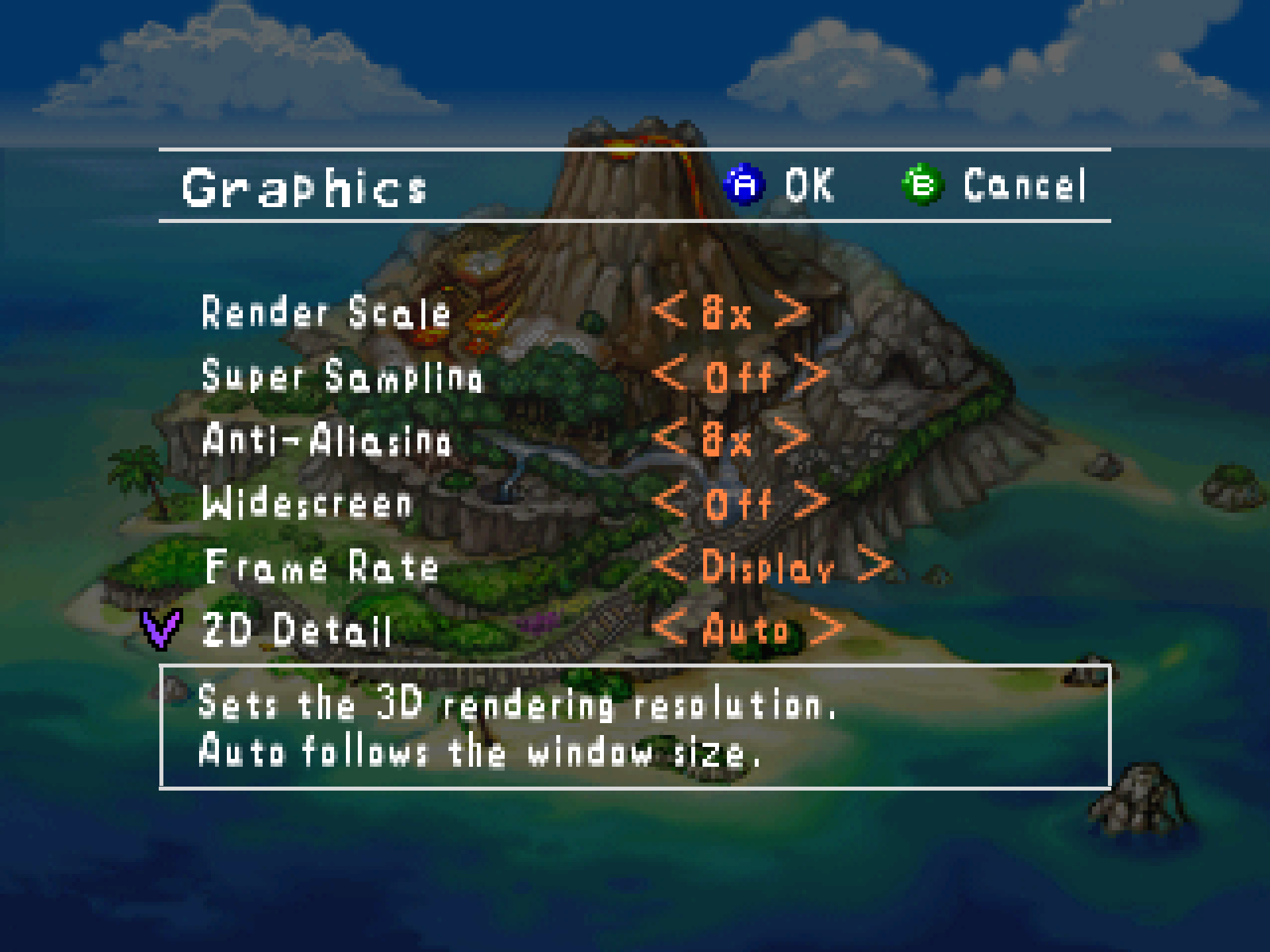
> the lab, the course map, a paused course. Widescreen, the frame rate and
> the other enhancements are under Options > Graphics. They all start off,
> set to what the console did.
These steps are for Windows. Linux and the Steam Deck are [further
down](#linux-and-steam-deck).
1. Download `Snap64Recomp-1.1.2-win64.zip` from the
[Releases](https://github.com/JackandBeans/Snap64Recomp/releases/latest)
page and unpack it anywhere. It holds one folder,
`Snap64Recomp-1.1.2-win64`, with `Snap64Recomp.exe` inside. Nothing has
to be installed.
2. Have your ROM of the US cartridge ready. (A ROM is the cartridge's
contents, read out into one file.) Put it next to `Snap64Recomp.exe`
with the name `pokemonsnap.z64`, or just start the program. If no ROM is
there, the program asks for the file, checks it, and copies it into
place under that name. It only asks once. You do not have to check the
file yourself: a wrong one is refused, with a message that says why.
3. Start `Snap64Recomp.exe`. The program is not signed, so Windows may
first show a "Windows protected your PC" box (SmartScreen). Click "More
info", then "Run anyway", and it will not ask again. The first start
takes a little longer than later ones, because the renderer builds the
shader programs your GPU needs. They are kept in `cache/`, so the next
start is quick.
A few keys to know first:
* **Esc opens the port's Options** on almost any screen, and closes them
again. On a pad it is Select. The Graphics and Sound pages are in there.
[In-game pages](docs/MANUAL.md#in-game-pages) in the manual names the few
screens where the key does nothing.
* **Enter** is the game's Start. In a course it opens the pause menu:
Continue, Quit Course, Retry, Options.
* **F11** switches fullscreen on and off, in a course or anywhere else.
The window's maximize button fills the screen with the window itself,
and the port opens it that way again next time.
* **To quit**, choose **Game**, the last row of the game's Options
screen, then **Exit Game**: A asks, a second A closes, B stays. Or **hold Esc for a second
and let go**. A box asks first, and Enter or Esc keeps you playing, so a
hand resting on the key cannot end a run.
Saves live in `saves/` next to the program, so keep that folder when you
update. Keyboard and controller mappings are under [Controls](#controls).
If something goes wrong, [Running](docs/MANUAL.md#running) in the manual
says what Windows or an antivirus may object to, and what to attach to a
bug report.
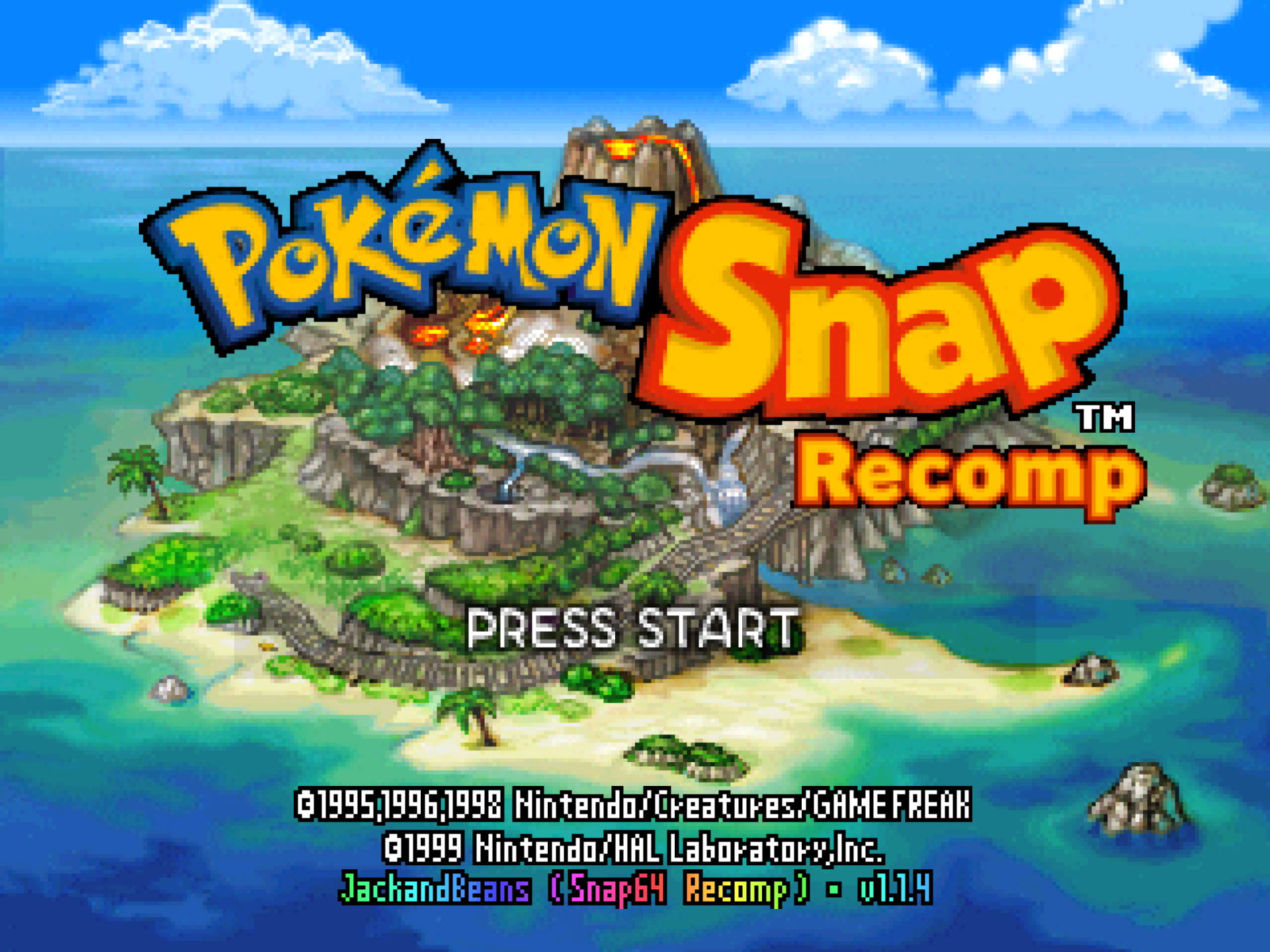
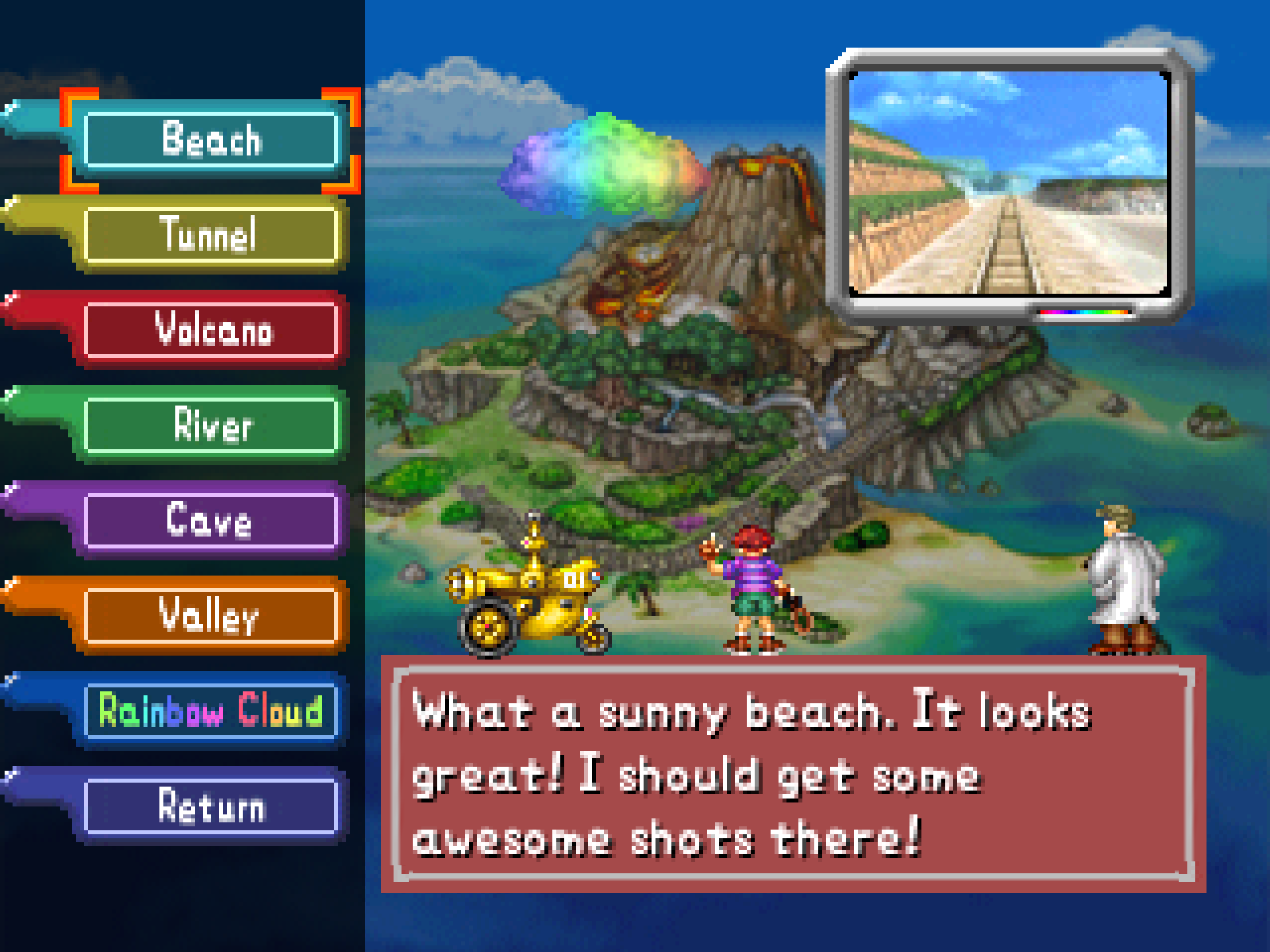
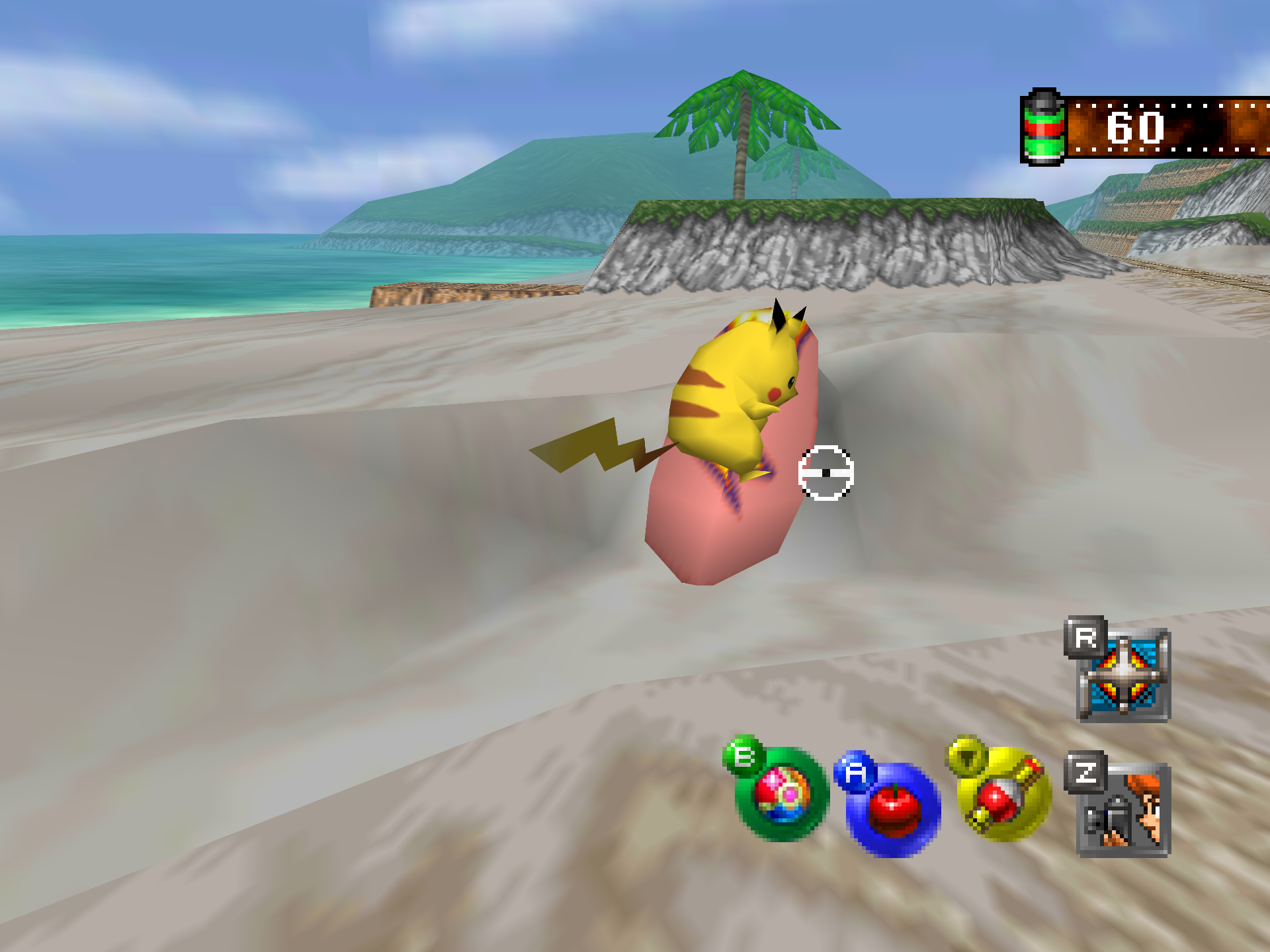
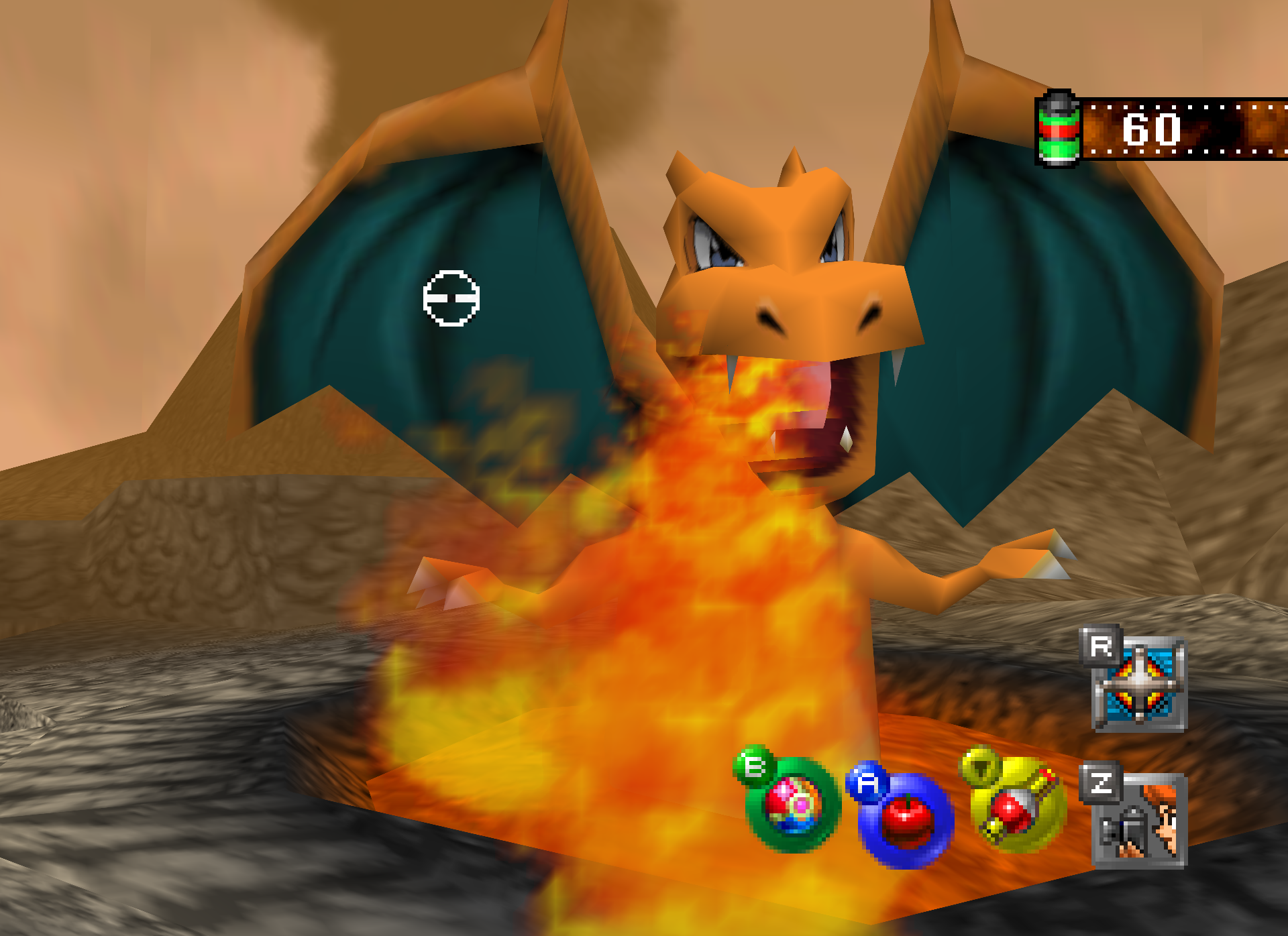
## Screenshots
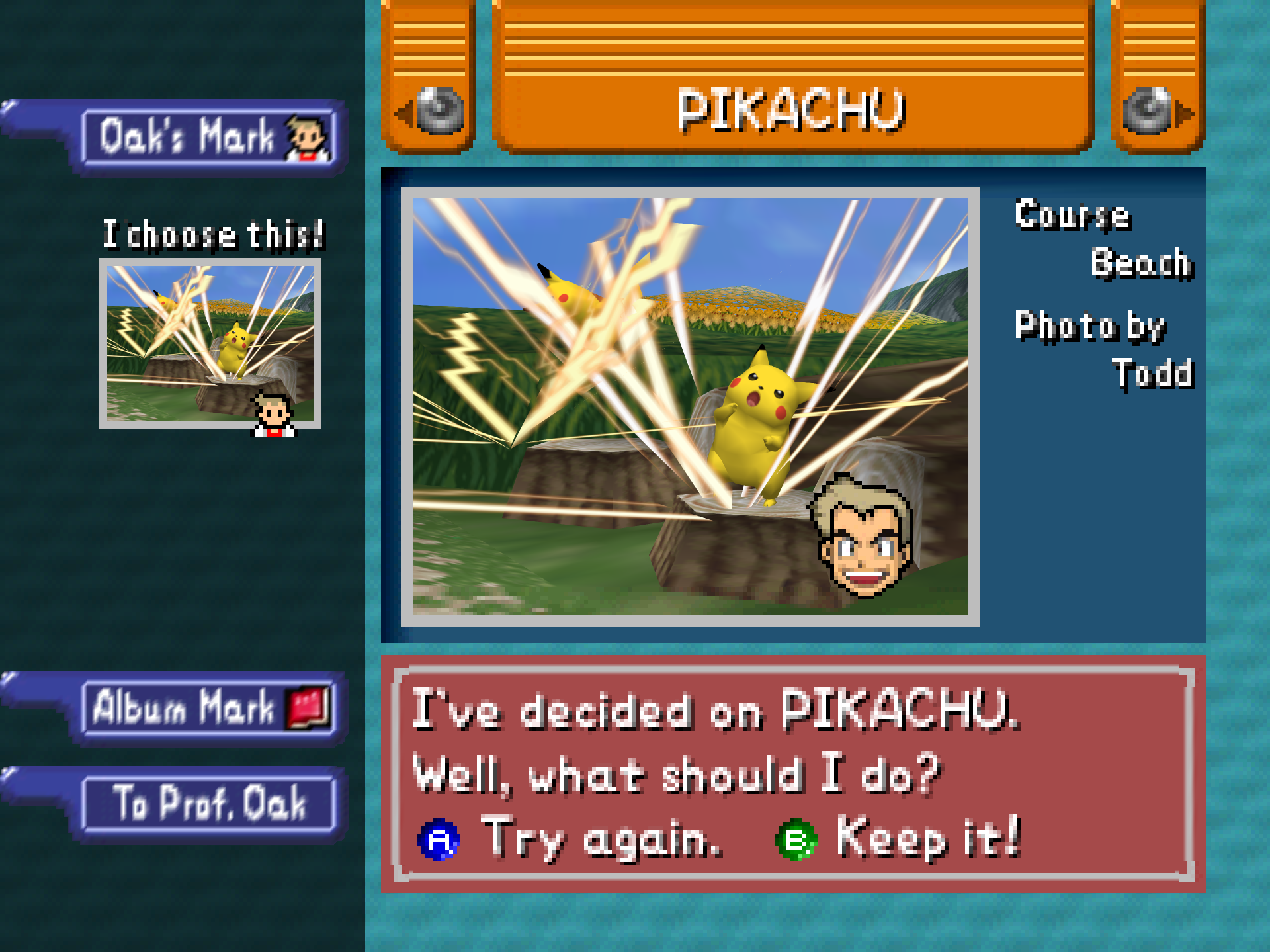
Every picture is the port's own render at 1440p, with Render Scale and
Anti-Aliasing both at 8x on the Graphics page, cropped to the game's
picture. The full set, with a caption for each, is in
[docs/SCREENSHOTS.md](docs/SCREENSHOTS.md).
## System requirements
* **Windows:** 64-bit Windows 10 (version 1809 or newer) or 11, and a GPU
whose driver supports Direct3D 12 with Shader Model 6.3. A driver from
before late 2018 is too old, and the port says so at start.
* **Linux and Steam Deck:** a Vulkan 1.2 driver, and either Flatpak or the
system's SDL2 and GTK 3; x86_64, or ARM64 for the tarball built for it.
The Linux builds are experimental.
* **macOS:** macOS 14 (Sonoma) or newer, on Apple Silicon or Intel; one app
runs on both. The Mac build has run on GitHub's virtual Mac and not yet on
a physical one (see [macOS](#macos)).
* **CPU:** a 64-bit x86 processor with SSE4.1. That is Intel from 2008
(Penryn), AMD from 2011 (Bulldozer), or anything newer.
* **Your own ROM of the US cartridge.** Its SHA-1 checksum is
`edc7c49cc568c045fe48be0d18011c30f393cbaf`, the value the
[decompilation project](https://github.com/ethteck/pokemonsnap)
publishes. `.z64`, `.v64` and `.n64` files all work. The port checks the
file for you, and refuses a wrong one with both checksums shown.
Nothing has to be installed. The download holds everything but the game.
No one has tested how old a graphics card can be and still run the port.
[Zelda 64: Recompiled](https://github.com/Zelda64Recomp/Zelda64Recomp),
which uses the same renderer, names the GeForce GT 630, the Radeon HD 7750
and the Intel HD 510 as the oldest that should work. This port has run on an
AMD Radeon RX 9060 XT, an NVIDIA GeForce RTX 4070 Ti Super, an Intel UHD 630
and the Steam Deck. If it closes at start, update the graphics driver
first. The detail is in
[the manual](docs/MANUAL.md#what-you-need-in-detail).
## Features
Each of these is a row on the game's own Options screen, or a key. Each
starts off, or at the console's setting. [The manual](docs/MANUAL.md) has
every one in full.
* **Settings inside the game.** The port adds Graphics, Sound, Controls,
Mods and Game pages to the game's own Options screen, drawn in the game's own
font. The Graphics page has seventeen rows in three groups, the
display, the picture and the fixes, from Render Scale to Jynx Recolor.
* **Widescreen** shows more of the course: a wider field of view that
fills the window's own shape, 16:9, the Deck's 16:10 or an ultrawide 21:9,
not a stretched picture. The title, the lab and the menus stay 4:3.
* **Higher frame rates**, matched to your display or set to a rate you
choose. The game's own logic still runs at its thirty frames a second;
the renderer draws the frames in between (frame interpolation).
* **Keyboard and mouse.** W A S D and the mouse aim the camera in a course,
the way a mouse does in any first-person game.
* **Controllers and gyro.** Anything SDL has a mapping for works, and the
community's list of more pads ships beside the program. A DualSense, a
DualShock 4, a Switch Pro controller and the Steam Deck can aim by gyro.
* **Button rebinding in the game.** Every key, mouse button and pad button
can be changed on the Button Setup page, or in the settings file.
* **Fast forward and slow motion**, each while a key is held. The console's
own clocks run faster or slower, so the game steps through the same
frames it would have anyway, with the same scores and the same saves.
* **Photo export.** P, or the pad's right stick pressed in, saves the photo
on screen as a PNG at the game's own resolution.
* **Photo Detail** shows Oak's photos and the album from the renderer's
full-resolution render, instead of the console's 320x210 pixels.
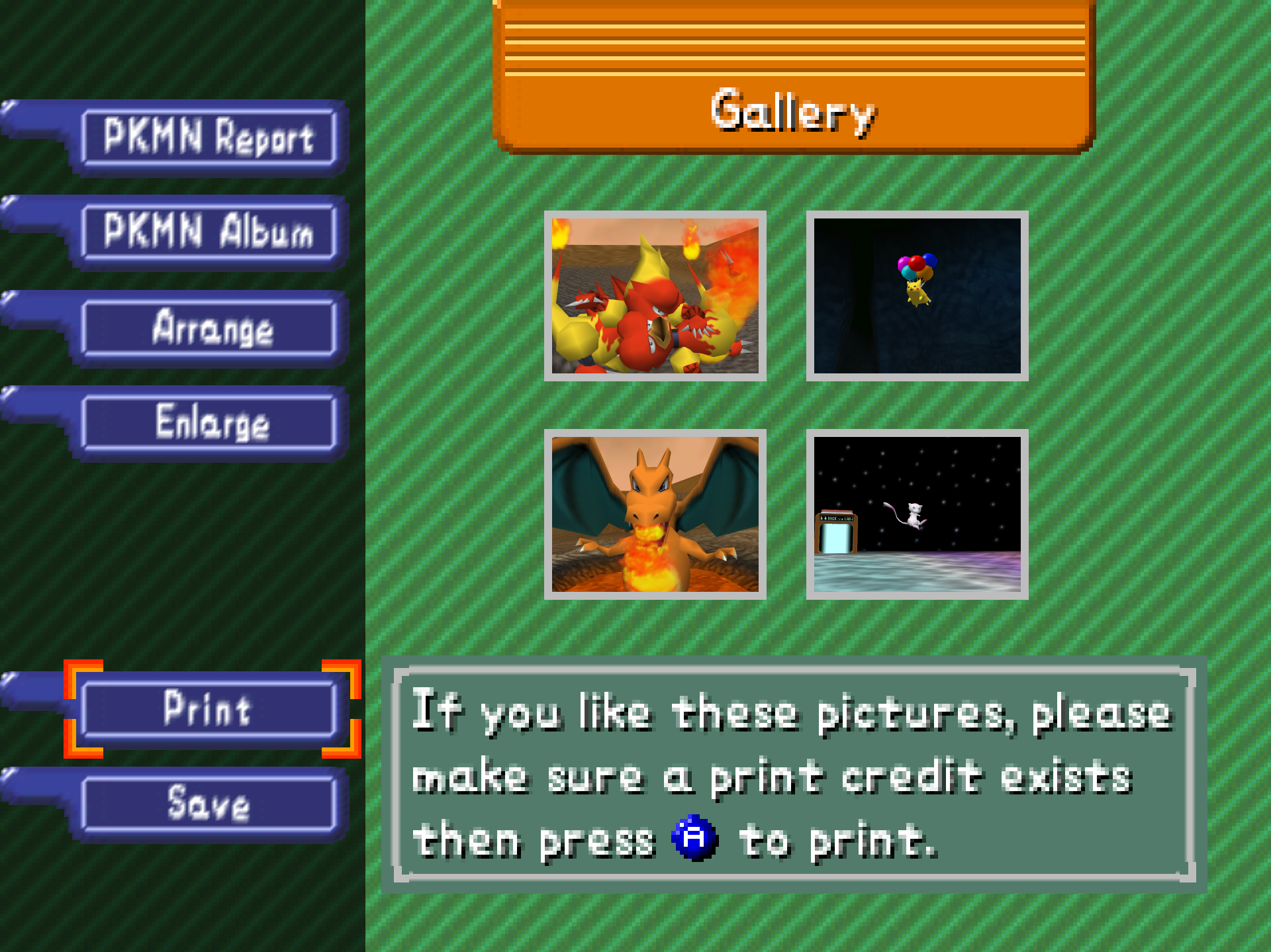
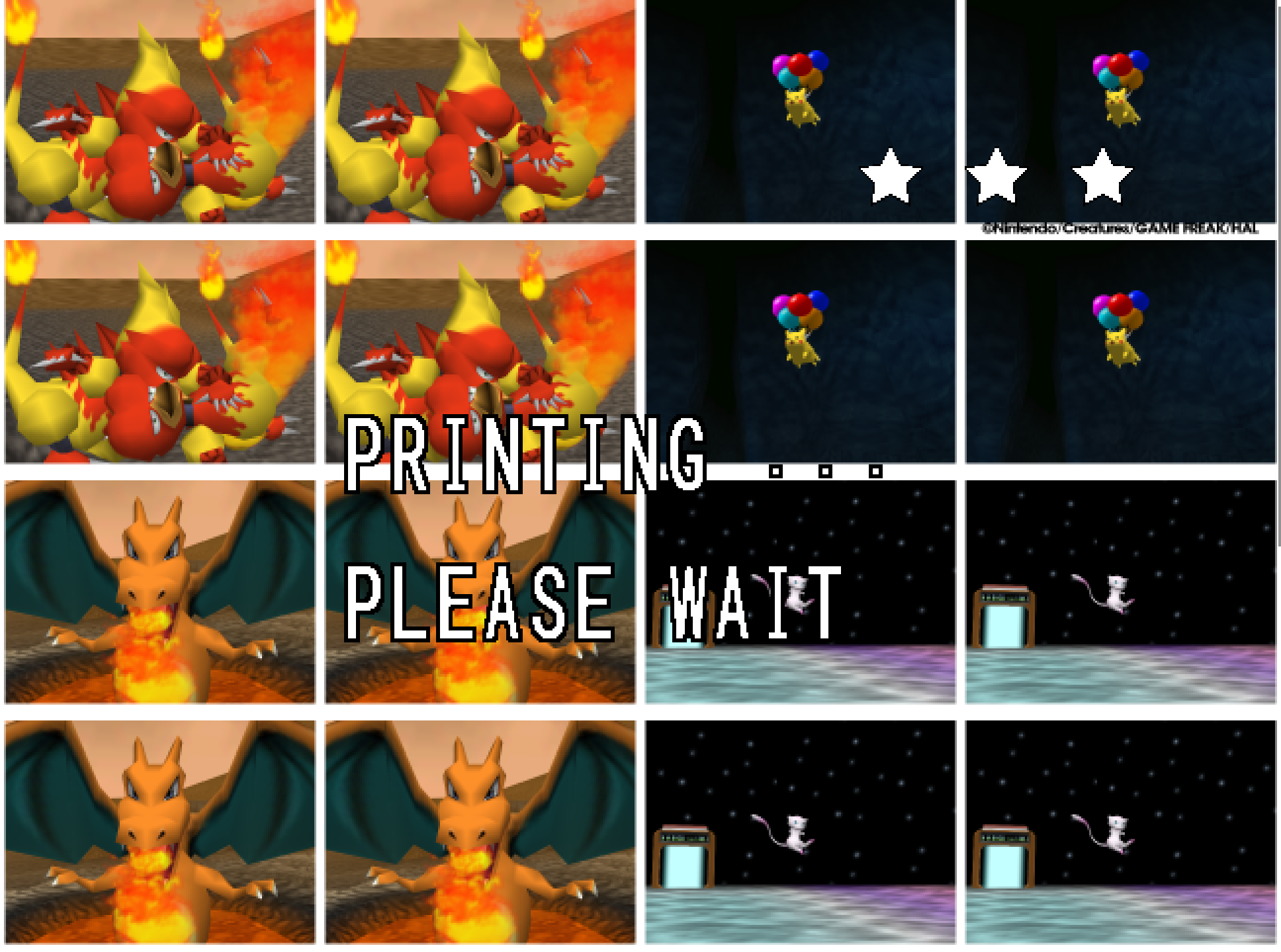
* **The Snap Station** was the 1999 kiosk that printed your photos as a
sheet of sixteen stickers. The port emulates it on controller port 4,
from the cartridge's own code for it, and Print gives you the sheet as
PNG files ([SNAP-STATION.md](docs/SNAP-STATION.md)).
* **Two things the re-releases changed**, reproduced and off by default.
One is the Virtual Console's Jynx recolor. The other is a Cutscene Fix
for the one frame the console drew from inside the player model, at the
end of two intros.
* **Linux and the Steam Deck.** A native Linux build, played on a Deck in
Desktop Mode and in Gaming Mode. The Windows build also runs under Proton
([STEAM-DECK.md](docs/STEAM-DECK.md)).
* **Mods and texture packs.** The runtime's `.nrm` mod loader and RT64's
texture-pack loader are built in, and the Options screen has a Mods page
for them. A
[mod template](https://github.com/JackandBeans/Snap64RecompModTemplate)
and the game's [symbol files](https://github.com/JackandBeans/Snap64RecompSyms)
let anyone write a mod ([MODS.md](docs/MODS.md)). No mods or packs ship
with the port.
## Faithful by default
The port behaves like the console by default, and every enhancement is
something you turn on. Frame rate, aspect ratio, anti-aliasing, overscan,
texture filtering and dithering all start as the console had them. Only
what you turn on changes.
Three defaults are not the console's own. The 3D picture is drawn at the
window's resolution. 2D content that would be scaled anyway is drawn sharp.
The finished frame is scaled with anti-aliasing. Each is one setting away
from the original, and
[Faithful by default](docs/MANUAL.md#faithful-by-default) in the manual
names the setting for each. It also says how higher frame rates sit with
the game's photo scoring.
## Controls
Keyboard and mouse, as the port ships them:
| N64 | Key | Mouse | In a course |
| --- | --- | --- | --- |
| Control stick | W A S D | moving the mouse | aims the camera |
| A | X | left button | the photo when zoomed, an apple when not |
| B | Z | middle button | the pester ball |
| Z | Left Shift | right button | zoom (hold or switch, the game's own option) |
| R | E | | dash |
| L | Q | | |
| C-Down | K | wheel down | the Poké Flute |
| C-Up | I | wheel up | turn to face behind |
| C-Left / C-Right | J / L | side buttons (back / forward) | turn left / right |
| Start | Enter | | pause |
| D-pad | Arrow keys | | |
A pad works as soon as it is plugged in:
| N64 | Pad |
| --- | --- |
| Control stick | left stick |
| A | A |
| B | B or X |
| Z | left shoulder button |
| L and R | the triggers |
| C buttons | right stick |
On a pad, the right stick pressed in saves the photo on screen, and Select
opens the port's Options.
Hold Tab, or the right shoulder button, for fast forward. Hold Space, or
press the left stick in, for slow motion. A tap on Esc opens the port's
Options on almost any screen. Esc held for a second and released asks
whether to quit. From a pad, Exit Game, on the Game page of the Options
screen, quits.
Every binding can be changed in the game, on the Controls page's Button
Setup row, or in the settings file's `keys` table. The mouse's speed, the
gyro, the dead zone, the pad's stick layout and which controllers work are
in [the manual](docs/MANUAL.md#controls).
## Linux and Steam Deck
The release page has three native Linux builds, marked experimental,
beside the Windows one: a tarball for x86_64, a Flatpak for x86_64, and a
tarball for ARM64. On a Steam Deck either the tarball, the Flatpak or the
Windows build through Proton works; players ran Proton on the day of the
first release, and the x86_64 tarball has been played on a Deck, in Desktop
Mode and in Gaming Mode. The tarball needs the system's SDL2, GTK 3 and a
Vulkan 1.2 driver; the Flatpak brings its own and installs with one
command, `flatpak install --user Snap64Recomp--linux-x86_64.flatpak`,
keeping everything it writes under `~/.var/app/io.github.jackandbeans.Snap64Recomp/`.
Rendering is Vulkan only. The Flatpak and the ARM64 build are made and
started on GitHub's machines and have not been played on any; the first
report from a Deck or an ARM machine would be welcome.
[STEAM-DECK.md](docs/STEAM-DECK.md) has the steps for each route, the
Deck's controls and gyro, its screen, quitting from a pad, and the icon.
## macOS
The release page has a Mac build, `Snap64Recomp--macos-universal.zip`:
one app for Apple Silicon and Intel Macs, macOS 14 or newer. Unzip it and
move `Snap64Recomp.app` anywhere. It is signed by nobody, so the first start
is a right-click and Open, or on macOS 15 a double-click, then System
Settings > Privacy & Security > Open Anyway; once is enough. The port asks
for your ROM on the first start and keeps everything it writes in
`~/Library/Application Support/Snap64 Recomp/` (the ROM, saves, photos,
settings, the log and the mods folder); nothing goes inside the app.
Rendering is Metal. Mods load as on the other platforms.
What has been seen: GitHub's own Mac builds the app and runs it on every
release candidate, and on it the game boots to the intro, plays the Beach
with photos scored, loads a mod, and quits cleanly, natively and through
Rosetta 2. No physical Mac has run it yet; the first report from one would
be welcome, with `snap64.log` from the folder above.
## FAQ
### What is static recompilation?
The game's own program code is translated into C and compiled for the PC.
The translation is done once, ahead of time, and not while you play.
[N64: Recompiled](https://github.com/N64Recomp/N64Recomp) does it.
[N64ModernRuntime](https://github.com/N64Recomp/N64ModernRuntime) stands in
for the console's operating system, [RT64](https://github.com/rt64/rt64)
draws the picture, and SDL2 provides the window, the input and the sound.
### How is this related to the decompilation project?
The game's code is recompiled from the ROM, not built from the
[decompilation](https://github.com/ethteck/pokemonsnap)'s source. The port
still depends on that project. The functions the port changes are copies of
their decompiled source, compiled against its headers and symbols, and what
is known about the game's code was learned there.
### Where is the settings menu? Is there a launcher?
There is no launcher. Everything is inside the game's own Options screen:
press Esc, or Select on a pad. [In-game pages](docs/MANUAL.md#in-game-pages)
in the manual shows every page.
### Where are my save and my settings?
Next to the program. The save is `saves/pokemonsnap.bin` and the settings
are `snapsettings.json`; keep both when you update. Everything the port
writes is in that folder, so the folder can be moved as it is. On Linux, if
the folder cannot be written, the files go to `~/.config/Snap64Recomp`.
### How do I use a different ROM file?
The port uses `pokemonsnap.z64` next to the program. Remove or replace that
file. With none there, the port asks for one at the next start.
### How do I set up gyro aim on a Steam Deck?
In Desktop Mode, or with Steam Input off for the shortcut, turn on Options >
Controls > Gyro Aim. In Gaming Mode the game cannot read the Deck's gyro
itself. Set Steam's Gyro Behavior to As Mouse there, and the port's mouse
aim follows it. [STEAM-DECK.md](docs/STEAM-DECK.md) has the steps.
### Windows warns me about the program. Is that normal?
Yes. The program is not signed, so SmartScreen may show "Windows protected
your PC" the first time: "More info", then "Run anyway". Download it only
from this repository's Releases page, where each file comes with a SHA-256
checksum. The port opens no network connection at all.
### Can I use mods or HD texture packs?
Yes. Mods go in `mods/` and texture packs in `texture_packs/`, and Options >
Mods turns mods on and off. [MODS.md](docs/MODS.md) says how to install
them, and how to write one.
## Known issues
* A few 2D pictures still move at the game's rate when the frame rate is
raised: one that slides past the side of a menu in a wide window, and one
that jumps a long way in a single frame.
* Parts of the Snap Station printer's look are estimates: its lettering,
and the timing of its passes.
* A Pokémon can pop out of the picture before it has fully left it. The
console does the same, and the port keeps the cartridge's rule.
* A Nintendo pad over Bluetooth may answer a moment late after a pause.
This is read from SDL's code and has not been seen on such a pad; a
report from one would settle it.
* Vulkan on Windows is lightly tested. It is there for a machine whose
Direct3D 12 path fails.
* With Overscan Crop off, a thin light strip shows at the left of the lab's
panel. The console drew the same pixels; Overscan Crop (F2) is the
television's view.
[KNOWN-ISSUES.md](docs/KNOWN-ISSUES.md) explains each one in full.
## What's next
Planned, roughly in this order.
1. **Reports from other machines.** Most releases so far were made of what
players reported, and later ones will be too. The issue form is the way
to send one, with `snap64.log` attached.
2. **A physical Mac.** The Mac build runs on GitHub's virtual Mac; it needs
someone with a physical one to try it.
3. **A Linux desktop.** The native build has run under WSL and on a Deck,
and on no Linux desktop yet. The first report from one would be welcome.
4. **Linux on ARM64 and the Flatpak.** Both are built on GitHub's machines,
and no machine has played the game from either yet.
5. **Gyro on a controller.** Gyro aim is confirmed on a Steam Deck and on
no other pad. A DualSense, a DualShock 4 or a Switch Pro controller
would settle it.
6. **Smooth 2D, the last cases.** A picture that slides past the side of a
menu in a wide window still moves at the game's own rate.
7. **A mod that adds something new to a course.** It will show what the
mod kit can do.
The same list, with what to try and a place to reply, is pinned under
[Discussions](https://github.com/JackandBeans/Snap64Recomp/discussions/1).
## Reporting a bug
Open an issue at
[github.com/JackandBeans/Snap64Recomp/issues](https://github.com/JackandBeans/Snap64Recomp/issues).
The issue form asks for these:
* `snap64.log` from the run that went wrong; it is written next to the
executable
* `Snap64Recomp.map`, if the log has `[SNAP-AV]` lines
* your `snapsettings.json`
* what you were doing, and which system, GPU and driver you have
What Windows or an antivirus may object to, and where the port's files
live, are under [Running](docs/MANUAL.md#running) in the manual.
## Contributing
Bug reports, pull requests and mods are all welcome. Most of the releases
since the first were made of what players reported, and the
[changelog](CHANGELOG.md) names who reported each fault beside its fix.
For code, [CONTRIBUTING.md](CONTRIBUTING.md) says what a pull request
needs. For a mod, [MODS.md](docs/MODS.md) and the
[mod template](https://github.com/JackandBeans/Snap64RecompModTemplate)
are the way in. Questions and requests have a place under
[Discussions](https://github.com/JackandBeans/Snap64Recomp/discussions).
## What has been verified
The whole game has been played through on a Windows PC. That is every
course, every course again with Widescreen on, Oak's evaluations, the
Report, the album, the Gallery and a Snap Station print. On a Steam Deck,
the Beach, the menus, the settings and the station have been played. On
GitHub's virtual Mac, the intro, a Beach ride with its photos scored and a
mod's hooks have run, natively and under Rosetta 2.
Every release also passes an automated suite before it ships
(`tools/release_check.py`). On the 1.1.4 executable it passed 29 of 29
checks, and the station's 5 of 5. [VERIFICATION.md](docs/VERIFICATION.md) says what
each check does, what every release reported, and what has only been read
from the code and not seen.
## Building
See [BUILDING.md](BUILDING.md). Short version: the decompilation and IDO
under WSL, N64Recomp for the game and the patches, CMake and MSVC on
Windows, and a list of things git does not carry
([What a clean checkout is missing](BUILDING.md#what-a-clean-checkout-is-missing)).
`cpack -C Release` in the build directory then writes
`Snap64Recomp-1.1.2-win64.zip` ([step 13](BUILDING.md#13-package)).
## How it was made
### How the port works
N64: Recompiled reads the game's code out of a cartridge dump and writes it
out as C, one function at a time, at build time. None of that output is in
this repository. That C is compiled and linked with three other things:
* librecomp and ultramodern, which give it the console's operating system
calls
* RT64, which turns the game's display lists into Direct3D 12 or Vulkan
* the port's own code under `src/`: the window, input, audio and settings,
the menu pages, the photo export and the Snap Station
For some features the game's own behavior had to change: the Graphics page
on its Options screen, the fifth title entry, the intro's camera fix. Each
changed function is a copy of its decompiled source under `patches/src`,
compiled with the decompilation's own IDO toolchain and loaded over the
original. [BUILDING.md](BUILDING.md) has the whole chain, with the tools
and inputs at each step.
### Made with Claude Code
I made this port with Claude Code, an AI coding tool. I decide what the
port does, test it on my own PC and Steam Deck, and turn what players
report into the next release. Claude writes the code, the tools and the
documentation in sessions I direct. Each commit made that way names the
model in its `Co-Authored-By` line, except 46 from the first week, before
the line was added.
## Thanks
None of this would exist without:
* The [Pokémon Snap decompilation](https://github.com/ethteck/pokemonsnap)
and everyone who worked on it. The port's patches are compiled against
its headers and symbols, and every fact about the game's code in this
README was read there.
* [N64Recomp](https://github.com/N64Recomp/N64Recomp) and
[N64ModernRuntime](https://github.com/N64Recomp/N64ModernRuntime) by
Wiseguy and contributors, the recompiler and runtime this port stands on,
and the [Zelda64Recomp](https://github.com/Zelda64Recomp/Zelda64Recomp)
project whose structure it follows.
* [RT64](https://github.com/rt64/rt64) by Dario and contributors, the
renderer, whose frame interpolation this port extends.
* appleforever11, whose [pull request
#2](https://github.com/JackandBeans/Snap64Recomp/pull/2) was the first
Apple Silicon build of the port: it started, drew with Metal and reached
a course on an M3 Pro. The Mac build grew from it, and its guard against
a null video mode has been in the port since 1.0.5.
* James Chambers (jamchamb), whose [2021
write-up](https://jamchamb.net/2021/08/17/snap-station.html) recovered the
Snap Station protocol from the cartridge, without a station to test
against. The port's emulation of the device follows it and the
decompilation.
* Leonhart, whose recording of a working Snap Station kiosk, ["Using
Pokemon Snap Station For First Time In 20
Years!"](https://youtu.be/lCnvpIEVpqo), was the main video reference for
how the station behaved in use. The printer's display was measured from
it: the sticker grid, the marks and stars, and the pace of the three
passes all come from those frames.
* [ido-static-recomp](https://github.com/decompals/ido-static-recomp)
by the decompals, which lets the decompilation's compiler, and so the
port's patches, build on a modern machine.
* [SDL2](https://libsdl.org), the DirectX Shader Compiler, and the libraries
named in `NOTICE.md`.
* The Roboto Project Authors, for the typeface the printer's lettering is
set from.
* Claude Code, the tool I built this with ([How it was made](#how-it-was-made)).
* Jack and Beans, the team at HAL Laboratory who made the game. Their name,
shown in the game's opening and at the head of its credits, gave me the
name I use here. It is on the title screen's credits line,
`JackandBeans (Snap64 Recomp) · v1.1.0`, with the port's name and version
([the game's history](docs/HISTORY.md)).
* [Video Game Esoterica](https://www.youtube.com/@VideoGameEsoterica), whose video on the port,
["Pokemon Snap Recomp Out NOW! More Pokemon PC Ports"](https://youtu.be/1ds9leciGU4?si=iLBwSeI-OqSO8NsI), asked
for a speed multiplier. Fast forward and slow motion came from that ask.
Thank you for the video, and for the idea.
* Everyone who plays it and reports what they see. Most releases so far
were made of what players reported, and the next ones will be too.
## Documentation
* [The manual](docs/MANUAL.md) -- every control, page, hotkey and setting
* [The Snap Station](docs/SNAP-STATION.md)
* [Linux and the Steam Deck](docs/STEAM-DECK.md)
* [Known issues, in full](docs/KNOWN-ISSUES.md)
* [What has been verified](docs/VERIFICATION.md)
* [Mods](docs/MODS.md)
* [The game's history](docs/HISTORY.md)
* [The screenshots](docs/SCREENSHOTS.md)
* [The changelog](CHANGELOG.md)
## License
Copyright (C) 2026 JackandBeans. The port's own code is GPLv3: see
`LICENSE` and [NOTICE.md](NOTICE.md).
This project is not affiliated with, endorsed by or connected to Nintendo,
Creatures Inc., GAME FREAK inc., HAL Laboratory or The Pokémon Company.
Pokémon and Pokémon Snap are their trademarks, and the game is theirs. No
game data is included; you supply your own ROM. The released program is
compiled from the game's code, which N64: Recompiled translated into C from
my own cartridge dump. That is how a static recompilation works, and
[NOTICE.md](NOTICE.md) says what is derived from the game and how.