Lumberjack
Chop down accessibility issues with this full-website accessibility scanner
# About
Lumberjack runs [axe](https://www.deque.com/axe/) accessibility checks on your entire website!
- Reads your website's sitemap
- Spawns multiple browser instances and starts scanning with axe
- Aggregates results and reports back
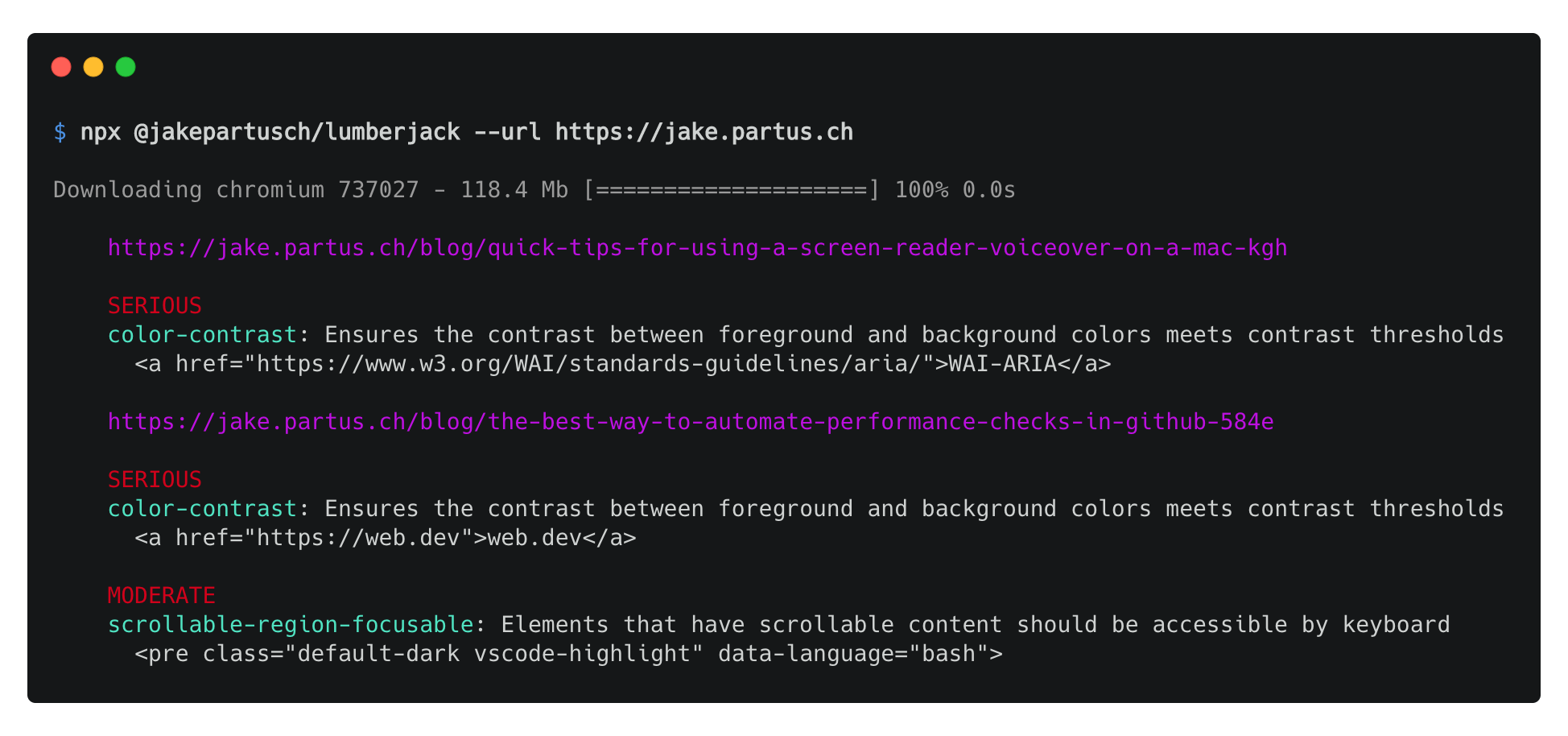
# Usage
## CLI
NPX (recommended for a single run)
```
npx @jakepartusch/lumberjack --url https://google.com
```
Global Install (recommended for multiple runs)
```
npm install -g @jakepartusch/lumberjack
lumberjack --url https://google.com
```
### Options
```
--url // Required — The base url to scan. If a sitemap exists, its pages will be scanned as well
--strict // Optional (default: false) — Fail the process if any accessibility issues are found
--baseUrlOnly // Optional (default: false) — Skip the sitemap scan and only run the audit on the base url
```
## JavaScript
```
npm install @jakepartusch/lumberjack
```
```
const lumberjack = require('@jakepartusch/lumberjack');
const myFunction = async () => {
const results = await lumberjack("https://google.com");
console.log(results);
}
```
## Continuous Integration
GitHub Actions Example
(eg. ".github/workflows/accessibility.yml")
```
name: Accessibility Audits
on: [push]
jobs:
build:
runs-on: ubuntu-18.04
steps:
- uses: actions/checkout@v1
- name: Install required Linux packages
run: |
sudo apt-get update
sudo apt-get install libgbm-dev
sudo apt-get install xvfb
- name: Use Node.js 12.x
uses: actions/setup-node@v1
with:
node-version: 12.x
- name: Install npm packages
run: |
npm ci
- name: Build
run: |
npm run build
- name: Accessibility Audits
run: |
npm install -g @jakepartusch/lumberjack
xvfb-run --auto-servernum lumberjack --url https://google.com
```