# Vue Crypto Dashboard
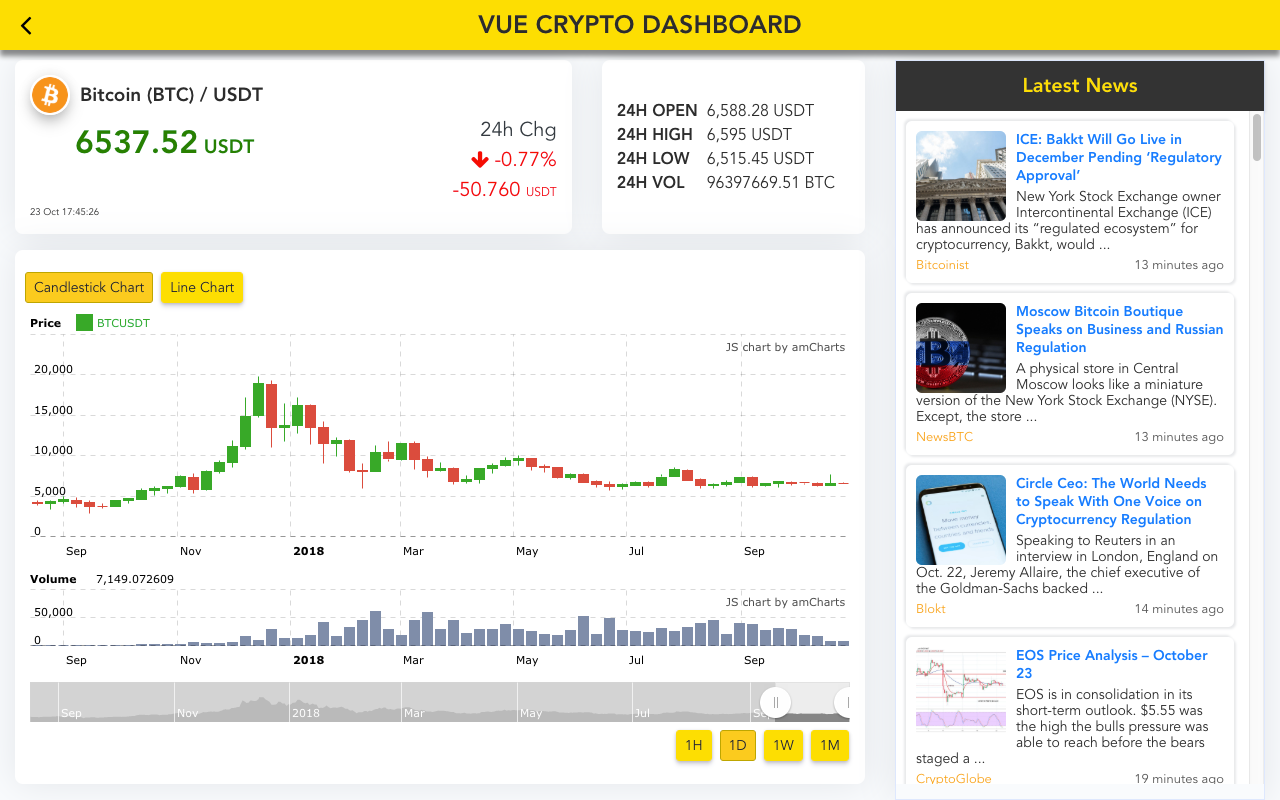
A Cryptocurrency Dashboard build with Vue JS, PWA enabled, Binance Websocket API for realtime price, amChart for displaying historical charts, SVG Sparkline Chart and Latest News feed from Cryptocompare site.
>***New Vue3 + Typescript + Vite + Pinia*** version of cryptocurrency dashboard is available at
> [https://github.com/JayeshLab/vue3-crypto-dashboard](https://github.com/JayeshLab/vue3-crypto-dashboard)
Demo: [https://jayeshlab.github.io/vue-crypto-dashboard/](https://jayeshlab.github.io/vue-crypto-dashboard/)

 ## Tech Stacks
- [Vue CLI 3](https://github.com/vuejs/vue-cli)
- [Vue 2](https://v2.vuejs.org/)
- [Vuex](https://github.com/vuejs/vuex)
- [Vue Router](https://github.com/vuejs/vue-router)
- [Sass](http://sass-lang.com/)
- [Bootstrap 4](https://getbootstrap.com/docs/4.1/getting-started/introduction/)
- [Binance Websocket Stream](https://github.com/binance-exchange/binance-official-api-docs/blob/master/web-socket-streams.md)
- [amcharts](https://www.amcharts.com/)
- [Cryptocompare News Api](https://min-api.cryptocompare.com/)
- [Custom sparkline chart](https://github.com/JayeshLab/vue-crypto-dashboard/blob/master/src/components/Sparkline.vue)
- [Custom Binance Websocket Api](https://github.com/JayeshLab/vue-crypto-dashboard/blob/master/src/services/api.js)
## Prerequisites:
- Node/NPM
- Vue-cli 3.x
## Project setup
```
npm install
```
### Compiles and hot-reloads for development
```
npm run serve
```
### Compiles and minifies for production
```
npm run build
```
### Lints and fixes files
```
npm run lint
```
### Run your unit tests
```
npm run test:unit
```
## Tech Stacks
- [Vue CLI 3](https://github.com/vuejs/vue-cli)
- [Vue 2](https://v2.vuejs.org/)
- [Vuex](https://github.com/vuejs/vuex)
- [Vue Router](https://github.com/vuejs/vue-router)
- [Sass](http://sass-lang.com/)
- [Bootstrap 4](https://getbootstrap.com/docs/4.1/getting-started/introduction/)
- [Binance Websocket Stream](https://github.com/binance-exchange/binance-official-api-docs/blob/master/web-socket-streams.md)
- [amcharts](https://www.amcharts.com/)
- [Cryptocompare News Api](https://min-api.cryptocompare.com/)
- [Custom sparkline chart](https://github.com/JayeshLab/vue-crypto-dashboard/blob/master/src/components/Sparkline.vue)
- [Custom Binance Websocket Api](https://github.com/JayeshLab/vue-crypto-dashboard/blob/master/src/services/api.js)
## Prerequisites:
- Node/NPM
- Vue-cli 3.x
## Project setup
```
npm install
```
### Compiles and hot-reloads for development
```
npm run serve
```
### Compiles and minifies for production
```
npm run build
```
### Lints and fixes files
```
npm run lint
```
### Run your unit tests
```
npm run test:unit
```