Dayflow

A private, automatic work journal for Mac.

Dayflow understands the work you do on your Mac and turns it into a clear timeline of your day. Built from the ground up for privacy, it’s open source, local-first, and can run entirely with local AI.

JerryZLiu/Dayflow | Trendshift

Download Dayflow for Mac

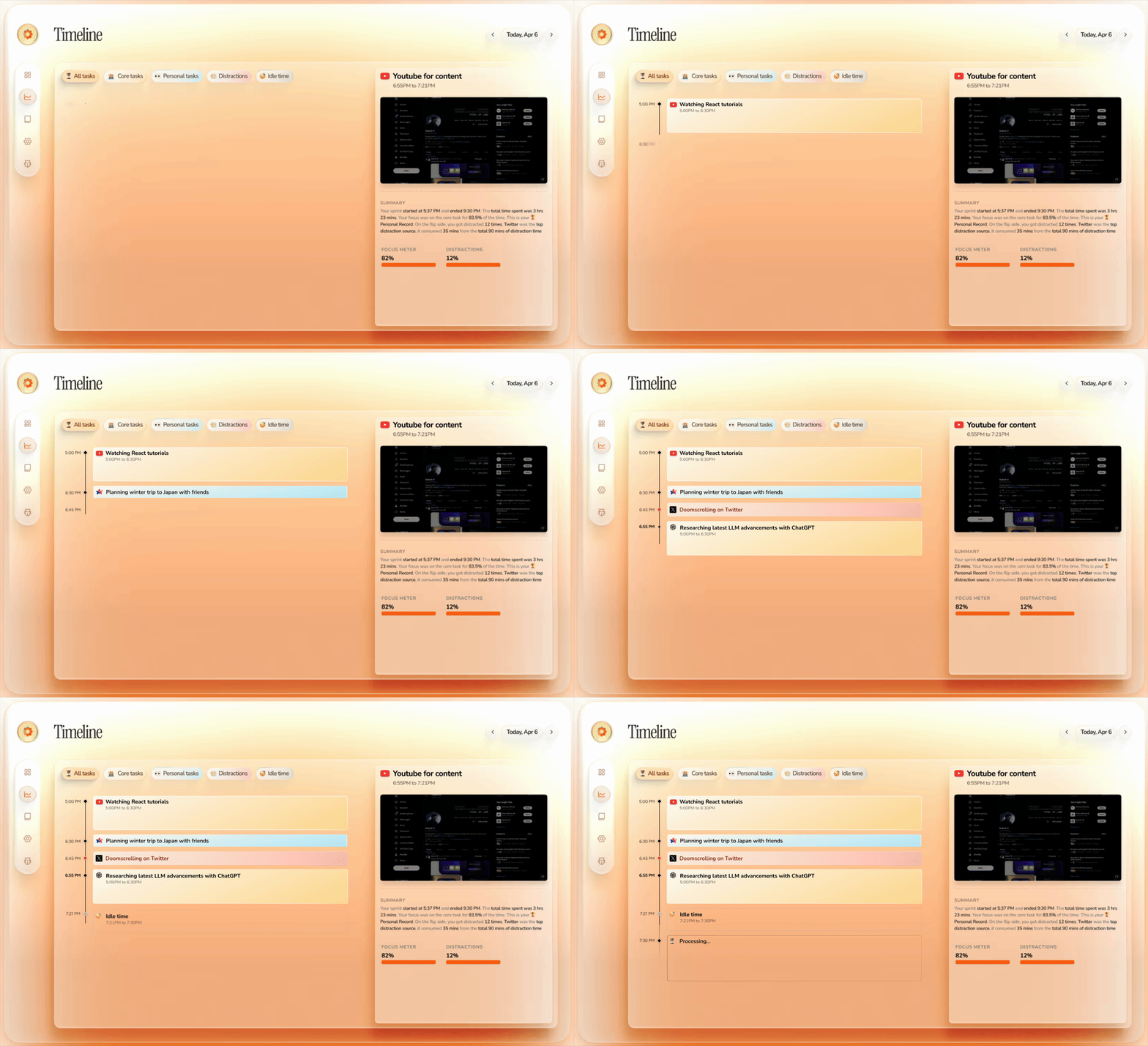
## Automatic Timeline Dayflow turns raw screen activity into a chronological timeline of what you actually did, so you can reconstruct the day without timers or manual notes.

Dayflow automatic timeline view

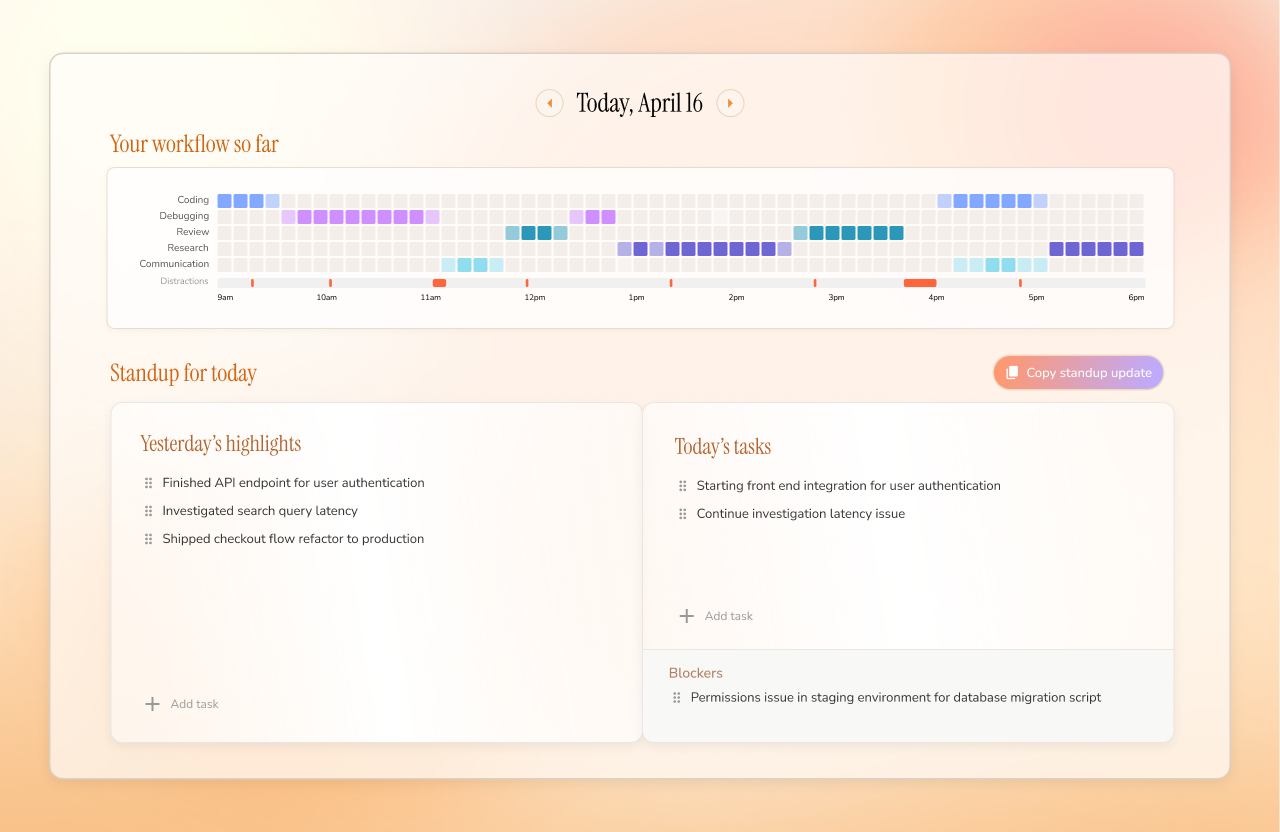
## Daily Standup See a GitHub-style activity grid of your day, plus yesterday's highlights, today's priorities, and blockers, so you can walk into standup with the update already written.

Dayflow daily workflow and standup view

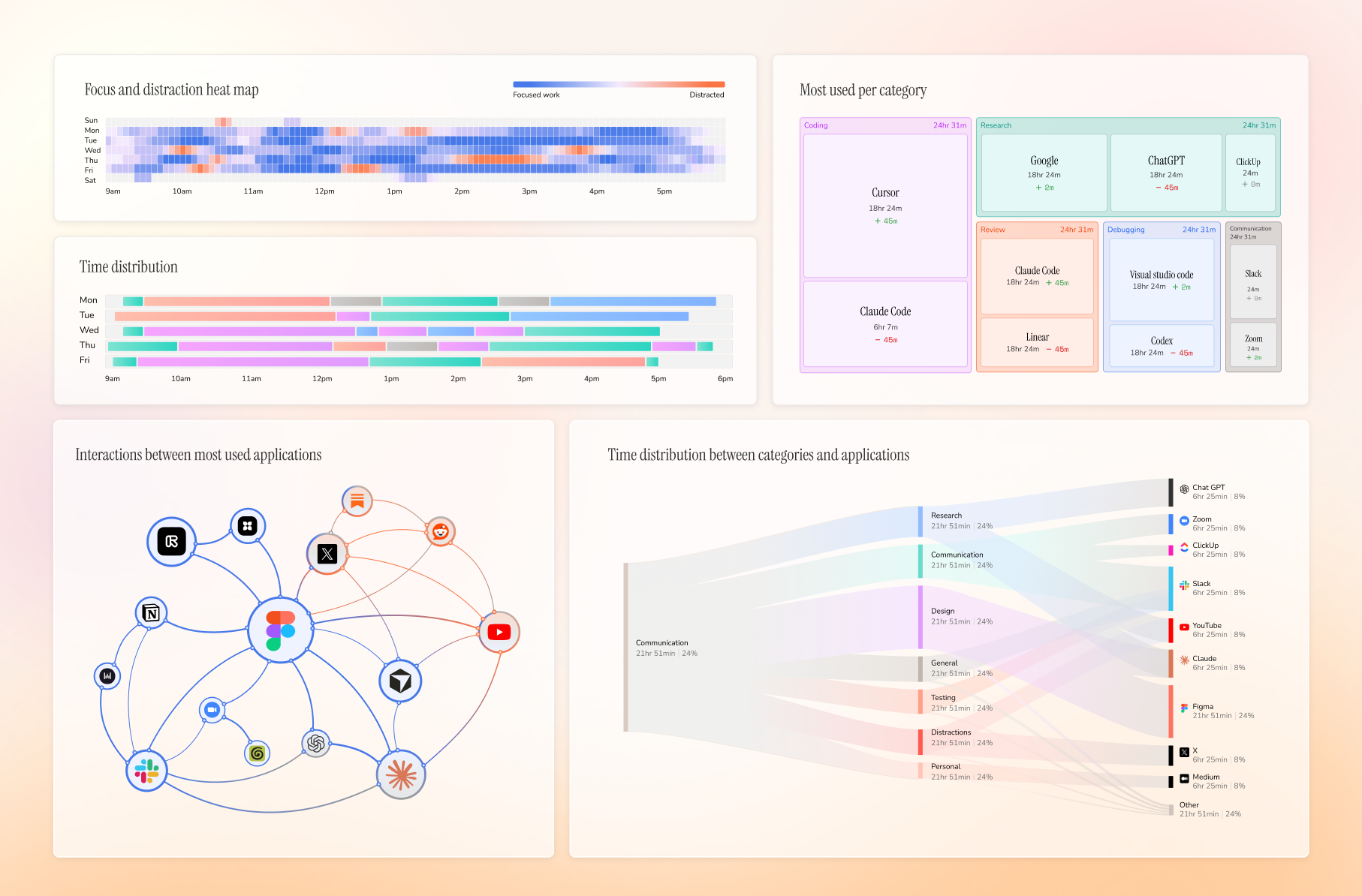
## Weekly Review See your week at a glance: when you were focused, where time went, which apps dominated, and what pulled you off track.

Dayflow weekly analytics view

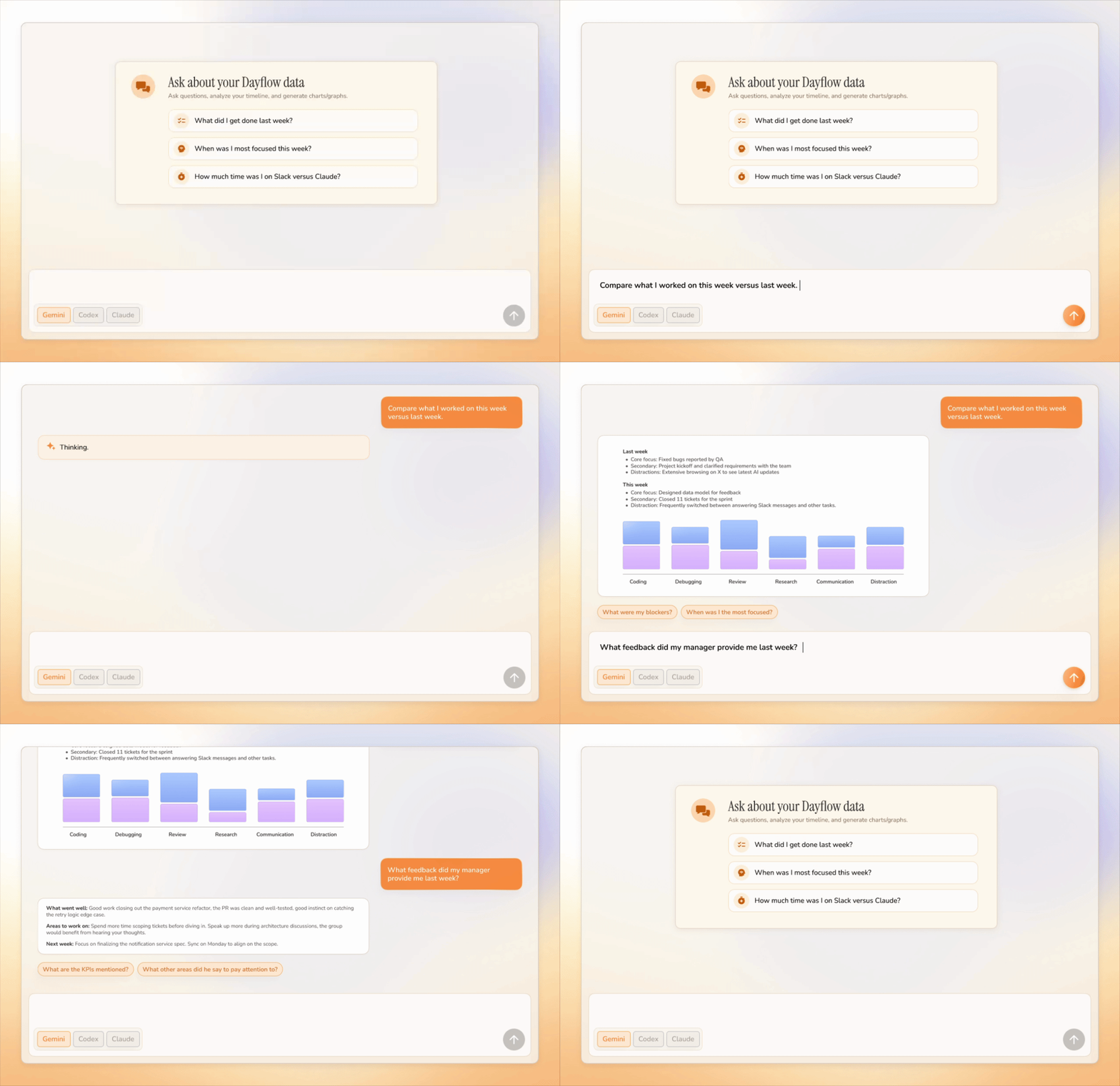
## Chat With Your Work Journal Ask questions about your day/week/year and get answers grounded in your timeline instead of digging through notes, screenshots, or memory.

Dayflow chat feature answering questions about your workday

## What Dayflow Does Dayflow runs quietly on your Mac and builds a useful record of your day from your screen activity. | Feature | How it works | Why it's useful | | --- | --- | --- | | Automatic timeline | Dayflow captures lightweight screen chunks, analyzes them with your chosen AI provider, and turns the day into activity cards. | You get an accurate work journal without starting timers or writing notes. | | Context-aware summaries | It looks at what you were actually doing on screen, not just which app was active. | Cursor, Chrome, YouTube, or Slack become meaningful work context instead of vague app usage. | | Daily standup | Dayflow pulls yesterday's highlights, today's tasks, and blockers from your timeline. | You can write updates in minutes and stop relying on memory. | | Chat with your work journal | Ask natural-language questions about your timeline and recent activity. | You can recover details, explain where time went, and turn raw activity into useful answers. | | Weekly review | It aggregates your timeline into focus patterns, categories, app usage, and interaction graphs. | You can see where the week actually went and spot the habits that helped or hurt. | | Distraction tracking | Dayflow identifies distracting sessions and shows them alongside focused work. | You can catch drift early without manually labeling every break. | | Timeline export | Export your timeline as Markdown for any date range. | Useful for status updates, client notes, personal reviews, or saving a searchable record. | | Local-first storage | Recordings, timeline data, and the app database stay on your Mac by default. | You stay in control of sensitive screen history and can delete it whenever you want. | | AI provider choice | Use local models, Gemini, ChatGPT, or Claude depending on your privacy and quality needs. | You can trade off privacy, cost, speed, and summary quality instead of being locked into one backend. | | Automatic cleanup | Configure storage limits and let Dayflow purge old recordings automatically. | You get the value of a work journal without filling your disk forever. | ## Why People Use It Most time trackers tell you which app was open. Dayflow tries to understand what you were doing. Cursor for two hours could mean shipping a feature, debugging auth, reviewing a PR, or getting lost in setup. Dayflow gives you the context, not just the window title. ## Privacy Dayflow is local-first and open source. Your recordings, timeline, and database live on your Mac at: ```text ~/Library/Application Support/Dayflow/ ``` You choose how AI analysis runs: - Local models through Ollama or LM Studio - Gemini with your own API key - ChatGPT or Claude through their local CLI tools If you choose a cloud provider, activity data needed for analysis is sent to that provider. If you choose local models, analysis stays on your machine. ## Install ### Download Download the latest `Dayflow.dmg` from GitHub Releases:

Download Dayflow for Mac

Open the DMG, drag Dayflow into Applications, then grant macOS Screen & System Audio Recording permission when prompted. ### Homebrew ```bash brew install --cask dayflow ``` ## Requirements - macOS 14+ - Screen & System Audio Recording permission - Optional: Gemini API key, Ollama, LM Studio, Codex CLI, or Claude Code depending on your preferred AI provider ## Build From Source ```bash git clone https://github.com/JerryZLiu/Dayflow.git cd Dayflow open Dayflow/Dayflow.xcodeproj ``` Select the Dayflow scheme in Xcode and run it. ## Contributing Issues and pull requests are welcome. If you are planning a larger change, open an issue first so the scope is clear. ## License Dayflow is licensed under the MIT License.