# Swimat
[](https://travis-ci.org/Jintin/Swimat)
[](https://www.codacy.com/app/Jintin/Swimat?utm_source=github.com&utm_medium=referral&utm_content=Jintin/Swimat&utm_campaign=Badge_Grade)
[](https://github.com/matteocrippa/awesome-swift)
[](https://github.com/Jintin/Swimat/releases/latest)
[](https://caskroom.github.io/)
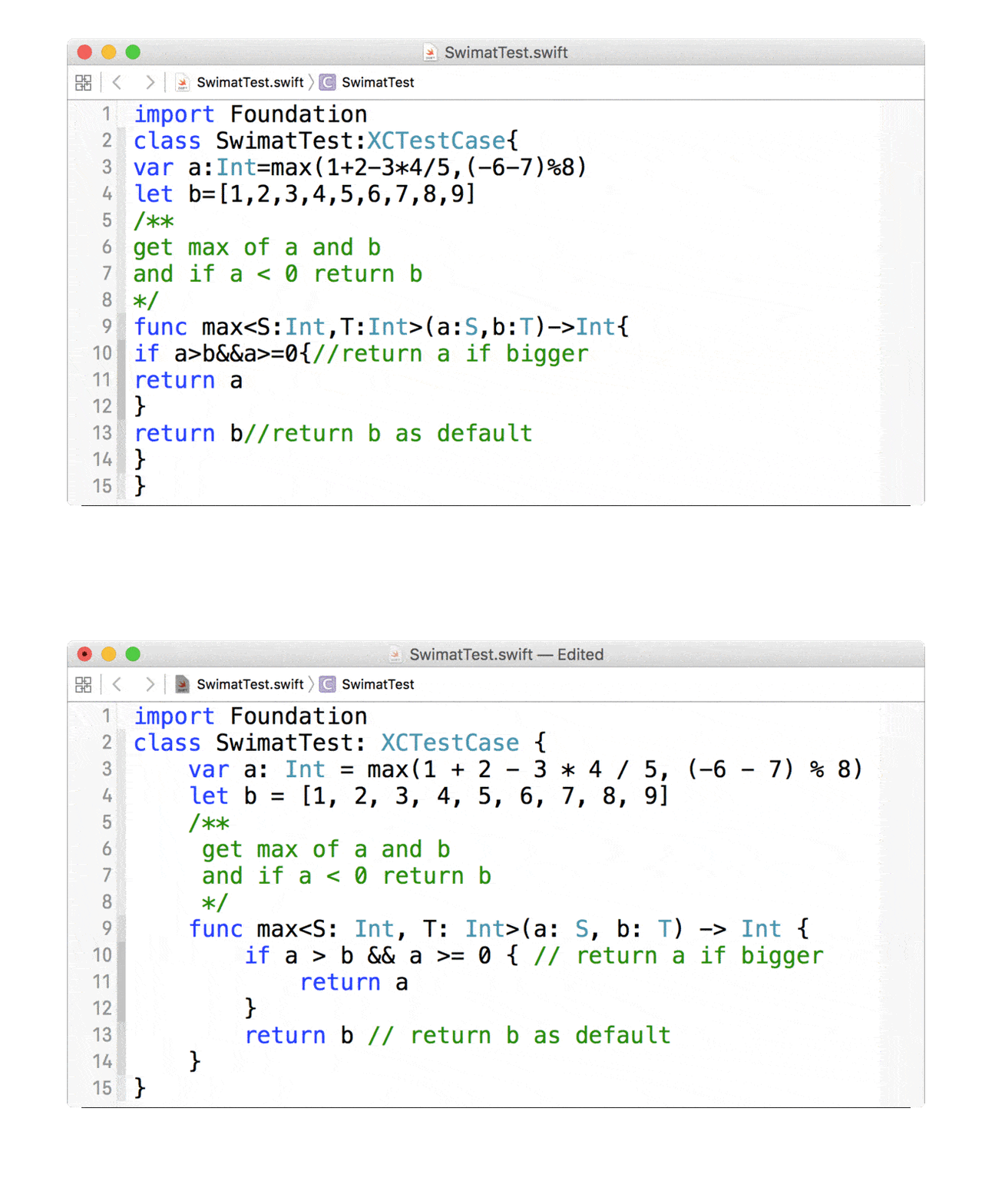
Swimat is an Xcode plug-in to format your Swift code.
## Preview
## Installation
There are three way to install.
1. Install via [homebrew-cask](https://caskroom.github.io/)
```bash
# Homebrew previous version
brew cask install swimat
```
```bash
# Homebrew latest version
brew install --cask swimat
```
2. Download the App directly.
3. Clone and archive to Mac App by yourself.
## Usage
**After installation, you should open the `Swimat.app` once to make the functionality works.**
In the Xcode menu click **[Editor] -> [Swimat] -> [Format]** then the current active file will reformat.
You can also create a hot-key in **[Xcode] -> [Preferences..] -> [Key Bindings]**, if you don't have any prefernce you can set as ⌘ + ⇧ + L.
## TroubleShooting
Check [System Preferences] -> [Extensions] -> [Xcode Source Editor] -> [Swimat] is checked. 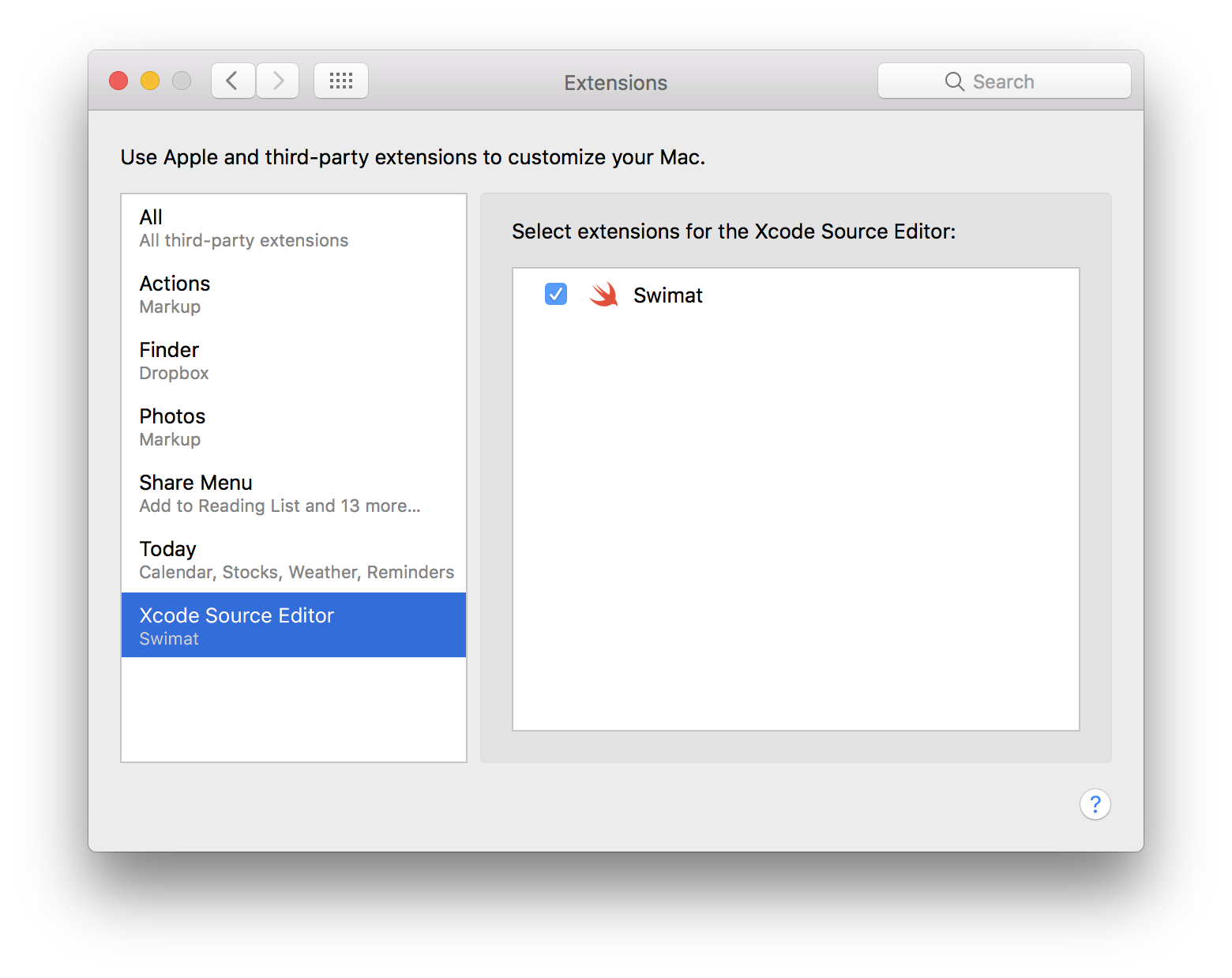
## Contributing
Bug reports and pull requests are welcome on GitHub at .
## License
The module is available as open source under the terms of the [MIT License](http://opensource.org/licenses/MIT).