AstrBot for Android

AstrBot for Android

简体中文 | English

Run AstrBot and NapCat on your Android device.

One APK · Local execution · Native management · Built-in WebUIs

Kotlin Jetpack Compose PRoot Ubuntu

Version 1.1.0 Android 8.0 and above ARM64 MIT License JunWan666

Download APK · Screenshots · Getting started · User guide (Chinese) · Build from source · Changelog (Chinese)
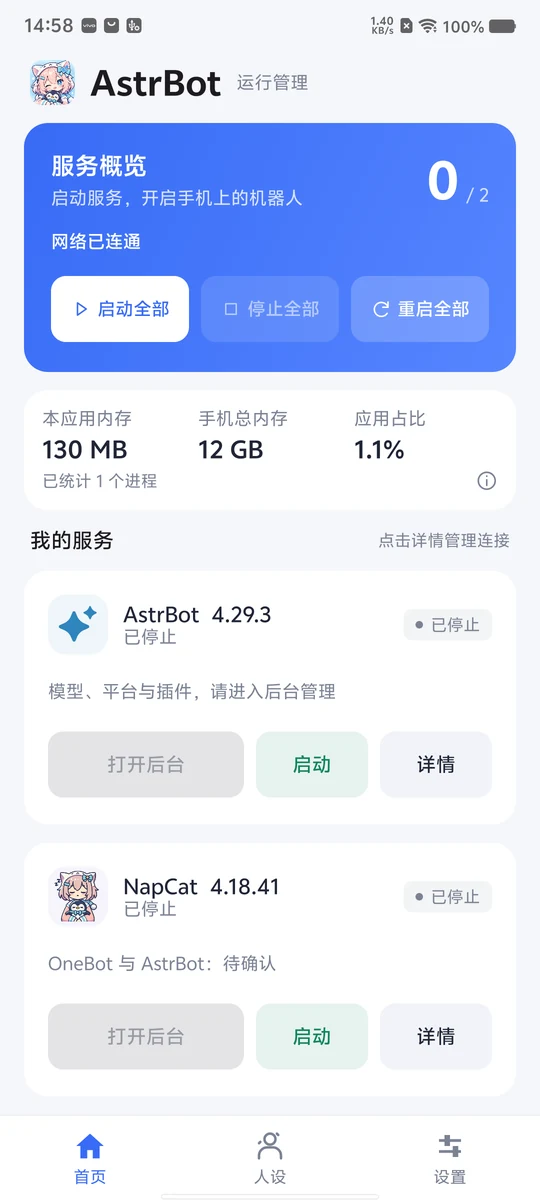
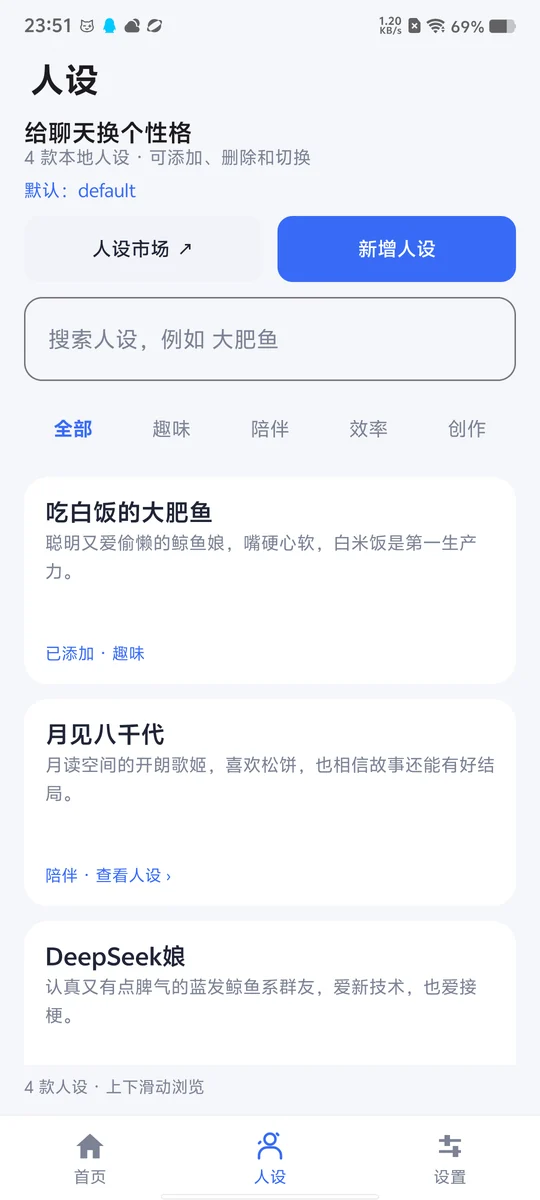
## Overview **AstrBot for Android** (AstrBot 运行管理器) is an Android application for deploying and managing AstrBot and NapCat locally. A single APK bundles the PRoot Ubuntu environment and service components, providing environment setup, service controls, status monitoring, logs, backup and restore, and independent online updates. Root access is not required. Built with Kotlin and Jetpack Compose, the app provides a native management interface in Simplified Chinese and English and embeds the AstrBot and NapCat WebUIs in a WebView. Users can sign in to QQ, configure model providers and plugins, manage personas, enable LAN access, and use SSH and cpolar tunneling extensions directly from their phone. ## Screenshots **v1.1.0** interface previews: service management, personas, settings, live logs and both embedded WebUIs.
Home: service controls, app memory and total device memory

Home · Services & resources

Personas: marketplace link, custom personas and local library

Personas · Search & switch

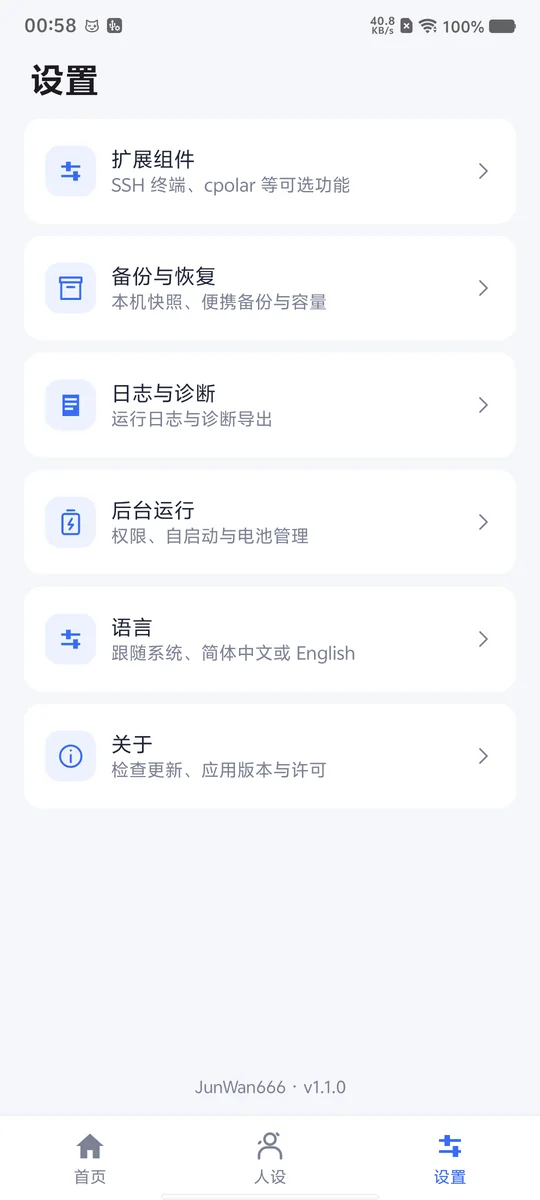
Settings: extensions, backups, diagnostics and background operation

Settings · App management

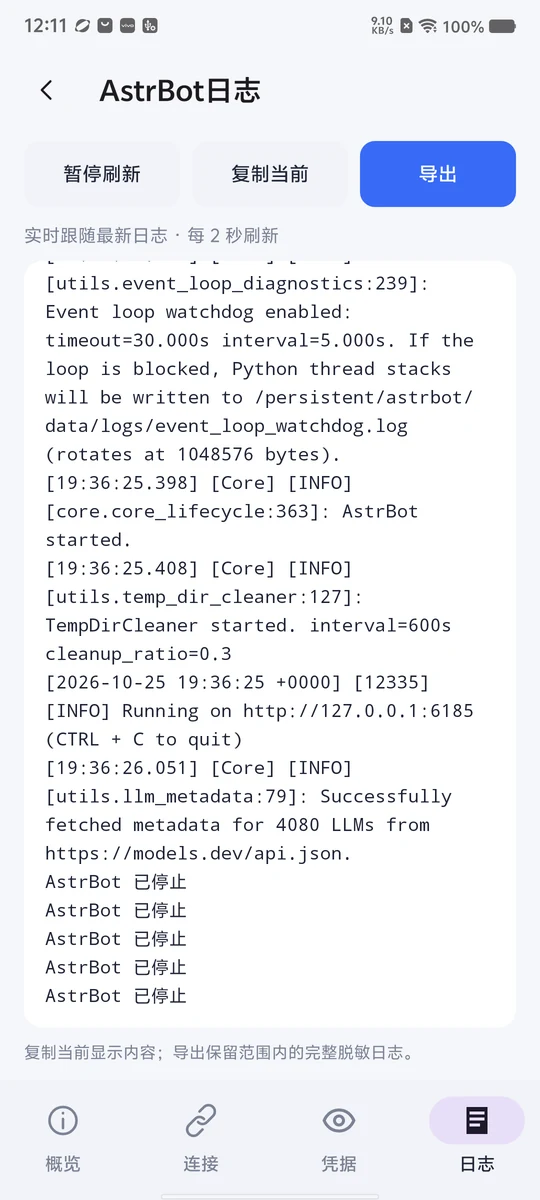
Live log viewer in the service details screen

Service logs · Live output

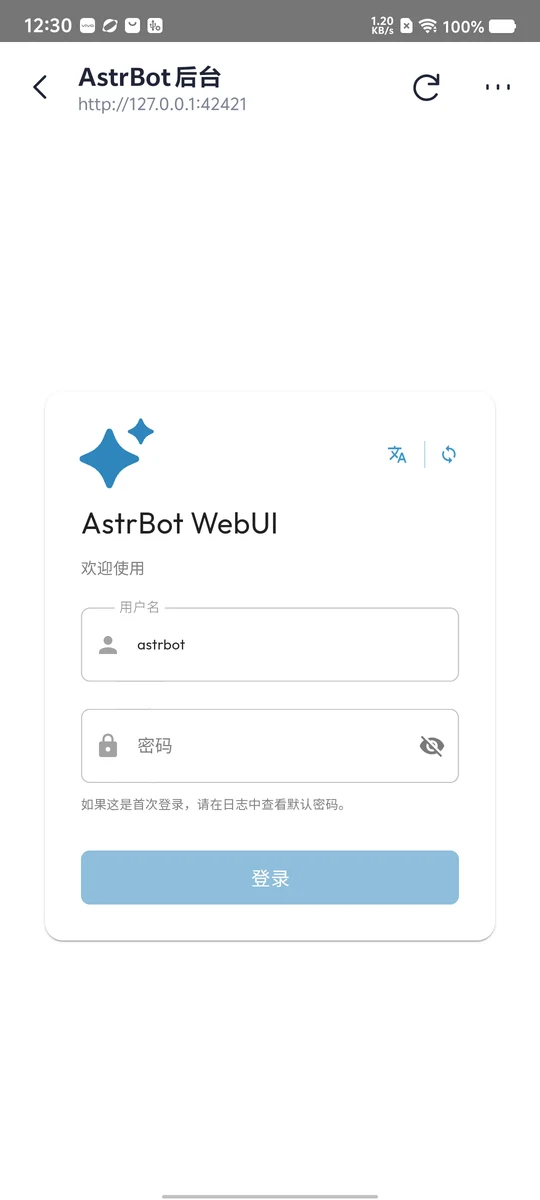
AstrBot WebUI in the built-in WebView

AstrBot · Built-in WebUI

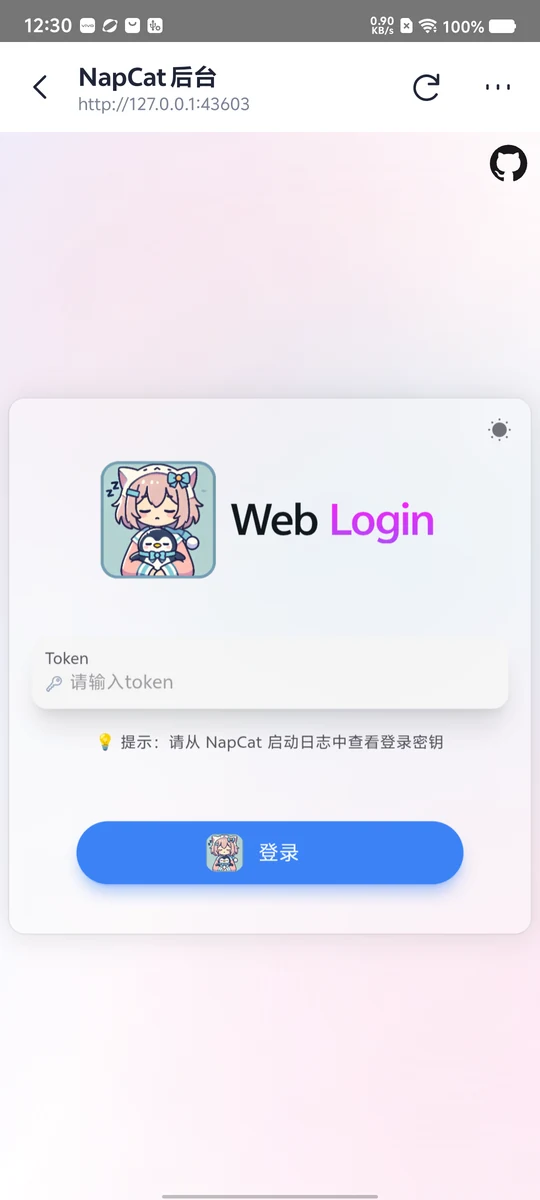
NapCat WebUI in the built-in WebView

NapCat · Built-in WebUI

The screenshots show the app in Simplified Chinese. English is also available in Settings → Language. ## Features | Feature | Description | | --- | --- | | Service management | Start or stop AstrBot and NapCat individually or together; view service health, connection status and errors. | | Built-in WebUIs | Open the original WebUIs with valid initial credentials prefilled, or use an external browser. | | Fixed zoom | Defaults to 75%, with 100% / 75% / 50% / 25% options; pinch zoom is disabled. | | Local connectivity | New installations prepare a OneBot connection to `ws://127.0.0.1:6199/ws` with an empty token, preserving custom connections. | | LAN access | Enable LAN access for each WebUI independently, copy its address, and retain WebUI authentication. | | Persona library | Includes 4 presets adapted from community featured prompts, with attribution and adaptation notes. Add, delete (including presets), search, filter by category and switch the default persona. Includes a link to an external persona marketplace. | | Live logs | Follow the latest service output automatically, pause updates, copy logs or export them with sensitive data redacted. | | Resource overview | View memory usage for the app and managed processes, total device memory and the usage percentage. Storage usage is shown separately. | | Backup and restore | Create local snapshots and portable backups, roll back updates, and automatically remove old unprotected automatic snapshots. | | SSH extension | Installed by default and started on demand, with configurable password, port and LAN access. | | Ubuntu terminal | Built-in local shell with multiple background sessions, touch selection, inertial scrolling and quick font controls. Does not require SSH. | | Ubuntu desktop | Optional lightweight desktop with an embedded noVNC viewer, independent original ARM64 QQ installation, terminal environment and service lifecycle management. Downloaded on demand. | | cpolar extension | Install on demand and sign in through the official embedded WebUI. Includes SSH, AstrBot and NapCat tunnel presets. | | App language | Choose system default, Simplified Chinese or English for the management interface, notifications and app messages. | | Background setup | Access notification, battery optimization, unrestricted background usage and auto-start settings, with guidance for locking the app in recent tasks. | | Updates | Check for app, AstrBot and NapCat updates independently; verify downloads and confirm installation. | Home and Settings use fixed layouts, with pagination for small windows. Personas and logs support scrolling. Opening a service switches the bottom navigation to that service's overview, connections, credentials and logs. ## Getting started 1. Download the full APK from [Releases](https://github.com/JunWan666/astrbot-for-android/releases/latest), install it on an ARM64 Android device, then open the app and initialize the environment. 2. Tap **Start all** and wait for AstrBot and NapCat to become ready. 3. Open the NapCat WebUI to sign in to QQ, then configure model providers, messaging platforms and plugins in the AstrBot WebUI. 4. Follow **Settings → Background running** to adjust device permissions, then configure personas, backups, SSH and cpolar as needed. The full APK includes the runtime environment, so initialization does not require a separate Ubuntu download or dependency installation. QQ sign-in, model API calls and online updates require network access. Enter account credentials and API keys directly in the relevant WebUI. See the [user guide (Chinese)](使用指南.md) for more details. ### Device and storage requirements - Android 8.0 / API 26 or later, with an ARM64 processor. Root access is not required. - The full APK is approximately **720 MiB**. Allow additional storage for the extracted environment, QQ data and backups. - If free space is below the runtime preparation estimate, a warning offers **Continue anyway**. Running out of writable storage can still cause the operation to fail. - Resource usage varies with plugins, model calls and QQ activity. Home displays actual app memory usage; the app does not preallocate memory for a virtual machine. - Continuous operation requires appropriate background permissions on the device. The app currently does not start automatically at boot. Install cpolar separately in **Settings → Runtime extensions**; its client is not bundled in the APK. Sign in through its official WebUI to save the token automatically and manage the three default tunnels. Start each target service in the app before using its tunnel. Features depend on your cpolar account plan. ## Building from source Use JDK 17, Android SDK 35, the Android NDK and Python 3.11+. Compile the application sources with: ```powershell ./gradlew.bat :core:compileKotlin :app:compileBootstrapReleaseKotlin ``` A full APK additionally requires a prepared runtime image, native resources and license inputs. Large assets and machine settings are excluded from Git. Once these inputs and the long-term signing configuration are ready, double-click `build.bat` on Windows, or run `python3 -B tools/build_release.py` on other systems. The script displays Chinese progress messages, builds and verifies a signed release, and exports it to `dist/` by default. See the [build guide (Chinese)](构建指南.md). The keystore and credentials stay in the Git-ignored `.local/signing/` directory and are reused for later releases. See [signing initialization and backup (Chinese)](构建指南.md#一键构建正式包). ## Updates **Settings → About → Check for updates** manages app APK updates. AstrBot and NapCat have separate component update entries. Compatible component updates do not require reinstalling the app. Updates support signature verification, resumable downloads, snapshots before installation and rollback on failure. Installation requires user confirmation after the download completes. The app uses this project's signed GitHub update channels by default: **Releases host app APKs and AstrBot packages, the `updates` branch hosts signed update manifests, and NapCat packages are downloaded directly from upstream official Shell releases**. Changes to Linux QQ, Python or underlying dependencies require a matching runtime environment upgrade. See [updates and distribution (Chinese)](更新与分发.md) for configuration details. ## Community

Join the QQ community

Join the QQ community to discuss app usage, AstrBot / NapCat configuration, personas and feature ideas. Group discussions are primarily in Chinese. You can also report issues through [GitHub Issues](https://github.com/JunWan666/astrbot-for-android/issues) for tracking and reference. ## Documentation The detailed guides and project policies below are currently available in Chinese. - [User guide](使用指南.md): WebUI configuration, personas, language, SSH, cpolar, resources and backups. - [Build guide](构建指南.md): Development tools, runtime assets and APK builds. - [Updates and distribution](更新与分发.md): App signing, update channels and GitHub publishing. - [Distribution materials](发行材料.md): Third-party licenses, dependency inventories and accompanying source archives. - [Changelog](CHANGELOG.md) · [Contributing](../.github/CONTRIBUTING.md) · [Commit rules](../.github/GIT_COMMIT_RULES.md). ## License and acknowledgements Original code in this project is licensed under the [MIT License](../LICENSE). **Copyright © 2026 [JunWan666](https://github.com/JunWan666)**. Retain the copyright notice and license text when using or distributing the code. Thanks to [AstrBot](https://github.com/AstrBotDevs/AstrBot), [NapCatQQ](https://github.com/NapNeko/NapCatQQ), [PRoot](https://github.com/proot-me/proot), Ubuntu, Termux and the related open-source projects. Third-party components remain subject to their respective licenses and distribution terms. See [NOTICE](legal/NOTICE) and [third-party notices](legal/THIRD_PARTY_NOTICES.md). ## Star History
AstrBot for Android Star History