# ChatGPT-API-Scanner
This tool scans GitHub for available OpenAI API Keys.
> [!WARNING]
> **⚠️ DISCLAIMER**
>
> THIS PROJECT IS ONLY FOR ***SECURITY RESEARCH*** AND REMINDS OTHERS TO PROTECT THEIR PROPERTY, DO NOT USE IT ILLEGALLY!!
>
> The project authors are not responsible for any consequences resulting from misuse.
> [!NOTE]
> As of `August 21, 2024`, GitHub has enabled push protection to prevent API key leakage, which could significantly impact this repository.
> [!NOTE]
> As of `March 11, 2024`, secret scanning and push protection will be enabled by default for all new user-owned public repositories that you create.
> Check this announcement [here](https://docs.github.com/en/code-security/getting-started/quickstart-for-securing-your-repository).
## Keeping Your API Key Safe
It's important to keep it safe to prevent unauthorized access. Here are some useful resources:
- [Best Practices for API Key Safety](https://help.openai.com/en/articles/5112595-best-practices-for-api-key-safety)
- [My API is getting leaked.. need advice!](https://community.openai.com/t/my-api-is-getting-leaked-need-advice/280564)
- [My OpenAI API Key Leaked! What Should I Do?](https://www.gitguardian.com/remediation/openai-key)
## Prerequisites
This project has been tested and works perfectly on macOS, Windows and WSL2 (see [Run Linux GUI apps on the Windows Subsystem for Linux](https://learn.microsoft.com/en-us/windows/wsl/tutorials/gui-apps))
Ensure you have the following installed on your system:
- Google Chrome
- [uv](https://docs.astral.sh/uv/) (Python package manager; handles Python install automatically)
## Installation
1. Clone the repository:
```bash
git clone https://github.com/Junyi-99/ChatGPT-API-Scanner
cd ChatGPT-API-Scanner
```
2. Install dependencies (uv reads `pyproject.toml` / `uv.lock` and provisions the matching Python version from `.python-version`):
```bash
uv sync
```
To include dev tools (pylint, flake8, ruff):
```bash
uv sync --all-groups
```
## Usage
1. Run the main script:
```bash
uv run main.py
```
2. You will be prompted to log in to your GitHub account in the browser. Please do so.
That's it! The script will now scan GitHub for available OpenAI API Keys.
## Command Line Arguments
The script supports several command line arguments for customization:
| Parameter | Description | Default |
|-----------|-------------|---------|
| `--from-iter` | Start scanning from a specific iteration | `None` |
| `--debug` | Enable debug mode for detailed logging | `False` |
| `-ceko, --check-existed-keys-only` | Only check existing keys in the database | `False` |
| `-k, --keywords` | Specify a list of search keywords | Default keyword list |
| `-l, --languages` | Specify a list of programming languages to search | Default language list |
Examples:
```bash
# Start scanning from iteration 100
uv run main.py --from-iter 100
# Only check existing keys
uv run main.py --check-existed-keys-only
# Use custom keywords and languages
uv run main.py -k "openai" "chatgpt" -l python javascript
```
## Results
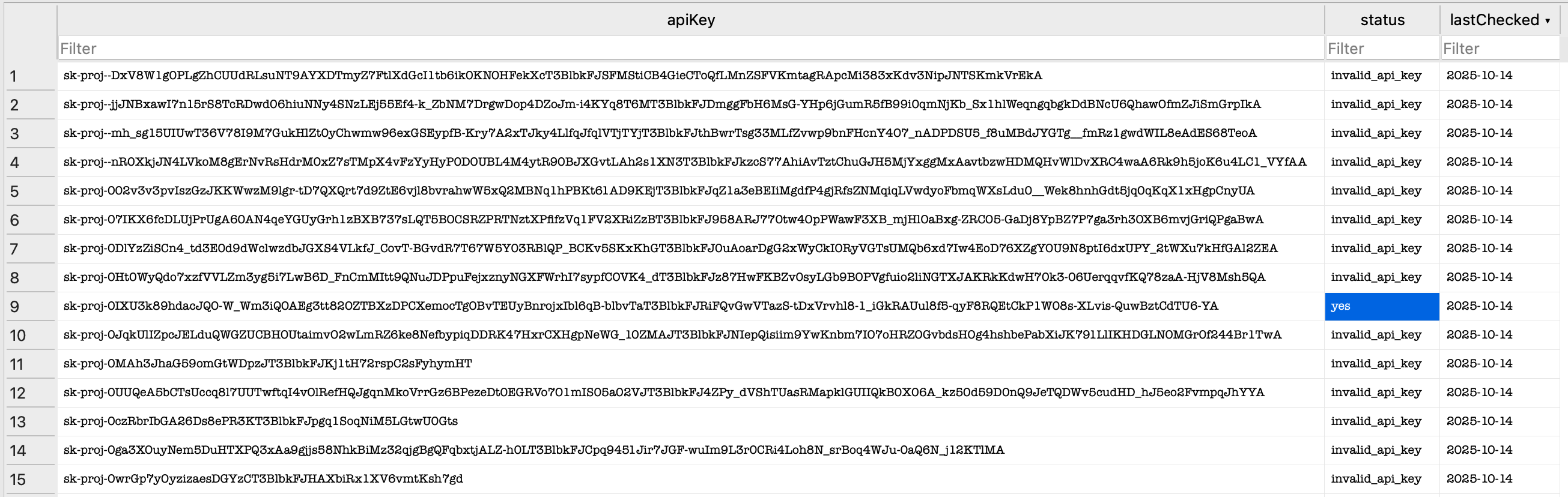
The results are stored in the `github.db` SQLite database, which is created in the same directory as the script.
You can view the contents of this database using any SQLite database browser of your choice.
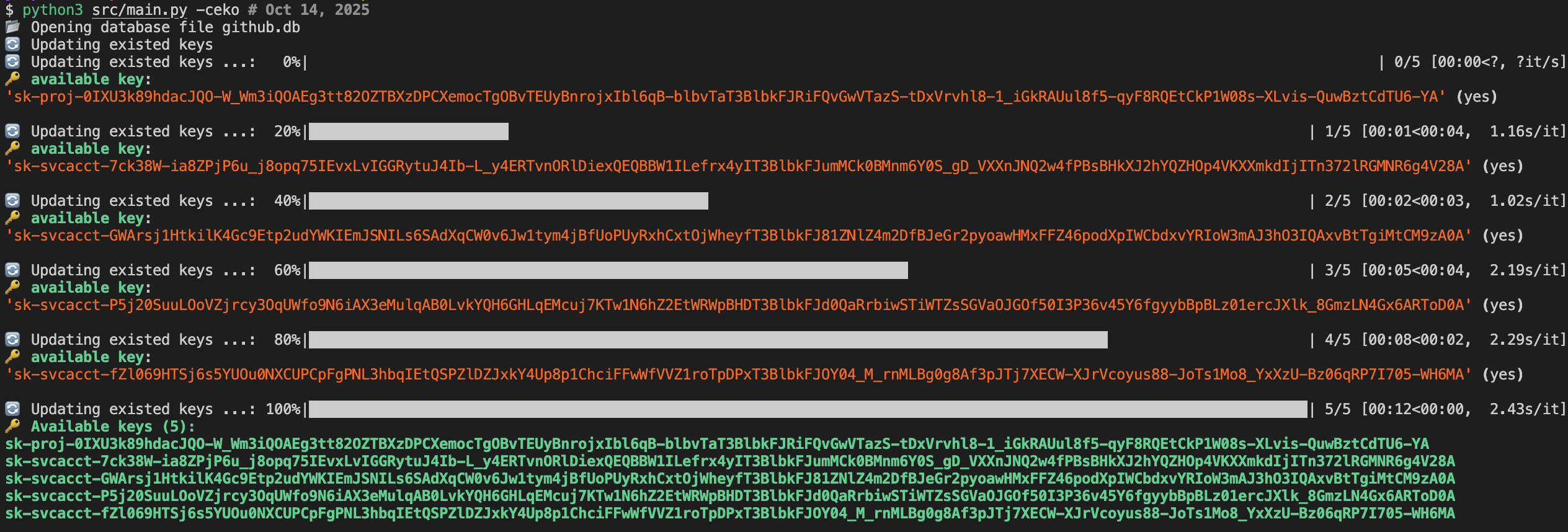
Running Demo
Result stored in SQLite (different API Key status)
## FAQ
**Q: Why are you using Selenium instead of the GitHub Search API?**
A: We use regex search to have the best search results. However, the official GitHub search API does not support regex search, only web-based search does.
**Q: Why are you limiting the programming language in the search instead of searching all languages?**
A: There are many API keys available. However, the web-based search only provides the first 5 pages of results. By limiting the language, we can break down the search results and obtain more keys.
**Q: Why don't you use multithreading?**
A: Because GitHub searches and OpenAI are rate-limited. Using multithreading does not significantly increase efficiency.
**Q: Why is the API Key provided in your repository not working?**
A: The screenshots in this repo demonstrate the tool's ability to scan for available API keys. However, these keys may expire within hours or days. Please use the tool to scan for your own keys instead of relying on the provided examples.
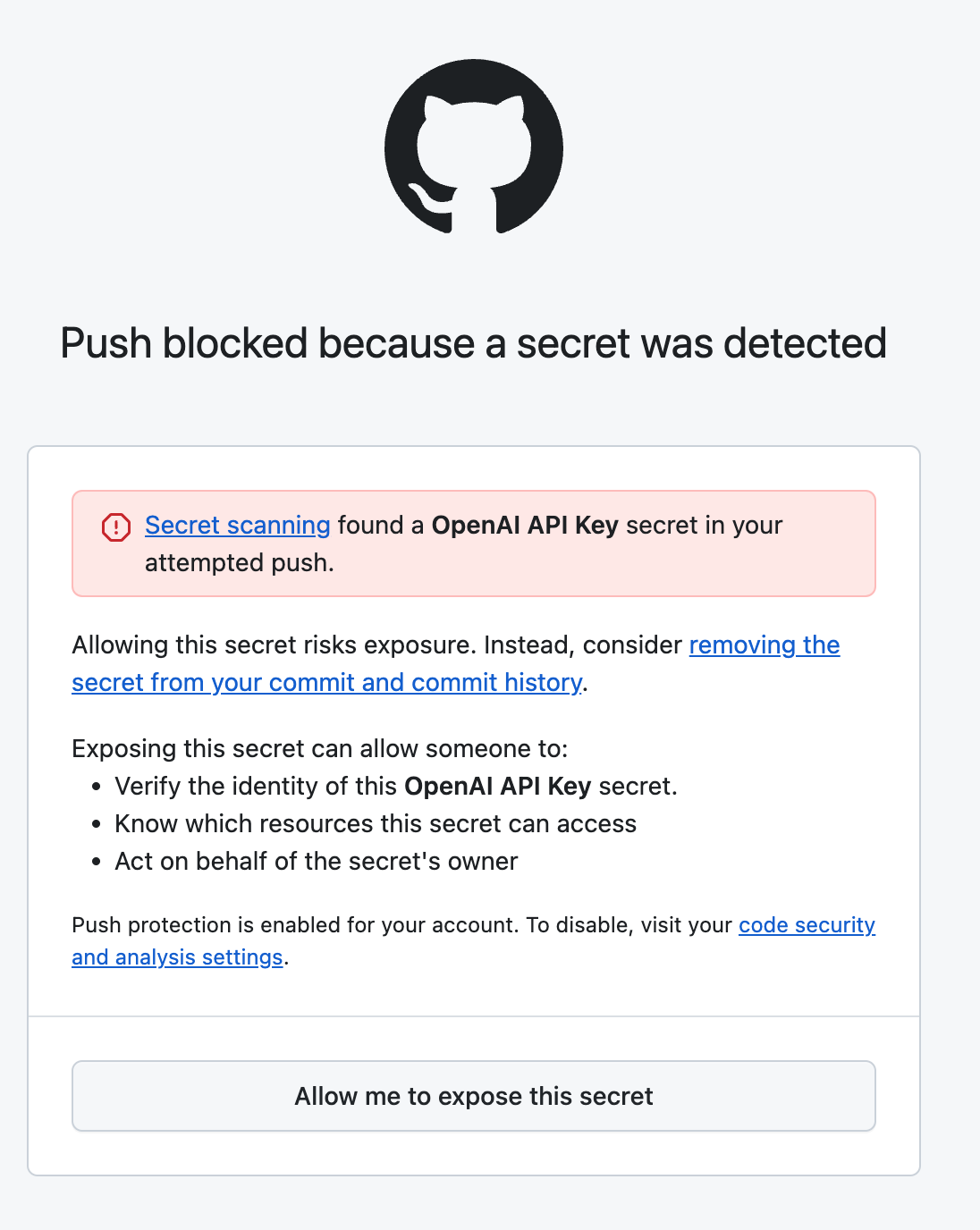
**Q: What's the push protection?**
A: Push protection is a feature provided by GitHub to prevent users from accidentally pushing sensitive information, such as API keys, to their repositories. When push protection is enabled, GitHub scans the code being pushed for known patterns of sensitive information and blocks the push if any are found. (see picture below)