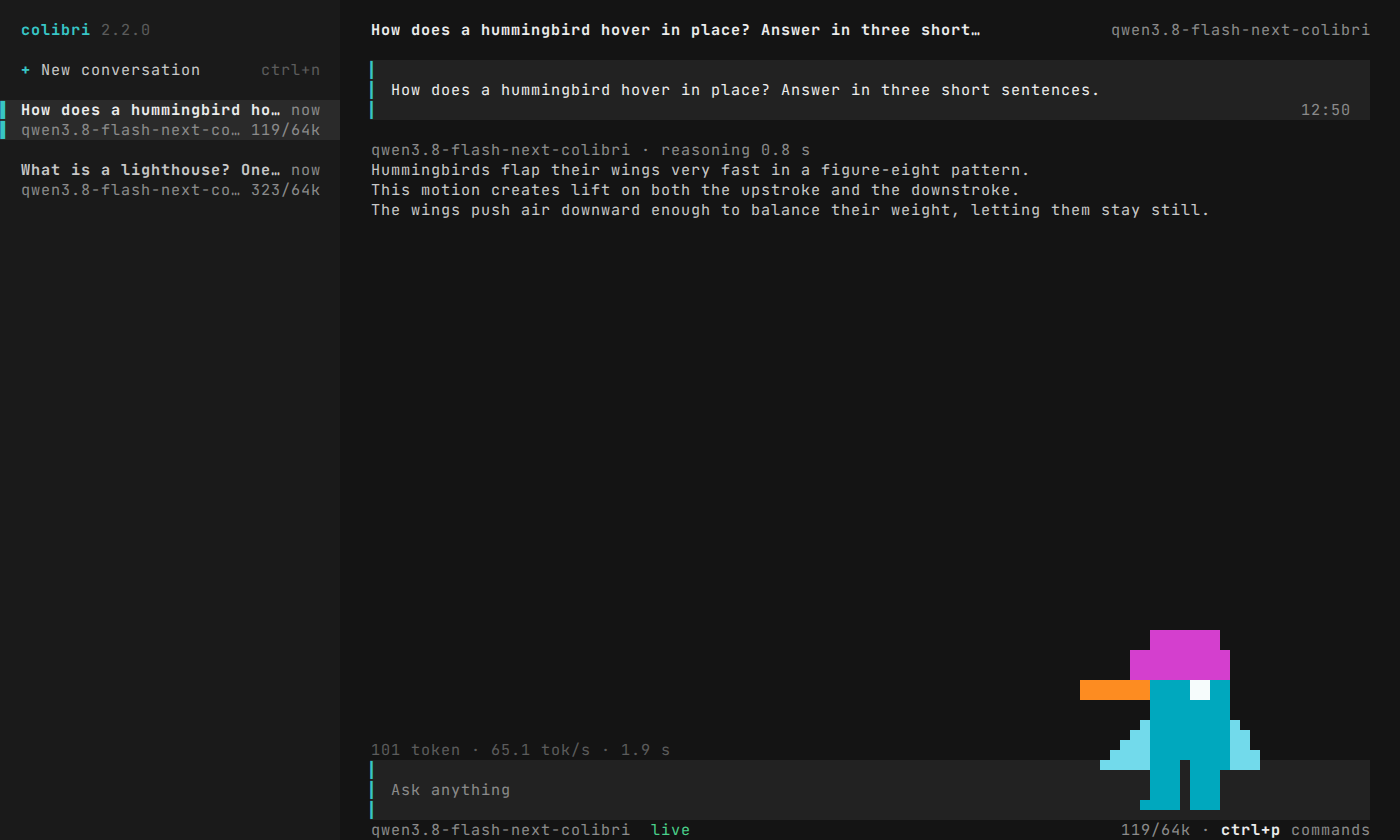
Qwen3.8-Flash-Next on an RTX PRO 4000 through coli serve, at a 64K context.
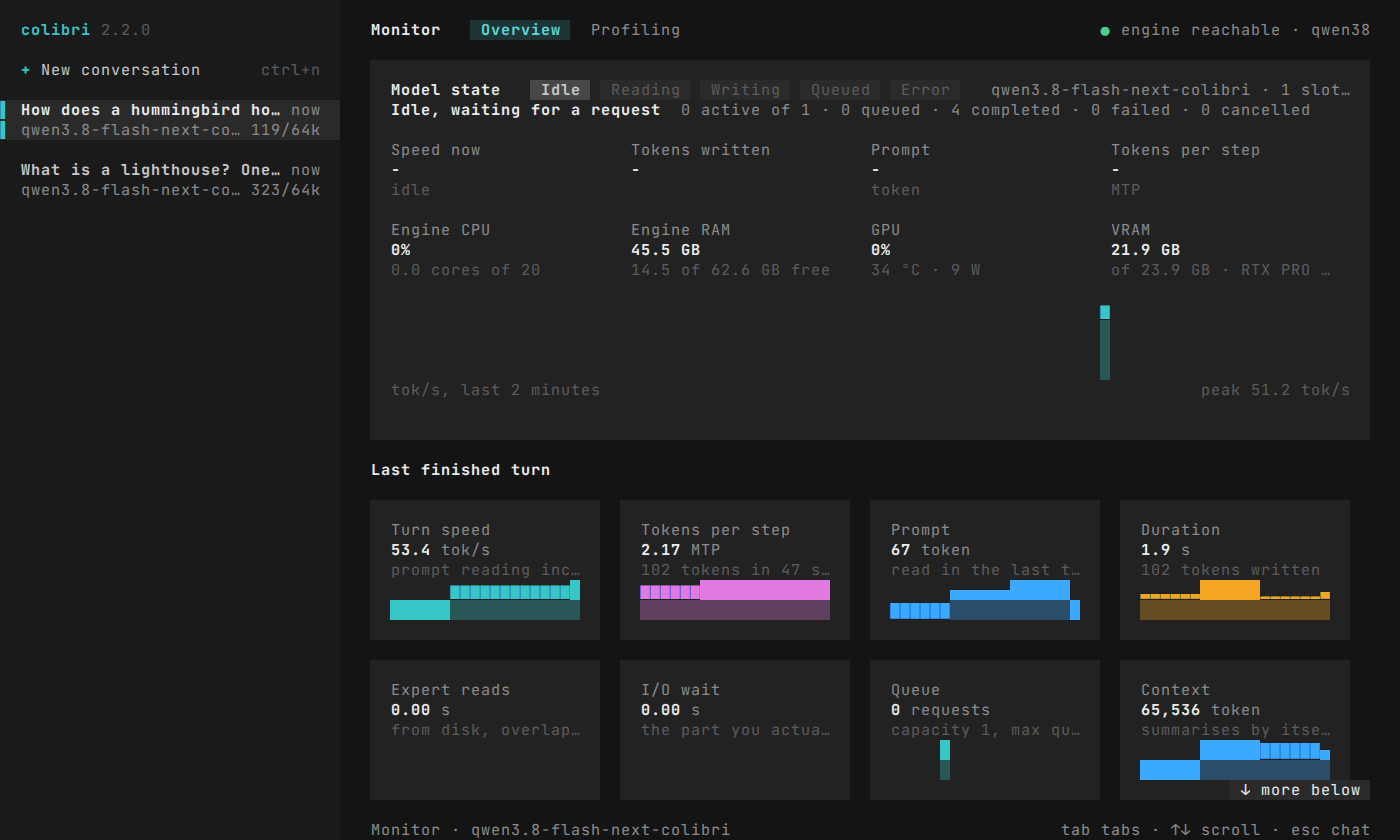
The monitor on the same server: 20 cores, 45.5 GB of engine RAM, 21.9 of 23.9 GB of VRAM.
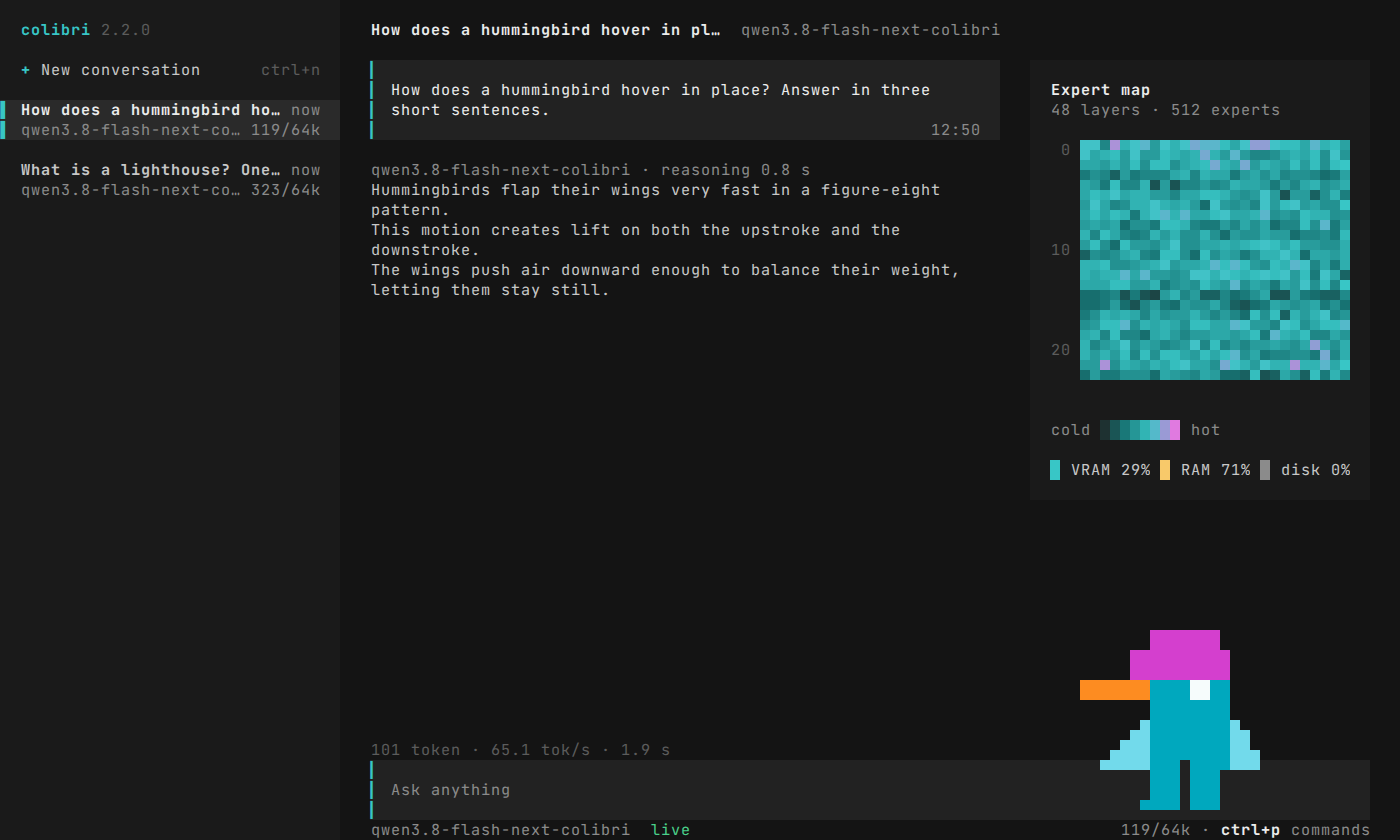
The expert map: Qwen3.8's 48 layers of 512 experts, those the last answer used lit; 29% of them on the card, 71% in RAM.
## The hummingbird The chat page's mascot (`ui/index.html`), its 19 poses copied as they are by `c/tools/make_tui_mascot.py`, with the page's moves and timings. It sits on the input box; it reads while the model reads the prompt, leans while it reasons, flies while it writes and cheers when it is done. Now and then it swings its legs, looks around or flaps; after 90 seconds without a key it falls asleep. A click is a move, a double click a dance; drag it and it flies back to its place. `ctrl+p`, "Hummingbird: its moves", has all of them. Where the terminal draws sixel pictures (Windows Terminal 1.22 or later, foot, WezTerm, mlterm, xterm with `-ti 340`) the bird is a 60 x 60 picture, as on the page; elsewhere it is drawn with half blocks, bigger. `--sixel` and `--no-sixel` choose by hand. ## Keys | key | does | |---|---| | enter | sends the message | | ctrl+j | a new line in the message | | ctrl+p (F1) | the commands: a new conversation, the model, the monitor, the map, the language | | ctrl+n | a new conversation | | tab, then the arrows | picks a conversation | | tab, then delete | deletes it (enter confirms, esc keeps it) | | F2 or ctrl+o | the monitor; tab switches Overview and Profiling | | ctrl+e | the expert map | | ctrl+r | shows or hides the reasoning | | ctrl+b | hides the conversations | | esc | stops the answer | | ctrl+x | drops the files the next message would take | | a drag over the text | selects it; the release copies it | | page up, page down, the wheel | scroll | | ctrl+q | quits | ## Files and copying Drop a file on the terminal, or paste or type its full path, and it goes with the next message, as on the chat page: a picture as a picture, for a model that reads them; a PDF, Word, OpenDocument, PowerPoint, HTML or text file as its text, read by the chat page's reader (`ui/docs.py`, which `coli tui` hands to the TUI). The files waiting are listed above the input, and the message shows their names. Without `coli tui` (`colibri-tui` on its own) plain text files and pictures still go; the other documents need the reader. A drag over the text selects it and the release copies it: to the clipboard on Windows; elsewhere through the terminal (OSC 52, which most terminals and tmux take) and through `wl-copy`, `xclip` or `xsel` where one runs, `pbcopy` on macOS. On a POSIX terminal shift and a drag still make the terminal's own selection. ## Terminals Windows Terminal, the Windows 10 and 11 console, and any POSIX terminal with 24-bit colour. The window needs 60 x 16 cells at least; the conversations show from 90 columns. The mouse picks a conversation and plays with the bird. ## Not yet Generated pictures, System One, tools and agents, conversations saved to disk, and languages besides English and Italian (`--lang it|en`; the default is the system's).