Flow Logo

[![license](https://img.shields.io/github/license/wansenai/flow)](LICENSE)

Flow (企业级流程中心)

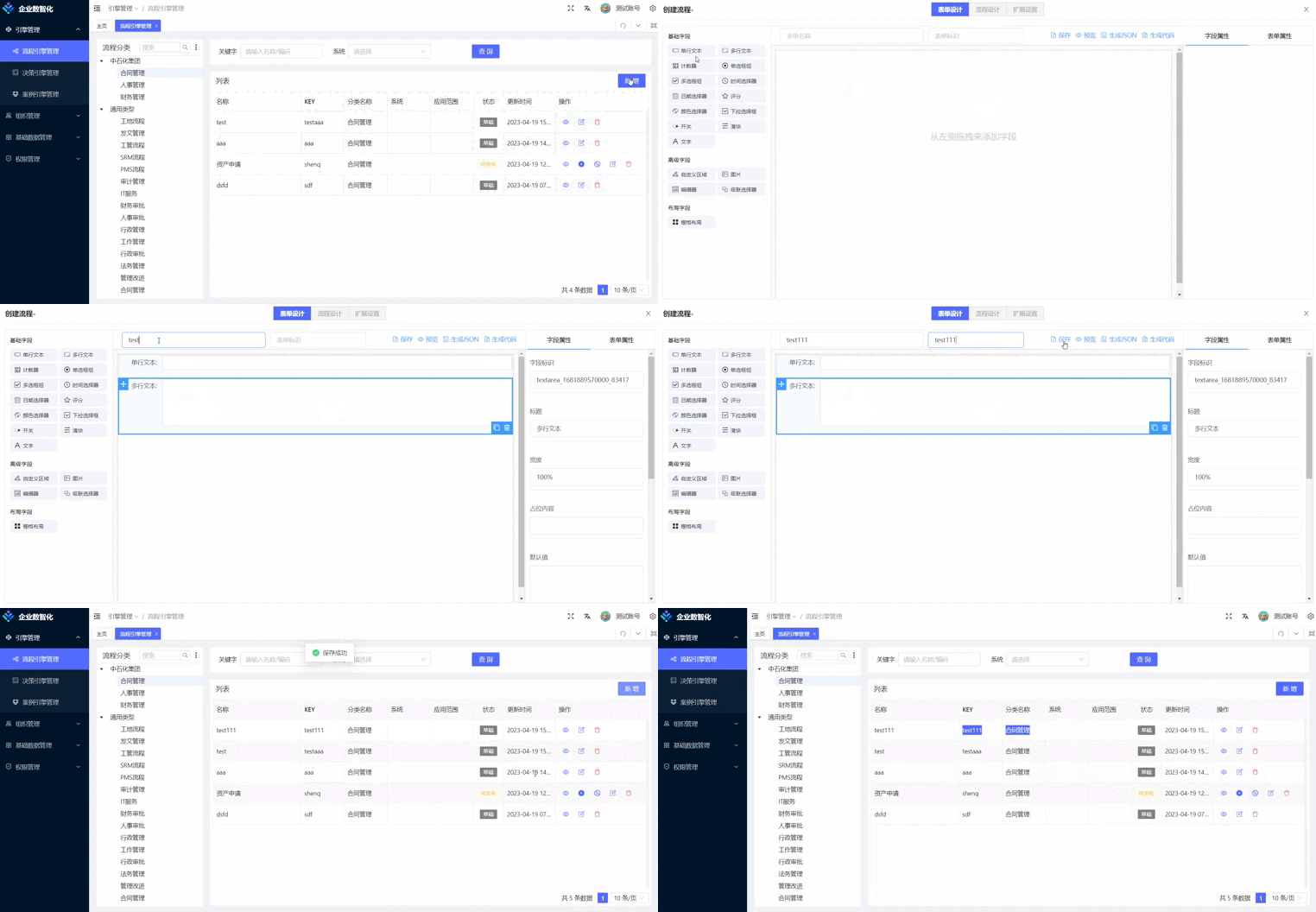
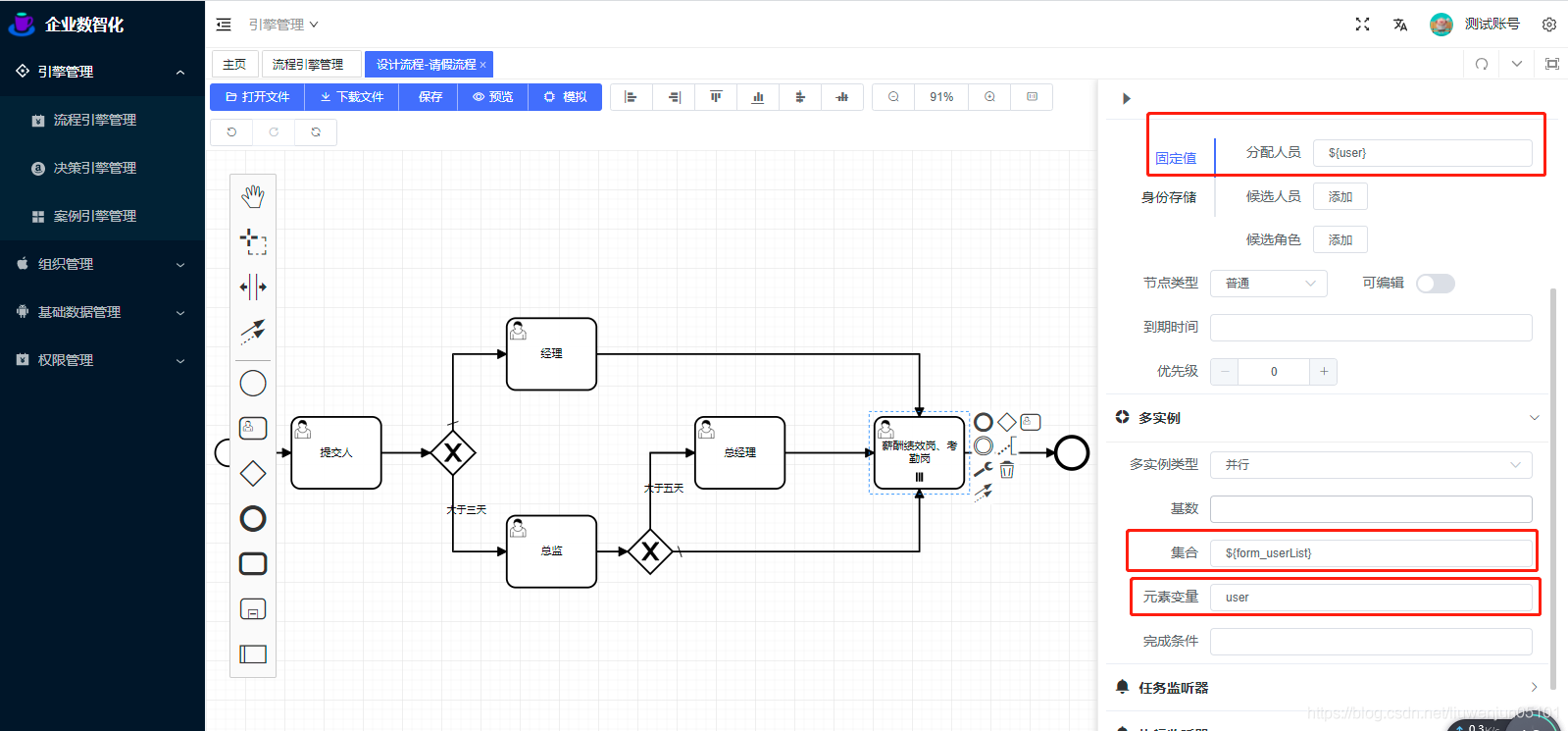
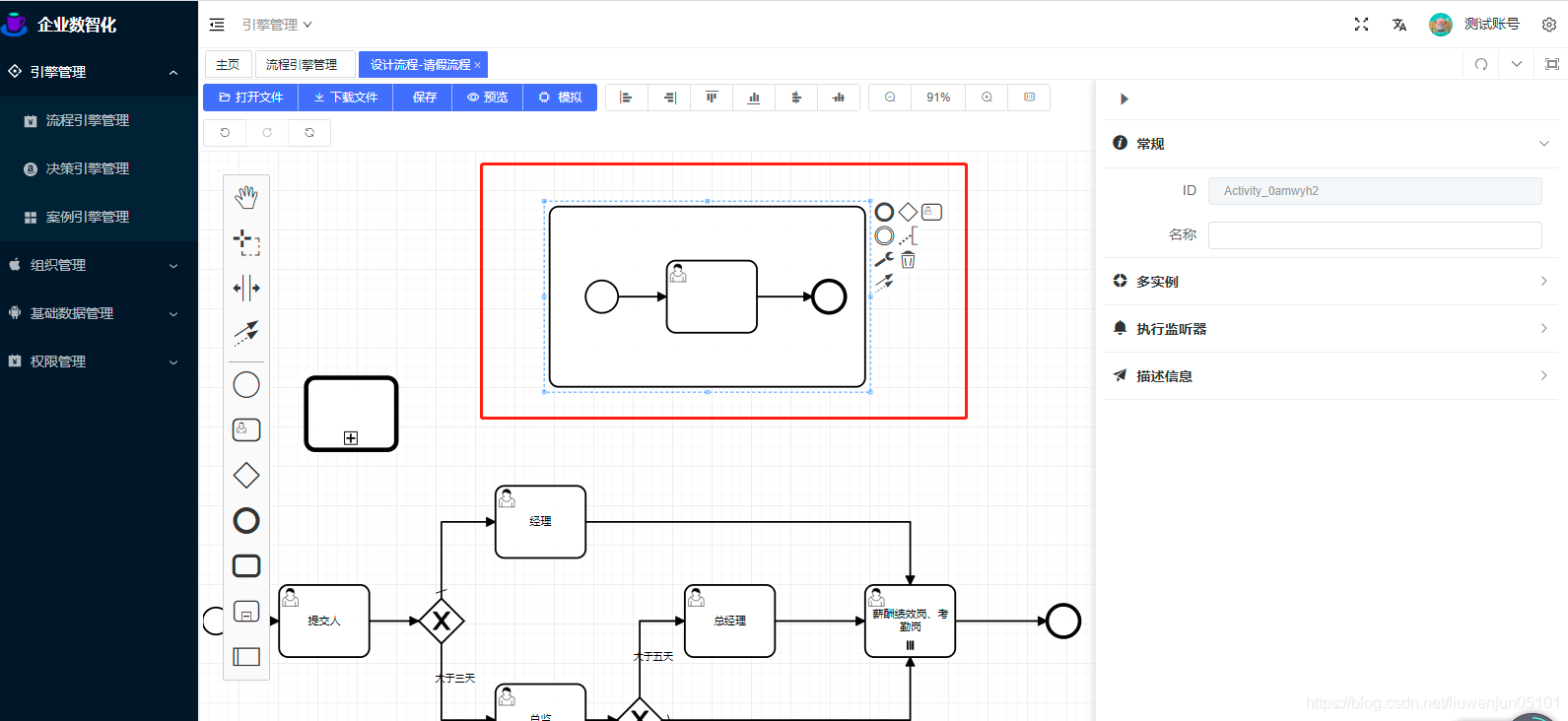
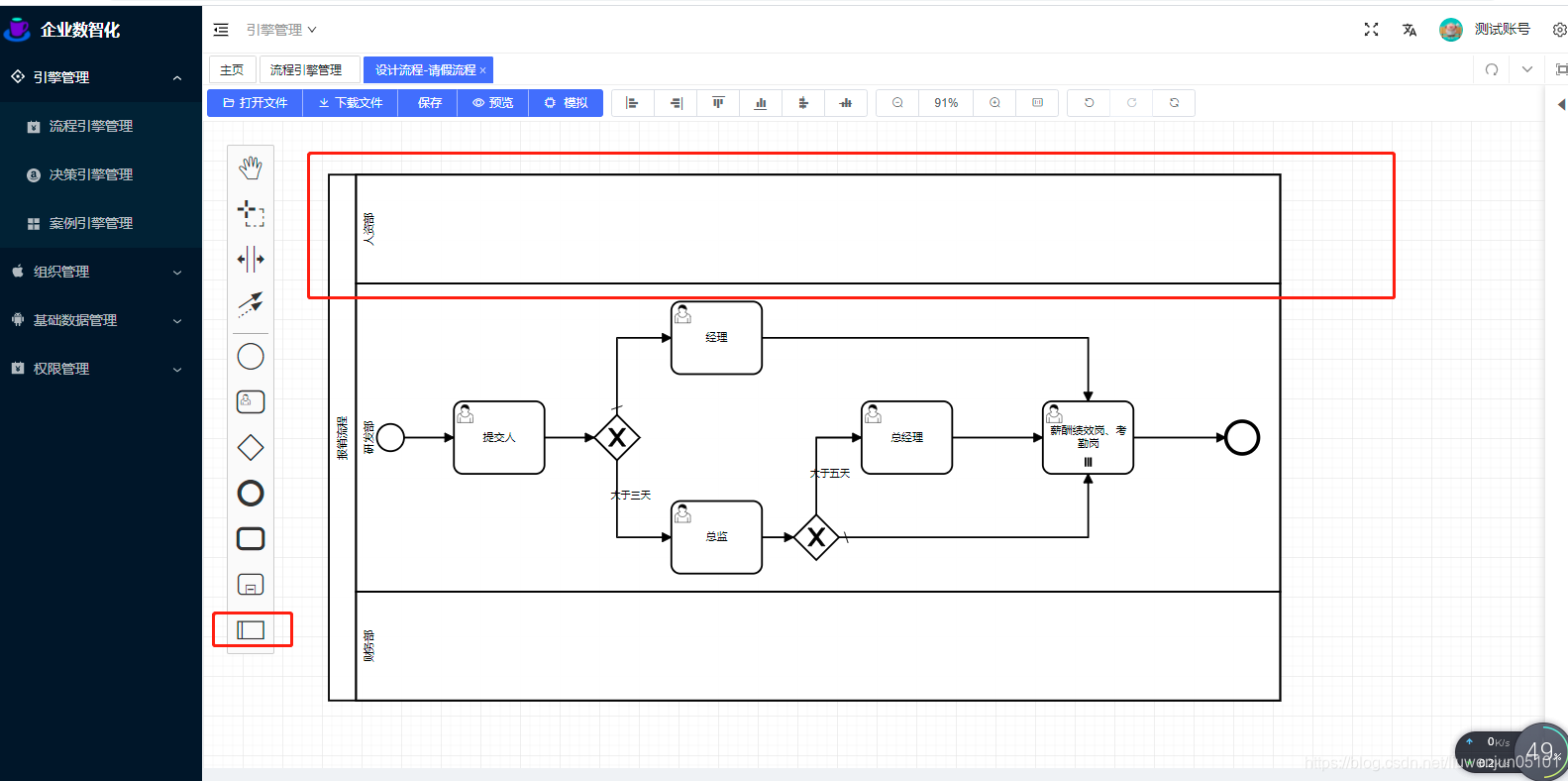
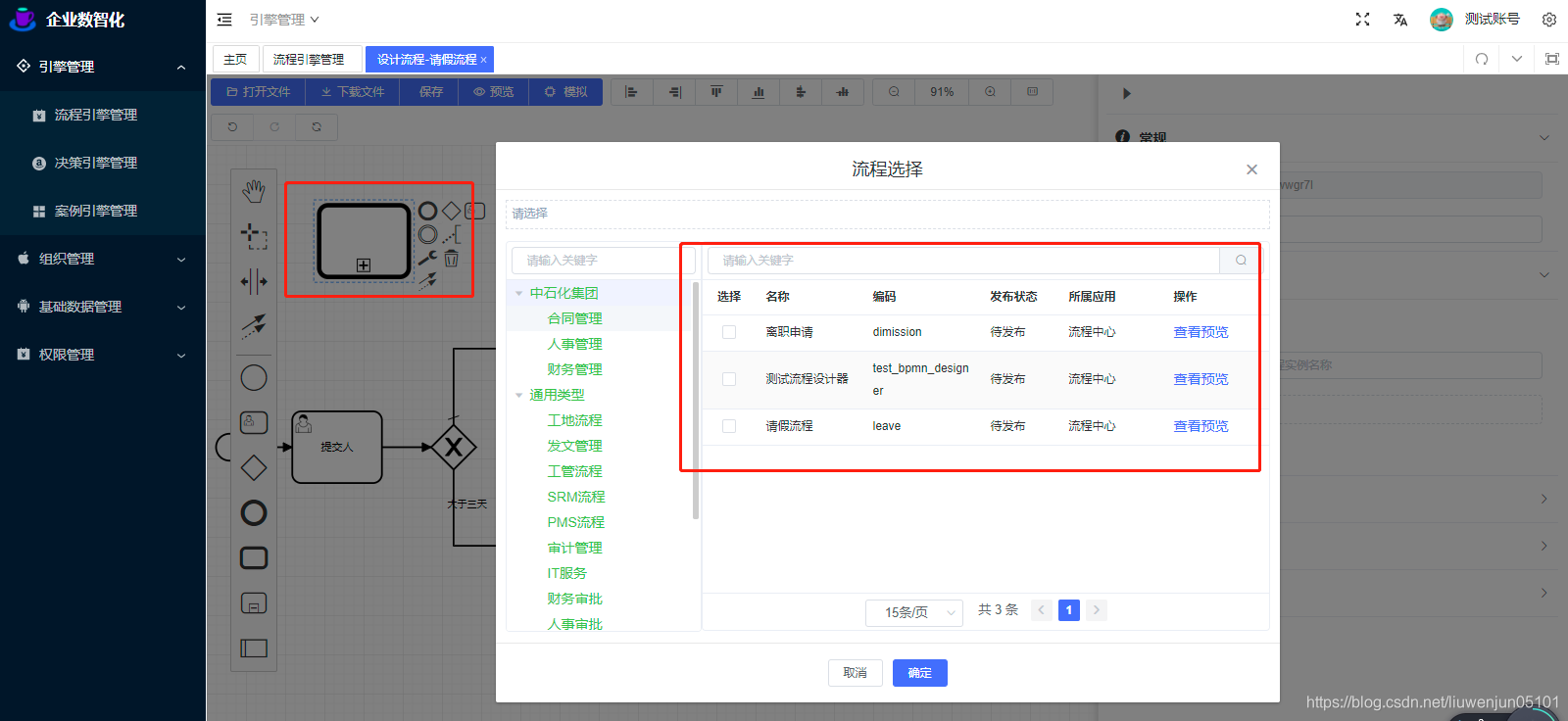
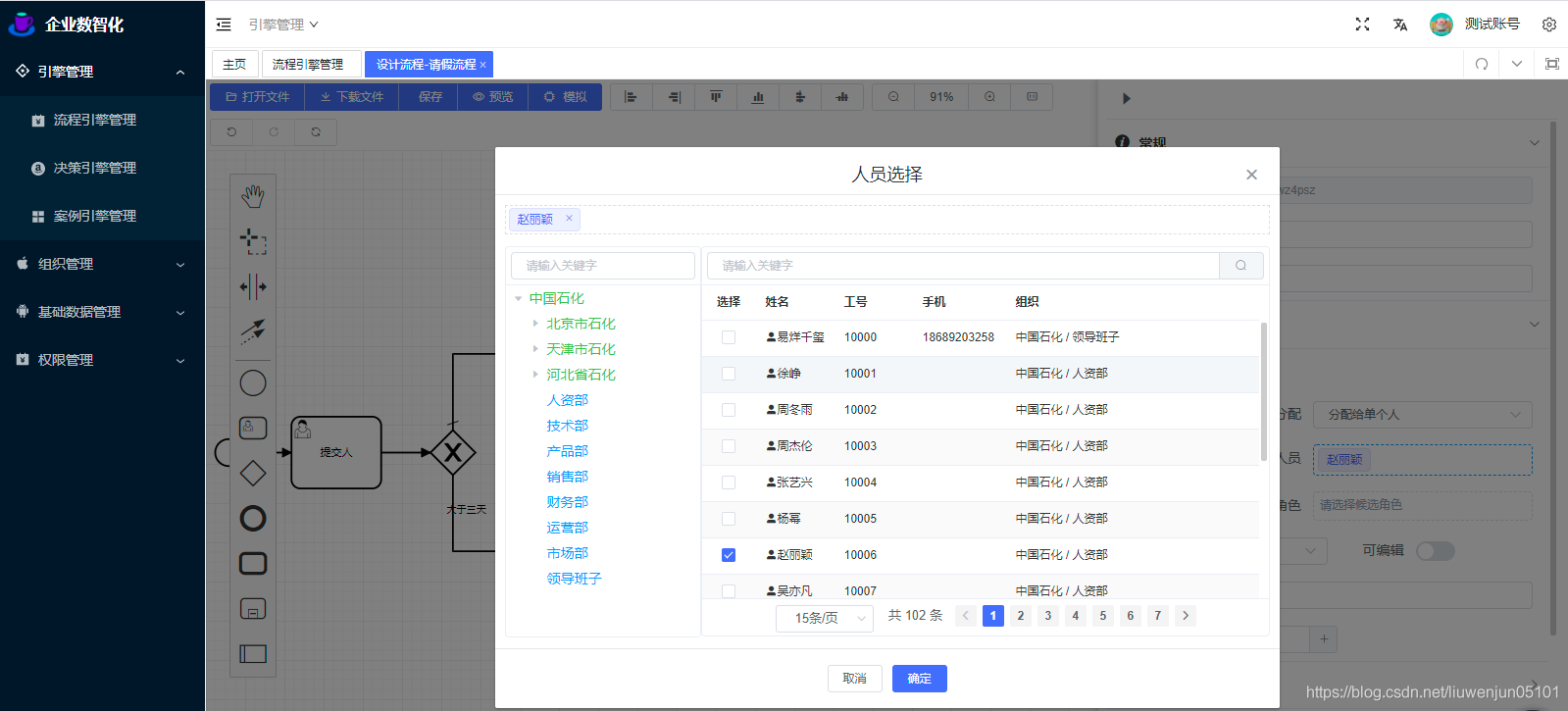
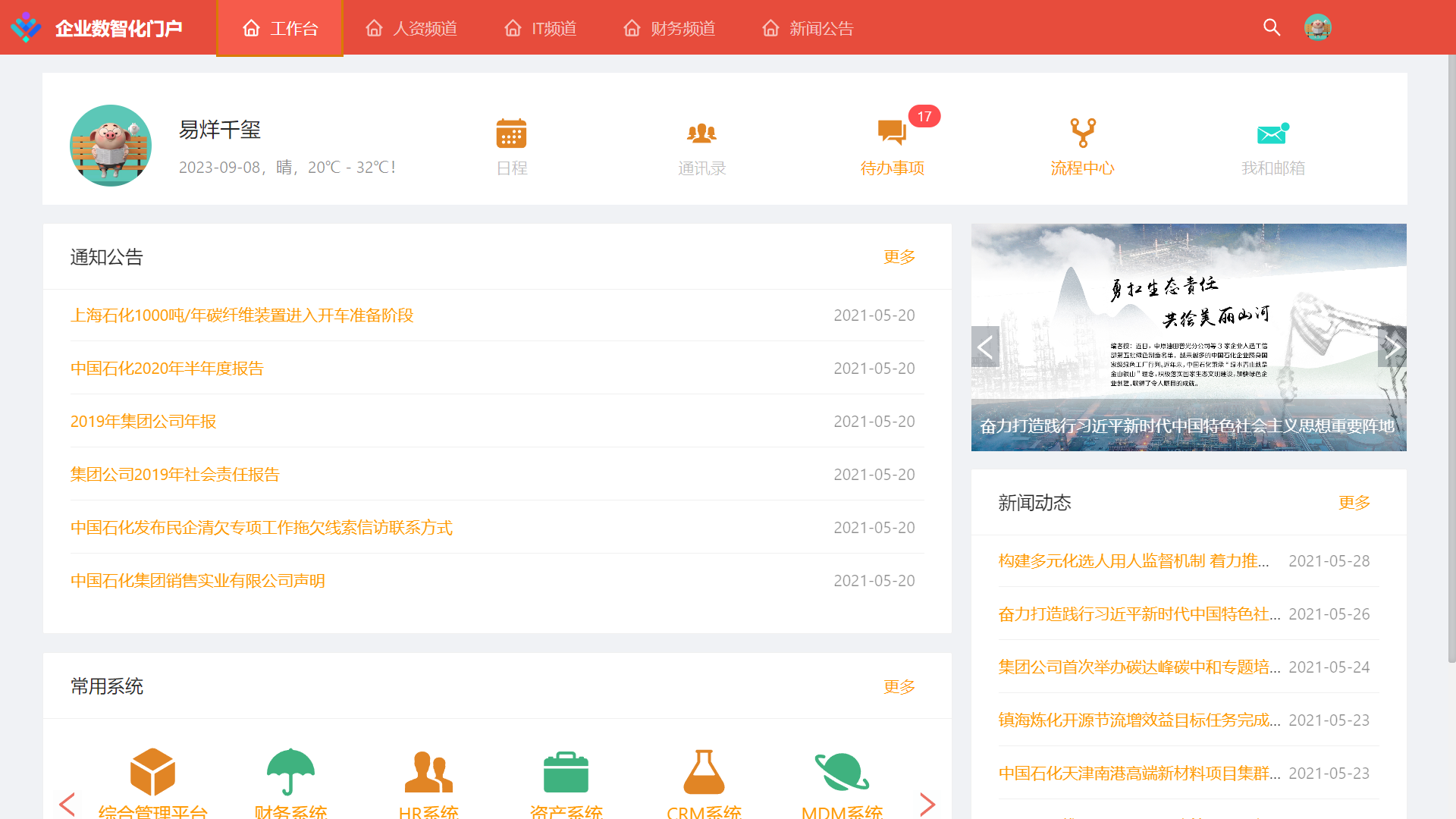
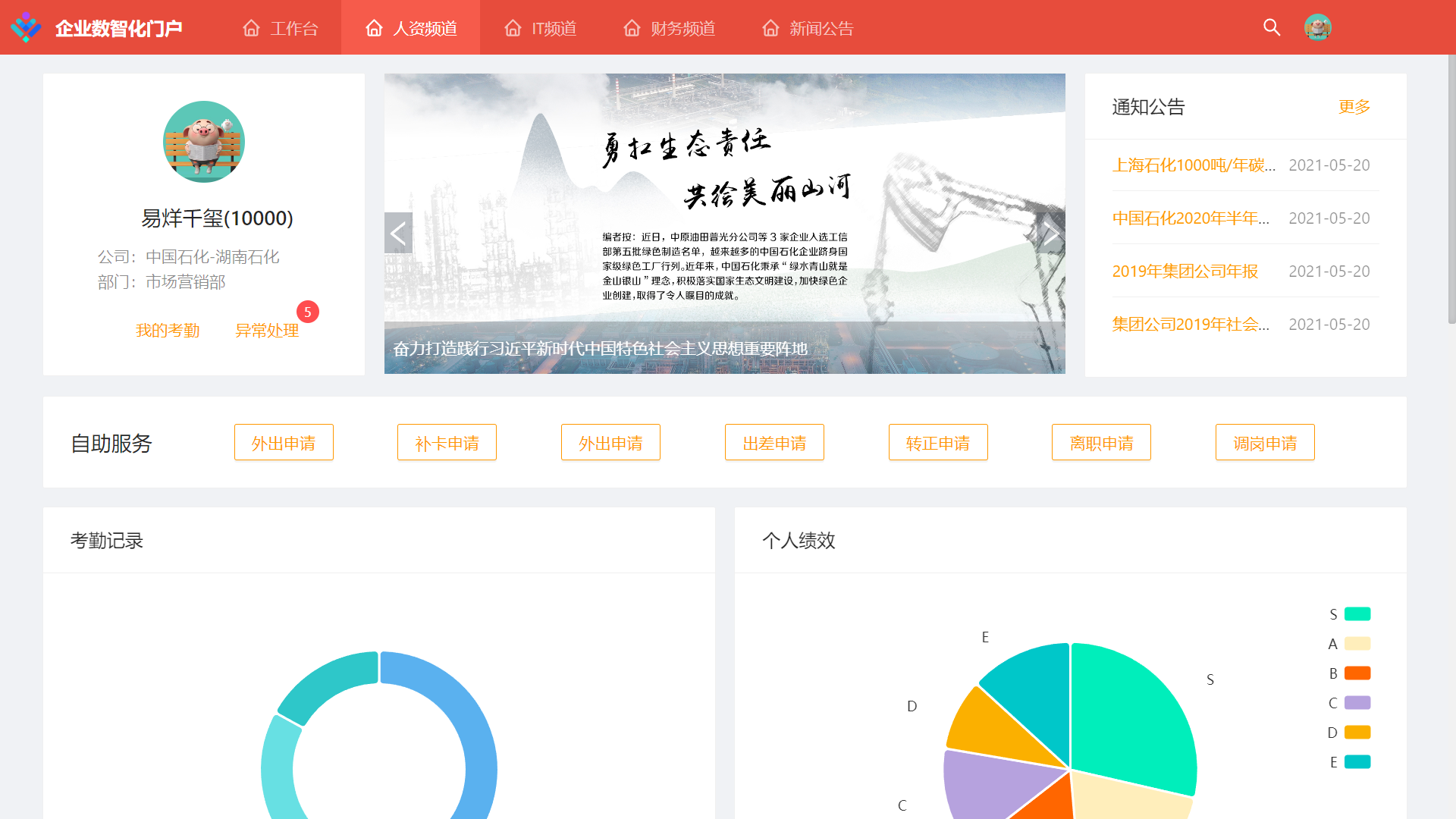
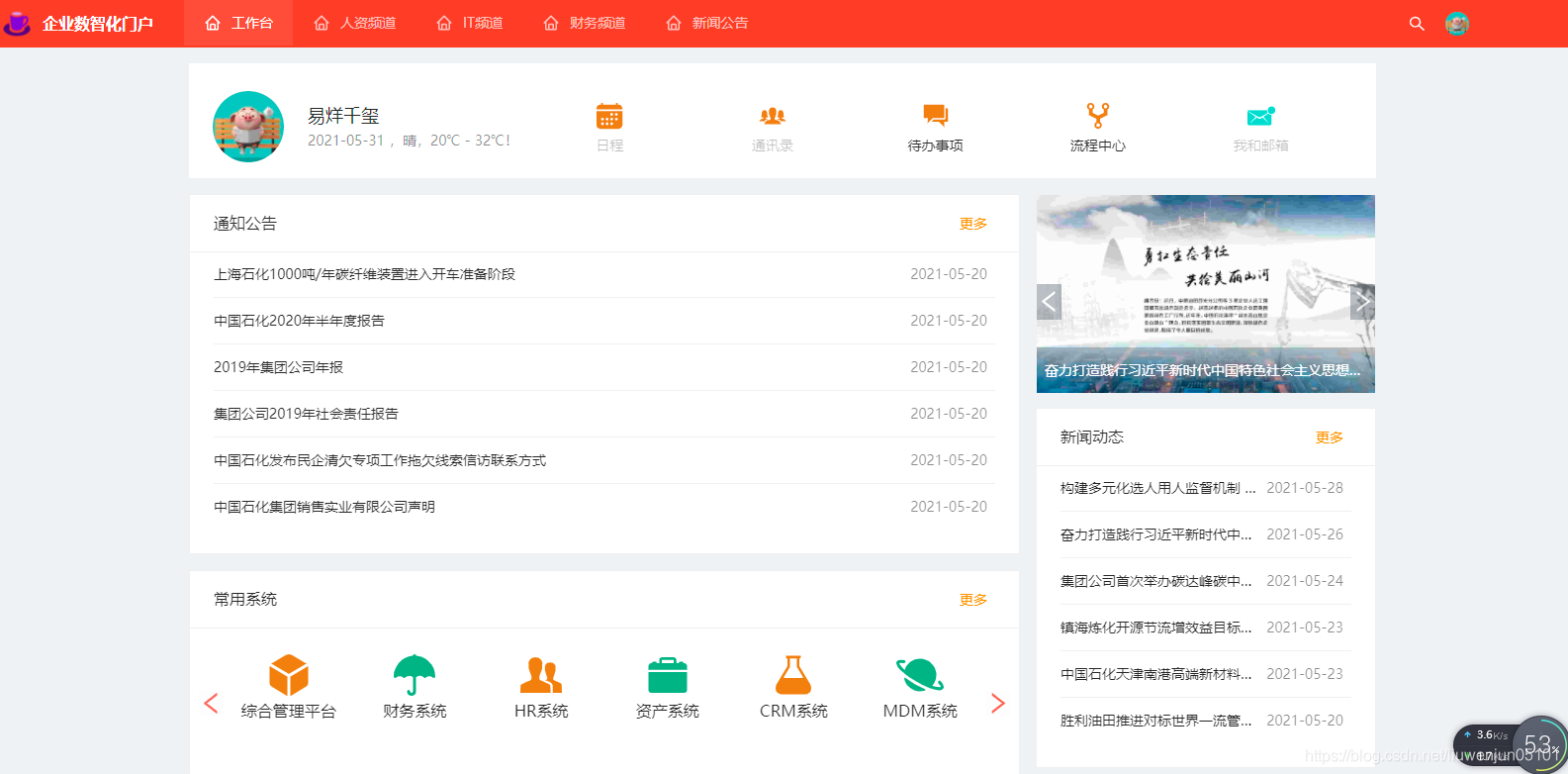
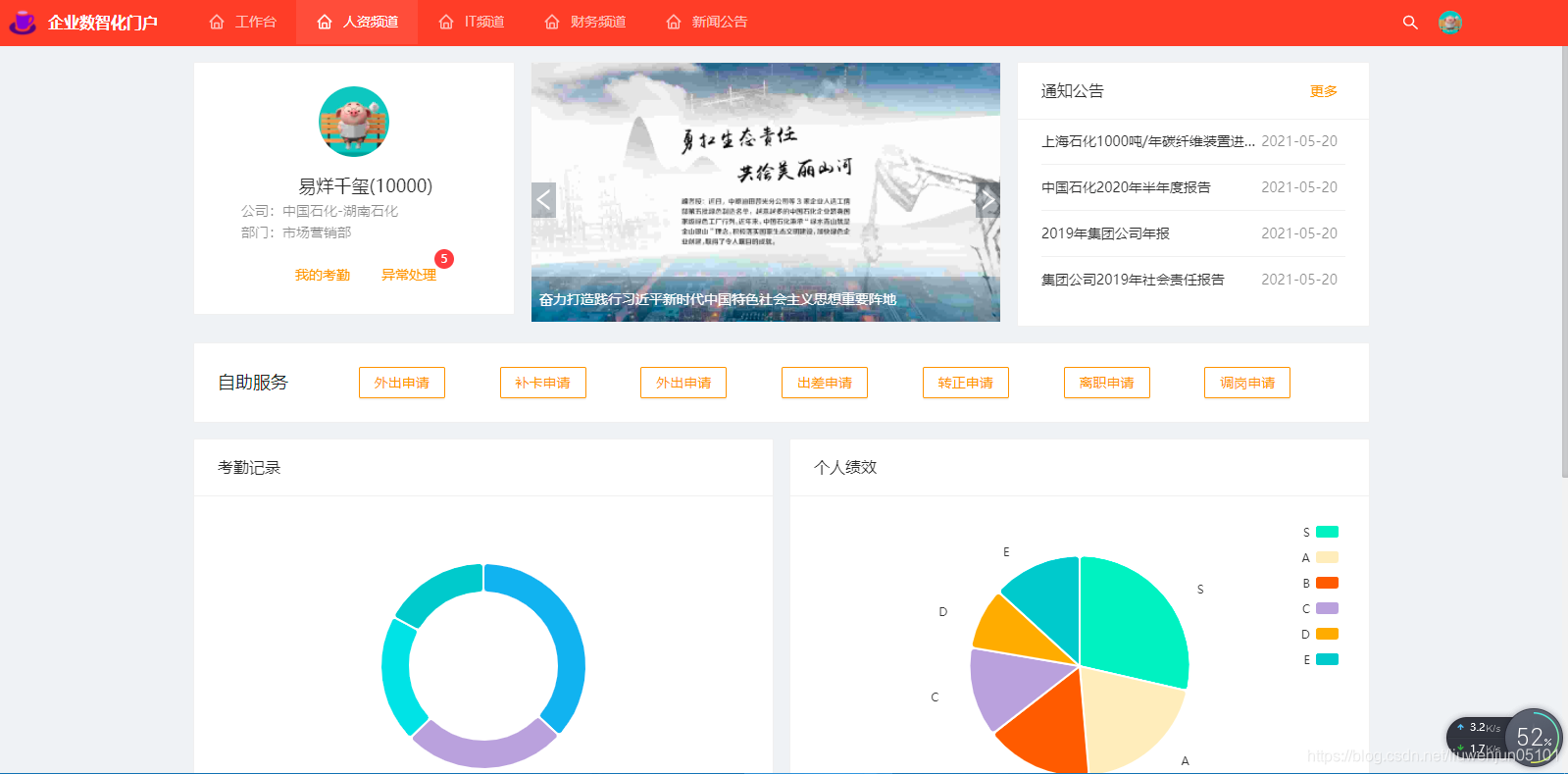
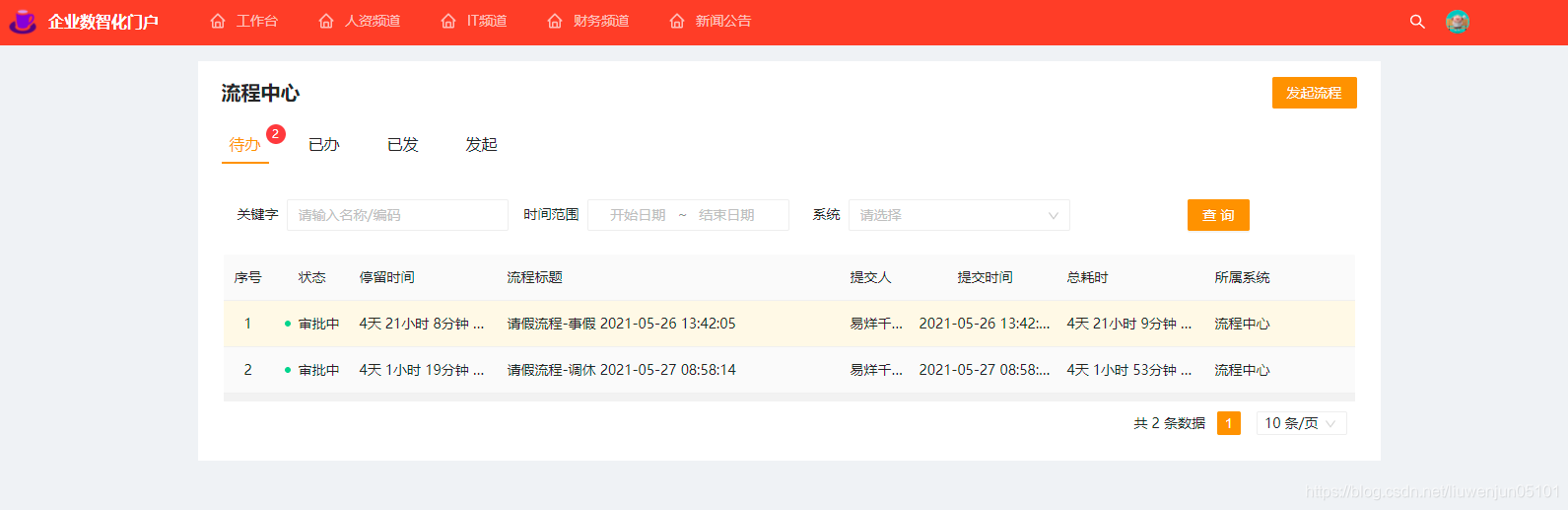
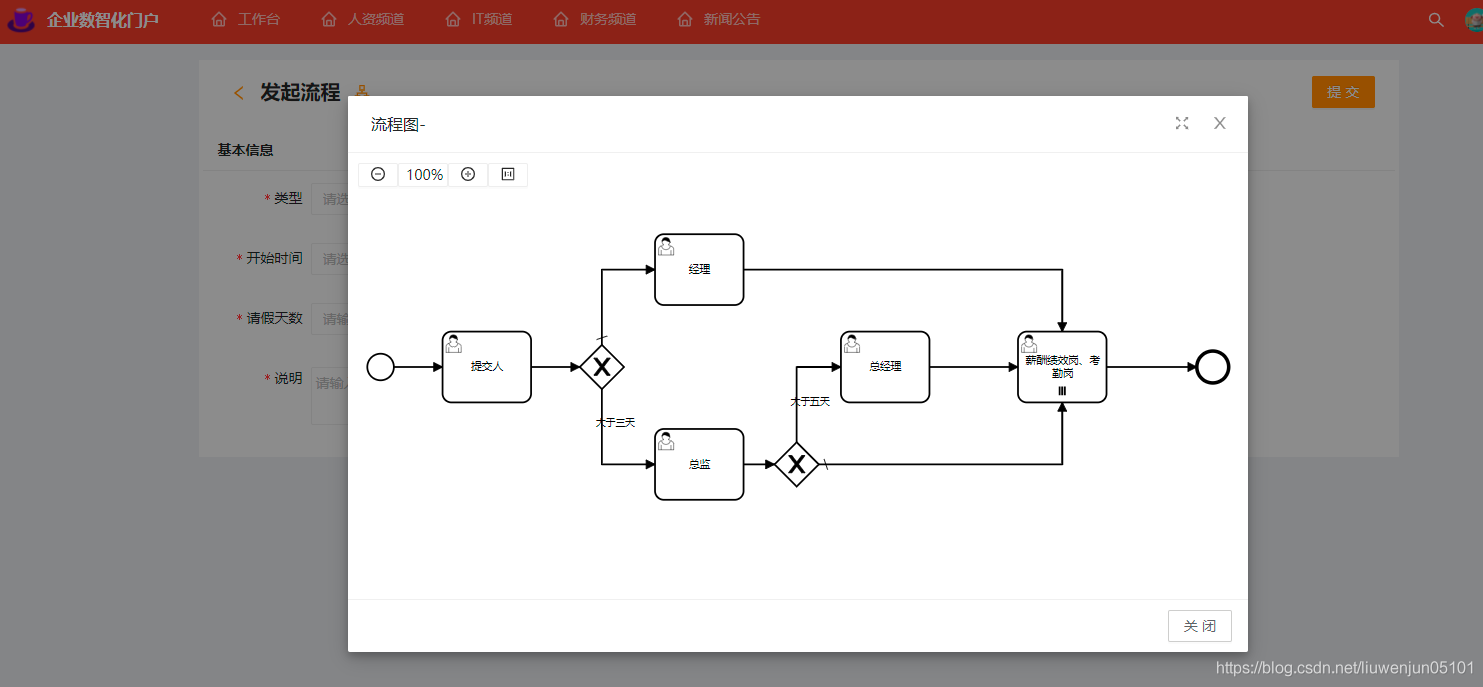
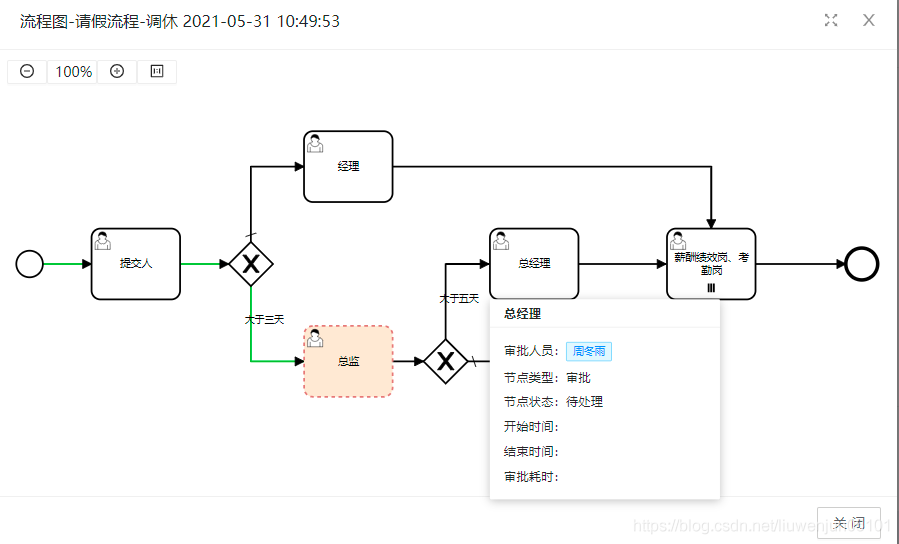
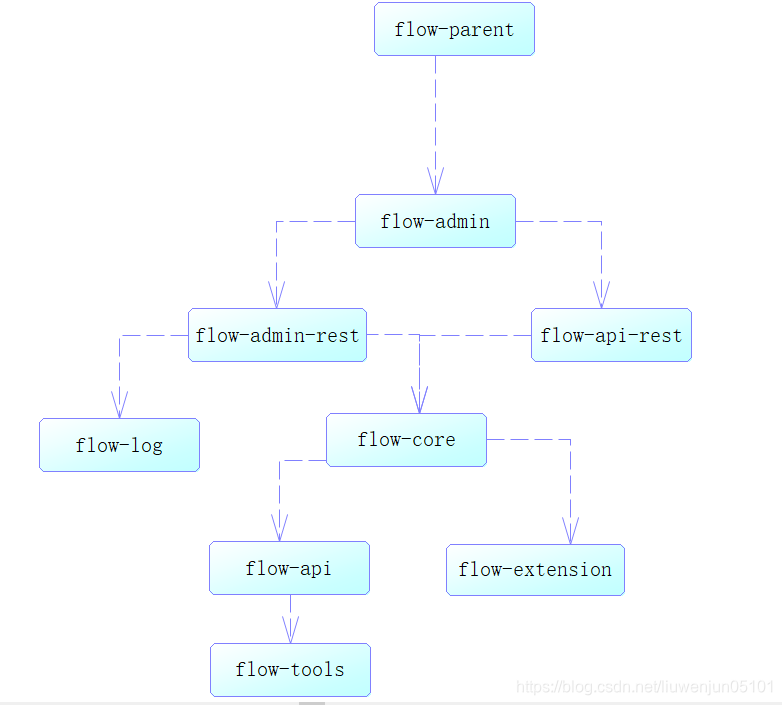
**中文** | [English](./README.md) **作者** [刘文军](https://github.com/ecnice) ## 简介 Flow 是一个免费开源的企业级流程应用,结合了`Flowable`,`Bpm.js`,`Java`,`Vue3`,`TypeScript`等主流技术开发,开箱即用的流程引擎一体化解决方案。 ## 预览 - [企业数智化 - 流程中心](http://47.106.196.177:8100/idm/#/login?_blank) - [企业数智化 - 门户](http://47.106.196.177:8200/idm/#/login) - [操作演示 - 流程中心](https://www.bilibili.com/video/BV1qU4y1L7pB/) - [操作演示 - 门户](https://www.bilibili.com/video/BV1mh411Y7UT/) - [Gitee](https://gitee.com/lwj/flow) - [GitHub](https://github.com/ecnice/flow) ### 流程后台-表单设计 ![](docs/imgs/add-custom-form.gif) ### 流程后台-流程设计 ![avatar](https://img-blog.csdnimg.cn/20210531103412212.png?x-oss-process=image/watermark,type_ZmFuZ3poZW5naGVpdGk,shadow_10,text_aHR0cHM6Ly9ibG9nLmNzZG4ubmV0L2xpdXdlbmp1bjA1MTAx,size_16,color_FFFFFF,t_70#pic_center) ![avatar](https://img-blog.csdnimg.cn/20210531103412208.png?x-oss-process=image/watermark,type_ZmFuZ3poZW5naGVpdGk,shadow_10,text_aHR0cHM6Ly9ibG9nLmNzZG4ubmV0L2xpdXdlbmp1bjA1MTAx,size_16,color_FFFFFF,t_70#pic_center) ![avatar](https://img-blog.csdnimg.cn/20210531103412202.png?x-oss-process=image/watermark,type_ZmFuZ3poZW5naGVpdGk,shadow_10,text_aHR0cHM6Ly9ibG9nLmNzZG4ubmV0L2xpdXdlbmp1bjA1MTAx,size_16,color_FFFFFF,t_70#pic_center) ![avatar](https://img-blog.csdnimg.cn/20210531103412165.png?x-oss-process=image/watermark,type_ZmFuZ3poZW5naGVpdGk,shadow_10,text_aHR0cHM6Ly9ibG9nLmNzZG4ubmV0L2xpdXdlbmp1bjA1MTAx,size_16,color_FFFFFF,t_70#pic_center) ![avatar](https://img-blog.csdnimg.cn/20210531103412166.png?x-oss-process=image/watermark,type_ZmFuZ3poZW5naGVpdGk,shadow_10,text_aHR0cHM6Ly9ibG9nLmNzZG4ubmV0L2xpdXdlbmp1bjA1MTAx,size_16,color_FFFFFF,t_70#pic_center) ### 门户前台 ![avatar](https://img-blog.csdnimg.cn/20210531105638460.png?x-oss-process=image/watermark,type_ZmFuZ3poZW5naGVpdGk,shadow_10,text_aHR0cHM6Ly9ibG9nLmNzZG4ubmV0L2xpdXdlbmp1bjA1MTAx,size_16,color_FFFFFF,t_70#pic_center) ![image](./docs/imgs/front1.jpg) ![image](./docs/imgs/front2.jpg) #![avatar](https://img-blog.csdnimg.cn/20210531105638461.png?x-oss-process=image/watermark,type_ZmFuZ3poZW5naGVpdGk,shadow_10,text_aHR0cHM6Ly9ibG9nLmNzZG4ubmV0L2xpdXdlbmp1bjA1MTAx,size_16,color_FFFFFF,t_70#pic_center) #![avatar](https://img-blog.csdnimg.cn/20210531105638468.png?x-oss-process=image/watermark,type_ZmFuZ3poZW5naGVpdGk,shadow_10,text_aHR0cHM6Ly9ibG9nLmNzZG4ubmV0L2xpdXdlbmp1bjA1MTAx,size_16,color_FFFFFF,t_70#pic_center) ![avatar](https://img-blog.csdnimg.cn/20210531105638379.png?x-oss-process=image/watermark,type_ZmFuZ3poZW5naGVpdGk,shadow_10,text_aHR0cHM6Ly9ibG9nLmNzZG4ubmV0L2xpdXdlbmp1bjA1MTAx,size_16,color_FFFFFF,t_70#pic_center) ![avatar](https://img-blog.csdnimg.cn/20210531105638388.png?x-oss-process=image/watermark,type_ZmFuZ3poZW5naGVpdGk,shadow_10,text_aHR0cHM6Ly9ibG9nLmNzZG4ubmV0L2xpdXdlbmp1bjA1MTAx,size_16,color_FFFFFF,t_70#pic_center) ![avatar](https://img-blog.csdnimg.cn/20210531105638343.png?x-oss-process=image/watermark,type_ZmFuZ3poZW5naGVpdGk,shadow_10,text_aHR0cHM6Ly9ibG9nLmNzZG4ubmV0L2xpdXdlbmp1bjA1MTAx,size_16,color_FFFFFF,t_70#pic_center) ## 后台安装 1、安装数据库 新建一个数据库flow 导入数据库脚本:docs/sql/flow.sql 2、配置数据源 修改flow-admin模块下的resources配置文件application-local.properties ``` spring.datasource.druid.url=jdbc:mysql://localhost:3306/flow?autoReconnect=true&useUnicode=true&characterEncoding=utf8&zeroDateTimeBehavior=CONVERT_TO_NULL&useSSL=false&serverTimezone=GMT%2B8&nullCatalogMeansCurrent=true spring.datasource.druid.username=xxxx spring.datasource.druid.password=xxx ``` 3、启动应用程序 flow-admin模块下的com.dragon.flow.main.FlowAdminApplication 直接运行即可 4、访问路径 http://localhost:8988/index.html 账号密码: 普通管理员:10101/888888 超级管理员:10100/888888 5、项目结构 ![avatar](https://img-blog.csdnimg.cn/20210601174137283.png?x-oss-process=image/watermark,type_ZmFuZ3poZW5naGVpdGk,shadow_10,text_aHR0cHM6Ly9ibG9nLmNzZG4ubmV0L2xpdXdlbmp1bjA1MTAx,size_16,color_FFFFFF,t_70) 6、开放接口 http://localhost:8988/swagger-ui/index.html ## 前台安装 1、配置数据源 修改flow-front-rest模块下的resources配置文件application-local.properties ``` spring.datasource.druid.url=jdbc:mysql://localhost:3306/flow?autoReconnect=true&useUnicode=true&characterEncoding=utf8&zeroDateTimeBehavior=CONVERT_TO_NULL&useSSL=false&serverTimezone=GMT%2B8&nullCatalogMeansCurrent=true spring.datasource.druid.username=xxxx spring.datasource.druid.password=xxx ``` 2、启动应用程序 flow-front-rest模块下的com.dragon.flow.main.FlowFrontApplication 3、访问路径 http://localhost:8990 4、登录账号密码 账号:10000到10100 密码统一:888888 ## Docker 启动 https://gblfy.blog.csdn.net/article/details/117636550 镜像的密码是flow ## 社区 ### 加入QQ群 输入群号:633168411 或扫码加入QQ群 ### 加入微信群 扫码加入微信群,若提示二维码过期请添加微信号:liuwenjun05101 备注Flow开源,谢谢! 微信群 ## 好书推荐 大家在使用本项目时,推荐结合贺波老师的书[《深入Activiti流程引擎:核心原理与高阶实战》](https://item.m.jd.com/product/13928958.html?gx=RnAomTM2bmCImZxDqYAkVCoIHuIYVqc),这本书对系统学习和深入掌握Activiti/Flowable的用法非常有帮助。 《深入Activiti流程引擎:核心原理与高阶实战》 ## 协议 - 遵循 MIT 和 Apache-2.0 协议 - 请自由地享受和参与开源