
BetterShot
Capture, edit, and share your screen. Native on macOS.



Download ·
Website ·
Changelog ·
Contribute ·
Report a bug
BetterShot is a free, open-source Mac app for screenshots, screen recordings,
and image and video editing. No account or subscription.
## Install
```bash
brew install --cask bettershot
```
Or download the Apple silicon or Intel `.dmg` from
[Releases](https://github.com/KartikLabhshetwar/better-shot/releases/latest).
Requires macOS 14 or later. Microphone narration needs macOS 15, and narration
subtitles and teleprompter speech tracking need macOS 26.
## Features
- **Screenshots:** region, window, fullscreen, and scrolling capture, plus OCR and a color picker.
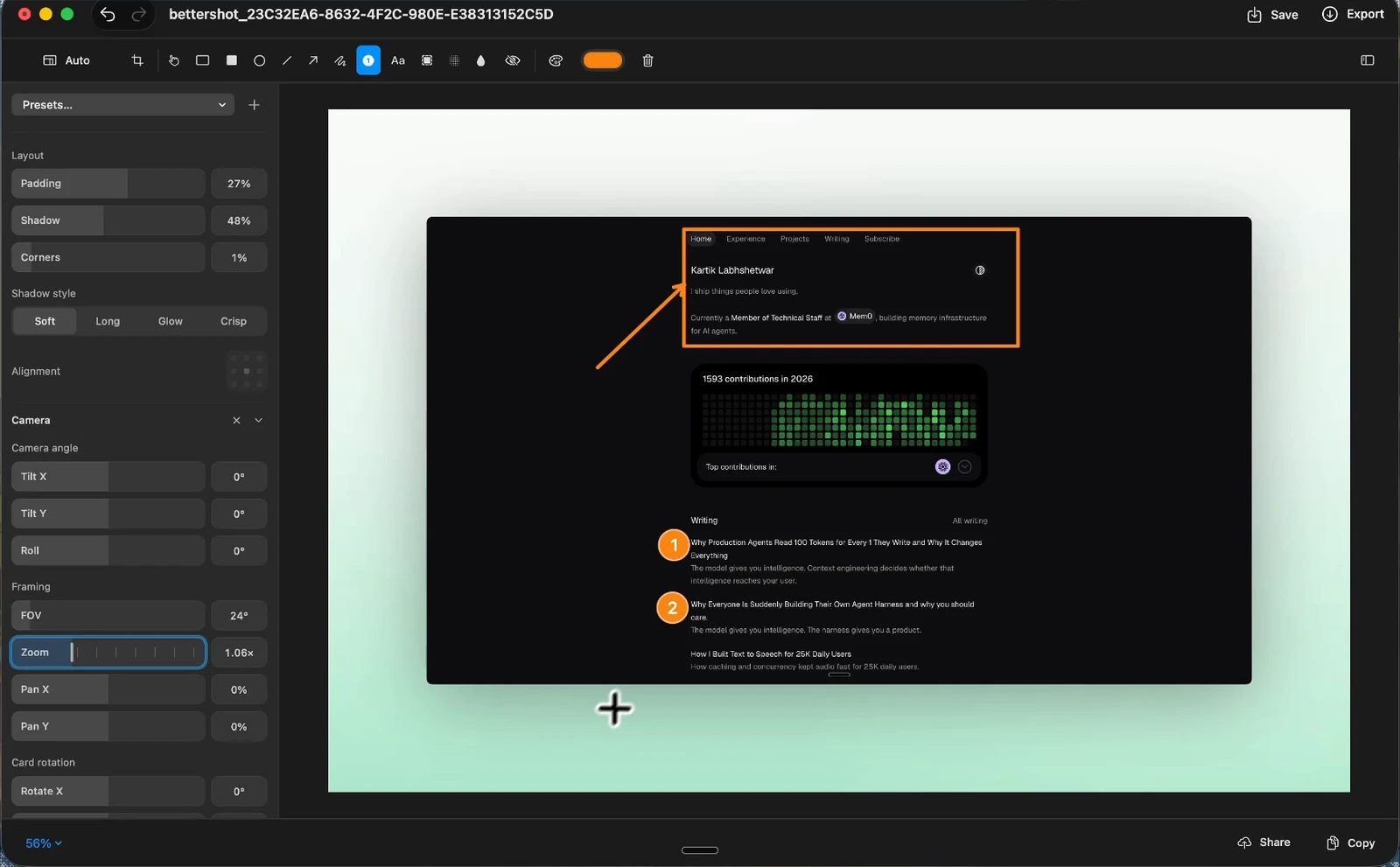
- **Image editor:** arrows, shapes, text, numbered markers, highlights, blur, and pixelate.
Crop, rotate, flip, and frame captures with backgrounds, padding, corners, and shadow.
- **Recording:** a display, window, or area, with system audio, microphone, camera, and a teleprompter.
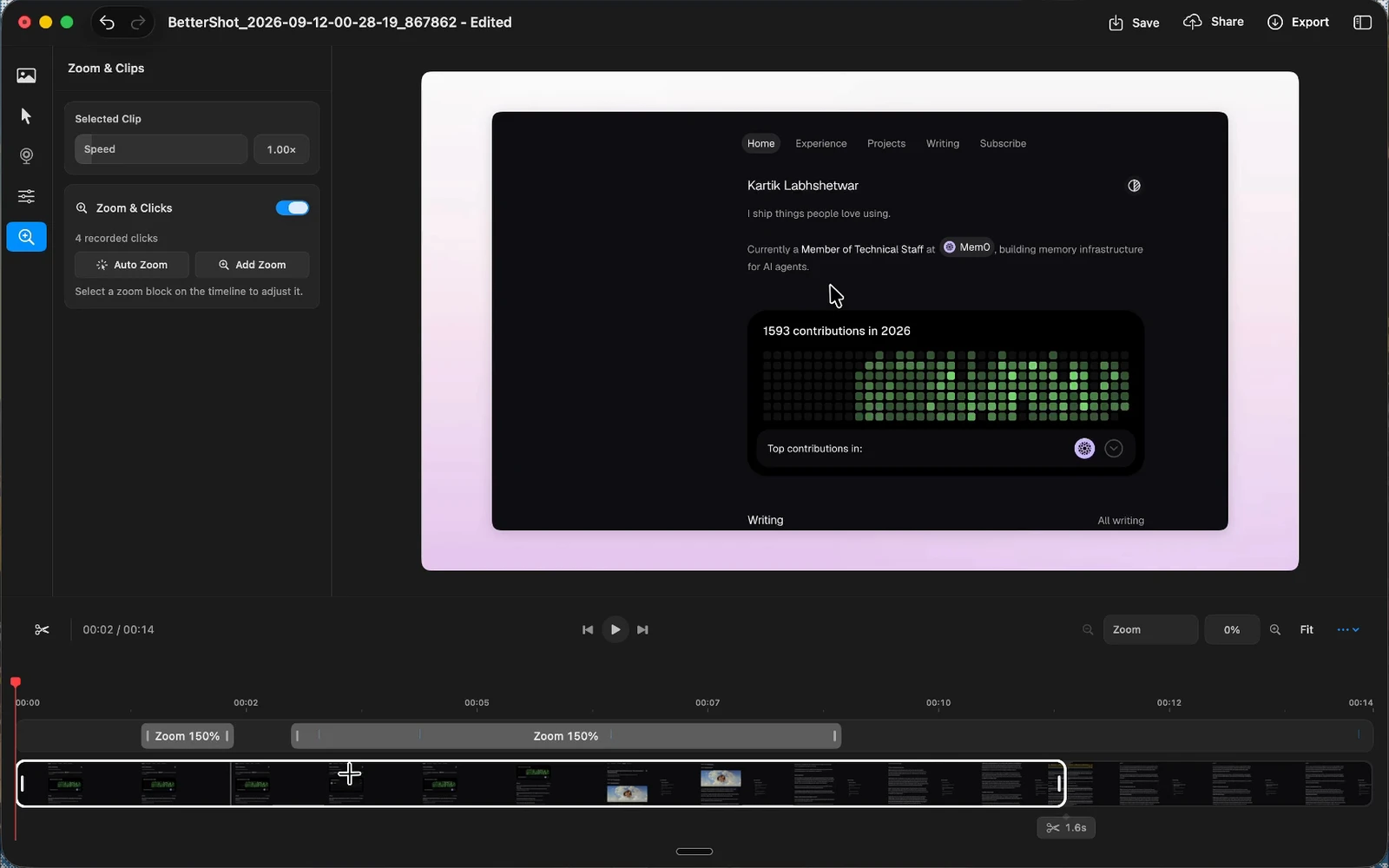
- **Video editor:** cuts, speed, zooms, captions, masks, camera layouts, cursor styles, and 3D shots.
Export MP4 or MOV at 30 or 60 fps.
- **Sharing:** copy, save, pin, or drag from the floating preview, browse everything in the
Media Gallery, and share links through your own Cloudflare R2 bucket.
Original captures and source recordings are never modified.
See the video editor
## Getting started
1. Open BetterShot. Setup asks for Screen Recording and Accessibility access and
where to save screenshots.
2. Press `⌘⇧4` and select an area.
3. Copy, Save, Edit, Pin, or Share from the floating preview.
| Action | Shortcut |
| --- | --- |
| Region screenshot | `⌘⇧4` |
| Fullscreen screenshot | `⌘⇧3` |
| Capture previous region | `⌘⇧1` |
| Capture and recording bar | `⌘⇧2` |
| Recording options | `⌘⇧5` |
| OCR text scan | `⌘⇧O` |
| Color picker | `⌘⇧C` |
Change shortcuts in **Settings > Shortcuts**. New installs save screenshots to the
Desktop; change the folder, file names, or automatic saving in
**Settings > General > Saving**.
## Permissions
| Permission | Used for |
| --- | --- |
| Screen & System Audio Recording | Screenshots, recordings, and system audio |
| Accessibility | Global shortcuts |
| Input Monitoring | Cursor effects and shortcut overlays. Plain typing is never recorded. |
| Microphone | Voice in recordings |
| Camera | Camera recording |
If capture or shortcuts still fail after granting access, quit and reopen BetterShot.
When BetterShot opens at login before macOS applies Screen Recording access, it
offers to restart itself the first time you capture.
## Cloud sharing
Optional. Sharing uploads to a Cloudflare R2 bucket you own.
1. Create an R2 bucket with a public URL and an
[API token](https://developers.cloudflare.com/r2/api/tokens/) with Object Read & Write access.
2. Enter the credentials in **Settings > Sharing**, choose the bucket's **Jurisdiction**
if it has one, and click **Test Connection**.
3. Click **Share** on any capture to upload it and copy the link.
Credentials are stored in your login Keychain, and anyone with a link can view it.
Outside of sharing, BetterShot only goes online to check GitHub for updates.
## Automation
Trigger captures from Shortcuts, Raycast, or the terminal:
```bash
open 'bettershot://capture/region'
```
| Route | Action |
| --- | --- |
| `capture/region` | Region screenshot |
| `capture/fullscreen` | Fullscreen screenshot |
| `capture/window` | Window screenshot |
| `capture/scroll` | Scrolling capture |
| `ocr` | OCR text scan |
| `color-picker` | Color picker |
| `record` | Start a recording |
| `settings` | Open Settings |
## Build from source
Requires Xcode 26 and [XcodeGen](https://github.com/yonaskolb/XcodeGen).
```bash
brew install xcodegen
git clone https://github.com/KartikLabhshetwar/better-shot.git
cd better-shot
make release
open .build/Build/Products/Release/BetterShot.app
```
See [CONTRIBUTING.md](CONTRIBUTING.md) for Xcode setup, the code map, and tests.
## Contributing
Issues and pull requests are welcome. Read the [contributor guide](CONTRIBUTING.md)
and [Code of Conduct](CODE_OF_CONDUCT.md) first.
Built by [Kartik Labhshetwar](https://x.com/code_kartik) and
[contributors](https://github.com/KartikLabhshetwar/better-shot/graphs/contributors).
If BetterShot helps you, consider [supporting its development](https://www.buymeacoffee.com/code_kartik).