


Barcode-driven equipment checkout for a school media department.
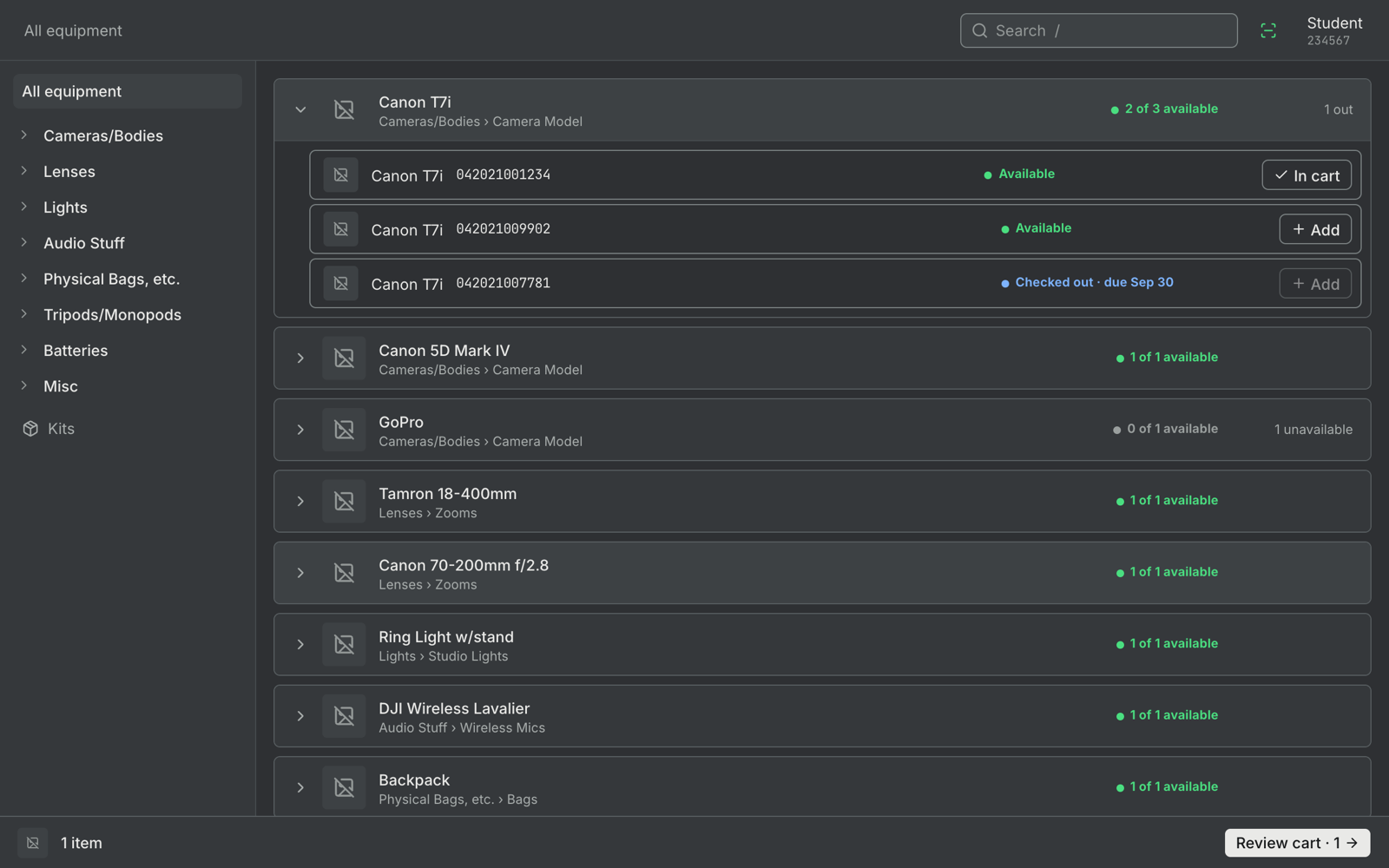
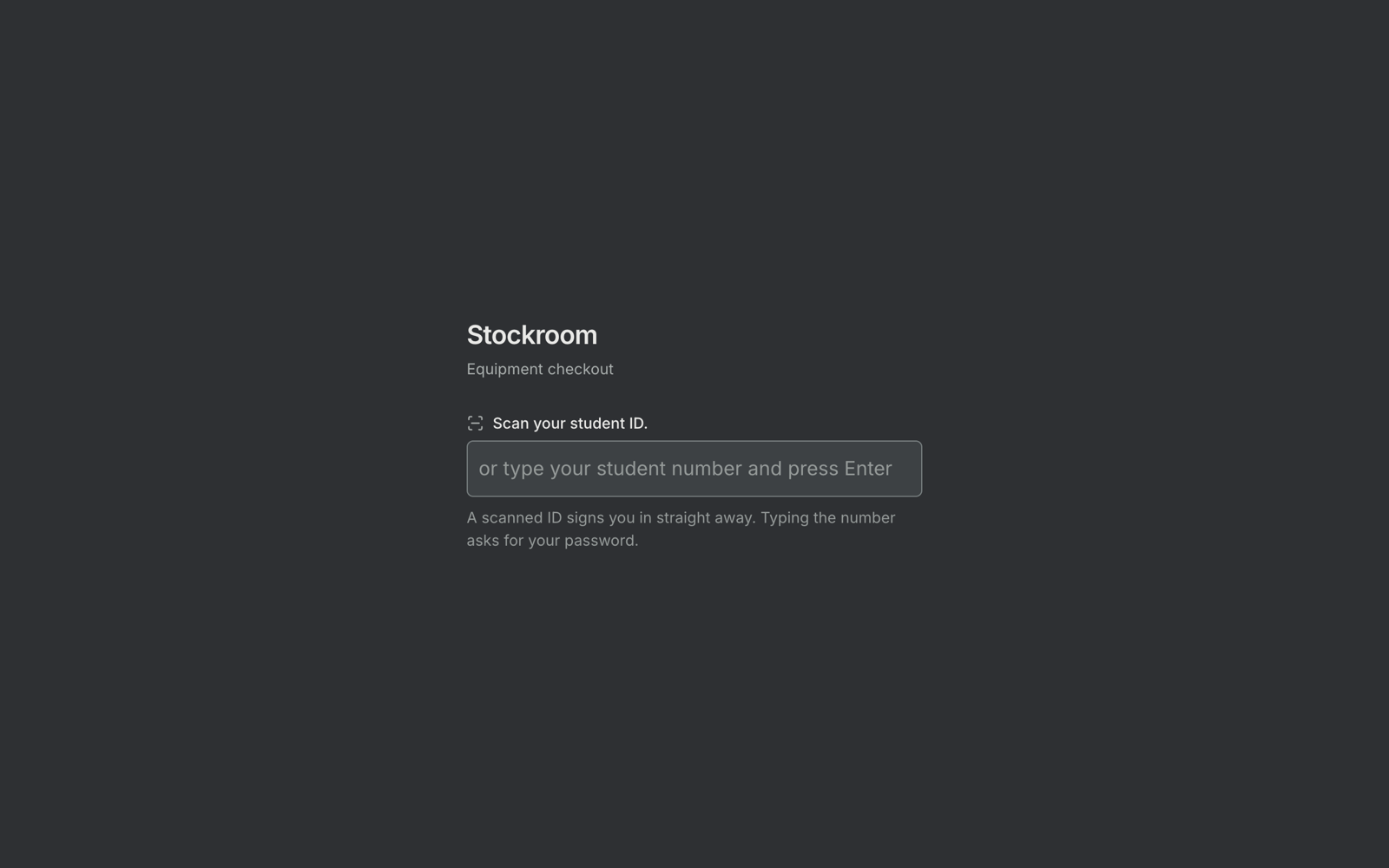
Scan an ID card to sign in, scan a sticker to check gear in or out. One PC, no internet needed.
Install · Admin guide · Student guide · FAQ · Contributing
 |
 |
## Project status
Stockroom runs end to end, and the test suite covers Postgres 14 through 17.
[v0.9.2](https://github.com/Kathir-D/Stockroom/releases/tag/v0.9.2) is out, so the
[install](#install) commands work: a `.deb` for Debian and Ubuntu, a cask for macOS, and a tarball
for anything else. The `.deb` is proven on a real Debian 12 container and a real Ubuntu 24.04
machine with systemd, by CI, on every merge. The macOS install has run once on a real Mac, where setup stalled starting PostgreSQL; v0.9.2 fixes that and has not been re-run there yet.
[ROADMAP.md](ROADMAP.md) tracks what's left.
## What you need
| | |
|---|---|
| **Latest release** | [releases/latest](https://github.com/Kathir-D/Stockroom/releases/latest) — v0.9.2 |
| **Install** | `curl … get.sh \| sudo bash` on Debian or Ubuntu, `brew install --cask kathir-d/tap/stockroom` on macOS, `irm … get.ps1 \| iex` on Windows |
| **Requires** | Debian 12, Ubuntu 24.04 or newer, macOS, or Windows 10 or 11 through WSL 2. PostgreSQL 14+. A HID barcode scanner |
| **Cost** | Free and AGPL-3.0. No account to create, no subscription, and no internet for daily use |
| Item | Notes |
|---|---|
| A PC that stays on | Runs the server and database. Turn off sleep, because the nightly backup runs inside the server |
| USB barcode scanner | Any HID keyboard-wedge scanner, the kind that types the code and then Enter. No driver needed |
| Label sheets | Stockroom prints Code 128 labels as PDFs for standard sheet sizes |
| Student ID cards with barcodes | Optional. Stockroom can print cards, or students can type their number and a password |
Supported systems are Debian 12, Ubuntu 24.04 and newer, macOS, and Windows 10 or 11 through WSL 2. [docs/HARDWARE.md](docs/HARDWARE.md) covers picking a scanner, labels and the closet PC.
## Install
Pick the line for your machine. Whichever one you use, you end up with the same thing: PostgreSQL
and rclone installed, a database created, a config file written, and a service that starts Stockroom
at boot with nobody logged in. Then open http://127.0.0.1:8080 and the setup wizard takes it from
there.
> **Every command below needs one of the two releases, and no more than that.** `brew install
> --cask kathir-d/tap/stockroom` installs the binary, PostgreSQL and rclone; the next command,
> `stockroom setup`, finishes the job. The Linux script does both in one go.
Prefer not to use a terminal? Each platform also has a graphical installer that does the same
install from a page in your browser: the `.deb` plus **Stockroom Setup** in the applications menu,
`Stockroom-Installer-macOS.zip`, and `Stockroom-Setup.exe`. They ship with the next release, and
[`docs/INSTALL.md`](docs/INSTALL.md#graphical-installers) walks through each.
### Linux — Debian or Ubuntu (recommended)
Debian 12, Ubuntu 24.04 or newer, on amd64 or arm64.
```bash
curl -fsSL https://raw.githubusercontent.com/Kathir-D/Stockroom/main/scripts/get.sh | sudo bash
```
`get.sh` downloads the `.deb` from the latest release, checks it against that release's
`checksums.txt`, and installs it with apt, which pulls in PostgreSQL 14+ and rclone. It then runs
`stockroom setup`, which creates the database, writes the config and starts the service. The service
restarts the server if it dies, and it starts at boot whether or not anyone is logged in.
**To update later, run the same command.** The server dumps the database with `pg_dump` before it
applies a new migration, into `backups/pre-migrate/`, so a student's checkout history survives the
jump. If that dump fails the server refuses to migrate and says why, so an upgrade never changes the
schema without a copy of it.
> **The script checks the release checksum, and refuses a distro it cannot support.** A `.deb` that
> doesn't match `checksums.txt` is not installed and the script says so. So is Ubuntu before 24.04,
> Debian 11, and anything that is not a Debian or Ubuntu derivative — the script reads
> `/etc/os-release` and stops rather than installing something that will not start. Ubuntu 22.04 is
> refused for a concrete reason: it packages rclone 1.53, and Stockroom needs 1.60.
> **To install a particular release**, name it: `… | sudo STOCKROOM_VERSION=v1.0.0 bash`. To run the
> service as a dedicated account rather than the one that ran `sudo` — a headless server, where that
> account is `root` — pass one of setup's own flags: `… | sudo bash -s -- --service-user stockroom`.
### macOS — Homebrew
```bash
brew install --cask kathir-d/tap/stockroom
stockroom setup
```
The cask pulls in `postgresql@17` and rclone. `stockroom setup` asks for your password once, because
it writes two LaunchDaemons, `com.stockroom.postgresql` and `com.stockroom.server`, so both start at
boot with nobody logged in. Run it as yourself, not with `sudo`.
**To update later:**
```bash
brew update && brew upgrade --cask kathir-d/tap/stockroom
```
`brew update` refreshes the tap so Homebrew can see a new release. To check first without changing
anything, `brew outdated --cask`. Or just watch the
[releases page](https://github.com/Kathir-D/Stockroom/releases) — there is no in-app updater, so a
release you did not come to Homebrew for will not announce itself.
> **That is one line, and no `brew trust` in it.** Homebrew 7 refuses to load a cask from an untrusted
> tap, and the fix people reach for is a `brew tap` plus a `brew trust` first. Neither is needed here,
> because a *fully qualified* install trusts the cask as part of the install — naming the tap in the
> command is what does it. `brew install --cask kathir-d/tap/stockroom` on its own is correct, and
> `brew trust Kathir-D/tap` is accepted but redundant.
> **The binary is ad-hoc signed and not notarized, so the cask clears the quarantine attribute.**
> Homebrew deliberately quarantines cask downloads, which would otherwise make every user approve the
> binary by hand in System Settings. The cask removes the attribute in a `postflight_steps` block that
> runs *after* Homebrew has verified the SHA-256 — so the checksum is the integrity gate, and the
> quarantine flag never was one. Homebrew's own `--no-quarantine` flag, which used to do this, was
> removed in 7.x. If the `xattr` step fails, installs still succeed and you get the ordinary one-time
> approval back.
> **Why a personal tap rather than `homebrew/cask`?** Homebrew's policy for its official cask repo
> requires that apps which Gatekeeper can assess pass its Gatekeeper checks. Stockroom's binary is
> un-notarized, so `spctl` reports it as `rejected` and it would be ineligible. Their maintainers have
> been explicit that this does not stop a developer maintaining their own tap of unsigned software —
> which is what `Kathir-D/homebrew-tap` is, shared with Sonar and headless-spotify.
### Windows 10 or 11 — WSL 2
In an administrator PowerShell (right-click, Run as administrator):
```powershell
irm https://raw.githubusercontent.com/Kathir-D/Stockroom/main/scripts/get.ps1 | iex
```
`get.ps1` installs Ubuntu 24.04 under WSL if it is missing, turns systemd on, runs `get.sh` inside
it, and registers a `Stockroom WSL` boot task that starts Ubuntu with nobody logged in. Open
http://localhost:8080 in any Windows browser. The barcode scanner and the label printer stay on the
Windows side and need nothing extra. Backups go to `Documents\Stockroom Backups` in your Windows
profile, where Explorer finds them and where they survive the Ubuntu distribution being removed.
> **This runs the Linux package inside Ubuntu under WSL 2.** There is no native Windows build and none
> is planned. The closet camera does not work under WSL, since Docker there cannot reach a USB camera.
> **The first run may ask for a restart.** A first WSL install usually does. Restart, then run the
> command again. Ubuntu will ask for a new user name and password, and that account runs Stockroom.
> Where WSL gives you no personal Linux account, `get.ps1` uses a dedicated `stockroom` service user
> instead.
### From a checkout
```bash
git clone https://github.com/Kathir-D/Stockroom.git
cd Stockroom
./scripts/dev.sh
```
Needs Docker, Go 1.25 or newer, Node.js 22 or newer and the Supabase CLI. That brings up the
database, the API server, the web app and the desktop app, for developing against.
[Development](#development) covers what you get, and [CONTRIBUTING.md](CONTRIBUTING.md#architecture)
has the repository layout.
To install on this machine the way an install works — a real service, a real config, but PostgreSQL
in a `postgres:17` container — use `./scripts/install.sh` instead. That is the older path, and it is
removed once the packages are proven on real machines.
### After it installs
`stockroom doctor` looks at a live install and tells you what is wrong with it, in words you can act
on. `stockroom support-bundle` zips that report and the log, secrets removed, for an issue.
[docs/INSTALL.md](docs/INSTALL.md) covers setup options, upgrading, uninstalling and troubleshooting.
## First-time setup
The setup wizard walks through these, and each is also in the admin panel later:
1. Set the failsafe admin. The server recreates this account on every start, so it is the way back in if every other admin is locked out.
2. Pick the student-number format: digits (the default), alphanumeric, or a custom pattern.
3. Build the category tree, Type → Category → Model, for example Lenses → Zooms → Canon 70-200mm. Admin → Categories → Import loads a whole tree.
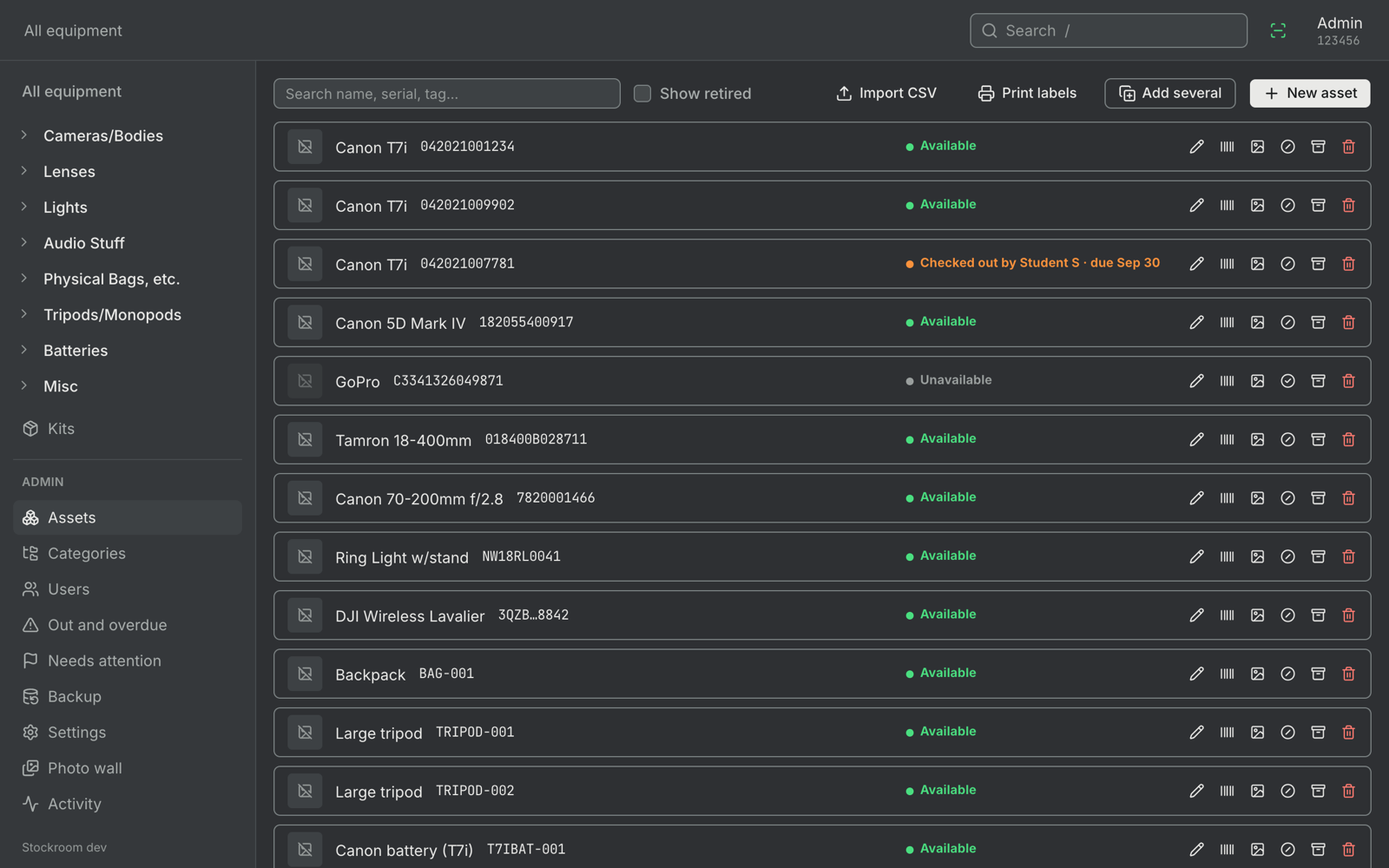
4. Add equipment, one row per physical item, each with a unique serial. Use Admin → Assets → Import CSV, or Add several for numbered batches like `T7B-001` to `T7B-040`.
5. Print labels from Admin → Assets → Print labels, at 100% scale on matte stock.
6. Import students from Admin → Users → Import roster, with columns `first_name,last_name,student_number`. Each student sets a password the first time they scan.
7. Make admins by editing a user and ticking Administrator.
8. Add Google Drive or GitHub backups in Admin → Settings. The installer already set a local backup folder.
[`examples/`](examples/) has a sample file for every import.
## Daily use
1. Scan your student ID.
2. Find an item and add it to your cart.
3. Pick the last day you need it and check out.
4. To return something, scan its sticker from any screen.
The [student guide](docs/STUDENT-GUIDE.md) is a printable one-pager for the closet wall. The [admin guide](docs/ADMIN-GUIDE.md) covers equipment, students, labels and the overdue list.
## Configuration
Almost everything lives in Admin → Settings. The server reads a few values from its config file, `.env` in development or `stockroom.env` in an install:
| Variable | Description | Default |
|---|---|---|
| `DATABASE_URL` | PostgreSQL connection string | `postgresql://postgres:postgres@127.0.0.1:54322/postgres` |
| `SERVER_ADDR` | Listen address | `127.0.0.1:8080` |
| `ADMIN_STUDENT_NUMBER`, `ADMIN_PASSWORD` | The failsafe admin, recreated on every start. Password is 8 to 72 characters | none |
| `UPLOADS_DIR` | Photo storage | `./uploads` |
| `SESSION_IDLE_MINUTES` | Idle sign-out timeout, unless Settings sets one | `10` |
| `BACKUP_DIR`, `PHOTO_BACKUP_DIR`, `RCLONE_REMOTE` | Backup settings for the first start only. Settings owns them after that | none |
[`.env.example`](.env.example) lists every key.
## Backups
The server backs up every night on its own. Each run writes every table to CSV in one zip, with a checksum per file and optional AES-256 encryption, then pushes a copy to Google Drive through [rclone](https://rclone.org/), to GitHub, or both. A failed push shows on the backup screen, and every admin sees a warning at sign-in when backups go stale.
Restore from Admin → Backup, or run `stockroom restore` when nobody can sign in. [docs/BACKUP-SETUP.md](docs/BACKUP-SETUP.md) walks through connecting Drive and GitHub.
## Troubleshooting
| Problem | Fix |
|---|---|
| A scan asks for a password | The scan arrived too slowly and read as typing. Press Ctrl+Shift+D to see key timings, then raise the scanner speed in Admin → Settings |
| A scan does nothing | Scan into a text editor. If nothing appears, the scanner isn't in keyboard mode. If no new line appears, set it to send Enter after each code |
| Locked out of the admin panel | Set `ADMIN_STUDENT_NUMBER` and `ADMIN_PASSWORD` in the config file and restart the service |
| Can't delete a user | An account that ever borrowed anything keeps its history. Archive it instead |
| Backups reported as stale | Admin → Backup shows the last error for each target and the backup log |
| Anything else on an install | Run `stockroom doctor`. `stockroom support-bundle` zips its report and the log, secrets removed, to attach to an issue |
[docs/FAQ.md](docs/FAQ.md) answers the common questions. Development problems are in [CONTRIBUTING.md](CONTRIBUTING.md#troubleshooting).
## Documentation
| Guide | For |
|---|---|
| [INSTALL.md](docs/INSTALL.md) | Installing, upgrading and uninstalling |
| [ADMIN-GUIDE.md](docs/ADMIN-GUIDE.md) | Running the stockroom day to day |
| [STUDENT-GUIDE.md](docs/STUDENT-GUIDE.md) | A printable page for students |
| [HARDWARE.md](docs/HARDWARE.md) | Scanner, labels and the closet PC |
| [BACKUP-SETUP.md](docs/BACKUP-SETUP.md) | Connecting Google Drive and GitHub |
| [FAQ.md](docs/FAQ.md) | Common questions |
| [api.md](docs/api.md) | Every HTTP route |
| [decisions.md](docs/decisions.md) and [adr/](docs/adr/) | Why things work the way they do |
| [CONTEXT.md](CONTEXT.md) | The glossary |
| [ROADMAP.md](ROADMAP.md) | Open work |
## Development
```bash
git clone https://github.com/Kathir-D/Stockroom.git
cd Stockroom
./scripts/dev.sh
```
That starts the database, the API server, the web app on http://localhost:5173 and the desktop app. It needs Docker, Go 1.25+, Node.js 22+ and the Supabase CLI. The seed creates two accounts, `123456` (admin) and `234567` (student), both with the password `password`.
The Go server is the only database client. Both frontends render the same Svelte package and call the server over HTTP, and an install embeds the web UI and every migration in one binary.
```mermaid
flowchart LR
scanner[USB scanner] --> ui
subgraph closet PC
ui[Svelte UI