# SearchDeadCode
Your app ships dead code. Find it, prove it, delete it.
Static scan. Runtime proof. Safe delete.
No JDK. No Gradle build.




⚡ an 800-file module in 1.3 s • 🔍 54 detectors • 📦 one binary, zero build
Scan → Review → Delete.


English · 简体中文 · 日本語 · 한국어
---
## Why this feels different
Most dead code tools want your build first. A JDK, a Gradle sync, minutes of waiting. SearchDeadCode parses Kotlin and Java sources directly, in Rust. Point it at a bare checkout: a module answers in about a second, a 5,700-file monorepo in under three minutes.
No warmup. No indexing.
---
## Install
```bash
brew install KevinDoremy/tap/searchdeadcode # macOS / Linux
cargo install searchdeadcode # anywhere with Rust
```
One static binary. Windows, the one-line CI installer and pre-built binaries: [docs/install.md](docs/install.md).
---
## Recent
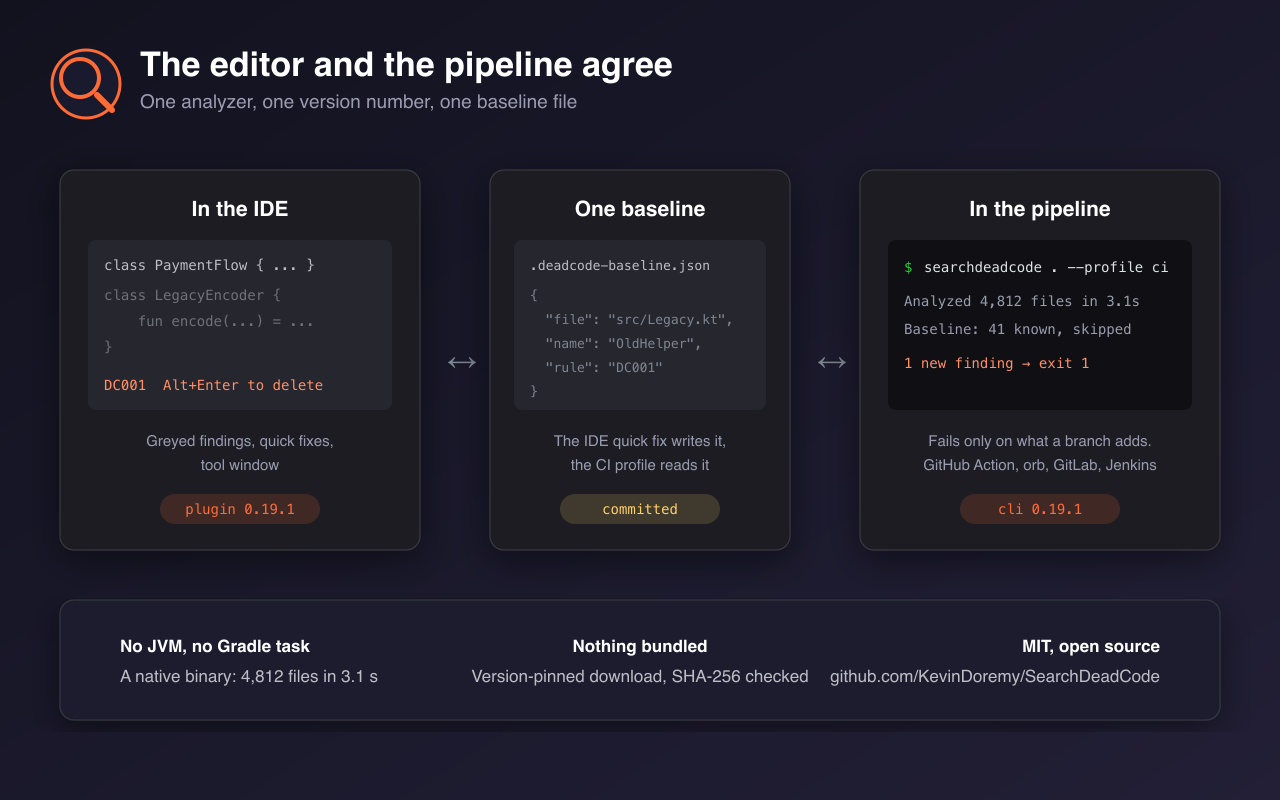
- **In your IDE.** The Android Studio / IntelliJ plugin ships: greyed-out declarations, quick fixes on Alt+Enter, one version number with the CLI.
- **One-flag CI.** `--profile ci` gates the build, skips the cache and reads your committed baseline.
- **Triage tools.** `--clusters` groups findings that die together; `--kill-list OldCheckout` answers "what falls if I delete this?"
- **Migration radar.** `--twins` and `--compare "old=new"` line up V1/V2 trees and name the blockers.
[Full changelog →](CHANGELOG.md)
---
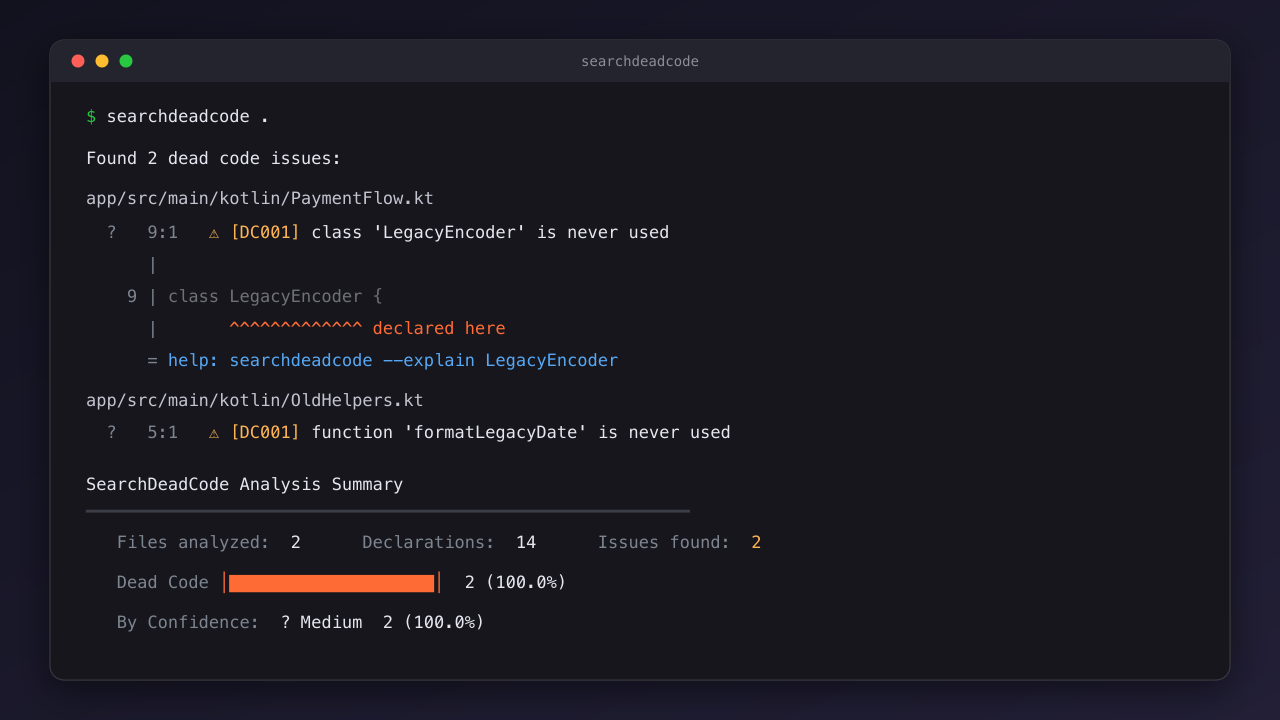
## One command
```text
$ searchdeadcode .
Found 2 dead code issues:
Confidence Legend:
✓ Confirmed (runtime) ! High ? Medium ~ Low
app/src/main/kotlin/PaymentFlow.kt
? 9:1 ⚠ [DC001] class 'LegacyEncoder' is never used
|
9 | class LegacyEncoder {
| ^^^^^^^^^^^^^ declared here
= help: searchdeadcode --explain LegacyEncoder
```
Run it at the repo root. Every finding shows the declaration itself, then prints the exact command that justifies the verdict. That `help:` line is not documentation. It is your next move.
Copy it. Dig in.
---
## Safe delete
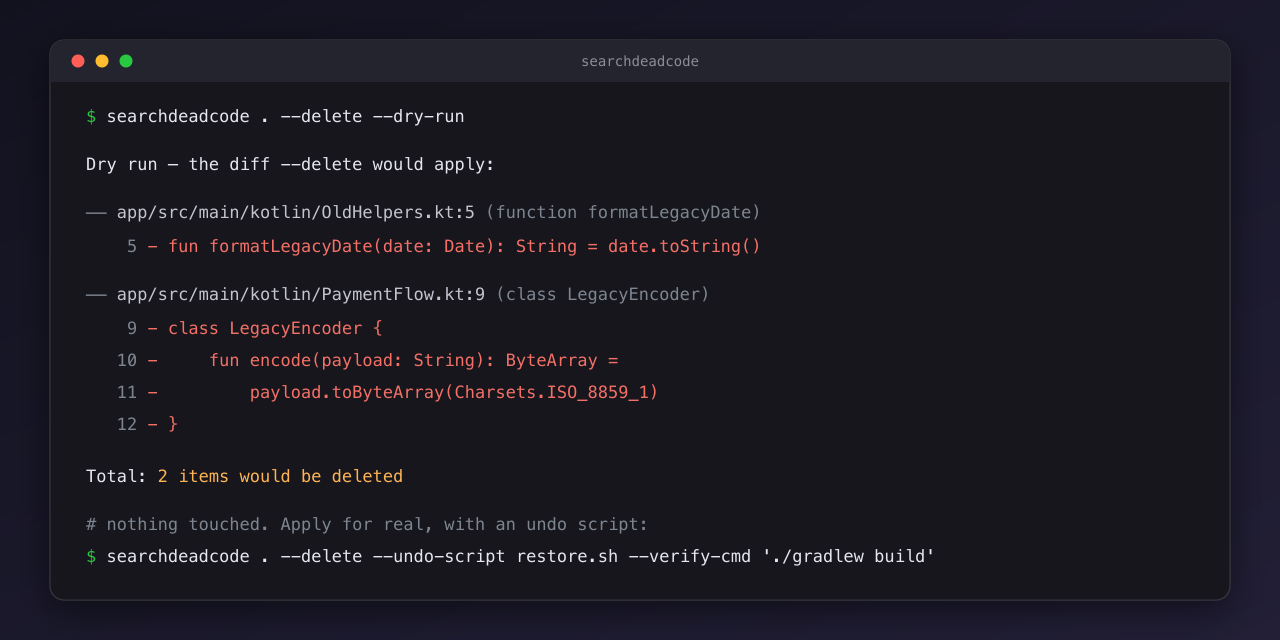
`--delete --dry-run` shows every removal as a diff and touches nothing. The real delete takes `--undo-script restore.sh`, and `--verify-cmd './gradlew build'` restores every byte if the build breaks.
Wrong call? Everything comes back.
---
## Trust before deleting
```text
$ searchdeadcode . --explain LegacyEncoder
🔎 Explain: com.example.checkout.LegacyEncoder (Class) · PaymentFlow.kt:9
Incoming references: 0
Roots checked:
- entry point (manifest, layouts, annotations, inheritance): no
- reachable from an entry point: no
Verdict: DEAD
```
Every verdict is a graph walk you can replay. `--why-alive` answers the inverse: what keeps a symbol alive.
No black box.
---
## In your IDE
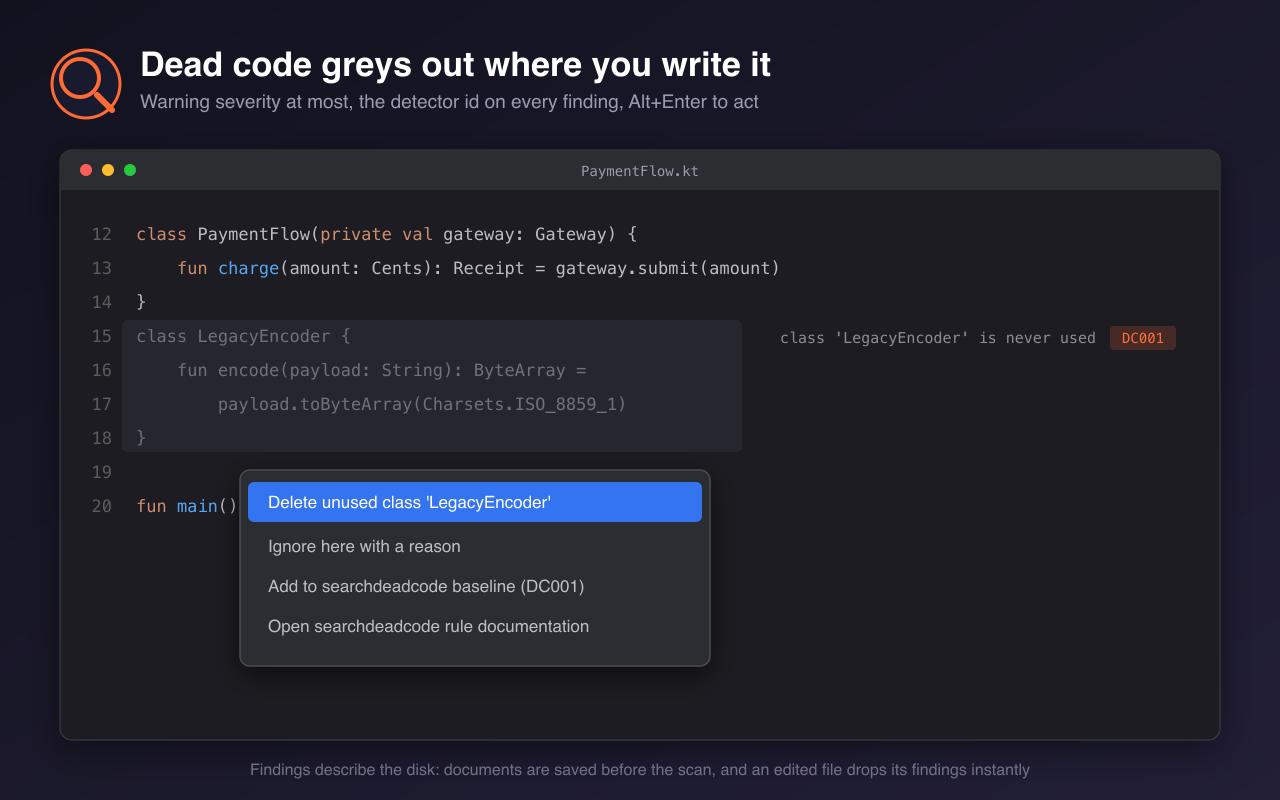
The JetBrains plugin is the same analyzer in the editor loop. Dead declarations grey out as you read. Alt+Enter offers four fixes: delete, ignore with a reason, add to baseline, open the rule docs.
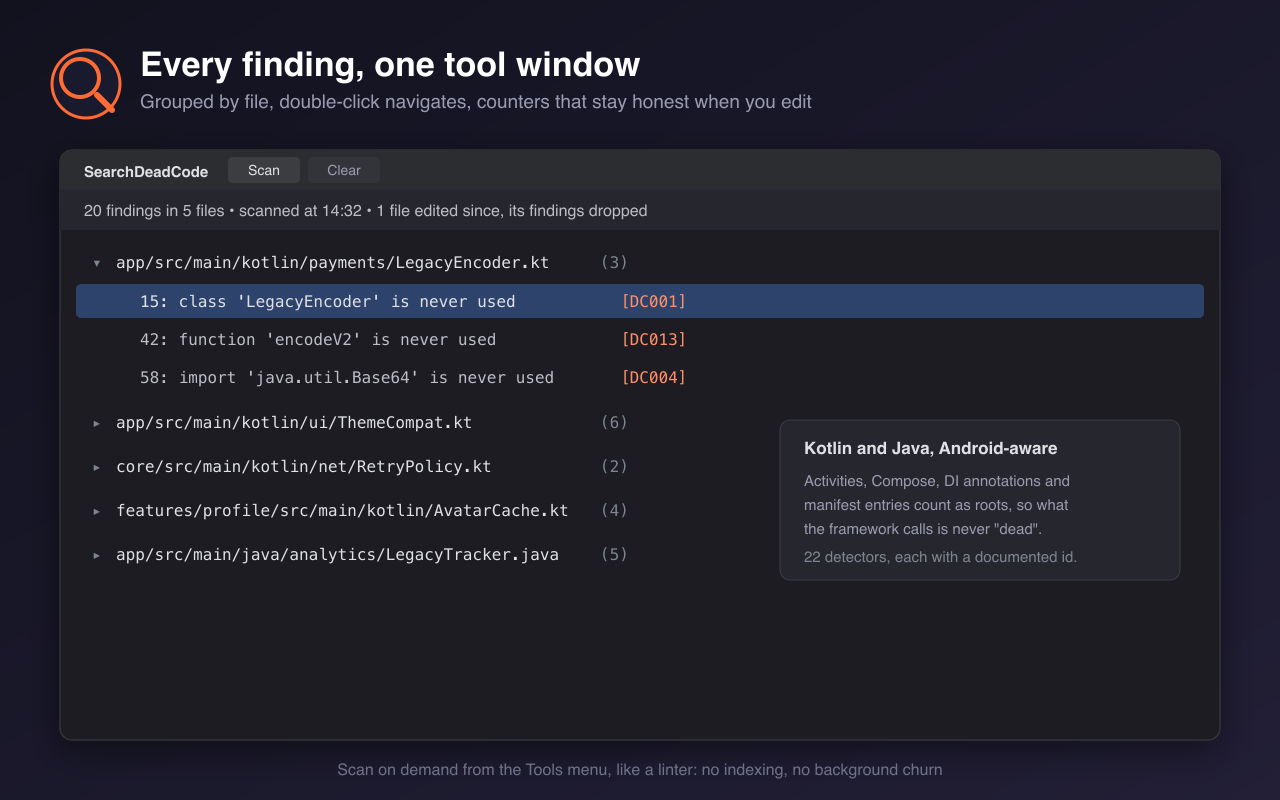
The tool window groups findings by file; double-click navigates. Android Studio Ladybug and newer: [docs/android-studio.md](docs/android-studio.md). Also on [VS Code](https://marketplace.visualstudio.com/items?itemName=elumine.searchdeadcode) and [Open VSX](https://open-vsx.org/extension/elumine/searchdeadcode).
---
## In CI
```yaml
- uses: KevinDoremy/SearchDeadCode@v0
with:
args: '--profile ci'
```
`--profile ci` is the whole gate in one flag: exit 1 on findings, zero cache left behind, the committed baseline honored. Adopting on a legacy codebase? Freeze the debt once with `--generate-baseline` and commit the file. From then on the build fails only on what a branch adds.
Eight platforms, SARIF, Checkstyle and exit codes: [docs/ci-integration.md](docs/ci-integration.md).
---
## Confirmed, not guessed
```bash
searchdeadcode . \
--coverage build/reports/jacoco/test/jacocoTestReport.xml \
--proguard-usage app/build/outputs/mapping/release/usage.txt
```
Static analysis says probably. Runtime evidence says confirmed. Feed it JaCoCo, Kover or LCOV coverage plus R8's `usage.txt`; findings both sources agree on get promoted to ✓ Confirmed.
Delete without ceremony.
---
## What it detects
Fifty-four detectors. Twenty-two hunt dead code: unused classes, methods, properties, imports, parameters, enum cases, XML resources. Thirty-two flag anti-patterns across Kotlin, Compose, performance and architecture. Activities, Fragments, manifest components and DI annotations are auto-retained, so framework wiring never shows up as noise.
Every rule, with code samples: [DETECTORS.md](DETECTORS.md).
---
## Configuration
Zero config to start. When reflection or codegen fools the graph, one file sets the record:
```yaml
# .deadcode.yml
retain_patterns:
- "*Adapter"
- "*ViewHolder"
```
Full schema, YAML and TOML, plus the Android options: [docs/configuration.md](docs/configuration.md).
---
## Not the right tool when
- You need 100 % certainty: static analysis cannot see `Class.forName()`. Pass R8's `usage.txt` instead.
- Your project is pure Java: it works, but Kotlin comes first here.
- You target KMP JS: out of scope.
- You want analysis on every keystroke: scans are on demand, like a linter.
The honest feature-by-feature table: [docs/comparison.md](docs/comparison.md).
---
## Like it?
If it cleared real weight from your app, a GitHub star helps other Android teams find this. Bugs and ideas land as [issues](https://github.com/KevinDoremy/SearchDeadCode/issues).
### Companion tools
- [kotlin-jump](https://github.com/elumine-dev/kotlin-jump): Kotlin and Java navigation for VS Code, no JVM.
- [detekt-lsp](https://github.com/elumine-dev/detekt-lsp): live Detekt diagnostics for any LSP editor.
Maintained alongside [elumine-dev](https://github.com/elumine-dev) by [Kevin Doremy](https://kevindoremy.com).
[MIT](LICENSE). Take it anywhere.