### Made by [@kilianvalkhof](https://twitter.com/kilianvalkhof)
#### Other projects:
- 💻 [Polypane](https://polypane.app) - Develop responsive websites and apps twice as fast on multiple screens at once
- 🖌️ [Superposition](https://superposition.design) - Kickstart your design system by extracting design tokens from your website
---
 FromScratch
===========
## A simple but smart note-taking app
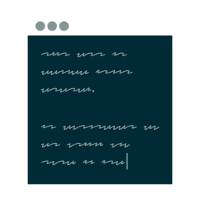
FromScratch is a little app that you can use as a quick note taking or todo app.
* Small and simple, the only UI is the text you type
* Saves on-the-fly, no need to manually save
* Automatic indenting
* Note-folding
* Use checkboxes to keep track of your TODO's
* Powerful keyboard control
* Replaces common syntax with symbols, such as arrows
* Dark and Light theme
* Portable mode support
* Free
### Shortcuts
* f1 - show/hide shortcut overview
* cmd/ctrl+up - move current line up
* cmd/ctrl+down - move current line down
* cmd/ctrl+d - delete current line
* cmd/ctrl+w/q - close application
* cmd/ctrl +/= - zoom text in
* cmd/ctrl - - zoom text out
* cmd/ctrl+0 - reset text size
* cmd/ctrl+]/[/k - fold note collapsing
* cmd/ctrl+f - search (you can also use regular expressions, by starting and ending with a /)
* shift+cmd/ctrl+f - replace
* shift+cmd/ctrl+r - replace all
* cmd/ctrl+g - jump to line (you can also use : notation, or go relative lines with + and -)
* cmd/ctrl+/ or cmd/ctrl+l - Add or toggle a checkbox
* f11 - Toggle fullscreen
* cmd/ctrl+i - Toggle between light and dark theme
* alt - show or hide menu (Windows only)
* cmd/ctrl+s - ...this does nothing.
## Download
Recent downloads for macOS, Windows and Linux available on https://fromscratch.rocks
For Arch users, [FromScratch is available on AUR](https://aur.archlinux.org/packages/fromscratch-bin/)
For macOS, you can also install FromScratch via Homebrew: ```$ brew cask install fromscratch```
### Installation
```sh
# Download from git
git clone https://github.com/kilian/fromscratch.git
# Install dependencies
cd fromscratch && npm install
# build and run
npm start
# or run dev version
npm run dev
```
### Command Line Arguments
**Portable Mode**
`--portable`
Lets you store all the files FromScratch generates in a specified location, such as a USB-stick or
other portable storage device. In this mode both the configuration files as well as your text content will be stored in
a "userdata" directory alongside the FromScratch executable, or when given a directory as an argument, will store
the files there.
You can also use this to store the FromScratch configuration files, and the text content, in a synced cloud storage
folder.
```
# run FromScratch in portable mode, saving data in application directory.
fromscratch --portable
```
```
# run FromScratch in portable mode, saving data in custom directory.
fromscratch --portable ~/fromscratch_data
```
**help**
`-h, --help`
Prints help information
### FAQ
*Where is my data saved?*
Your data is saved in a plain text file content.txt. On Mac and Linux, this file is saved in ~/.fromscratch. On Windows
this file is saved in a directory called ".fromscratch" in your userprofile directory.
*Can my data be saved in an alternate directory?*
Yes! See the **portable mode** section under the **Command Line Arguments** heading above.
### Credits
FromScratch is built upon these open source projects:
Electron,
React,
Fira Code,
CodeMirror and
Electron-react-boilerplate.
Thanks to @bittersweet for helping me set up IPC to work around a particularly nasty bug, @chentsulin for the electron-react-boilerplate, and @ctrauma for the portable bits.
FromScratch
===========
## A simple but smart note-taking app
FromScratch is a little app that you can use as a quick note taking or todo app.
* Small and simple, the only UI is the text you type
* Saves on-the-fly, no need to manually save
* Automatic indenting
* Note-folding
* Use checkboxes to keep track of your TODO's
* Powerful keyboard control
* Replaces common syntax with symbols, such as arrows
* Dark and Light theme
* Portable mode support
* Free
### Shortcuts
* f1 - show/hide shortcut overview
* cmd/ctrl+up - move current line up
* cmd/ctrl+down - move current line down
* cmd/ctrl+d - delete current line
* cmd/ctrl+w/q - close application
* cmd/ctrl +/= - zoom text in
* cmd/ctrl - - zoom text out
* cmd/ctrl+0 - reset text size
* cmd/ctrl+]/[/k - fold note collapsing
* cmd/ctrl+f - search (you can also use regular expressions, by starting and ending with a /)
* shift+cmd/ctrl+f - replace
* shift+cmd/ctrl+r - replace all
* cmd/ctrl+g - jump to line (you can also use : notation, or go relative lines with + and -)
* cmd/ctrl+/ or cmd/ctrl+l - Add or toggle a checkbox
* f11 - Toggle fullscreen
* cmd/ctrl+i - Toggle between light and dark theme
* alt - show or hide menu (Windows only)
* cmd/ctrl+s - ...this does nothing.
## Download
Recent downloads for macOS, Windows and Linux available on https://fromscratch.rocks
For Arch users, [FromScratch is available on AUR](https://aur.archlinux.org/packages/fromscratch-bin/)
For macOS, you can also install FromScratch via Homebrew: ```$ brew cask install fromscratch```
### Installation
```sh
# Download from git
git clone https://github.com/kilian/fromscratch.git
# Install dependencies
cd fromscratch && npm install
# build and run
npm start
# or run dev version
npm run dev
```
### Command Line Arguments
**Portable Mode**
`--portable`
Lets you store all the files FromScratch generates in a specified location, such as a USB-stick or
other portable storage device. In this mode both the configuration files as well as your text content will be stored in
a "userdata" directory alongside the FromScratch executable, or when given a directory as an argument, will store
the files there.
You can also use this to store the FromScratch configuration files, and the text content, in a synced cloud storage
folder.
```
# run FromScratch in portable mode, saving data in application directory.
fromscratch --portable
```
```
# run FromScratch in portable mode, saving data in custom directory.
fromscratch --portable ~/fromscratch_data
```
**help**
`-h, --help`
Prints help information
### FAQ
*Where is my data saved?*
Your data is saved in a plain text file content.txt. On Mac and Linux, this file is saved in ~/.fromscratch. On Windows
this file is saved in a directory called ".fromscratch" in your userprofile directory.
*Can my data be saved in an alternate directory?*
Yes! See the **portable mode** section under the **Command Line Arguments** heading above.
### Credits
FromScratch is built upon these open source projects:
Electron,
React,
Fira Code,
CodeMirror and
Electron-react-boilerplate.
Thanks to @bittersweet for helping me set up IPC to work around a particularly nasty bug, @chentsulin for the electron-react-boilerplate, and @ctrauma for the portable bits.