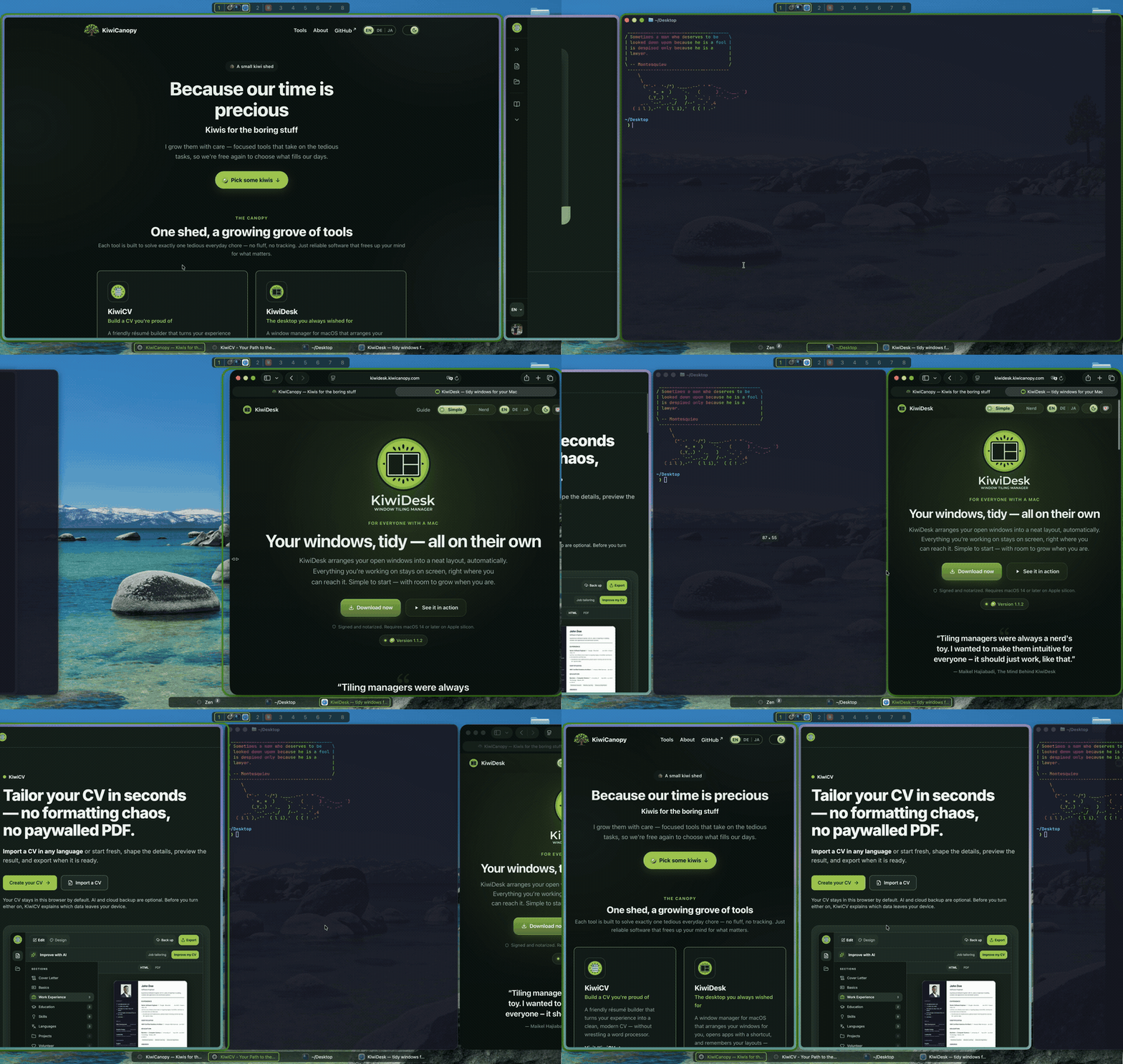
### Tiling that feels like it shipped with macOS.
**Start simple. Grow without limits.** KiwiDesk tiles your windows
the moment you install it — no config required. When you want more,
go deeper: custom Lua, profiles, advanced layouts, per-space rules.
Powerful when you reach for it, never in your way.


[](https://github.com/KiwiCanopy/KiwiDesk/actions/workflows/ci.yml)
[](LICENSE)
[](https://github.com/KiwiCanopy/homebrew-tap)
[](https://github.com/KiwiCanopy/KiwiDesk/releases/latest)
[Website](https://kiwidesk.kiwicanopy.com/) · [Docs](https://kiwidesk.kiwicanopy.com/docs/) · [Quick Start](https://kiwidesk.kiwicanopy.com/docs/user-guide/) · [Recipes](https://kiwidesk.kiwicanopy.com/docs/recipes/) · [Changelog](https://kiwidesk.kiwicanopy.com/changelog/) · [Roadmap](ROADMAP.md) · [Discord](https://discord.gg/bYeTrJyZyS) · [Sponsor](https://github.com/sponsors/KiwiCanopy)
## Why KiwiDesk?
I love tiling window managers, but I could never recommend one to a
friend who doesn't live in a terminal. On the Mac they all want a
config file first; they feel like a nerd's toy. KiwiDesk is the one I
can hand over: it tiles your windows the moment you say go, everything
is a slider or a switch in a real Settings window, and going deeper
feels like learning a feature rather than hacking a file. When you do
want the file, it is there: Lua config, a CLI and a socket, the whole
nerd's toy underneath.
It is also built to survive macOS updates. Every private Apple API
has a public fallback, and the two things only Apple's own bridge can
do switch themselves off after an update instead of breaking.
[How it compares with yabai, AeroSpace and the rest →](https://kiwidesk.kiwicanopy.com/compare/)
## Installation
Requirements: macOS 14 or later, on Apple silicon.
```sh
brew install --cask kiwicanopy/tap/kiwidesk
```
Or **[download the `.dmg`](https://kiwidesk.kiwicanopy.com/)** — the
same signed, notarized app; the cask additionally puts the `kiwidesk`
CLI on your `PATH`. Either way KiwiDesk checks for updates itself.
On first launch a wizard walks you through the Accessibility
permission; nothing moves until you press **Start Tiling**. Everything past
that — Settings, the CLI, Lua — is in the
**[Quick Start](https://kiwidesk.kiwicanopy.com/docs/user-guide/)**.
### Building from source
For contributors, or to run an unreleased commit. Requirements:
Xcode 27+ / Swift 6.4 (the app itself runs on macOS 14+).
```sh
git clone https://github.com/KiwiCanopy/KiwiDesk.git
cd KiwiDesk
swift build -c release
.build/release/KiwiDesk # run the app
```
## Contributing
See [CONTRIBUTING.md](CONTRIBUTING.md) and [AGENTS.md](AGENTS.md); AI coding
agents are welcome. To report a vulnerability, see [SECURITY.md](SECURITY.md).
Questions and ideas go to
[Discussions](https://github.com/KiwiCanopy/KiwiDesk/discussions), where
the answer helps the next person too. To chat, share a setup or follow
releases, join the [Discord](https://discord.gg/bYeTrJyZyS).
## License
[Business Source License 1.1](LICENSE): using KiwiDesk is free, at home
and at work; offering, selling, bundling or hosting it or a derivative
as a product or service needs a commercial license. Each version
becomes [MIT](https://opensource.org/license/mit) four years after publication.
---
KiwiDesk's source is public. If you like it, leave a ⭐ — it is the
one thing that helps other people find it.
A KiwiCanopy project — Because our time
is precious 🥝