# HawkPass - ShadowHawk Password Manager

**Your Digital Fortress - Secure, Simple, Powerful**
[](https://opensource.org/licenses/MIT)
[](https://electronjs.org/)
[](https://github.com/Klucznik6/ShadowHawk-passwords-manager/releases)
[](https://github.com/Klucznik6/ShadowHawk-passwords-manager/releases)
[Download](https://github.com/Klucznik6/ShadowHawk-passwords-manager/releases) • [Documentation](#documentation) • [Features](#features) • [Contributing](#contributing)
---
## 📋 Table of Contents
- [About](#about)
- [Features](#features)
- [Screenshots](#screenshots)
- [Installation](#installation)
- [Usage](#usage)
- [Security](#security)
- [Development](#development)
- [Contributing](#contributing)
- [License](#license)
- [Support](#support)
---
## 🎯 About
**HawkPass** (ShadowHawk Password Manager) is a secure, privacy-focused password manager built with Electron. Unlike cloud-based alternatives, HawkPass keeps your data completely local, ensuring your passwords never leave your device.
### Why HawkPass?
- **🔒 Zero-Knowledge Architecture**: Your data never leaves your device
- **🛡️ Military-Grade Encryption**: AES-256 encryption protects your passwords
- **🌐 Works Offline**: No internet connection required
- **🎨 Beautiful Interface**: Modern, intuitive design with dark/light themes
- **🌍 Multi-Language Support**: Available in 6 languages (English, Polish, Spanish, German, French, Portuguese)
- **📁 Smart Organization**: Custom folders with colors and icons
- **♻️ Recovery System**: 30-day recovery for accidentally deleted items
- **💳 Payment Cards**: Secure storage for credit/debit cards
- **🔄 Import/Export**: Secure data backup and transfer system
- **🆓 Free & Open Source**: No subscriptions, no data collection
---
## ✨ Features
### 🔐 **Core Security**
- **Local Storage Only**: All data stays on your device
- **AES-256 Encryption**: Industry-standard encryption using CryptoJS
- **Master Password**: Single password protects everything
- **Zero Cloud Dependencies**: Works completely offline
- **Recovery Codes**: Secure account recovery system
### 📁 **Smart Organization**
- **Custom Folders**: Create folders with personalized colors and icons
- **System Folders**: Built-in All Items, Favorites, and Recently Deleted
- **Advanced Search**: Quickly find passwords and cards
- **Favorites System**: Mark important items for quick access
- **Bulk Operations**: Manage multiple items efficiently
### 🔑 **Password Management**
- **Password Generator**: Create strong, unique passwords
- **Secure Storage**: Encrypted storage for usernames and passwords
- **Auto-Fill Ready**: Copy credentials with one click
- **Password History**: Track password changes
- **Notes & URLs**: Store additional information for each entry
### 💳 **Payment Card Manager**
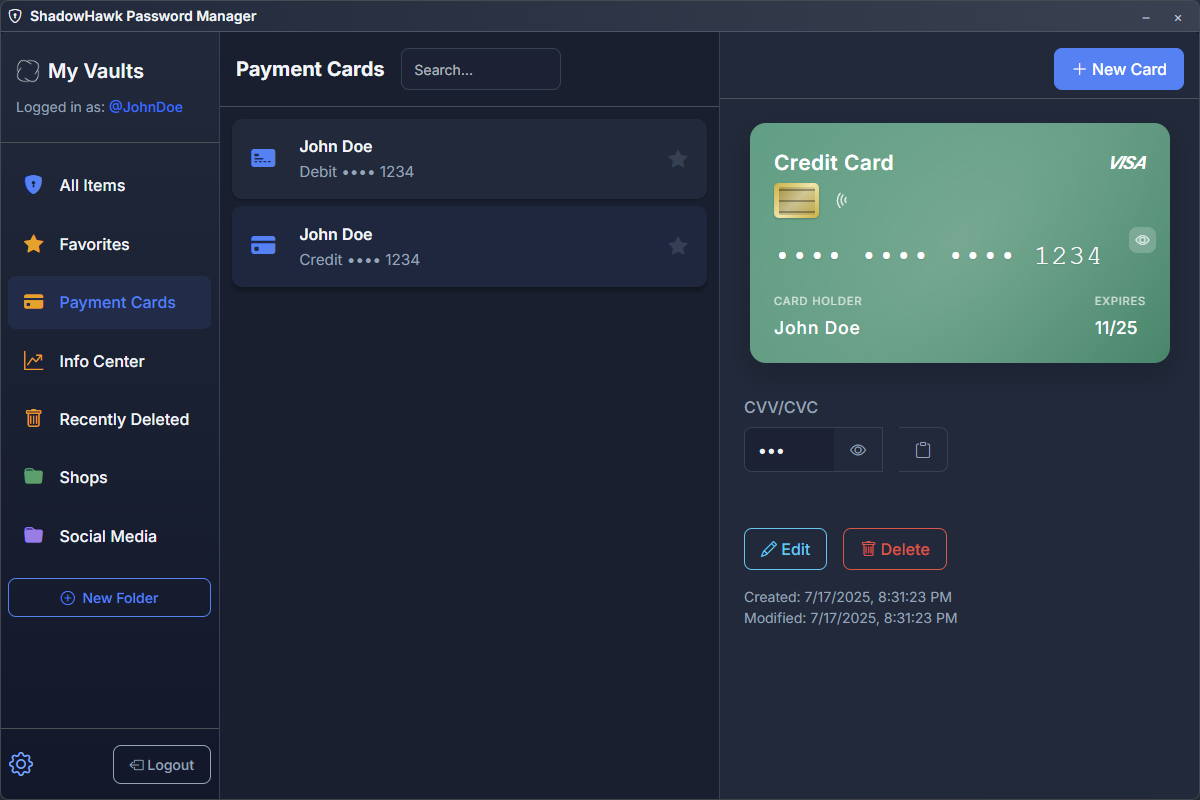
- **Card Storage**: Securely store credit/debit cards
- **Beautiful Card Previews**: Visual card representations
- **Encrypted CVV**: Secure CVV storage with reveal option
- **Expiration Tracking**: Monitor card expiration dates
- **Multiple Card Types**: Support for various card brands
### ♻️ **Recovery System**
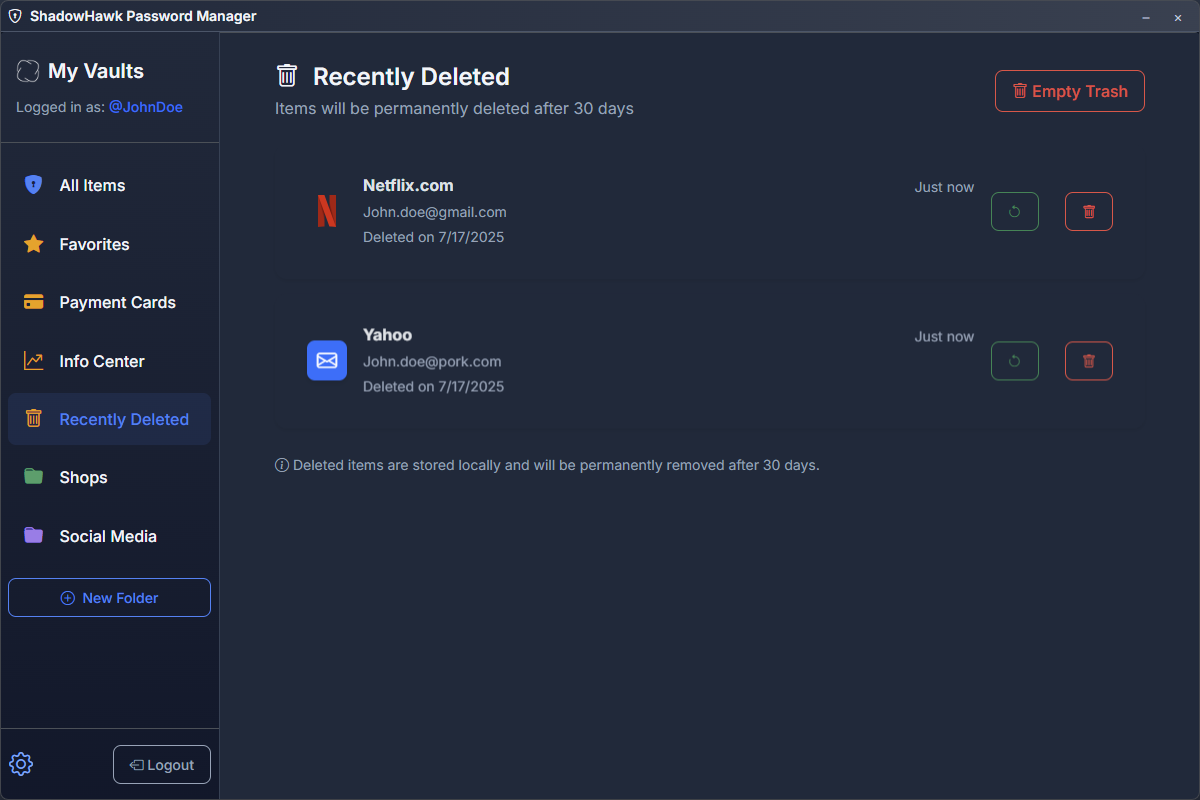
- **Recently Deleted**: 30-day retention for deleted items
- **Folder Recovery**: Restore deleted folders and their contents
- **Bulk Recovery**: Restore multiple items at once
- **Permanent Deletion**: Securely remove items after 30 days
- **Smart Cleanup**: Automatic cleanup of expired deleted items
### 🎨 **User Interface**
- **Modern Design**: Clean, intuitive interface
- **Responsive Layout**: Adapts to different window sizes
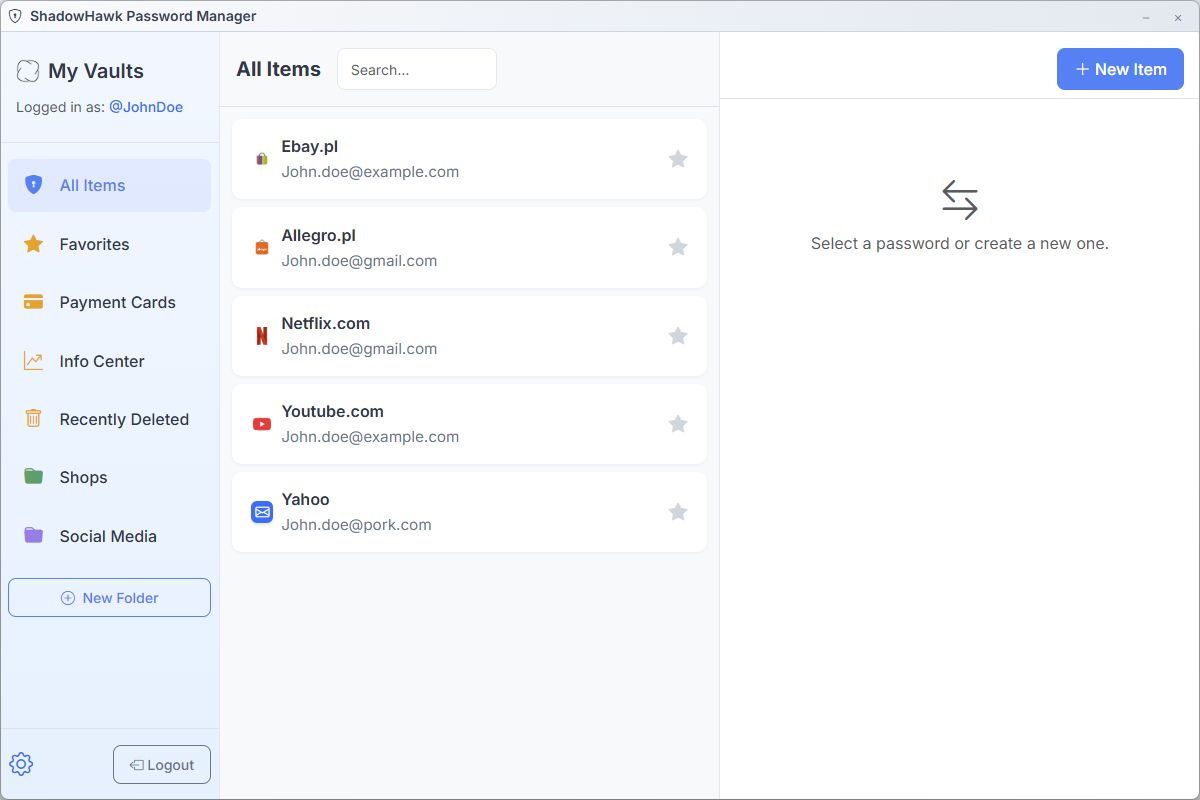
- **Theme Support**: Dark and light theme options with automatic system detection
- **🌍 Multi-Language**: Support for 6 languages with easy switching
- 🇺🇸 English
- 🇵🇱 Polish (Polski)
- 🇪🇸 Spanish (Español)
- 🇩🇪 German (Deutsch)
- 🇫🇷 French (Français)
- 🇵🇹 Portuguese (Português)
- **Auto-Detection**: Automatically detects and sets your system language
- **Manual Override**: Easy language switching in Settings anytime
- **Custom Title Bar**: Native-feeling window controls
- **Smooth Animations**: Polished user experience
- **Accessibility**: Screen reader friendly
### 🔄 **Data Management**
- **Secure Import/Export**: Backup and restore your data with encrypted export codes
- **Cross-Platform Compatibility**: Transfer data between devices securely
- **Password Generation**: Advanced password generator with customizable settings
- **Bulk Operations**: Manage multiple items efficiently
- **Smart Search**: Quickly find any stored information
---
## 📸 Screenshots
Click to view screenshots
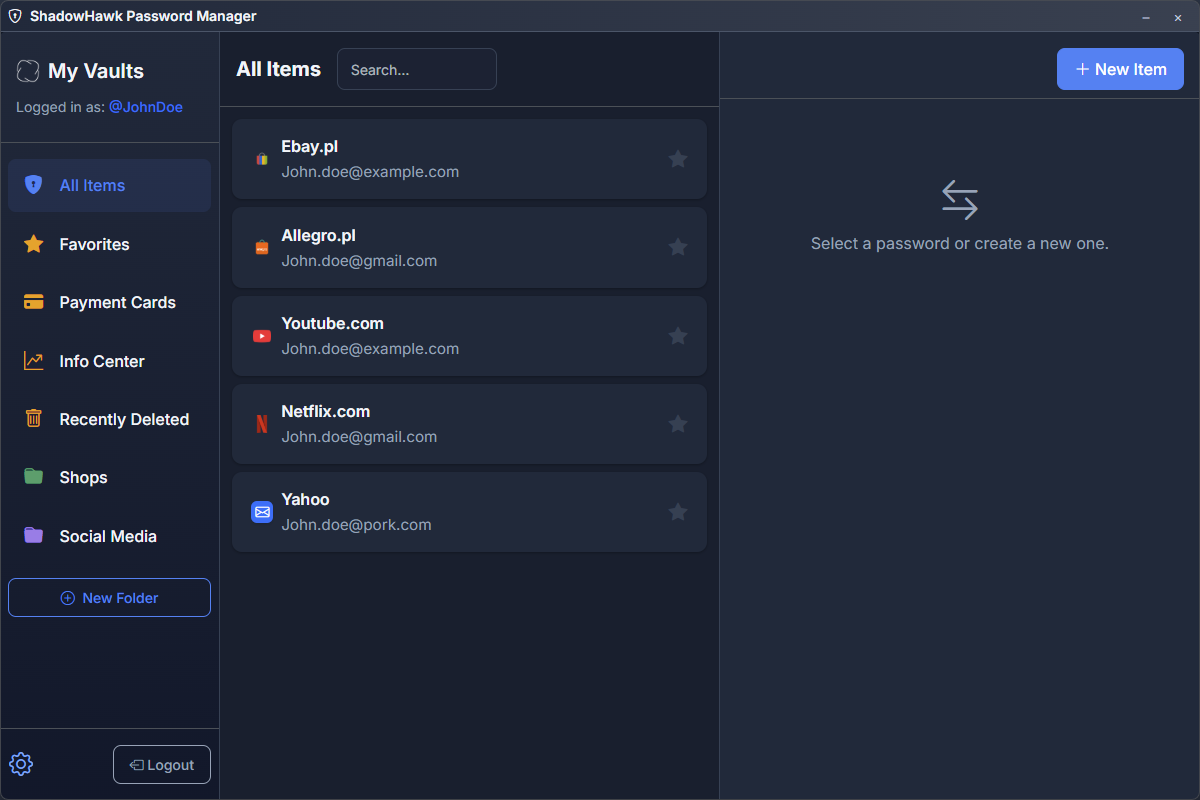
### Main Dashboard
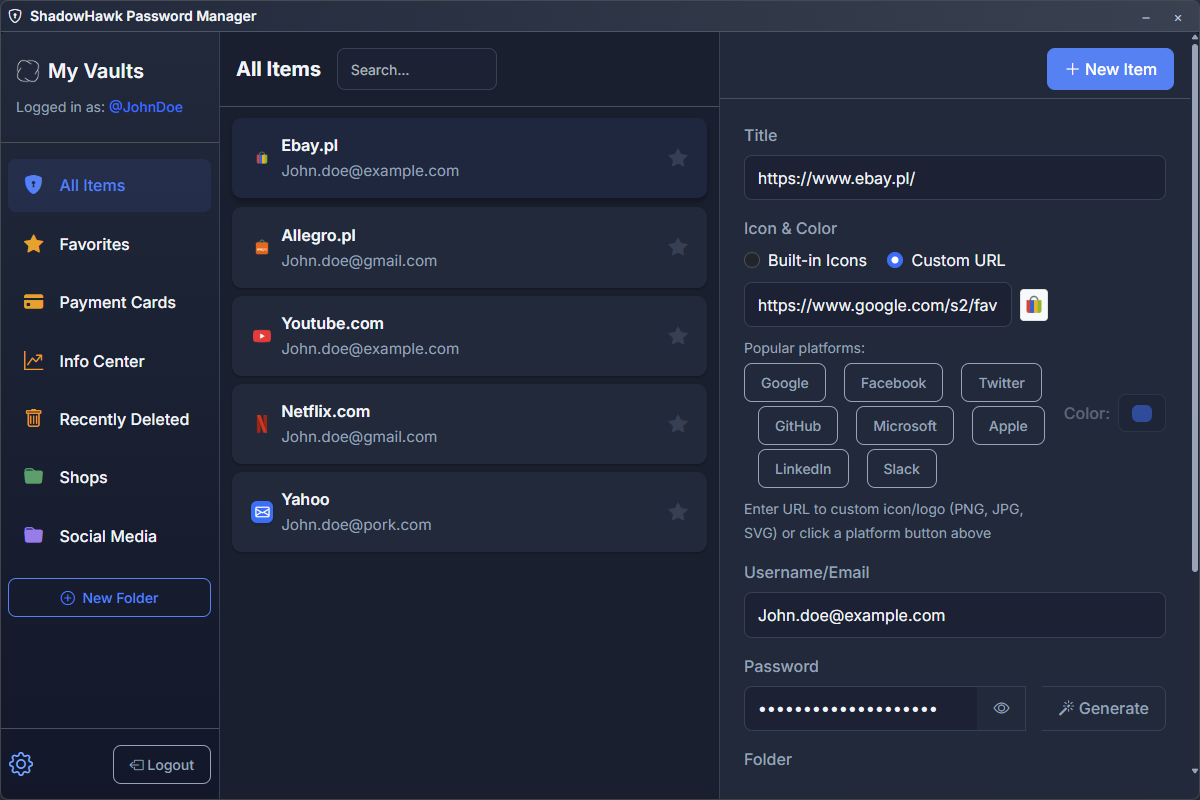
### Password Generator
### Payment Cards
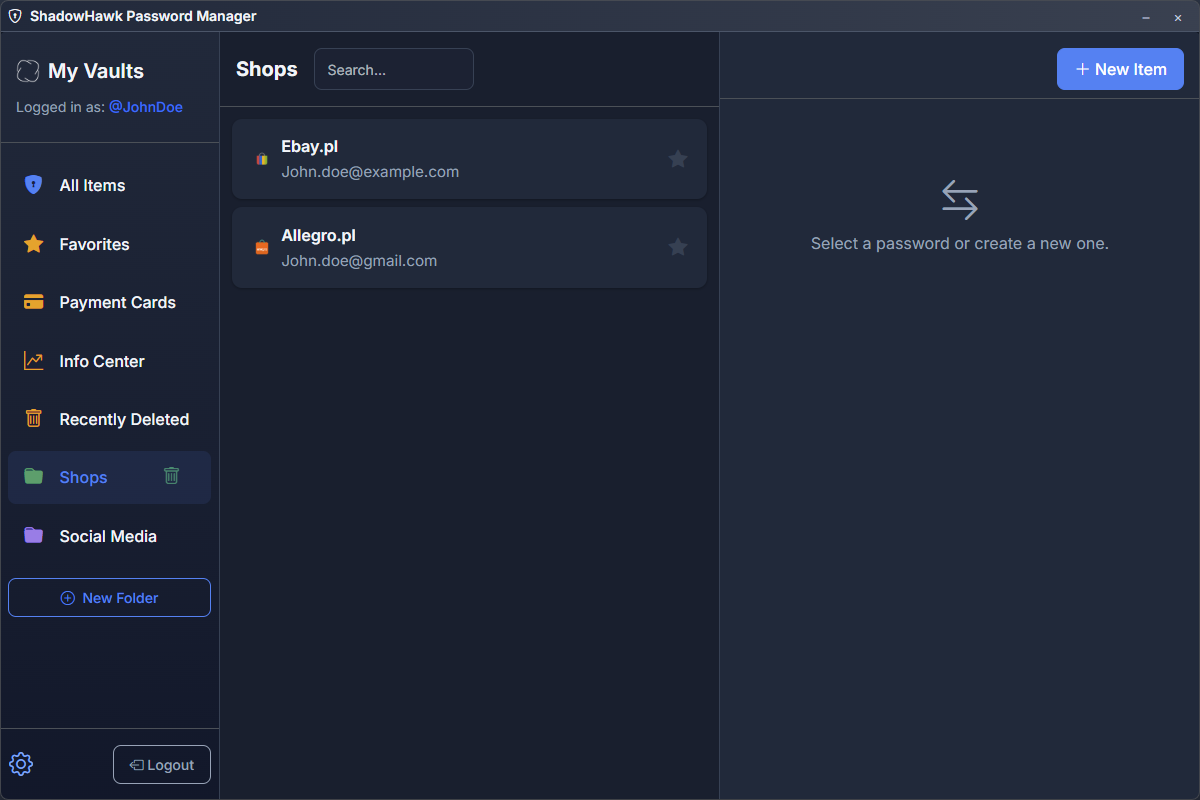
### Smart Folders
### Recently Deleted
### Light Theme
---
## 🚀 Installation
### Download Pre-built Binaries
1. Go to [Releases](https://github.com/Klucznik6/ShadowHawk-passwords-manager/releases)
2. Download the appropriate version for your platform:
- **Windows**: `ShadowHawk-Password-Manager-Setup-1.0.0.exe`
- **macOS**: `ShadowHawk-Password-Manager-1.0.0.dmg`
- **Linux**: `ShadowHawk-Password-Manager-1.0.0.AppImage`
### Build from Source
#### Prerequisites
- [Node.js](https://nodejs.org/) (v14 or higher)
- [Git](https://git-scm.com/)
#### Steps
```bash
# Clone the repository
git clone https://github.com/Klucznik6/ShadowHawk-passwords-manager.git
cd ShadowHawk-passwords-manager
# Install dependencies
npm install
# Run in development mode
npm run dev
# Build for production
npm run build
# Platform-specific builds
npm run build:win # Windows
npm run build:mac # macOS
npm run build:linux # Linux
```
---
## 💡 Usage
### First Time Setup
1. **Launch HawkPass** after installation
2. **Create Account**: Choose a strong username and master password
3. **Start Adding**: Begin adding your passwords and payment cards
4. **Organize**: Create custom folders to organize your data
### Adding Passwords
1. Click the **"+"** button or press `Ctrl+N`
2. Fill in the website, username, and password
3. Choose a folder or create a new one
4. Add notes or additional information
5. Save your entry
### Adding Payment Cards
1. Navigate to the **"Cards"** section
2. Click **"Add Card"**
3. Enter card details (number, expiry, CVV)
4. Choose a card color and nickname
5. Save securely
### Managing Folders
1. **Create**: Click "New Folder" button in the sidebar
2. **Customize**: Choose from 20 different colors and give it a name
3. **Preview**: See how your folder will look before creating
4. **Organize**: Drag items between folders
5. **Delete**: Folders move to "Recently Deleted" for 30 days
### Language Settings
1. **Auto-Detection**: HawkPass automatically detects your system language on first launch
2. **Manual Override**: Access Settings → Language Dropdown to change anytime
3. **6 Languages Available**: English, Polish, Spanish, German, French, Portuguese
4. **Instant Translation**: Interface updates immediately when changed
5. **Persistent Choice**: Your language preference is saved automatically
### Data Import/Export
1. **Export**: Settings → Data Management → Export
2. **Generate Code**: Secure export code is created
3. **Save Code**: Copy or download the export file
4. **Import**: Use the export code to restore data on any device
### Recovery System
1. **Access**: Click "Recently Deleted" in the sidebar
2. **Restore**: Select items and click "Restore"
3. **Permanent Delete**: Remove items permanently
4. **Auto-Cleanup**: Items older than 30 days are automatically removed
---
## 🔒 Security
### Encryption Details
- **Algorithm**: AES-256-CBC encryption
- **Key Derivation**: PBKDF2 with random salt
- **Data Storage**: All data encrypted before storage
- **Memory Protection**: Sensitive data cleared from memory
### Security Best Practices
1. **Strong Master Password**: Use a unique, complex master password
2. **Regular Backups**: Export your data regularly
3. **Keep Updated**: Install security updates promptly
4. **Secure Environment**: Use on trusted devices only
### Privacy Commitments
- ❌ **No Telemetry**: We don't collect usage data
- ❌ **No Cloud Sync**: Data never leaves your device
- ❌ **No Third-Party Trackers**: Completely private
- ✅ **Open Source**: Code is publicly auditable
---
## 🛠️ Development
### Project Structure
```
ShadowHawk-passwords-manager/
├── main.js # Electron main process
├── preload.js # Electron preload script
├── src/ # Application source code
│ ├── index.html # Main application UI
│ ├── script.js # Application logic
│ ├── style.css # Application styles
│ └── lang/ # Multi-language support
│ ├── en.js # English translations
│ ├── pl.js # Polish translations
│ ├── es.js # Spanish translations
│ ├── de.js # German translations
│ ├── fr.js # French translations
│ ├── pt.js # Portuguese translations
│ └── manager.js # Language management system
├── assets/ # Application assets
├── page/ # Promotional website
├── dist/ # Built application
└── package.json # Project configuration
```
### Technology Stack
- **Framework**: [Electron](https://electronjs.org/)
- **UI Library**: [Bootstrap 5](https://getbootstrap.com/)
- **Icons**: [Bootstrap Icons](https://icons.getbootstrap.com/)
- **Encryption**: [CryptoJS](https://cryptojs.gitbook.io/)
- **Fonts**: [Inter](https://rsms.me/inter/)
### Development Commands
```bash
npm start # Start the application
npm run dev # Development mode with hot reload
npm run build # Build for all platforms
npm run pack # Package without building installer
npm test # Run tests (when available)
```
### Code Style
- Use modern JavaScript (ES6+)
- Follow existing code formatting
- Add comments for complex logic
- Test changes thoroughly
---
## 🤝 Contributing
We welcome contributions! Here's how you can help:
### Ways to Contribute
- 🐛 **Report Bugs**: Found an issue? [Open an issue](https://github.com/Klucznik6/ShadowHawk-passwords-manager/issues)
- 💡 **Suggest Features**: Have an idea? [Start a discussion](https://github.com/Klucznik6/ShadowHawk-passwords-manager/discussions)
- 🔧 **Submit Code**: Fork, code, and submit a pull request
- 📖 **Improve Docs**: Help improve documentation
- 🌍 **Translate**: Help add more languages or improve existing translations
- 🎨 **Design**: Contribute to UI/UX improvements
### Development Setup
1. Fork the repository
2. Create a feature branch: `git checkout -b feature/amazing-feature`
3. Make your changes and test thoroughly
4. Commit: `git commit -m 'Add amazing feature'`
5. Push: `git push origin feature/amazing-feature`
6. Open a Pull Request
### Code Guidelines
- Follow existing code style
- Add tests for new features
- Update documentation as needed
- Ensure security best practices
---
## 📄 License
This project is licensed under the MIT License - see the [LICENSE](LICENSE) file for details.
```
MIT License
Copyright (c) 2025 Wiktor Kulikiewicz
Permission is hereby granted, free of charge, to any person obtaining a copy
of this software and associated documentation files (the "Software"), to deal
in the Software without restriction, including without limitation the rights
to use, copy, modify, merge, publish, distribute, sublicense, and/or sell
copies of the Software, and to permit persons to whom the Software is
furnished to do so, subject to the following conditions:
The above copyright notice and this permission notice shall be included in all
copies or substantial portions of the Software.
```
---
## 🆘 Support
### Getting Help
- 📖 **Documentation**: Check this README and inline help
- 🐛 **Bug Reports**: [GitHub Issues](https://github.com/Klucznik6/ShadowHawk-passwords-manager/issues)
- 💬 **Discussions**: [GitHub Discussions](https://github.com/Klucznik6/ShadowHawk-passwords-manager/discussions)
- 📧 **Contact**: [Klucznik6](https://github.com/Klucznik6)
### Frequently Asked Questions
Is HawkPass free?
Yes! HawkPass is completely free and open source. No subscriptions, no hidden costs.
Does HawkPass sync across devices?
No, HawkPass is designed for local storage only. However, you can use the secure import/export feature to transfer your data between devices manually.
What happens if I forget my master password?
HawkPass uses strong encryption, so there's no way to recover your data without the master password. Make sure to remember it or store it safely.
What languages are supported?
HawkPass supports 6 languages: English, Polish, Spanish, German, French, and Portuguese. The app automatically detects your system language on first launch and sets it accordingly.
Will HawkPass automatically use my system language?
Yes! When you first open HawkPass, it automatically detects your system/browser language and sets the interface to match (if supported). You can always change it manually in Settings if needed.
Can I export my data?
Yes! HawkPass includes a secure export system that generates encrypted export codes. You can copy the code or download it as a file for backup or transfer.
Is HawkPass secure?
Yes! HawkPass uses AES-256 encryption, stores data locally only, and follows security best practices. The code is open source for full transparency.
---
## 🌟 Acknowledgments
- **Electron Team** - For the amazing framework
- **Bootstrap Team** - For the beautiful UI components
- **CryptoJS Team** - For robust encryption tools
- **Contributors** - Everyone who helps improve HawkPass
- **Community** - Users who provide feedback and support
---
**Made with ❤️ by [Klucznik6](https://github.com/Klucznik6)**
⭐ Star this repository if you find HawkPass useful!
[🦅 Download HawkPass](https://github.com/Klucznik6/ShadowHawk-passwords-manager/releases) | [🌐 Visit Website](https://klucznik6.github.io/ShadowHawk-passwords-manager) | [🐛 Report Bug](https://github.com/Klucznik6/ShadowHawk-passwords-manager/issues)