---
name: page-format
description: Use this skill when a marketer is drafting page copy and wants page structure and copy that map cleanly to LandingRabbit-supported sections and content items.
---
# LandingRabbit Page Format Skill
## Purpose
Use this skill when a user is writing landing page copy and wants:
- Use the LLM service of their choice for content brainstorming and content creation.
- Get the copy in a markdown format that LandingRabbit can parse reliably and turn into a page.
- Use only supported LandingRabbit section types and content fields so that users can easily import their ready page structure and copy
## Step-by-step task
Your task is to read user's ready landing page copy and format it into the LandingRabbit-Ready Markdown.
1. Check if LandingRabbit MCP tools are available (tool names starting with `mcp__plugin_landingrabbit_landingrabbit__`). Do not mention tool name prefixes or internal details to the user. If they are not available, briefly let the user know and suggest running `/mcp` to check the connection. Keep this to one sentence — do not block the formatting task.
2. Review the planned copy text and page structure
3. Match the copy with the available sections and content items
4. Provide your answer in LandingRabbit-ready markdown following the example answers
## Important instructions
- Provide your answer as a single document that is easy to copy and paste to LandingRabbit
- Avoid making changes to user's text and section order
- Only share the LandingRabbit-ready markdown with section types and suggested layouts. Don't add any additional comments or explanations in your answer
- Examples in this skill are only to show the supported structure. Preserve user's content and tone of voice
- You don't need to use all available sections and content items. Respect the user's ready content
- Use `---` only between sections in the final answer, never inside section content blocks
- Do not output URL-only lines (e.g. `/schedule-a-call`, `https://...`) as normal copy text; keep URLs only inside markdown links `[text](url)`
## Available sections
- `hero`: Opening value proposition and primary conversion action.
- `trustedBy`: Social proof section for logos and credibility content.
- `steps`: Process, checklist, or sequence of actions/outcomes, or problems customers face.
- `collection`: Structured service/feature/benefit blocks with repeatable items.
- `testimonials`: Customer proof quotes
- `pricing`: Plan comparison table
- `comparison`: Before/after or current/future contrast.
- `faq`: Question-and-answer section to handle objections.
- `cta`: Focused conversion section, often near the end.
- `custom`: Free-form mixed content (headings, text blocks, image, embed, CTA).
## Response format for sections
Provide the section type in your answer (e.g., Section type: `hero`)
For each section, use markdown-native structure like this:
- Eyebrow: `[eyebrow]: ...`
- Icon (for `collection` + `boxes-icons` items): `[icon]: ...` (leave empty when user should pick icons in UI)
- Smallprint: `[smallprint]: ...`
- Section or item title: `#`, `##`, `###`
- Description/body: plain markdown paragraphs
- CTA links: one per line (each on its own line), e.g.:
`[Primary CTA](url)`
`[Secondary CTA](url)`
- Images: ``
- Embeds/forms/widgets: fenced `html` blocks
Use `---` between sections.
## Bullet Lists in Descriptions
In any description or subtitle field, use these prefixes to add styled bullet lists:
- `✅ Text` - success (green checkmark); use for benefits, features, positive outcomes
- `❌ Text` - destructive (red X); use for problems, pain points, negative items
- `- Text` - standard bullet (dot); use for neutral lists
Mix bullet types and regular paragraphs in the same field. Consecutive lines with the same icon become one list.
**Example - hero description with success bullets:**
```markdown
# Your page headline
✅ Pages live in 5 mins
✅ Loved by 200+ teams
✅ GDPR-friendly
[Get started](/signup)
```
## Suggested Layout
For sections that support multiple layouts, add `suggestedLayout:` on its own line before the section content.
---
### Hero
- `horizontal` _(default)_ - text left, media right
- `horizontal-reversed` - media left, text right
- `vertical` - centered text, no media or media below
---
### Steps
`stepDecoration` controls the icon shown beside each item. Add it before the section content.
- `number` _(default)_ - numbered; use for sequential process steps
- `none` - no icon; use for plain content lists
- `check` - checkmark; use for feature checklists and "what's included" lists
- `star` - star; use for highlights and notable achievements
- `arrow` - arrow; use for directional flows and "next step" sequences
- `success` - filled circle check; use for benefits and positive outcomes
- `destructive` - filled circle X; use for problems and pain points
If steps item lines already start with emoji markers (for example `😩`, `✅`, `🚀`), set `stepDecoration: none`.
If `stepDecoration` is not `none`, remove leading emoji/icon markers from step lines.
---
### Collection
- `alternate` - narrative benefit blocks (each item: title + paragraph, alternating sides)
→ Benefits, Value propositions, Solutions, "Why choose us"
- `boxes` - feature grid with per-item images
→ Features, Integrations, Technical capabilities
- `boxes-text` - text-only feature grid, no images
→ Use cases, Capability lists, Short feature summaries
- `boxes-icons` - icon grid (icon handled separately from text content)
→ Quick-scan feature highlights
Use 'alternate' when items are narrative and outcome-focused.
Use 'boxes' or 'boxes-text' when items are factual and scannable.
Use 'boxes-icons' only when each item is title + description and icon is provided via `[icon]: ...`.
When using `boxes-icons`, do NOT add item `[eyebrow]: ...` lines.
For `boxes-icons`, leave icon value empty by default (`[icon]:`) so user can choose icons in UI.
---
### Testimonials
- `carousel` _(default)_ - horizontal scroll, best for 3+ testimonials
- `grid` - all testimonials visible at once, best for 2-4
---
### Comparison
- `boxes-text` _(default)_ - side-by-side text-only comparison
Do not include leading `✅`/`❌`/emoji icons in comparison bullet lines.
Use plain text bullet lines; LandingRabbit renders comparison icons automatically.
---
### CTA
- `default` _(default)_ - centered title, description, and buttons
- `embed` - title and buttons with image or embed alongside
---
### Custom
- `left` _(default)_ - left-aligned, article or blog style
- `middle` - centered, landing page style
## Section Guide
### 1) Hero (`type: 'hero'`)
#### Purpose
Open with the primary promise, context, and next action.
#### Section fields
- `eyebrow`
- `title`
- `description`
- `ctas`
- `smallprint`
- Image: `` - renders in the image slot
- Embed: fenced `html` block with `
```
[Start your free trial](https://example.com/signup)
[Book demo](https://example.com/demo)
[smallprint]: Join 200+ teams building and publishing campaign pages.
````
### 2) Steps (`type: 'steps'`)
#### Purpose
- Use for: Lists and steps ("How it works", "Pain points", "Benefits at a glance")
- Can be sequential (process steps) OR parallel (metrics, achievements, features list)
- Do NOT use `steps` for two opposing list groups such as:
- "Say goodbye to ... / And hello to ..."
- "Before ... / After ..."
- "Without ... / With ..."
Use `comparison` for those.
- Examples:
- Sequential: "How it works", Process steps, Timeline, Methodology
- Parallel: Metrics/results, Statistics, Achievement highlights, Quick facts, Case study results
#### Section header fields
- `eyebrow`
- `title`
- `subtitle`
- `ctas`
- `stepDecoration` (see Suggested Layout guide)
- Image: `` - renders beside the steps list
- Embed: fenced `html` block with `
```
````
### 10) TrustedBy (`type: 'trustedBy'`)
#### Purpose
Add social-proof credibility with logos and supporting text.
#### Item types
- `eyebrow`
- `h2`, `h3`
- `text`
- `cta`
- `logos`
#### TrustedBy section example
- Use for: Sections mentioning customer/client logos or social proof logos
- Examples: "Trusted by", "Customer logos", "Client logos", "Join 5,000+ businesses", "[Logos]", "Partners"
```markdown
[eyebrow]: Social proof
## Trusted by modern B2B teams
Used by SaaS, fintech, and agencies running high-velocity campaigns.
Logos: [Add 6-10 customer logos in editor]
[See customer stories](https://example.com/customers)
```
# Example answers
- Provide as a single txt or markdown file the user can copy and paste to LandingRabbit
## Example document A
Section type: `hero`
- `suggestedLayout`: `vertical`
```markdown
[eyebrow]: B2B Website Builder
# Turn your ideas into marketing pages in 10 minutes
✅ Create landing pages in minutes
✅ Turn existing materials into publish-ready drafts
✅ Keep messaging consistent across teams
[Start your 14-day free trial](/signup)
[Book demo](/demo)
[smallprint]: No credit card needed.
```
Section type: `steps`
- `stepDecoration`: `destructive`
```markdown
[eyebrow]: Problem
## You know you need new pages, but content creation keeps dropping down your list
- Creating new pages is slow and repetitive.
- Higher-priority tasks always win.
- Updates feel risky and inconsistent.
```
Section type: `collection`
- `suggestedLayout`: `alternate`
```markdown
[eyebrow]: How it works
## LandingRabbit creates marketing pages from ideas and materials you already have
[eyebrow]: STEP 1
### Add your website URL
LandingRabbit learns your brand and business context.

[eyebrow]: STEP 2
### Create pages from ideas and materials
Turn page ideas, sales decks, and docs into drafts.

```
Section type: `comparison`
```markdown
[eyebrow]: Before vs after
## Replace fragmented workflows
A side-by-side view of your workflow shift.
[See migration guide](/migration)
### Legacy process
- ❌ Copy in one tool, design in another
- ❌ Slow handoffs
- ❌ Late launches
### LandingRabbit workflow
- ✅ One workflow from brief to publish
- ✅ Faster iteration
- ✅ Better consistency
```
Section type: `faq`
```markdown
## Frequently Asked Questions
### Can I use my own domain?
Yes, custom domains are supported.
### Can I export to other tools?
Yes. Export to Webflow, Figma, JSON, Markdown, PDF, and PNG.
```
Section type: `cta`
- `suggestedLayout`: `default`
```markdown
[eyebrow]: Ready to launch
## Create new pages from ideas you already have
Sign up and create unlimited pages.
[Start your 14-day free trial](/signup)
[Talk to sales](/demo)
[smallprint]: Free trial available.
```
## Example document B
Section type: `hero`
- `suggestedLayout`: `vertical`
```markdown
[eyebrow]: Security operations
# Reduce alert fatigue with AI-assisted triage
Help analysts focus on real threats with smarter prioritization.
[Start trial](https://security.example.com/start)
[Request demo](https://security.example.com/demo)
[smallprint]: Deploy in days, not months.
```
Section type: `collection`
- `suggestedLayout`: `alternate`
```markdown
[eyebrow]: Product value
## What your SOC gains immediately
[eyebrow]: Signal quality
### Fewer false positives
Improve triage confidence by prioritizing actionable threats.
[eyebrow]: Analyst efficiency
### Faster investigations
Automate repetitive classification and enrichment tasks.
```
Section type: `comparison`
```markdown
[eyebrow]: Current vs improved
## SOC workflow transformation
A side-by-side view of your workflow shift.
[See architecture](https://security.example.com/architecture)
### Before
- ❌ Noisy queues
- ❌ Slow context gathering
- ❌ Inconsistent prioritization
### After
- ✅ Cleaner queues
- ✅ Faster context
- ✅ Better prioritization
```
Section type: `testimonials`
- `suggestedLayout`: `grid`
```markdown
## What customers say
"We cut campaign page production from two weeks to one day.”
Maya Chen
Growth Lead
Northbeam AI
“Publishing became a same-day workflow for our team.”
Jonas Ranta
Demand Gen Manager
ScaleForge
```
Section type: `cta`
- `suggestedLayout`: `default`
```markdown
[eyebrow]: Next step
## See how your SOC can triage faster
[Book technical demo](https://security.example.com/demo)
[smallprint]: Includes architecture review.
```
## Example document C
Section type: `hero`
- `suggestedLayout`: `vertical`
```markdown
[eyebrow]: HR and People Ops
# Onboard new hires with confidence and consistency
Create role-specific onboarding journeys that improve ramp time.
[Get started](https://hr.example.com/start)
[See product tour](https://hr.example.com/tour)
[smallprint]: Trusted by distributed teams.
```
Section type: `steps`
- `stepDecoration`: `number`
```markdown
[eyebrow]: Onboarding flow
## A structured path from offer to productivity
1. Trigger onboarding when offer is accepted.
2. Assign role-based learning paths.
3. Track completion and manager checkpoints.
4. Measure 30/60/90-day ramp progress.
```
Section type: `pricing`
```markdown
[eyebrow]: Pricing
## Plans for growing teams
[Compare all plans](https://hr.example.com/pricing)
[eyebrow]: Small organizations
### Team
$199/month
Up to 100 employees
✅ Core onboarding workflows
✅ Templates and checklists
✅ Reporting dashboard
[Start Team](https://hr.example.com/start)
[eyebrow]: Scaling organizations
### Business
$499/month
Up to 500 employees
✅ Advanced automation
✅ Department reporting
✅ Priority support
[Start Business](https://hr.example.com/start)
```
Section type: `trustedBy`
```markdown
[eyebrow]: Trusted by people-first companies
## Customer proof
Used by people and talent teams scaling onboarding programs.
Logos: [Add customer logos]
[See customer stories](https://hr.example.com/customers)
```
Section type: `cta`
- `suggestedLayout`: `default`
```markdown
[eyebrow]: Ready to improve ramp time
## Start your onboarding transformation
[Book onboarding consult](https://hr.example.com/demo)
[smallprint]: Includes implementation planning session.
```
---
## Example document D
Section type: `hero`
- `suggestedLayout`: `vertical`
```markdown
[eyebrow]: Made for B2B Marketers
# Turn ideas into live pages
You know your audience. You have decks, docs, and ideas — but no time to turn them into pages.
LandingRabbit takes what you already have and **builds your pages for you**.
[Try it free for 14 days](/signup)
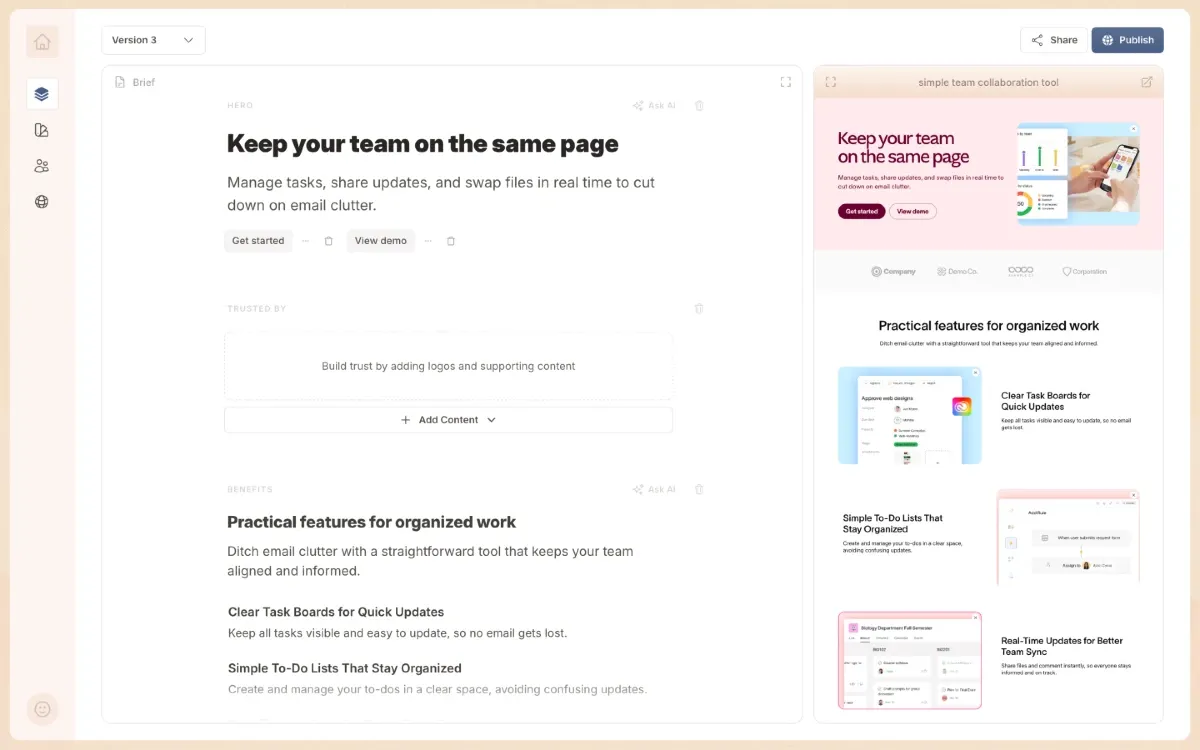
[smallprint]: No credit card required. Trusted by 200+ teams.
```
---
Section type: `steps`
- `stepDecoration`: `destructive`
```markdown
## You keep putting off new pages because the process is too slow
- There's **never enough time** to write and publish new content
- **Your current tools make it harder**, not easier, to ship pages fast
- And **things break** every time you try to change something live
```
---
Section type: `collection`
- `suggestedLayout`: `alternate`
```markdown
[eyebrow]: How it works
## Go from a rough idea to a live page in under 10 minutes
[eyebrow]: STEP 1
### Your brand is set up automatically
Connect your website and LandingRabbit picks up your colours, fonts, and tone — so every page looks right from day one.
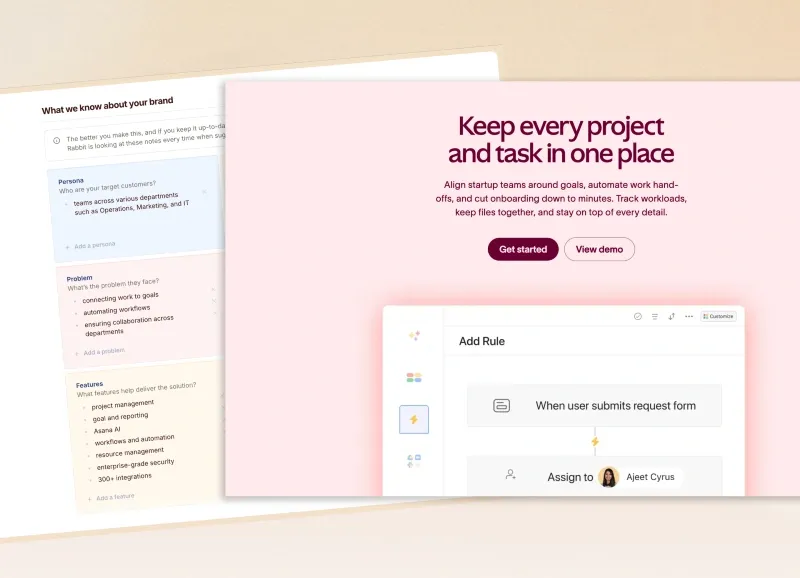
[eyebrow]: STEP 2
### Add your content and let AI do the heavy lifting
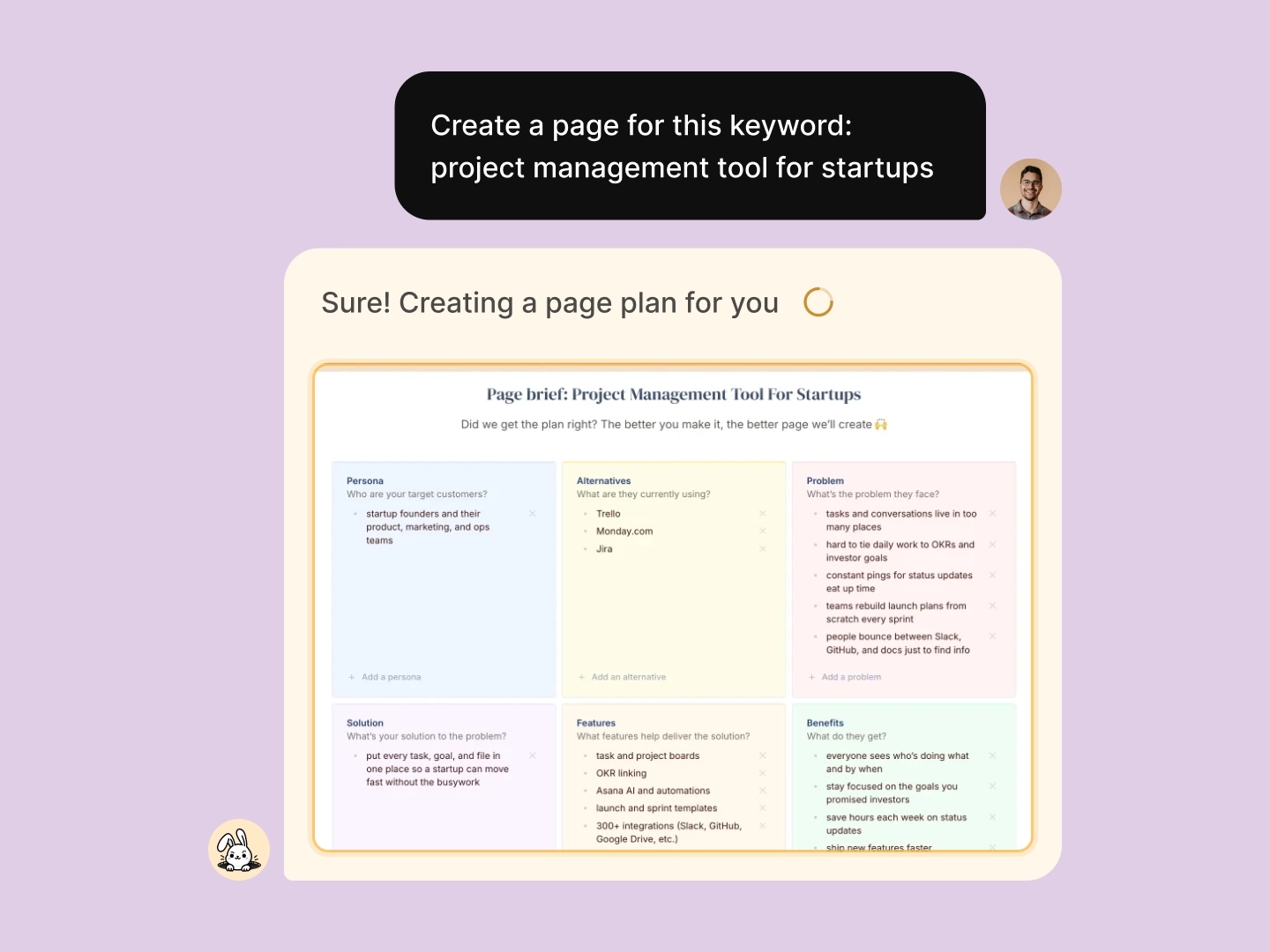
Drop in a keyword, a deck, or a brief — anything works. LandingRabbit turns it into a full page draft ready to publish.
[eyebrow]: STEP 3
### Fine-tune your draft with a live preview alongside
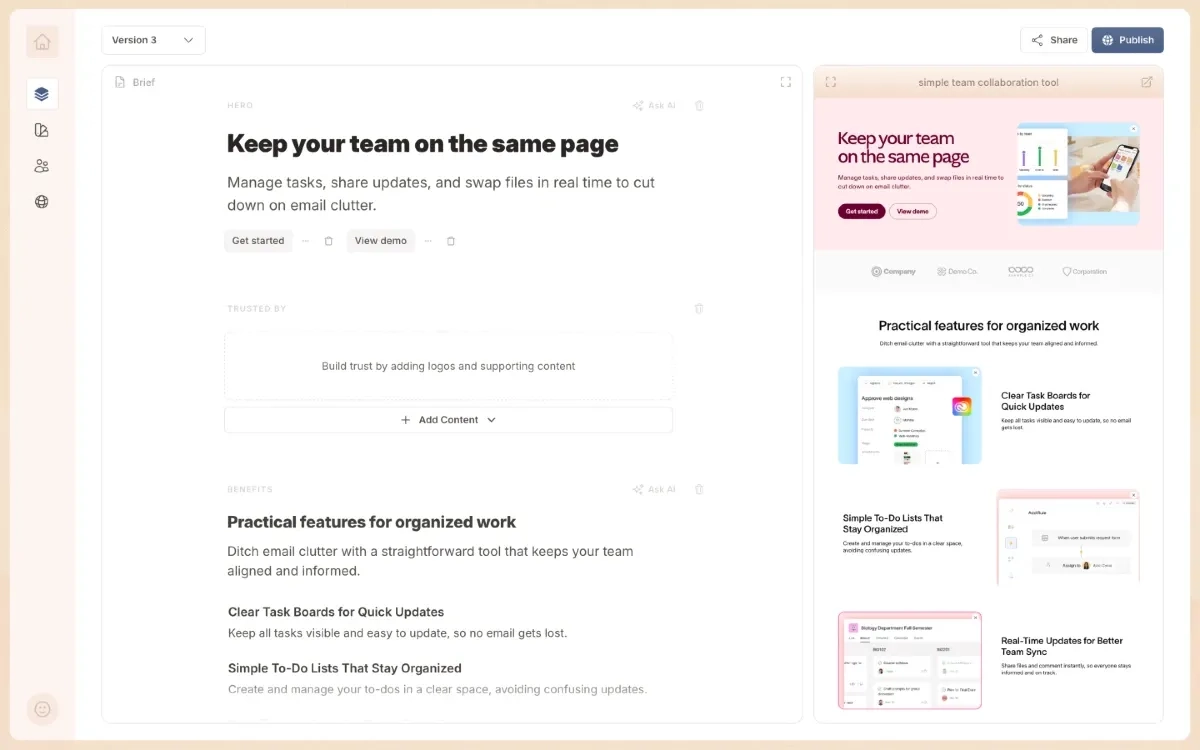
AI handles the first draft — you polish the rest. Ask LandingRabbit to tweak copy or adjust the design at any point.
[eyebrow]: STEP 4
### Publish to your own domain in minutes
Skip the pixel-pushing. Hit publish on mycompany.com and start sharing with prospects right away.
```
---
Section type: `collection`
- `suggestedLayout`: `boxes`
```markdown
## Build more pages from what you already know
Your best content is already in your tools. Use it to make pages that convert. 👇
### Keywords into ad and SEO pages
Feed in your keyword list and get Google Ads-ready landing pages. More clicks, same budget.

### Product specs into solution pages
Turn internal docs and specs into polished solution pages and help content. Put your work in front of buyers.

### Slides into role and industry pages
Repurpose your pitch decks into role-specific or industry-specific pages that speak directly to each visitor.
### Sales notes into account pages
Convert your call notes into personalised ABM pages. Show each prospect you understand their problem.

### Blog posts into use case pages
Repurpose your best posts into dedicated use case pages. Capture leads you'd otherwise lose.
### Research into comparison pages
Take your competitive research and turn it into comparison pages that make the choice obvious for buyers.
```
---
Section type: `custom`
- `suggestedLayout`: `middle`
````markdown
## See it in action — your first page in under five minutes 👇
```html
```
````
---
Section type: `faq`
```markdown
## Common questions
### What makes LandingRabbit different?
Most page builders make you start from a blank canvas. LandingRabbit starts from what you already have — decks, notes, keywords, or any other content you own.
### How do I get started?
[Start your free trial](/signup) and have your first page live before the end of the day.
### Where can I publish my pages?
Publish straight to your own domain (e.g., mycompany.com), or export into [Figma](/figma-plugin) and drop it into any custom site.
### Can my team review pages before they go live?
Absolutely. Invite teammates to collaborate inside LandingRabbit, or share a private preview link to collect feedback before you hit publish.
### What if I'm stuck on the copy?
Just ask. LandingRabbit knows your business and your materials, so it can rewrite sections, suggest alternatives, or rework the whole page — whenever you need a hand.
### What does it cost?
Plans start at $39/month. Find all the details on [our pricing page](/pricing).
### Can I use LandingRabbit as my main website?
Yes — use a subdomain for campaign pages or point your whole domain to LandingRabbit.
```
---
Section type: `cta`
- `suggestedLayout`: `embed`
````markdown
## Start shipping pages today
Join 200+ teams and in your first 14 days:
✅ **Unlimited pages** — ads, help docs, blog posts, and anything else you need
✅ **Team reviews built in** — share drafts and collect feedback before you publish
✅ **Your domain, your rules** — publish on your own URL or export to Figma and custom sites
✅ **Direct access to the founders** — people who've built websites for 15+ years
```html