On Generative Agents in Recommendation

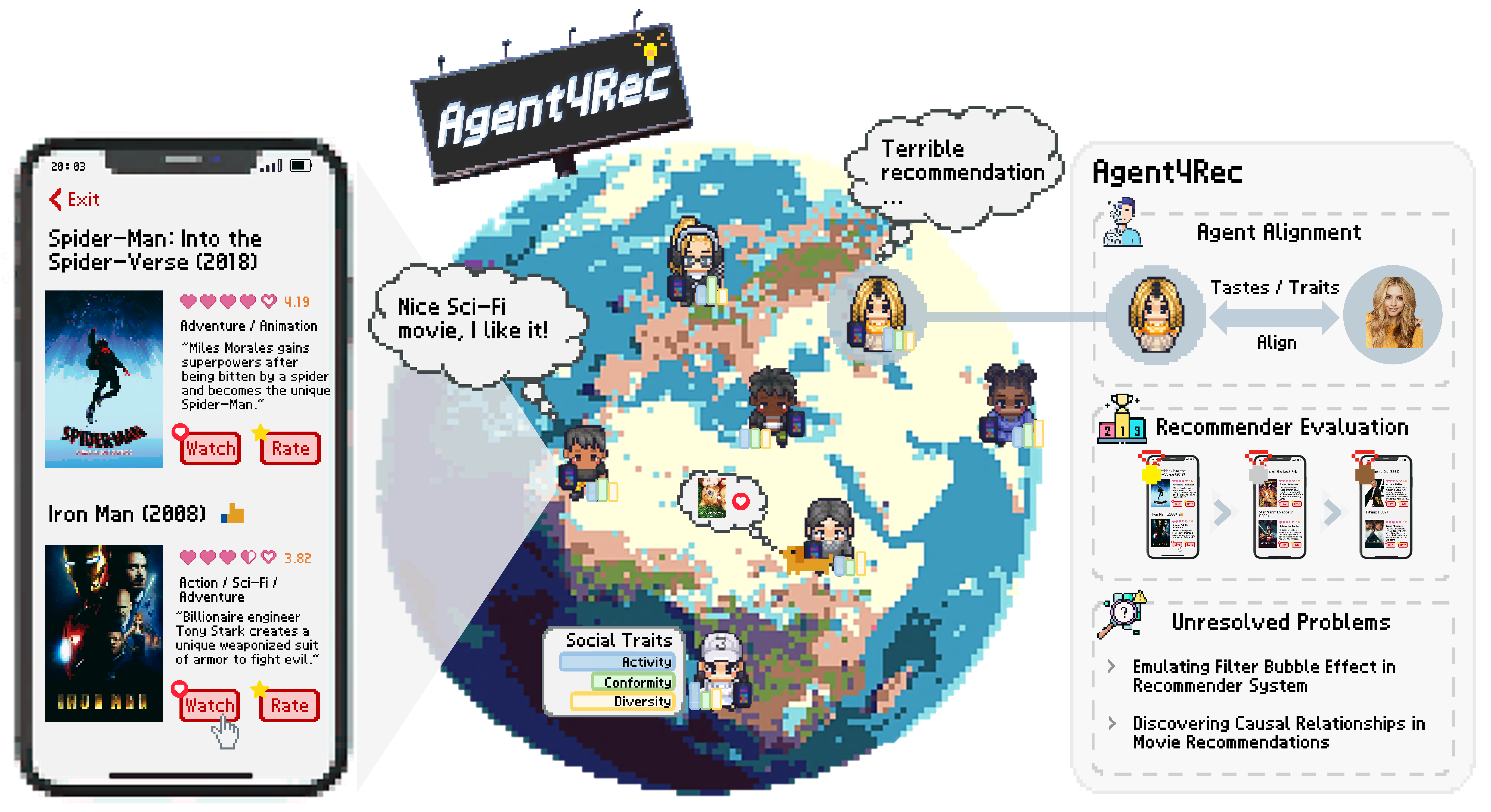
license ![world](assets/sandbox.png) Agent4Rec, a recommender system simulator with 1,000 LLM-empowered generative agents. These agents are initialized from the [MovieLens-1M](https://grouplens.org/datasets/movielens/1m/) dataset, embodying varied social traits and preferences. Each agent interacts with personalized movie recommendations in a page-by-page manner and undertakes various actions such as watching, rating, evaluating, exiting, and interviewing. With Agent4Rec, we would like to explore the potential of LLM-empowered generative agents in simulating the behavior of genuine, independent humans in recommendation environments.

## 📋 Catalogue
- [Catalogue](#Catalogue) - [Preparations](#Preparations) - [Simulation](#Simulation) - [Quick Start](#Quick-Start) - [Explore Various Recommender Settings](#Explore-Various-Recommender-Settings) - [See the result](#Results) - [Simulation Cost](#Simulation-Cost)

## ⚙️ Preparations ### Step 1. Install requirements.txt Set up a virtualenv and install the [pytorch](https://pytorch.org/get-started/previous-versions/) manually. After that, install all the dependencies listed in the `requirements.txt` file by running the following command: ```bash pip install -r requirements.txt ``` Our experiments have been tested on **Python 3.9.12 with PyTorch 1.13.1+cu117**. Python version over 3.10 may lead to some bugs in the package 'reckit'. ### Step 2. Set up necessary environments Make sure you are in the directory of `recommenders/` (where `setup.py` can be found), and run the following code. ```bash python setup.py build_ext --inplace ``` The command will install necessary tools for accelerating recommender evaluation.

## ⌛️ Simulation Make sure you are in the **main directory** (where `main.py` can be found). Export your OpenAI API key first: ```bash export OPENAI_API_KEY= ``` Replace \ with **your own OpenAI API key**.

### Quick Start By running the following command, you will start a toy simulation with **3 agents**. ```bash python main.py ``` The response of agents to recommended items will be printed in the terminal. This simulation will take around **3 minutes** to finish.

### Explore Various Recommender Settings Agent4Rec supports various recommendation systems and different simulation configurations. ```bash python main.py --simulation_name MyExp --modeltype MF --n_avatars 10 --max_pages 5 --items_per_page 4 --execution_mode parallel ``` By running this code, you will start a simulation named `MyExp` with 10 agents, each agent will browse max to 5 pages with 4 items on a single page. The recommender used in this example is Matrix Factorization (short for MF). And the experiment will be executed in parallel model to speed up the simulation. You can choose the employed recommender by modifying `--modeltype ` in the command. You can replace `` with the following supported recommenders: - `Random`: Randomly recommend items to users. - `Pop`: Randomly recommend popular items to users. - `MF`: Pretrained [Matrix Factorization](https://ieeexplore.ieee.org/abstract/document/5197422) model with BPR loss. - `MultVAE`: Pretrained [MultVAE](https://arxiv.org/abs/1802.05814) model. - `LightGCN`: Pretrained [LightGCN](https://arxiv.org/abs/2002.02126) model with BPR loss.

### See the Results The results of the simulation will be saved in `storage/ml-1m//` directory. As for the command in Section [Explore Various Recommender Settings](#Explore-Various-Recommender-Settings), the results will be saved in `storage/ml-1m/MyExp` directory. All the interaction history of agent 0 is documented in `storage/ml-1m/MF/MyExp/running_logs/0.txt`

## 💰 Simulation Cost 🛎️ Note that all the experiments are powered by ChatGPT-3.5, and a complete simulation involving 1000 users would cost approximately $16. ($0.016/User)