The Anti-Slop Frontend Framework for AI Agents






Disclaimer · Install · Skills · Settings · Examples · Sponsor · Research · FAQ · License
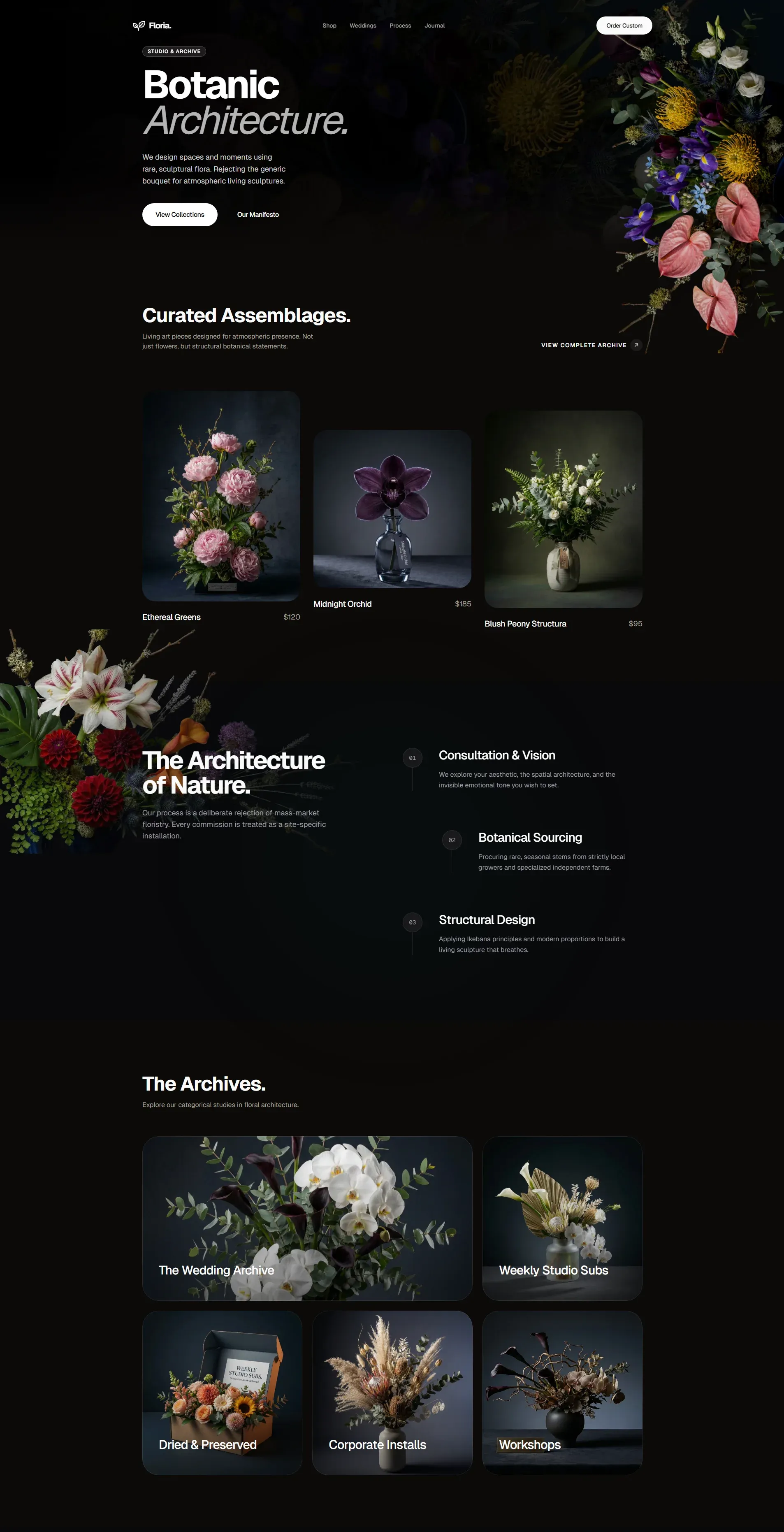
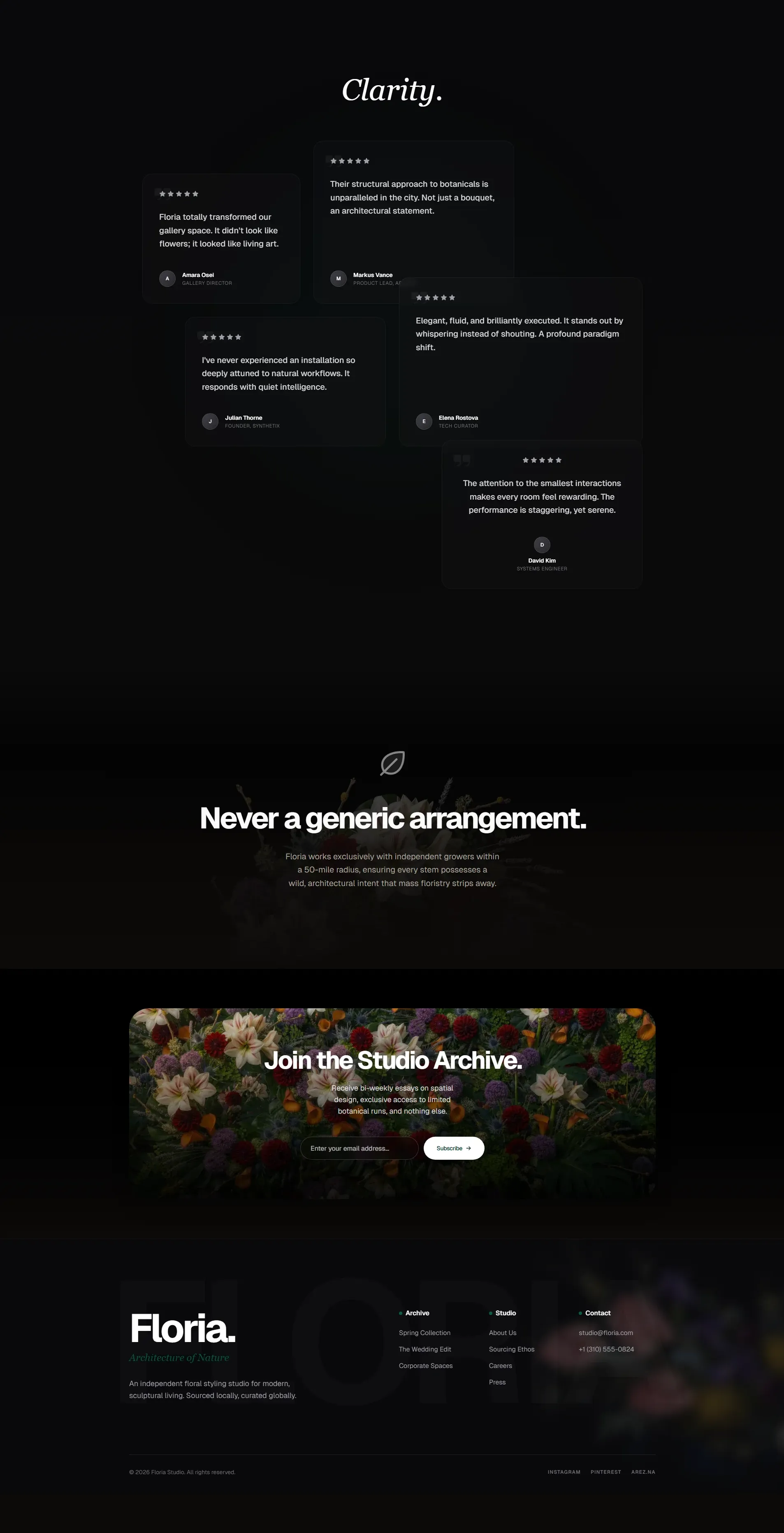
## Feedback & Contributions We would love your feedback. Suggestions and bug reports: - Open a Pull Request or Issue on GitHub - DM [@lexnlin](https://x.com/lexnlin) or [@blueemi99](https://x.com/blueemi99) - Email us at [hello@tasteskill.dev](mailto:hello@tasteskill.dev) ## Installing The [`npx skills add`](https://github.com/vercel-labs/agent-skills) CLI scans the `skills/` folder in this repo, so **all skills below (code and image-generation) install the same way.** ```bash npx skills add https://github.com/Leonxlnx/taste-skill ``` Install a single skill by its **install name** (the `name:` field inside the SKILL frontmatter, not the folder name): ```bash npx skills add https://github.com/Leonxlnx/taste-skill --skill "design-taste-frontend" ``` You can also copy any `SKILL.md` into your project or paste it into ChatGPT / Codex conversations. ## Skills Each skill does one job; you do not need all of them at once. **Implementation skills** output code. **Image-generation skills** output reference images only. The `Install name` column is the exact value you pass to `--skill`. | Skill (folder) | Install name | Description | | --- | --- | --- | | **taste-skill** | `design-taste-frontend` | 🆕 **v2 (experimental)** - substantial rewrite of the default skill. Reads the brief, infers the design language, tunes three dials (VARIANCE / MOTION / DENSITY). Brief inference, design-system map, hard em-dash ban, canonical GSAP code skeletons, redesign-audit protocol, strict pre-flight check. Actively iterating toward v2.0.0 stable. | | **taste-skill-v1** | `design-taste-frontend-v1` | The original v1 of taste-skill, preserved for projects depending on its exact behavior. Use only if the v2 default breaks something specific in your workflow. | | **gpt-tasteskill** | `gpt-taste` | Stricter variant for GPT/Codex: higher layout variance, stronger GSAP direction, aggressive anti-slop. | | **image-to-code-skill** | `image-to-code` | Image-first pipeline: generate site references, analyze them, then implement the frontend to match. | | **redesign-skill** | `redesign-existing-projects` | Existing projects: audit the UI first, then fix layout, spacing, hierarchy, styling. | | **soft-skill** | `high-end-visual-design` | Polished, calm, expensive UI with softer contrast, whitespace, premium fonts, spring motion. | | **output-skill** | `full-output-enforcement` | When the model ships half-finished work: full output, no placeholder comments. | | **minimalist-skill** | `minimalist-ui` | Editorial product UI (Notion/Linear vibes), restrained palette, crisp structure. | | **brutalist-skill** | `industrial-brutalist-ui` | Hard mechanical language: Swiss type, sharp contrast, experimental layout. | | **stitch-skill** | `stitch-design-taste` | Google Stitch-compatible rules, including optional `DESIGN.md` export format. | ### Image generation skills These produce design images only (no code). Use with ChatGPT Images, Codex image mode, or any agent that generates images. | Skill (folder) | Install name | Description | | --- | --- | --- | | **imagegen-frontend-web** | `imagegen-frontend-web` | Website comps: hero, landing, multi-section with strong typography, spacing, anti-slop art direction. | | **imagegen-frontend-mobile** | `imagegen-frontend-mobile` | Mobile screens and flows: iOS/Android/cross-platform, mockups, readable type, coherent sets. | | **brandkit** | `brandkit` | Brand-kit boards: logo directions, palettes, type, identity applications across categories. | ### Which one should I use? - Start with **taste-skill** for the safest general default. (Now v2 experimental - see what changed in the [CHANGELOG](CHANGELOG.md).) - If you depend on the exact behavior of the original taste-skill, install **taste-skill-v1** instead. - Use **gpt-taste** when you want the stricter GPT/Codex-oriented rules and motion/layout enforcement. - Use **image-to-code-skill** for image → analyze → code website workflows. - Use **redesign-skill** to improve an existing codebase instead of greenfield styling. - Add **soft-skill**, **minimalist-skill**, or **brutalist-skill** when the visual direction is already chosen. - Add **output-skill** if the agent keeps truncating output. - Use **imagegen-frontend-web**, **imagegen-frontend-mobile**, or **brandkit** when the deliverable is **images** (comps, flows, identity boards), then pass results to your coding agent. ### Image-first tip For **image-to-code-skill**, state the pipeline in the prompt, e.g.: `follow the skill: generate images, then analyze, then code`. ### ChatGPT Images and Codex Attach or paste **`imagegen-frontend-web`**, **`imagegen-frontend-mobile`**, or **`brandkit`** and ask for the frames you need, then feed the renders to Codex, Cursor, or Claude Code. Use **image-to-code-skill** when you want one workflow that both generates references and implements the site in code. ## Settings (taste-skill only) Numbers at the top of the file are 1-10 dials: - **DESIGN_VARIANCE**: Layout experimentation (lower: centered/clean · higher: asymmetric/modern). - **MOTION_INTENSITY**: Animation depth (lower: hover · higher: scroll/magnetic). - **VISUAL_DENSITY**: Information per viewport (lower: spacious · higher: dense dashboards). ## Examples Created with taste-skill: