# LTX Desktop
[Features](#features) | [Download](#install) | [System requirements](#system-requirements) | [Guides](#guides) | [FAQ](https://ltx.io/ltx-desktop) | [Development](docs/DEVELOPMENT.md)
LTX Desktop is an open-source desktop app for AI video generation with LTX models. It runs locally on supported Windows and Linux NVIDIA GPUs and on Apple Silicon Macs. Generation runs on your own hardware. Prompts and media leave your computer only when you use an optional cloud feature, such as API text encoding or Gemini prompt enhancement.
> **Status: Beta.** Expect breaking changes.
> Frontend architecture is under active refactor. Large UI PRs may be declined for now (see [`CONTRIBUTING.md`](docs/CONTRIBUTING.md)).
## Features
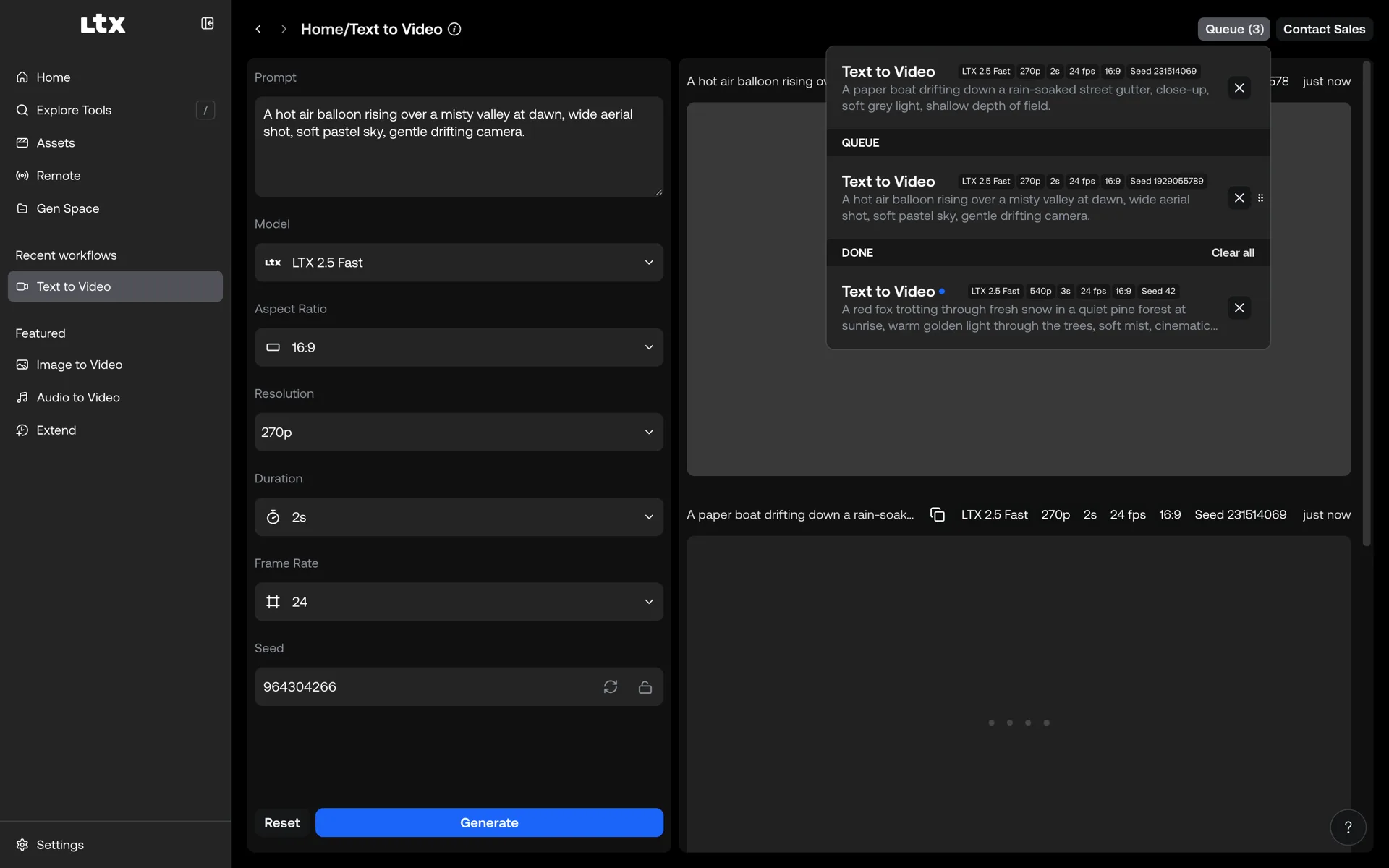
The app opens on a gallery of ready-to-use tools. Generations run through one shared queue and land in an Assets library.
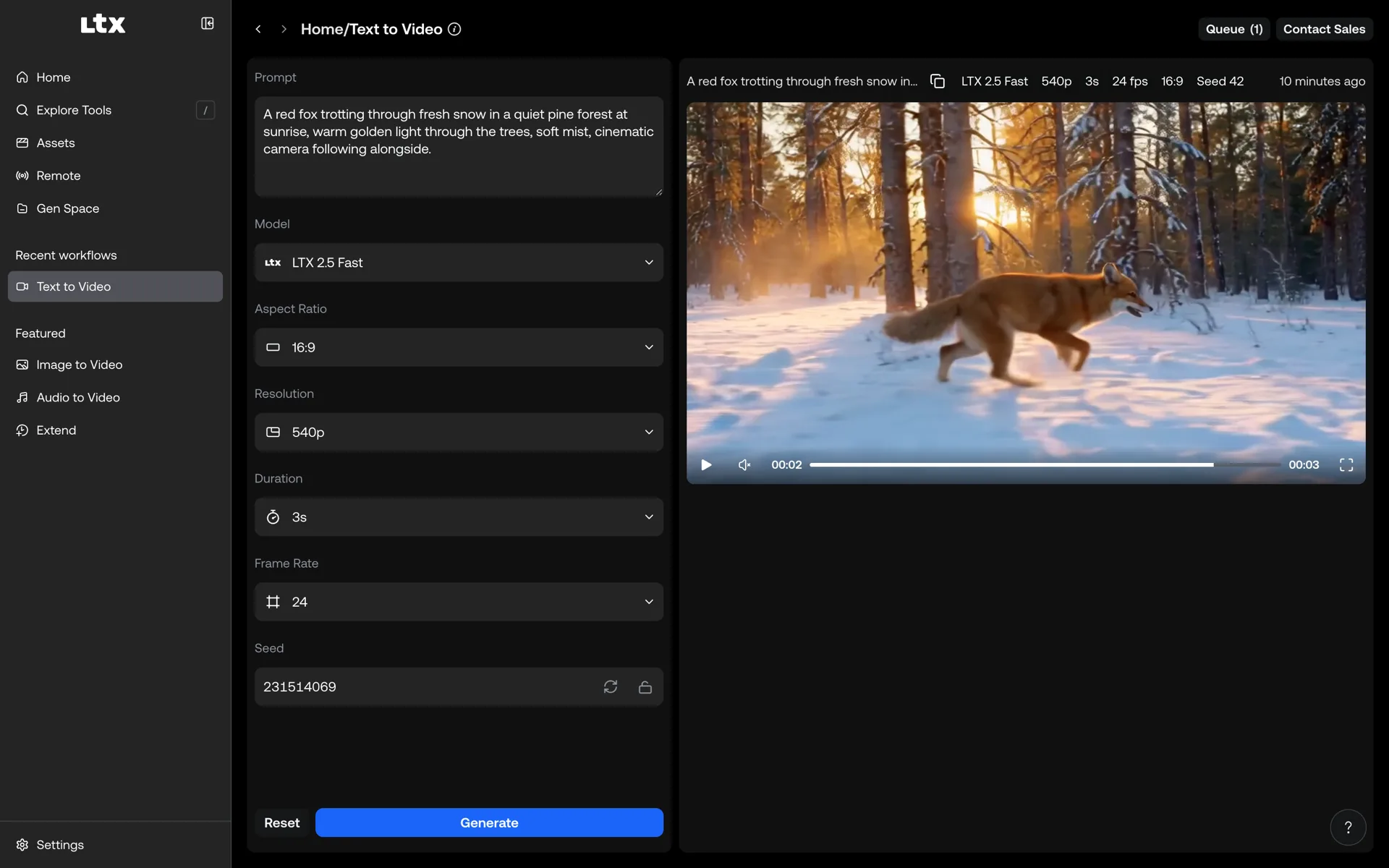
- **Video generation.** Text to Video, Image to Video (start frame, optional end frame), and Audio to Video. All run locally.
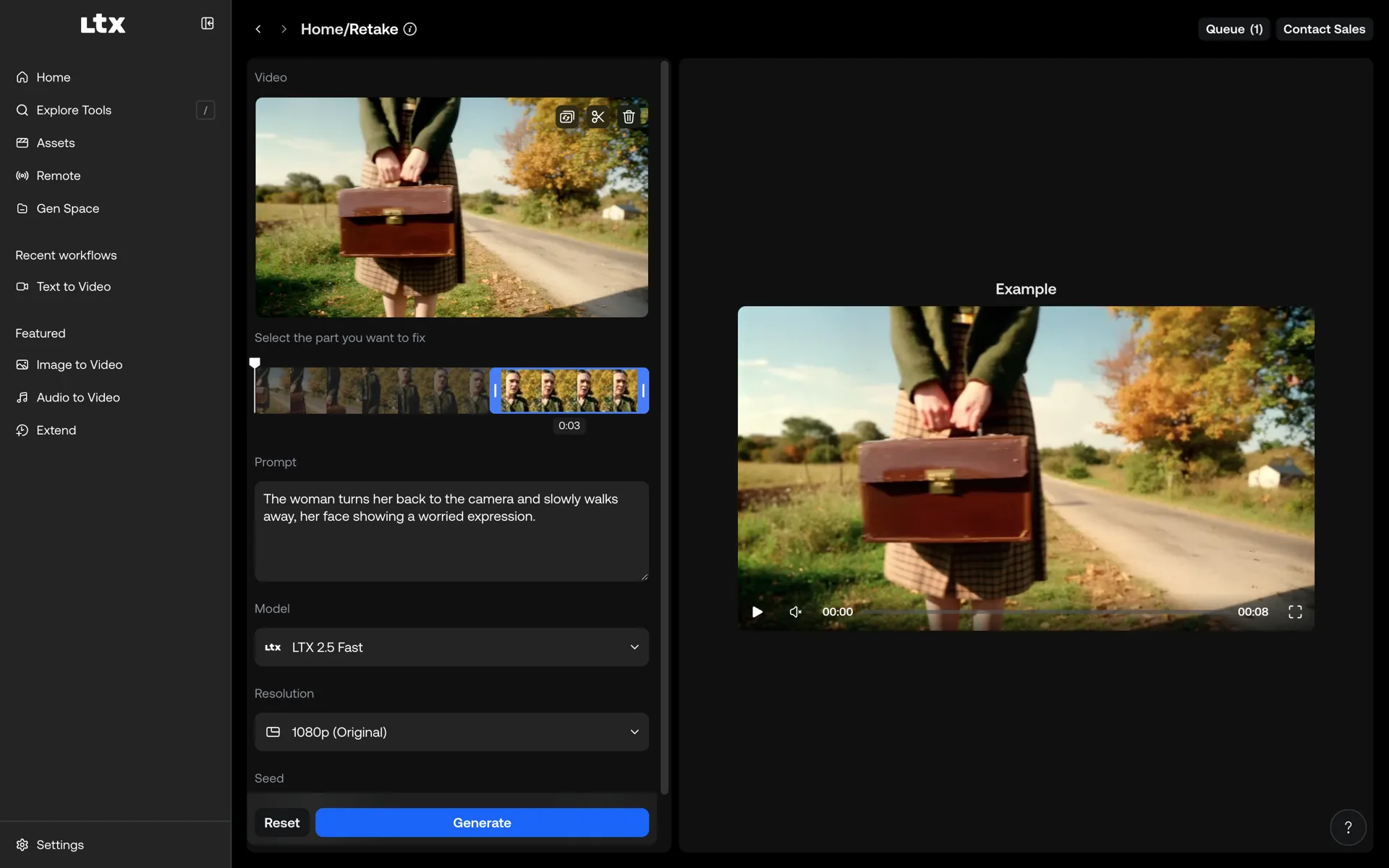
- **Video editing.** **Retake** regenerates a selected part of a clip. **Extend** adds frames before or after a clip.
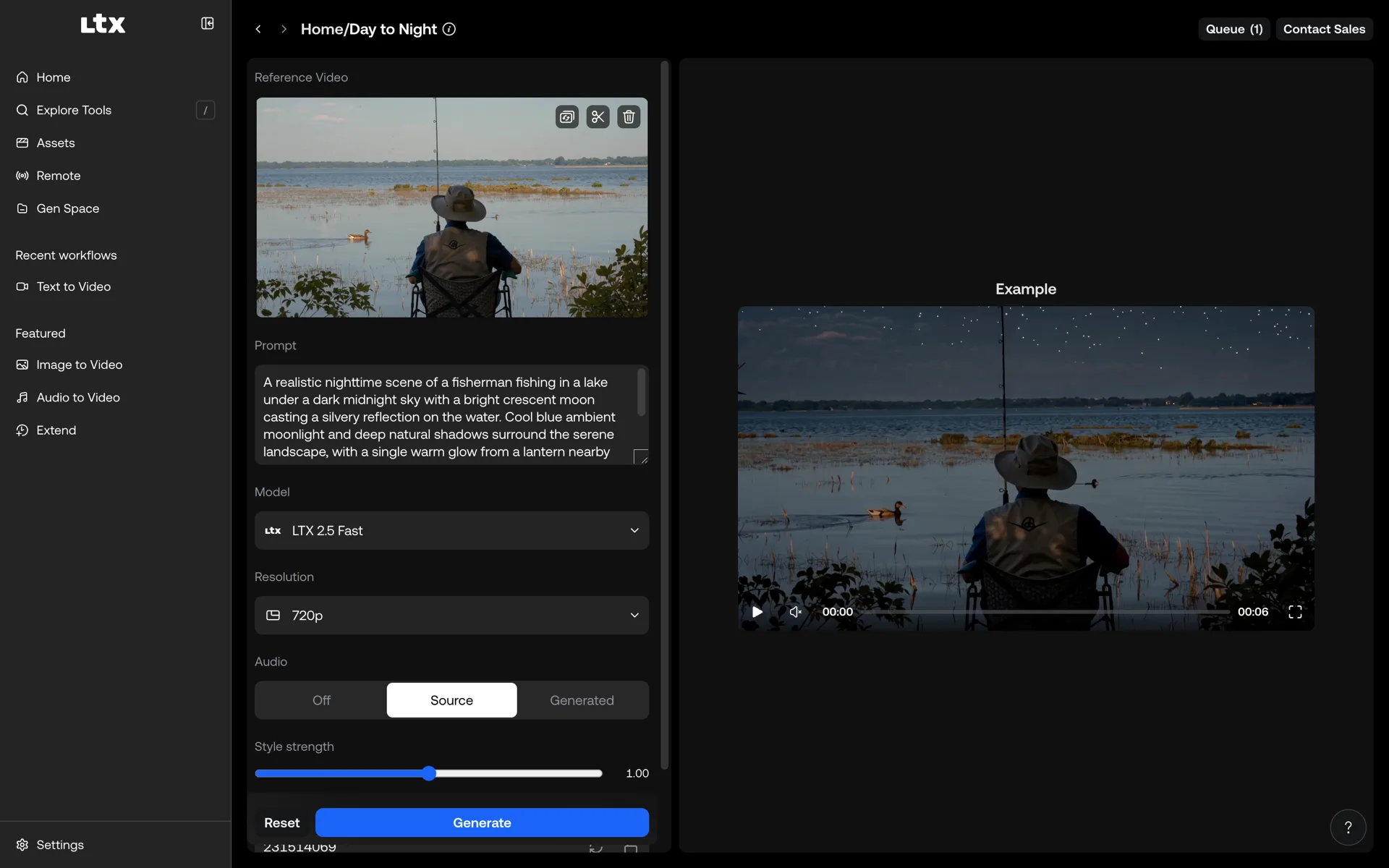
- **IC-LoRA tools.** Video-to-video effects such as Day to Night, Deblur, Colorization, Clean Plate, and Layout to Render.
- **LoRA recipes.** One-click styles and camera moves such as Cozy Felt, Claymation, Dolly In, and Jib Up.
- **Prompt enhancement.** Automatic prompt rewriting before local generation. The manual **Enhance** button appears when auto-enhance is off.
- **Generation queue and Assets library.** Reorder or cancel jobs. Generations and assets persist across restarts.
- **Assistant.** A chat that finds your assets and queues local videos, recipes, extensions, and retakes, using the Gemini API or a local Qwen model. See [Assistant](#assistant).
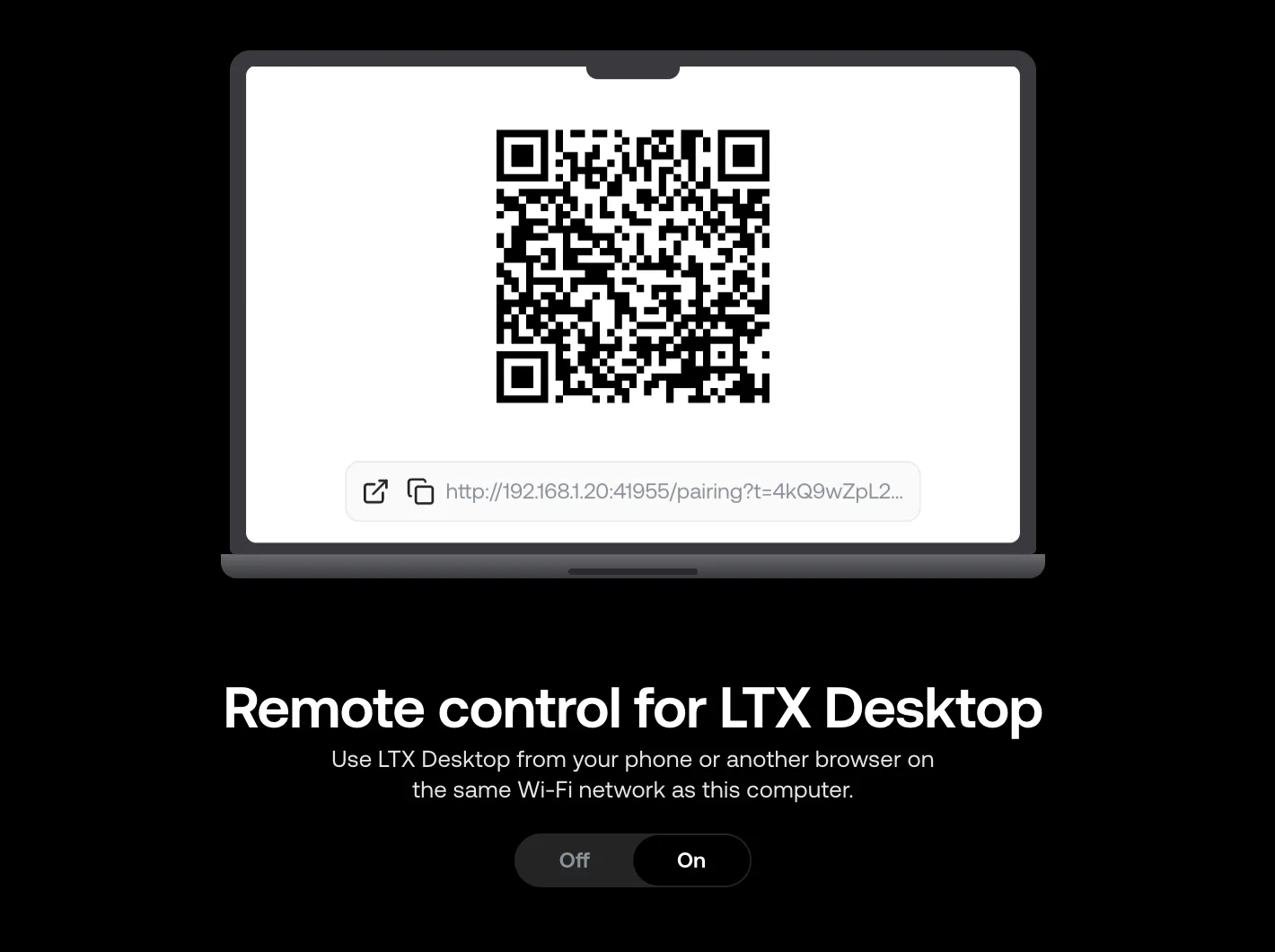
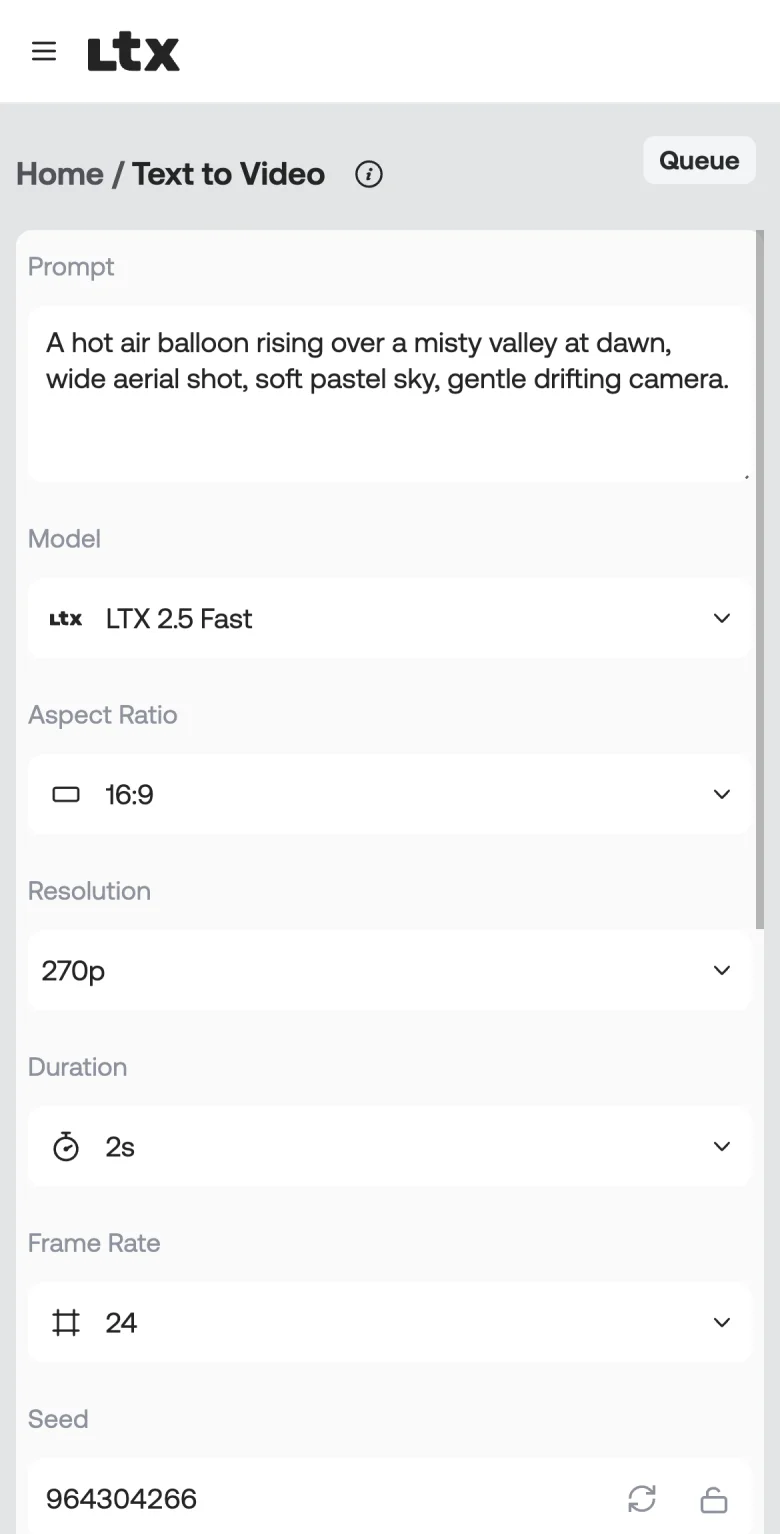
- **Remote.** Use the app from a phone on the same network. See [Remote](#remote).
- **Light and dark themes.** Choose **System** (default), **Light**, or **Dark** in **Settings > General > Appearance**.
- **Deep links.** Open a tool with `ltxdesktop://fetcher/{tool}`, for example `ltxdesktop://fetcher/t2v`. Open the Assets library with `ltxdesktop://assets`.
### Tools
| Section | Tool | Input | What it does |
| --- | --- | --- | --- |
| Workflows | Text to Video | Prompt | Generates a video with matching audio from a text prompt |
| Workflows | Image to Video | Start frame, optional end frame | Animates a still image, or interpolates between two frames |
| Workflows | Audio to Video | Audio (upload or microphone), optional start frame | Generates visuals synchronized to an audio track |
| Post production | Retake | Video | Regenerates a selected part of a clip |
| Post production | Extend | Video | Adds frames before or after a clip |
| Post production, VFX | IC-LoRA tools | Video (and a look image for some) | Effects that keep the motion and framing of the source |
| Styles, Camera & motion | LoRA recipes | Prompt, start frame, or both frames | Styles and camera moves |
Every setting for every tool is in [`docs/tools-and-options.md`](docs/tools-and-options.md).
Looking for Gen Space or the Video Editor? See [`docs/gen-space-and-video-editor.md`](docs/gen-space-and-video-editor.md).
## Install
1. Download the installer for your platform from the [latest release](https://github.com/Lightricks/LTX-Desktop/releases/latest):
- **Windows (x64):** [`LTX-Desktop-Setup.exe`](https://github.com/Lightricks/LTX-Desktop/releases/latest/download/LTX-Desktop-Setup.exe)
- **macOS (Apple Silicon):** [`LTX-Desktop-arm64.dmg`](https://github.com/Lightricks/LTX-Desktop/releases/latest/download/LTX-Desktop-arm64.dmg)
- **Linux (x64):** [`LTX-Desktop-x86_64.AppImage`](https://github.com/Lightricks/LTX-Desktop/releases/latest/download/LTX-Desktop-x86_64.AppImage) or [`LTX-Desktop-amd64.deb`](https://github.com/Lightricks/LTX-Desktop/releases/latest/download/LTX-Desktop-amd64.deb)
- **Linux (arm64):** [`LTX-Desktop-arm64.AppImage`](https://github.com/Lightricks/LTX-Desktop/releases/latest/download/LTX-Desktop-arm64.AppImage) or [`LTX-Desktop-arm64.deb`](https://github.com/Lightricks/LTX-Desktop/releases/latest/download/LTX-Desktop-arm64.deb)
2. Install and launch **LTX Desktop**.
3. Complete the first-run Setup screen: Hugging Face sign-in (required for gated models such as the 2.5 weights), API keys, and model downloads.
**Updates.** Packaged installs check GitHub Releases for updates at startup and every 4 hours. Automatic checks are on by default. Turn them off in **Settings > About**, where you can also check manually.
- **macOS:** The app downloads an update in the background and installs it when you quit.
- **Windows and Linux:** The app shows a prompt. Download the update, then restart to install it. The app does not restart while a generation runs.
Release notes are on the [GitHub releases page](https://github.com/Lightricks/LTX-Desktop/releases).
### System requirements
These are the requirements for local generation. They match the [LTX Desktop page](https://ltx.io/ltx-desktop).
| Platform | Requirements |
| --- | --- |
| **Windows 10/11** (64-bit) | NVIDIA GPU with CUDA and **24 GB or more VRAM** (32 GB recommended). 32 GB RAM. |
| **Linux** (Ubuntu 22.04+ or similar, x64 or arm64) | NVIDIA GPU with CUDA and **24 GB or more VRAM** (32 GB recommended), NVIDIA driver installed. 32 GB RAM. |
| **macOS 26+** (Tahoe) | Apple Silicon (M1 or later) with **48 GB or more** for full local generation. Apple Silicon with 32 GB is limited to 540p and 5 s. Apple Silicon with less than 24 GB, and Intel Macs, use the Gen Space API only. |
The app itself needs **macOS 14 or later**. On macOS 14 and 15, local generation is not available and the app shows the **Coming soon to your device** notice. macOS 13 and earlier cannot run the app.
All platforms need **100 GB or more** of free disk space. Plan for up to **160 GB or more** if you add LoRAs and IC-LoRAs.
The app offers local generation on lower-spec machines, but we do not recommend them. The app checks 9 GiB VRAM on Windows with an fp8-capable GPU (15 GiB on other CUDA setups), 32 GiB total RAM on macOS, and macOS 26 or later. Below these floors, the app shows a **Coming soon to your device** notice instead of the generation tools. Assets, Settings, Gen Space, and the Video Editor stay available. Cloud APIs are optional. An LTX API key is never required to start.
See [`docs/local-compat-matrix.md`](docs/local-compat-matrix.md) for the tool-by-hardware table.
## Models
- **LTX 2.5 Fast** is the default local model. It runs every tool.
- **LTX 2.3 Fast** is the previous generation. It runs the same tools. Pick it in a tool's **Model** menu.
- **LTX 2.5 Pro** and **2.3 Pro** are API only, in Gen Space and the Video Editor.
The 2.5 weights and some LoRAs are gated on Hugging Face. Manage all models in **Settings > Models**. See [`docs/models-and-loras.md`](docs/models-and-loras.md) for gated models, the LoRA library, and how to add your own LoRAs.
## Assistant
The Assistant is a chat for Explore. Describe what you want ("four 5-second clips of a puffin, claymation style", "extend this to 10 seconds", "make this night") and it queues the jobs on the same local generation queue as Home, then reports the results. Open it from the sidebar, or use **Ask assistant** on an asset to attach it. It also works from a phone over [Remote](#remote).
- **Model:** choose **Gemini API** (uses your Gemini key) or a local **Qwen 3.5 9B** in **Settings > General > Assistant**. Download Qwen in **Settings > Models > Assistant models**; local mode never falls back to the cloud. Desktop and Remote share this one choice; switching model from either composer changes it everywhere.
- **What it can do:** text-, image- and audio-to-video, the Explore style and motion recipes, video recipes such as Day to Night or Restore, extend and retake. Video generation is always local; there is no cloud video tool.
- **What it can't do:** download models, change settings, use your own LoRAs, or place more than a start and end frame. It says so instead of guessing.
- **Privacy:** with Gemini, your messages, the chat history, asset metadata and small thumbnails of attached or viewed assets are sent to Google. Local mode keeps everything on your machine.
See [`docs/desktop-assistant.md`](docs/desktop-assistant.md) for how it works.
## Remote
Remote lets a phone or another computer use the app from a browser on the same network. It uses the same queue, Assets library, and GPU as the desktop app. No generation runs on the phone.
1. Open **Remote** in the sidebar and turn Remote on. The sidebar hides **Remote** when local generation is not available.
2. Scan the QR code with your phone, or copy the link.
3. Open the tools from the phone's home screen. The Remote page on the desktop lists connected devices. You can revoke any device.
For the architecture and API boundary, see [`docs/remote-lan.md`](docs/remote-lan.md).
## Guides
- [`docs/tools-and-options.md`](docs/tools-and-options.md): every tool and setting, and how prompt enhancement works
- [`docs/models-and-loras.md`](docs/models-and-loras.md): models, gated models, LoRA library, custom LoRAs
- [`docs/setup-and-settings.md`](docs/setup-and-settings.md): per-platform requirements, first run, data folders, text encoding, Settings tabs
- [`docs/api-keys-and-privacy.md`](docs/api-keys-and-privacy.md): LTX, fal, and Gemini keys, cost, and privacy
- [`docs/desktop-assistant.md`](docs/desktop-assistant.md): the Assistant's tools, runs, providers, and local runtime
- [`docs/remote-lan.md`](docs/remote-lan.md): Remote architecture and API boundary
- [`docs/gen-space-and-video-editor.md`](docs/gen-space-and-video-editor.md): the original Gen Space and Video Editor interfaces
- [`docs/DEVELOPMENT.md`](docs/DEVELOPMENT.md): architecture, commands, and build steps for developers
- [FAQ](https://ltx.io/ltx-desktop): common questions, on the LTX Desktop page
## Telemetry
LTX Desktop collects minimal, anonymous usage analytics to help prioritize development. It collects no personal information and no generated content. Analytics is on by default. Turn it off in **Settings > General > Anonymous Analytics**. See [`TELEMETRY.md`](docs/TELEMETRY.md) for the full list of data that the app collects.
## Development (quickstart)
Prerequisites: Node.js, `pnpm`, `uv`, Python 3.12+, and Git.
```bash
pnpm setup:dev # one-time setup
pnpm dev # run the app
```
For the architecture, all commands, and build steps, see [`docs/DEVELOPMENT.md`](docs/DEVELOPMENT.md).
## Contributing
See [`CONTRIBUTING.md`](docs/CONTRIBUTING.md).
## License
Apache-2.0. See [`LICENSE.txt`](LICENSE.txt).
Third-party notices (including model licenses and terms): [`NOTICES.md`](NOTICES.md).
Model weights are downloaded separately. Additional licenses and terms can apply.