# Rocket Launch Visualizer - Liquid Galaxy
### Overview
This document serves as the conclusive report for the "**Rocket Launch Visualizer**" project, which was conducted under the auspices of the **Liquid Galaxy organization for Google Summer of Code 2023**. It encompasses an exhaustive documentation of the project's evolution, including a comprehensive work log. Furthermore, it provides essential hyperlinks for quick and easy reference.
### Project Details
- **Project Title:** Rocket Launch Visualiser (RLA)
- **Organization:** Liquid Galaxy, Google Summer of Code 2023
- **Project Link:** [Rocket Launch Visualiser - GSoC 2023](https://summerofcode.withgoogle.com/programs/2023/projects/5ZScXUZt)
- **Code:** [Rocket-Launcher-Visualizer](https://github.com/SagittariusA11/Rocket-Launcher-App)
- **Mentors:** [Yash Raj Bharti](https://www.linkedin.com/in/yash-raj-bharti-5693b6183) and [Victor Carreras](https://www.linkedin.com/in/vicajilau)
- **Organisation Admin:** [Andreu Ibàñez Perales](https://www.linkedin.com/in/andreuibanez)
All required details and guidelines for upcoming contributor can be found from above mentioned details **cheers!**
Table of Contents
- Overview
-
Project Details
-
Project Description
-
Guide for Open Source Contributors
- Contact Information
- License
- Privacy Policy
## Project Description
The project "**Rocket Launch Visualizer**" conducted under the **Liquid Galaxy organization for Google Summer of Code 2023** is a comprehensive endeavor that involves the retrieval and visualization of a wealth of data from the **SpaceX API**. This ambitious undertaking encompasses the retrieval of information regarding SpaceX launches, rockets, landing and launching pads, Starlink satellites, mission specifics, and payload details. This data is elegantly displayed on a **Flutter-based mobile application**, designed for tablet users, with a strong emphasis on accessibility. The application not only presents dynamic and interactive visualizations but also offers diverse color themes, multilingual support, and dynamic font sizing, **enhancing its accessibility to a broad user base**. Furthermore, the integration of Google Maps enriches the user experience by providing geographical context for rocket launch locations. To bridge the physical and digital realms, the project incorporates the transmission of pertinent data to a Liquid Galaxy Rig, enabling the display of launch-related information on this immersive system. The following details provide a deeper technical insight into the various facets of this innovative project.
### Detailed script on features
1. **Retrieving Data from SpaceX API:**
- Utilizing the SpaceX API to fetch a wide array of data, including information about launches, rockets, landing pads, launching pads, Starlink satellites, rocket details, mission details, launch pad details, and payload details.
- Implementing API request mechanisms to efficiently retrieve this data using **nested simultaneous API calls** and store it in structured formats.
2. **Displaying Data in Flutter App:**
- Developing a Flutter-based mobile application to visualize and present the retrieved data.
- Creating a well-defined data structure to store and manage the API responses.
- Designing algorithms for accessing and rendering this data within the app's user interface.
- Ensuring a responsive and immersive tablet user interface to enhance the user experience.
3. **Adding Accessibility Features:**
- Implementing multiple color themes within the app to enhance readability and provide an optimal user experience for individuals with different preferences and visual needs.
- Incorporating support for multiple languages to make the app accessible to a diverse user base.
- Implementing dynamic font sizing, allowing visually impaired users to adjust text size for better readability and accessibility.
4. **Integrating Google Maps:**
- Integrating Google Maps into the Flutter application to display **geographic locations of rocket launches**.
- Using the Google Maps API to mark and visualize launch sites, providing users with geographical context.
5. **Sending Data to Liquid Galaxy Rig:**
- Establishing a secure connection and implementing **SSH client** functionality within the app to communicate with the Liquid Galaxy Main Rig and Liquid Galaxy Slave Rig.
- Transferring relevant data, such as app logos, launch pad details, rocket details, mission details, and other pertinent information to the Liquid Galaxy system for display using **KML files**.
6. **Displaying Information on Liquid Galaxy Rig:**
- Rendering the app logo, detailed launch pad information, and comprehensive launch, rocket, and mission details on the Liquid Galaxy Rig.
- Executing the necessary commands to ensure the seamless display of this information on the Liquid Galaxy setup.
### Additional features under development and post GSoC plans
- Adding more language to the application.
- Syncing Google Maps in the app with the Google Earth on the Liquid Galaxy Rig, enabiling user to control the google earth on liquid galaxy rig using google maps on the app.
- Adding voice commands to the applciation and voice control to the Liquid Galaxy Rig.
- Adding text to speech functionality to the application.
- Adding hapting touch response to the application.
Throughout the development process, rigorous testing and optimization has been critical to ensure that the application runs efficiently, providing a smooth and user-friendly experience. Additionally, maintaining a clean and modular codebase will facilitate future enhancements and scalability of the application. Finally, thorough documentation of the project's technical aspects and functionality will aid in project maintenance and knowledge sharing.
### Running Play Store app
#### Prerequisites:
- 10-inch Android Tablet
#### Steps:
- Download and install the app using this [Play Store link](https://play.google.com/store/apps/details?id=com.liquidgalaxy.rocket_launcher_app).
- To connect to the Liquid Galaxy, tap on menu icon and go to Connection Manager; then fill the details similar to below:
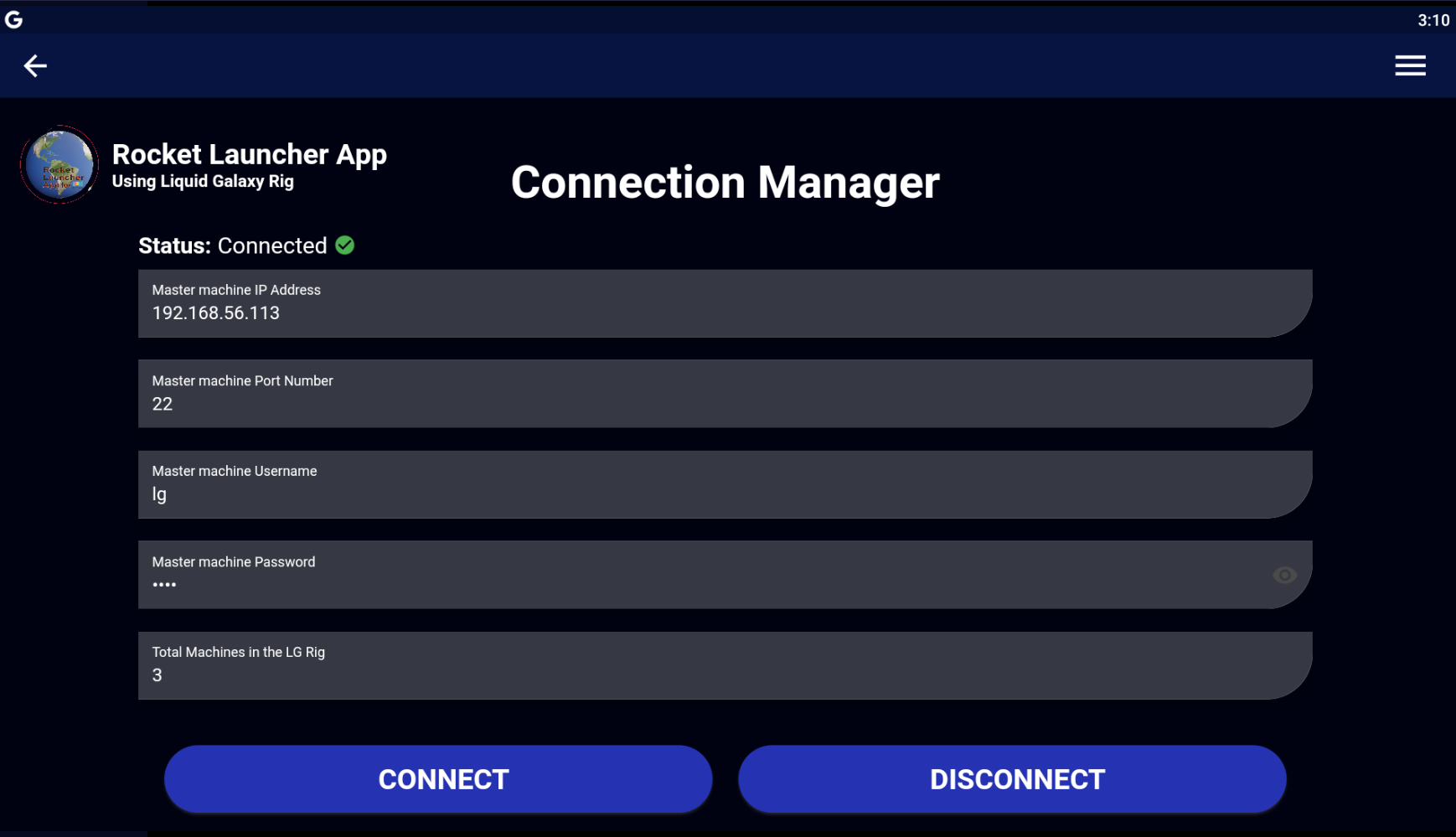
- Now simply explore the wide variety of KML visualizations possible through the different Launches data.
### Building from source
#### Prerequisites:
- Android Studio, Visual Studio Code or another IDE that supports Flutter development
- Flutter SDK
- Android SDK
- Android tablet device or emulator
- Git
Documentation on how to set up Flutter SDK and its environment can be found [here](https://flutter.dev/docs/get-started/install). Make sure to have [Git](https://git-scm.com/) and [Flutter](https://flutter.dev/) installed in your machine before proceeding.
#### Steps:
- Clone the repository via the following terminal command:
```bash
$ git clone https://github.com/SagittariusA11/kml-images_RLA_LiquidGalaxy_GSoC-23.git
$ cd Rocket-Launcher-App
```
- After you have successfully cloned the project, set up Google maps API Key as Rocket Launcher App uses [Google maps Android API](https://developers.google.com/maps/documentation/android-sdk/overview?hl=pt-br) as the map service. To use Google maps you required an **API KEY**. To get this key you need to:
1. Have a Google Account
2. Create a Google Cloud Project
3. Open Google Cloud Console
4. Enable Maps Android SDK
5. Generate an API KEY
With the key in hands, the next step is placing the key inside the app. Go to _android/app/main_ and edit the **AndroidManifest.xml**.
Replace the **PLACE_HERE_YOUR_API_KEY** with the key you just created.
```XML
```
- To run the code, ppen a terminal and navigate to the project root directory. First you need to install the packages by running:
```bash
$ flutter pub get
```
- Now we check if our devices are connected and if all the environment is correct by the following terminal command:
```bash
$ flutter doctor
```
- After this, we run our app by using the following command:
> ❗ Remember that you must have a tablet device connected or an android tablet emulator running in order to run the app.
```bash
$ flutter run
```
- To build the APK, use the follwoing terminal command:
```bash
$ flutter build apk
```
> ⓘ Once done, the APK file may be found into the `/build/app/outputs/flutter-apk/` directory, named `app-release.apk`.
- Finally setup the connection with the Liquid Galaxy in the same way as we did previously.
### Setting up the rig
An important step to take is configure the slave screens for refreshing when setting solo KMLs.
To set it up, head to the LG Tasks screen by pressing the menu icon.
In the many buttons present on the LG Tasks screen, you shall see the buttons `SET SLAVES REFRESH` and `RESET SLAVES REFRESH`. The first one will setup your slave screens to refresh its solo KML every 4 seconds. The second one will make your slaves stop refreshing.
> ❗ _Both actions will **reboot** your Liquid Galaxy, so the changes may be applied._
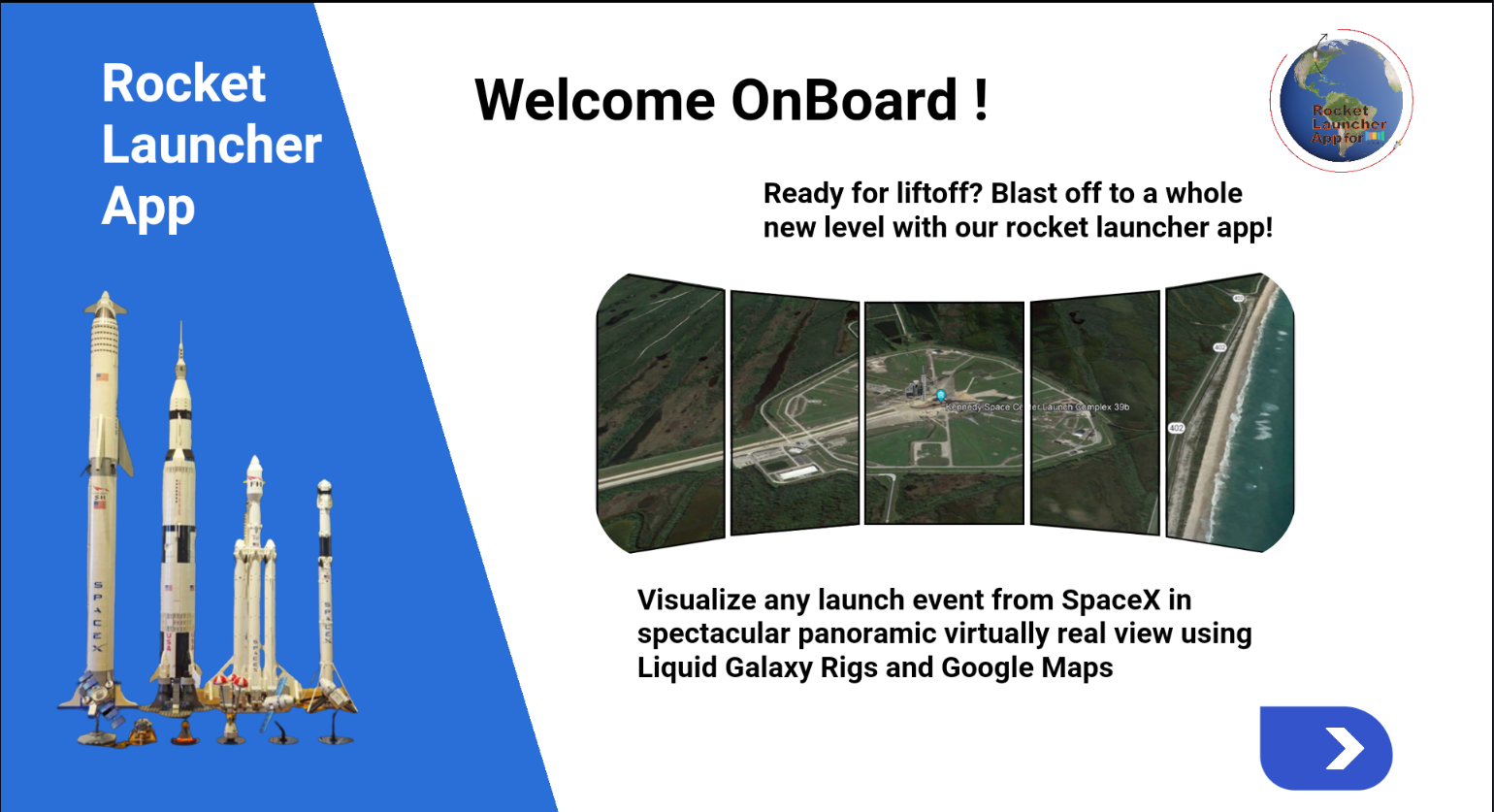
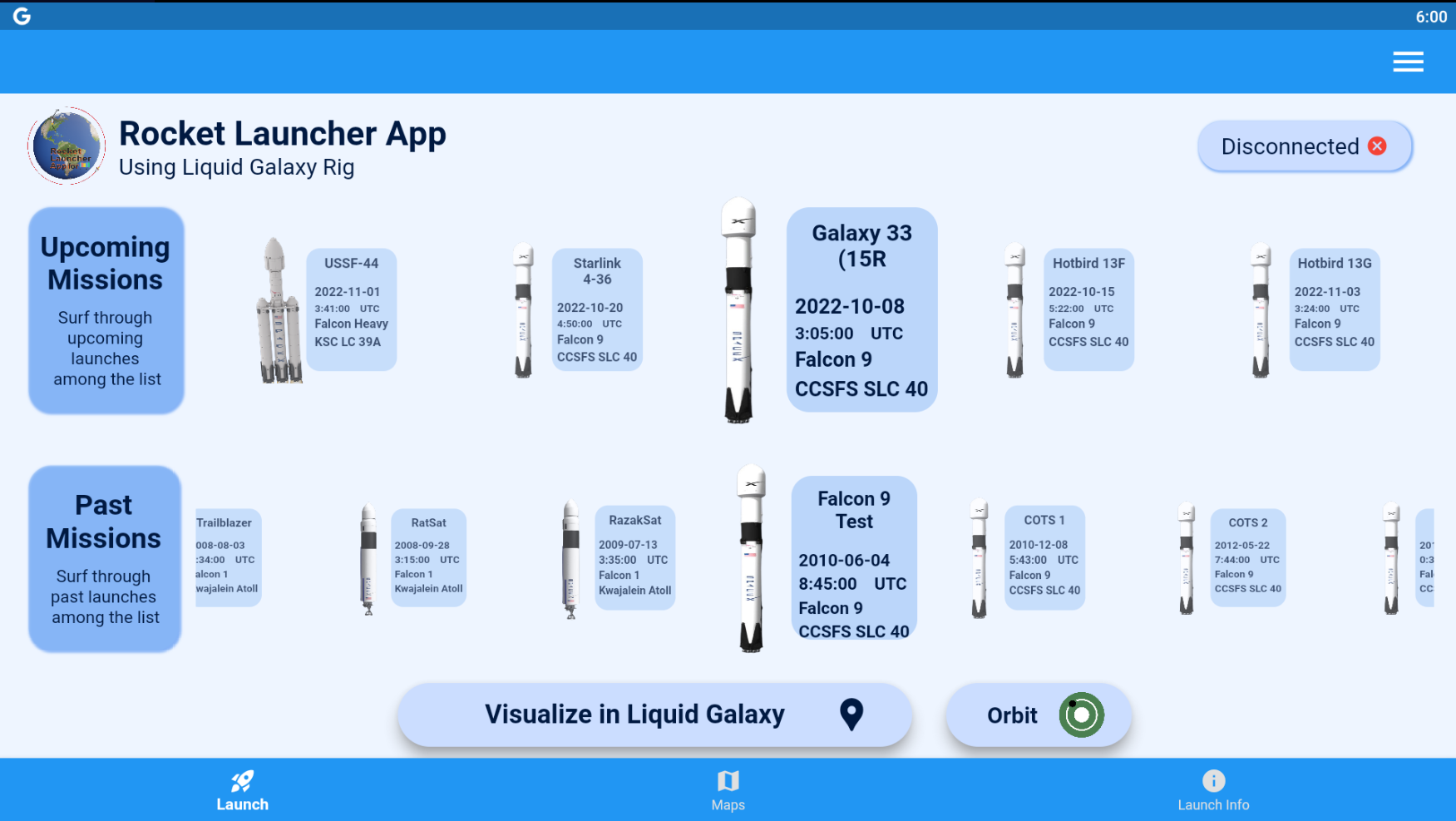
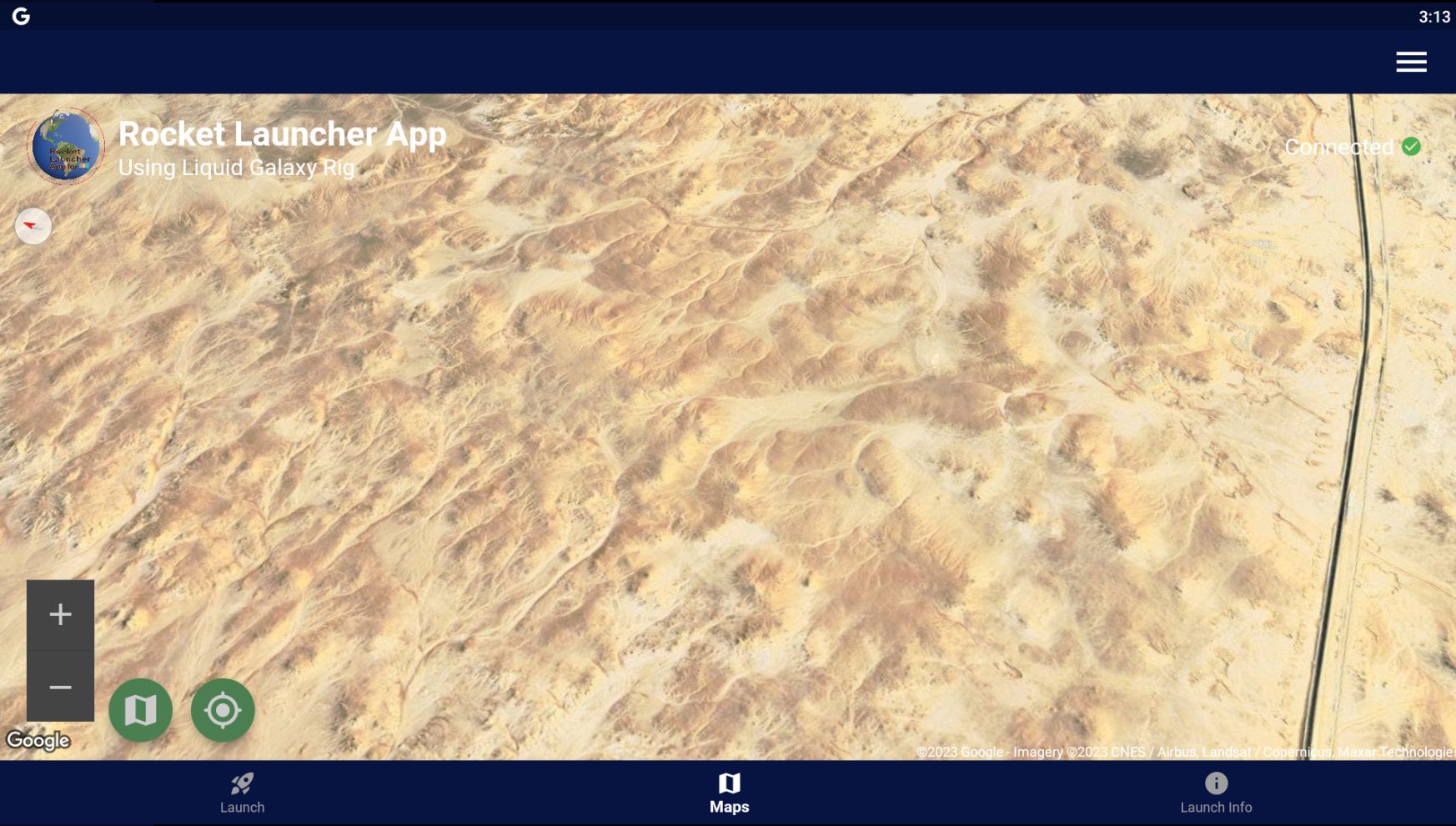
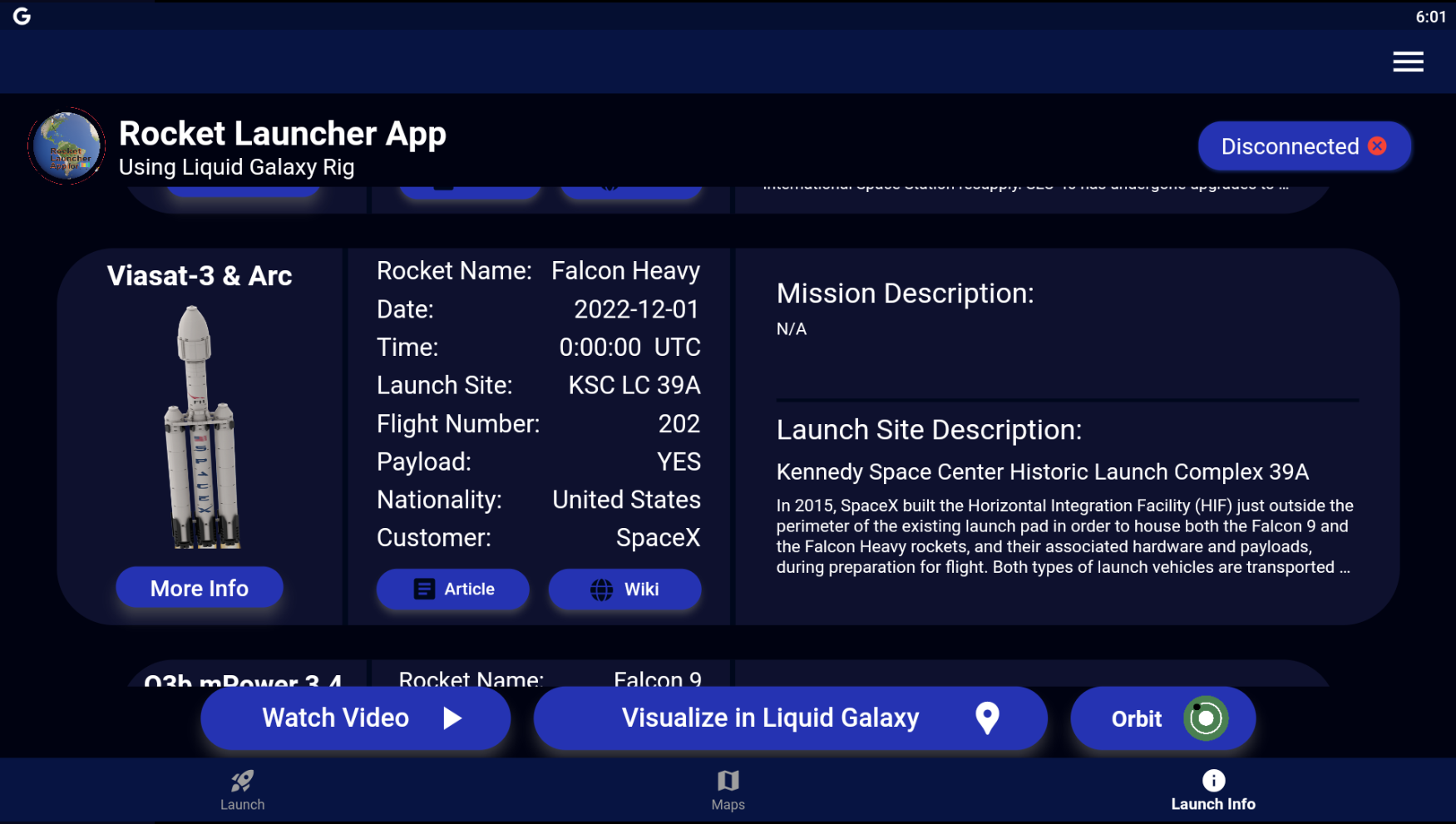
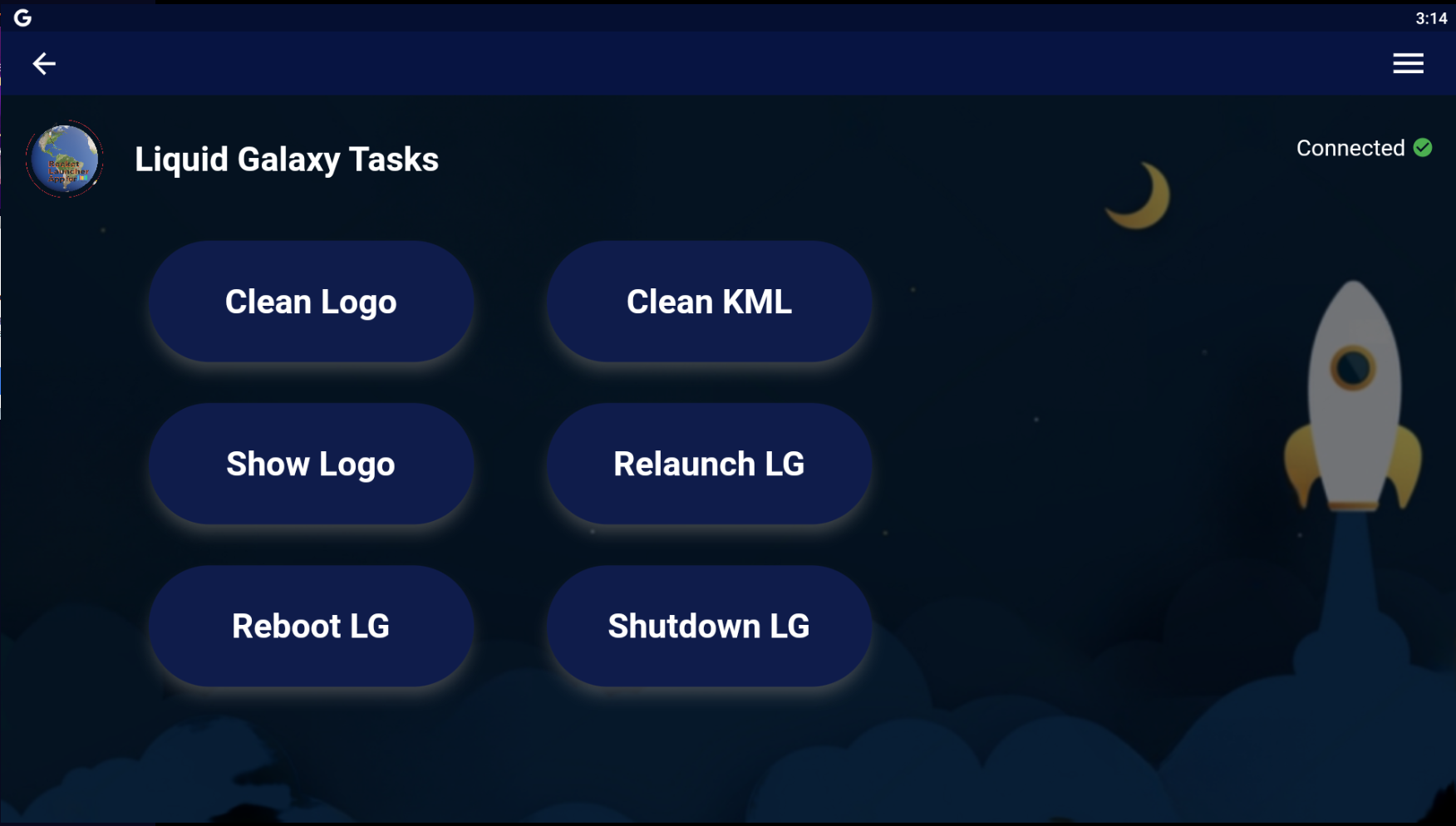
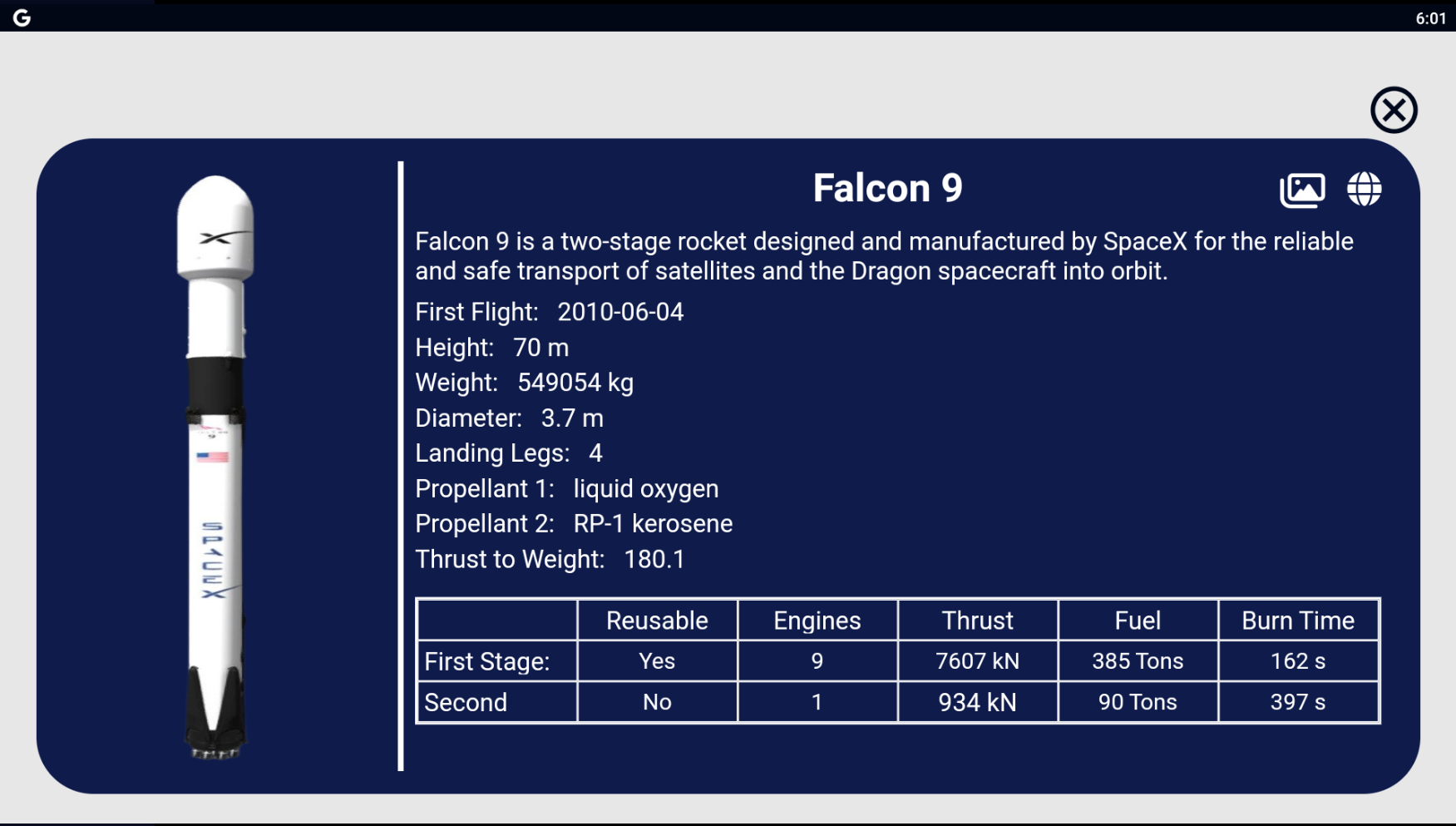
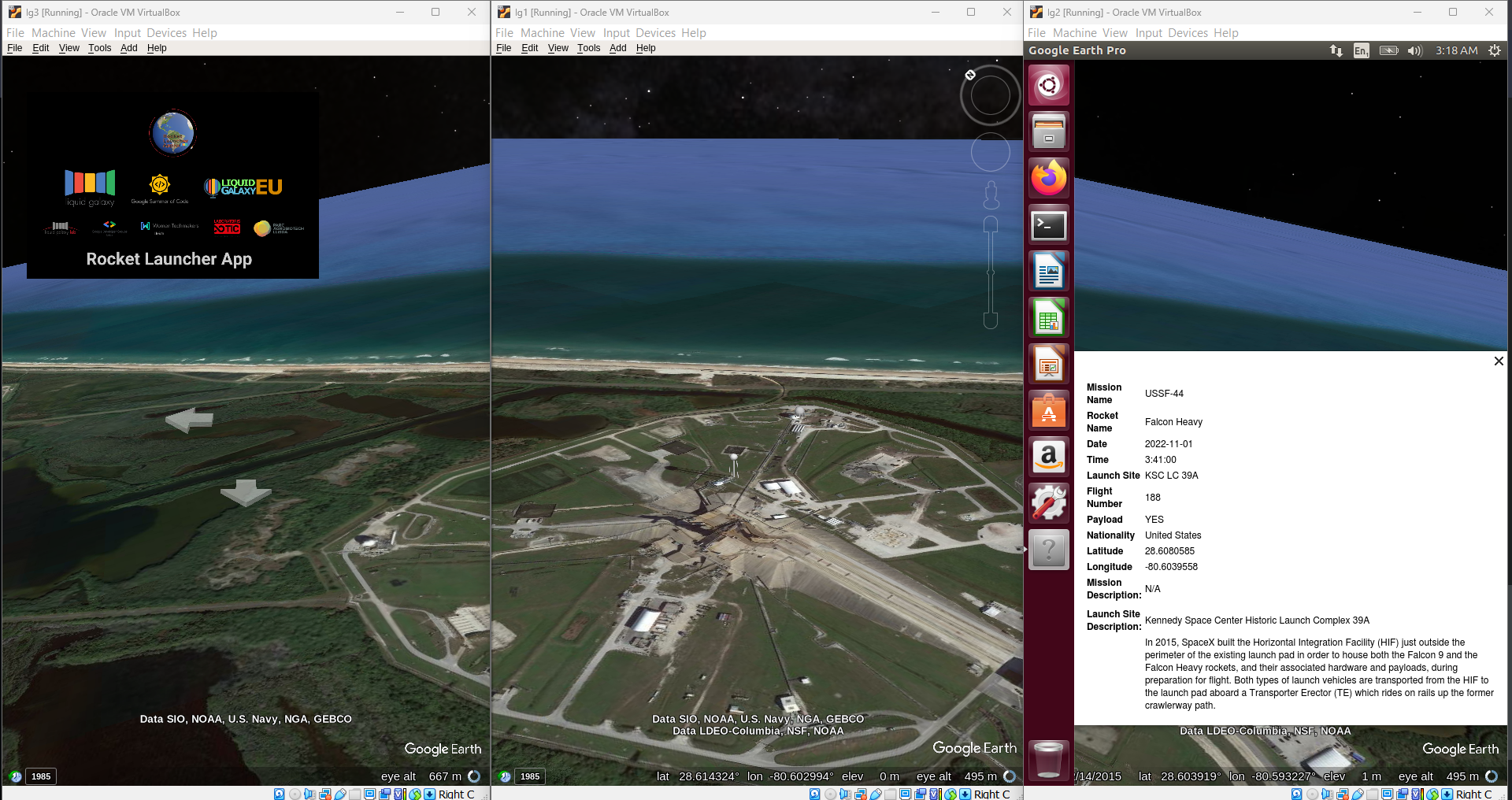
### Screenshops of application UI and Liquid Galaxy Rig
Here are the screenshots of App UI and Liquid Galaxy visualization.
> If you are interested in contributing to Liquid Galaxy projects, you can reach out by sending email to Liquid Galaxy Lab
>
> Email: [liquidgalaxylab@gmail.com](mailto:liquidgalaxylab@gmail.com)
## Guide for Open Source Contributors
### To Edit a particular translation
- Go to JSON file of that particular language, say hi.json in `assests/i18n folder` for Hindi.
- Translate only the data in right as in left is the "key" of the key-value pairs.
- Send a pull request and you're done.
### To Add a new language
- If you want to add a new language, say Greek, first google the Language code of the language (for greek it is el).
- Go to `assets/i18n` and add a new file, name it el.json.
- Copy the contents of en.json and paste it there so you don't have to rewrite the keys.
- Start translating it and once done, verify it's a JSON of valid format, means no comma or brackets are missing and it has all the key value pairs.
- Now go to line number #6 of each of the JSON files and add code and language name in each of the languages, you can use google translate here, for single words it's mostly correct.
- After this go to main.dart and add your language code in a similar way as done for other languages in line #11.
- Finally go to `codingapp/translate.dart` and add the following **CupertinoActionSheetAction** code similar to how it is done for other languages,
```dart
CupertinoActionSheetAction(
child: Text(translate('language.name.en') + " 🇺🇸",
style: TextStyle(
fontWeight: FontWeight.normal, fontFamily: "GoogleSans")),
onPressed: () {
changeLocale(context, "en");
Navigator.of(context, rootNavigator: true).pop("en");
}),
```
- Make sure to change "en" (present at three places) and flag to the language code and flag of the language you're adding.
### Contributing
Fill up issues, bugs or feature requests in our issue tracker. Please be very descriptive and clear so it is easier to help you. If you want to contribute to this project you can open a pull request at time you like.
## Contact Information
- **Name:** Manash Kumar
- **Email:** [manashkumar1216@gmail.com](mailto:manashkumar1216@gmail.com)
- **GitHub:** [SagittariusA11](https://github.com/SagittariusA11)
- **Twitter:** [manashkumar](https://twitter.com/_manashkumar_)
- **LinkedIn:** [Manash Kumar](https://www.linkedin.com/in/manash-kumar-b73921222)
## License
The Rocket Launcher Visualiser App is licensed under the [MIT license](https://opensource.org/licenses/MIT).
## Privacy Policy
Check out our [Privacy Policy](https://github.com/Alexevers/Alejandro-Android-Application-Refurbishment/blob/GSOC-2022-Apps/La%20Palma%20Volcano%20Tracking%20Tool/PrivacyPolicy.md) to get more information about the application.
Copyright © 2023 Manash Kumar