# Deadly Premonition Recompilation
**A native Windows port of *Deadly Premonition* (Xbox 360, 2010) by static recompilation. No emulator.**
60 FPS on the console's own time base · real mouse look · keyboard and PlayStation button prompts · FSR 3 and 2× supersampling · a launcher that updates itself · PAL and USA discs
[](https://github.com/LittleBitUA/DPRecomp/releases/download/v2.0.14/DPRecomp-2.0.14-win64.zip)
[](https://github.com/LittleBitUA/DPRecomp/releases)
[](https://github.com/LittleBitUA/DPRecomp/releases/download/v2.0.14/DPRecomp-2.0.14-win64.zip)
[](https://github.com/LittleBitUA/DPRecomp/issues)
[](https://github.com/LittleBitUA/DPRecomp/stargazers)
## [⬇ Download 2.0.14 for Windows](https://github.com/LittleBitUA/DPRecomp/releases/download/v2.0.14/DPRecomp-2.0.14-win64.zip)
`DPRecomp-2.0.14-win64.zip` · 47 MB · Windows 10 / 11 64-bit
[Release notes](docs/RELEASE-NOTES-2.0.14.md) · [Steam artwork pack](https://github.com/LittleBitUA/DPRecomp/releases/download/v1.3.0/DPRecomp-Steam-artwork.zip) · [Report a bug](https://github.com/LittleBitUA/DPRecomp/issues/new) · [Changelog](docs/CHANGELOG.md)
**by the «Little Bit» team · 🇺🇦 MADE IN UKRAINE**
---
> [!IMPORTANT]
> **You provide your own legally-owned copy of the game** (PAL or USA Xbox 360 disc, as an `.iso` or extracted files). The release contains the host program only: no `default.xex`, no game data. See [Legal](#legal).
## At a glance
| | |
|---|---|
| ⏱️ **60 FPS the right way.** The logic tick is unlocked from the 30 FPS vblank gate and fed whole ticks with an error accumulator, exactly like the console counts vblanks. Cutscenes stay in sync with the voices. Switchable. | 🖱️ **Real mouse look.** Mouse motion drives the game's own camera code: walking, aiming, driving and cutscene cameras. No stick emulation, no dead zone, no acceleration curve. Sensitivity and Y-invert in the launcher. |
| ⌨️ **The prompts speak keyboard.** The A / B / X / Y / LB / RB icons become pictures of *your* keys, generated from your bindings. Or PlayStation glyphs for DualShock / DualSense players. | 🎮 **Every controller.** Xbox, DualShock 4, DualSense (adaptive triggers: weapon click, resistance), any XInput or SDL pad, plus a keyboard layout that mirrors the PC Director's Cut. |
| 🖼️ **2× supersampling on the fast ROV path**, AMD FSR 3 + FXAA presenter (or CAS, FSR 1, bilinear), anisotropic filtering, window / monitor / VRR settings. A **native Direct3D 12 renderer** is in preview next to the emulated path, with its own internal resolution up to 4×. | 🚀 **A launcher.** `PlayDeadlyPremonition.exe`: every setting in five tabs, English and Ukrainian, first-run `.iso` installer, one-click updates from GitHub, config self-healing. |
| 🌍 **Both regions.** The zip holds a recompiled build for the European (PAL) and the USA (NTSC) disc; the launcher picks the right one from your `default.xex`. | 🧩 **Modding built in.** Every texture is addressable by a stable hash: dump it, edit the PNG, drop it back. That is how the key prompts and the *Recompilation* title logo are done. |
| 💾 **Portable.** Unzip anywhere; saves, config and the shader cache live in the game folder. Runs on SSE4.1-era CPUs, no AVX required. | 🏆 **Achievements** are tracked locally with unlock toasts (**F7**). There is no Xbox Live. |
---
## Quick start
**You need:** Windows 10 / 11 64-bit · a Direct3D 12 GPU with rasterizer-ordered views (NVIDIA GTX 900+, AMD RX 400+, Intel Arc; recent integrated graphics at 1×) · ~6 GB free for the game data · your *Deadly Premonition* Xbox 360 disc image or extracted files.
1. **Download** [`DPRecomp-2.0.14-win64.zip`](https://github.com/LittleBitUA/DPRecomp/releases/download/v2.0.14/DPRecomp-2.0.14-win64.zip) and unzip it anywhere outside *Program Files*.
2. **Game data:** either start the launcher and let the built-in installer extract your `.iso` into `assets\` (a few minutes, resumable), or copy the extracted disc contents so that `default.xex` ends up at `assets\default.xex`.
3. **Play:** run `PlayDeadlyPremonition.exe` and press **PLAY**. The first launch compiles shaders for a minute; later launches are instant. Saves live in `userdata\` next to the game.
Updating: the launcher shows an *Update available* banner and installs the new version in place, keeping your saves and settings; since 1.3.3 this works under Proton on the Steam Deck too (one manual unzip to get onto 1.3.3, the button from then on).
---
## What's new
**2.0.14:** mouse look: looking up no longer shakes the camera against the ground, and in the car the camera stays where you turn it instead of swinging straight back ([#45](https://github.com/LittleBitUA/DPRecomp/issues/45)). [Notes](docs/RELEASE-NOTES-2.0.14.md).
**2.0.13:** reflections in the native renderer show the right thing: the mirror in Emily's house ([#46](https://github.com/LittleBitUA/DPRecomp/issues/46)), the lake ([#41](https://github.com/LittleBitUA/DPRecomp/issues/41)) and the station's mirror floor. [Notes](docs/RELEASE-NOTES-2.0.13.md).
**2.0.12:** the native renderer no longer stops drawing objects after long sessions ([#37](https://github.com/LittleBitUA/DPRecomp/issues/37), [#43](https://github.com/LittleBitUA/DPRecomp/issues/43)), and muzzle flashes, splashes and hits play at the console's speed at 60 FPS. [Notes](docs/RELEASE-NOTES-2.0.12.md).
**2.0.11:** the logs folder stays small, a pad plugged in mid-game is noticed, and closing a system message no longer also presses a button in the game. [Notes](docs/RELEASE-NOTES-2.0.11.md).
**2.0.10:** one present per game frame: the UI no longer repaints on every monitor refresh ([#36](https://github.com/LittleBitUA/DPRecomp/issues/36)). [Notes](docs/RELEASE-NOTES-2.0.10.md).
**2.0.9:** even 60 FPS frame pacing: no more small jerks every few seconds while moving ([#36](https://github.com/LittleBitUA/DPRecomp/issues/36)). [Notes](docs/RELEASE-NOTES-2.0.9.md).
**2.0.8:** fixes a crash in the game's collision code later in the story ([#39](https://github.com/LittleBitUA/DPRecomp/issues/39)). [Notes](docs/RELEASE-NOTES-2.0.8.md).
**2.0.7:** native renderer shadows closer to the console (no more dark self-shadow bands at 2x and above, sharp shadow edges at 3x/4x, the fog veil in floor reflections is back) and a clean sun without a dark ring. [Notes](docs/RELEASE-NOTES-2.0.7.md).
**2.0.6:** the native renderer at 3x and 4x keeps the sun shadows (no more hard line of light in the distance), and the log now reports graphics problems in plain words: your GPU driver, resources that could not be created and why. [Notes](docs/RELEASE-NOTES-2.0.6.md).
**2.0.5:** drive with `W` / `S` (no more holding Space, the mouse stays on the camera), Skip Intro now skips the almost 6-minute opening movie too, and the Director's Cut controller layout no longer stays paused after you get out of the car. [Notes](docs/RELEASE-NOTES-2.0.5.md).
**2.0.4:** fixes holes and spikes on some objects with the native renderer: pillows, York's tie showing through his back, door handles and trees pulled across the screen. [Notes](docs/RELEASE-NOTES-2.0.4.md).
**2.0.3:** fixes the native renderer's crashes ("GPU lost") while exploring and after closing the pause menu. [Notes](docs/RELEASE-NOTES-2.0.3.md).
**2.0.2:** the native renderer no longer shows a black screen after updating with the launcher's Update button (its shader file was never copied), and if the graphics card stops responding the game now says so and closes instead of freezing, with the details in the log. [Notes](docs/RELEASE-NOTES-2.0.2.md).
**2.0.1:** safety fixes for the native renderer found in a review right after 2.0: an experimental texture-sharing path that could leave a stale image after a level change is now off, a possible crash and some wasted CPU time in the render-target handling are gone. Nothing you saw in 2.0 looks different. [Notes](docs/RELEASE-NOTES-2.0.1.md).
**2.0: the native renderer is ready for testing.** The game can now be drawn directly with DirectX 12 instead of an emulated Xbox 360 graphics chip, and this is the first version of that renderer we consider in a proper state: colours, light, the sky, depth of field and the mirror floors look the way they should. The launcher offers it once; the emulated path stays the default and is unchanged. **Please play with it and tell us how it goes: your impressions, your FPS and your hardware** (see *Help us test* below).
- **The main light is back.** A recompiler bug skipped the block that switches on each scene's main light (the sun outdoors) in 297 of the game's 462 pixel shaders, so the world was lit by the cool ambient light alone: flat and purple.
- **No more milky veil.** The glow's bright-pass let every pixel through, so a blurred copy of the whole frame was added on top of it at 60–70% strength.
- **The sky, trails and doubled signs.** The final colour pass draws over the HDR scene in the same video memory on the Xbox 360; the renderer now carries that memory over, so the sky shows through where it should instead of black or the previous frame.
- **The mirror floor in the sheriff's station** reflects instead of being white, and env-map reflections come from the right direction.
- **Fire and smoke** in the forest look like fire again, and **keyboard prompts** use the key textures with the native renderer too.
- Measured on an RTX 5070 at 2× in the sheriff's station: 60 fps held, the native renderer's CPU time 5.1–6.1 ms and GPU time 1.4–1.6 ms per frame.
[Full notes](docs/RELEASE-NOTES-2.0.md).
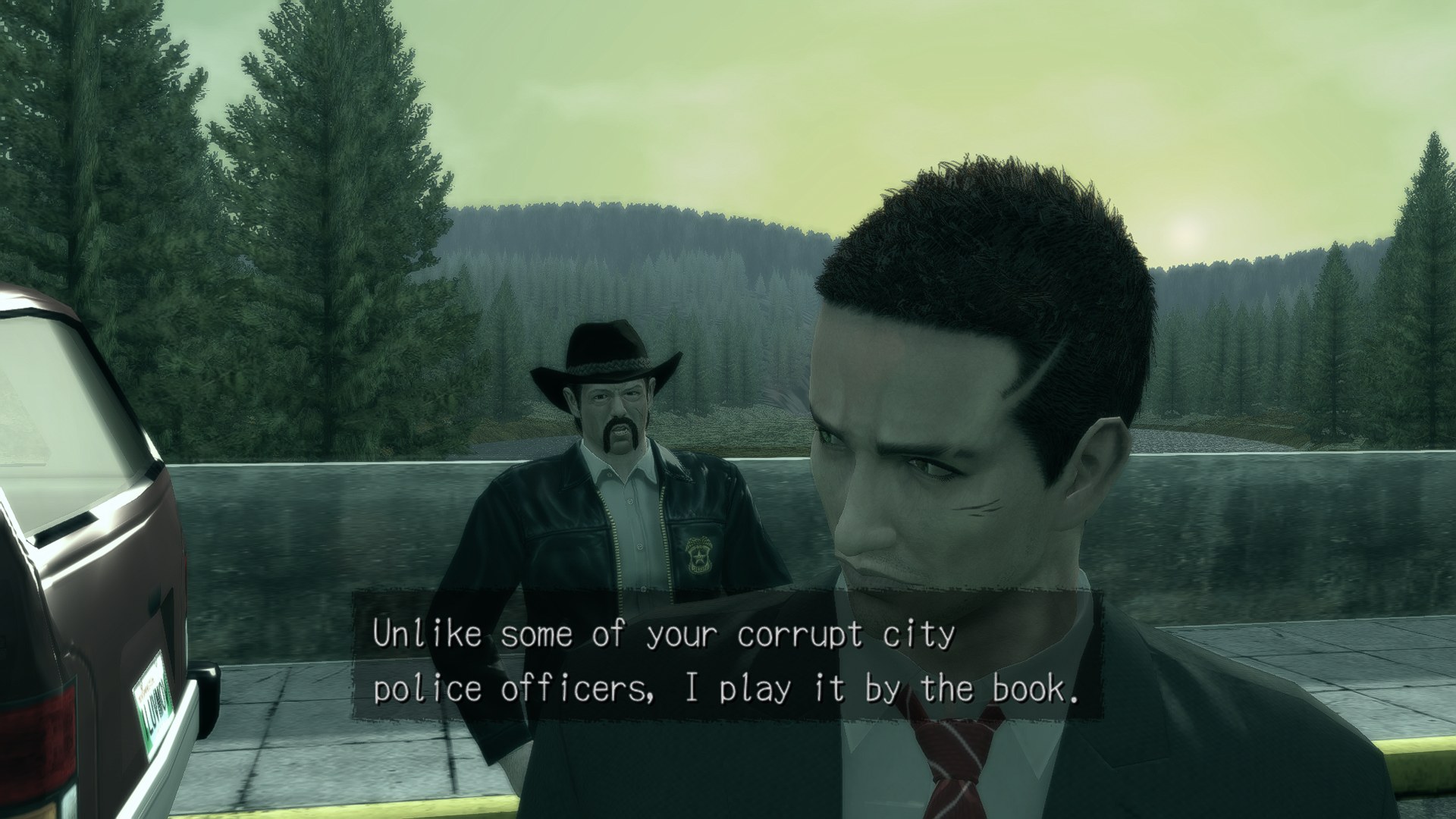
| The sheriff's station | The hallway |
|---|---|
| 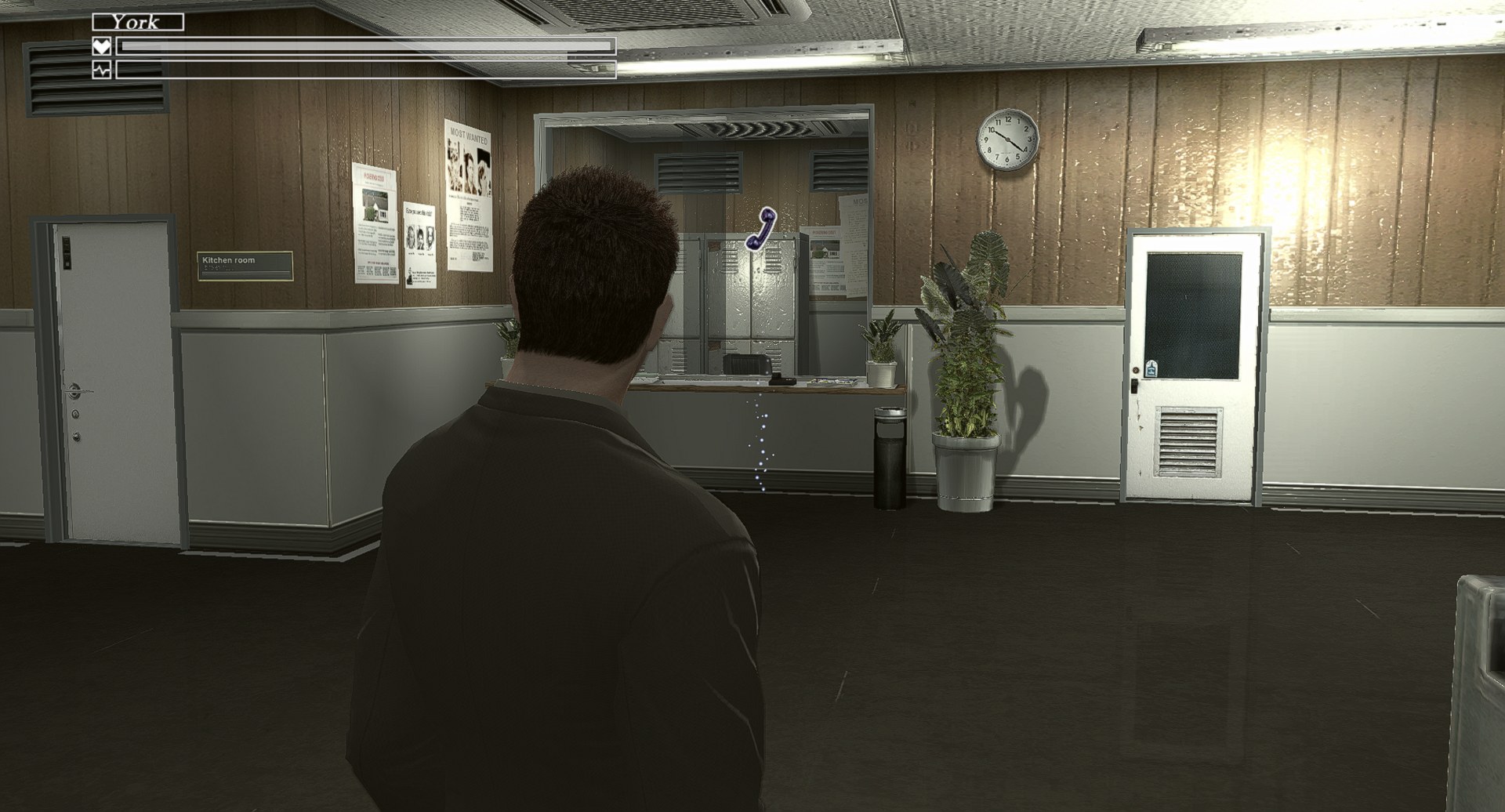 | 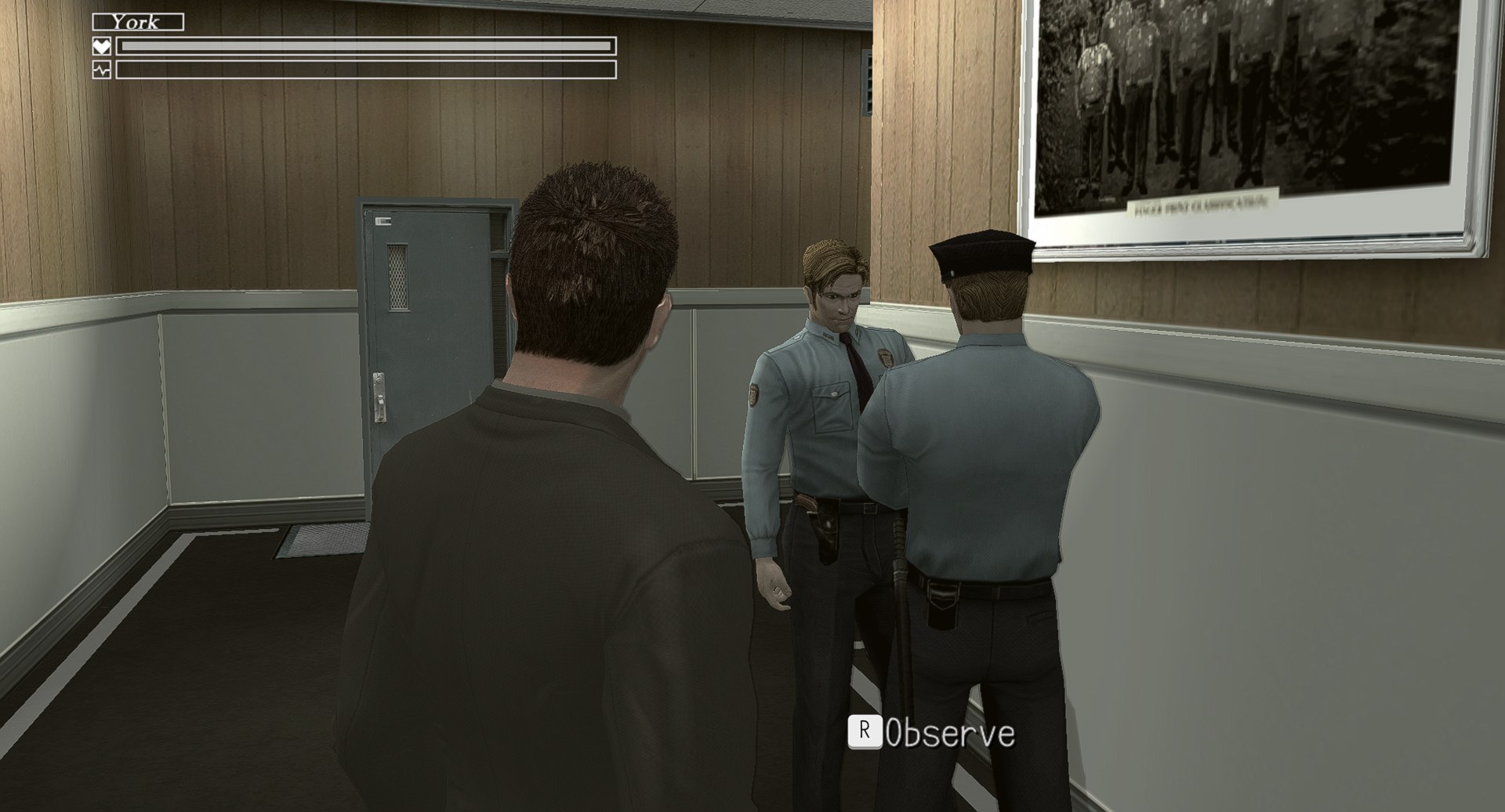 |
*The native renderer in 2.0 at 2× internal resolution.*
**1.4.7:** native renderer preview: depth of field works (the whole frame was blurred), 2× no longer wrecks the image, triangle fans. [Notes](docs/RELEASE-NOTES-1.4.7.md).
**1.4.6:** native renderer preview: internal resolution up to 4×, mipmaps, the console's shadow depth format and colour range, a recompiler fix for conditional shader branches. [Notes](docs/RELEASE-NOTES-1.4.6.md).
**1.4.5:** settings labels no longer wrap into a clipped second line; long explanations are tooltips (#32). [Notes](docs/RELEASE-NOTES-1.4.5.md).
**1.4.4:** Audio Output (Auto / Stereo / Surround). Stereo fixes quiet or missing dialogue when Windows is set to 5.1 but the speakers are not (#19). [Notes](docs/RELEASE-NOTES-1.4.4.md).
**1.4.3:** the launcher's *Share Shader Cache* never actually delivered anything; it does now. [Notes](docs/RELEASE-NOTES-1.4.3.md).
**1.4.2:** the endless "Saving" screen (#21), diagonal mouse aim (#30), and the first native renderer preview. [Notes](docs/RELEASE-NOTES-1.4.2.md).
Everything since 1.0, version by version: [docs/CHANGELOG.md](docs/CHANGELOG.md).
---
## 🧪 Help us test
Every fix in the list above started as somebody's report. What is most useful right now:
- **The native renderer** (launcher → **Native**), new in 2.0. Hardware other than ours is the part we cannot see. Tell us your GPU and CPU, the frame rate in the same spot with the renderer off and on, and whether **Internal Resolution** 2× is playable. The log line that starts `Native renderer: frame #` carries the frame, CPU and GPU milliseconds we need; attach `logs\deadlyprem_XXX.log`.
- **60 FPS oddities:** anything that runs at the wrong speed or desyncs from the voices. The scene where York meets Emily and George is our reference.
- **The ROV path's leftovers:** hard contours on tree crowns and glass, light-blue polygonal patches on characters in dialogue scenes, flat cloud blotches (#10). A screenshot plus the scene name.
- **Steam Deck and AMD integrated graphics:** frame rates with ROV vs RTV, 1× vs 2×.
- **Crashes:** GPU and driver, render path, internal resolution, a screenshot, the newest `logs\deadlyprem_XXX.log` and any `logs\*.dmp` next to it. The log ends with a crash report: the game thread, the call stack, and for GPU losses the DRED breadcrumbs.
Open an [issue](https://github.com/LittleBitUA/DPRecomp/issues/new) with a save file if the problem is scene-specific (`userdata\` → the folder for your XUID). "It works" reports with your GPU and settings are welcome too. And if you say yes when the launcher asks to **share your shader cache**, whoever plays after you gets fewer first-time stutters ([what exactly is sent](#faq)).
---
## The launcher and in-game keys
`PlayDeadlyPremonition.exe` shows every setting on its own page: **Graphics** (render path, internal resolution, upscaler and sharpness, FXAA, 60 FPS, window, monitor list), **Advanced** (game language, skip intro, GPU adapter, texture cache, audio output, Steam overlay switch, shader cache sharing, texture dump), **Mouse** (direct camera control, sensitivity, invert, key stick ramp, auto-shake), **Controls** (button prompts style, controller layout, DualSense triggers, every key binding), **Debug** (log level, PSO policy), **Experimental** and **Native** (the native renderer preview and its internal resolution). It writes `deadlyprem.toml` next to the game and repairs keys the in-game overlay may drop.
In the game: **F4** runtime settings overlay (live changes, *Save to config* writes them back) · **F3** performance overlay · **F7** achievements.
## Controls
Mirrors the Director's Cut PC keymap. A controller works at the same time. The publisher logos and the opening movie can be skipped (Advanced → Skip Intro: straight to the title screen, or straight to the main menu). Rebind anything in the launcher (Controls tab); combo syntax in the config: `,` separates alternatives, `+` means held together (`keybind_a = "E,Space+LMB"`).
| Action | Keyboard / mouse | Pad |
|---|---|---|
| Move | `W` `A` `S` `D` | Left stick |
| Look | Mouse | Right stick |
| Change weapon | Mouse wheel | D-pad up / down |
| Map zoom | Mouse wheel | Right stick up / down |
| Interact / accept | `E` | A |
| Cancel / reload | `R` | B |
| Observe | `C` | Left stick press |
| Flashlight | `F` | Y |
| Run (hold) / cutscene actions | `Shift` | X |
| Draw weapon / aim | hold `Space` | Right trigger |
| Aim (while weapon drawn) | Mouse (or `W` `A` `S` `D`) | Left stick |
| Fire | `Space` + `LMB` | A while aiming |
| Shake the stick (QTE "Get it off!") | tap `A` `D` `A` `D` rapidly | wiggle the left stick |
| Hold breath / lock-on | `Control` | Left trigger |
| Car: accelerate / brake and reverse / steer | `W` / `S` / `A` `D` (holding `Space` / `Control` still works) | Right trigger / left trigger / left stick |
| *Director's Cut layout* (Controls → Controller Layout) | unchanged | Left trigger aims, right trigger fires, A while aiming holds breath |
| Strafe left / right | `Z` / `X` | LB / RB |
| Pause menu | `Enter` | Start |
| Map | `M` | Back |
## Steam
Add `PlayDeadlyPremonition.exe` as a non-Steam game, then apply the [Steam artwork pack](https://github.com/LittleBitUA/DPRecomp/releases/download/v1.3.0/DPRecomp-Steam-artwork.zip) (also in [docs/steam](docs/steam)): a 600×900 vertical capsule, a 1920×620 hero banner and a transparent logo, with a README that says where each file goes. Step by step in the [FAQ](#how-do-i-add-the-game-to-steam-with-proper-artwork). If starting through Steam gives a black screen or a tinted quarter frame, set *Steam Overlay* to `off` in the launcher (Advanced).
## Keyboard prompts and texture modding
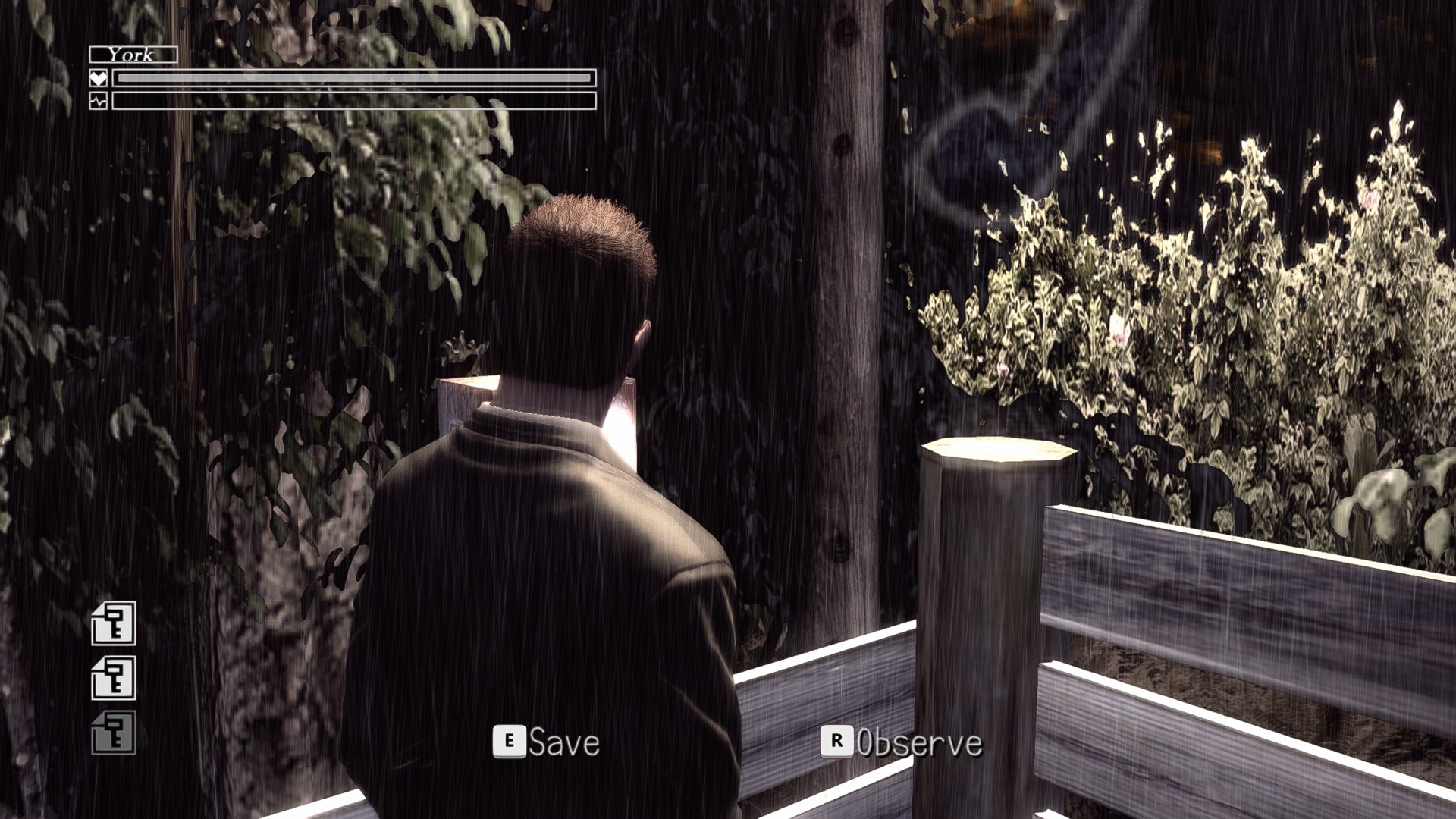
The game draws its button hints from one small atlas texture. With *Mouse & Keyboard Mode* on, the launcher paints key caps with your bindings over that atlas, so **E** Save, **R** Observe, **SHIFT** run, **SPACE** aim follow your keymap. Controls → **Button Prompts** picks the style: **Keyboard**, **Xbox** (original) or **PlayStation** in three looks (icons by [Zacksly](https://zacksly.itch.io), CC BY 3.0). The sets live in `prompts\` as plain PNGs, so another controller family is a folder away.
The same mechanism is a modding tool. Every texture the game loads is identified by a hash of its pixels, the same on every PC:
- `textures\