
Bevy Enoki
[](./LICENSE)
[](https://crates.io/crates/bevy_enoki)
Enoki - A 2D particle system for the Bevy game engine.
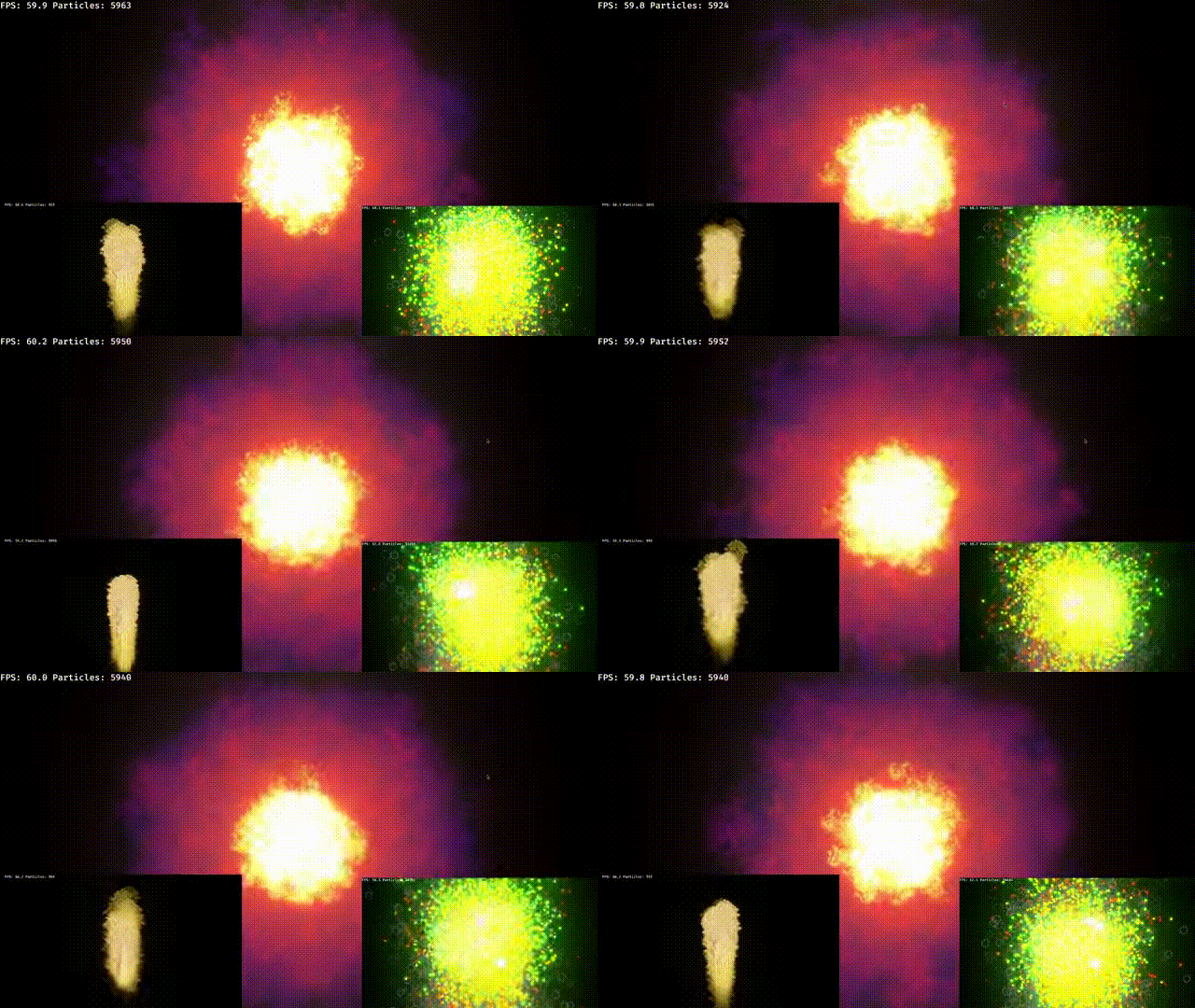
## Overview
The Enoki particle system uses SIMD optimizations to perform calculation on the CPU.
It is GPU instanced, with no compute shaders. Portability is the highest priority.
Runs on web/mobile/native or any other platform you can imagine.
You have access to a `Material Trait` which let's you implement your own
fragment shaders on top. Resulting in a powerful tool to build any modern VFX effect.
Additionally, spawner configuration are provided via `ron` files, which can be hot reloaded.
The default material allows not only for custom textures, but also sprite sheet animations over the particle lifetime.
## Compatibility
| bevy | bevy_enoki |
| ---: | ---------: |
| 0.19 | 0.7 |
| 0.18 | 0.6 |
| 0.17 | 0.5 |
| 0.16 | 0.4 |
| 0.15 | 0.3.3 |
| 0.14 | 0.2.2 |
| 0.13 | 0.1 |
## Editor [lommix.github.io/bevy_enoki](https://lommix.github.io/bevy_enoki)
Enoki has a feature rich Editor.
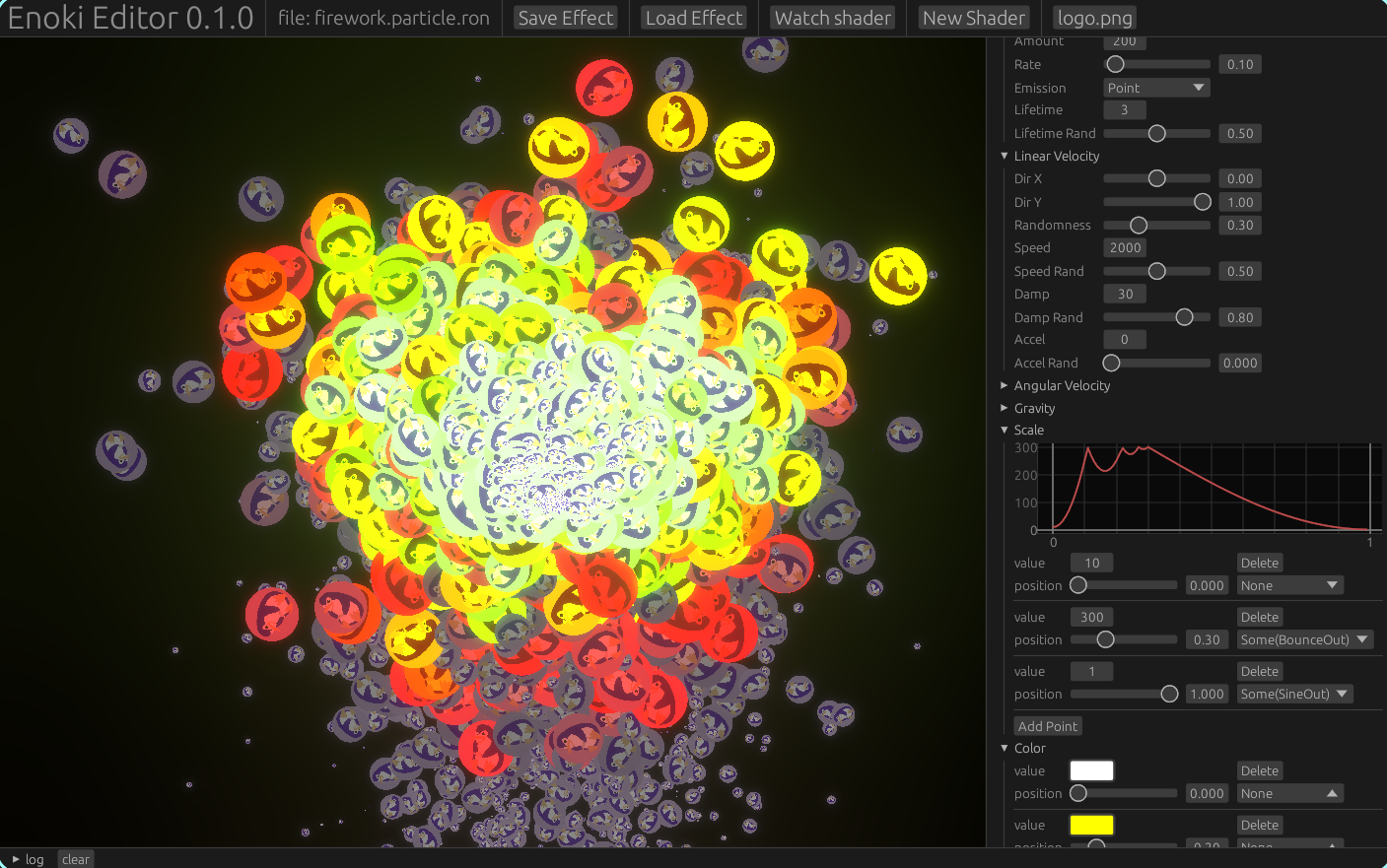
- load and save effect assets.
- watch a shader file with hot reload, your editor of choice.
- load a texture.
- play with values.
Get started by installing it via cargo
```
cargo install enoki2d_editor
```
---
## Examples
```shell
cargo run -p example --bin material
cargo run -p example --bin sprites
cargo run -p example --bin dynamic
```
## Usage
Add the `bevy_enoki` dependency to your `Cargo.toml`
```toml
bevy_enoki = "0.2.2"
```
Add the `EnokiPlugin` to your app
```rust
App::new()
.add_plugins(DefaultPlugins)
.add_plugins(EnokiPlugin)
.run()
```
Create your first particle spawner.
```rust
use bevy_enoki::prelude::*;
fn setup(
mut cmd : Commands,
mut materials: ResMut>,
server : Res,
){
cmd.spawn(Camera2dBundle::default());
// minimal setup
// white quads with a default effect
cmd.spawn(
// the main component.
// holds a material handle.
// defaults to a simple white color quad.
// has required components
ParticleSpawner::default()
)
// bring in your own effect asset from a ron file
// (hot reload by default)
cmd.spawn((
ParticleSpawner::default(),
// the effect components holds the baseline
// effect asset.
ParticleEffectHandle(server.load("firework.particle.ron")),
));
// now with a sprite sheet animation over lifetime
let sprite_material = materials.add(
// the other args (hframes and vframes) defines how the sprite sheet is divided for animating,
// you can also just use `form_texture` for a single sprite
SpriteParticle2dMaterial::new(server.load("particle.png"), 6, 1),
);
cmd.spawn((
ParticleSpawner(sprite_material),
ParticleEffectHandle(server.load("firework.particle.ron")),
));
}
```
## Control your particles
There 4 main components you can play with. These are required by the `ParticleSpawner`
and thus added, if not provided.
- `ParticleSpawnerState`: Controls the spawner state.
- `ParticleEffectInstance`: A unique clone of the effect. Can be changed at runtime, only affects the spawner attached to. Will reload, when the asset changes.
- `ParticleEffectHandle`: A link the main effect asset.
- `ParticleStore`: Holds the particle data. You mostly won't interact with this.
- `OneShot`: A optional Tag component. That will either deactivate or delete the spawner, after first burst is done.
- `NoAutoAabb`: Opt out of auto Aabb calculation.
## Create a custom Material
Just like any other Bevy material, you can define your own
fragment shader.
```rust
#[derive(AsBindGroup, Asset, TypePath, Clone, Default)]
pub struct FireParticleMaterial {
#[texture(0)]
#[sampler(1)]
texture: Handle,
}
impl Particle2dMaterial for FireParticleMaterial {
fn fragment_shader() -> bevy::render::render_resource::ShaderRef {
"custom_material.wgsl".into()
}
}
fn setup(){
App::default()
.add_plugins(DefaultPlugins)
.add_plugins(EnokiPlugin)
.add_plugins(Particle2dMaterialPlugin::::default())
.run()
}
```
## Create a shader
```wgsl
//assets/custom_material.wgsl
#import bevy_enoki::particle_vertex_out::{ VertexOutput }
@group(1) @binding(0) var texture: texture_2d;
@group(1) @binding(1) var texture_sampler: sampler;
@fragment
fn fragment(in: VertexOutput) -> @location(0) vec4 {
var out = in.color
// go wild
return out;
}
```
That's it, now add the Material to your Spawner! These are the values provided by the vertex shader:
```wgsl
struct VertexOutput {
@builtin(position) clip_position: vec4,
@location(0) @interpolate(flat) color: vec4,
@location(1) uv : vec2,
@location(2) lifetime_frac : f32,
@location(3) lifetime_total : f32,
};
```
## The Effect Asset
[Here is a default ron config](example/assets/base.particle.ron)
```rust
#[derive(Deserialize, Default, Clone, Debug)]
pub enum EmissionShape {
#[default]
Point,
Circle(f32),
}
#[derive(Asset, TypePath, Default, Deserialize, Clone, Debug)]
pub struct Particle2dEffect {
pub spawn_rate: f32,
pub spawn_amount: u32,
pub emission_shape: EmissionShape,
pub lifetime: Rval,
pub linear_speed: Option>,
pub linear_acceleration: Option>,
pub direction: Option>,
pub angular_speed: Option>,
pub angular_acceleration: Option>,
pub scale: Option>,
pub color: Option,
pub gravity_direction: Option>,
pub gravity_speed: Option>,
pub linear_damp: Option>,
pub angular_damp: Option>,
pub scale_curve: Option>,
pub color_curve: Option>,
}
```
This how you create a `MultiCurve`. Currently, Supports `LinearRgba` and `f32`.
`RVal` stands for any Value with a randomness property between 0 - 1.
```rust
let curve = MultiCurve::new()
.with_point(LinearRgba::RED, 0.0, None)
.with_point(LinearRgba::BLUE, 1.0, Some(EaseFunction::SineInOut));
// max 1.0, randomness of 0.1 (0.9 - 1.1)
let rval = Rval::new(1.0, 0.1);
```