





 ## Requirements:
```
Python3
```
## Installation Linux:
```bash
sudo apt-get update
sudo apt-get install python3
sudo apt-get install git
git clone https://github.com/Lucksi/LinkdTime
```
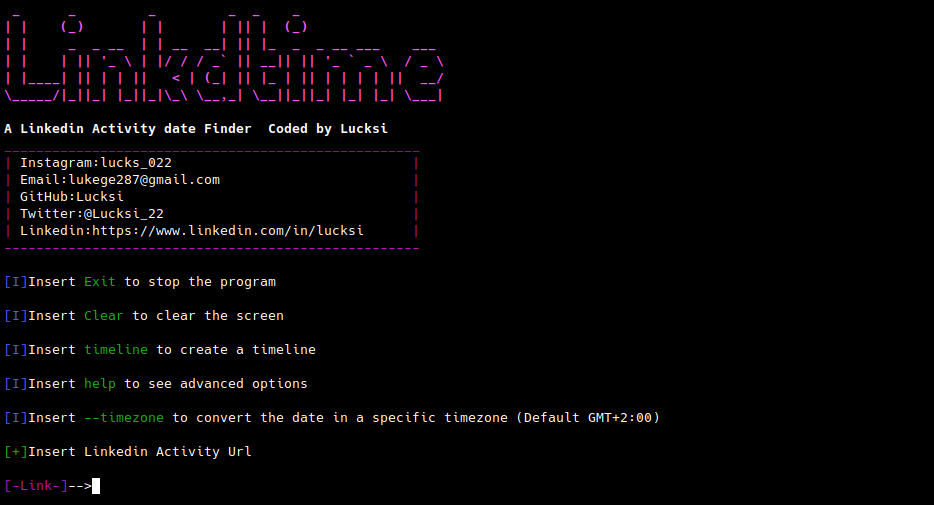
## Execution:
```bash
cd LinkdTime
python3 main.py
```
## Operating Sytstems:
| Platform | Tested |
| ------------- | ------------- |
| Linux | ✅ |
| Mac-Os | ❌ |
| Windows | ❌ |
## Recognized Activities:
| Name
| -------------
| `Posts`
| `Comments`
| `Comments/Replies`
| `Profile-Pictures Changes`
| `Background-Images Changes`
| `Company-Logo Changes`
## Current Features:
| Feauture list | Require Internet |
| ------------- | ----------------|
| `Extracting Activity timestamp` | False
| `Create Timelines`| False
| `Timezone Change` | False
| `Saving images in Base64 format (Timelines only)` | True
| `Download images (Timelines only)`| True
## Timeline Example:
## Requirements:
```
Python3
```
## Installation Linux:
```bash
sudo apt-get update
sudo apt-get install python3
sudo apt-get install git
git clone https://github.com/Lucksi/LinkdTime
```
## Execution:
```bash
cd LinkdTime
python3 main.py
```
## Operating Sytstems:
| Platform | Tested |
| ------------- | ------------- |
| Linux | ✅ |
| Mac-Os | ❌ |
| Windows | ❌ |
## Recognized Activities:
| Name
| -------------
| `Posts`
| `Comments`
| `Comments/Replies`
| `Profile-Pictures Changes`
| `Background-Images Changes`
| `Company-Logo Changes`
## Current Features:
| Feauture list | Require Internet |
| ------------- | ----------------|
| `Extracting Activity timestamp` | False
| `Create Timelines`| False
| `Timezone Change` | False
| `Saving images in Base64 format (Timelines only)` | True
| `Download images (Timelines only)`| True
## Timeline Example:
 ## Configuration:
| Parameter Name | Values | Default Value | Description |
| ------------- | ------------- | -------------| ------------ |
| `DATE-FORMAT` | Eu/Us/As| Eu | Date format used ex: '01/01/2025'
| `USER-AGENT` | input string | Mozilla/5.0 (Macintosh; Intel Mac OS X 10_11_5) AppleWebKit/537.36 (KHTML, like Gecko) Chrome/50.0.2661.102 Safari/537.36 | User agent used for downloading images
| `AUTO-DOWNLOAD` | True/False| False | Auto download for images (Timeline Only)
| `CLOCK-FORMAT` | 12/24| 24 | Clock format this is used for determine how many hours the clock will have. For the 12 hours clock it will be displayed AM (Morning) or PM (Afternoon)
## Advanced Commands:
| Option name | Description | Query Example |
| ------------- | ------------- | -------------|
| `timeline` | Create a timeline from a group of activities| timeline test.txt |
| `--autoname` | Generate a default name for each element in the timeline | timeline test.txt --autoname |
| `--description` | Allows you to insert a description for each element in the timeline | timeline test.txt --description |
| `--save` | Allows you to save images in base64 | timeline test.txt --save |
| `--download` |Allows you to download images | timeline test.txt --save --download |
| `--timezone` | Set a Timezone for the results (works with timelines and standalone links) (default GMT+2:OO) | timeline test.txt --timezone GMT+4:00 |
## Autoname Default element name example:
```bash
Element n°1
```
## Supported Timelines formats:
| Format Name | Extension
| ------------- | -------------
| `Text File Format` | txt
| `Hyper Text Markup Language` | html
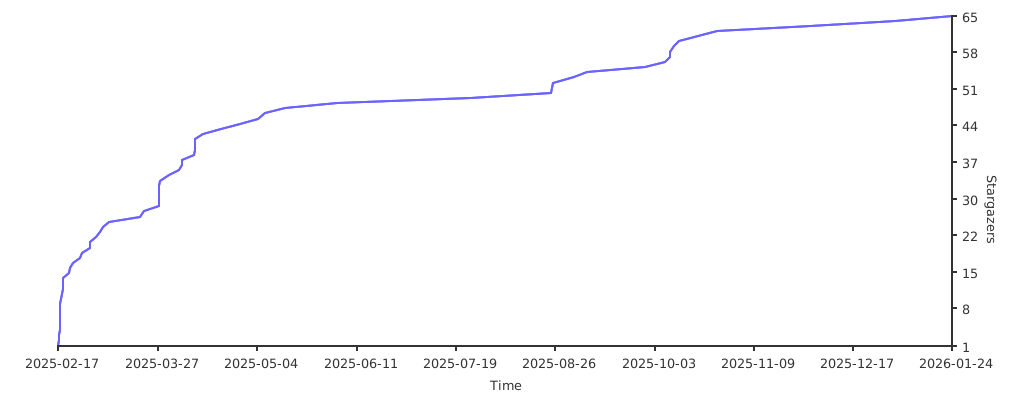
## STARGAZERS OVER TIME
[](https://starchart.cc/Lucksi/LinkdTime)
## Configuration:
| Parameter Name | Values | Default Value | Description |
| ------------- | ------------- | -------------| ------------ |
| `DATE-FORMAT` | Eu/Us/As| Eu | Date format used ex: '01/01/2025'
| `USER-AGENT` | input string | Mozilla/5.0 (Macintosh; Intel Mac OS X 10_11_5) AppleWebKit/537.36 (KHTML, like Gecko) Chrome/50.0.2661.102 Safari/537.36 | User agent used for downloading images
| `AUTO-DOWNLOAD` | True/False| False | Auto download for images (Timeline Only)
| `CLOCK-FORMAT` | 12/24| 24 | Clock format this is used for determine how many hours the clock will have. For the 12 hours clock it will be displayed AM (Morning) or PM (Afternoon)
## Advanced Commands:
| Option name | Description | Query Example |
| ------------- | ------------- | -------------|
| `timeline` | Create a timeline from a group of activities| timeline test.txt |
| `--autoname` | Generate a default name for each element in the timeline | timeline test.txt --autoname |
| `--description` | Allows you to insert a description for each element in the timeline | timeline test.txt --description |
| `--save` | Allows you to save images in base64 | timeline test.txt --save |
| `--download` |Allows you to download images | timeline test.txt --save --download |
| `--timezone` | Set a Timezone for the results (works with timelines and standalone links) (default GMT+2:OO) | timeline test.txt --timezone GMT+4:00 |
## Autoname Default element name example:
```bash
Element n°1
```
## Supported Timelines formats:
| Format Name | Extension
| ------------- | -------------
| `Text File Format` | txt
| `Hyper Text Markup Language` | html
## STARGAZERS OVER TIME
[](https://starchart.cc/Lucksi/LinkdTime)
ORIGINAL CREATOR: LUCA GAROFALO (Lucksi)
##LICENSE: GPL-3.0 License
COPYRIGHT: (C) 2025-2026 Lucksi