[](https://github.com/Lumiwealth/lumibot/actions/workflows/cicd.yaml)
[](https://github.com/Lumiwealth/lumibot/actions/workflows/cicd.yaml)
[](https://pypi.org/project/lumibot/)
[](https://pypistats.org/packages/lumibot)
[](https://pypi.org/project/lumibot/)
[](LICENSE)
# LumiBot AI Trading
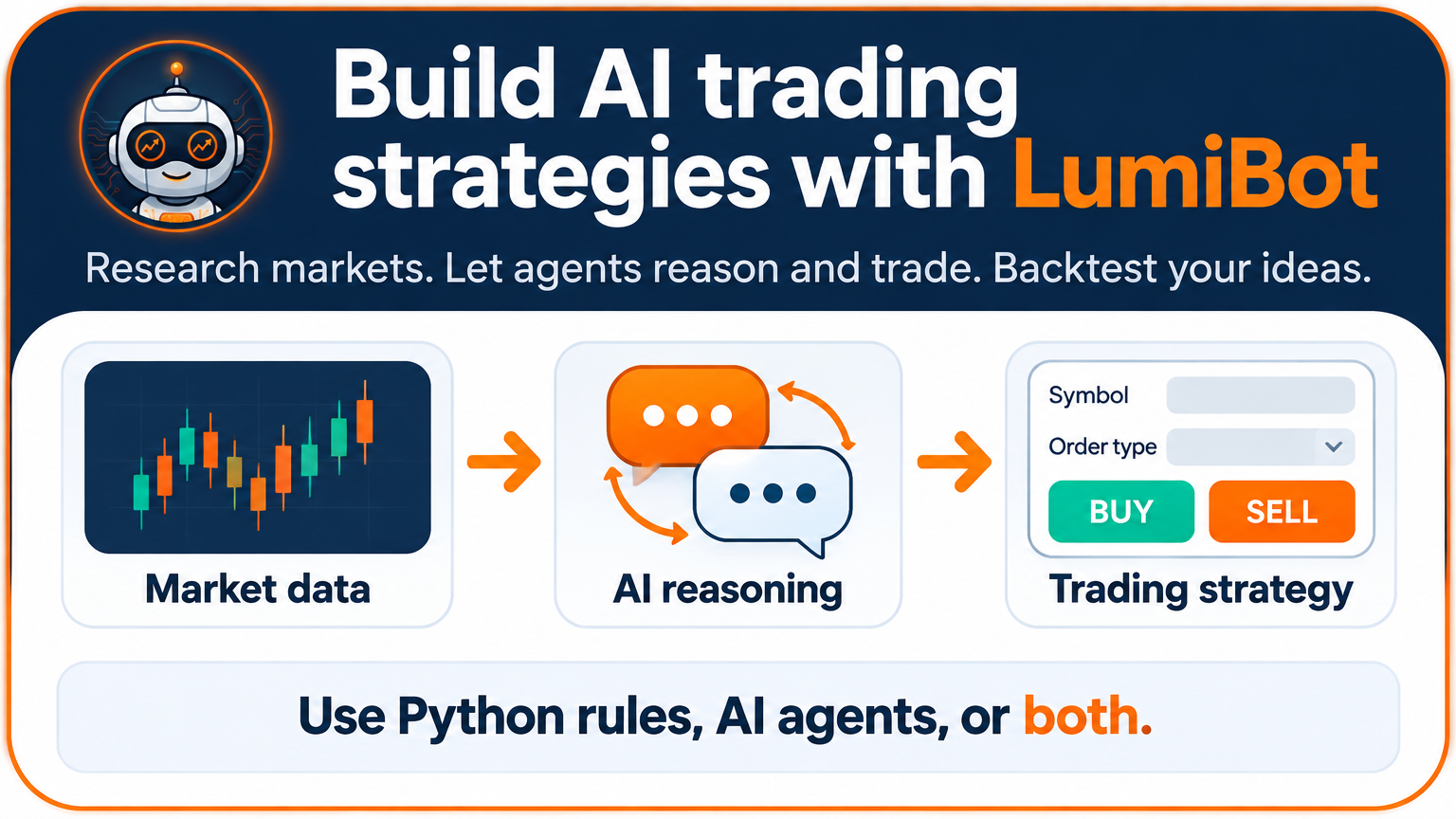
**Build AI trading agents. Backtest them. Trade with the same strategy.**
LumiBot is a **free, open-source Python framework** for building trading bots.
Write your own trading rules, let AI agents make decisions, or combine both.
Backtest on historical data, inspect trades and results, and use the same
strategy class with a supported broker for paper or live trading.
**Full docs:** [lumibot.lumiwealth.com](https://lumibot.lumiwealth.com/?utm_source=github&utm_medium=readme&utm_campaign=lumibot&utm_content=top_docs_link) · **Managed cloud:** [BotSpot.trade](https://botspot.trade/sales?showLogin=1&utm_source=github&utm_medium=readme&utm_campaign=lumibot&utm_content=top_text_link&sample=lumibot_readme_deploy) · **MCP:** [BotSpot for AI coding agents](https://botspot.trade/agents?utm_source=github&utm_medium=readme&utm_campaign=lumibot&utm_content=top_mcp_link)
Read this in [中文](README.zh-CN.md) · [Español](README.es.md) · [Français](README.fr.md) · [Deutsch](README.de.md) · [日本語](README.ja.md) · [한국어](README.ko.md) · [Português](README.pt.md) · [Русский](README.ru.md)
## Why LumiBot?
- **Native AI trading:** agents research, reason and place orders from your prompts.
- **Backtest before trading:** evaluate AI decisions and Python rules on historical data, with charts, trades and logs.
- **Same strategy for backtesting and trading:** keep your strategy class; change the data source and broker runner.
- **Multiple asset classes:** stocks, options, futures, forex, crypto and prediction markets through [supported brokers](https://lumibot.lumiwealth.com/brokers.all.html).
- **The decision reaches a broker.** Inspect the orders, fills and decision records. [How execution works](https://lumibot.lumiwealth.com/execution_gap.html).
**Build faster with BotSpot MCP.** Connect your assistant for free to get LumiBot
strategy-building skills, research data and tools for backtests and deployment.
[See what your assistant gets](#connect-your-ai-assistant).
## Three ways to build a strategy
- **[AI-native strategies](#run-your-first-ai-backtest):** write prompts for trading agents.
- **[Python strategies](#backtest-a-strategy):** write your rules in Python.
- **[Hybrid strategies](#build-a-hybrid-strategy):** combine Python rules and AI decisions.
## Run your first AI backtest
**The trading rules go in the prompt.** Edit `system_prompt` below to change
what the agent does. `initialize()` creates it once; `on_trading_iteration()`
calls it on every iteration. This example has one agent that makes the trading
decisions and places orders.
Use Python 3.10+. This example uses Yahoo daily prices and an OpenAI model;
model calls incur charges.
```bash
pip install lumibot
export OPENAI_API_KEY="your-openai-api-key"
```
Save as `my_ai_strategy.py`:
```python
from datetime import datetime
from lumibot.backtesting import YahooDataBacktesting
from lumibot.strategies import Strategy
class MyAIStrategy(Strategy):
def initialize(self):
self.sleeptime = "1D"
self.agents.create(
name="trader",
default_model="openai/gpt-6-luna",
reasoning_effort="medium",
allow_trading=True,
system_prompt=(
"Trade SPY using its last 20 completed daily bars. "
"Buy when the latest completed close is above their average; "
"sell an existing position when it is below. Otherwise hold. "
"Keep the position at or below 10% of portfolio value. "
"Check cash, positions and open orders before acting. "
"No shorting or leverage. Do not duplicate pending orders. "
"Use only information available as of the strategy time."
),
)
def on_trading_iteration(self):
self.agents["trader"].run(
task_prompt="Review SPY, apply your rules and verify any orders.",
context={"as_of": self.get_datetime().isoformat()},
)
if __name__ == "__main__":
MyAIStrategy.backtest(
YahooDataBacktesting,
datetime(2026, 4, 6),
datetime(2026, 4, 11),
budget=100_000,
benchmark_asset="SPY",
)
```
```bash
python my_ai_strategy.py
```
Review the decisions, orders and backtest charts. This demonstrates the API;
it is not a claim that this trading rule is profitable.
For a complete two-agent team, [read the researcher-and-trader example](lumibot/example_strategies/ai_researcher_trader.py) and [follow its walkthrough](https://lumibot.lumiwealth.com/agents_quickstart.html):
```bash
python -m lumibot.example_strategies.ai_researcher_trader
```
**Recorded run (made with Gemini):** the existing two-agent example has [source, decisions and trade records](docs/assets/ai-trading/spy-20260913/README.md). These are historical results, separate from the single-agent example above.
## Backtest a strategy
This is a traditional rules-based strategy: buy 10 AAPL shares on the first iteration and hold. It uses Yahoo historical prices, requires internet access, and makes no AI calls. Use Python 3.10 or later.
```bash
pip install lumibot
```
Save this as `my_strategy.py`:
```python
from datetime import datetime
from lumibot.strategies import Strategy
from lumibot.backtesting import YahooDataBacktesting
class MyStrategy(Strategy):
def on_trading_iteration(self):
if self.first_iteration:
aapl = self.create_order("AAPL", 10, "buy")
self.submit_order(aapl)
MyStrategy.backtest(
YahooDataBacktesting,
datetime(2023, 1, 1),
datetime(2024, 1, 1),
)
```
```bash
python my_strategy.py
```
## Build a hybrid strategy
Use Python for the rules you want to control directly and an agent for the
research or decision you want it to handle. A moving-average entry can trigger
a read-only risk review; Python checks the structured answer, sizes the
position and submits the order. Set that reviewer's `allow_trading=False`.
[See the hybrid flow](https://lumibot.lumiwealth.com/agents_flows.html) and
[structured-answer examples](https://lumibot.lumiwealth.com/agents_quickstart.html).
## Run the same strategy with a paper broker
After the backtest works, keep the `MyStrategy` class and replace the final `MyStrategy.backtest(...)` call with a broker runner. This example uses Alpaca paper trading:
```bash
export ALPACA_API_KEY='your-alpaca-key'
export ALPACA_API_SECRET='your-alpaca-secret'
export ALPACA_IS_PAPER=true
python my_strategy.py
```
```python
import os
from lumibot.brokers import Alpaca
from lumibot.traders import Trader
ALPACA_CONFIG = {
"API_KEY": os.environ["ALPACA_API_KEY"],
"API_SECRET": os.environ["ALPACA_API_SECRET"],
"PAPER": os.environ.get("ALPACA_IS_PAPER", "true").lower() != "false",
}
broker = Alpaca(ALPACA_CONFIG)
strategy = MyStrategy(broker=broker)
trader = Trader()
trader.add_strategy(strategy)
trader.run_all()
```
Start with paper trading. When you are ready for live trading, use the same strategy class and switch your broker account/configuration intentionally.
For full setup guides, broker tutorials, AI-agent docs, examples, and deployment notes, use the **[Lumibot documentation](https://lumibot.lumiwealth.com/)**.
## Connect your AI assistant
Claude, ChatGPT, Codex, Cursor, VS Code or another MCP-compatible assistant can
help you write and test any of these strategies. Your coding assistant helps
build the code; the agents **inside** an AI-native strategy run its trading logic.
Connect the free [BotSpot MCP](https://botspot.trade/agents?utm_source=github&utm_medium=readme&utm_campaign=lumibot&utm_content=top_mcp_free) for strategy-building skills, free research data and hosted backtests with charts. BotSpot also offers scheduled hosting, a community, a strategy marketplace and broker linking. Hosted usage depends on your plan.
**[Connect your AI assistant](https://botspot.trade/agents)**
For local coding help, install the free [LumiBot trading skills](https://github.com/Lumiwealth/lumibot-trading-skills).
**Give running strategy agents research tools too:**
```bash
lumibot connect botspot
```
They can discover datasets, query economics and SEC observations, retrieve source
documents, and read permitted Marketplace and Community information. See the
[LumiBot connection guide](https://lumibot.lumiwealth.com/botspot_mcp.html) for
source availability, permissions and backtest-date limitations. LumiBot works
independently; connecting BotSpot adds these tools.
## Explore LumiBot
- [Python strategies](https://lumibot.lumiwealth.com/examples.html) and [AI strategies](https://lumibot.lumiwealth.com/agents_examples.html)
- [Strategy API](https://lumibot.lumiwealth.com/strategy_api_overview.html), [data sources](https://lumibot.lumiwealth.com/backtesting.html) and [brokers](https://lumibot.lumiwealth.com/brokers.all.html)
- [Compare frameworks](https://lumibot.lumiwealth.com/ai_trading_project_comparison.html) and [migrate from Backtrader](docsrc/MIGRATING_FROM_BACKTRADER.rst)
- [CLI setup](https://lumibot.lumiwealth.com/cli.html), including `lumibot demo` and `lumibot init`
- [Run locally or deploy](https://lumibot.lumiwealth.com/deployment.html) and [cash accounting](https://lumibot.lumiwealth.com/cash_accounting.html)
## Want help building your first AI trading bot?
**[Join the free challenge](https://botspot.trade/challenges?utm_source=github&utm_medium=readme&utm_campaign=lumibot_ai_trading&utm_content=free_challenge)** with Rob Grzesik, creator of LumiBot. Follow the training and learn how to turn an idea into an AI trading strategy.
Looking for deeper training? [Explore the AI Trading Bootcamp](https://botspot.trade/courses/ai-trading-bootcamp?utm_source=github&utm_medium=readme&utm_campaign=lumibot_ai_trading&utm_content=bootcamp). Prefer a hosted workspace? [Explore BotSpot](https://botspot.trade/agents?utm_source=github&utm_medium=readme&utm_campaign=lumibot_ai_trading&utm_content=hosted).
## Project Growth
## AI Bootcamp
Learn to build, backtest, and deploy trading strategies using AI. Join 2,400+ traders.
## Contributing
We welcome contributions! Here's a video to help you get started: [Watch The Video](https://youtu.be/Huz6VxqafZs)
**Steps:**
1. Clone the repository
2. Create a new branch: `git switch -c my-feature`
3. Install dev dependencies: `pip install -r requirements_dev.txt && pip install -e .`
4. Make your changes
5. Run tests: `pytest`
6. Create a pull request
## Running Tests
```bash
pytest # Run all tests
pytest tests/test_asset.py # Run a specific test file
coverage run; coverage report # Show code coverage
```
## Remote Cache Configuration
Lumibot can mirror its local parquet caches to AWS S3. See `docs/remote_cache.md` for configuration.
## Architecture Documentation
- [Backtesting Architecture](docs/BACKTESTING_ARCHITECTURE.md) - Data flow diagrams for Yahoo, ThetaData, Polygon
- [Acceptance Backtests](docs/ACCEPTANCE_BACKTESTS.md) - End-to-end acceptance suite
- [Environment Variables](docsrc/environment_variables.rst) - All configurable env vars
- [Changelog](CHANGELOG.md) - Release notes
- [AI Assistant Guide](CLAUDE.md) - Instructions for AI coding assistants
- [Production Safety](AGENTS.md) - ThetaData and production rules
## Disclaimer
This software is provided for educational and informational purposes only. It is not financial advice and does not constitute a recommendation to buy or sell any security. Lumibot and BotSpot are not registered broker-dealers or financial advisors. Algorithmic trading involves substantial risk of loss, including the possibility of losses greater than your initial investment. Software bugs and errors can lead to rapid financial losses. Past backtest performance does not guarantee future results. Use this software at your own risk. You are solely responsible for compliance with all applicable laws and regulations regarding the assets you choose to trade.
Affiliate disclosure: some provider links or promo codes, including ThetaData, may support continued Lumibot development.
## License
GNU General Public License v3.0 - [View License](LICENSE)
## Contribute
See [CONTRIBUTING.md](CONTRIBUTING.md) for reproducible bugs, examples, tests, and focused pull requests. If LumiBot is useful to your work, star the repository and share an example with another developer.

 Reddit Community
 Discord Community